

How Referral Tracking Works
Every setting in this plugin exists to change one chain of events. A visitor clicks a link, a cookie is set, an order is placed, and a commission row appears. Knowing that chain makes every other page in these docs easier to read.
The chain in five steps
Section titled “The chain in five steps”- An affiliate shares a link. The link carries a token that identifies them.
- A visitor clicks. The plugin resolves the token to an approved affiliate and stores it in a cookie.
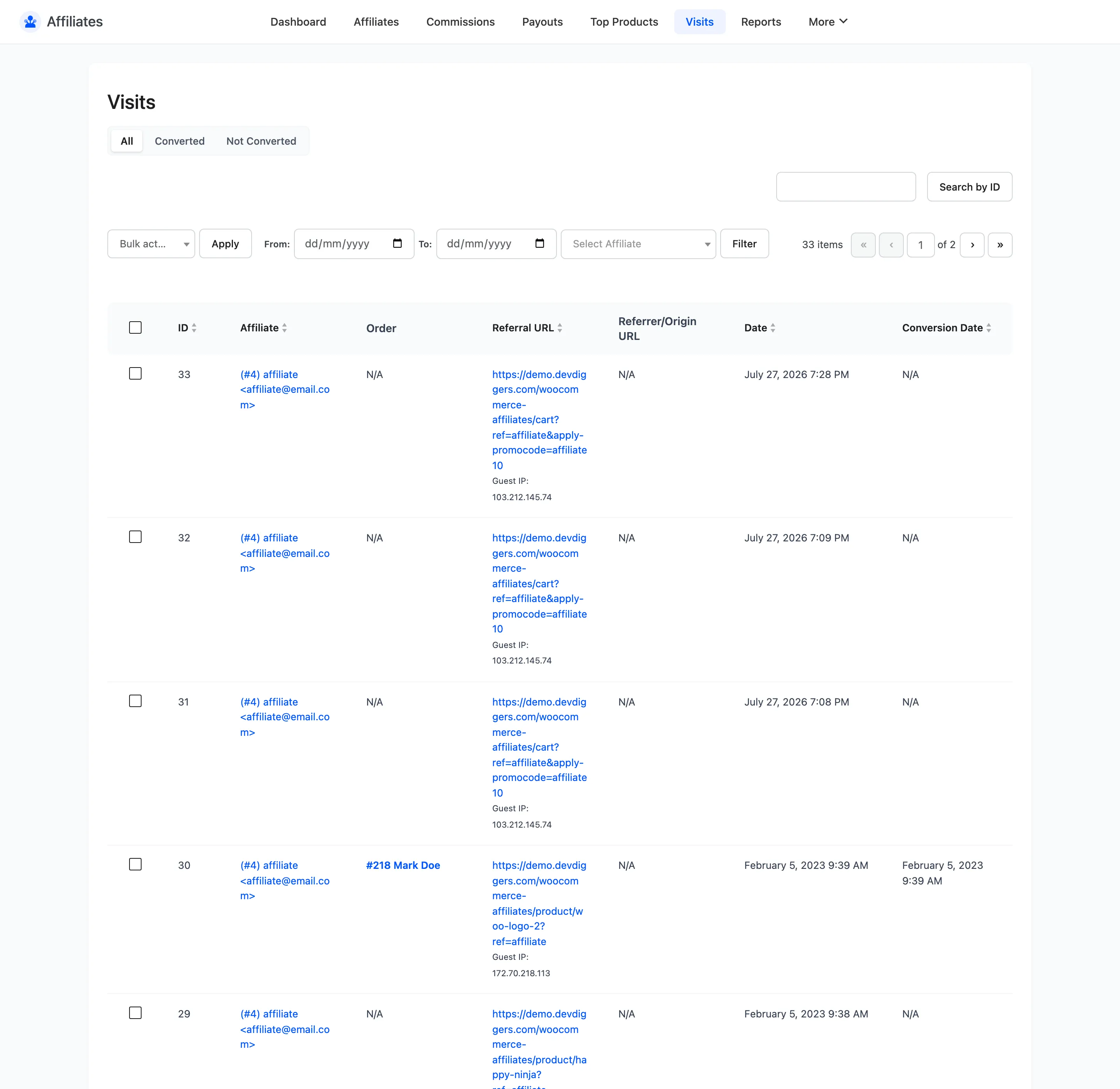
- A visit is logged. One row in the Visits table, with the landing URL and the referring page.
- The visitor buys. At checkout the plugin reads the cookie and writes one commission per line item in the order.
- The commission follows the order. Its status tracks the WooCommerce order status until you pay it.
Step 1: The referral link
Section titled “Step 1: The referral link”An affiliate’s link is your store URL with one query parameter added.
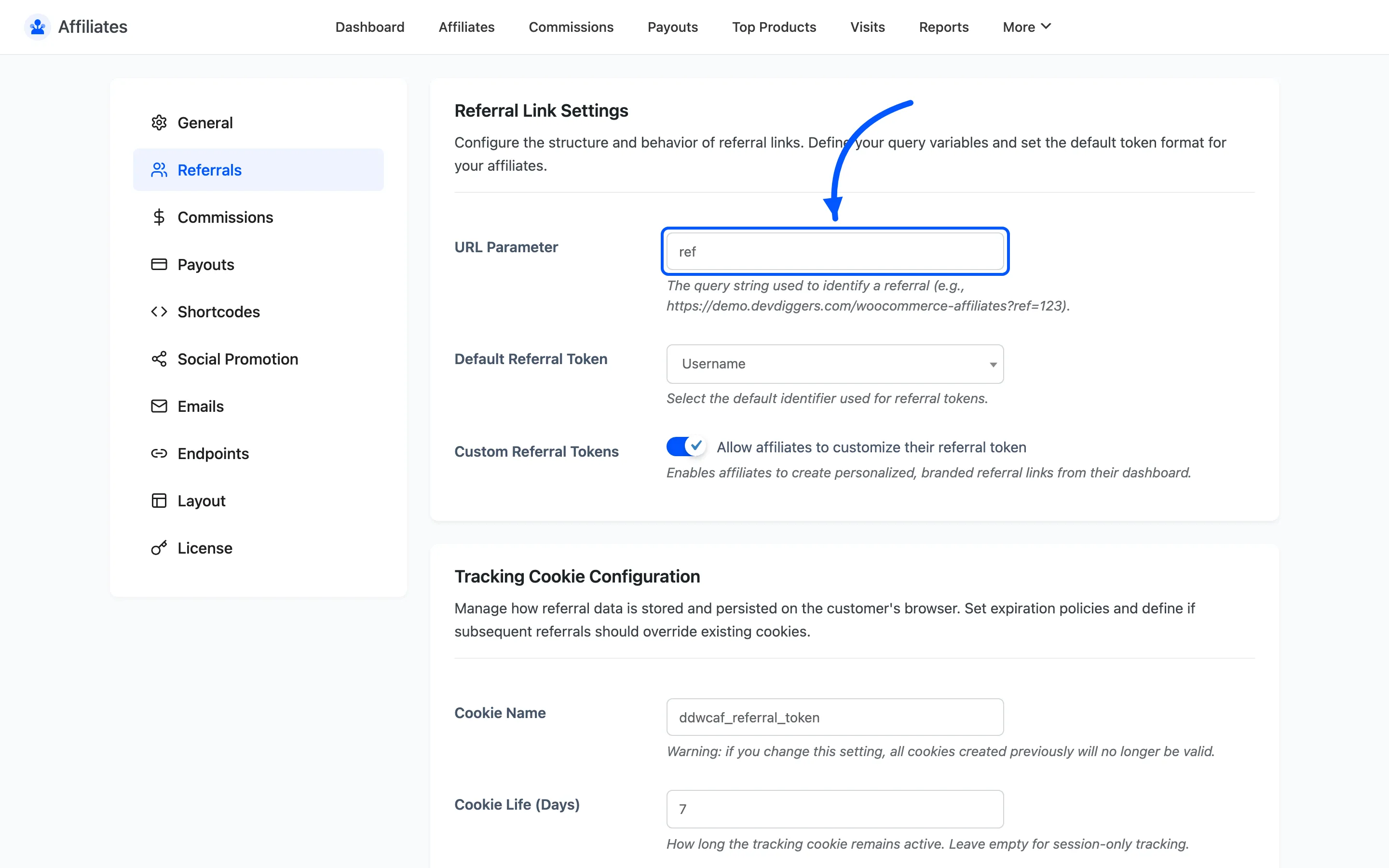
https://yourstore.com/?ref=12The parameter name comes from URL Parameter on the Referrals tab, and the token after it comes from Default Referral Token. Affiliates find their own link under Link Generator on their dashboard.
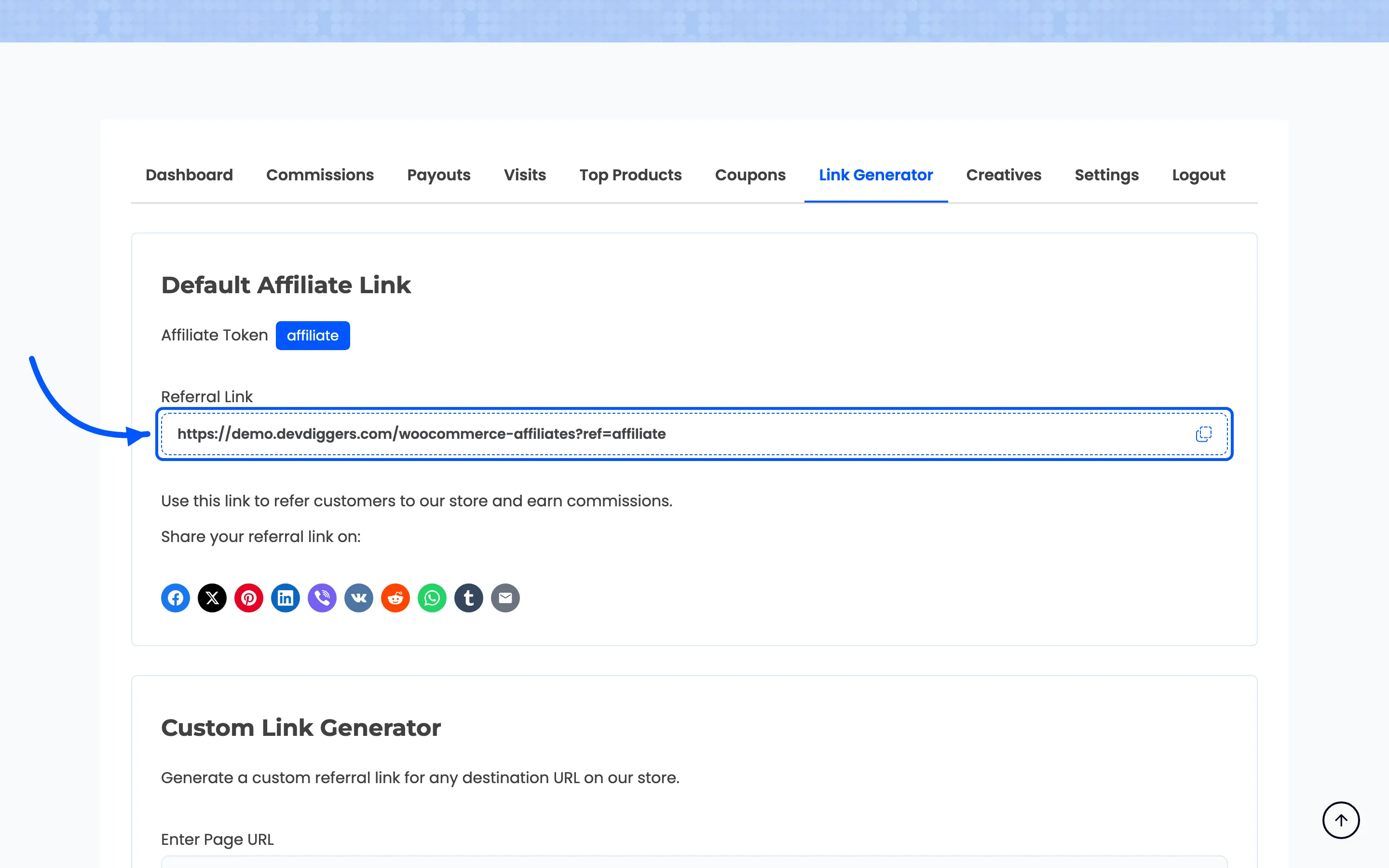
The link works on any URL on your store, not only the home page. An affiliate reviewing one product can send traffic straight to that product page and still be credited.
Step 2: The tracking cookie
Section titled “Step 2: The tracking cookie”When the token resolves to an approved affiliate, the plugin writes a cookie. A pending, rejected or banned affiliate’s link sets nothing and earns nothing.
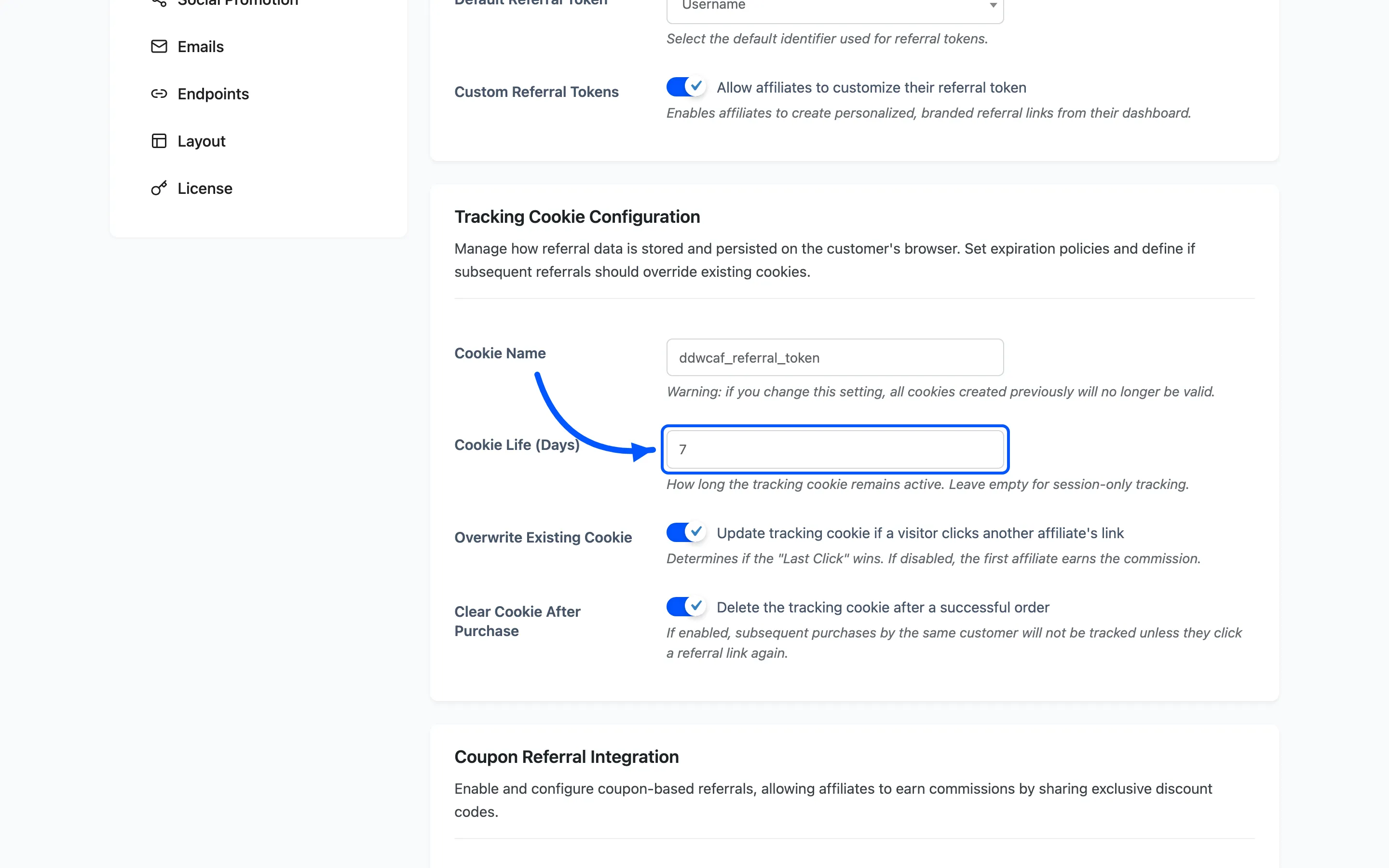
Cookie Name and Cookie Life (Days) control the cookie. Cookie life is your attribution window: seven days means a visitor who clicks today and buys on day six still credits the affiliate.
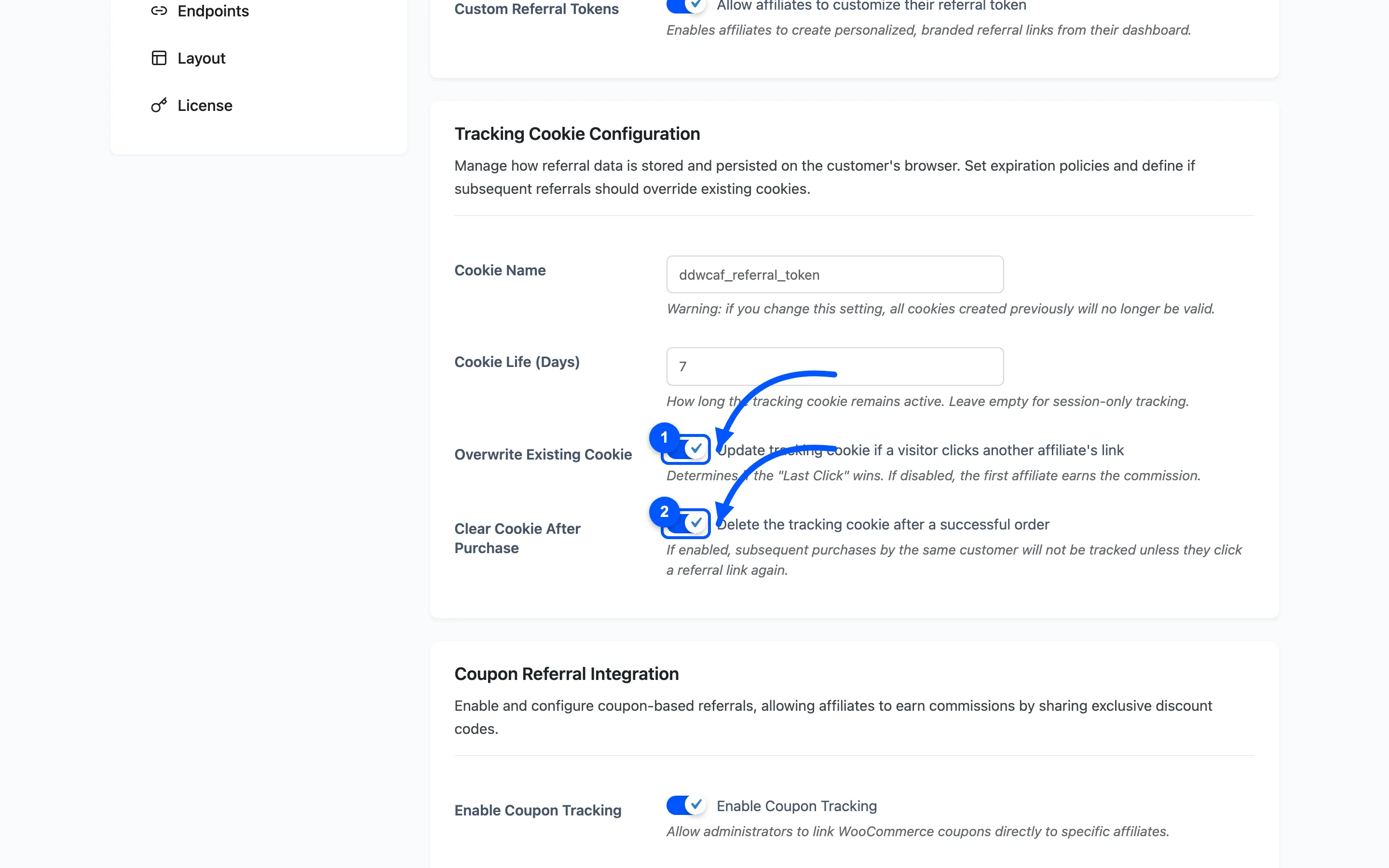
Two Pro settings decide what happens when a second link arrives or an order completes.
Step 3: The visit log
Section titled “Step 3: The visit log”With Track All Clicks on, every referral click writes a row to Visits. That row later flips to Converted if the visitor orders.
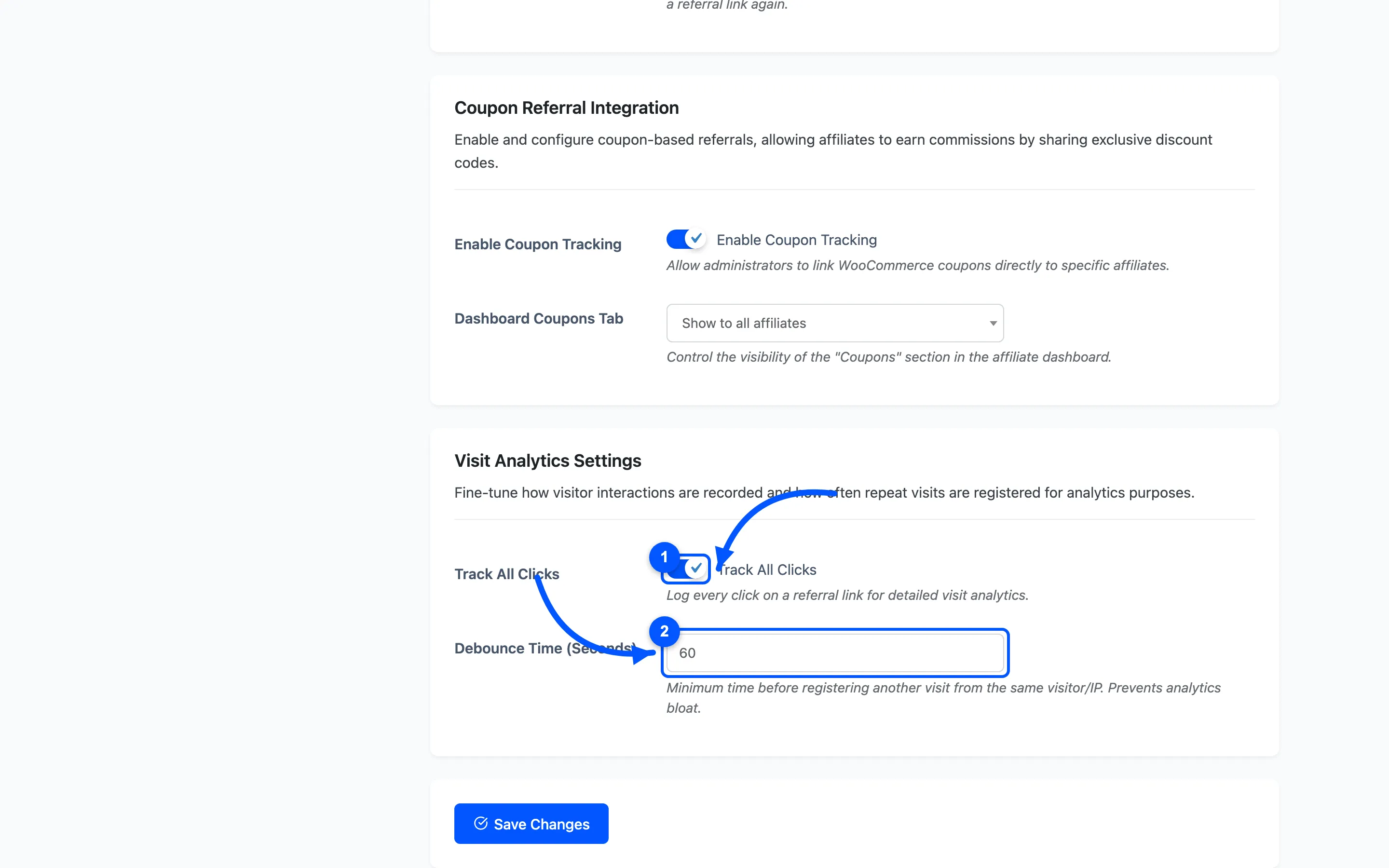
Turning it off does not break commissions. It only removes the click history. With it goes your ability to tell a partner who sends no traffic from one whose traffic does not convert.
Coupons as a second entry point
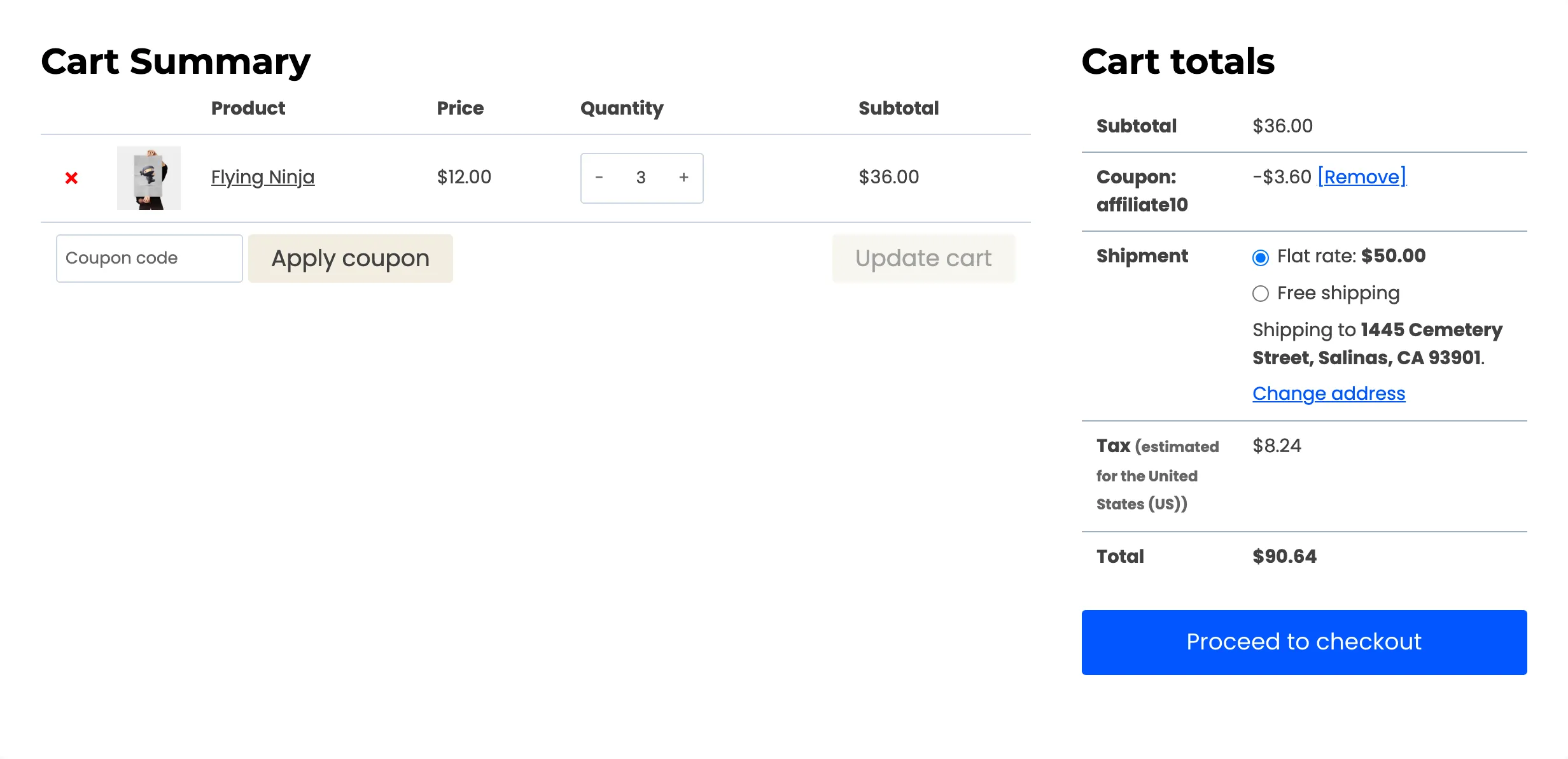
Section titled “Coupons as a second entry point”A referral does not have to start with a link. With coupon tracking on, a coupon assigned to an affiliate credits them the moment the customer applies it.
The affiliate’s Coupons section gives them a sharing URL carrying both the token and the coupon code. The discount is already applied when the customer lands on the cart.
Two ways a referral survives the cookie
Section titled “Two ways a referral survives the cookie”Everything above needs a live referral at the moment of the order. Pro adds two routes that do not.
- Lifetime commissions link a referred customer to their affiliate on the customer’s first referred order, and every later order that customer places earns commission with no link and no cookie involved. A live referral still wins when there is one, so this is the fallback rather than a replacement. See How to Enable Lifetime Commissions.
- Renewal commissions credit the affiliate who earned a subscription’s first order again on every successful renewal payment. See How to Pay Commission on Subscription Renewals.
When a referral is refused
Section titled “When a referral is refused”A referral can be identified correctly and still earn nothing. With self referrals switched off, Pro checks the order against the affiliate before creating any commission, and refuses it when the billing email matches the affiliate’s own or when the order came from a network address that affiliate browses from.
A refusal is written to the order notes with its reason, so a missing commission has an explanation attached to the order rather than being a mystery. See How to Block Self-Referrals.
Step 4: The commission
Section titled “Step 4: The commission”At checkout the plugin creates one commission row per line item, not one per order. A three product order produces three rows, each with its own rate and amount.
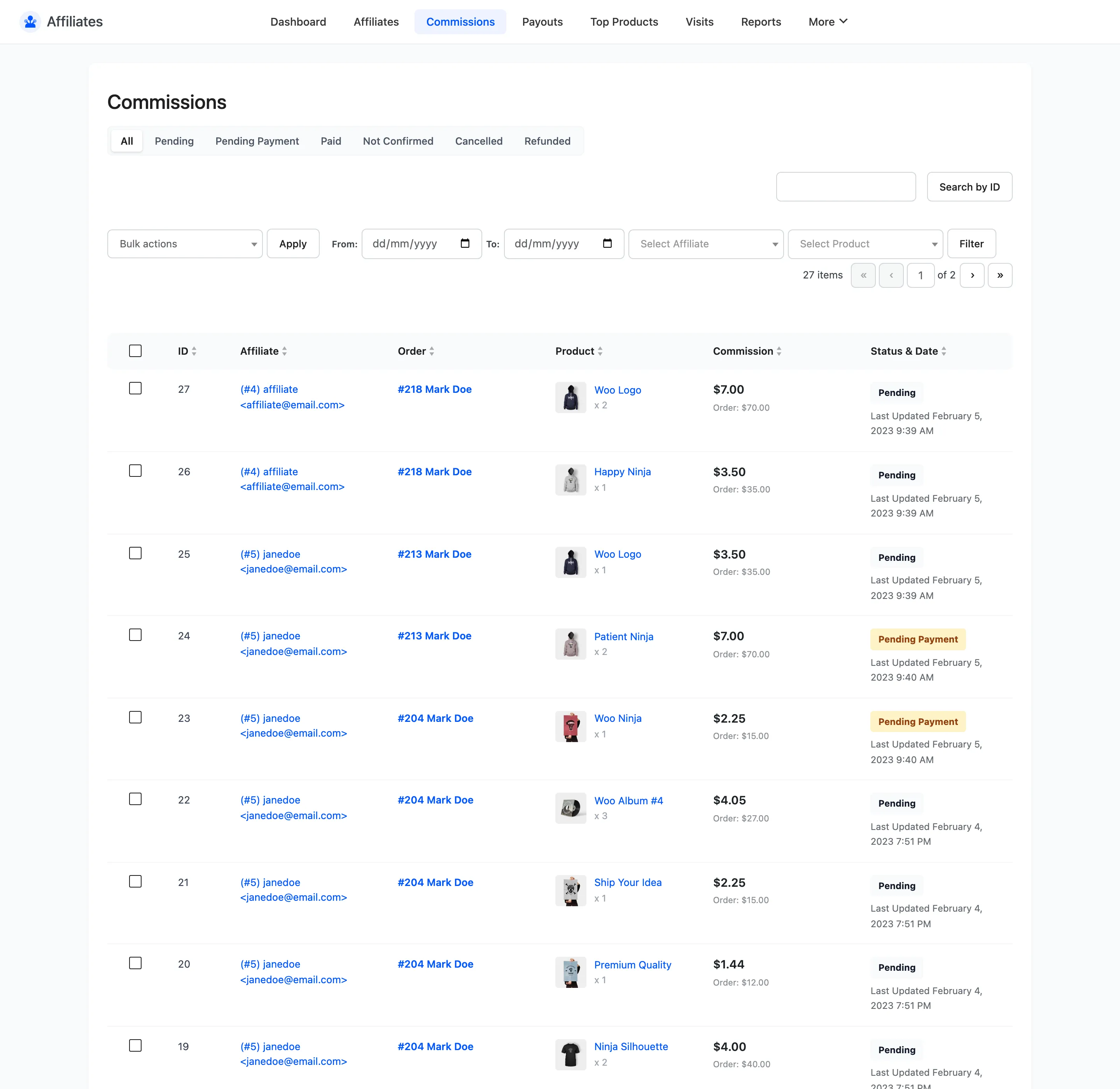
The amount is the line total multiplied by a rate. That rate is chosen in a fixed order.
| Order | Source | Notes |
|---|---|---|
| 1 | A matching commission rule | Products first, then categories, then user roles (Pro) |
| 2 | The affiliate’s own rate | Set on their detail screen |
| 3 | The global default rate | Commissions tab |
A matching rule wins outright. The affiliate’s own rate is not consulted when a rule applies, which surprises people who expect the two to combine.
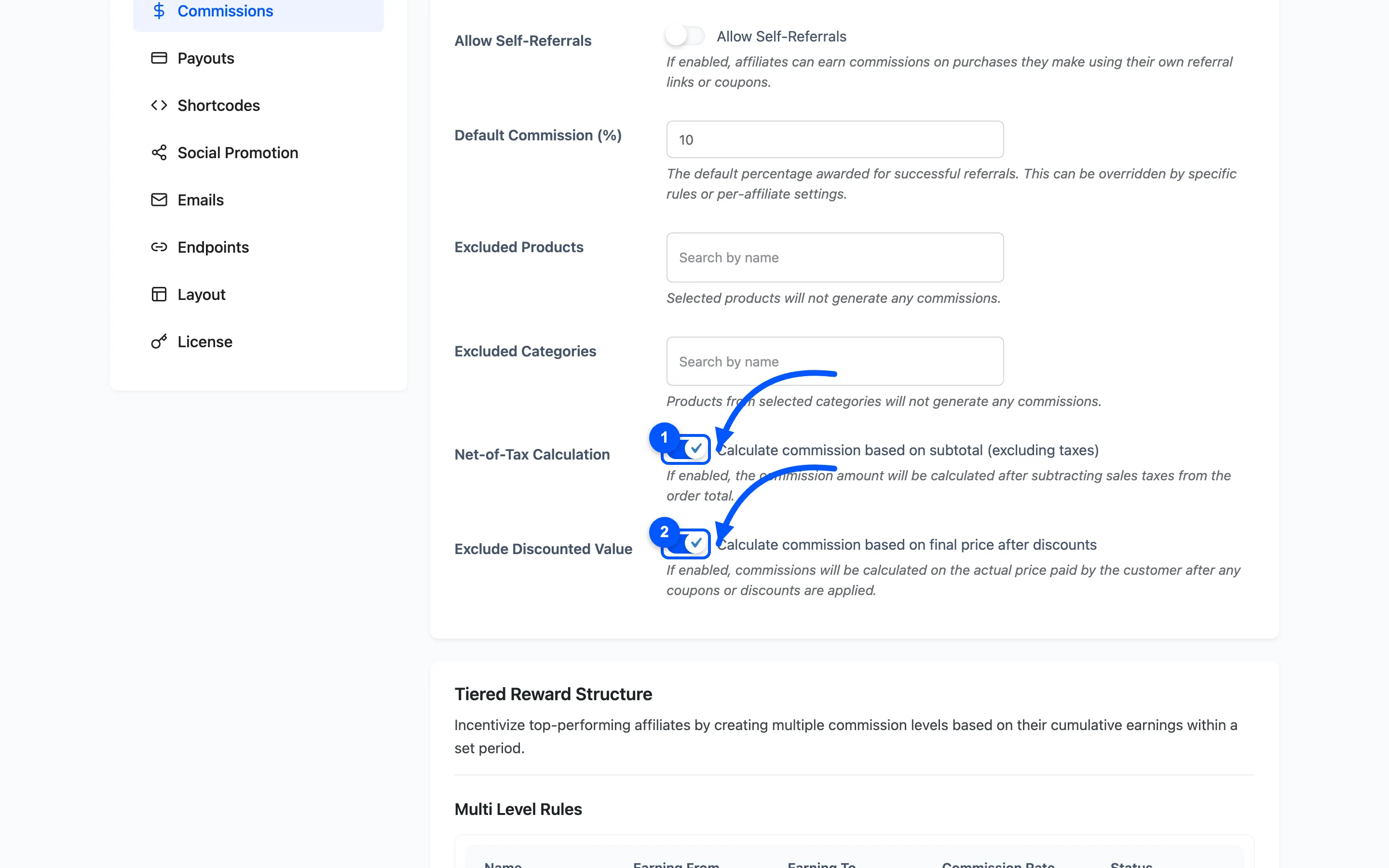
Two settings decide what the rate is applied to. Net-of-Tax Calculation removes sales tax, and Exclude Discounted Value uses what the customer actually paid after any coupon.
Step 5: The commission status
Section titled “Step 5: The commission status”A new commission does not start as money owed. Its status mirrors the order status and moves as the order does.
| Order status | Commission status |
|---|---|
| Processing, Completed | Pending |
| Pending payment, On hold | Not Confirmed |
| Cancelled, Failed | Cancelled |
| Refunded | Refunded |
One exception is deliberate. A commission already sitting at Pending payment or Paid is skipped. A later order change can never claw back money you have committed to a payout.
What is never tracked
Section titled “What is never tracked”Three exclusions are built in and none of them can be turned off in the free version.
- Administrators: A logged-in administrator clicking a referral link sets no cookie and logs no visit. Test your links from a private window.
- The affiliate’s own link: An affiliate clicking their own link is ignored.
- Self-purchases: An affiliate buying through their own link earns nothing.
Where to go next
Section titled “Where to go next”- Referral Settings for every field on the Referrals tab.
- Commission Settings for the rate and what it applies to.
- The Affiliate Experience to see the same chain from a partner’s side.