

Commission Rules
Rules let one product pay 20% while everything else pays 10. They apply to the order line, not to the affiliate, so every affiliate selling that product earns the rule’s rate.
Open the rules screen
Section titled “Open the rules screen”Go to DevDiggers Plugins → Affiliates → Rules.
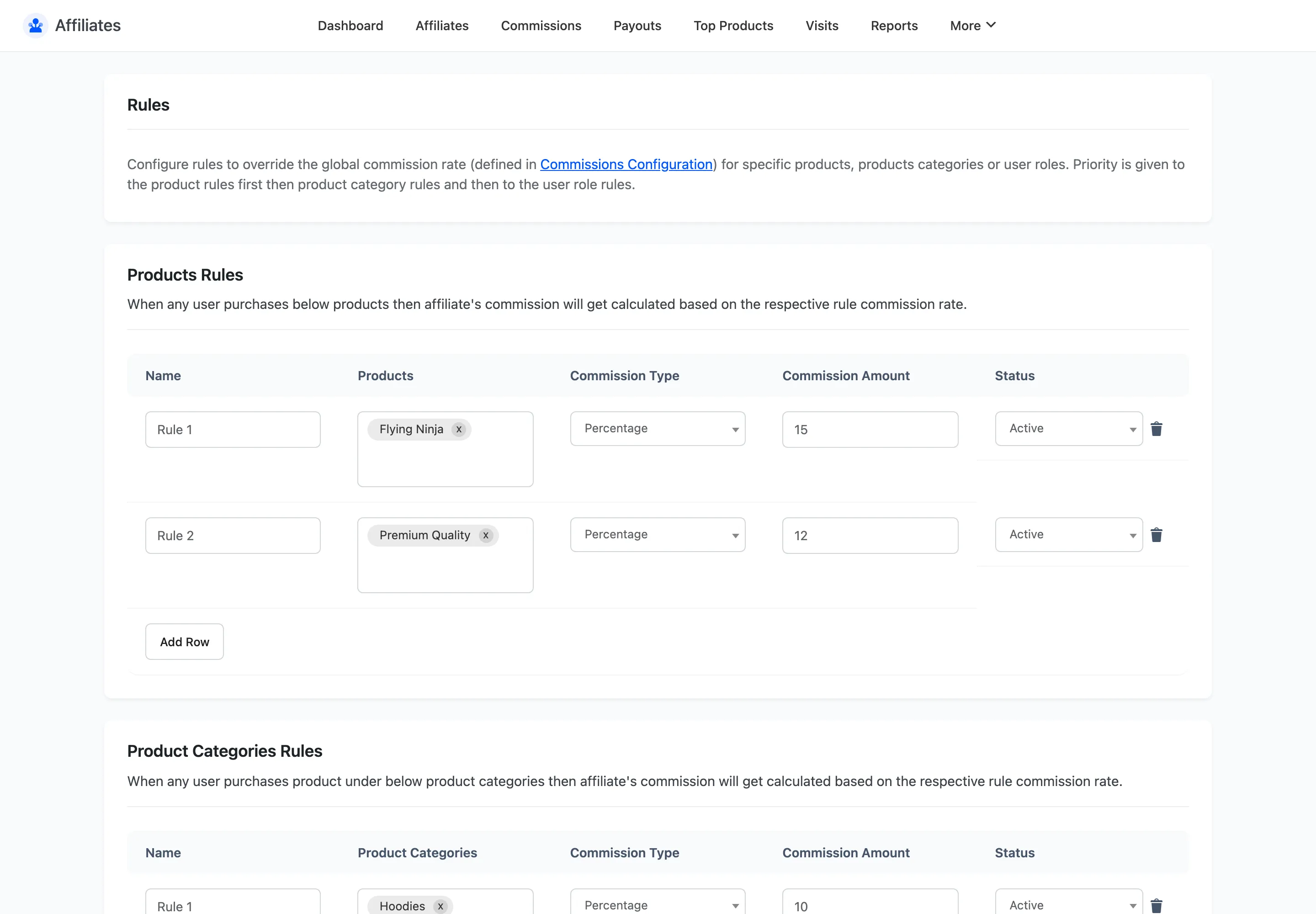
The three rule types
Section titled “The three rule types”Each has its own table on the same screen.
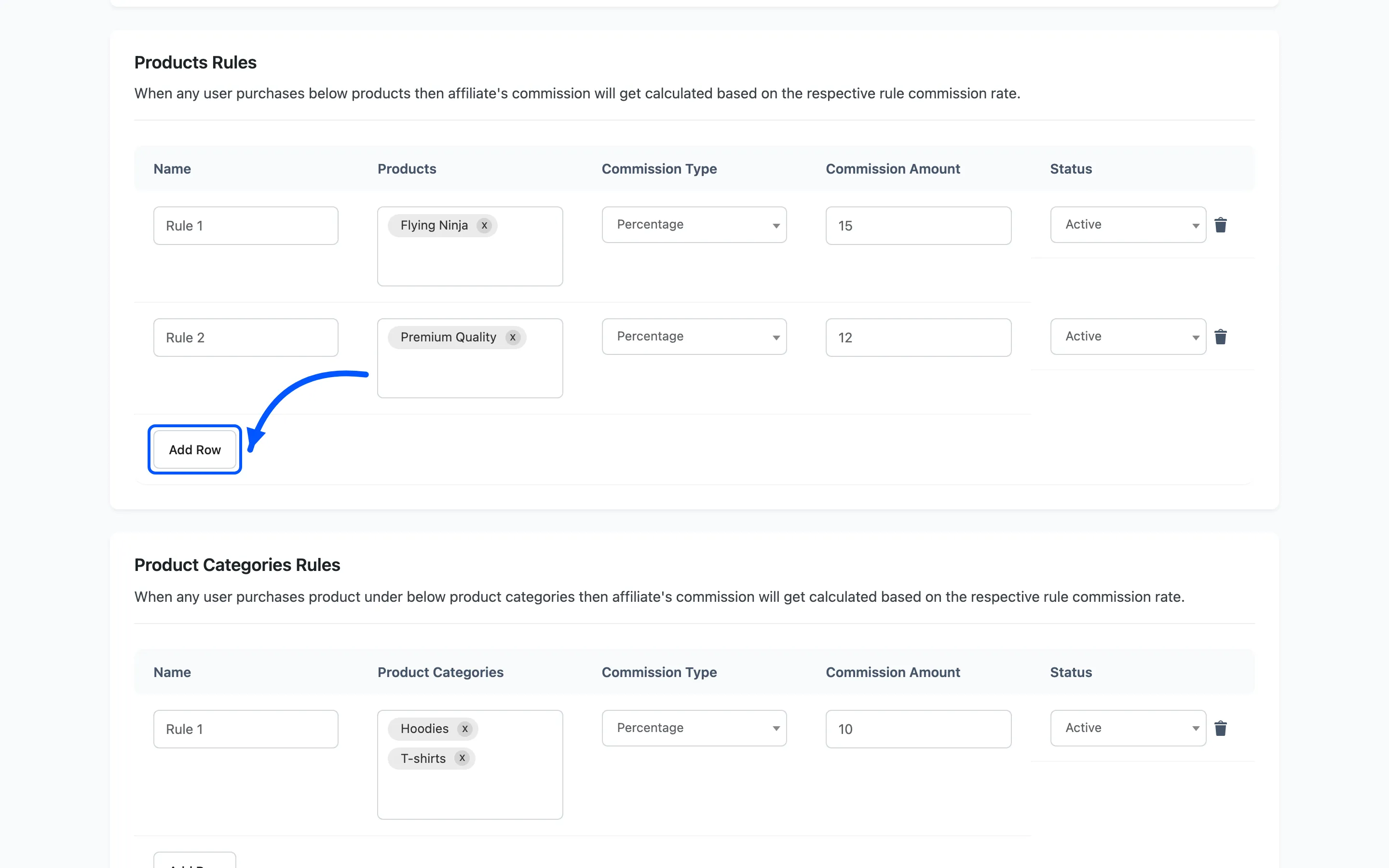
- Products Rules match specific products. Use them for a high-margin item you want pushed, or a low-margin one you want to pay less on.
- Product Categories Rules match a category. A rule on a parent category also covers products whose category sits under it.
- User Roles Rules match the customer’s role, not the affiliate’s. Use them to pay a different rate on orders from wholesale customers.
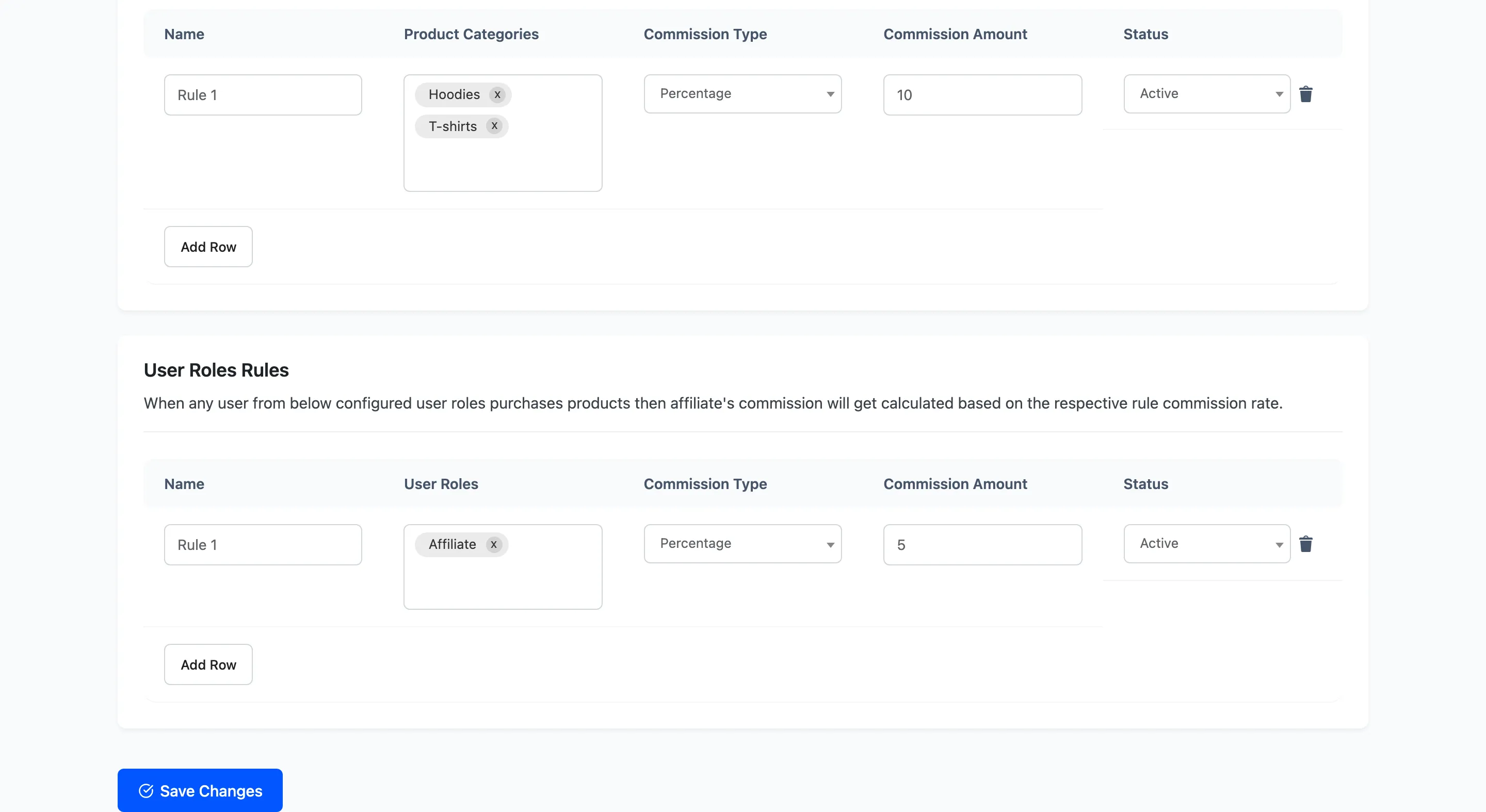
The fields in a row
Section titled “The fields in a row”Every table has the same five columns.
| Field | What it does |
|---|---|
| Name | Your own label for the rule |
| Products / Product Categories / User Roles | What the rule matches |
| Commission Type | Percentage of the line total, or a Fixed amount |
| Commission Amount | The percentage or the fixed figure |
| Status | Active or Inactive |
The match column is a search field. Type a few letters of a product name and pick from the results, rather than scrolling a list.
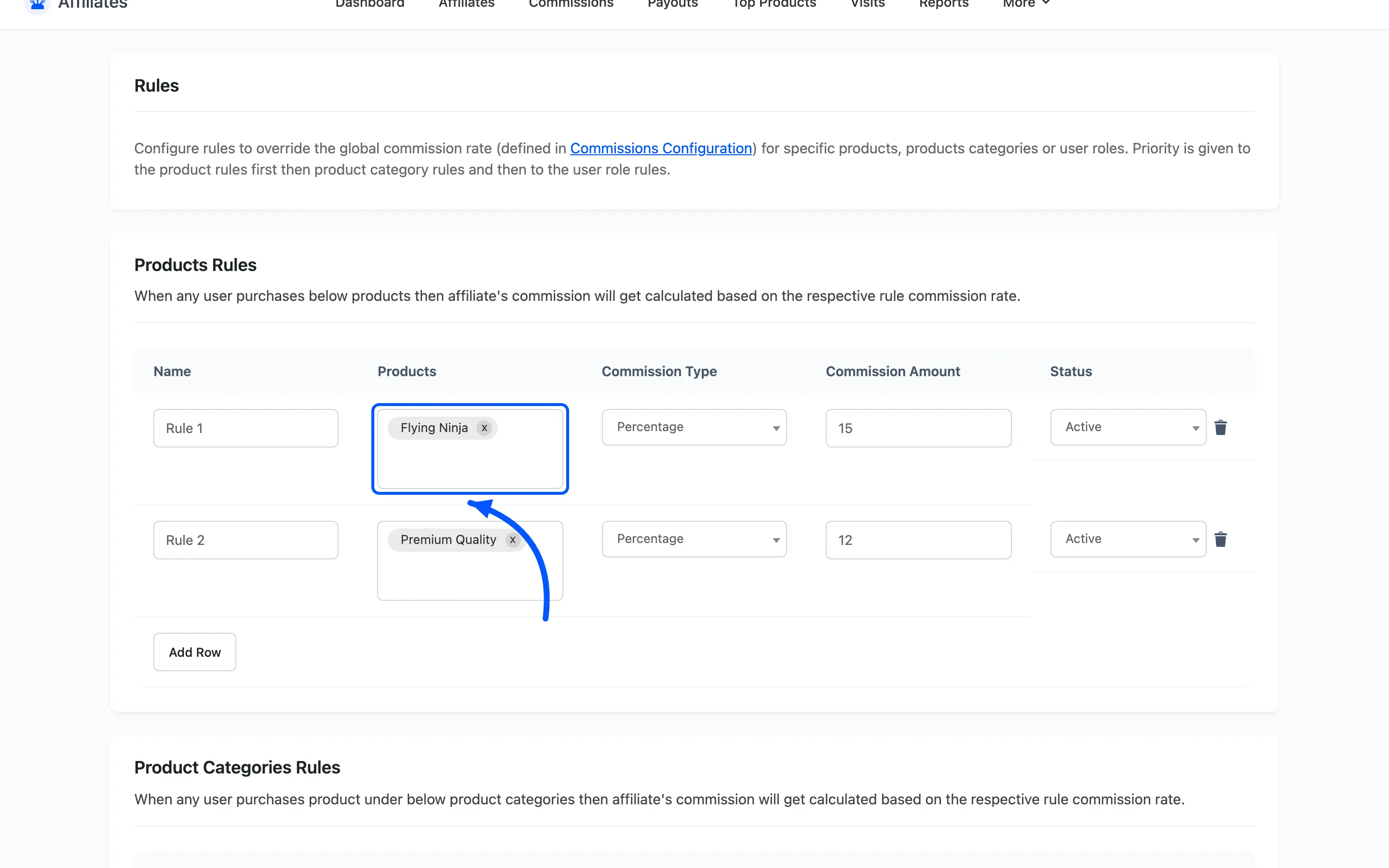
Commission Type and Commission Amount sit together, and they only make sense read as a pair. Percentage with 15 pays 15% of the line total. Fixed with 15 pays 15 in your store currency.
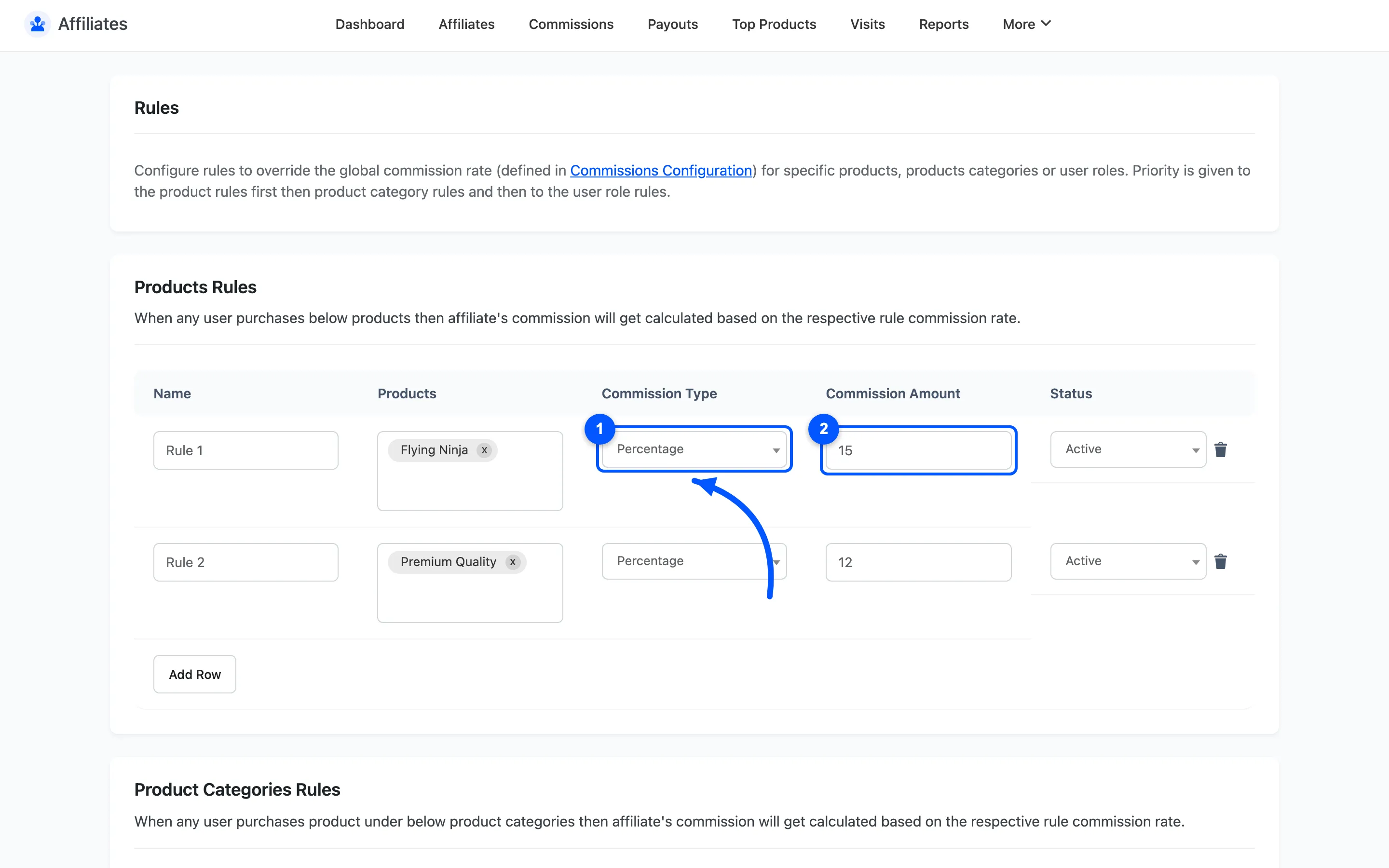
Click Add Row to add a rule and the bin icon to delete one. Save the screen when you are done.
Only Active rules are considered. Setting a rule inactive is the safe way to switch it off for a while without losing the configuration.
Which rule wins
Section titled “Which rule wins”Rules are checked in a fixed order, and the most specific match wins:
- Product rules first
- Product category rules next
- User role rules last
So a product rule beats a category rule on the same item, and both beat a user role rule.
A matching rule also beats the affiliate’s own commission rate. If a product rule applies to a line item, the affiliate’s personal rate is never consulted for that line. This is the part people get wrong: raising a strong affiliate’s rate does nothing on products covered by a rule.
Where no rule matches, the chain falls back to the affiliate’s own rate, then to any active tier. Last of all comes the global default from Commission Settings.
Fixed amounts and the cap
Section titled “Fixed amounts and the cap”A Fixed rule pays a flat amount per line item, regardless of price. It is capped at the line total, so a fixed rule of 50 on a 30 item pays 30, not 50. Nothing ever pays out more than the item was worth.
Note that fixed is per line item, not per order. A line with a quantity of three pays the fixed amount once for that line, not three times.
When rules apply
Section titled “When rules apply”A rule affects commissions created after you save it. Rows already in the list keep the amount they were created with. Change a rule mid-campaign and you get two different rates in the same report. Set rules up before you recruit, not during a campaign.
Where to go next
Section titled “Where to go next”- How to Create Commission Rules for a worked example.
- Commission Settings for the global rate these rules override.