

How to Run a Bulk Payout (Pro)
The wizard exists for the monthly run. It sweeps every affiliate with pending commissions, creates a payout for each, and reports which ones worked.
Before you start
Section titled “Before you start”Two checks save a mess.
- Every affiliate you are paying has withdrawal details saved. The wizard creates a payout regardless, so a missing detail becomes a payout you cannot send.
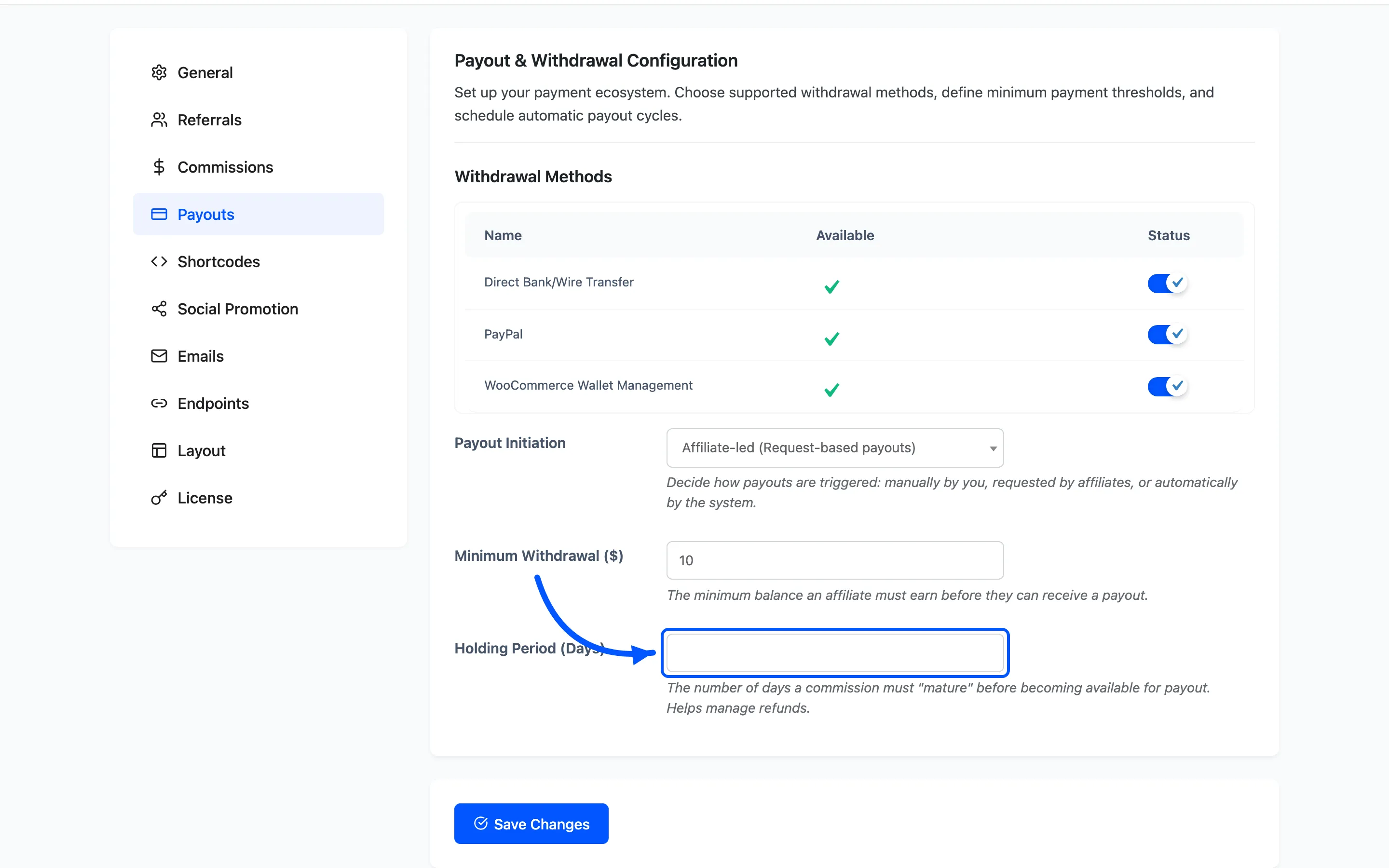
- Your holding period is set. Under Configuration → Payouts, Holding Period (Days) stops a commission being paid before refunds have had time to land.
Step 1: Open the wizard
Section titled “Step 1: Open the wizard”Go to DevDiggers Plugins → Affiliates → Payouts and click Create at the top of the list.
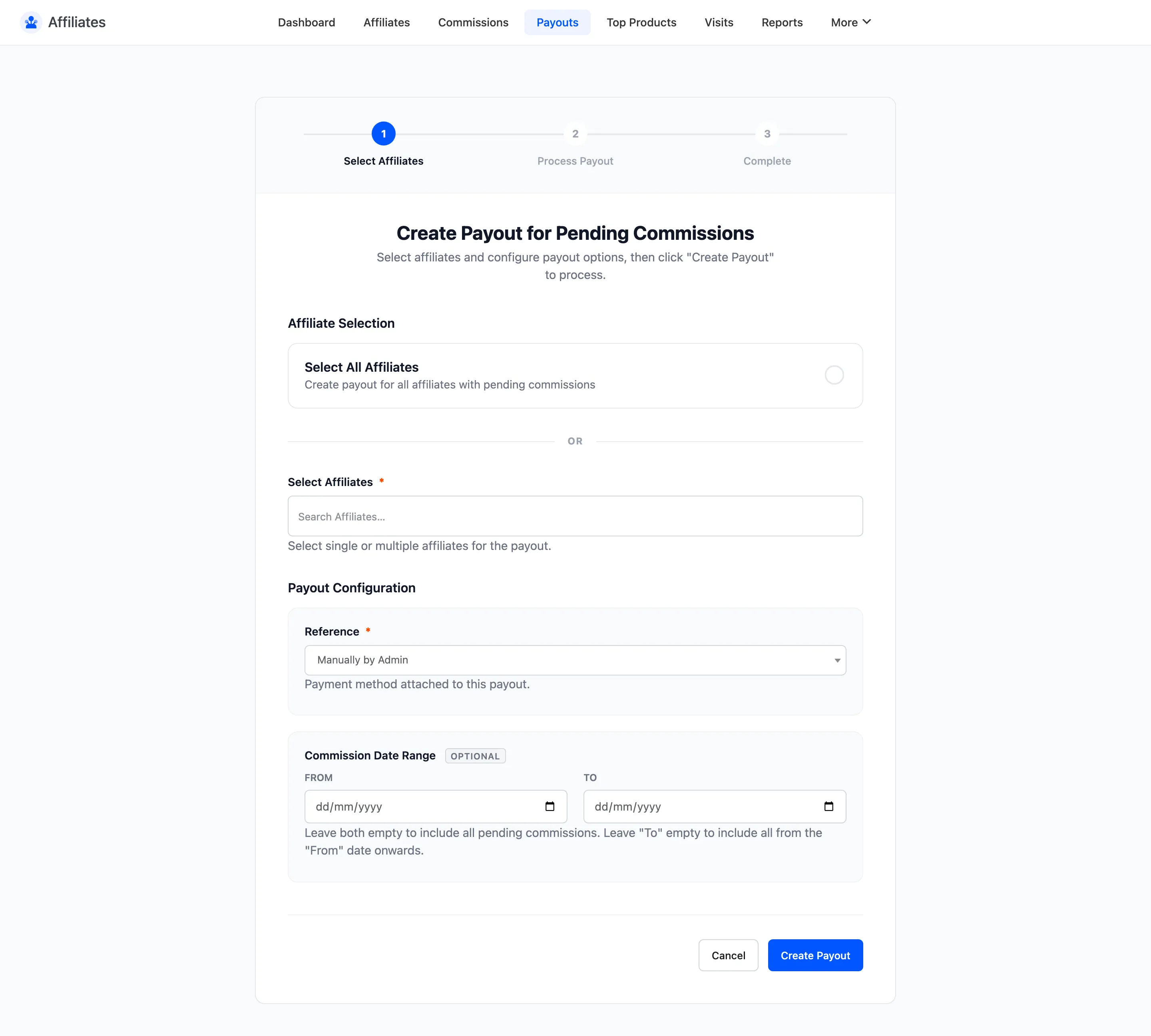
The screen is titled Create Payout for Pending Commissions, which is exactly what it does. Only commissions on Pending are swept up. Anything on Not Confirmed, Cancelled or Refunded is left alone.
Step 2: Choose the affiliates
Section titled “Step 2: Choose the affiliates”Affiliate Selection has two modes.
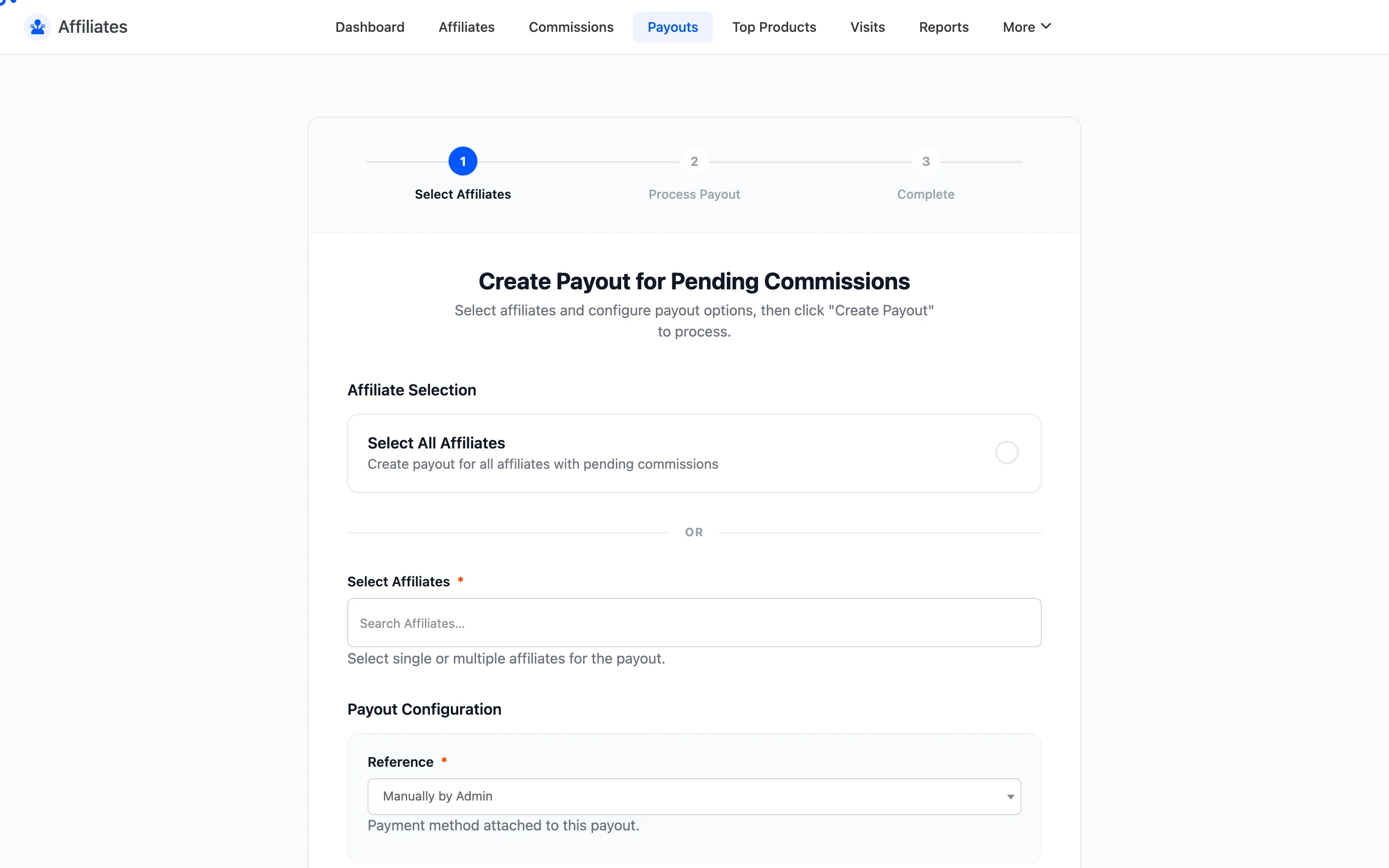
Tick All affiliates and the wizard finds everyone with pending commissions. This is the mode for a monthly run.
Untick it and an affiliate selector appears, so you can pay a subset. Use that for a one-off, or to re-run a batch after fixing a problem.
Step 3: Set the reference
Section titled “Step 3: Set the reference”Reference is your label for the batch. It is stored on every payout the wizard creates and shows in the Reference column on the Payouts list.
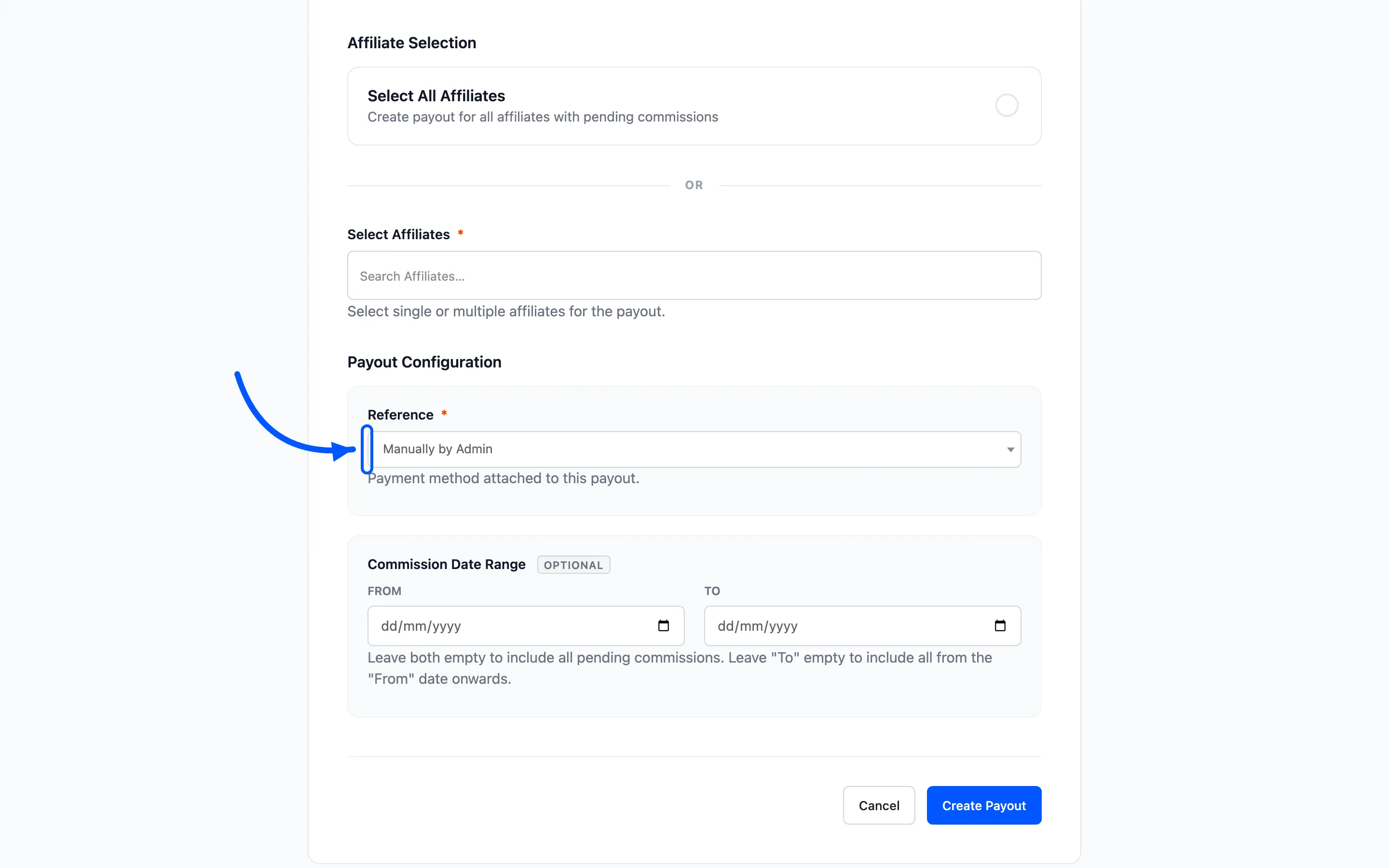
Use something you can find later. A month and year works: March 2026 payout run. When an affiliate
queries a payment six months on, the reference is what lets you pull the batch back up.
Step 4: Set the date range
Section titled “Step 4: Set the date range”From Date and End Date limit which commissions are included, by their creation date.
Leave both empty to sweep everything pending, whatever its age.
Set them to close a month cleanly. Paying January’s commissions with a range of 1 to 31 January leaves a commission created on 2 February for the next run. Each batch then matches a period you can check against your own books.
Step 5: Run it
Section titled “Step 5: Run it”Submit the form. A progress bar shows how many affiliates have been processed out of the total.
The wizard creates one payout per affiliate, each covering that affiliate’s pending commissions in the range, and moves every commission in it to Pending Payment.
When it finishes it reports the result. Read the errors rather than closing the screen. An affiliate who could not be processed still has commissions on Pending, and will be missed again next month if nobody fixes the cause.
Step 6: Review what was created
Section titled “Step 6: Review what was created”Go back to DevDiggers Plugins → Affiliates → Payouts. Filter to Pending.
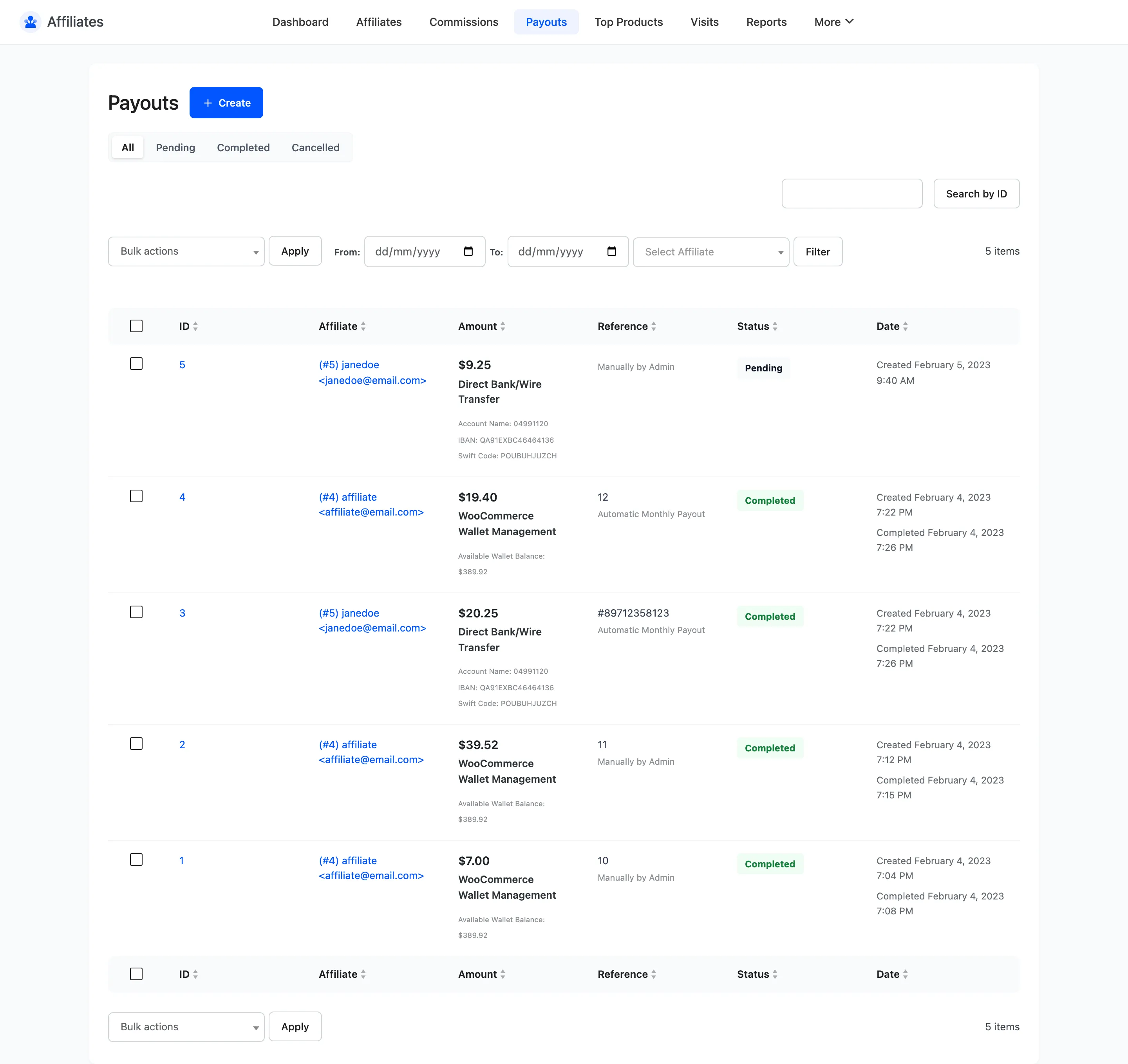
Every payout from the run shares your reference, so they are easy to see together. Check the amounts against what you expected before you start transferring money.
Open anything that looks wrong. The payout detail screen lists exactly which commissions it covers.
Step 7: Pay and complete
Section titled “Step 7: Pay and complete”The wizard creates the payouts. It does not send the money.
For each payout:
- Open it and read Withdrawal Details.
- Make the transfer through your bank or PayPal.
- Paste the reference into Transaction ID and save.
- Set Payout Status to Completed.
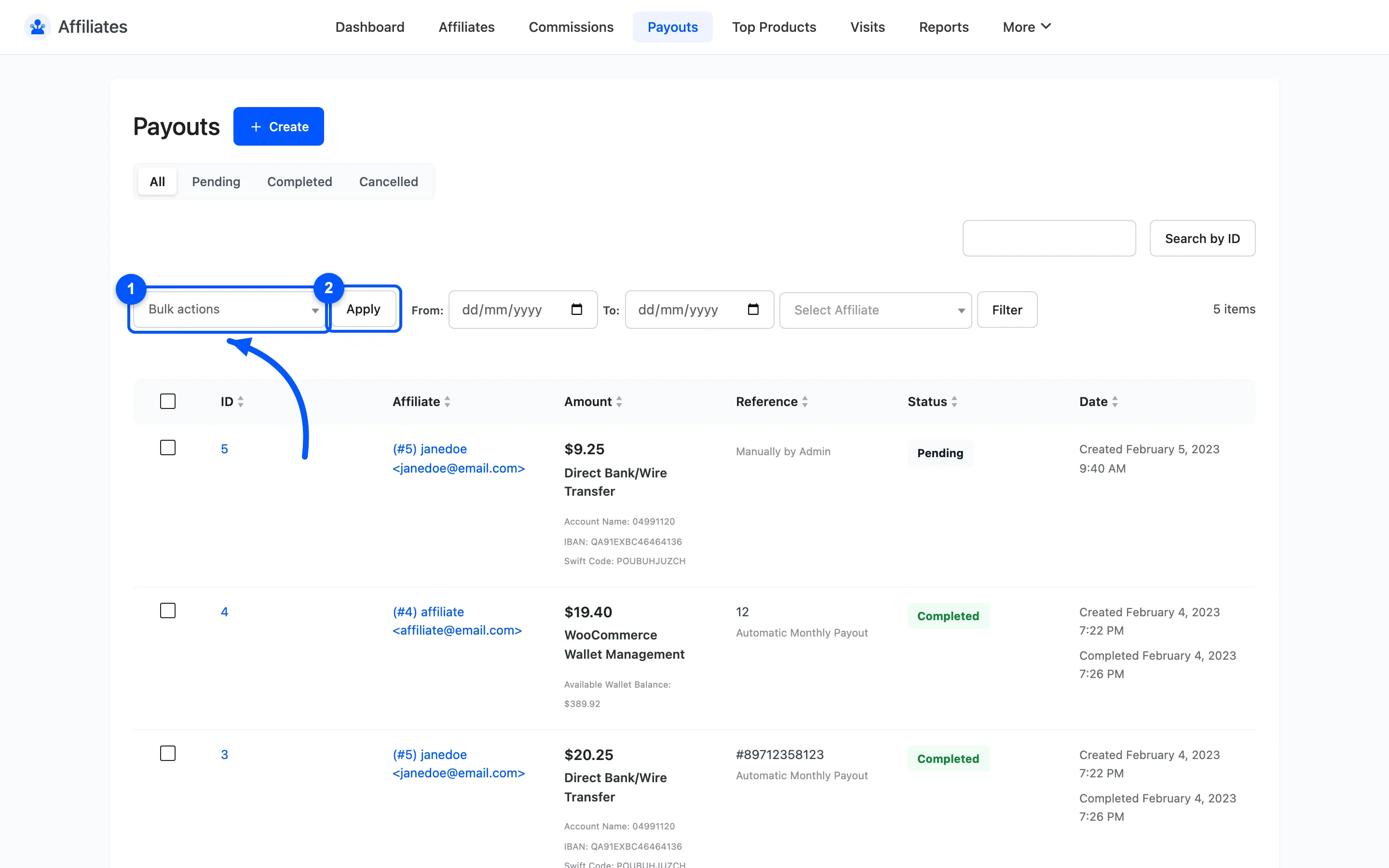
Once the transfers are done you can complete them in bulk from the Payouts list, with the Change Status to Completed action. Do that only after every transfer has actually gone, since it marks them all paid at once.
If a payout should not have been created
Section titled “If a payout should not have been created”Set it to Cancelled. Its commissions are released back to Pending and go into the next run.
Where to go next
Section titled “Where to go next”- Payouts for the list screen reference.
- Payout Settings to automate the run on a monthly schedule.