

How to Track Referrals With Coupons (Pro)
A coupon code works where a link does not. A podcast host cannot read out a URL with a query string, but they can say a code. Anyone who applies it is credited to the affiliate the same way a click would be.
Before you start
Section titled “Before you start”Decide the discount. A referral coupon usually carries a real discount, because the code has to be worth using. That means you are paying twice on the same order: once to the customer as the discount, once to the affiliate as commission.
Check that maths on your margins before you set the rate. Exclude Discounted Value under Commission Settings is on by default, so commission is calculated after the discount, which keeps the total cost sane.
Step 1: Enable coupon tracking
Section titled “Step 1: Enable coupon tracking”Go to DevDiggers Plugins → Affiliates → Configuration → Referrals and turn on Enable Coupon Tracking.
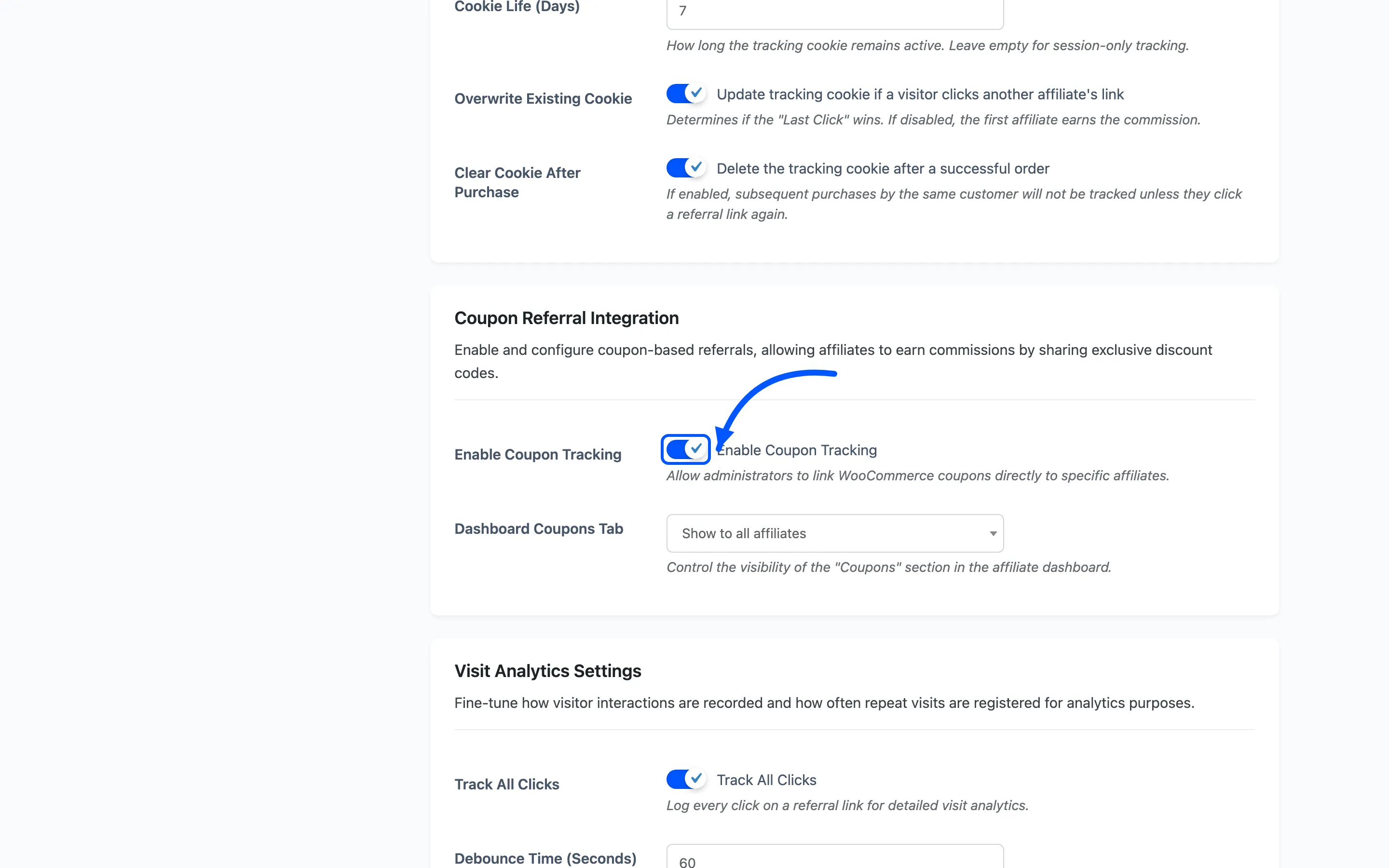
This adds the affiliate field to the WooCommerce coupon editor. Without it the field is not there.
Step 2: Create the coupon
Section titled “Step 2: Create the coupon”Go to Marketing → Coupons → Add coupon in WooCommerce.
Write a code the affiliate can say out loud and a listener can spell. Their name or show name works:
ACMEBLOG10, not AFF-4471-X.
Set the discount type and amount as you normally would. Everything else on the coupon behaves exactly as WooCommerce does: usage limits, expiry, product restrictions and minimum spend all still apply.
Step 3: Assign it to an affiliate
Section titled “Step 3: Assign it to an affiliate”In the coupon’s General options you will find a field for the assigned affiliate. It is a searchable selector that matches by ID, name or email.
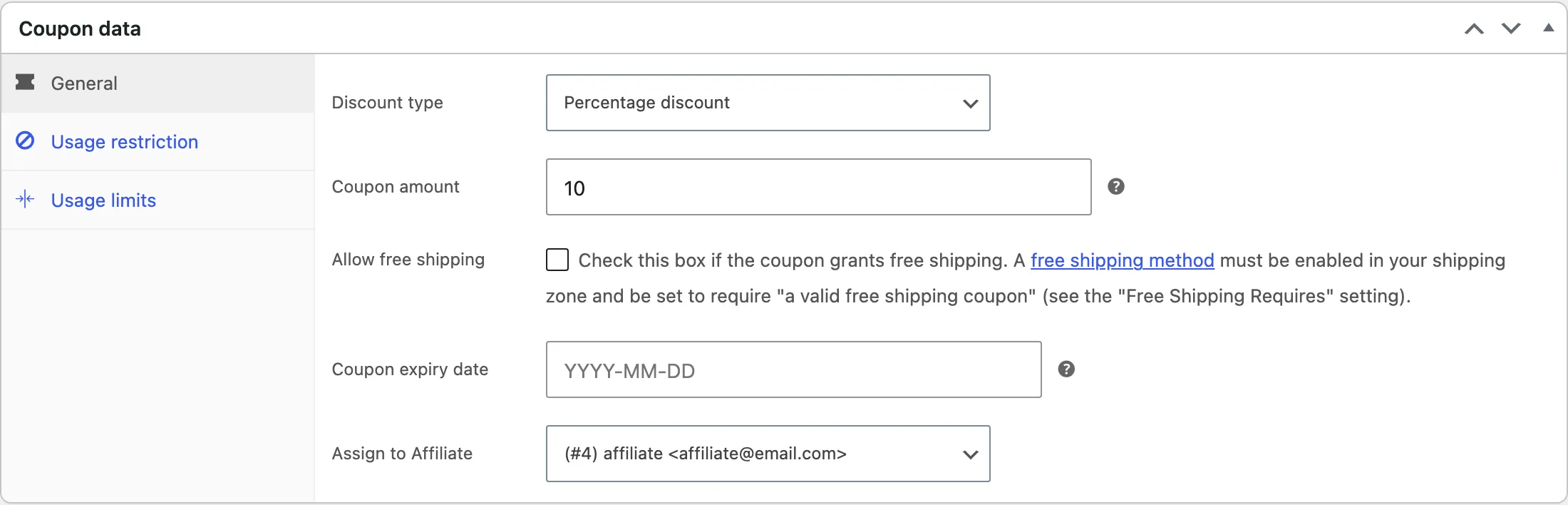
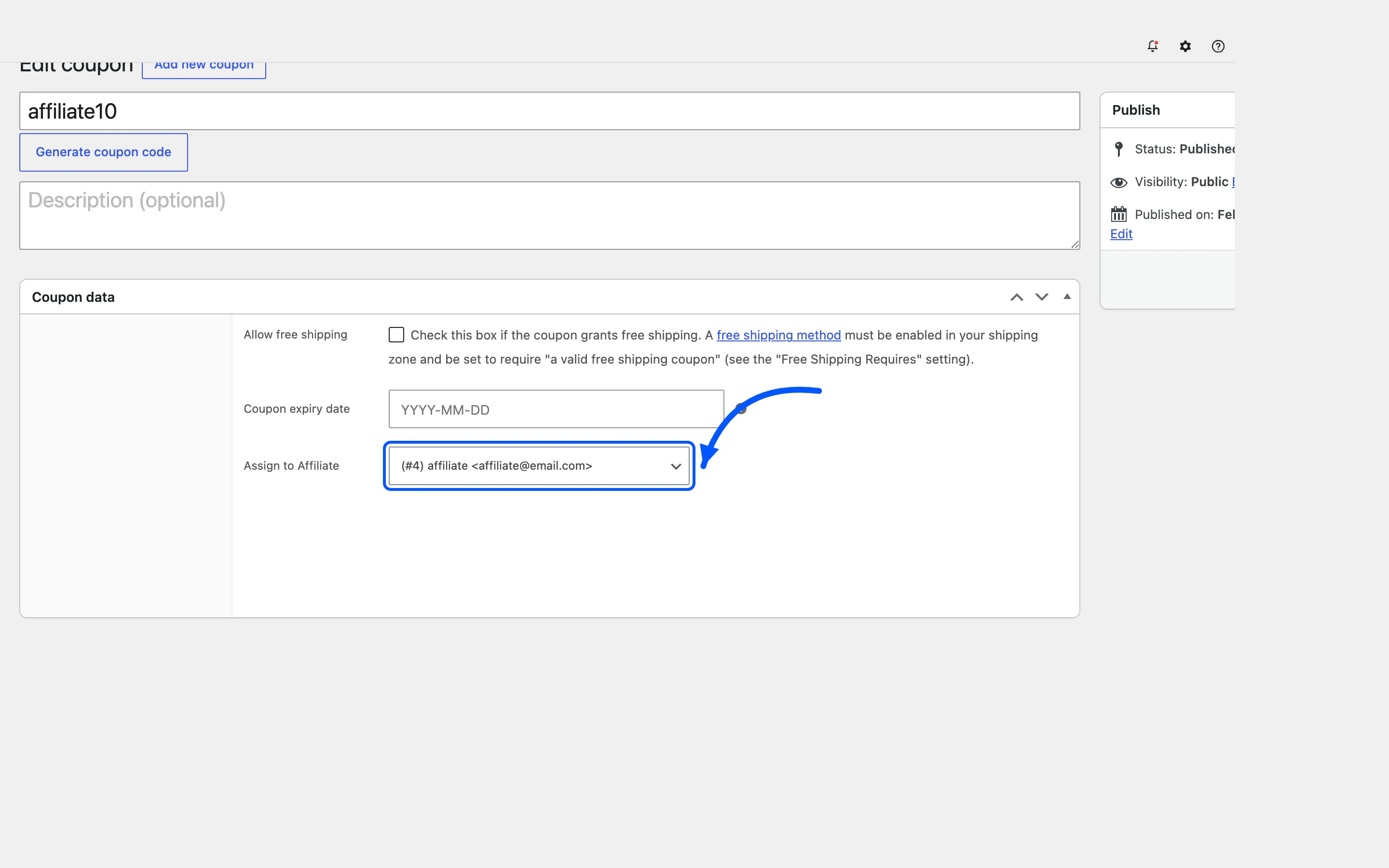
Pick the affiliate and update the coupon.
One coupon belongs to one affiliate. To give two partners a code each, make two coupons.
Step 4: Choose who sees the Coupons tab
Section titled “Step 4: Choose who sees the Coupons tab”Back on Configuration → Referrals, set Dashboard Coupons Tab.
- Show to all affiliates puts a Coupons section on every affiliate’s dashboard, empty for those with no codes.
- Only show if they have coupons assigned hides the section from everyone else.
The second is usually better. An empty section reads as something broken.
Step 5: Tell the affiliate
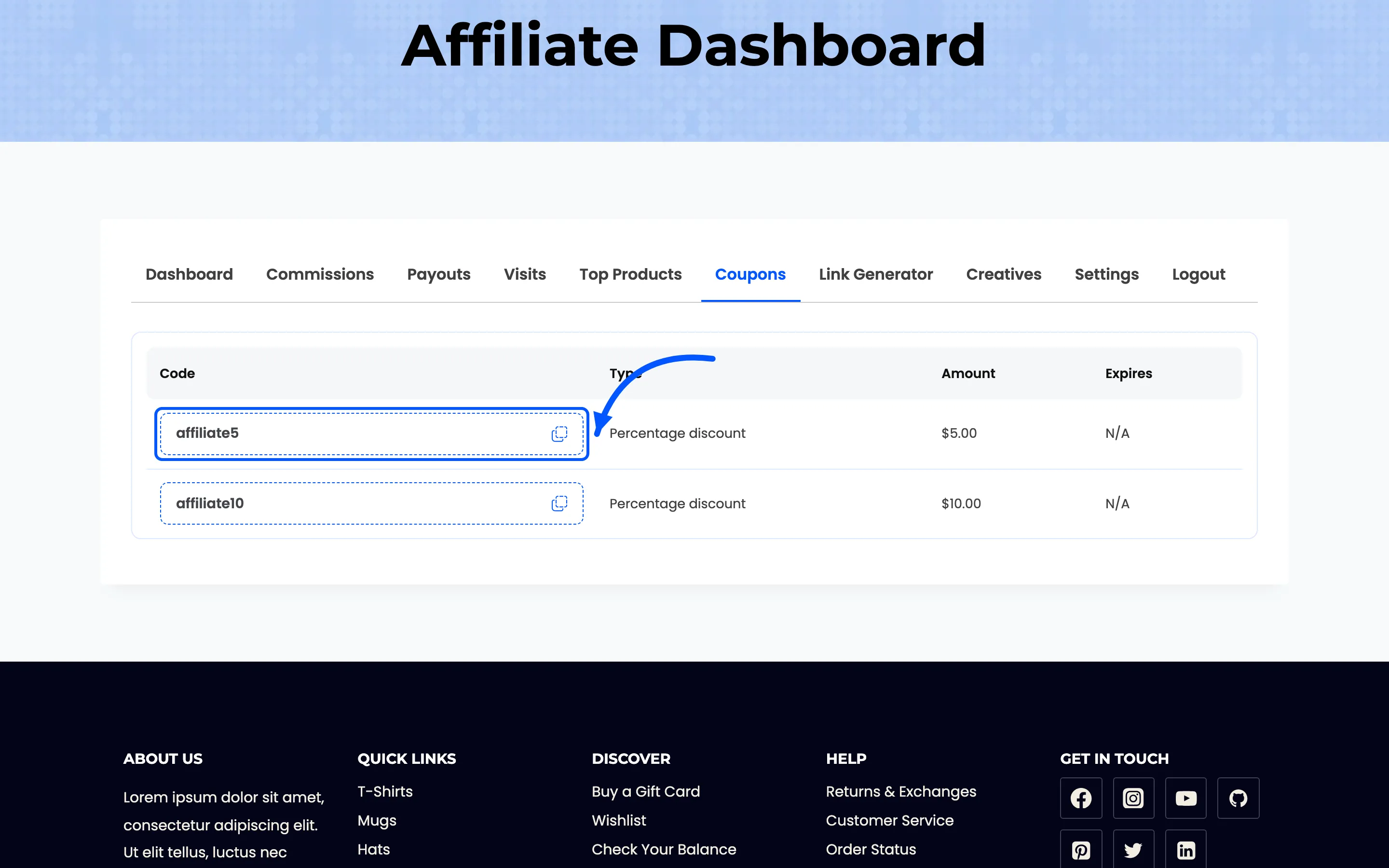
Section titled “Step 5: Tell the affiliate”Their dashboard now has a Coupons section listing the code, its type, its amount and its expiry.
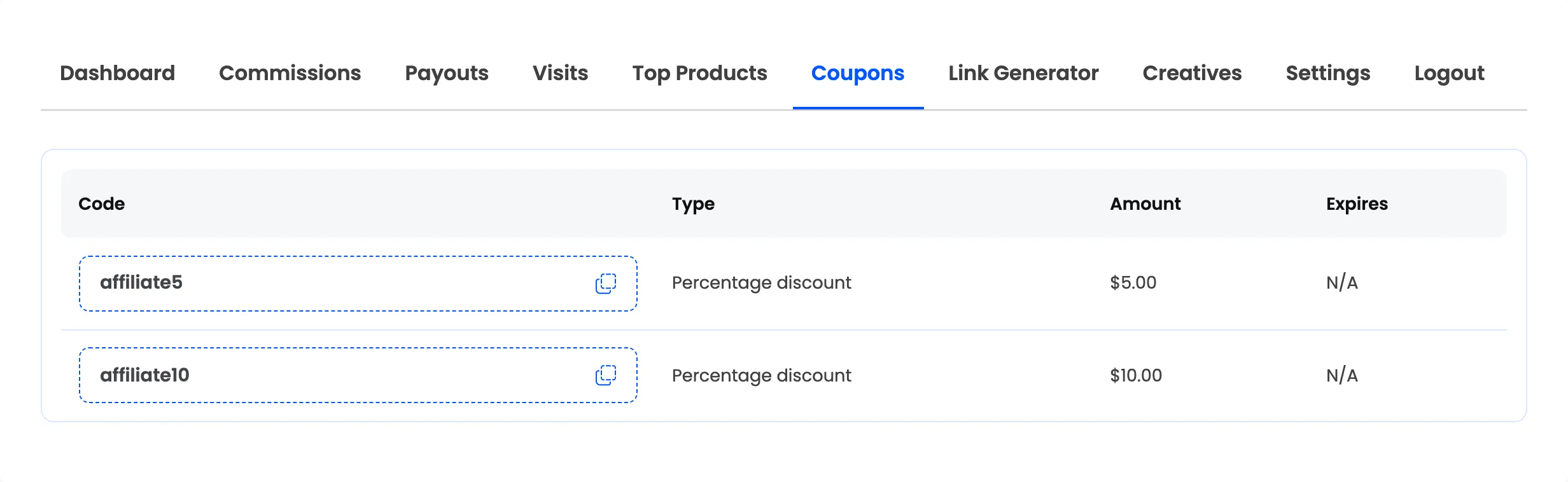
Beside each code is a copy button, and it does not copy the code. It copies a sharing URL that carries the affiliate’s token and the coupon together.
A customer opening that URL lands on the cart with the discount already applied, so there is nothing for them to type.
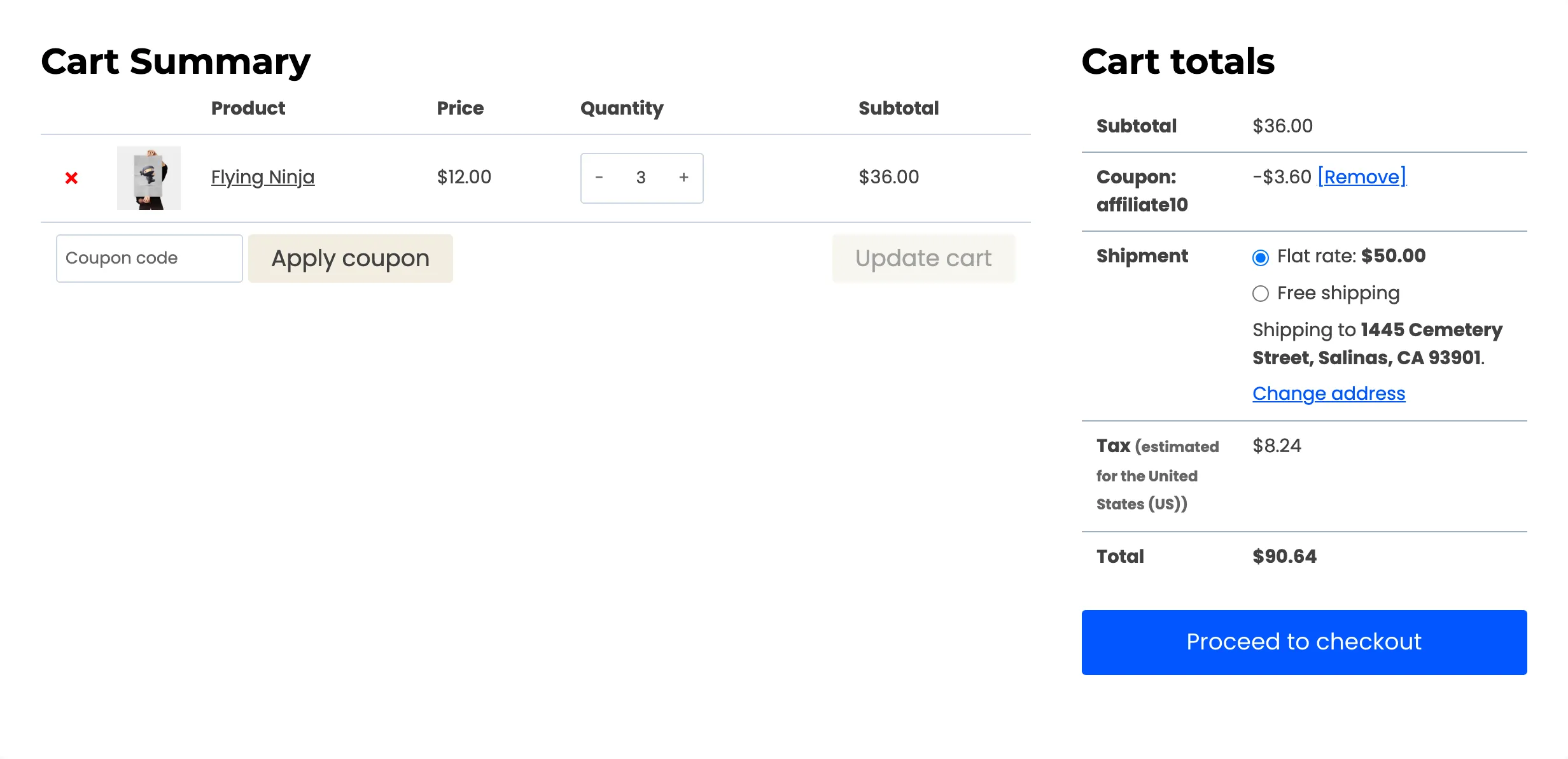
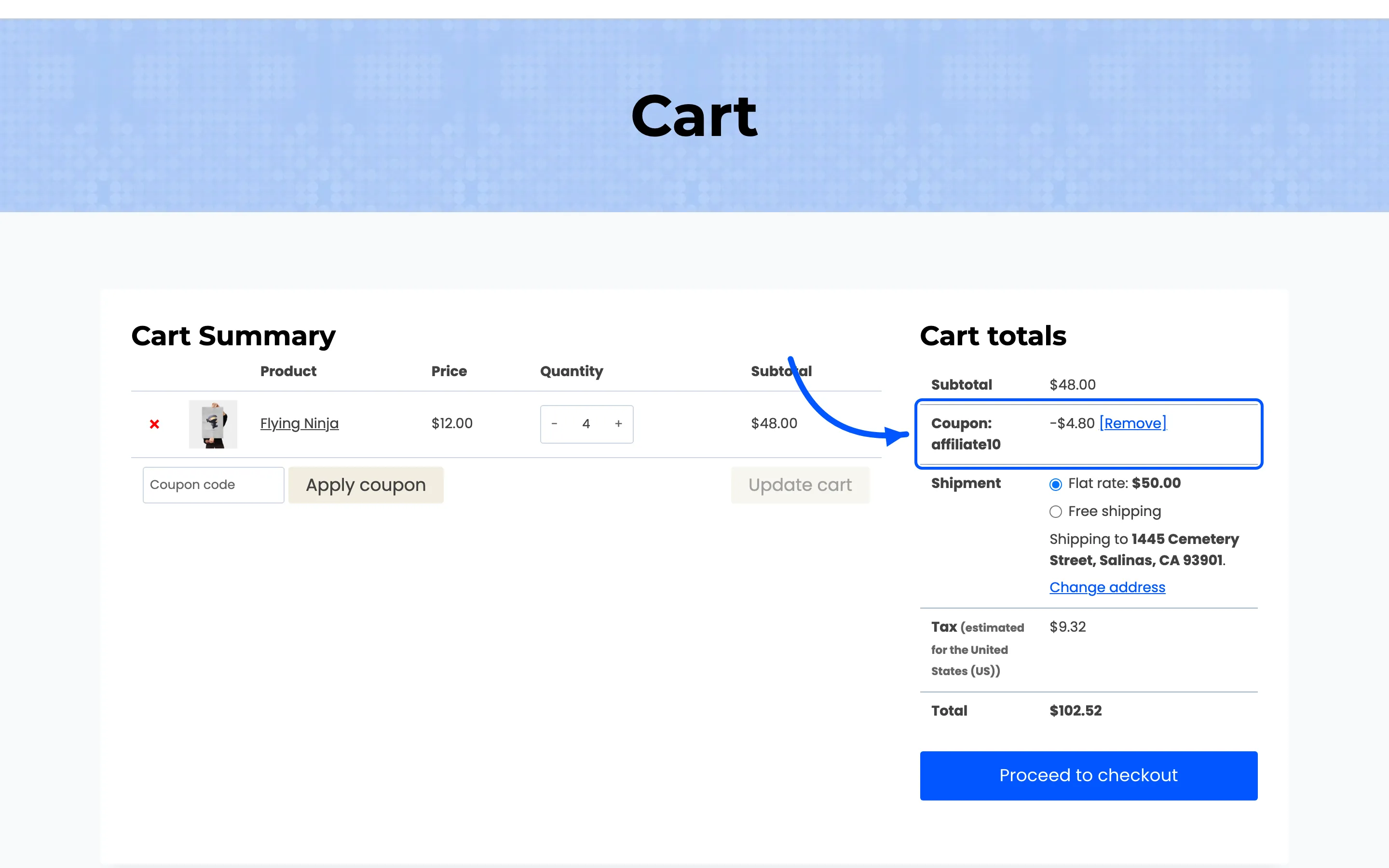
The discount shows on the cart totals as a normal coupon line.
Step 6: Test the code
Section titled “Step 6: Test the code”- Open a private browsing window. Not your admin session.
- Add a product to the cart and apply the coupon at checkout.
- Place the order.
- Go to DevDiggers Plugins → Affiliates → Commissions.
A commission should appear for the assigned affiliate, one row per line item, on Pending once the order reaches Processing or Completed.
If nothing appears, check the affiliate’s status. A coupon assigned to a Pending affiliate credits nobody, exactly like a link would not.
How the credit actually works
Section titled “How the credit actually works”Applying the coupon sets the affiliate’s referral cookie, the same cookie a link click would set. From that point the order tracks normally.
That has one useful consequence and one to watch for.
- Useful: the cookie persists. A customer who uses the code today and comes back inside the cookie window still credits the affiliate on the second order, even without the code.
- Watch for: the coupon and a link can compete. A visitor who clicked affiliate A’s link and then applies affiliate B’s coupon ends up with B, because the coupon sets the cookie last and the free and Pro defaults both let the newest referral win.
If you would rather the first referrer keep the credit, turn off Overwrite Existing Cookie on the same Referrals tab.
Combining codes and links
Section titled “Combining codes and links”Nothing stops an affiliate having both. A blogger uses the link in their posts and the code in their video description. Both credit the same account and both appear in the same commissions list.
Give both to any partner who works across formats.
Where to go next
Section titled “Where to go next”- Referral Settings for the cookie behaviour that decides who wins.
- How to Add Marketing Creatives to give affiliates banners as well as codes.