

How to Block Self-Referrals (Pro)
Self referral is how an affiliate program leaks money without anybody noticing. An affiliate orders through their own link and collects a discount dressed up as commission, and the reports look like a program that is working.
1. Say self referrals are not allowed
Section titled “1. Say self referrals are not allowed”The fraud checks are subordinate to one setting. Go to DevDiggers Plugins → Affiliates → Configuration → Commissions and make sure Allow Self-Referrals is off.
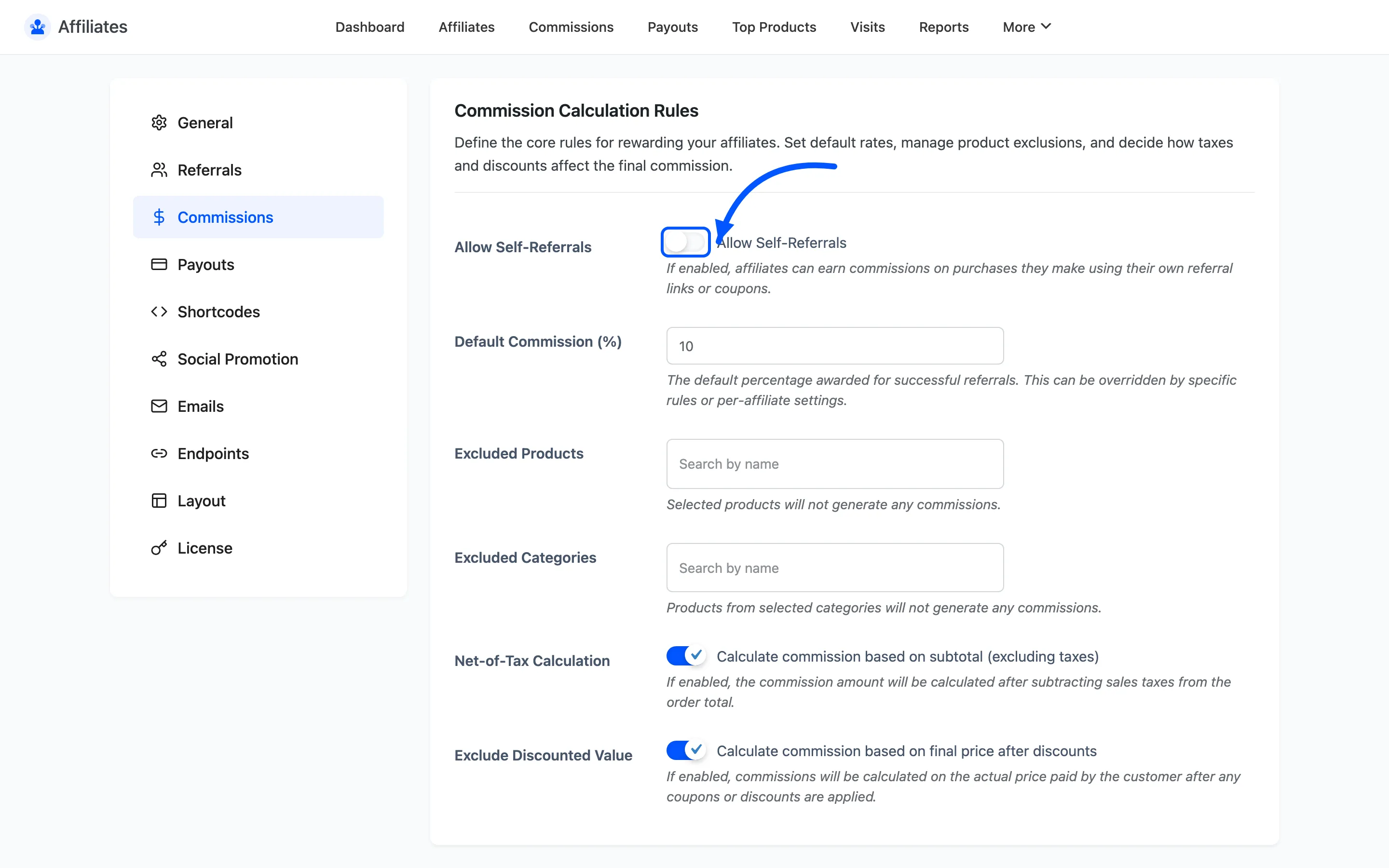
Turn self referrals on and both checks stand down, deliberately. You have said the behaviour is allowed, so refusing it on a technicality would be wrong.
2. Open the fraud checks
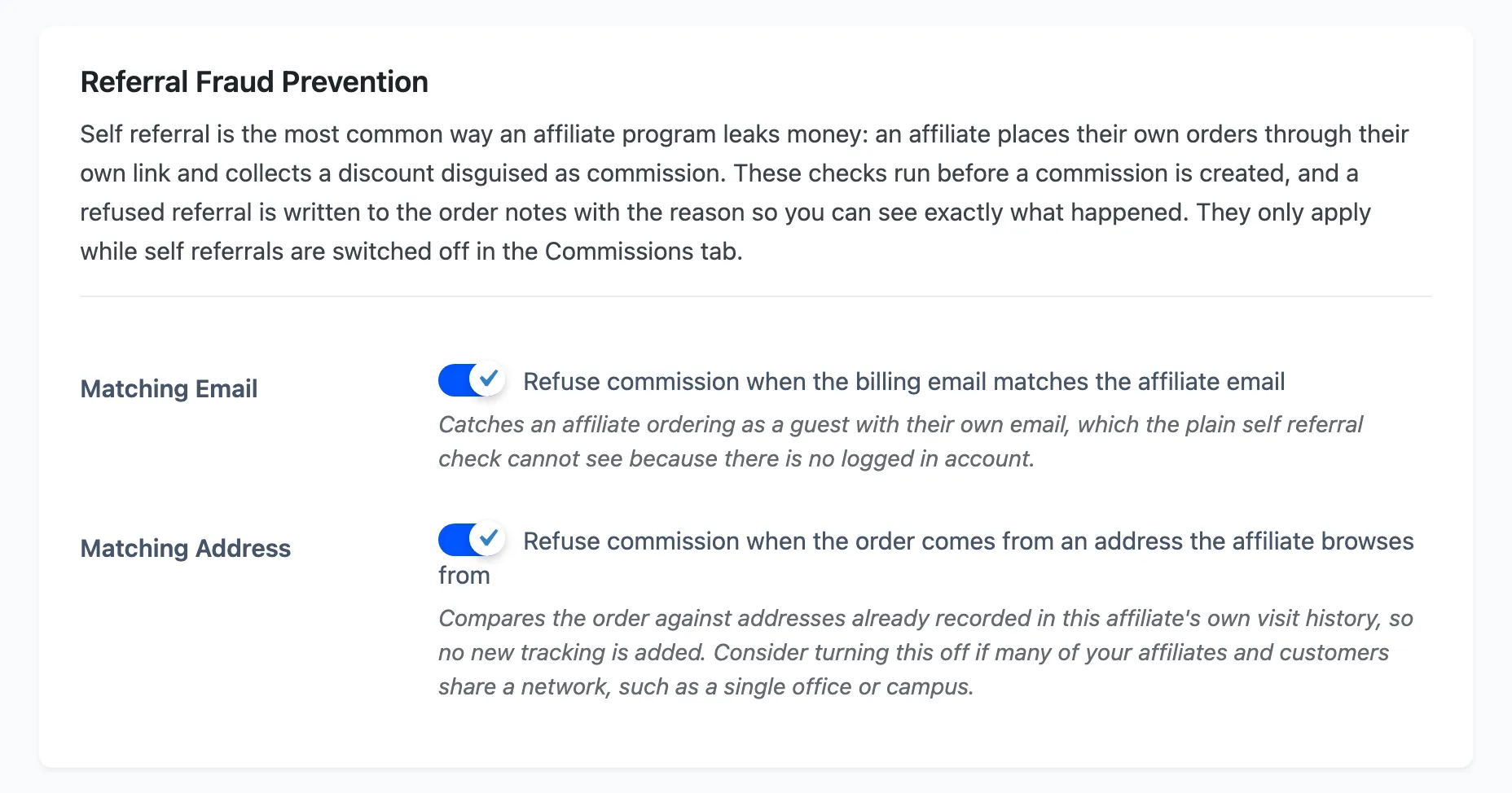
Section titled “2. Open the fraud checks”Go to Configuration → Referrals and scroll to Referral Fraud Prevention. Both checks are on out of the box.
3. Matching Email
Section titled “3. Matching Email”Matching Email refuses commission when the order’s billing email matches the affiliate’s account email.
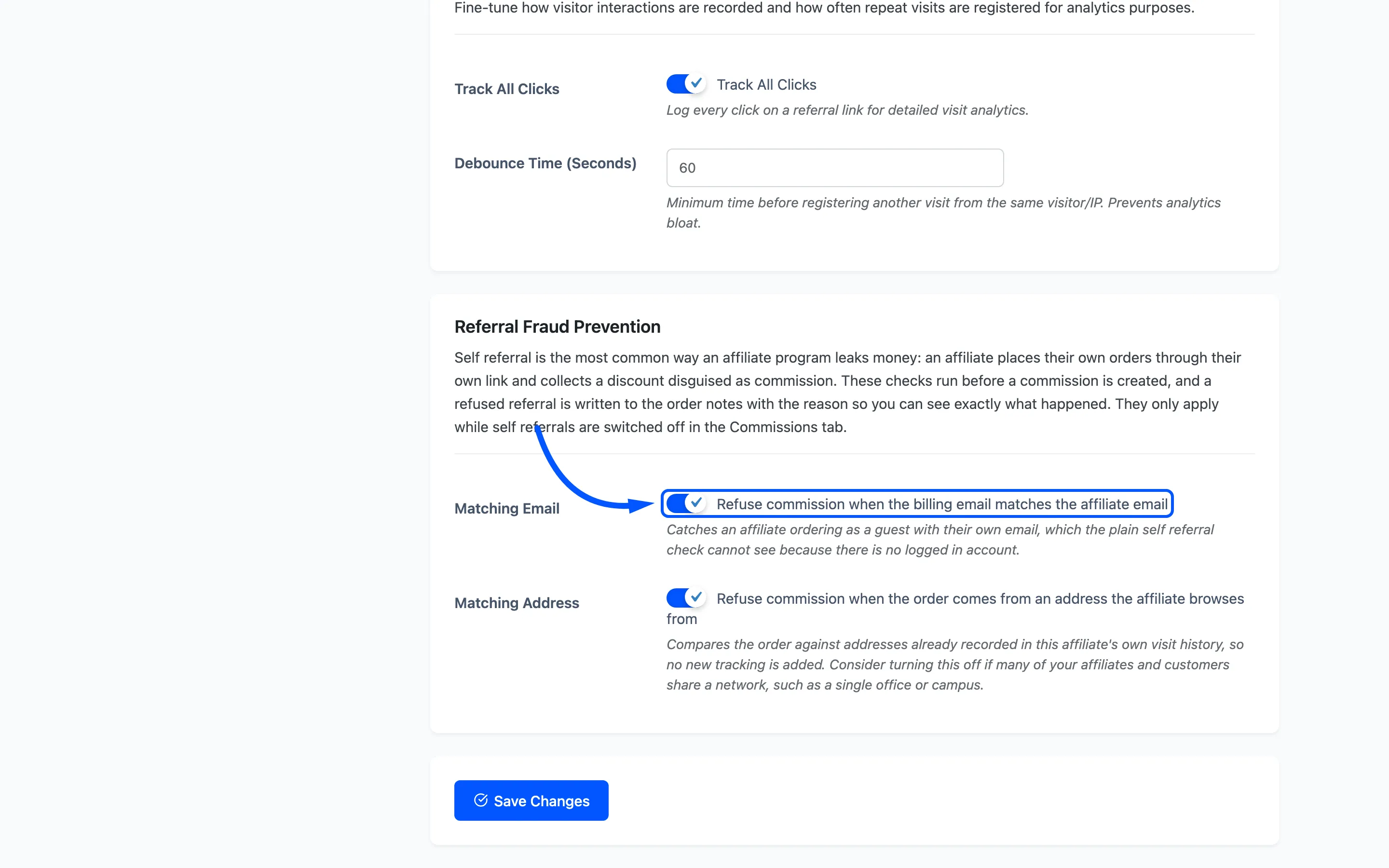
This is the one that earns its keep. The plain self referral check compares the logged-in buyer against the affiliate, so an affiliate who logs out and checks out as a guest walks straight past it. There is no account to compare. The billing email is the thing they cannot avoid giving you.
Leave it on. There is no honest case where a customer’s billing address is also the affiliate’s account address.
4. Matching Address
Section titled “4. Matching Address”Matching Address refuses commission when the order comes from a network address the affiliate browses from.
It compares the order against addresses already recorded in that affiliate’s own visit history, so it adds no tracking of its own. Nothing new is collected to make it work.
This one needs a judgement call. Turn it off if your affiliates and their customers plausibly share a network: one office, a campus, or a household where a partner promotes to people they live with. Left on in that situation it refuses genuine sales.
5. Read what happened
Section titled “5. Read what happened”A refused referral is not silent. The reason is written to the order notes and stored on the order itself. The explanation sits next to the order rather than in a log nobody opens.
The note names the affiliate and the reason, in the plugin’s own words:
- The buyer is the affiliate, and self referrals are not allowed.
- The billing email matches the affiliate email, so this looks like a self referral.
- The order was placed from an address the affiliate browses from, so this looks like a self referral.
That matters when an affiliate disputes a missing commission. You can answer with the order note rather than a theory.
What a refusal does not do
Section titled “What a refusal does not do”A refused referral only stops the commission. The order goes through normally, the customer is charged normally, and any coupon discount they used still applies. If the discount is the thing you want to stop, restrict the coupon itself rather than relying on this.
Where to go next
Section titled “Where to go next”- Referral Settings for the rest of the tab.
- How to Track Referrals With Coupons for the coupon side of attribution.