

Commissions
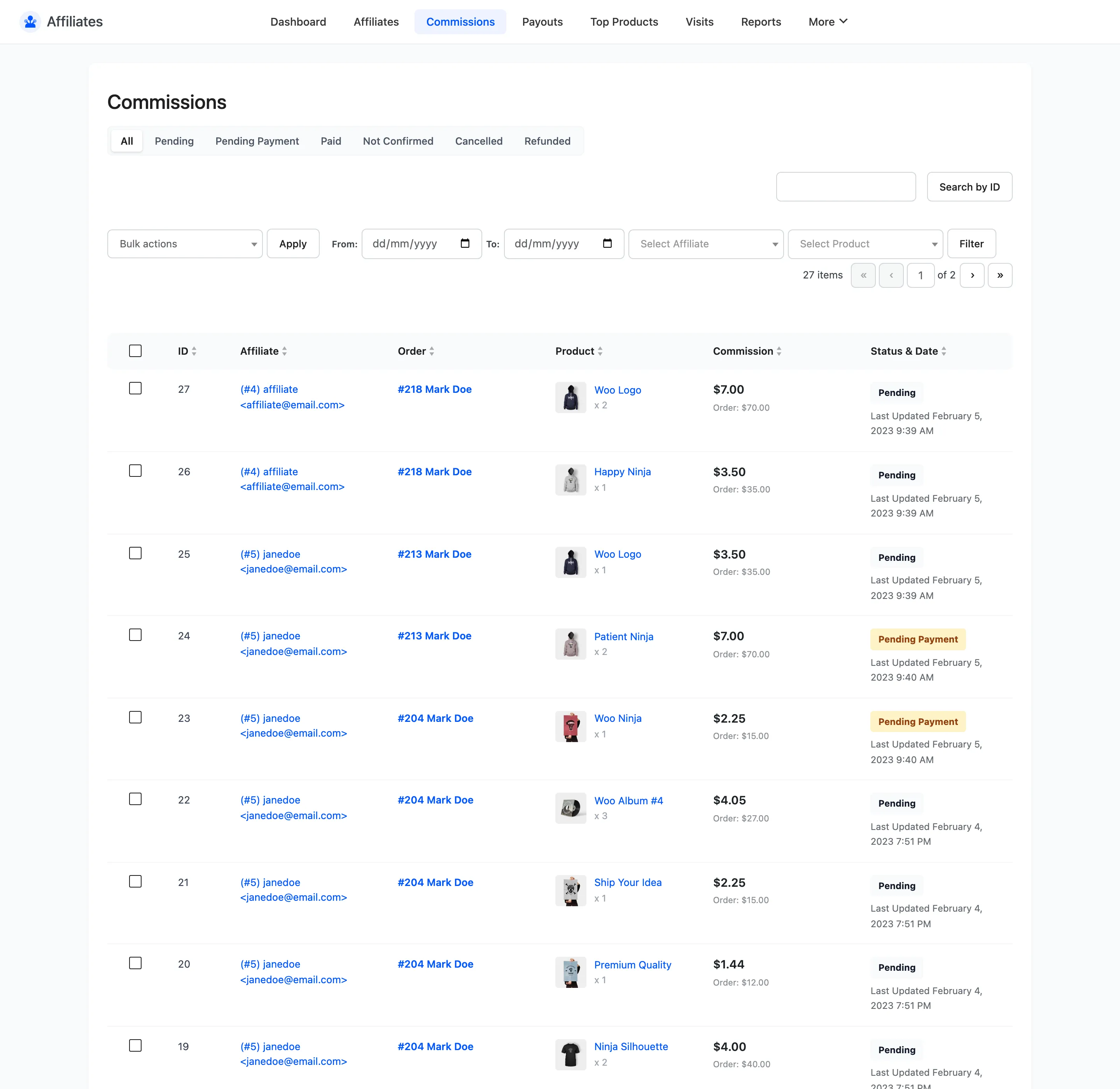
The Commissions screen is the list. One row per order line item, per affiliate, with a status that tracks the order it came from.
Open the commissions list
Section titled “Open the commissions list”Go to DevDiggers Plugins → Affiliates → Commissions.
The columns
Section titled “The columns”| Column | What it shows |
|---|---|
| ID | The commission ID |
| Affiliate | User ID, username and email |
| Order | The WooCommerce order and the customer |
| Product | Product name and quantity |
| Commission | The commission amount, with the order line total under it |
| Status & Date | Current status and when it last changed |
One order with three items creates three commission rows. That is deliberate. A per-product rule can pay a different rate on each line, and a partial refund can reduce one line on its own.
The seven statuses
Section titled “The seven statuses”| Status | What it means |
|---|---|
| Pending | Earned and awaiting payment. This is the normal resting state. |
| Pending Payment | Included in a payout that has not completed yet |
| Paid | The payout completed |
| Not Confirmed | The order has not been paid for yet |
| Cancelled | The order was cancelled or failed |
| Refunded | The order was refunded |
How order status drives commission status
Section titled “How order status drives commission status”The plugin maps the WooCommerce order status onto the commission status every time the order changes.
| Order status | Commission becomes |
|---|---|
| Processing or Completed | Pending |
| Pending payment or On hold | Not Confirmed |
| Cancelled or Failed | Cancelled |
| Refunded | Refunded |
| Anything else | Pending |
Two statuses are never set this way. Pending Payment and Paid come from the payout process alone, and a commission already sitting in either one is skipped when the order status changes. That protects money you have already committed to paying from being reversed by a late edit to the order.
Partial refunds
Section titled “Partial refunds”A partial refund does not cancel the commission. The plugin works out how much of the refund applies to that line and subtracts it from the commission amount. The difference is recorded in a Refund figure. The row stays payable at the reduced amount.
A full refund sets the order status to Refunded, which moves the whole commission to Refunded. See How to Handle Refunds and Reversals for the case where the commission was already paid.
Filtering
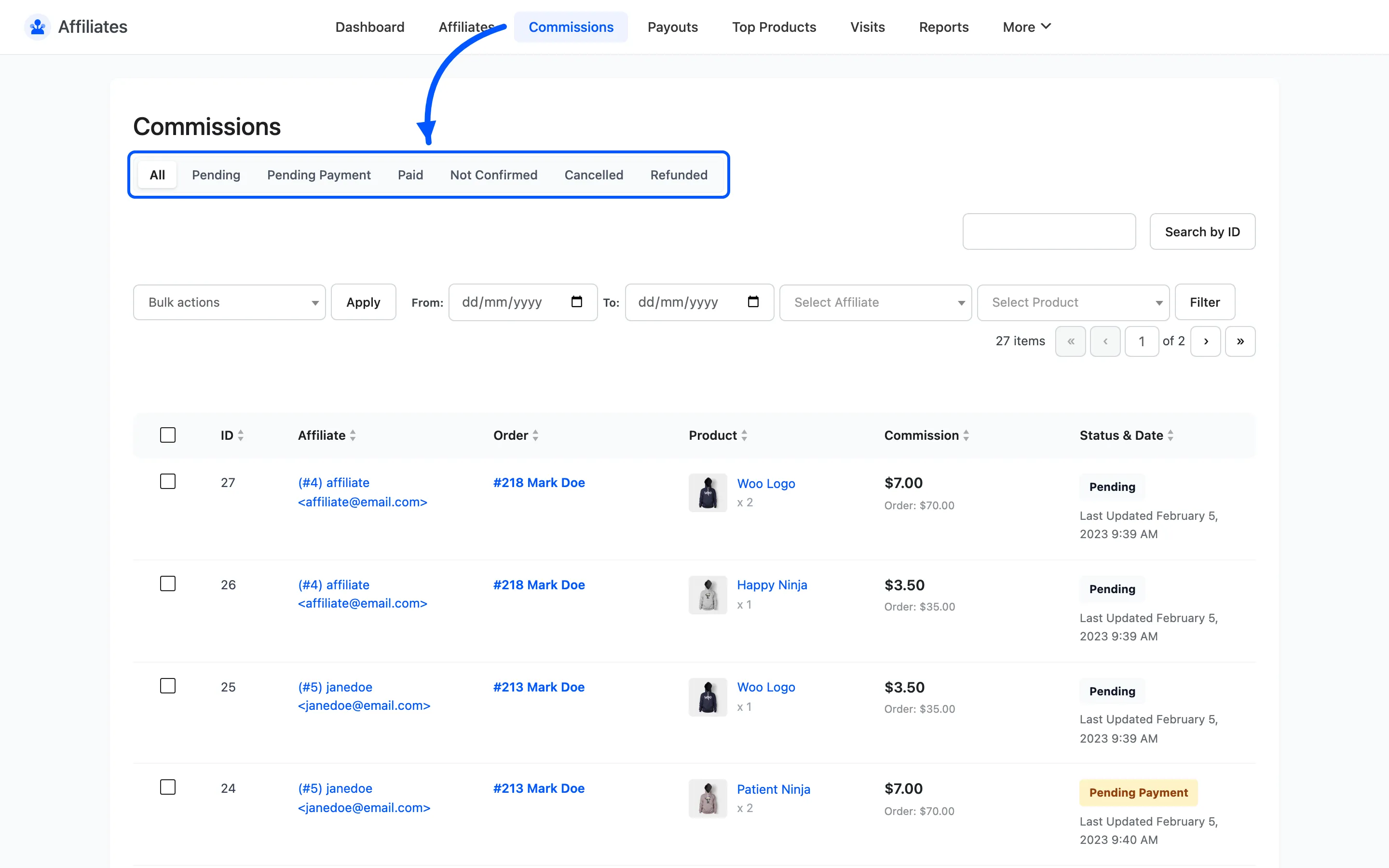
Section titled “Filtering”Status tabs across the top filter to All, Pending, Pending Payment, Paid, Not Confirmed, Cancelled or Refunded.
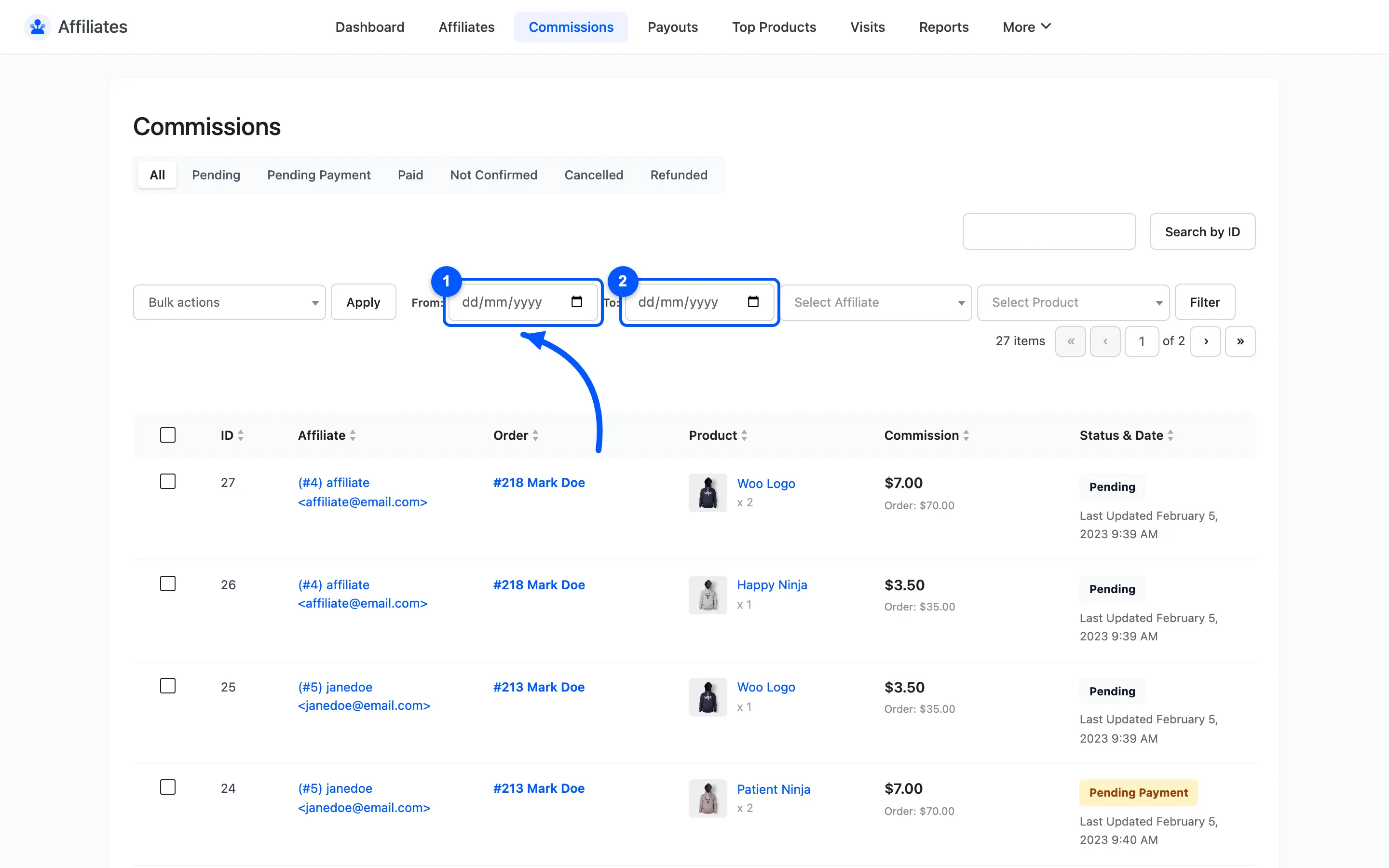
Below them are four more filters:
- From and To date fields
- An affiliate selector, searchable by ID, name or email
- A product selector
Search by ID uses the search box on the right.
Bulk actions
Section titled “Bulk actions”Tick rows and choose an action. The list splits in two.
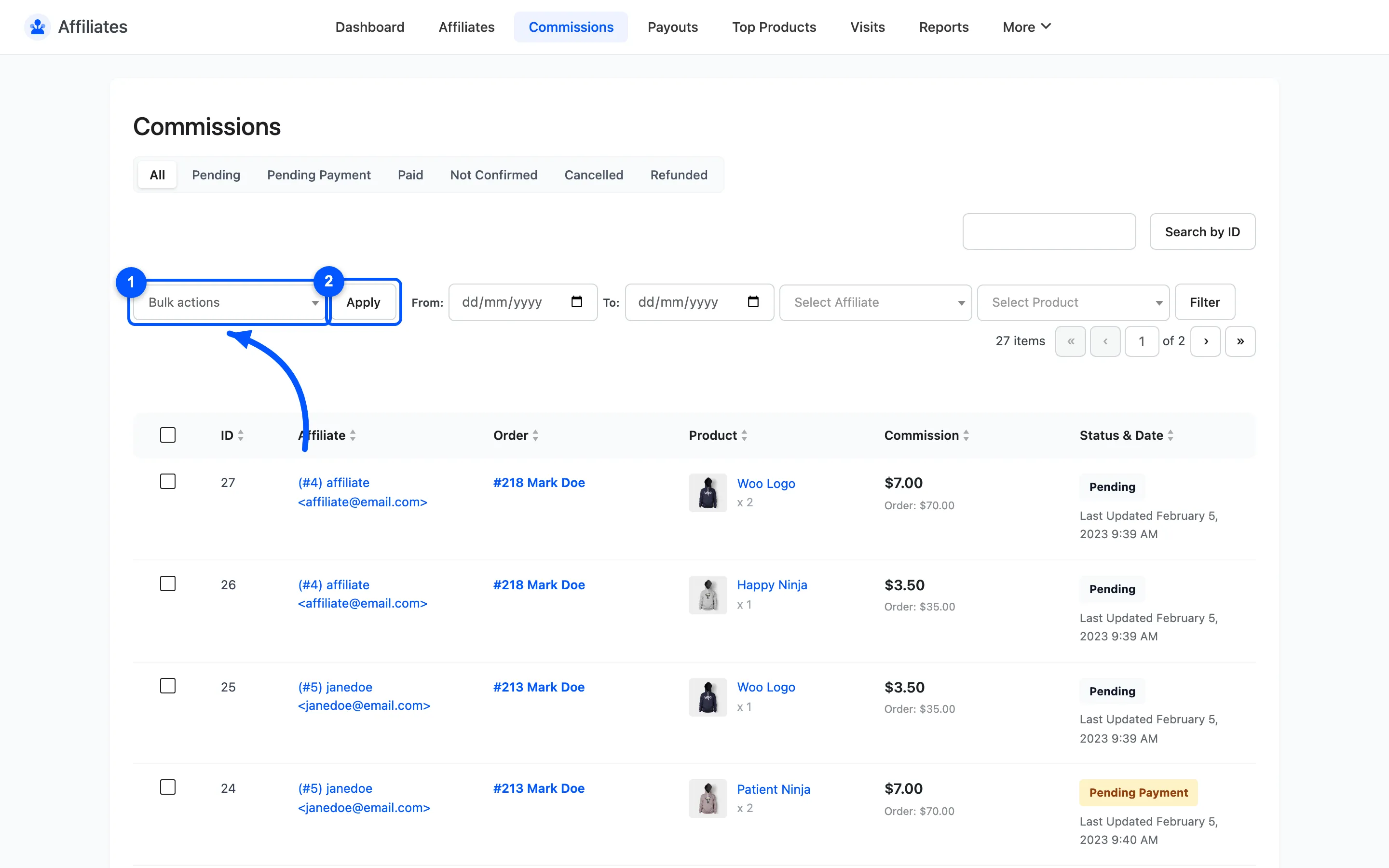
- Change a status directly: Pending, Not Confirmed, Cancelled, Refunded or Paid.
- Create a payout: one entry per enabled withdrawal method, plus Pay to Affiliate Default Withdrawal Method. That last one uses whatever each affiliate chose themselves. This is the free version’s route to paying people: filter to Pending, select the rows, pick a method.
- Delete removes the rows outright.
Where to go next
Section titled “Where to go next”- How to Pay Your Affiliates for the full payment process.
- Payouts to work the payouts these actions create.