

How to Set Up Tiered Commissions (Pro)
Tiers pay more as an affiliate earns more. The pitch to a partner is simple: sell more, keep a bigger share. The mechanism is a set of earnings bands, each with its own rate.
Before you start
Section titled “Before you start”Decide the bands before you open the screen. Three is usually enough, and the gaps between rates have to be worth chasing. A jump from 10% to 10.5% motivates nobody.
A workable shape for a store with reasonable margins:
| Tier | Earnings from | Earnings to | Rate |
|---|---|---|---|
| Starter | 0 | 499 | 10% |
| Established | 500 | 1999 | 12% |
| Partner | 2000 | (empty) | 15% |
Leave the top band’s Earning To empty so it has no ceiling.
Step 1: Open the commission settings
Section titled “Step 1: Open the commission settings”Go to DevDiggers Plugins → Affiliates → Configuration → Commissions and scroll to Tiered Reward Structure.
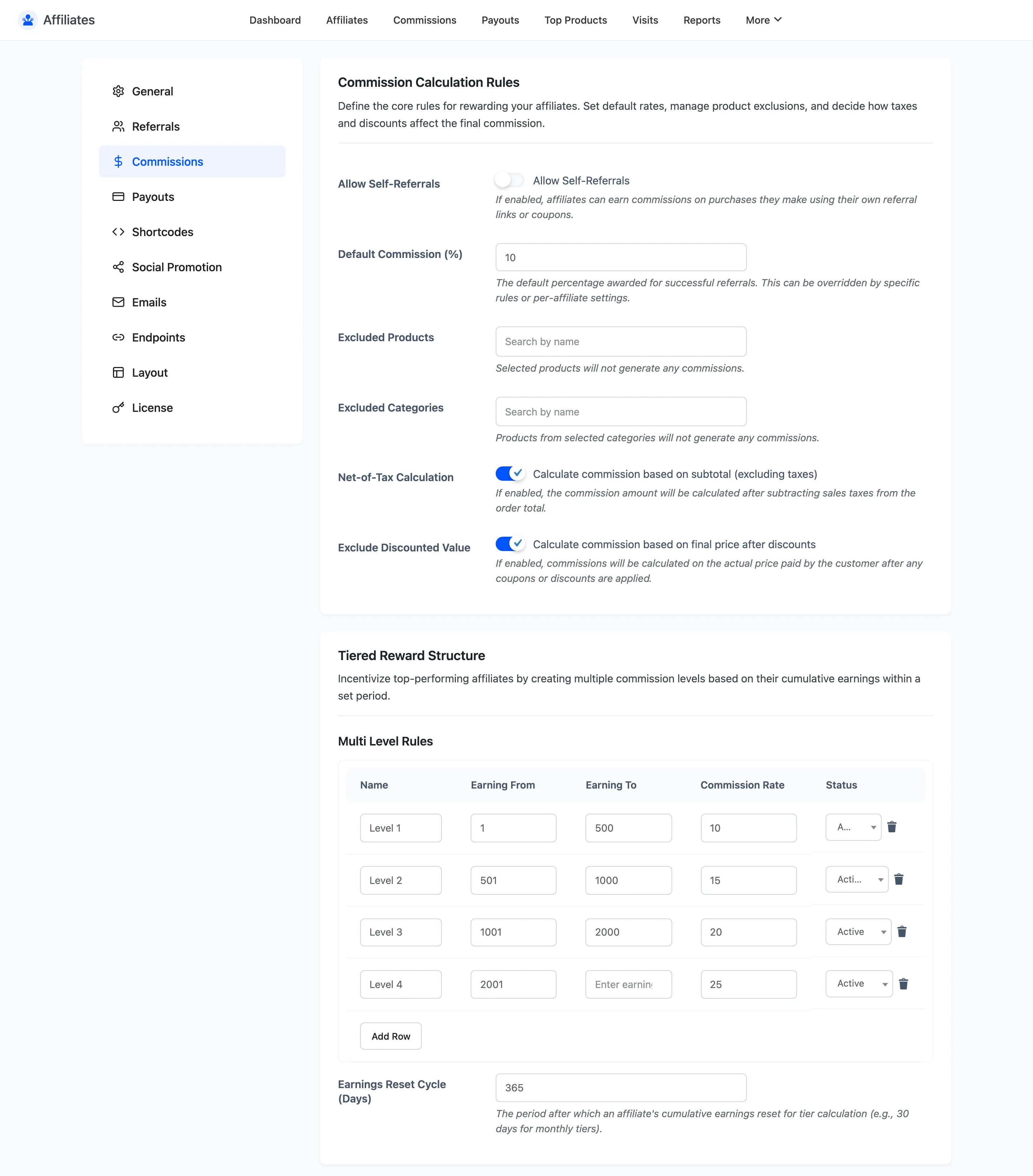
The Multi Level Rules table is below the heading.
Step 2: Add your first band
Section titled “Step 2: Add your first band”Click Add Row. Each row has five fields.
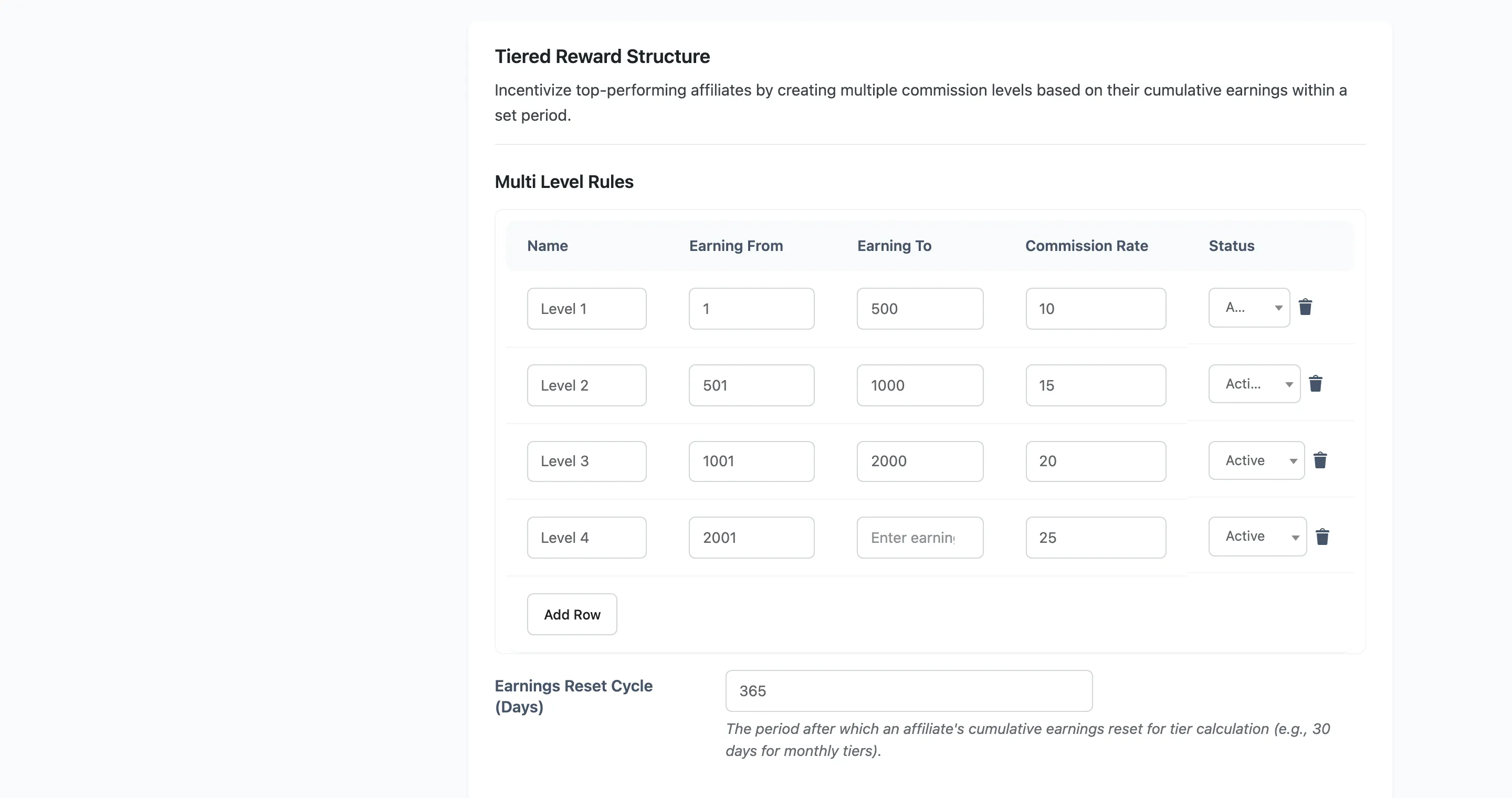
- Name is your label for the tier. Affiliates do not see it, but you will.
- Earning From is the lower bound, inclusive.
- Earning To is the upper bound, inclusive. Leave it empty for no ceiling.
- Commission Rate is the percentage that band pays.
- Status is Active or Inactive.
Set your starter band’s Earning From to 0 so a brand new affiliate falls into it.
Step 3: Add the higher bands
Section titled “Step 3: Add the higher bands”Add one row per tier, in ascending order.
Two rules keep the table predictable.
- Do not overlap the ranges. If 0 to 999 and 500 to 1999 both exist, an affiliate on 700 matches both. The first active matching row wins, so the result depends on row order rather than on the numbers, which is not a thing you want to reason about later.
- Do not leave gaps. An affiliate whose total falls in a gap matches no band and drops back to the global default rate, which usually reads as a bug.
Start each band’s Earning From at one above the previous band’s Earning To, so 1 to 500 is followed by 501 to 1000. Leave the last band’s Earning To empty so it has no ceiling.
Step 4: Set the reset cycle
Section titled “Step 4: Set the reset cycle”Set Earnings Reset Cycle (Days) directly under the table.
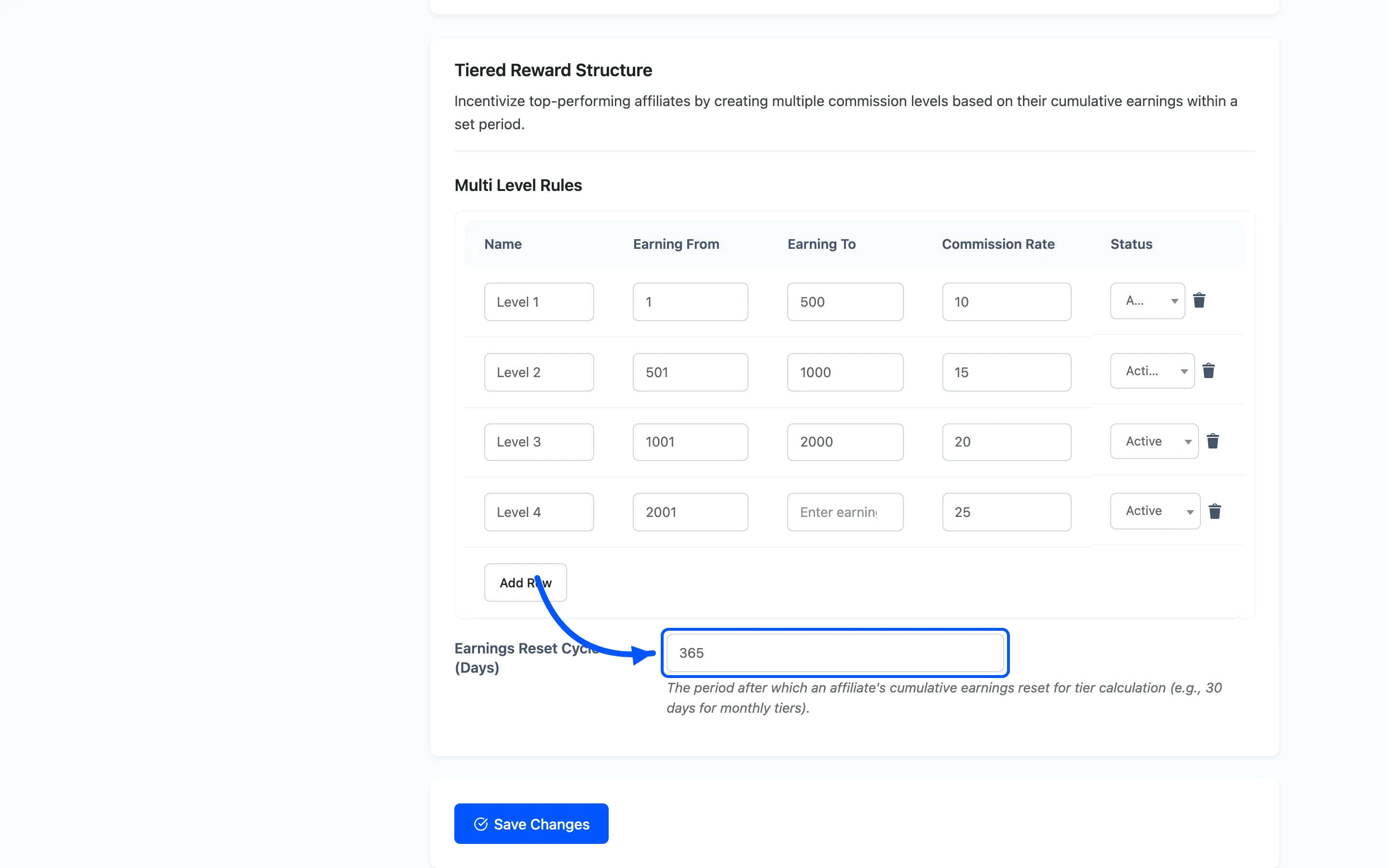
This is the rolling window the cumulative total is measured over.
- 30 gives monthly tiers. An affiliate’s total counts only the last 30 days, so a strong month earns a better rate and a quiet one drops them back down.
- 365 gives annual tiers, which reward long-term partners rather than recent bursts.
- Empty counts all earnings for all time. An affiliate never drops a tier once they reach it.
Empty is the friendliest to affiliates and the most expensive for you, since your commission cost only ever ratchets up. A rolling 30 or 90 days is the usual choice.
Step 5: Save and check the maths
Section titled “Step 5: Save and check the maths”Click Save Changes, then check one affiliate against the table.
- Open the affiliate from DevDiggers Plugins → Affiliates → Affiliates.
- Set the date range to match your reset cycle. For a 30-day cycle, use Last 30 Days.
- Read Total Earnings and find which band it falls into.
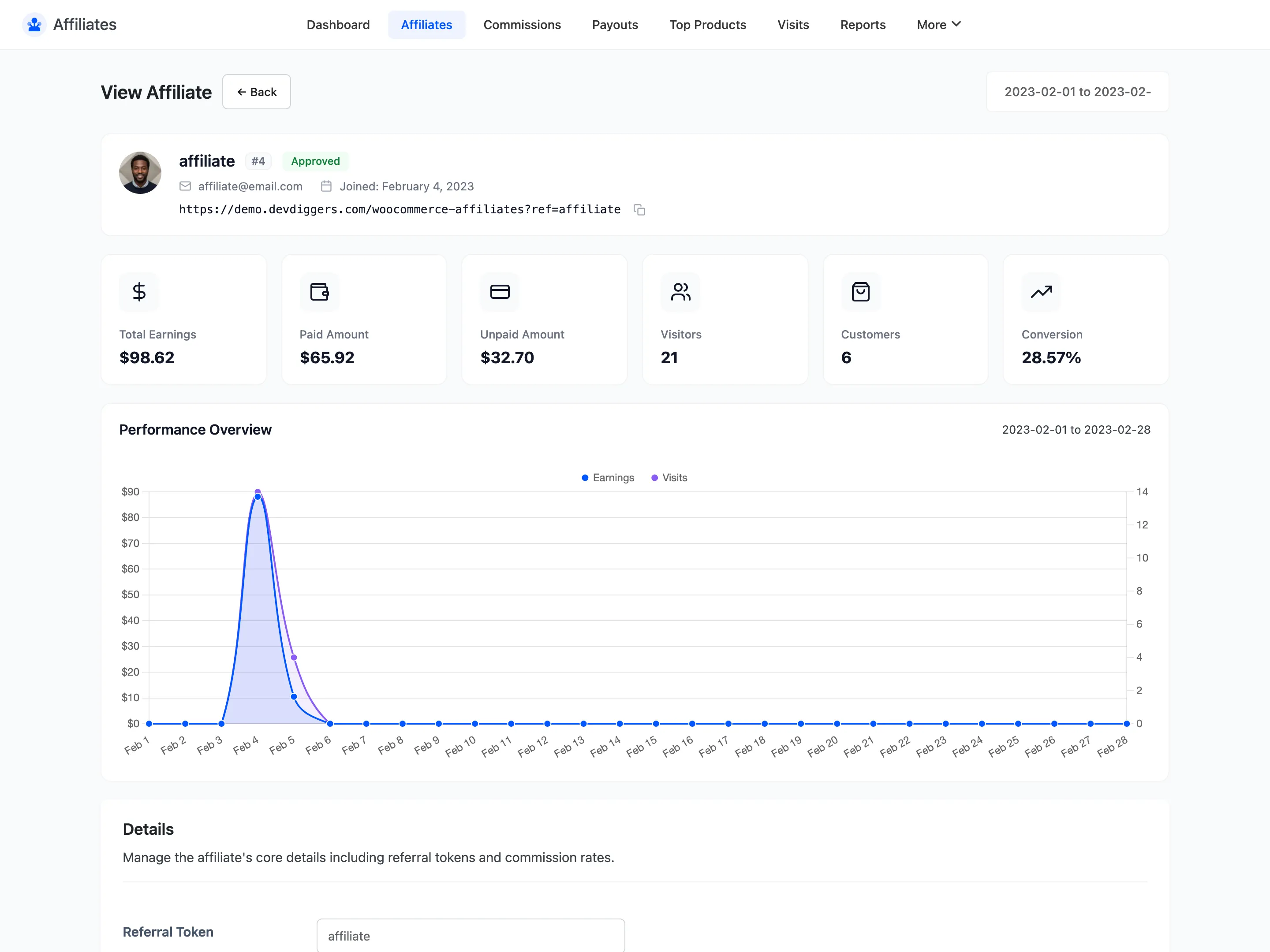
Their next commission should use that band’s rate. Place a test order through their link to confirm, then check the amount against the line total on the Commissions screen.
Step 6: Know what beats a tier
Section titled “Step 6: Know what beats a tier”A tier is not the top of the chain. Two things override it.
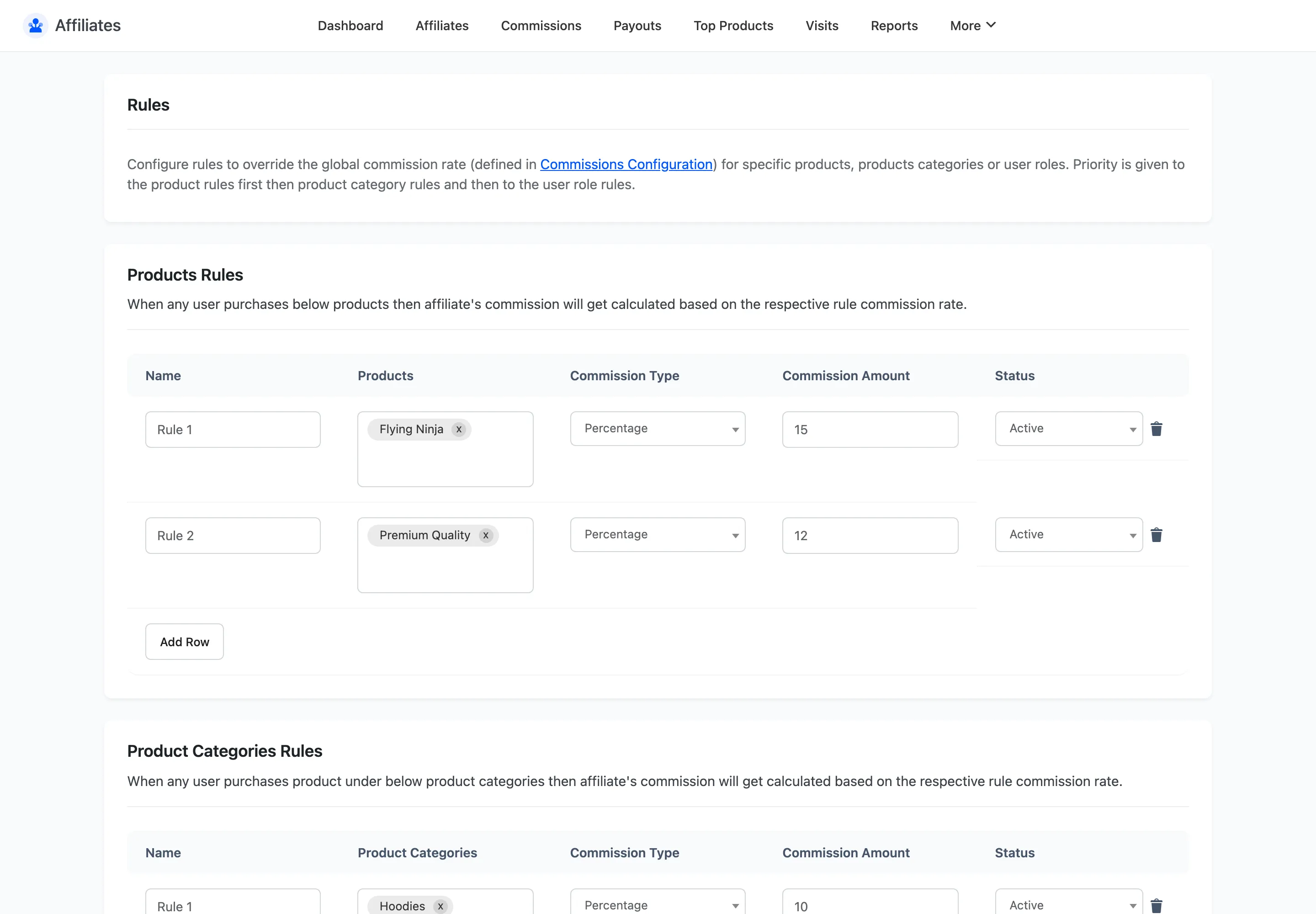
- A commission rule matching the line item. Product, category and user role rules are all checked before anything else, and a match ends the search.
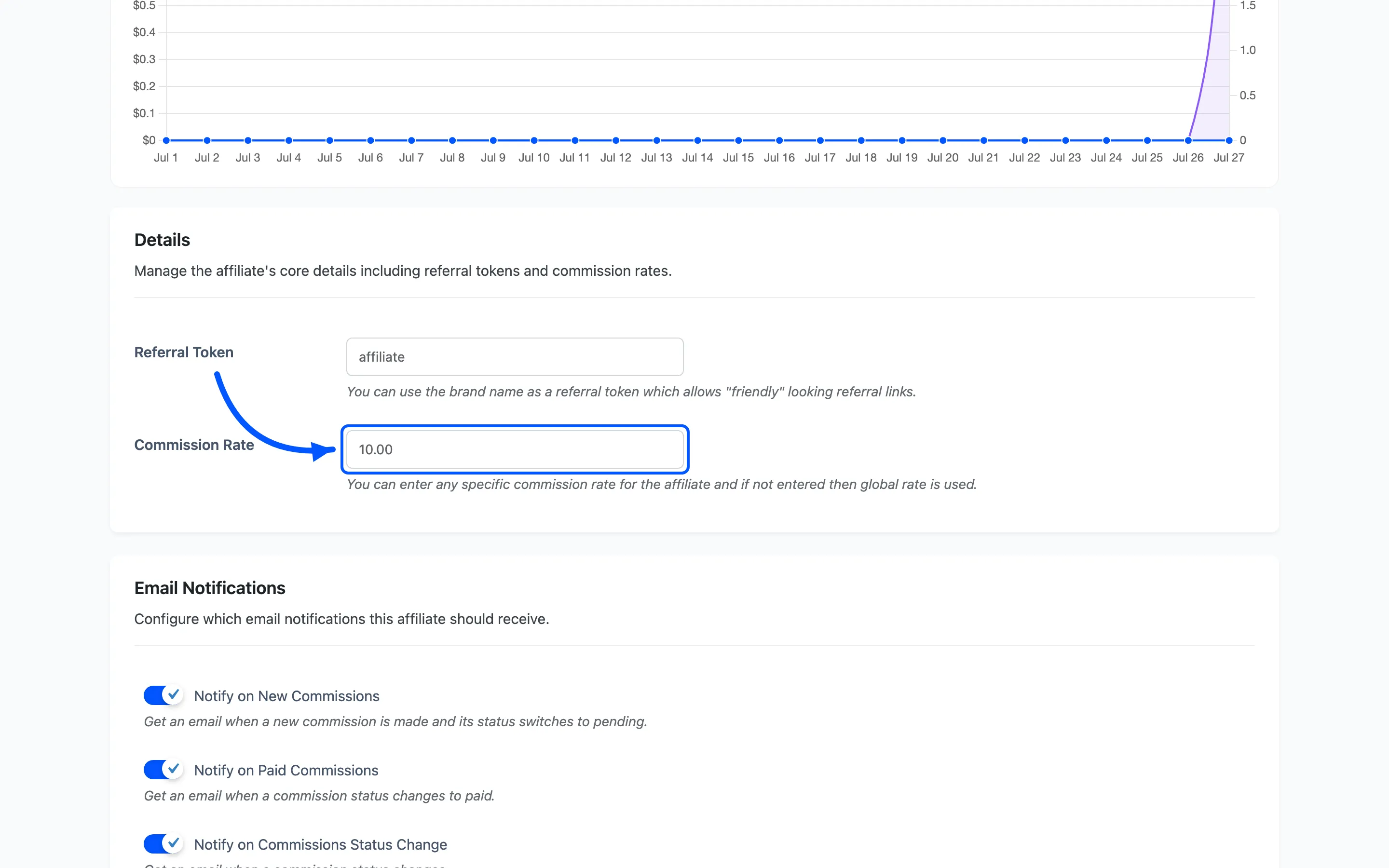
- The affiliate’s own Commission Rate: A personal rate set on their detail screen beats the tier entirely.
That second one matters. If you have already given a partner a manual rate, tiers will never apply to them. Clear the personal rate to put them back into the tier system.
The full order is: matching rule, then personal rate, then tier, then global default.
Step 7: Tell your affiliates
Section titled “Step 7: Tell your affiliates”A tier system nobody knows about changes no behaviour. Publish the table on your affiliate signup page, with the same numbers you entered here.
Give the tiers names people will repeat. “I’m two hundred off Partner tier” is the sentence you want an affiliate saying to themselves.
Where to go next
Section titled “Where to go next”- How to Create Commission Rules for product-level rates that beat tiers.
- Reports to see whether the tiers moved anything.