

How to Pay Affiliates Automatically With PayPal (Pro)
PayPal is the easier of the two gateways because it pays to an email address. Your affiliates give you one address and nothing else, and they never leave your site.
Before you start
Section titled “Before you start”You need a PayPal business account, and the Payouts feature enabled on it. On a live account PayPal reviews that request once, so ask for it early rather than on the day you want to pay everyone.
1. Create a REST app at PayPal
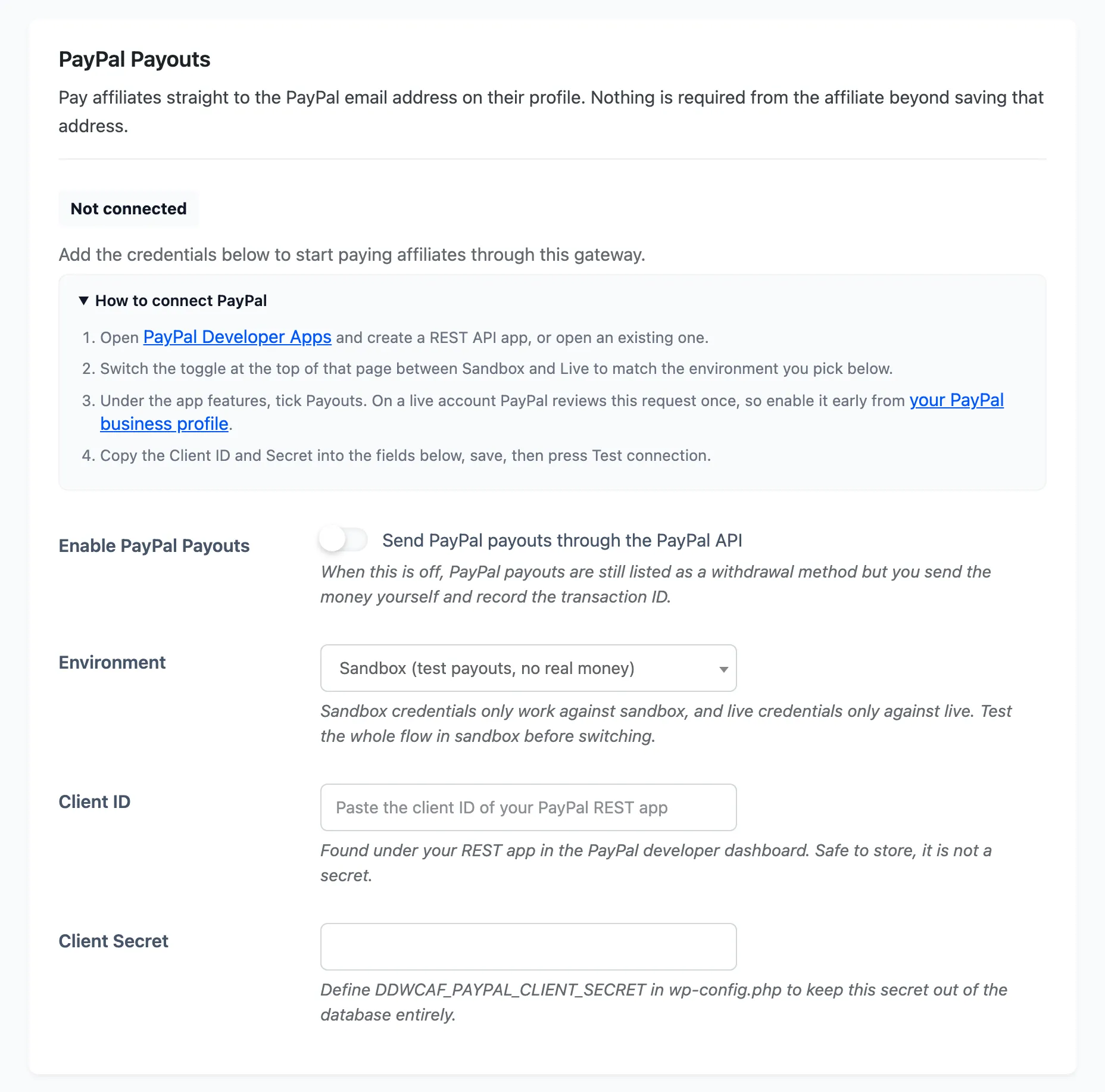
Section titled “1. Create a REST app at PayPal”Open the PayPal developer apps page and create a REST API app, or open one you already have.
Two things there decide whether this works:
- The toggle at the top of that page switches between Sandbox and Live. The credentials you copy belong to whichever side you are on, and they never work against the other one.
- Under the app features, tick Payouts.
2. Open the PayPal Payouts section
Section titled “2. Open the PayPal Payouts section”Go to DevDiggers Plugins → Affiliates → Configuration → Payouts and scroll past the withdrawal methods and the automatic payout rules.
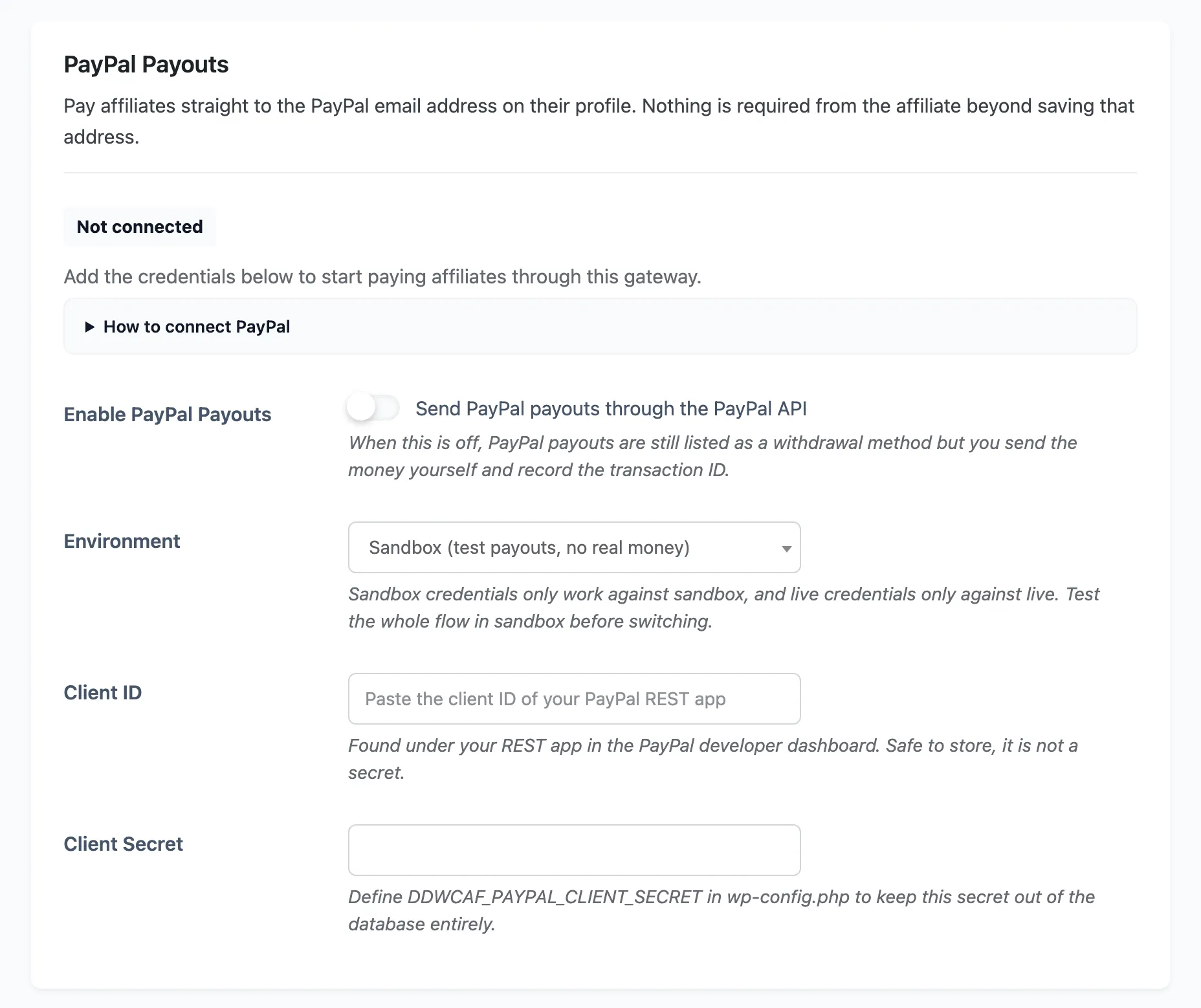
If you would rather follow the steps on the screen, How to connect PayPal expands into the same four steps with the links included.
3. Paste the credentials
Section titled “3. Paste the credentials”Set Environment to match the side you copied from. Start on Sandbox, always. A wrong client ID in sandbox costs you a red notice, and a wrong one in live costs you a failed payout that an affiliate is waiting on.
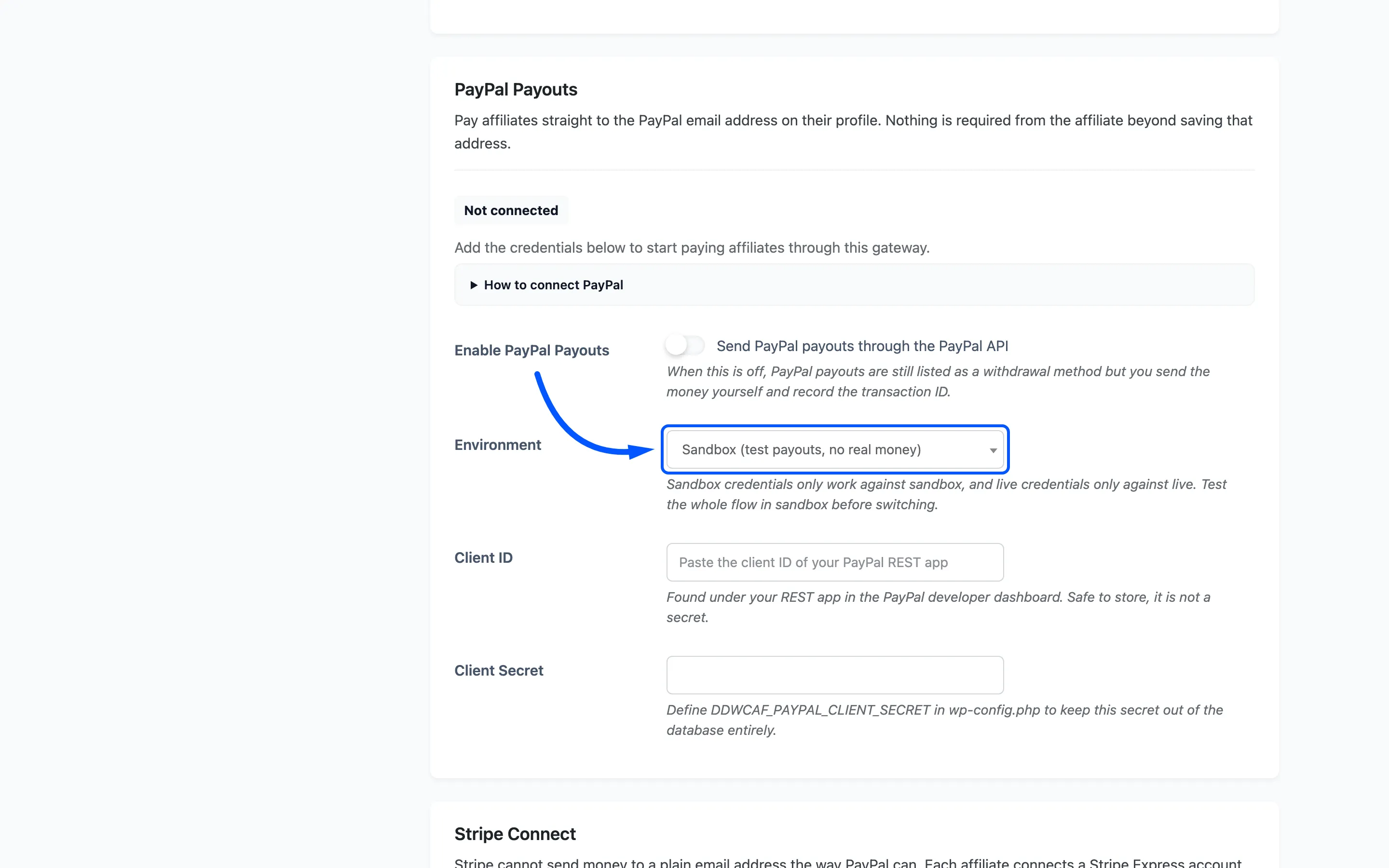
Paste the Client ID and the Client Secret, then save the page.
If you would rather keep the secret out of the database, define it in wp-config.php instead:
define( 'DDWCAF_PAYPAL_CLIENT_SECRET', 'your-paypal-secret' );The field then turns read-only and says where the value is coming from.
4. Test the connection
Section titled “4. Test the connection”Once credentials are saved, a Test connection button appears beside the status line. Press it.
The status line tells you where you stand without any guessing:
| Status | What to do |
|---|---|
| Not connected | The credentials are missing or blank |
| Credentials saved, gateway switched off | Tick Enable PayPal Payouts |
| Connected in test mode | Nothing is wrong, you are on sandbox |
| Connected and paying live | Real money will move |
A failed test prints PayPal’s own error message, which is almost always a sandbox key against live or the Payouts feature not enabled yet.
5. Turn the gateway on
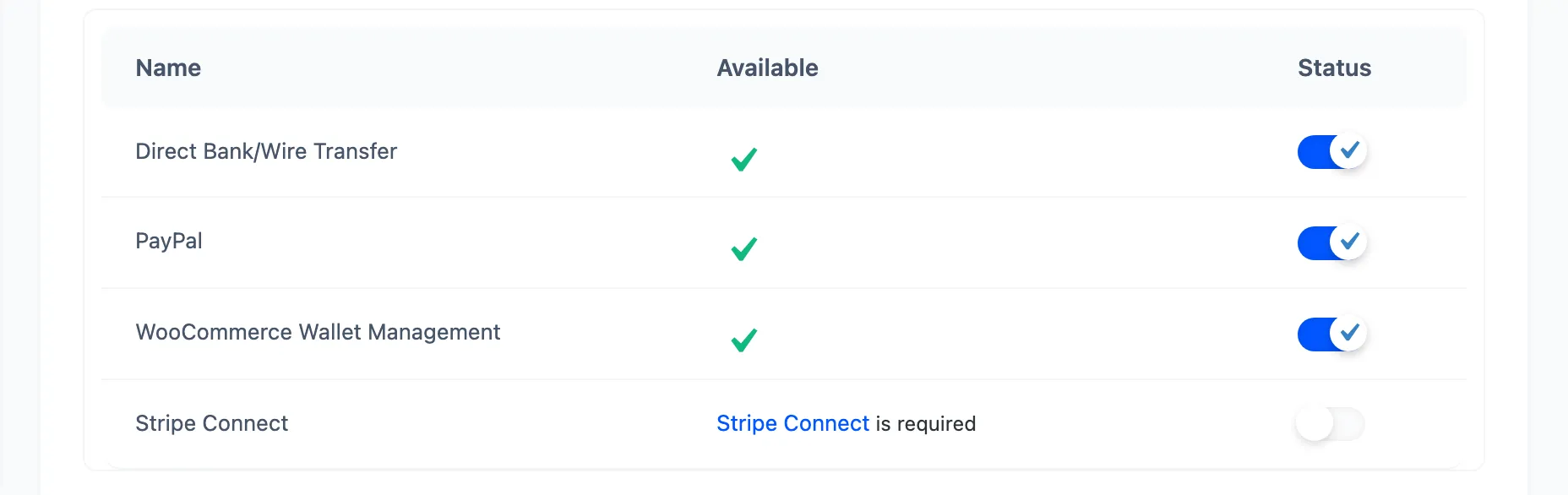
Section titled “5. Turn the gateway on”Tick Enable PayPal Payouts. Then scroll back up and check that PayPal is ticked in the Withdrawal Methods table, or your affiliates cannot choose it.
6. Send one payout
Section titled “6. Send one payout”Take one small pending payout from an affiliate whose method is PayPal, open it, and set Payout Status to Completed.
Watch what comes back rather than assuming it worked. The payout will land on Completed, Processing or Failed, and the Gateway Log on the same screen carries the provider’s own words either way.
What your affiliates have to do
Section titled “What your affiliates have to do”Almost nothing. They open Settings → Withdrawal Info on their dashboard, choose PayPal as their withdrawal method and save a valid PayPal email address.
The Payout Readiness panel on the same screen tells them if they have missed it.

When a payout fails
Section titled “When a payout fails”A failed payout is never recorded as paid, so the money and the ledger stay in step. Fix whatever the gateway log names, usually a mistyped email, then open the payout and press Send through gateway now. That retry ignores the attempt ceiling.
Where to go next
Section titled “Where to go next”- How Automatic Payouts Work for the full journey, including reversals.
- How to Pay Affiliates Automatically With Stripe for the other gateway.