

How to Create a Twilio Account and Find Your Credentials (Pro)
Purchase via WhatsApp sends and receives WhatsApp messages through Twilio. Twilio is the company that connects your store to WhatsApp’s business platform. This tutorial gets you from no account to a saved connection.
You need two values from Twilio: the Account SID and the Auth Token. Think of them as a username and password that let your store use your Twilio account.
Step 1: Sign up for Twilio
Section titled “Step 1: Sign up for Twilio”Open twilio.com/try-twilio. Fill in your first name, last name, email and a password, tick the terms box and click Continue.
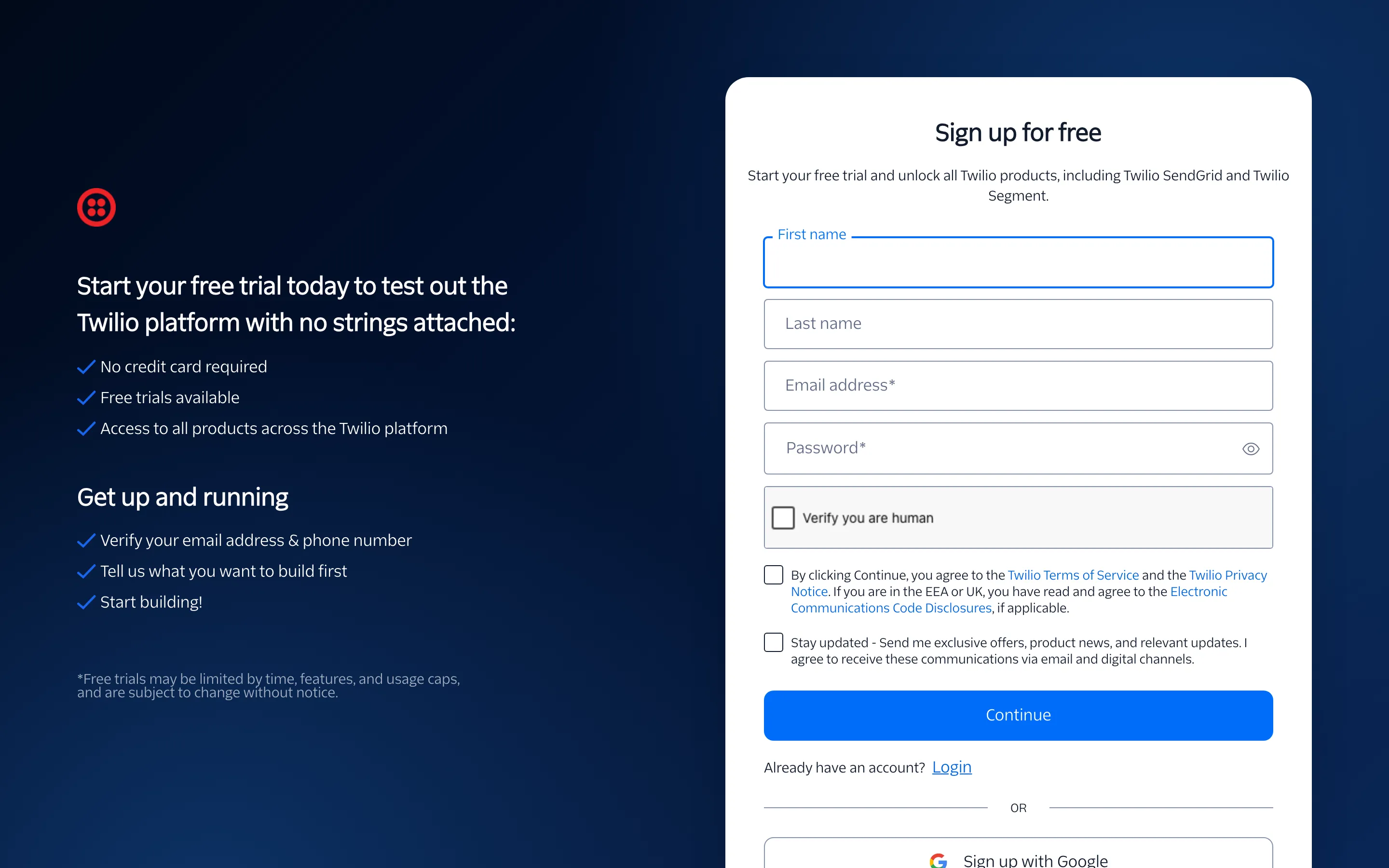
Twilio then asks you to:
- Confirm your email address with the link it sends.
- Verify your phone number with a code.
- Answer a few questions about what you are building. Any answer works, such as “WhatsApp” and “Notifications”.
A new account starts as a free trial with some credit. The trial is enough to test everything with the Twilio WhatsApp Sandbox.
Step 2: Open the Twilio Console
Section titled “Step 2: Open the Twilio Console”Sign in at console.twilio.com. The first screen is the Account Dashboard.
The top bar shows your account name and, on a trial, your remaining credit with an Upgrade link. You can upgrade later, when you register your own WhatsApp number.
Step 3: Copy the Account SID and Auth Token
Section titled “Step 3: Copy the Account SID and Auth Token”Scroll down to Account Info.
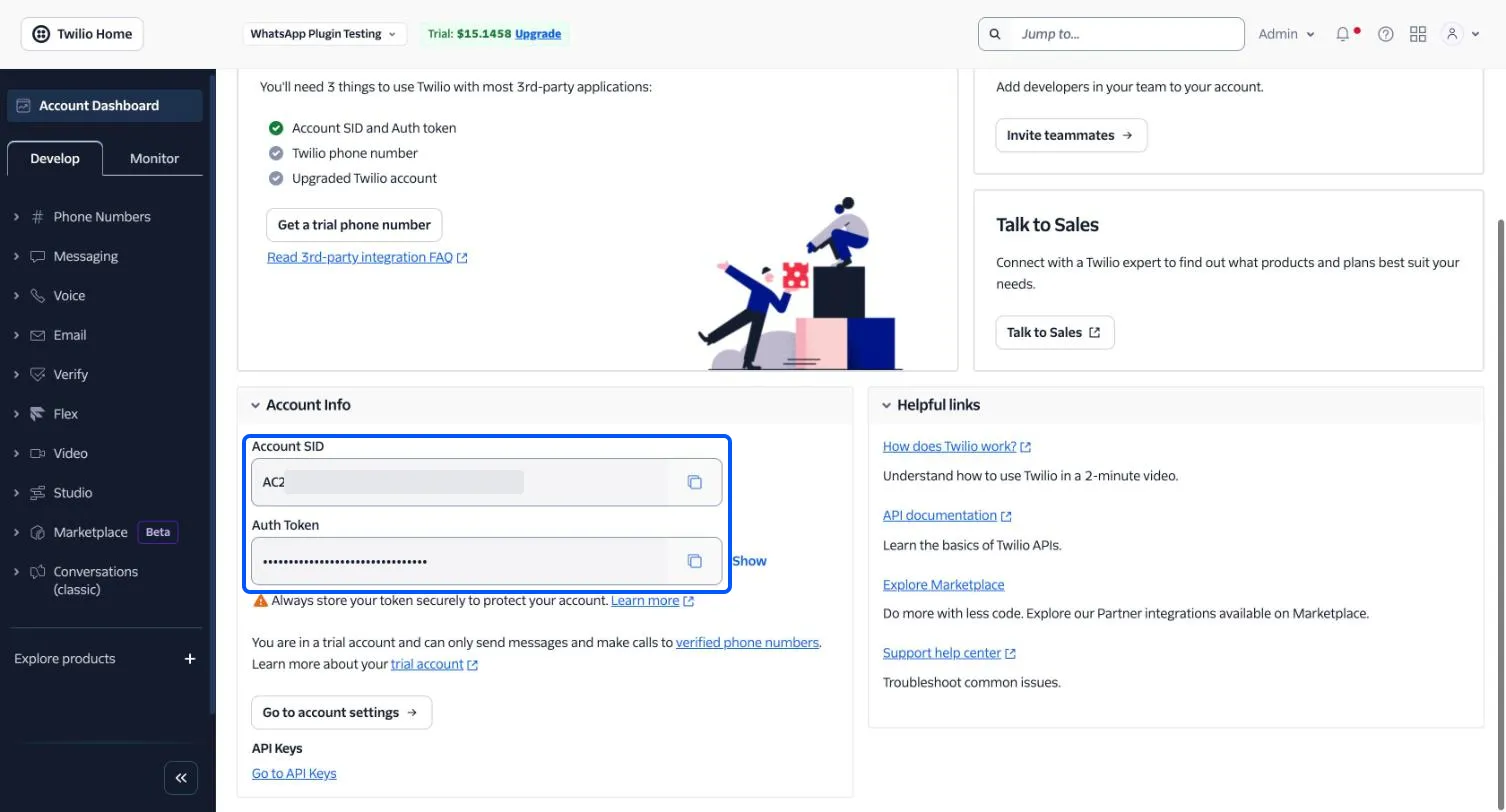
- Account SID starts with AC. Click the copy icon beside it.
- Auth Token is hidden behind dots. Click Show, or the copy icon, to copy it.
Step 4: Paste them into the plugin
Section titled “Step 4: Paste them into the plugin”In WordPress, go to Purchase via WhatsApp → Configuration → Twilio.
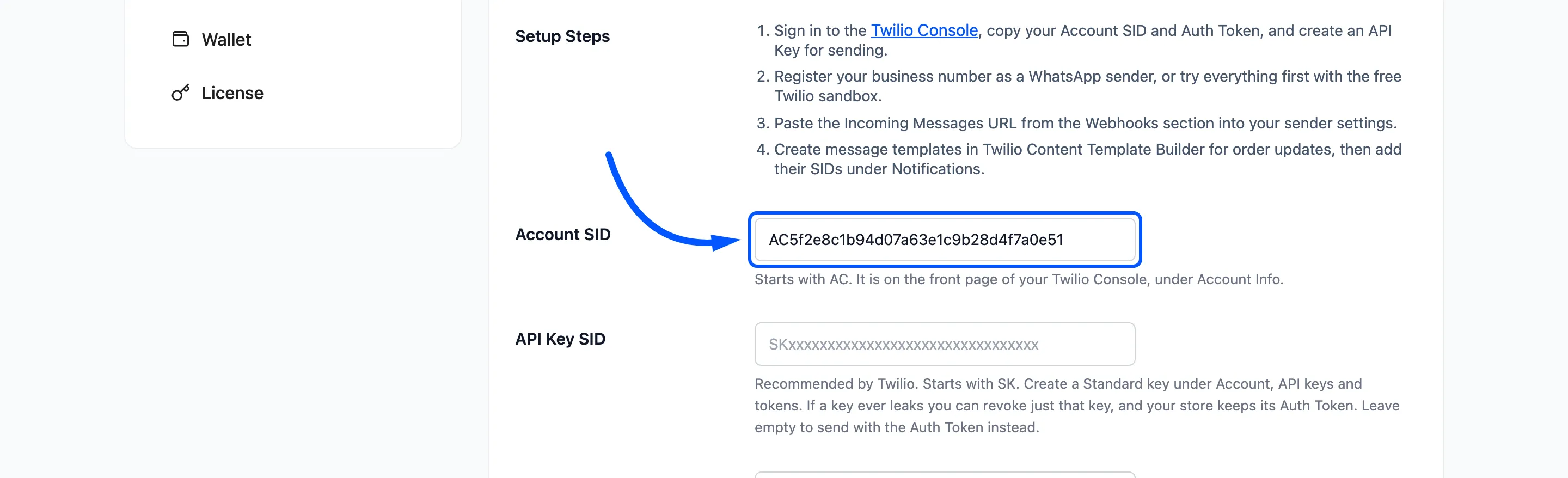
- Paste the Account SID into Account SID.
- Paste the Auth Token into Auth Token.
- Leave API Key SID and API Key Secret empty for now.
- Click Save Changes.
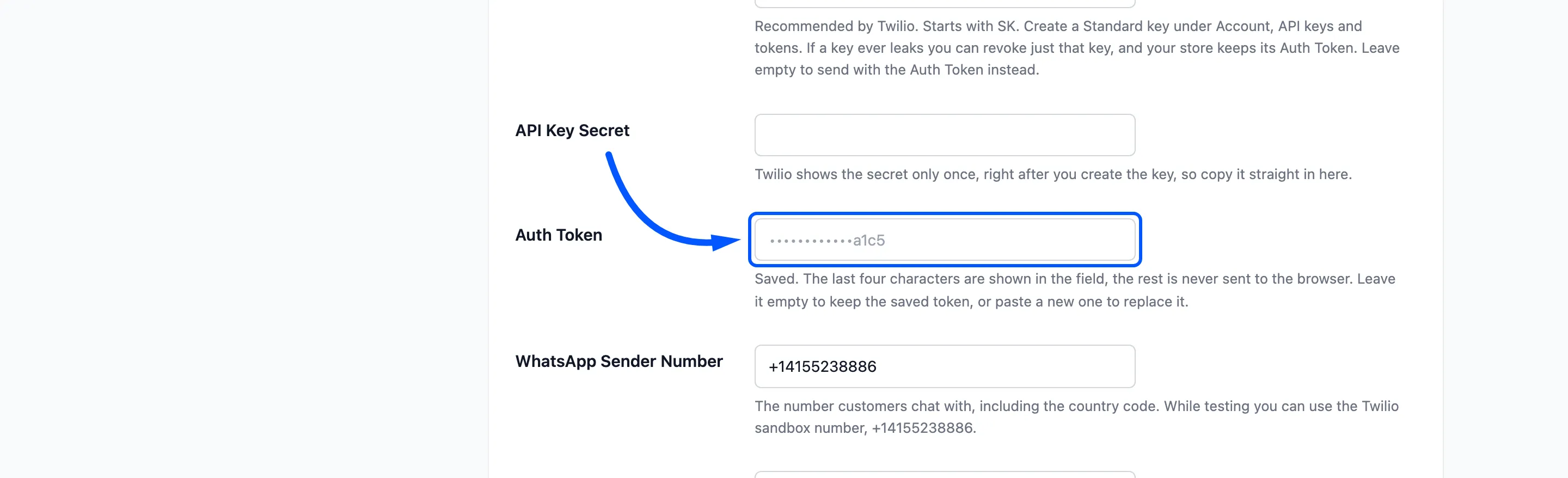
After saving, the Auth Token field shows only dots and its last four characters. The token itself is never shown in the browser again.
What you need next
Section titled “What you need next”The connection is not finished yet. Your store still needs a WhatsApp number to send from, and Twilio needs your store’s address for customer replies.
- How to Test with the Twilio WhatsApp Sandbox gives you a free test number.
- How to Connect Twilio to Your Store sends customer replies to your store.
- How to Send a Test Message checks the whole connection.
Once it all works, How to Connect Twilio with an API Key lets the store send without the Auth Token.