

Twilio Settings (Pro)
The Twilio tab connects your store to WhatsApp. Open Purchase via WhatsApp → Configuration → Twilio.
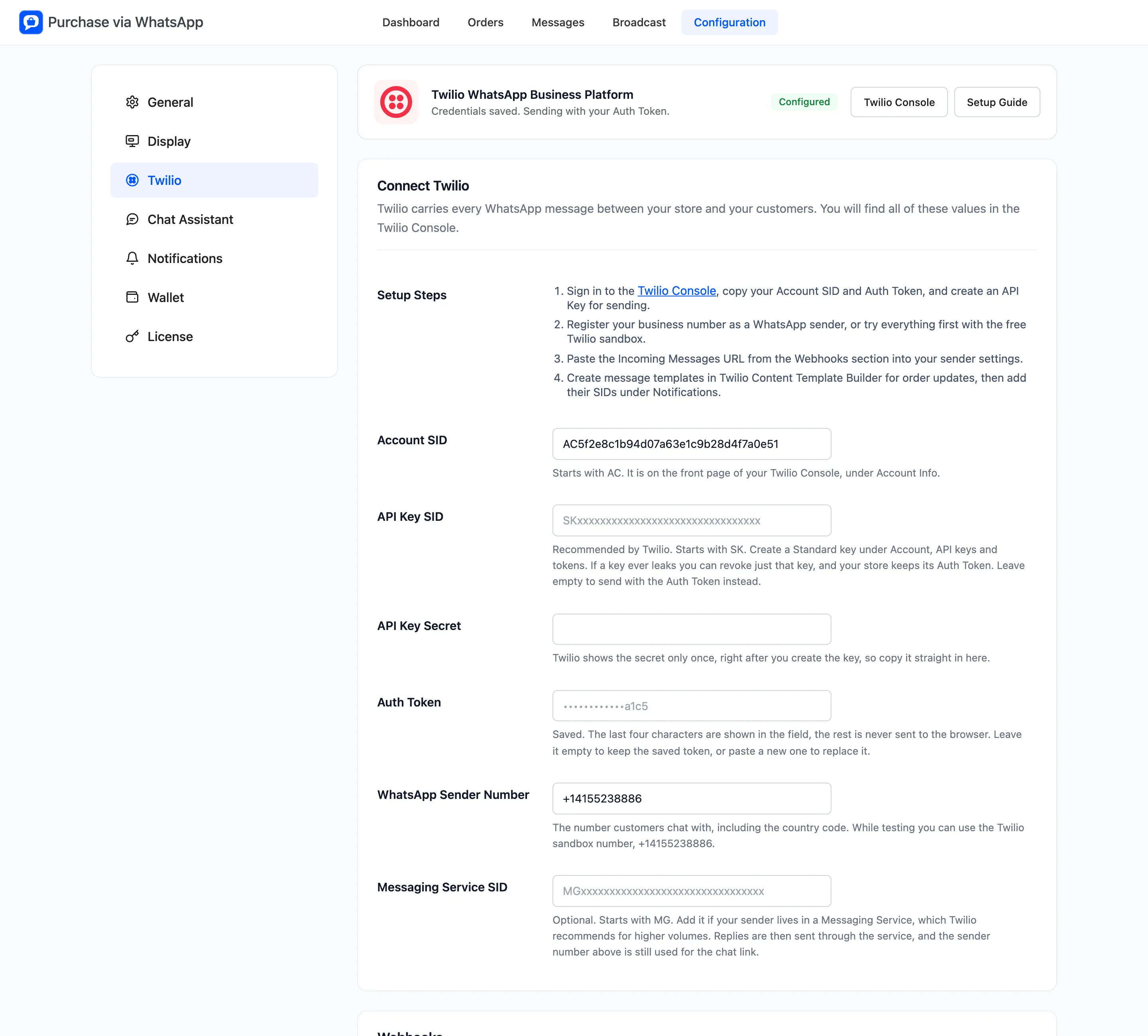
The banner at the top reads Configured once the credentials are saved. It also says whether messages go out with your API Key or your Auth Token. Until then it reads Not connected.
Twilio Console and Setup Guide open Twilio in a new tab.
New to Twilio? How to Create a Twilio Account and Find Your Credentials walks through the Console screen by screen.
Connect Twilio
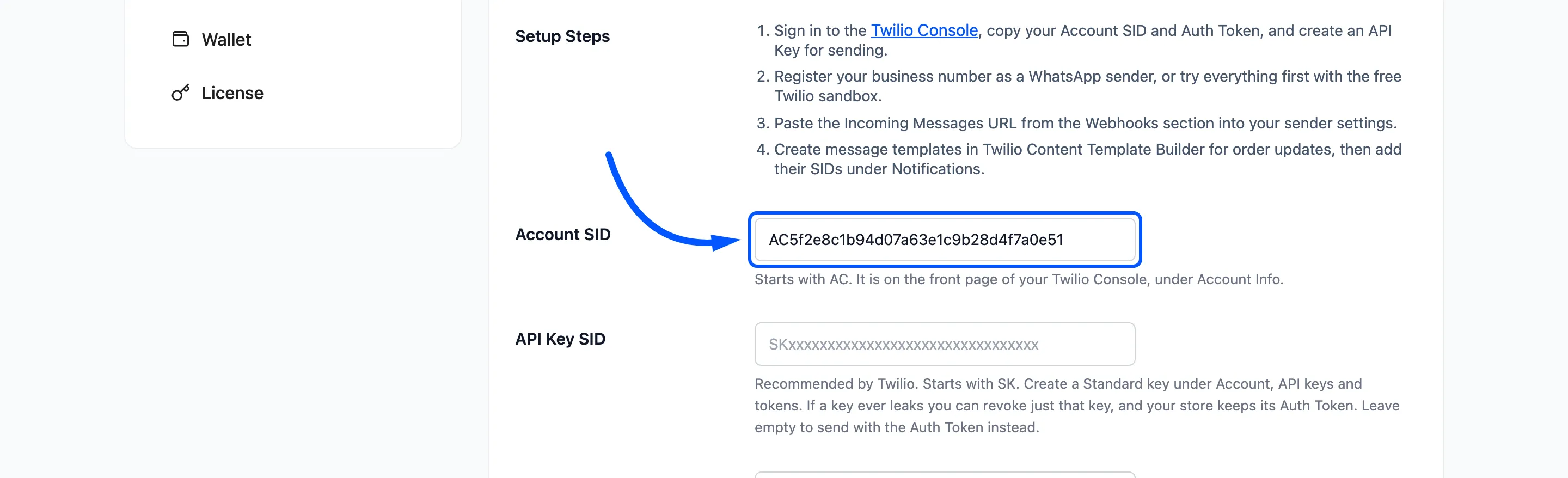
Section titled “Connect Twilio”- Account SID: Starts with AC. It is on the front page of the Twilio Console, under Account Info.
- API Key SID: Optional, and recommended by Twilio. Starts with SK. A leaked key can be revoked without changing your Auth Token. Leave it empty to send with the Auth Token.
- API Key Secret: Twilio shows it only once, right after you create the key. How to Connect Twilio with an API Key creates one step by step.
- Auth Token: Also under Account Info. The field shows only the last four characters once saved, and the token never reaches the browser. Leave it empty to keep the saved one.
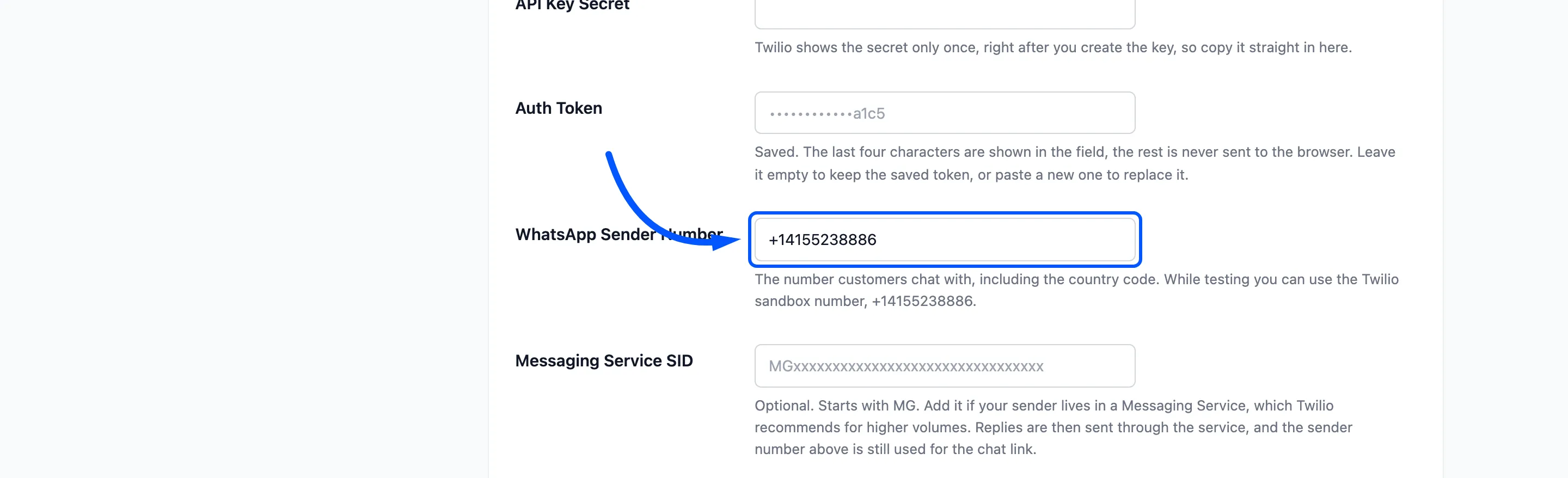
- WhatsApp Sender Number: The number customers chat with, with the country code. For testing, the Twilio sandbox number is +14155238886.
- Messaging Service SID: Optional. Starts with MG. Add it if your sender lives in a Twilio Messaging Service. Replies then go through the service, and the sender number is still used for the chat link.
Webhooks
Section titled “Webhooks”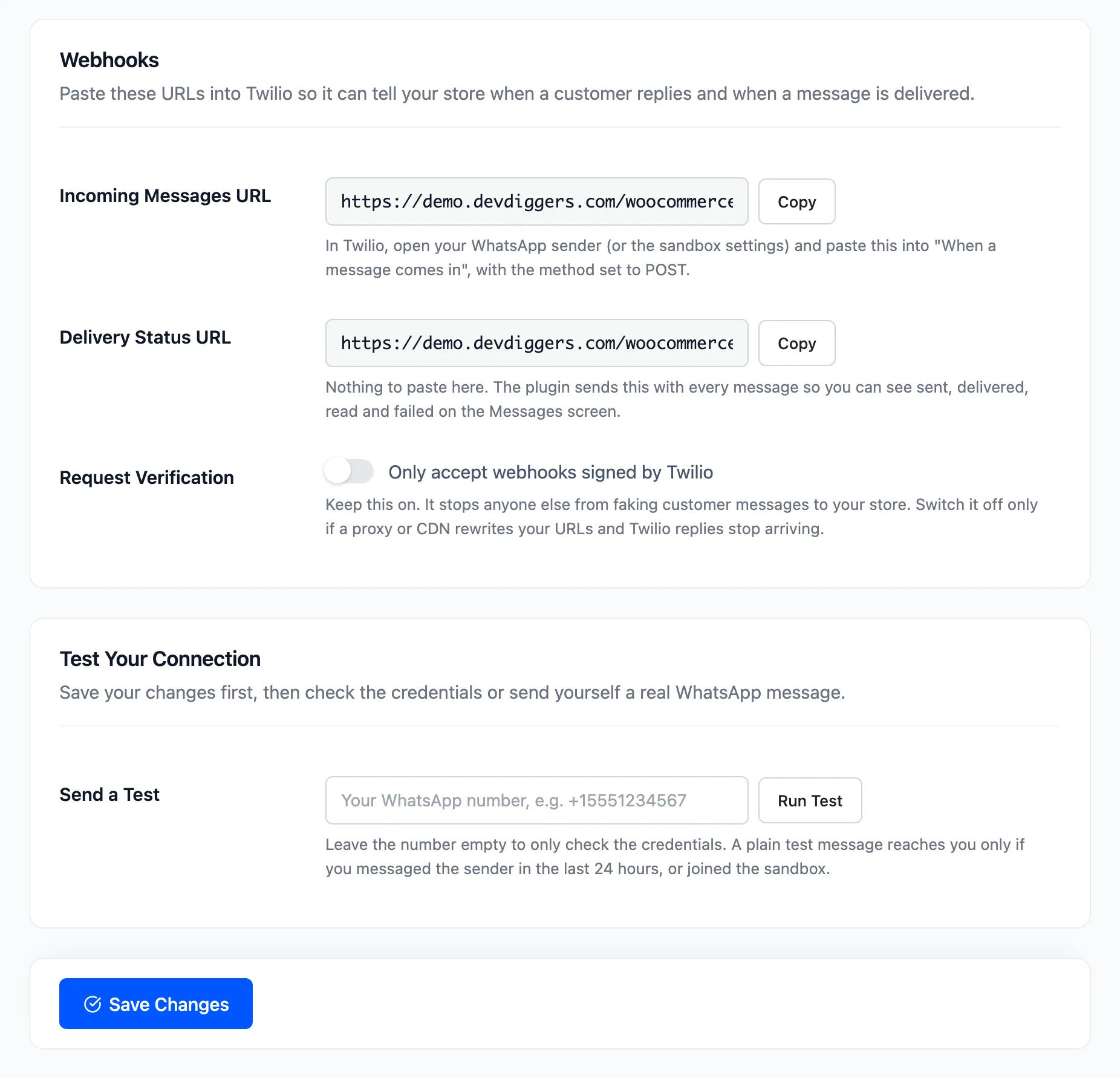
- Incoming Messages URL: Your store’s address for customer messages, ending in
/wp-json/ddwcpvw/v1/whatsapp-business-bot. Click Copy and paste it into your WhatsApp sender or the sandbox settings. It goes under “When a message comes in”, with the method set to POST. - Delivery Status URL: Nothing to paste. The plugin sends it with every message, so Twilio reports sent, delivered, read and failed back to the Messages screen.
- Request Verification: “Only accept webhooks signed by Twilio”. On by default. Keep it on. Switch it off only if a proxy or CDN changes your URLs and Twilio replies stop arriving.
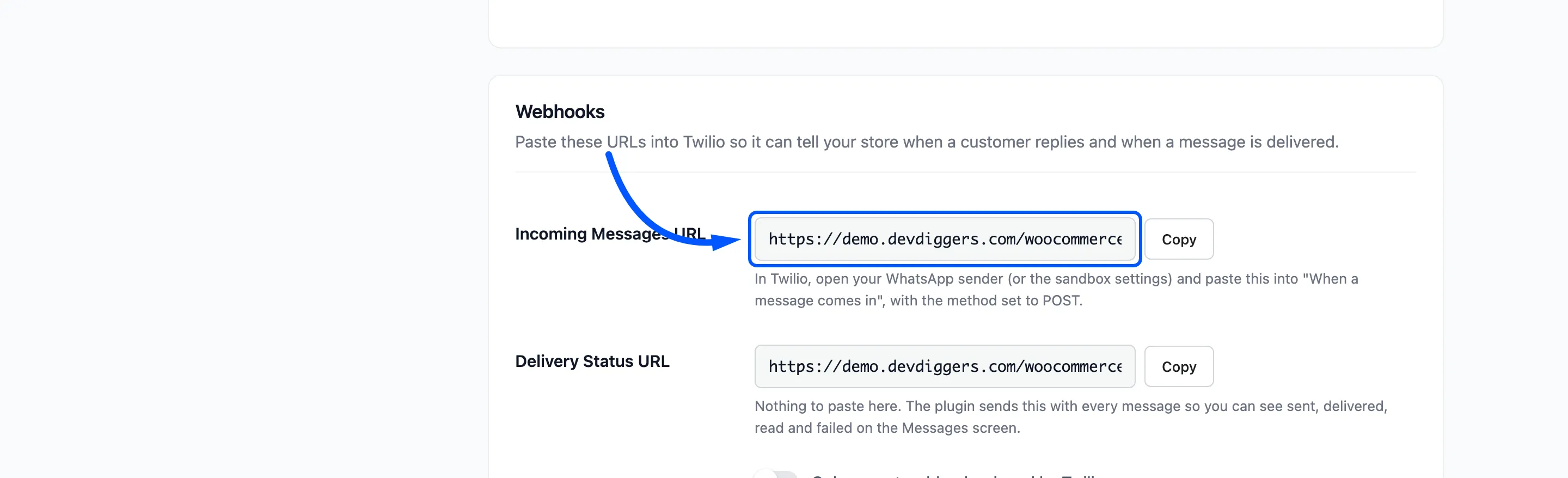
How to Connect Twilio to Your Store shows the Twilio side of this step.
Delivery reports need a public address. On a local site the plugin does not ask Twilio for them, so every message stays at Queued and the dashboard’s delivery figures stay empty.
Test Your Connection
Section titled “Test Your Connection”Save first, then use Run Test.
- With the number left empty, the test only checks the credentials. It reports “Connected to the Twilio account” with your account name, or “Connected to Twilio with your API Key.”
- With a number, it also sends “This is a test message from” your site name. The result reads “Test message accepted by Twilio. Check the phone, and the Messages screen for the delivery status.”
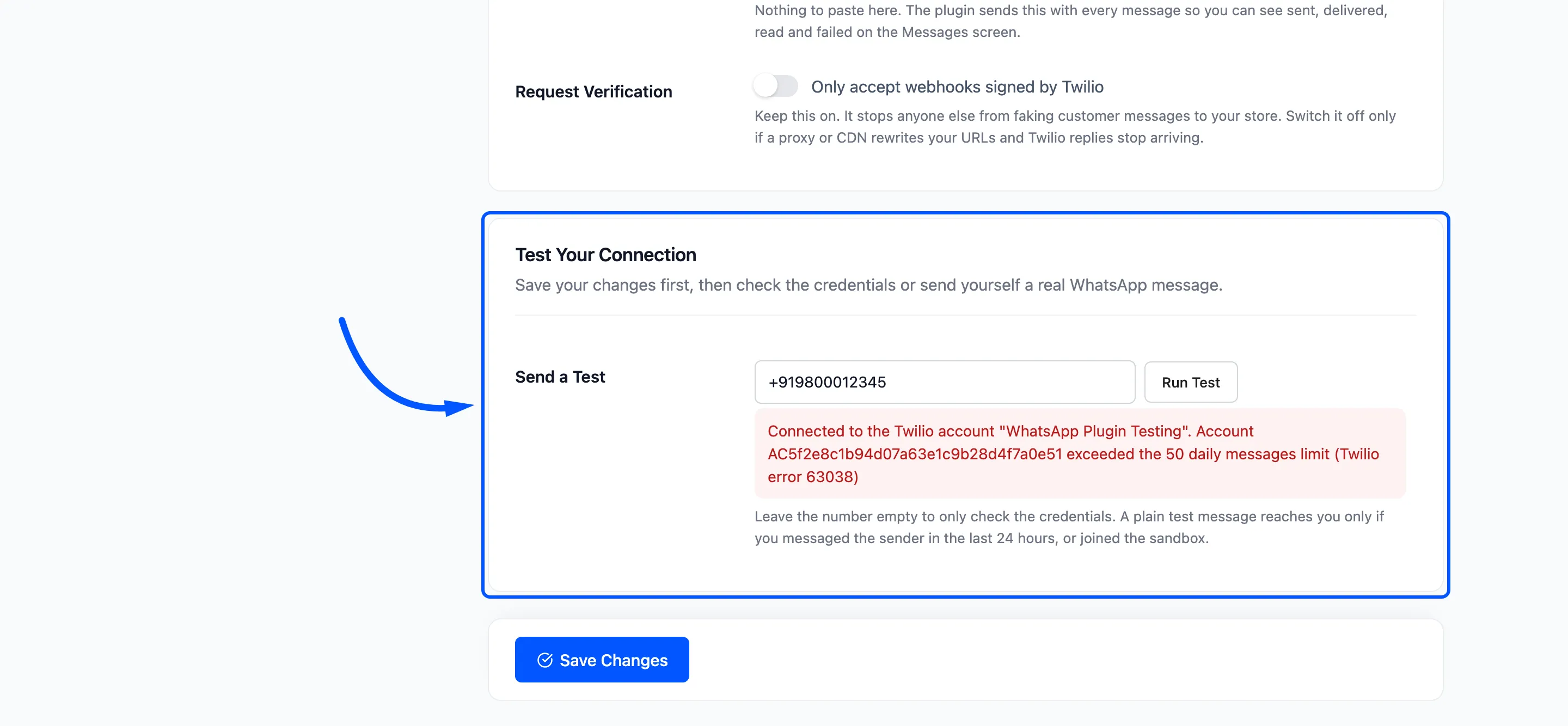
A plain test message only reaches a phone that wrote to the sender in the last 24 hours, or joined the sandbox. See How to Send a Test Message.