

How to Let Customers Pay with Their Wallet on WhatsApp (Pro)
A customer with store credit should be able to spend it in the chat. This connects the two DevDiggers plugins.
Step 1: Check the wallet plugin and phone numbers
Section titled “Step 1: Check the wallet plugin and phone numbers”DevDiggers Wallet Management must be active. The plugin finds a customer’s wallet by the billing phone on their account, so that phone must be their WhatsApp number.
Step 2: Turn on wallet replies
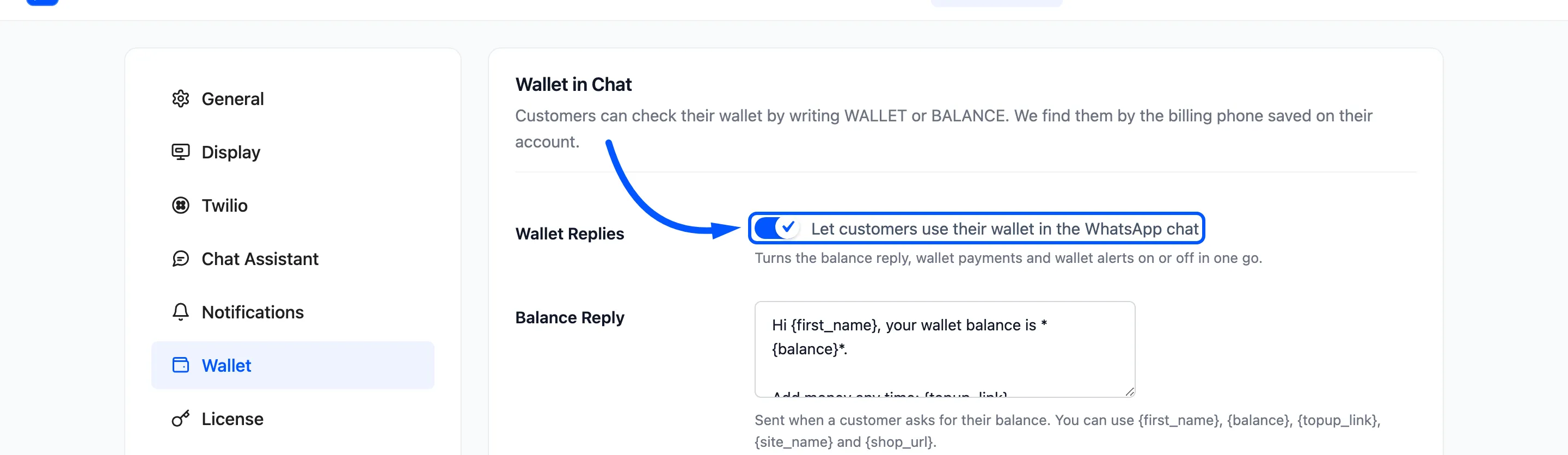
Section titled “Step 2: Turn on wallet replies”Go to Purchase via WhatsApp → Configuration → Wallet and tick Wallet Replies.
Step 3: Turn on wallet payments
Section titled “Step 3: Turn on wallet payments”Tick Payment Method and Pay Inside The Chat, then click Save Changes.
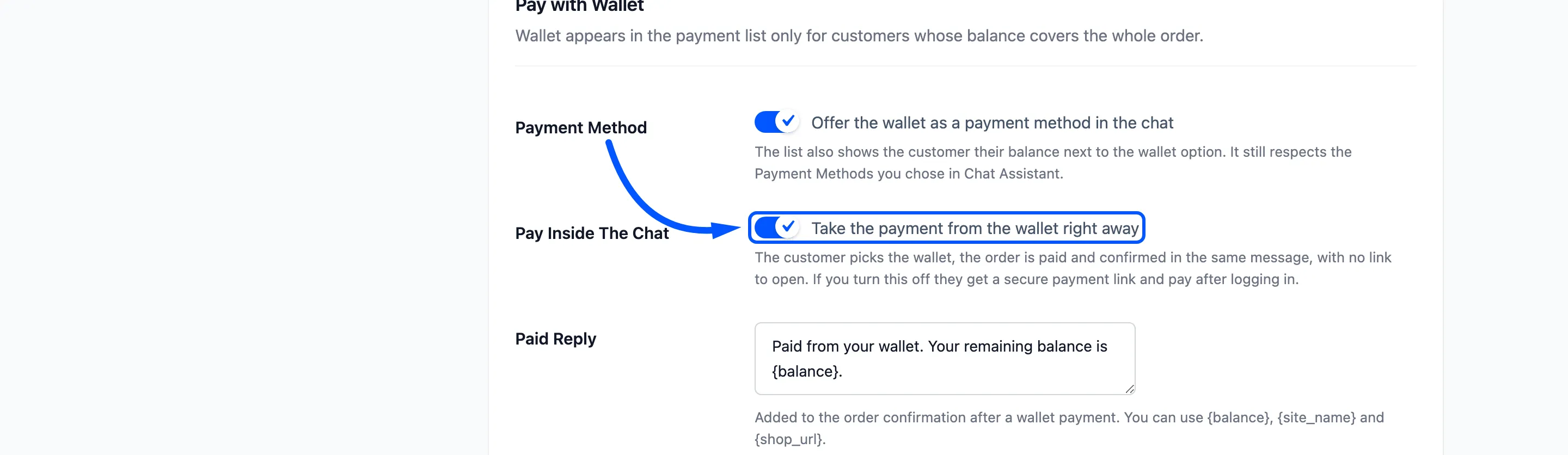
If Payment Methods on the Chat Assistant tab lists methods, include Wallet there too.
Step 4: Check the balance in the chat
Section titled “Step 4: Check the balance in the chat”Send WALLET to your sender. On the demo the reply was:
Hi Amara, your wallet balance is *$113.80*.
Add money any time: https://demo.devdiggers.com/woocommerce-purchase-via-whatsapp/my-account/ddwc-wallet-management/
The reply is logged with the type Wallet.
Step 5: Pay for an order from the wallet
Section titled “Step 5: Pay for an order from the wallet”Order a product through the chat. When the assistant asks how to pay, the wallet is in the list with the balance beside it:
How would you like to pay? Reply with a number:
1. Direct bank transfer2. Check payments3. Cash on delivery4. Wallet (balance $186.40)
Reply 4. On the demo, a $72.60 order was paid at once:
Thank you! Your order #1208 has been placed.Paid from your wallet. Your remaining balance is $113.80.The order is Processing with the wallet as its payment method.
When the wallet is not offered
Section titled “When the wallet is not offered”- The balance does not cover the order. The wallet is only listed when it pays the whole total.
- The number matches no account, or two. The customer gets the Number Not Found Reply.
- Pay Inside The Chat is off. The customer gets a payment link and pays after logging in.