

How to Handle STOP, HELP and AGENT Replies (Pro)
Customers will write things other than orders. The assistant answers the common ones itself and passes the rest to a person.
Step 1: Review the keywords
Section titled “Step 1: Review the keywords”Go to Purchase via WhatsApp → Configuration → Chat Assistant. Self Service Replies, “Answer HELP and STATUS automatically”, is on by default.
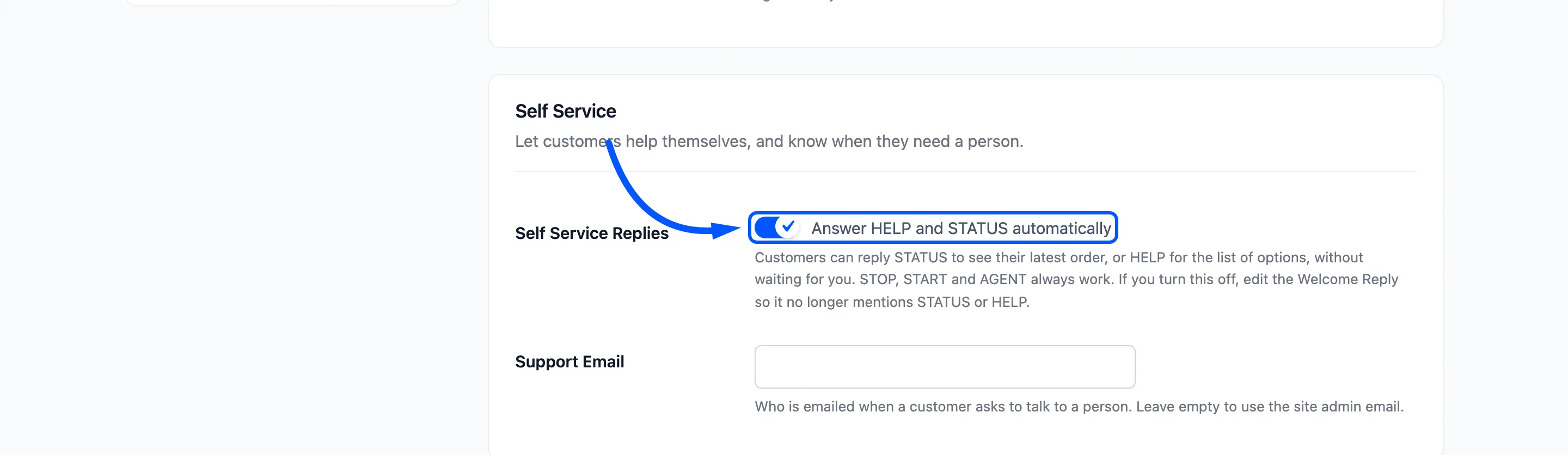
Switching it off silences HELP and STATUS only. STOP, START, AGENT and CANCEL always work.
Step 2: Set the support email
Section titled “Step 2: Set the support email”Support Email is told whenever a customer asks for a person. Leave it empty for the site admin email.
Step 3: Reword the replies
Section titled “Step 3: Reword the replies”The replies are in Chat Replies. Each can use {site_name} and {shop_url}.
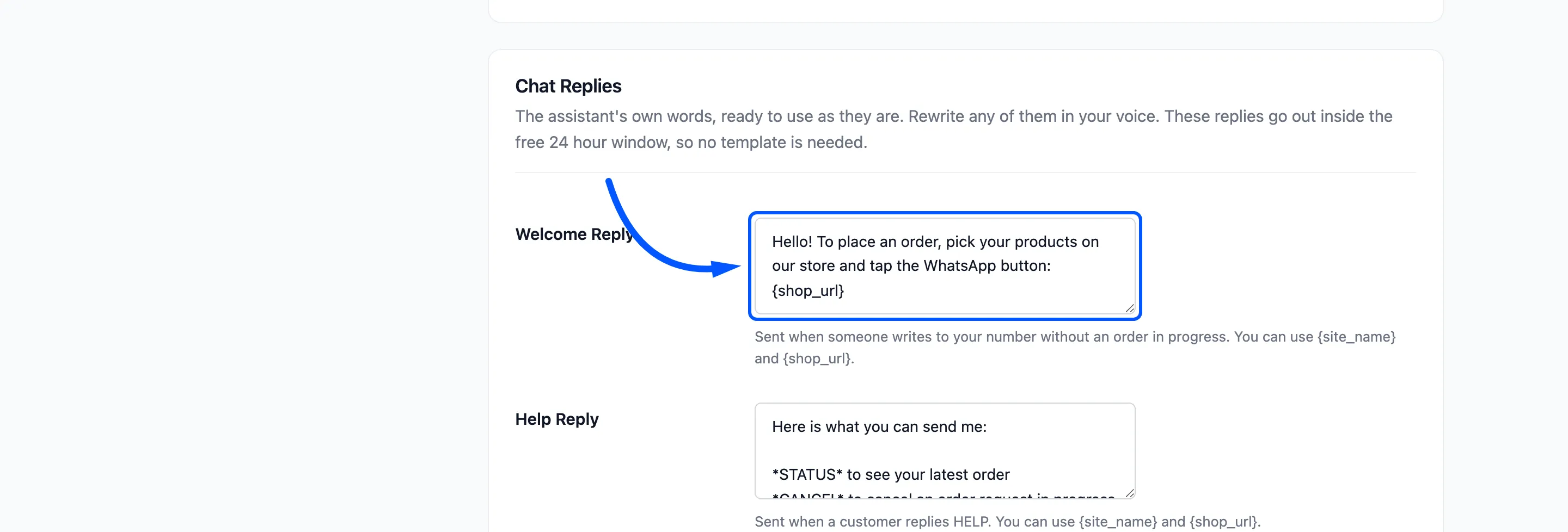
Click Save Changes when they sound like you.
Step 4: Try each keyword
Section titled “Step 4: Try each keyword”These were sent to the demo one after another, and every reply arrived on a real phone.
| Sent | Reply |
|---|---|
| Hi | “Hello! To place an order, pick your products on our store and tap the WhatsApp button”, with the shop link |
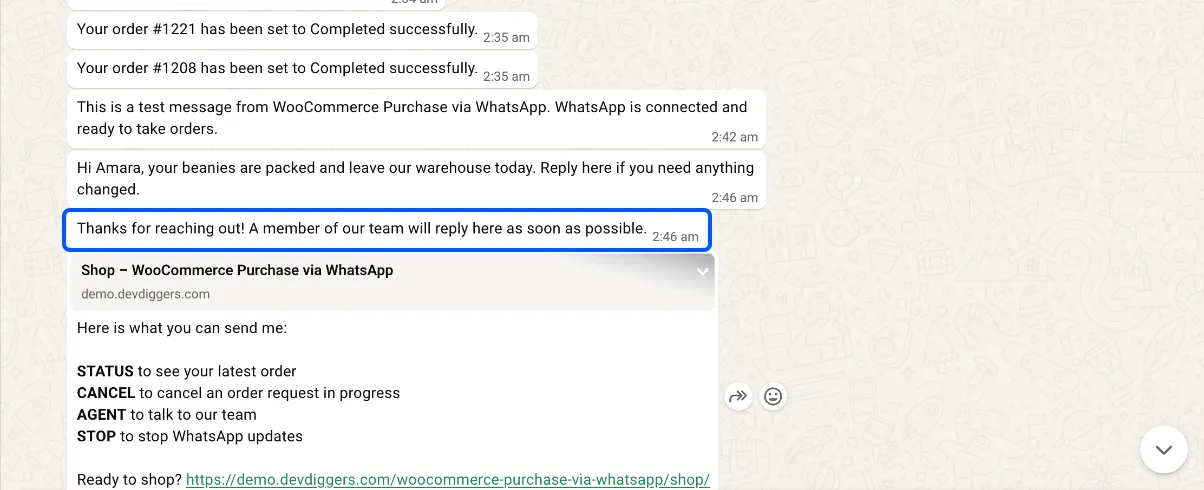
| HELP | “Here is what you can send me:” and the list of keywords |
| STATUS | “Your order #1221 is currently Completed. Placed on October 8, 2026 for $155.00.” |
| AGENT | “Thanks for reaching out! A member of our team will reply here as soon as possible.” |
| STOP | “You will no longer receive order updates or offers from us on WhatsApp. Reply START to turn them back on.” |
| START | “Welcome back! You will receive order updates from us on WhatsApp again.” |
| WALLET | “Hi Amara, your wallet balance is $113.80.” |
On the customer’s phone the replies read like this. The demo sent the keywords through the store’s webhook, so only the store’s side appears in this chat.
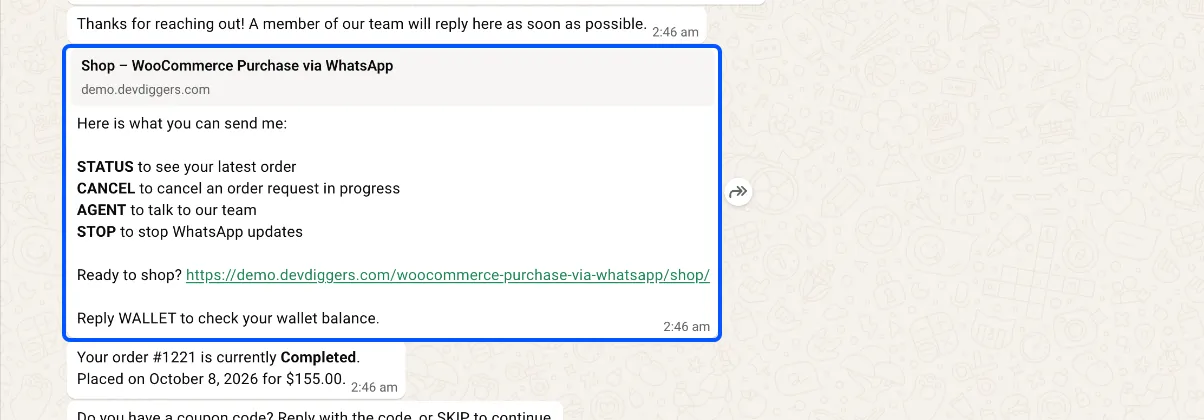
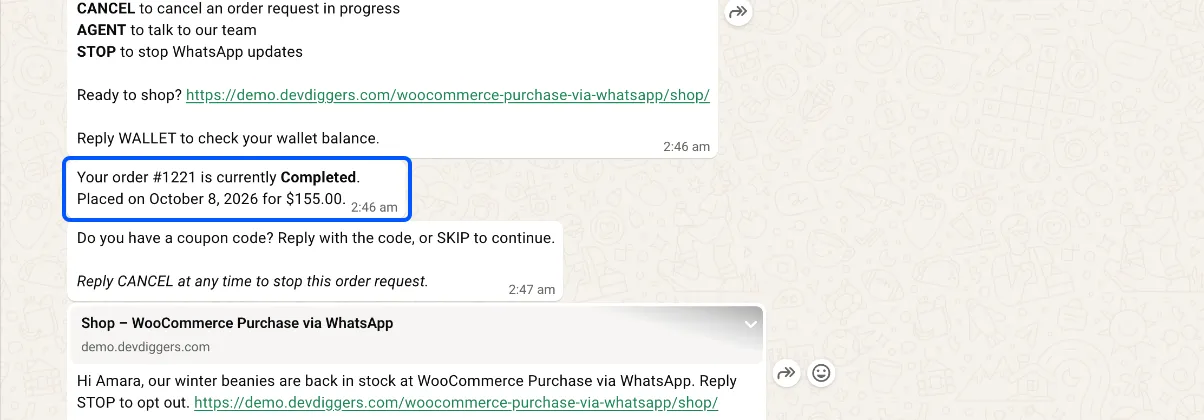
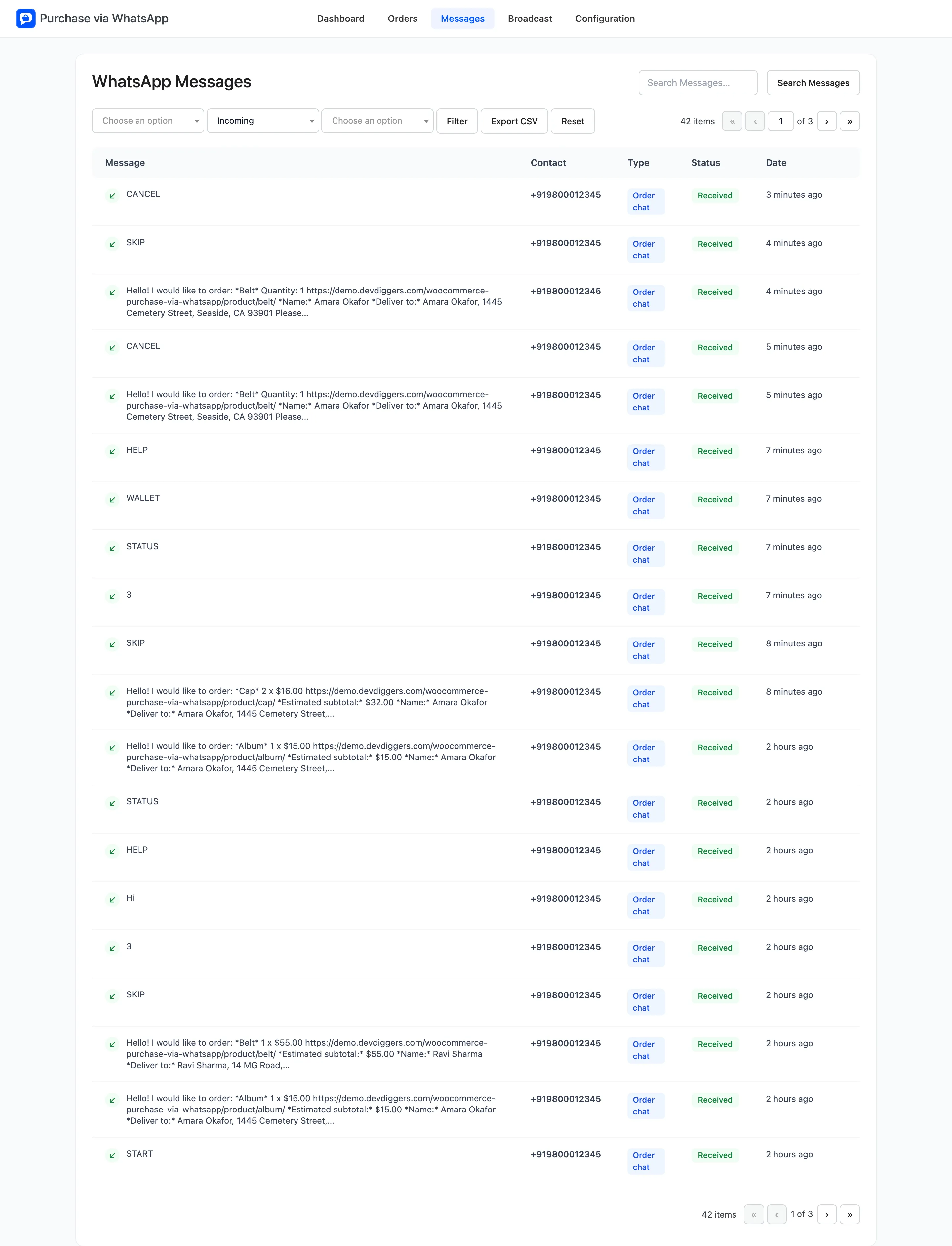
Each pair is on the Messages screen, the customer’s message marked Received and the reply Delivered.
What each keyword really does
Section titled “What each keyword really does”- STOP: the number goes on the opt-out list. No updates, reminders, alerts or broadcasts reach it, and the Messages screen marks it Opted out. Words like “unsubscribe” and “stop all” count too.
- START: takes the number off that list.
- AGENT: also “human”, “support” and “talk to us”. Your support email gets “A WhatsApp customer wants to talk to you”, at most once an hour per number.
- CANCEL: clears the order in progress.
- A second unknown message in a day: treated like AGENT. On the demo, a second “Hi” got the Talk To Us Reply.
Capital letters and trailing punctuation are ignored, so “Stop.” is a STOP.