

How to Recover Unfinished Chats and Unpaid Orders (Pro)
Some customers stop answering halfway through a chat, and some orders sit unpaid. One friendly nudge wins back a share of both. The plugin sends at most one reminder per chat and per order.
Step 1: Turn on chat reminders
Section titled “Step 1: Turn on chat reminders”Go to Purchase via WhatsApp → Configuration → Notifications and scroll to Recover Lost Orders. Tick Unfinished Chats, “Remind customers who stop halfway through a WhatsApp order”.
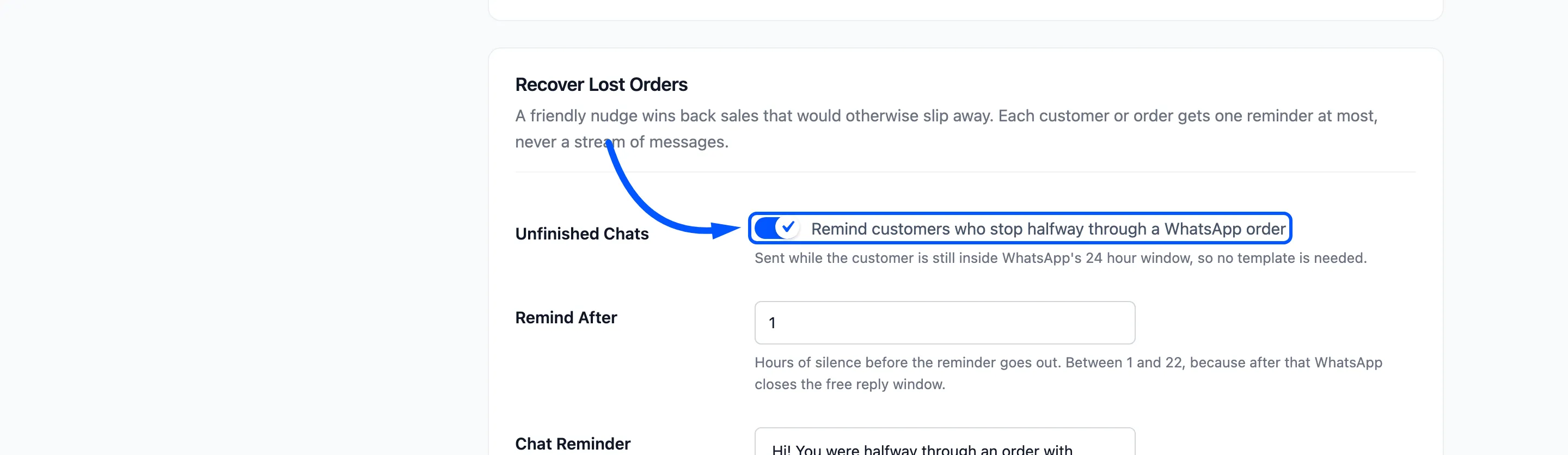
Remind After is the hours of silence before the reminder, from 1 to 22. The ceiling keeps the reminder inside WhatsApp’s free 24 hour window, so it needs no template.
Step 2: Turn on payment reminders
Section titled “Step 2: Turn on payment reminders”Tick Unpaid Orders, “Send a payment link when an order stays pending or its payment fails”. Send After is in hours from when the order was created, 2 by default.
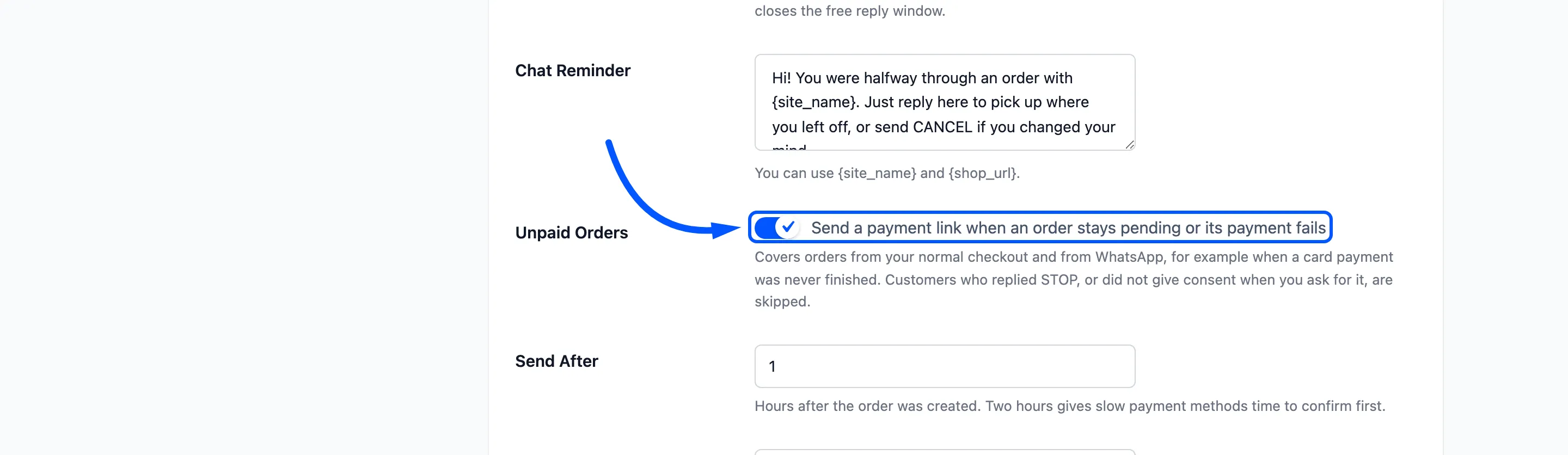
This covers orders from your normal checkout and from WhatsApp, such as a card payment that was never finished.
Step 3: Write the reminders
Section titled “Step 3: Write the reminders”- Chat Reminder can use
{site_name}and{shop_url}. - Payment Reminder can use the order placeholders, and
{payment_link}for the page where the customer pays. Keep that one in.
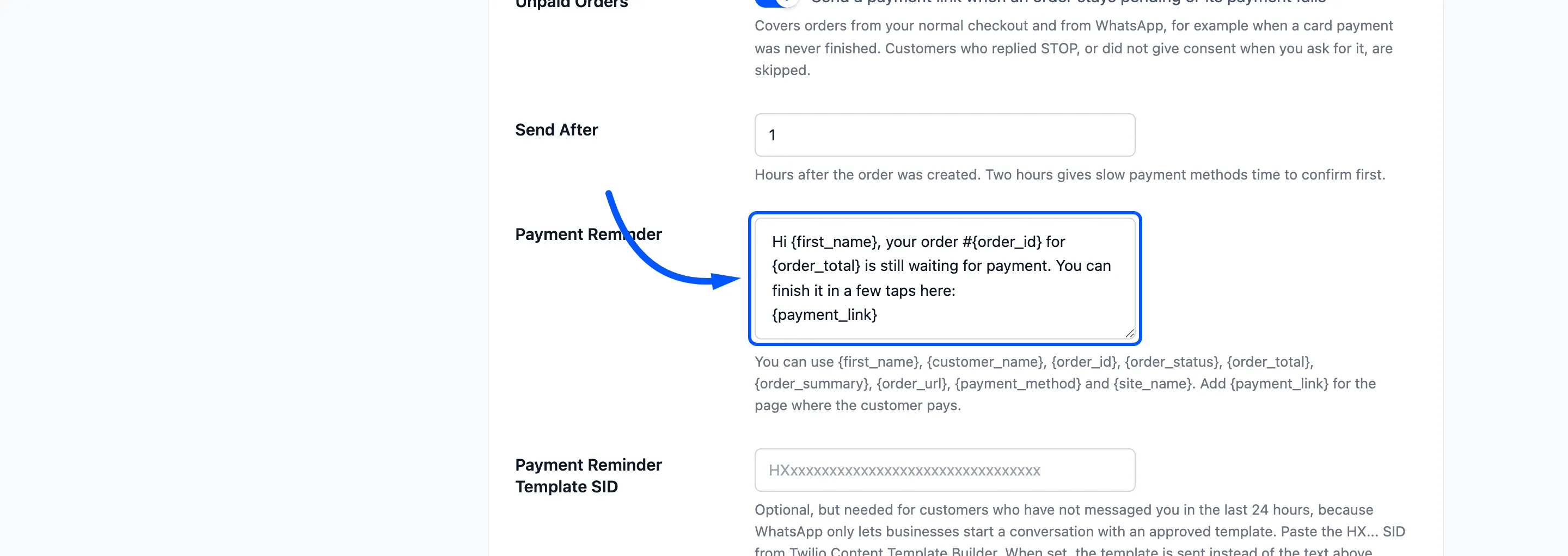
A payment reminder usually goes out after the 24 hour window has closed for a checkout order. Add an approved
template in Payment Reminder Template SID, where {{5}} is the payment link.
Click Save Changes.
Step 4: Check the reminders on the Messages screen
Section titled “Step 4: Check the reminders on the Messages screen”The plugin looks for stalled chats and unpaid orders once an hour. A reminder therefore arrives between the delay you set and an hour after it.
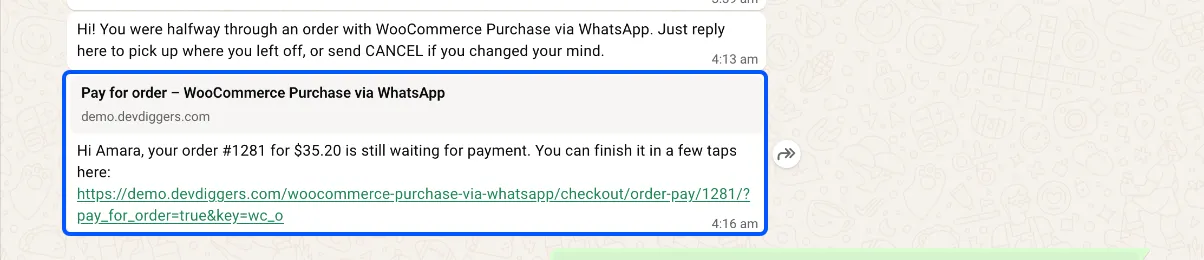
On the demo, a customer sent an order request and stopped answering. After the hour, the chat reminder went out:
Hi! You were halfway through an order with WooCommerce Purchase via WhatsApp. Just reply here to pick upwhere you left off, or send CANCEL if you changed your mind.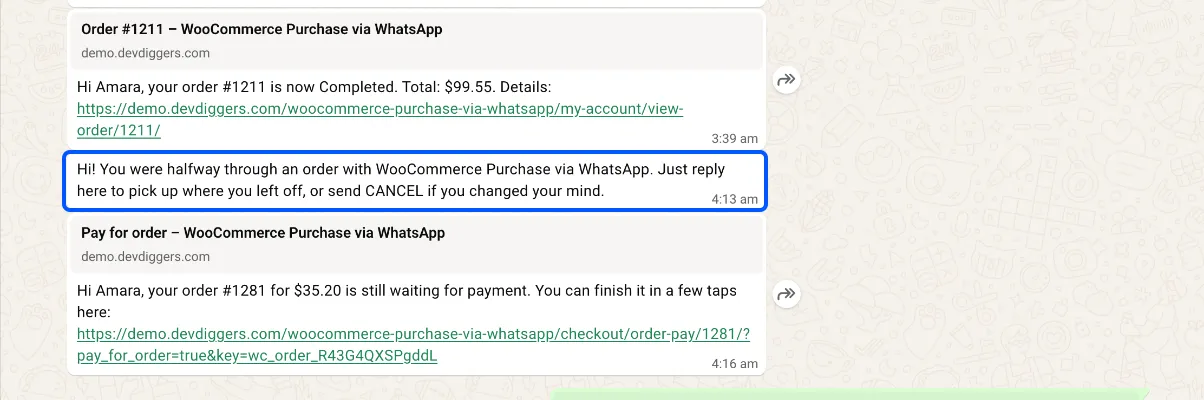
A pending bank transfer order from a customer who had agreed to updates got this:
Hi Amara, your order #1281 for $35.20 is still waiting for payment. You can finish it in a few taps here:https://demo.devdiggers.com/woocommerce-purchase-via-whatsapp/checkout/order-pay/1281/?pay_for_order=true&key=...On the phone the link opens WooCommerce’s own pay page for that order. The order key is hidden here:
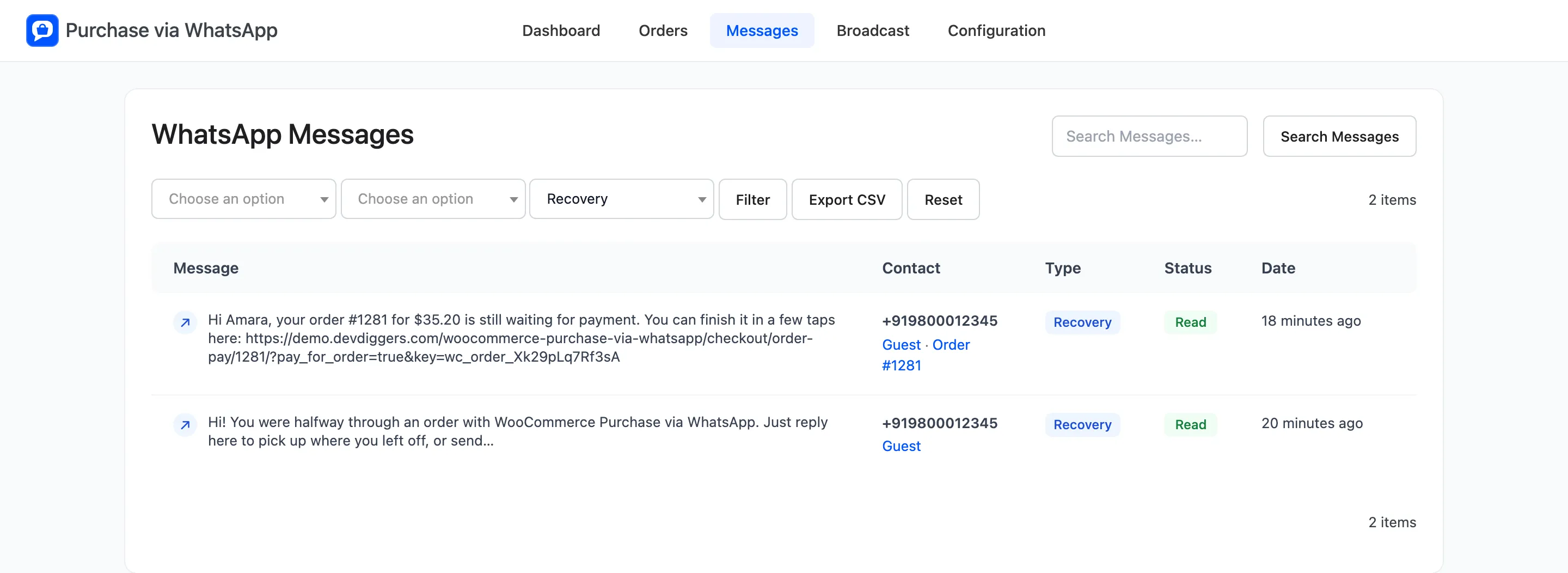
Filter the Messages screen to the type Recovery to see every reminder and its delivery status.
A second pending order on the demo got no reminder at all. The consent checkbox was on, and that order had never ticked it. The order was still marked as reminded, so it will not be tried again.
Who is skipped
Section titled “Who is skipped”- A customer who replied STOP.
- With the consent checkbox on, a checkout customer who did not tick it.
- A chat or order that already had its one reminder.
- An unpaid order more than 72 hours past its delay. The plugin stops looking for it after that.
The payment reminder also adds an order note: “WhatsApp payment reminder sent with a link to complete the order.”