

Wallet Settings (Pro)
The Wallet tab brings a customer’s store wallet into the WhatsApp chat. Open Purchase via WhatsApp → Configuration → Wallet.
How a chat finds the wallet
Section titled “How a chat finds the wallet”The plugin looks up the account whose billing phone matches the WhatsApp number. If no account matches, or two accounts share the number, the customer gets the Number Not Found Reply. The plugin never guesses whose wallet it is.
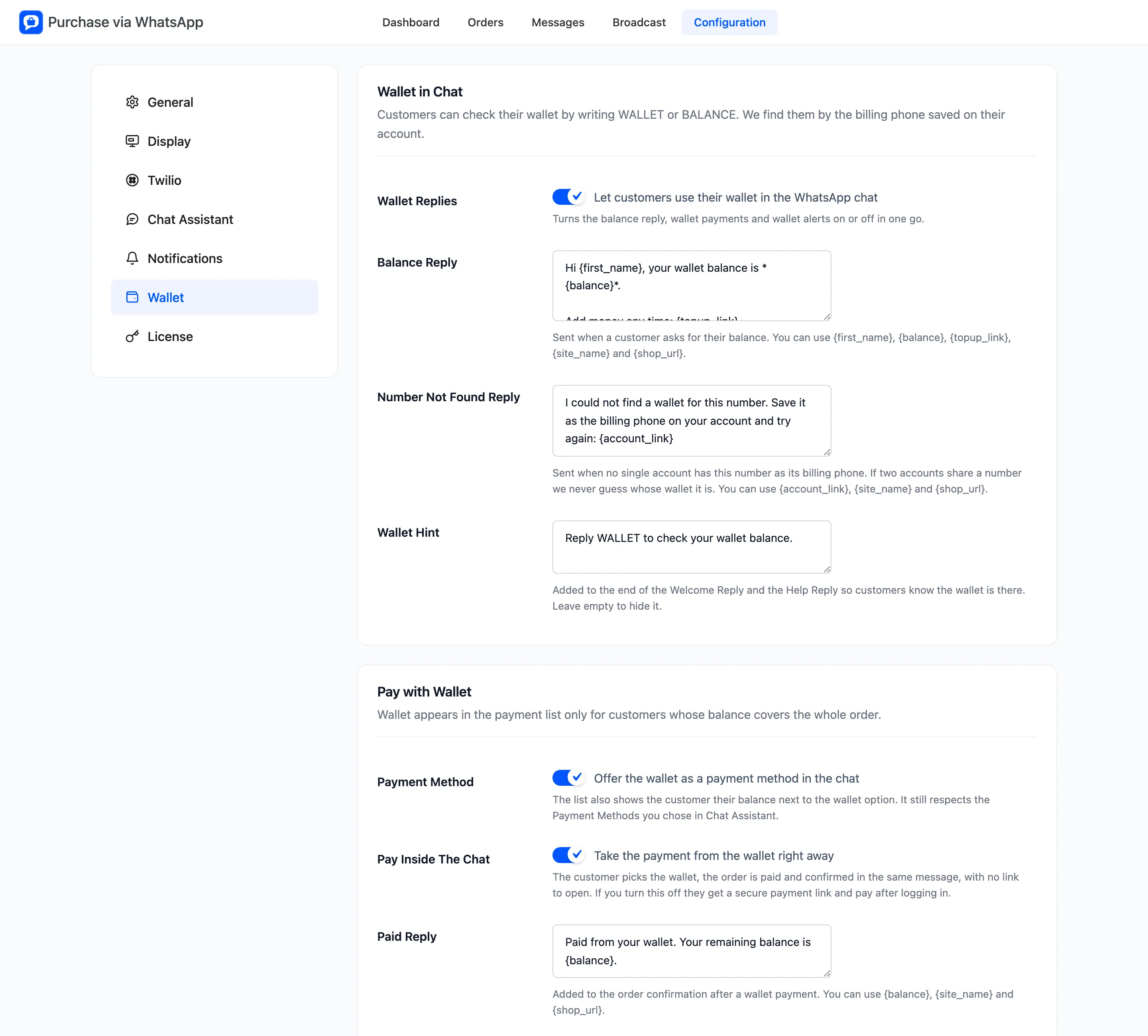
Wallet in Chat
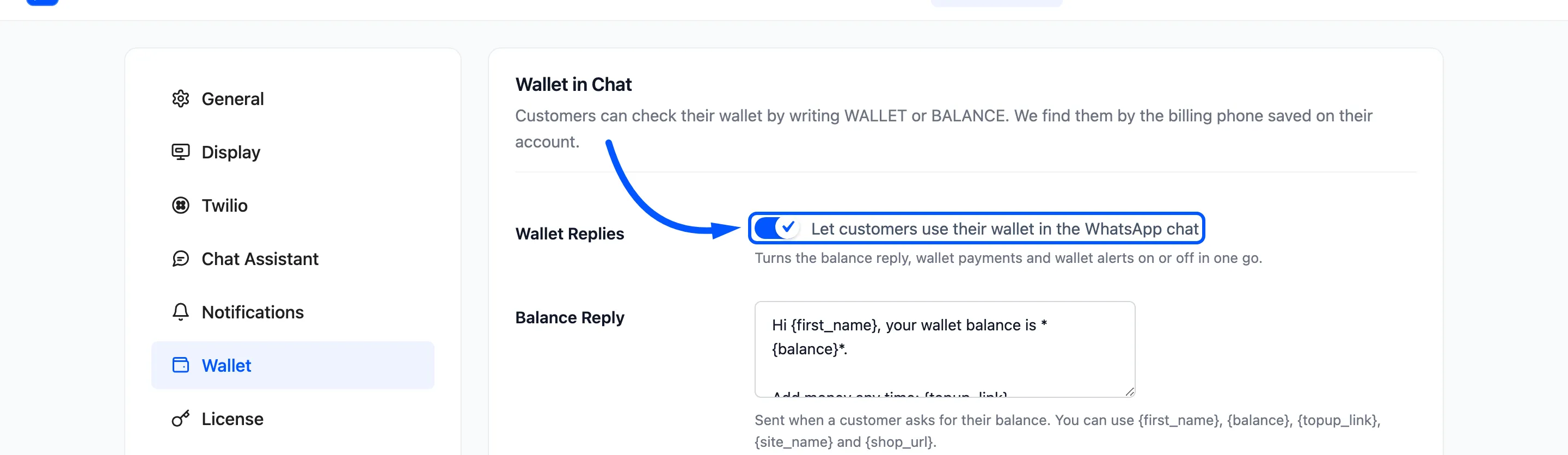
Section titled “Wallet in Chat”- Wallet Replies: “Let customers use their wallet in the WhatsApp chat”. On by default. It switches the balance reply, wallet payments and wallet alerts on or off together.
- Balance Reply: Sent when a customer writes WALLET or BALANCE. It can use
{first_name},{balance},{topup_link},{site_name}and{shop_url}. - Number Not Found Reply: Asks the customer to save the number as the billing phone on their account.
- Wallet Hint: “Reply WALLET to check your wallet balance.” Added to the end of the Welcome and Help replies. Leave it empty to hide it.
On the demo, WALLET got this reply:
Hi Amara, your wallet balance is *$113.80*.
Add money any time: https://demo.devdiggers.com/woocommerce-purchase-via-whatsapp/my-account/ddwc-wallet-management/
Pay with Wallet
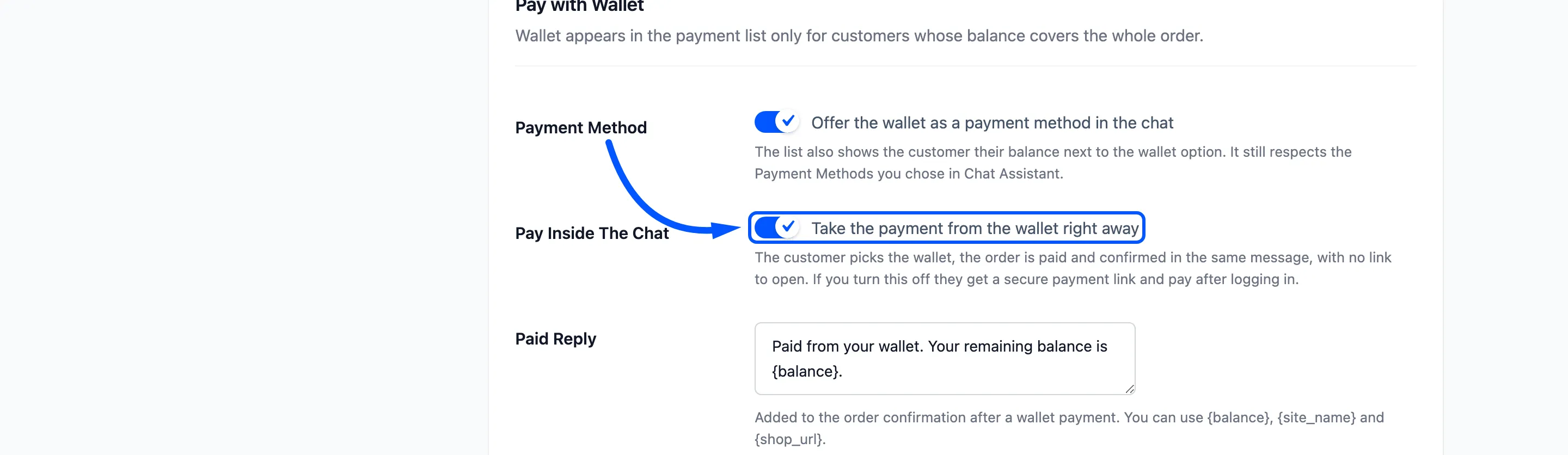
Section titled “Pay with Wallet”- Payment Method: “Offer the wallet as a payment method in the chat”. On by default. The wallet is listed only when the balance covers the whole order, and the list shows the balance beside it. It still follows Payment Methods on the Chat Assistant tab.
- Pay Inside The Chat: “Take the payment from the wallet right away”. On by default. Off, the customer gets a payment link and pays after logging in.
- Paid Reply: Added to the order confirmation. The default is “Paid from your wallet. Your remaining balance is {balance}.”
Wallet Alerts
Section titled “Wallet Alerts”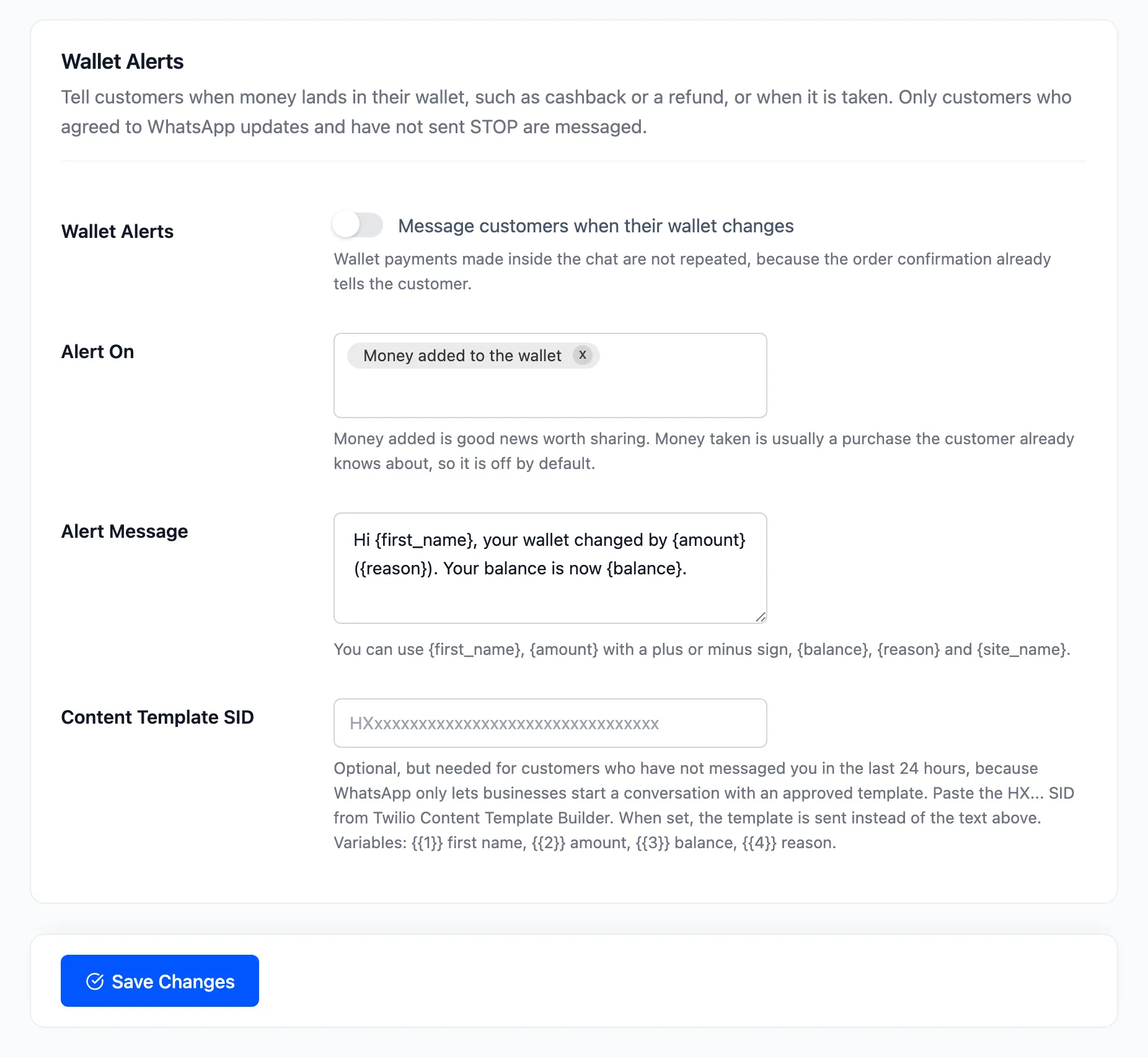
- Wallet Alerts: “Message customers when their wallet changes”. Off by default.
- Alert On: Money added to the wallet, which is the default, and Money taken from the wallet.
- Alert Message: Can use
{first_name},{amount}with a plus or minus sign,{balance},{reason}and{site_name}. - Content Template SID: Variables are
{{1}}first name,{{2}}amount,{{3}}balance and{{4}}reason.
Alerts go only to customers who agreed to WhatsApp updates and never sent STOP. A wallet payment made in the chat is not alerted again, because the confirmation already says it.
Click Save Changes.