

How to Read Delivery Status and Fix Failed Messages (Pro)
A message Twilio accepted can still fail on its way to the phone. The Messages screen shows which, and why.
Step 1: Find the failed messages
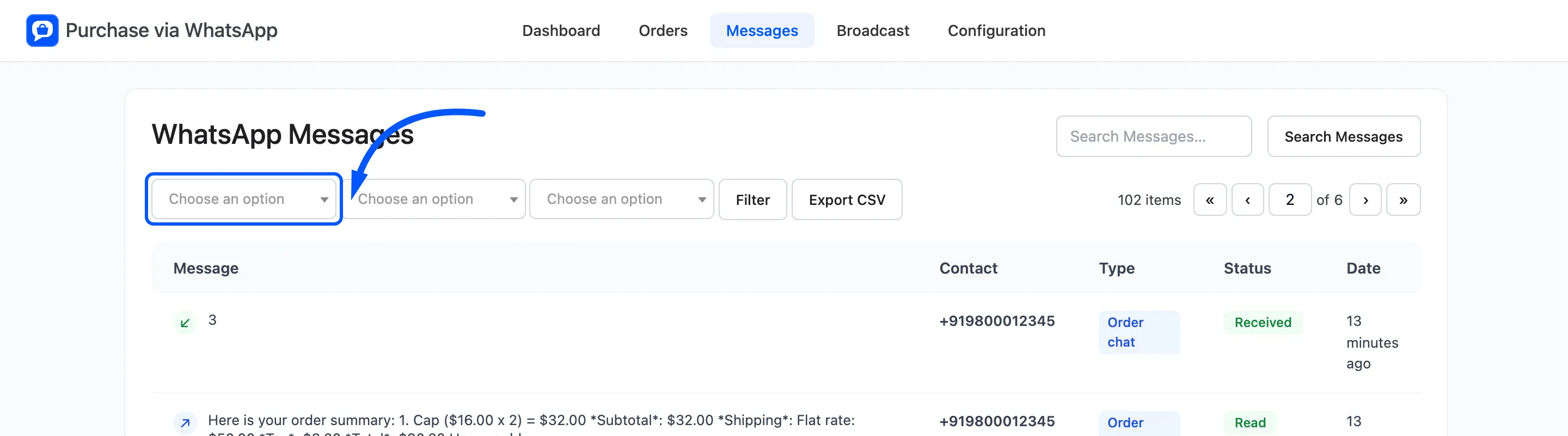
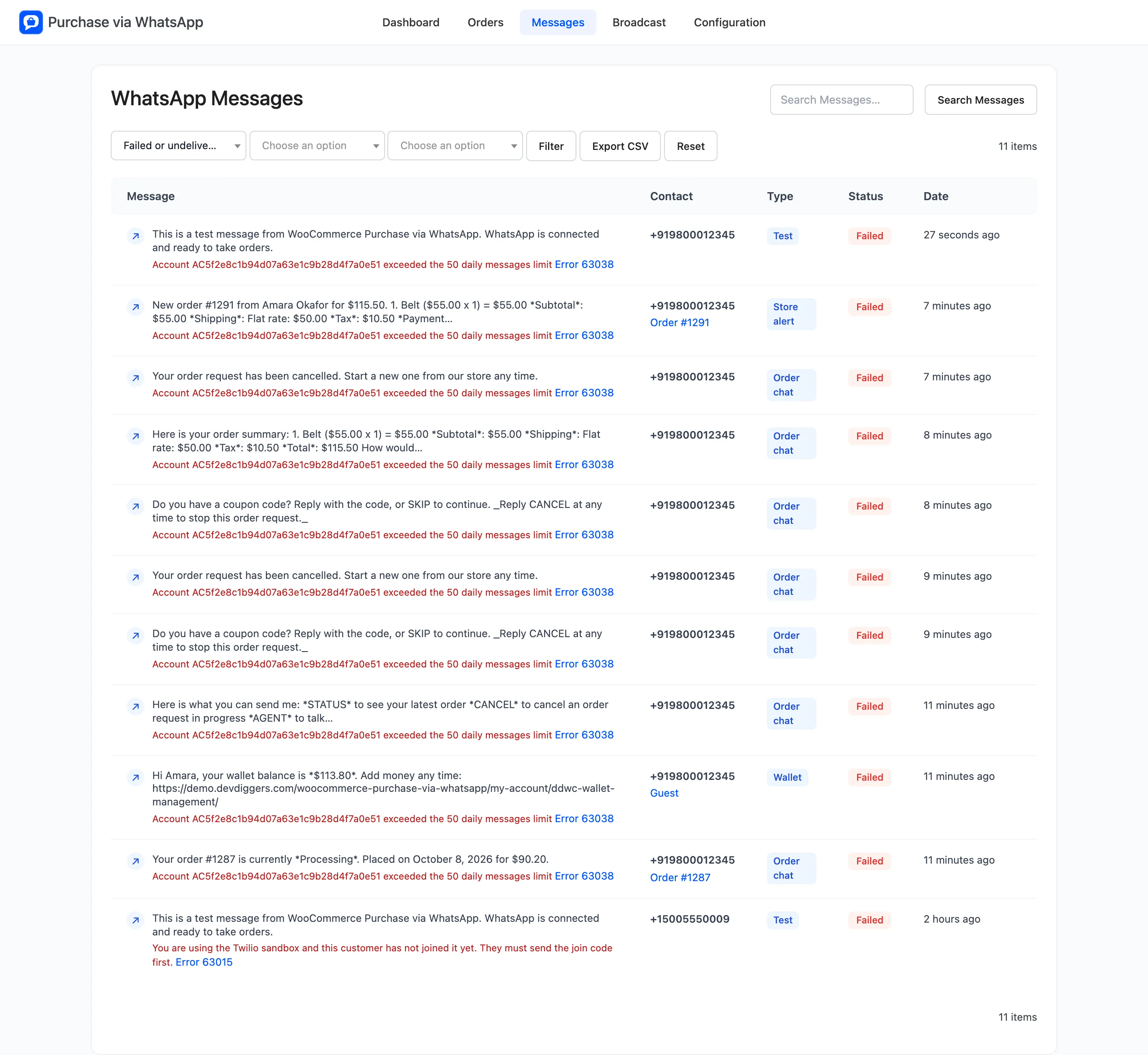
Section titled “Step 1: Find the failed messages”Go to Purchase via WhatsApp → Messages, set the first filter to Failed or undelivered and click Filter.
The dashboard’s Messages Needing Attention panel lists the five newest failures too.
Step 2: Read the reason
Section titled “Step 2: Read the reason”Under each failed message is a plain explanation and an Error link to Twilio’s page for that code. A test sent on the demo to a phone outside the sandbox read:
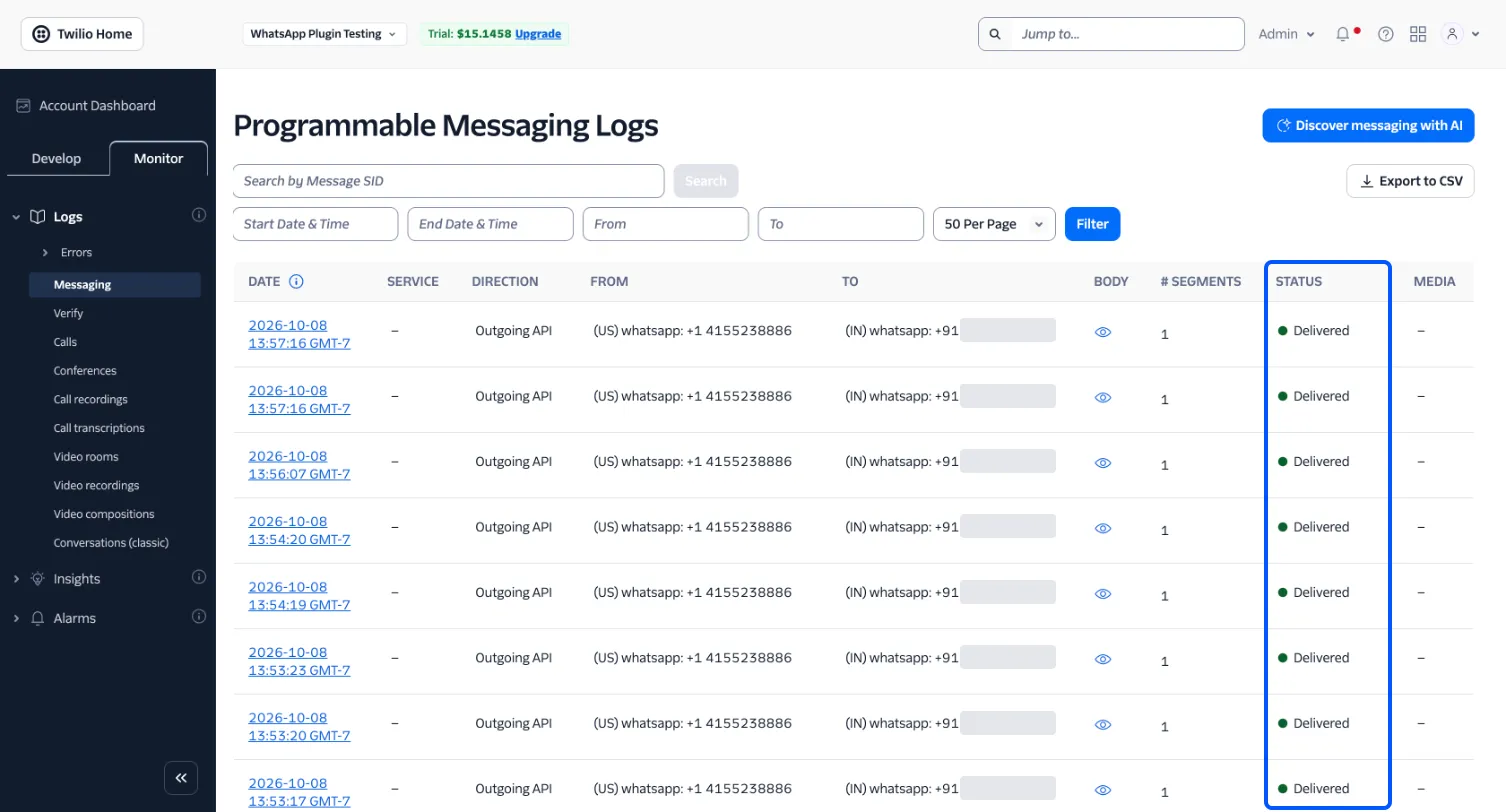
You are using the Twilio sandbox and this customer has not joined it yet.They must send the join code first.Twilio keeps its own log too, under Monitor → Logs → Messaging in the Twilio Console. It lists every message your store sent, with the same statuses. Phone numbers are hidden in this screenshot.
Step 3: Fix the cause
Section titled “Step 3: Fix the cause”| What it says | What to do |
|---|---|
| Outside the 24 hour window, or a template is needed | Add a Content Template SID to that notification |
| The customer has not joined the sandbox | Ask them to send the join code, or register your own number |
| Not a valid WhatsApp number | Correct the billing phone on the order or account |
| The customer opted out or blocked you | Nothing. They replied STOP or blocked the number |
| Exceeded the 50 daily messages limit (63038) | A Twilio trial limit. Wait a day, or upgrade the account |
| Authentication or account errors | Check the Account SID and Auth Token, and the account’s credit |
A failed order update also leaves an order note, “WhatsApp update could not be sent”, so it is visible on the order itself.
Step 4: Check the dashboard
Section titled “Step 4: Check the dashboard”Delivery Rate is the share of sent messages that were delivered or read. The Messages chart draws failures in red next to the messages sent.
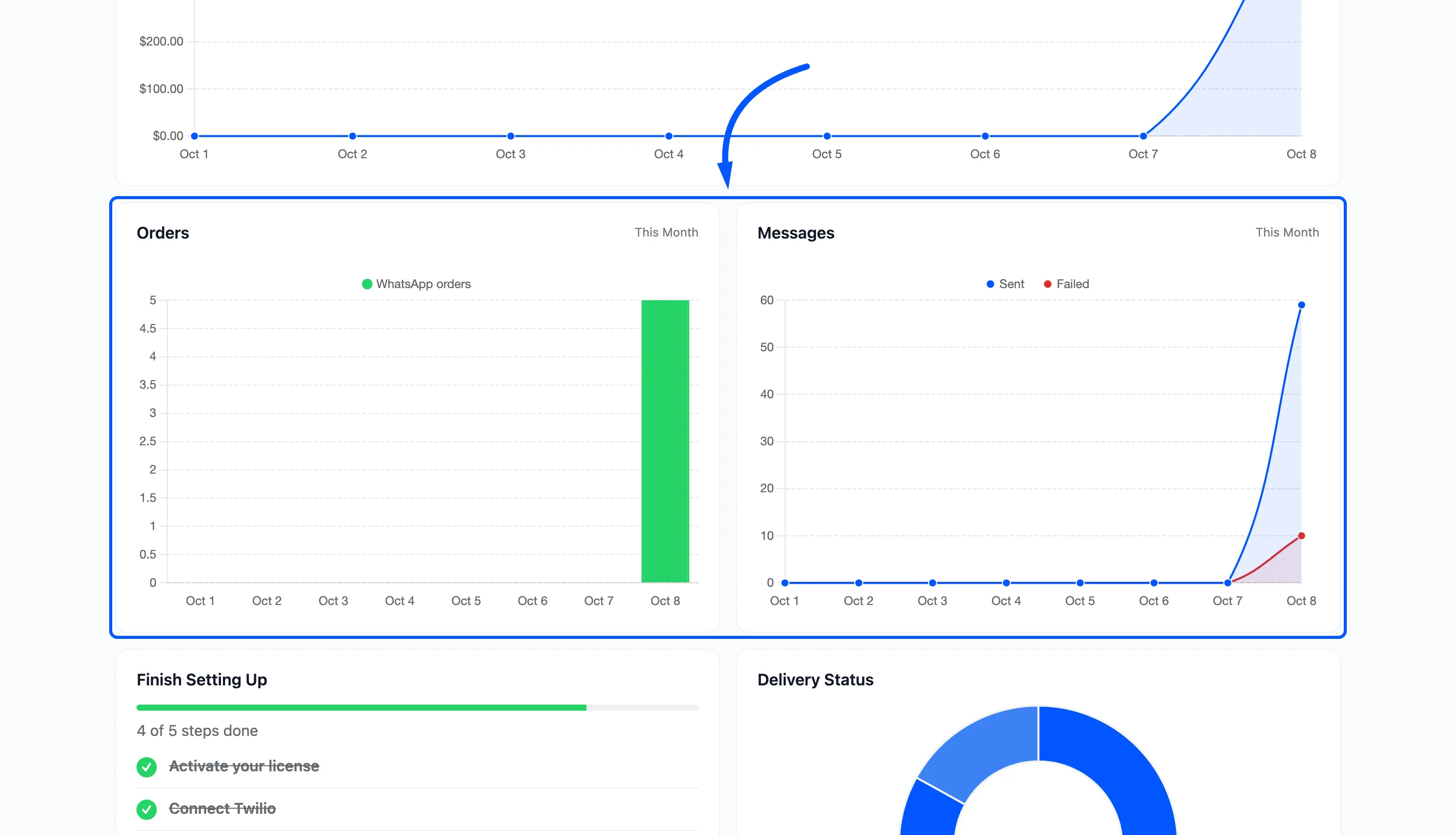
On a local site the plugin cannot receive delivery reports, so messages stay Queued and these figures stay empty. That is not a failure.