

Introduction to Purchase via WhatsApp
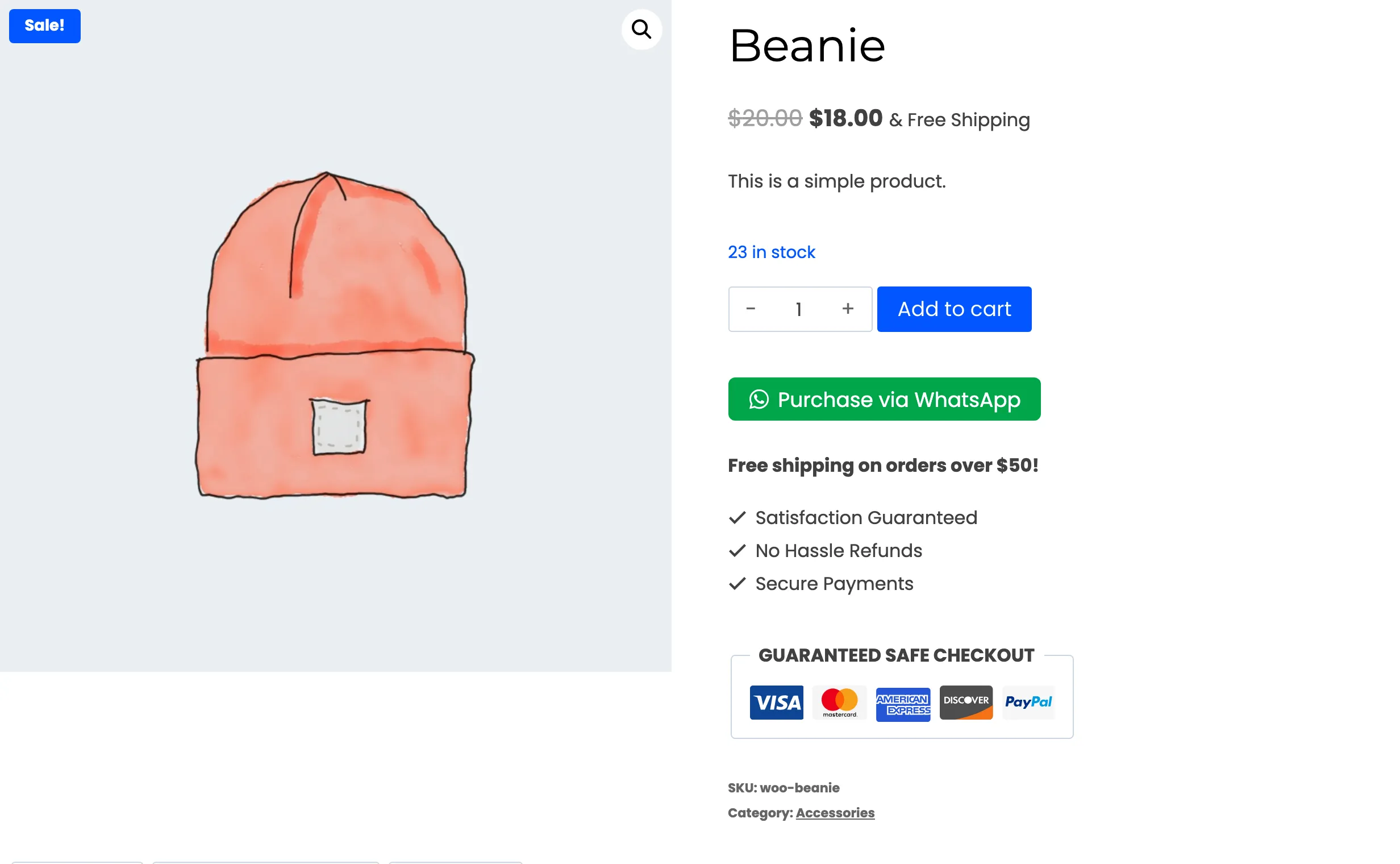
WooCommerce Purchase via WhatsApp puts a WhatsApp button on your products and your cart. A customer taps it, WhatsApp opens with their order already typed, and they send it to your store’s number.
In the Pro version a chat assistant answers that message. It asks how they want delivery and payment, then creates a real WooCommerce order without anyone on your team picking up the phone.
Who it is for
Section titled “Who it is for”- Stores whose customers already live on WhatsApp: Many shoppers would rather send a message than fill in a checkout form, especially on a phone.
- Stores that quote prices by hand: Catalog mode hides Add to cart. Hide prices too, and every order starts as a conversation.
- Small teams: Order updates, payment reminders and new order alerts go out on WhatsApp by themselves. Nobody has to copy order numbers into a chat.
How an order works
Section titled “How an order works”The full journey is covered in How WhatsApp Ordering Works. In short:
- The customer picks a product and taps the WhatsApp button.
- A guest fills in a short delivery popup. A logged-in customer skips it, because their saved address is used.
- WhatsApp opens with the order typed out. The customer sends it.
- The chat assistant replies. It asks for a delivery option, a coupon and a payment method.
- The order is created in WooCommerce and the customer gets a confirmation in the same chat.
Twilio carries the messages
Section titled “Twilio carries the messages”Pro talks to WhatsApp through Twilio, the messaging company WhatsApp works with for business accounts. You need a Twilio account, and you can try everything for free first with the Twilio WhatsApp Sandbox.
How to Create a Twilio Account and Find Your Credentials starts from zero and needs no Twilio experience.
Free and Pro
Section titled “Free and Pro”The free version is called DevDiggers Order via Chat for WooCommerce. It works without Twilio: the button opens WhatsApp with the order typed out, and you finish the sale by hand in your own WhatsApp.
| What you get | Free | Pro |
|---|---|---|
| WhatsApp button on product, cart and shop pages | Yes | Yes |
| Block and shortcode for any page | Yes | Yes |
| Guest delivery popup | Yes | Yes |
| Catalog mode and hidden prices | Yes | Yes |
| Floating chat bubble | Yes | Yes |
| Button style, placement and devices | Yes | Yes |
| Analytics events for Google Analytics and Meta Pixel | Yes | Yes |
| Orders sent to your own WhatsApp, finished by hand | Yes | No, Pro uses the chat assistant |
| A button on the order received page that sends the finished order to you | Yes | No |
| Twilio connection and the chat assistant that creates the order | No | Yes |
| Order confirmation and status updates on WhatsApp | No | Yes |
| Reminders for unfinished chats and unpaid orders | No | Yes |
| New order alerts on your own phone | No | Yes |
| Broadcasts to your customers | No | Yes |
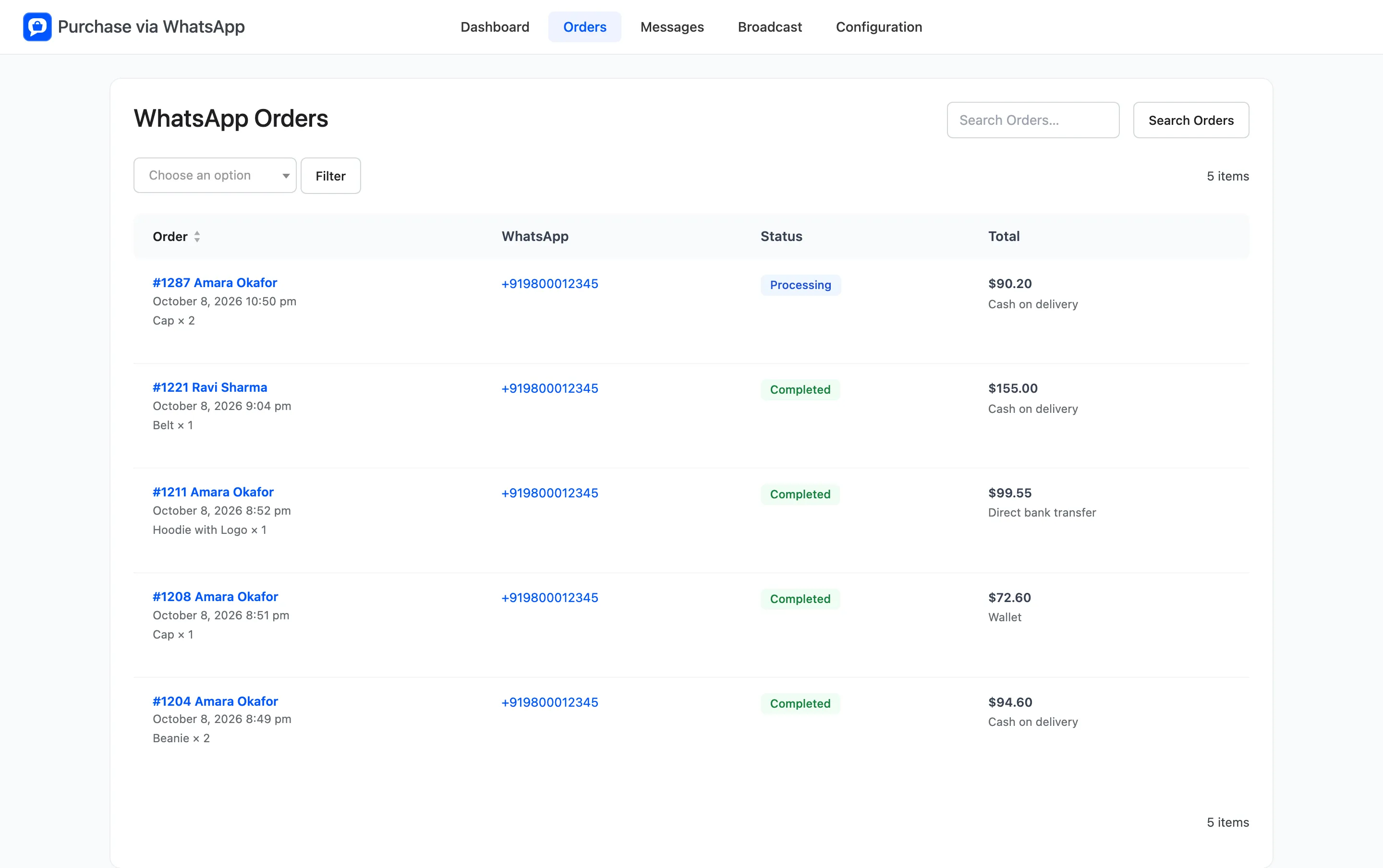
| Messages log with delivery status, and the Orders screen | No | Yes |
| Wallet balance and wallet payments in the chat | No | Yes |
The free version shows an upgrade panel in place of the Orders, Messages and Broadcast screens and the Twilio, Chat Assistant, Notifications and Wallet tabs. Its dashboard counts order requests rather than orders.
Requirements
Section titled “Requirements”- WordPress 6.5 or newer.
- WooCommerce 9.0 or newer.
- PHP 7.4 or newer.
- For Pro, a Twilio account. A trial account is enough to test with the sandbox.
The plugin supports WooCommerce’s High-Performance Order Storage and the block-based cart and checkout.