

How to Measure Guest Conversions
Hiding prices costs you the visitors who leave instead of logging in. The dashboard shows whether the trade is worth it.
Step 1: Make sure tracking is on
Section titled “Step 1: Make sure tracking is on”Analytics (“Track button clicks, logins and registrations”) is on by default under Configuration → General → Protection. It records the product, the kind of event, the date and the user ID. Nothing about the visitor’s browser or location is stored.
With it off, nothing is counted, and the dashboard stays at zero.
Step 2: Pick a period
Section titled “Step 2: Pick a period”Open Hide Price For Guest → Dashboard. This Month is the default. Each card compares the period with the one of the same length just before it.
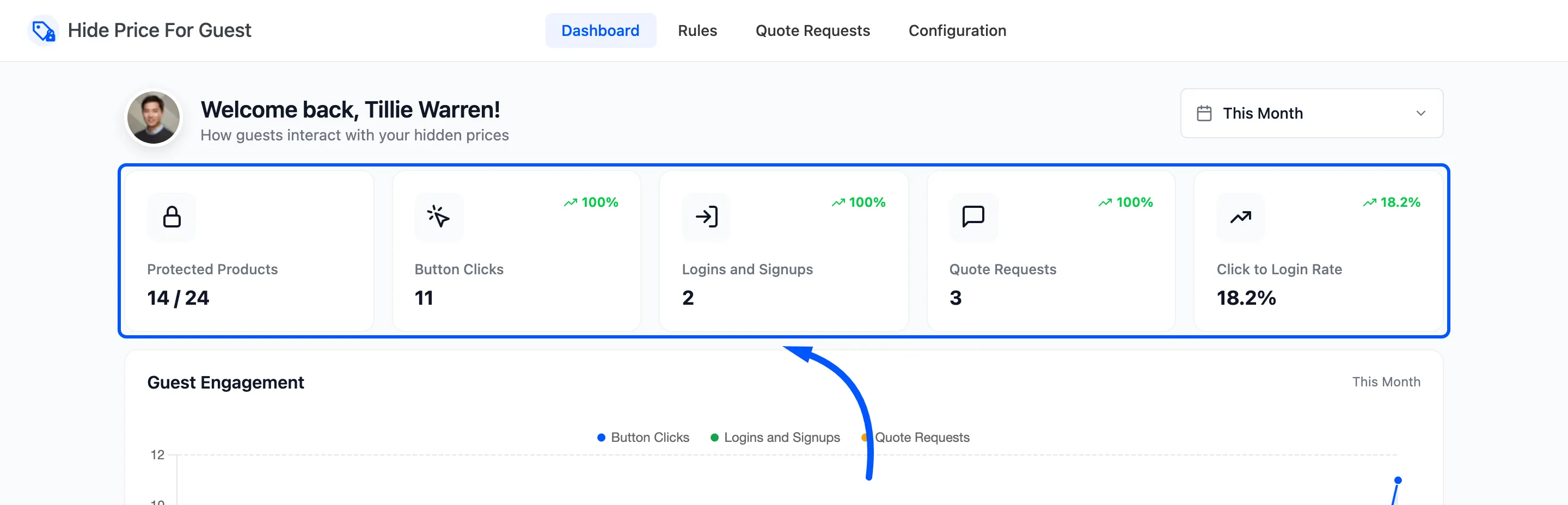
Step 3: Read the click to login rate
Section titled “Step 3: Read the click to login rate”Three things are counted:
- A click on a replacement button: login, quote or custom URL. Once per product per browser session.
- A login or signup in the same browser within 24 hours of a click, by any route: the popup, My Account or checkout. It is counted against the product that was clicked.
- A quote request from the quote form.
Click to Login Rate is logins and signups divided by clicks. On the demo store, 9 clicks led to 2 logins: 22.2%.
A low rate with many clicks says visitors want the price but will not sign up for it. Try a quote button, or a message that says what an account gets them.
Step 4: Find the products people want
Section titled “Step 4: Find the products people want”Most Clicked Products lists the five products with the most clicks. Why Prices Are Hidden shows which rules hide the most products.
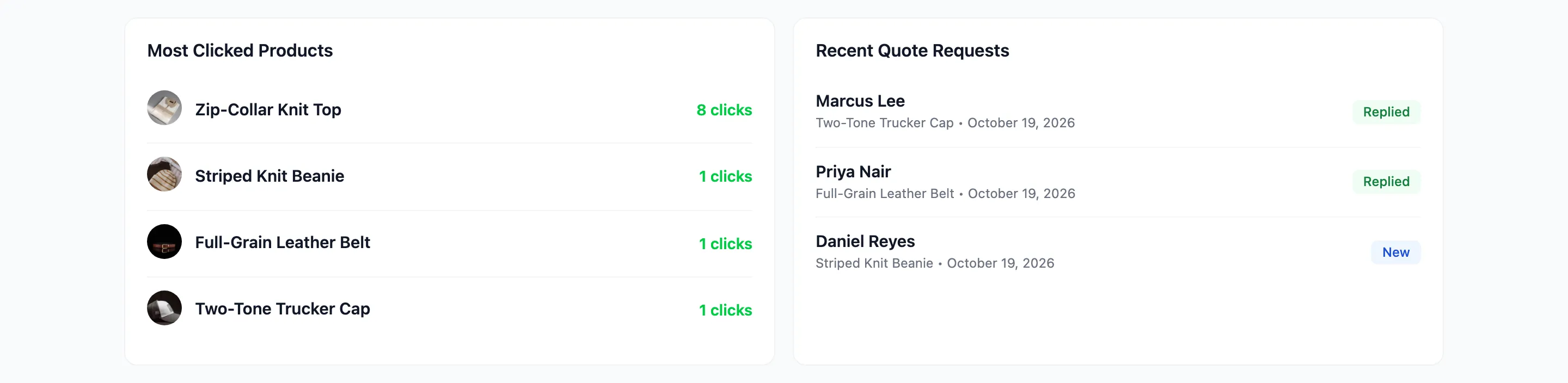
A product clicked often and rarely followed by a login is one to look at: is its message clear, and is login the right action for it?
Step 5: Change one thing and compare
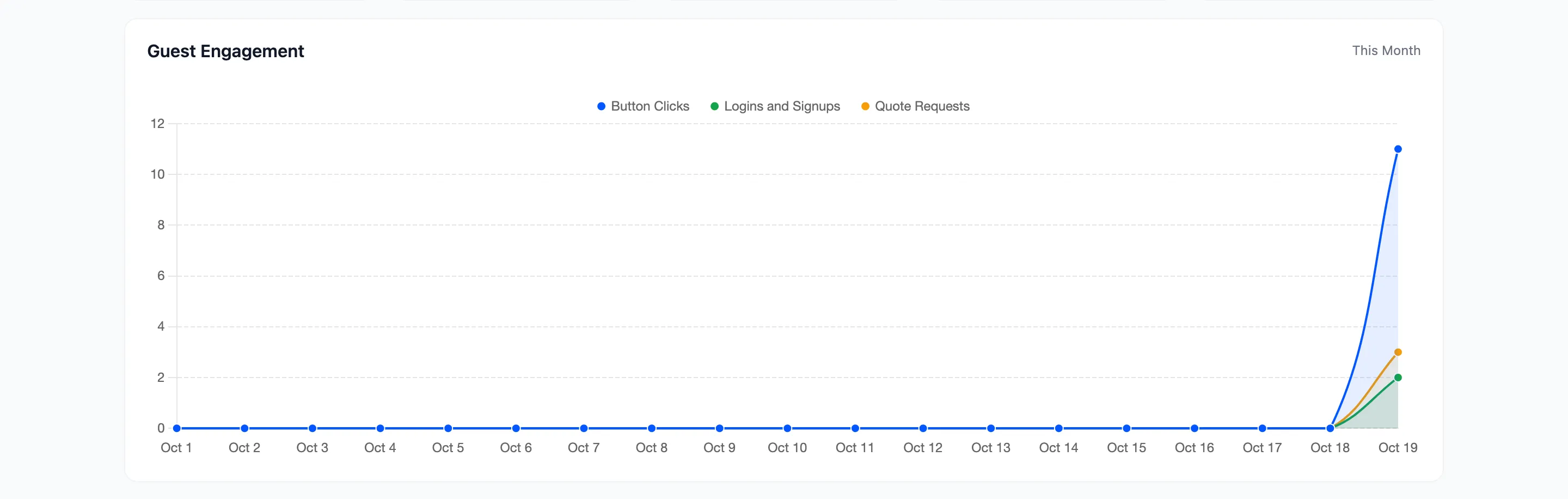
Section titled “Step 5: Change one thing and compare”Change one message, button or rule. Wait a few weeks, then pick a custom range of the same length before and after. Guest Engagement shows the daily lines.
Limits to keep in mind
Section titled “Limits to keep in mind”- A login is tied to the last product clicked in that browser, and only one login per click. Someone who clicks on their phone and signs up on their laptop is not linked.
- A visitor who leaves without clicking is not counted.
- Quote requests are saved with tracking off, but the dashboard’s quote card only counts the ones sent while it was on.