

How to Combine Rules With Priority
Only one rule decides what a visitor sees for a product: the first active rule that matches, counting from the lowest Priority number. Combining rules is mostly about putting them in the right order.
Step 1: List your rules from narrow to broad
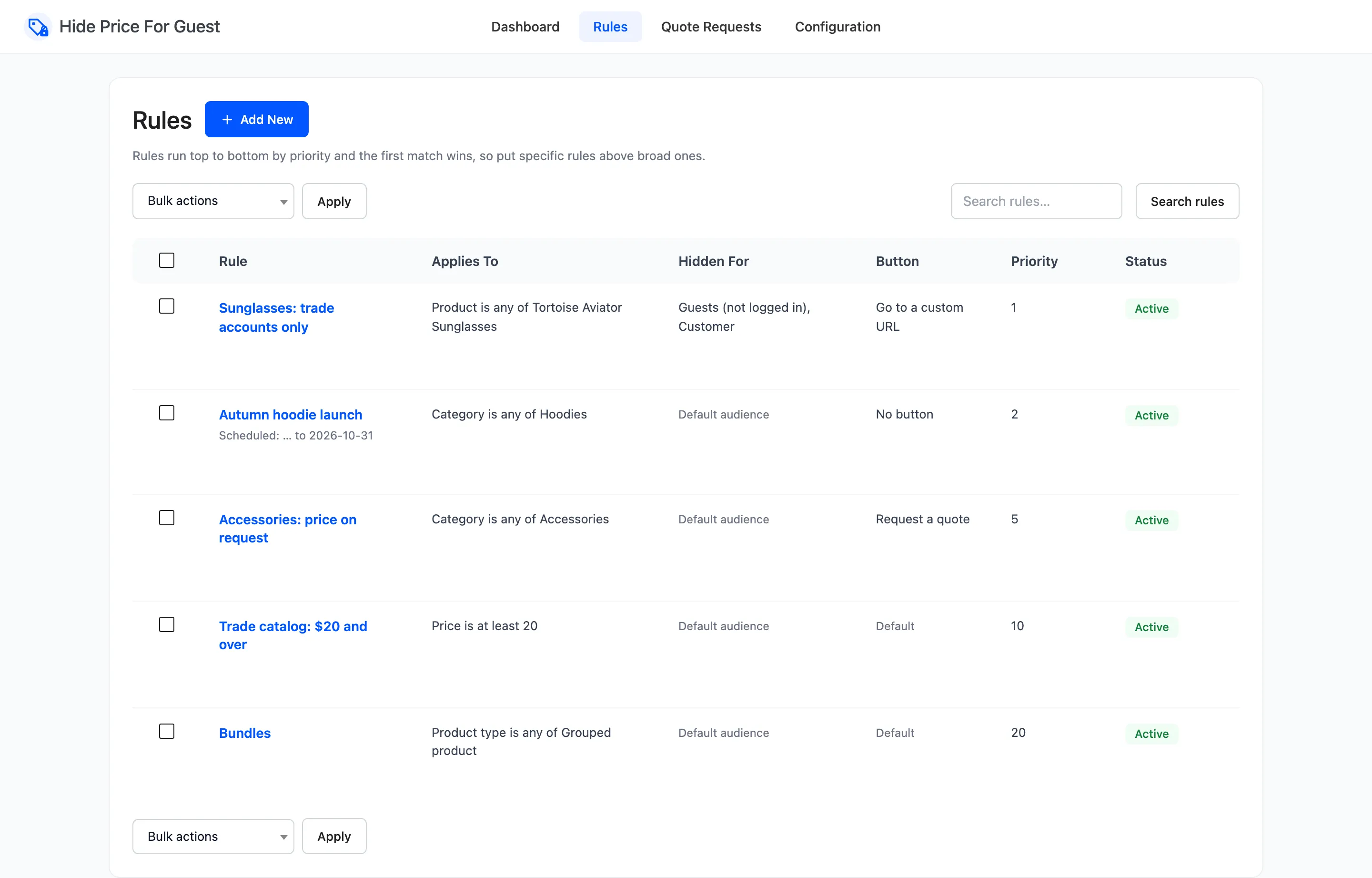
Section titled “Step 1: List your rules from narrow to broad”The demo store’s five rules, from narrowest to broadest:
- One product: the sunglasses, for trade accounts only.
- One category with an end date: the hoodie launch.
- One category: accessories, price on request.
- Every product of $20 or more.
- Every grouped product.
Step 2: Number them
Section titled “Step 2: Number them”Lowest number runs first. The demo uses 1, 2, 5, 10 and 20. Gaps leave room to slot a rule in later without renumbering the rest. Two rules with the same number run in the order they were created.
Step 3: Check an overlapping product
Section titled “Step 3: Check an overlapping product”Full-Grain Leather Belt is an accessory and costs $55, so rules 3 and 4 both match it. Rule 3 runs first and wins: the belt shows “Price on request” and the quote button, not the login button of rule 4.
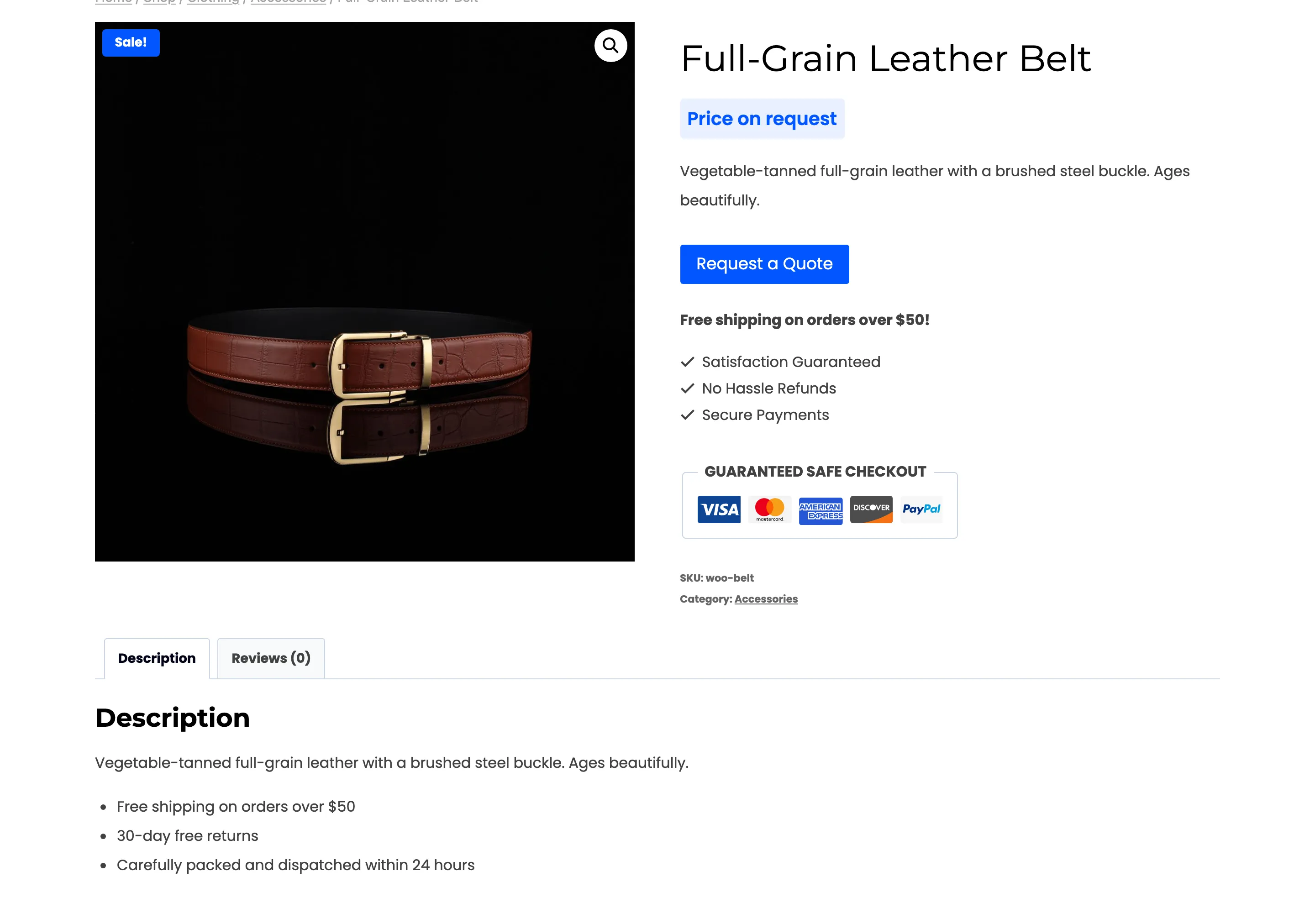
Swap the numbers, and every accessory over $20 would switch to the login button, while cheaper accessories kept the quote button. That kind of split is the usual sign of an ordering mistake.
Step 4: Fix a rule that never wins
Section titled “Step 4: Fix a rule that never wins”A rule that never seems to apply usually has a broader rule above it. Two checks:
- A rule with no conditions matches everything. For the visitors it targets, anything numbered after it never runs. Give it the highest number.
- Audiences count. A rule is skipped for a visitor outside its audience, and the next rule is tried. The sunglasses rule targets guests and customers. For a shop manager, it is skipped.
The dashboard’s Why Prices Are Hidden chart counts products under the rule that actually wins for them. A rule missing from the chart is a rule that never wins.

What is not combined
Section titled “What is not combined”The winning rule’s empty fields come from the Display tab, never from the next rule down. A narrow rule that sets only a message gets the Display tab’s button, not the button of the broad rule beneath it.