

How to Hide Prices on Your Whole Store
The simplest setup: guests see no prices anywhere and must log in to shop. It takes one rule with no conditions. The setup wizard’s All products choice creates exactly this rule.
Step 1: Switch the plugin on
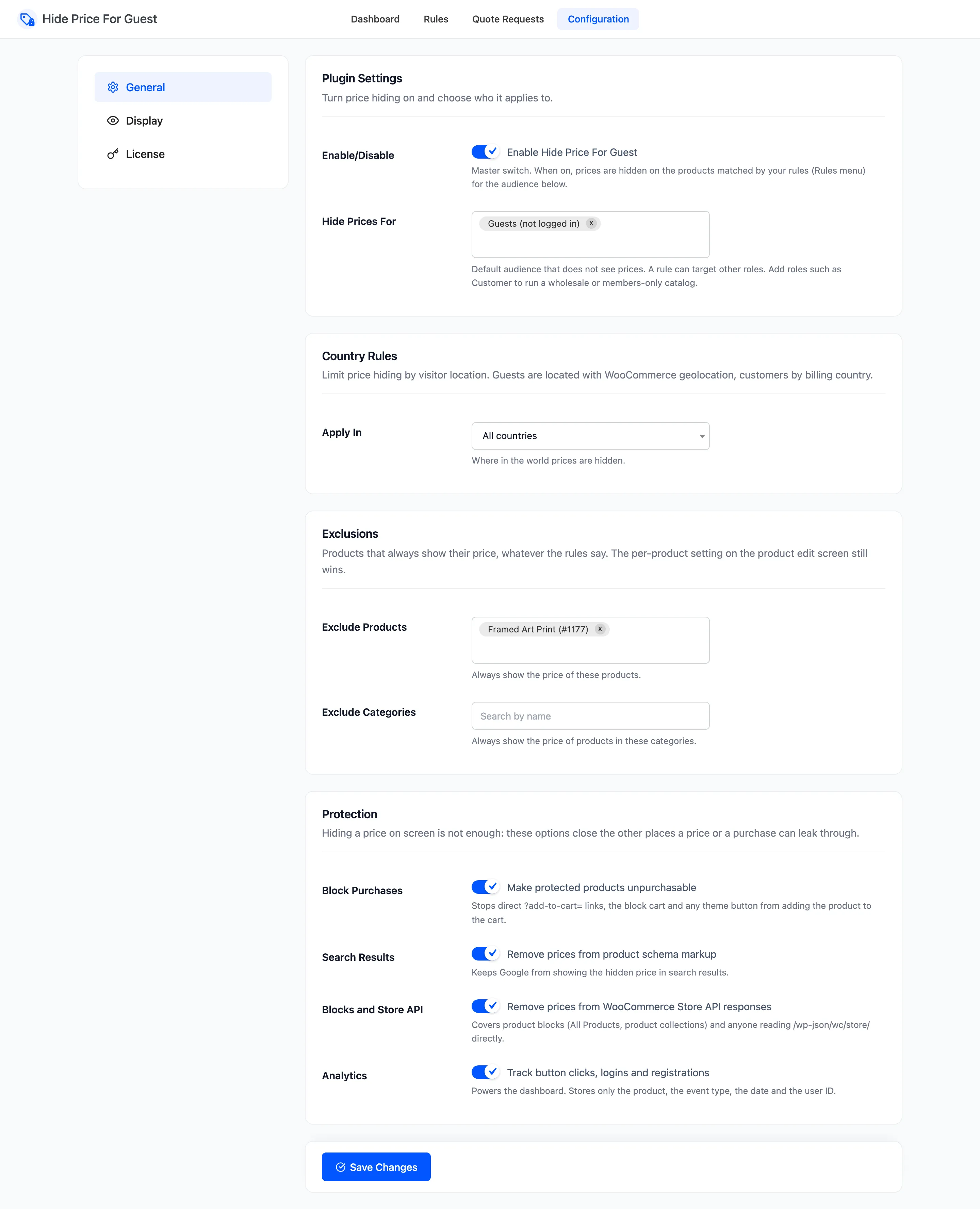
Section titled “Step 1: Switch the plugin on”Go to Configuration → General. Tick Enable Hide Price For Guest and check that Hide Prices For reads Guests (not logged in). Click Save Changes.
Step 2: Add a rule with no conditions
Section titled “Step 2: Add a rule with no conditions”Go to Rules → Add New.
- Name: “All products”.
- Under Conditions, add nothing. The form says “No conditions: this rule hides every product.”
- Leave What Visitors See empty, so the Display tab decides.
- Click Create Rule.
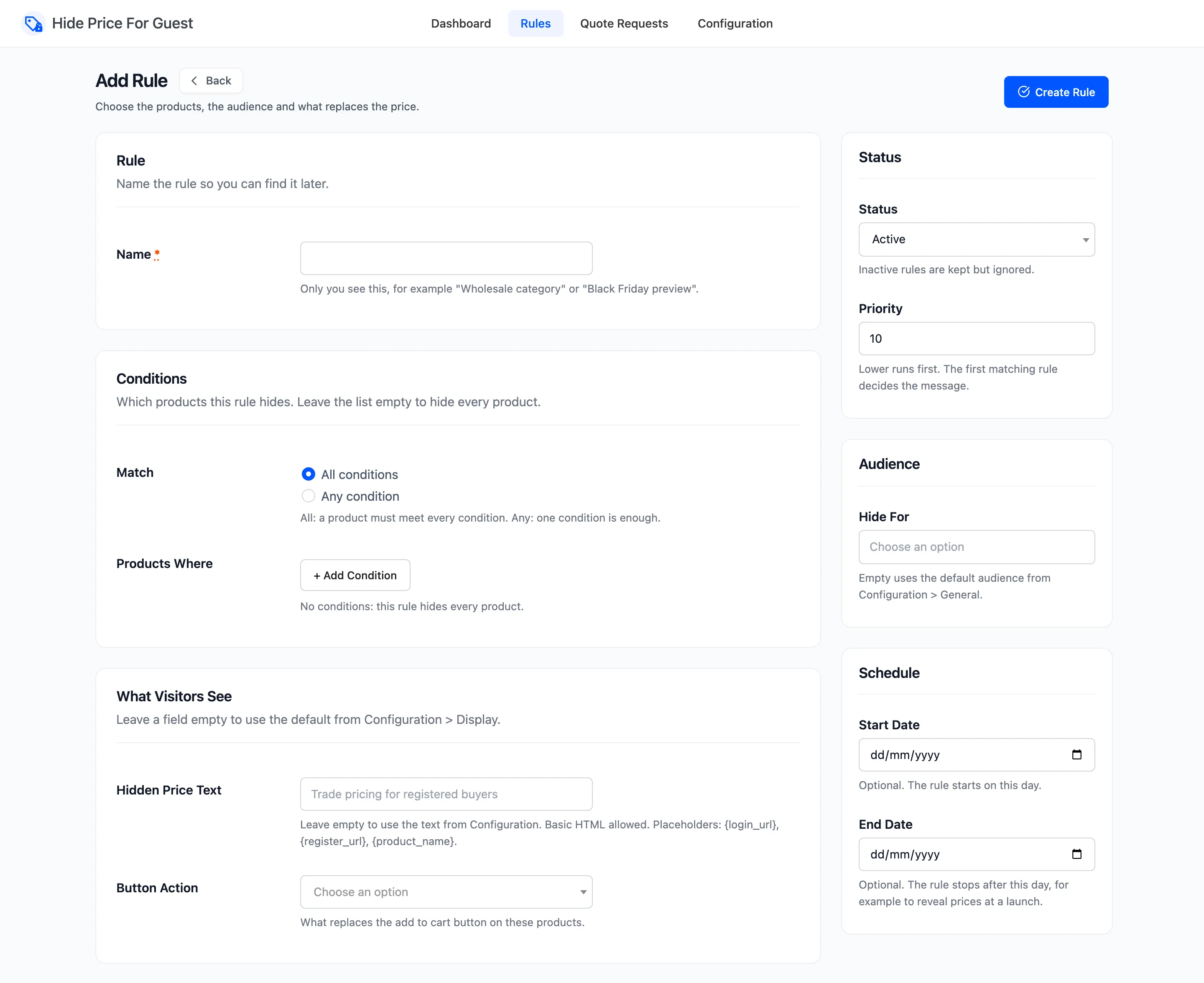
Every product, including variations, grouped products and products added later, now hides its price from guests.
Step 3: Set the default message and button
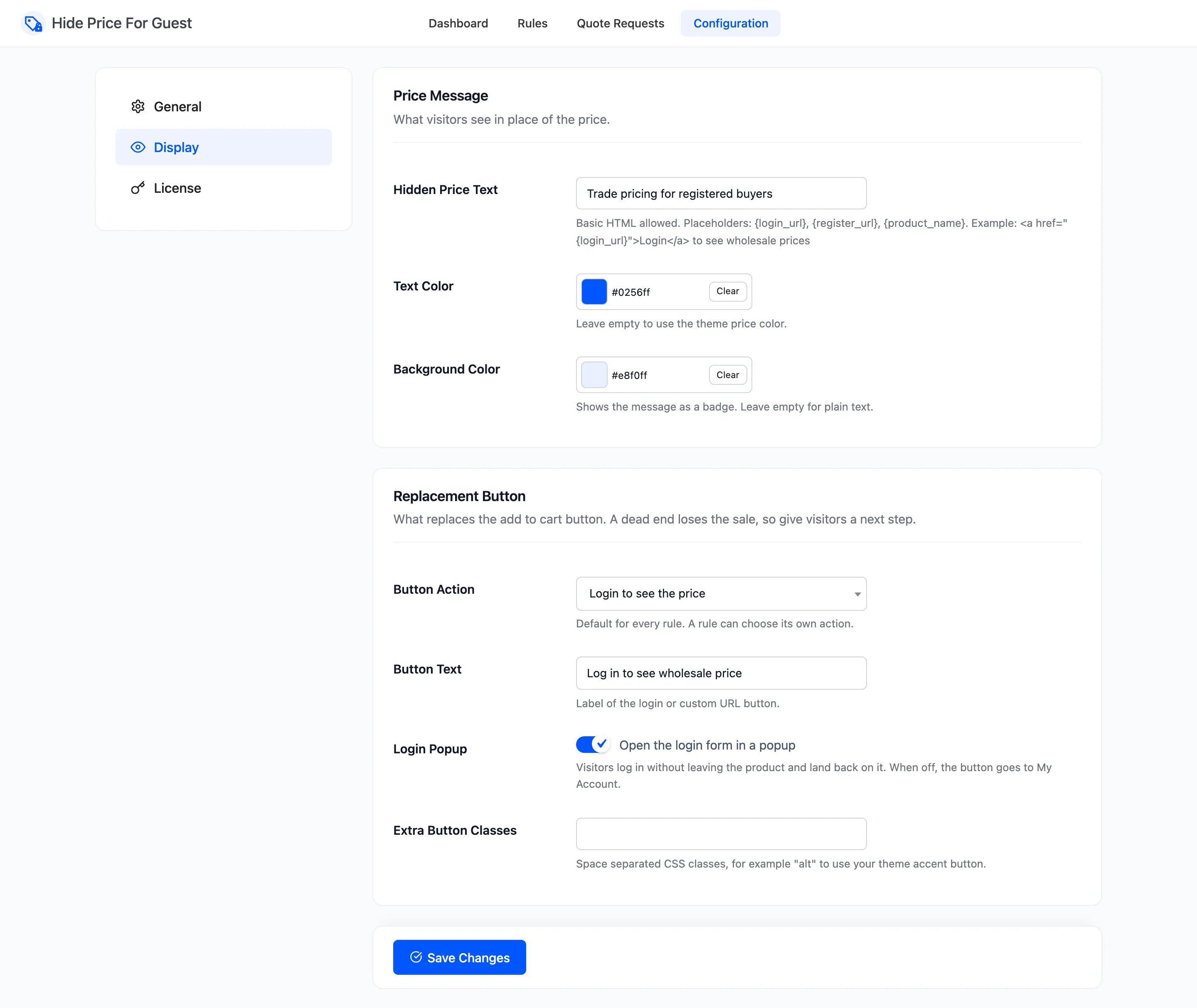
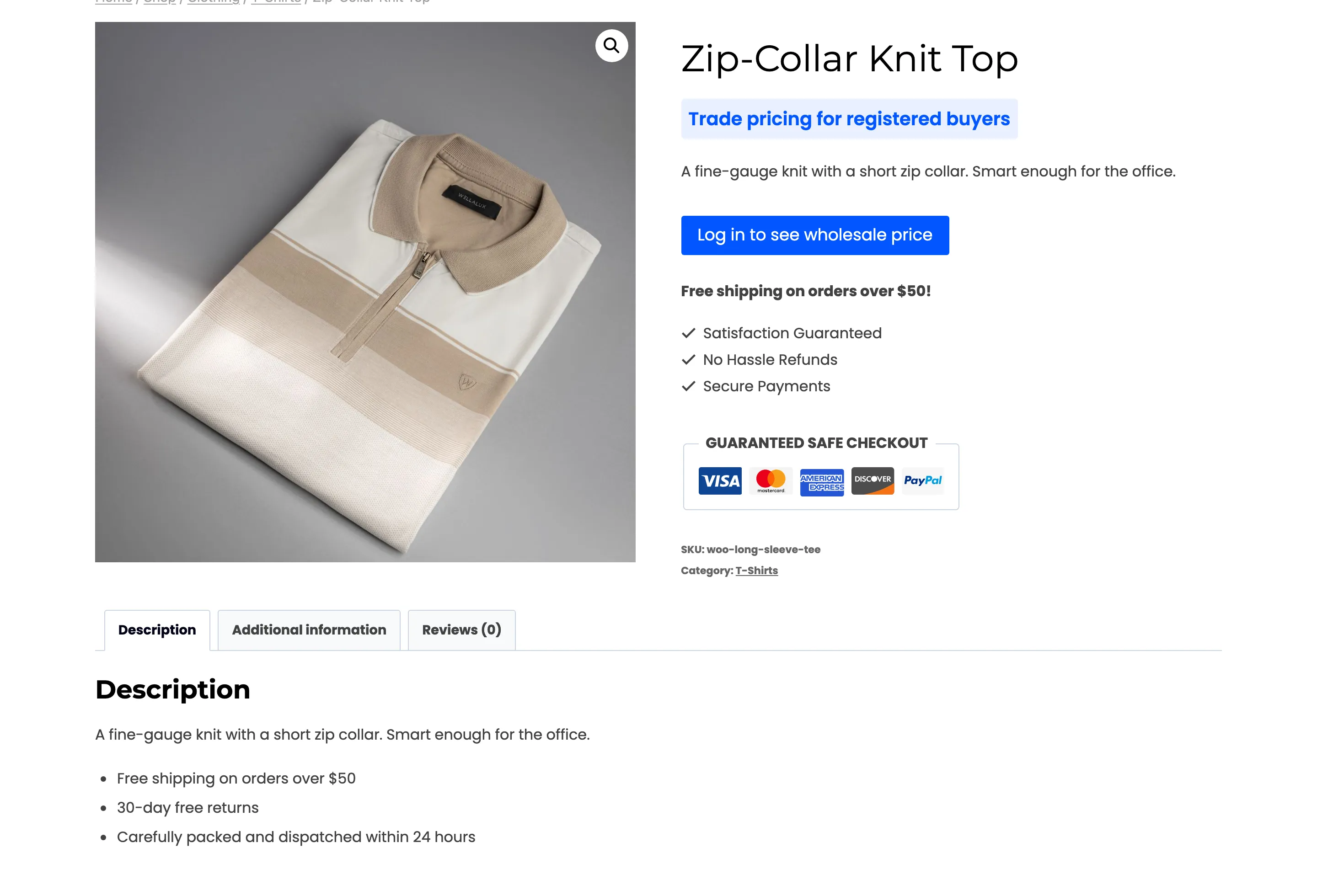
Section titled “Step 3: Set the default message and button”Go to Configuration → Display. Write the Hidden Price Text, for example “Trade pricing for registered buyers”, and choose a Button Action. Login is the usual choice for a whole store: guests who want a price create an account or sign in.
Step 4: Open up the exceptions
Section titled “Step 4: Open up the exceptions”A few products often should keep their price: samples, gift cards, a cheap accessory that brings people in. Add them on the General tab:
- Exclude Products for single products.
- Exclude Categories for whole categories.
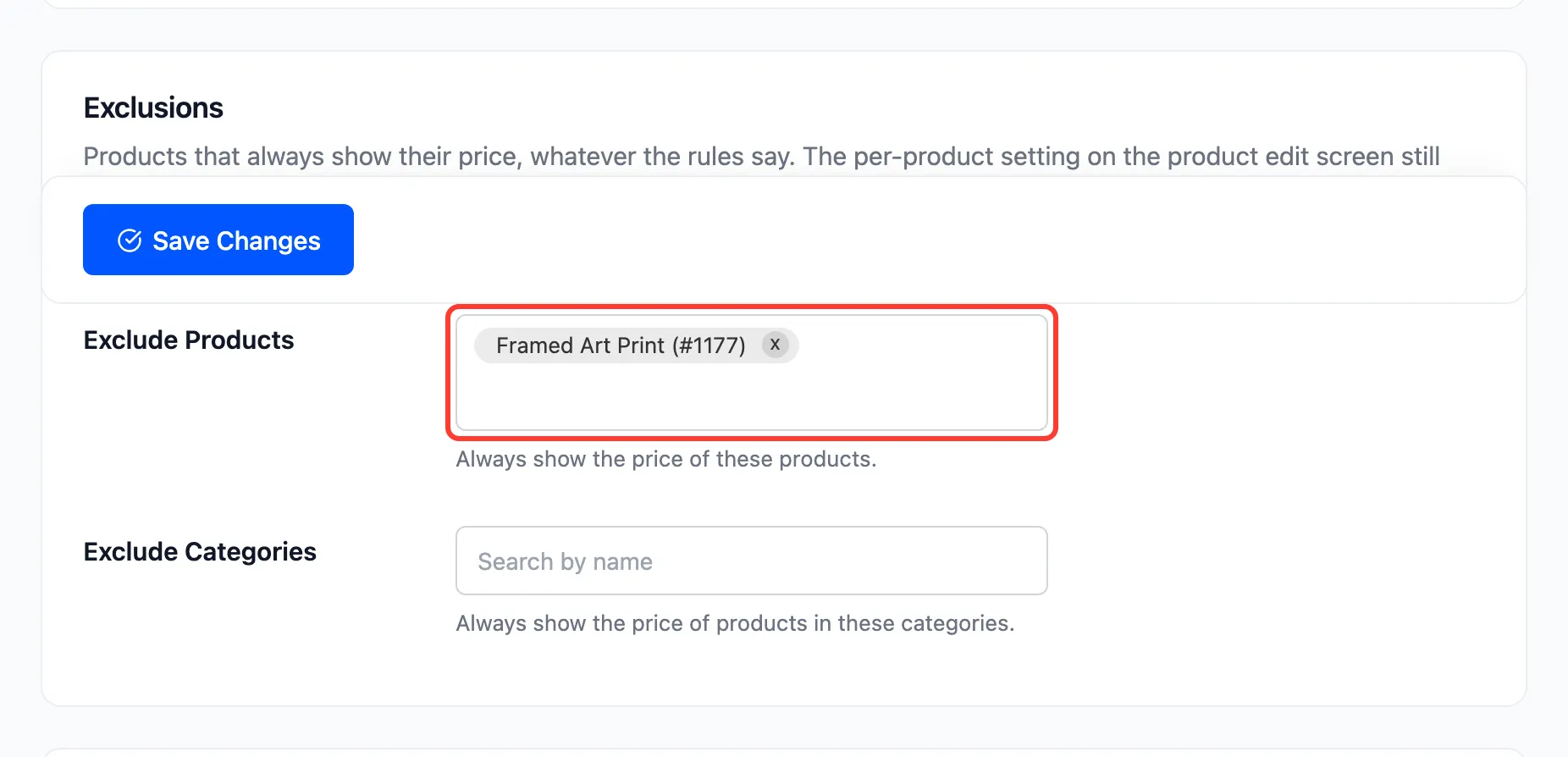
An excluded product shows its price to everyone, whatever the rule says.
Step 5: Check as a guest
Section titled “Step 5: Check as a guest”Open the shop in a private window. Every price is your message, and every Add to cart button is your replacement button, except the excluded products.
Things to know
Section titled “Things to know”- Signed-in customers still see prices. The default audience is guests. To hide prices from customers too, see How to Run a Trade-Only Catalog.
- The cart and checkout are safe. With Block Purchases on, a guest cannot add a hidden product by any route, so no price appears in the cart.
- Rules added later run in priority order. A narrower rule with a lower priority number, such as a quote button for one category, takes over for those products. The “All products” rule still covers the rest.