

Introduction to Hide Price for Guest
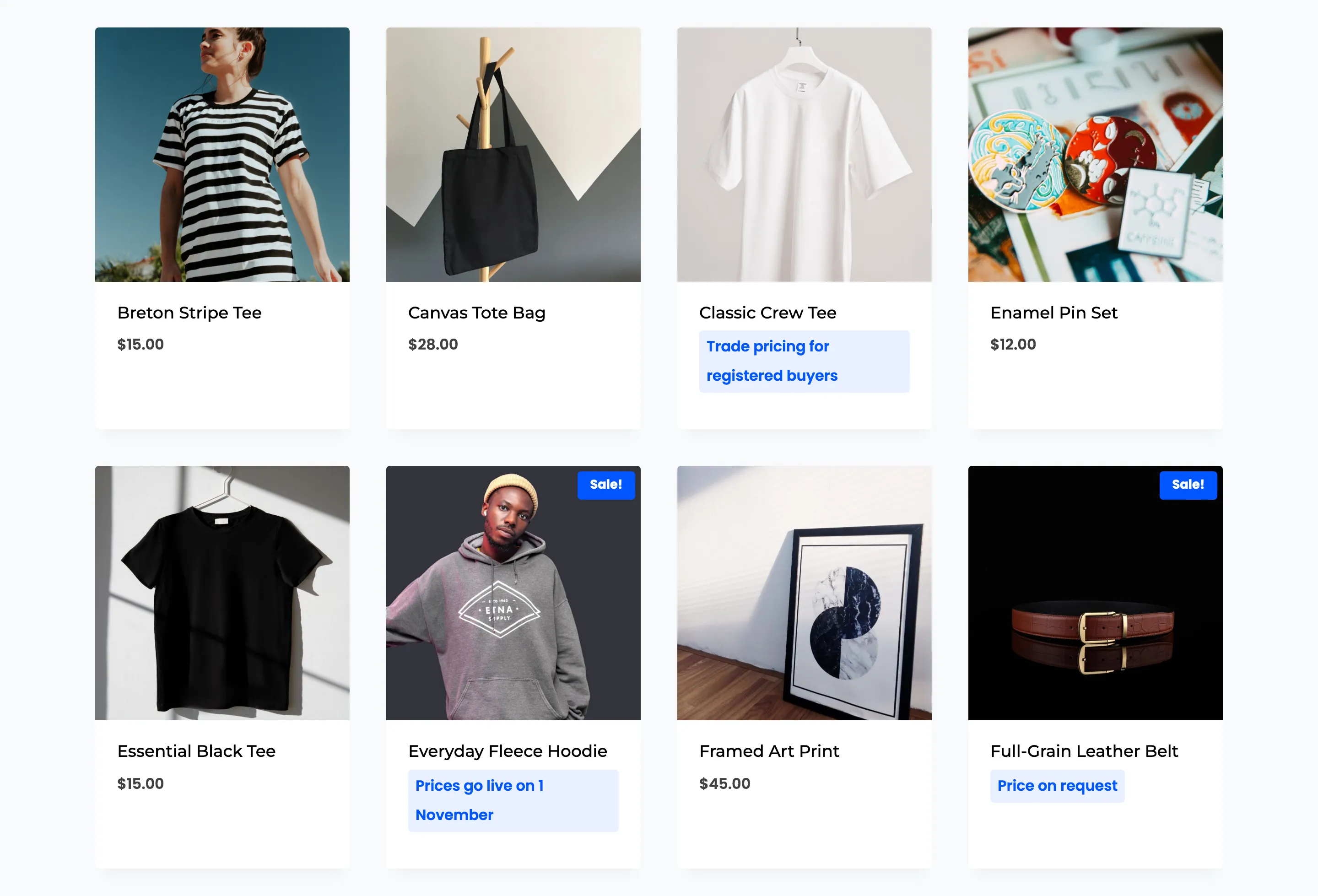
WooCommerce Hide Price for Guest keeps your prices away from people who are not signed in. Where the price would be, visitors see your own message. Where the add to cart button would be, they get a next step: log in, request a quote, or go to a page you choose.
What it does
Section titled “What it does”- Hides prices by rule. A rule picks products by 14 conditions: product, category, tag, product type, price, stock, sale status, featured, virtual, downloadable, reviews, rating and published date. Rules run in priority order, and the first match decides what the visitor sees.
- Chooses who is hidden from. Guests by default. A rule can also hide prices from logged-in roles, such as Customer, to run a trade or members-only catalog.
- Replaces the button. Each rule picks one of four actions: a login button (in a popup), a quote request form, a link to any URL, or no button at all.
- Collects quote requests. The quote form saves each request, emails your team and the customer, and lists it on the Quote Requests screen with New, Replied and Closed tabs.
- Closes the side doors. Hidden products cannot be bought through a direct
?add-to-cart=link. Their price is removed from the product schema Google reads and from the WooCommerce Store API. - Measures the result. The dashboard counts button clicks, the logins and signups that follow, and quote requests, so you can see how many visitors a hidden price turns into customers.
Who it is for
Section titled “Who it is for”- Wholesale and trade stores that show the catalog to everyone and the prices to approved buyers.
- Members-only shops that want visitors to register before they see what things cost.
- Stores with negotiated prices, where a quote request is the real start of the sale.
- Launches, where a product is shown before its price is, until a set date.
One paid version
Section titled “One paid version”Hide Price for Guest is a paid plugin. There is no free build, so every feature in these docs is in the version you buy, and no article is marked Pro.
What a visitor sees
Section titled “What a visitor sees”Each rule decides the message and the button. On the demo store four rules show all four actions:
| Product | Message | Button |
|---|---|---|
| Zip-Collar Knit Top | Trade pricing for registered buyers | Log in to see wholesale price |
| Striped Knit Beanie | Price on request | Request a Quote |
| Tortoise Aviator Sunglasses | Wholesale pricing for Tortoise Aviator Sunglasses is for approved trade accounts. | Apply for a trade account |
| Heavyweight Pullover Hoodie | Prices go live on 1 November | None |
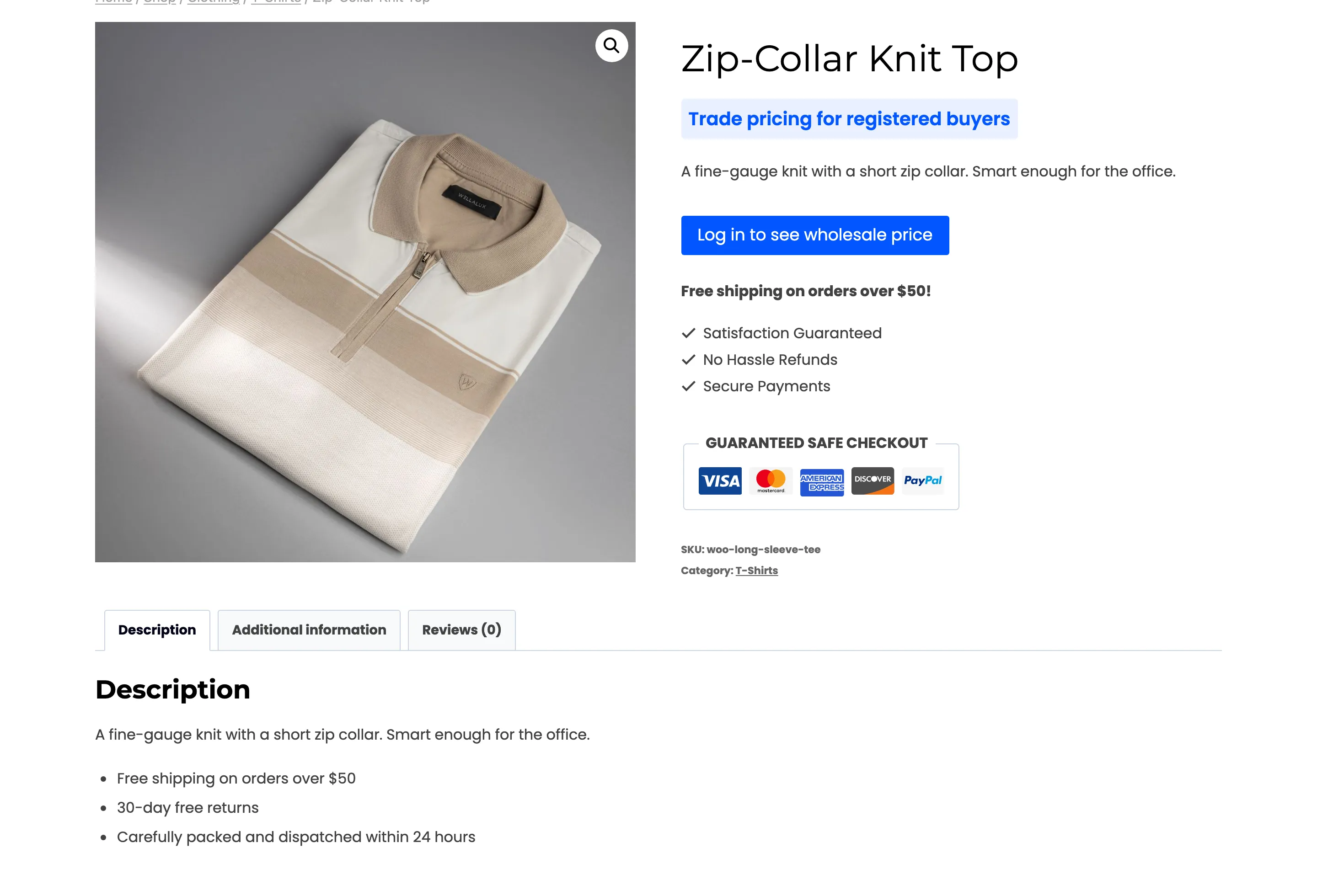
The Visitor Experience walks through each one.
Requirements
Section titled “Requirements”- WordPress 6.5 or newer.
- WooCommerce 9.0 or newer, active.
- An active license. Prices stay visible until the license is activated, even with the plugin enabled.
It supports WooCommerce High-Performance Order Storage.
Where to start
Section titled “Where to start”- Install and activate the plugin.
- Walk the setup wizard. It activates the license, switches the plugin on and can create a rule for the whole catalog.
- Read How Hidden Prices Work before you build a second rule. It explains the order in which rules, exclusions and the per-product setting are checked.