

How Hidden Prices Work
Every time a product’s price is about to show, the plugin asks two questions: is this visitor someone prices are hidden from, and does anything hide this product’s price? This page follows that decision in the order the plugin makes it, using the demo store’s five rules as the example.
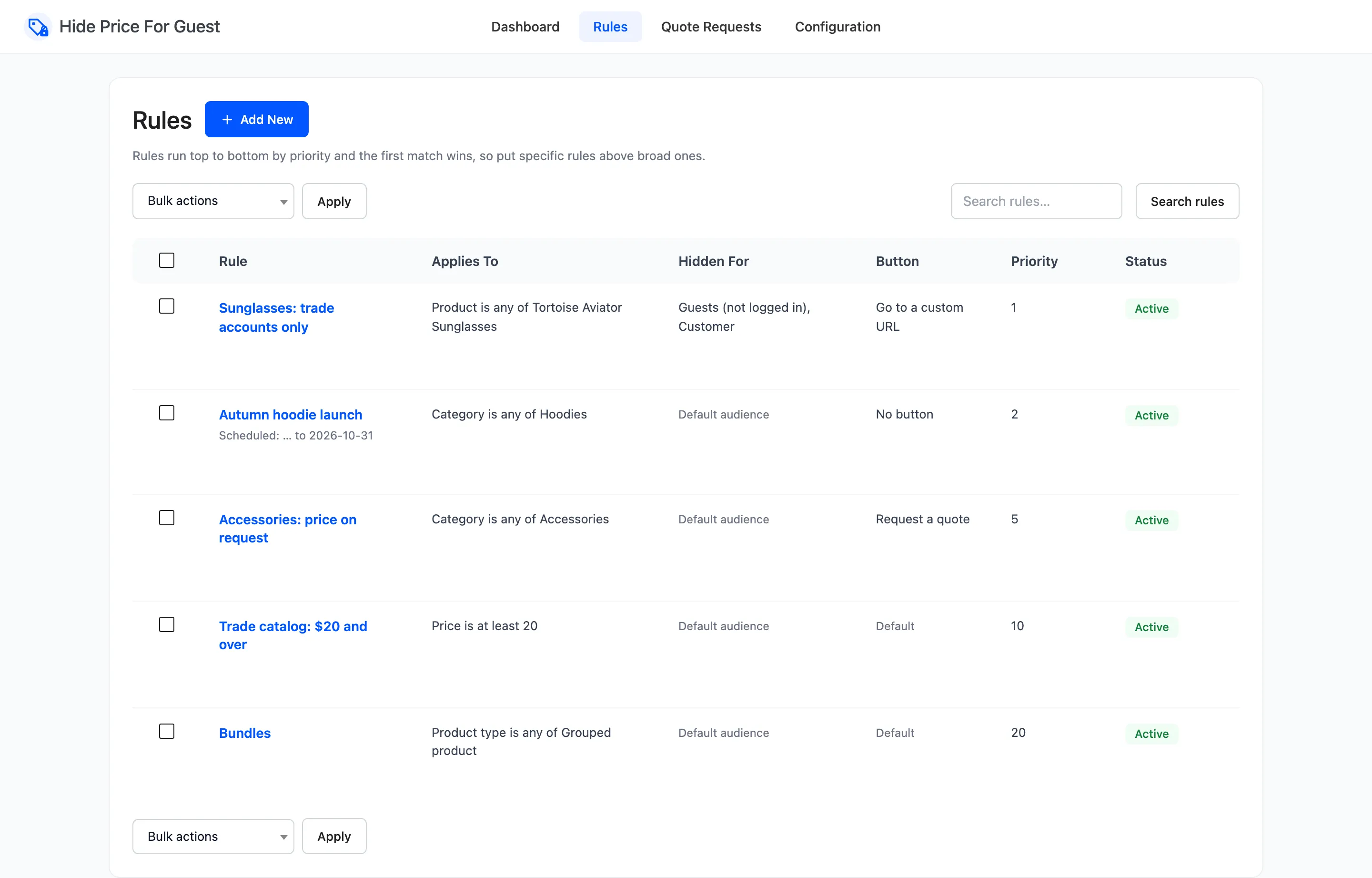
1. Is the plugin running?
Section titled “1. Is the plugin running?”Nothing happens unless the license is active and Enable Hide Price For Guest is ticked. Without both, every visitor sees every price.
2. Is the visitor in the audience?
Section titled “2. Is the visitor in the audience?”A visitor is either a guest (not logged in) or a user with a role: Customer, Shop manager and so on. The default audience under Configuration → General is Guests (not logged in).
A rule can name its own audience in Hide For. A rule’s audience replaces the default for that rule. It does not add to it. The demo’s sunglasses rule names Guests and Customer, so a signed-in customer sees every price in the shop except that one.
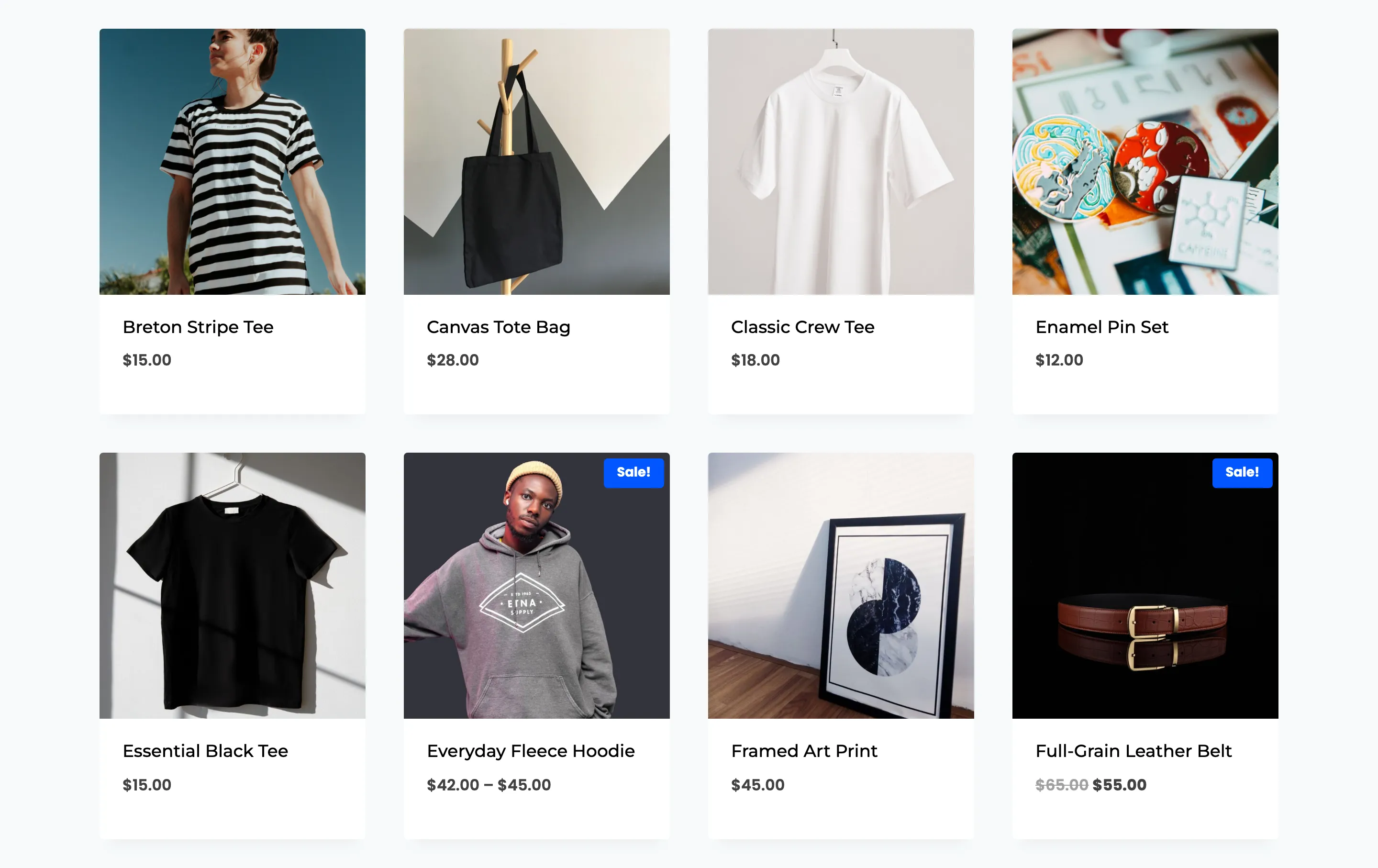
A visitor no rule targets never sees a hidden price, and the plugin adds nothing to their pages.
3. Is the visitor in a hidden country?
Section titled “3. Is the visitor in a hidden country?”With Apply In set to all countries, this step passes. Set to a list, a visitor outside it (or inside it, for “all countries except”) sees every price, whatever the rules say. Guests are placed by WooCommerce geolocation, customers by their billing country.
4. Does the product have its own setting?
Section titled “4. Does the product have its own setting?”Each product has a Guest price visibility field in its Product data → General tab.
- Always show price shows the price to everyone. Nothing below is checked.
- Always hide price hides it from the default audience, with the default message and button from the Display tab. Rules and exclusions are not checked.
- Follow plugin rules (the default) moves on.
On the demo store, Classic Crew Tee is $18, under every rule, and is set to Always hide price.
5. Is the product excluded?
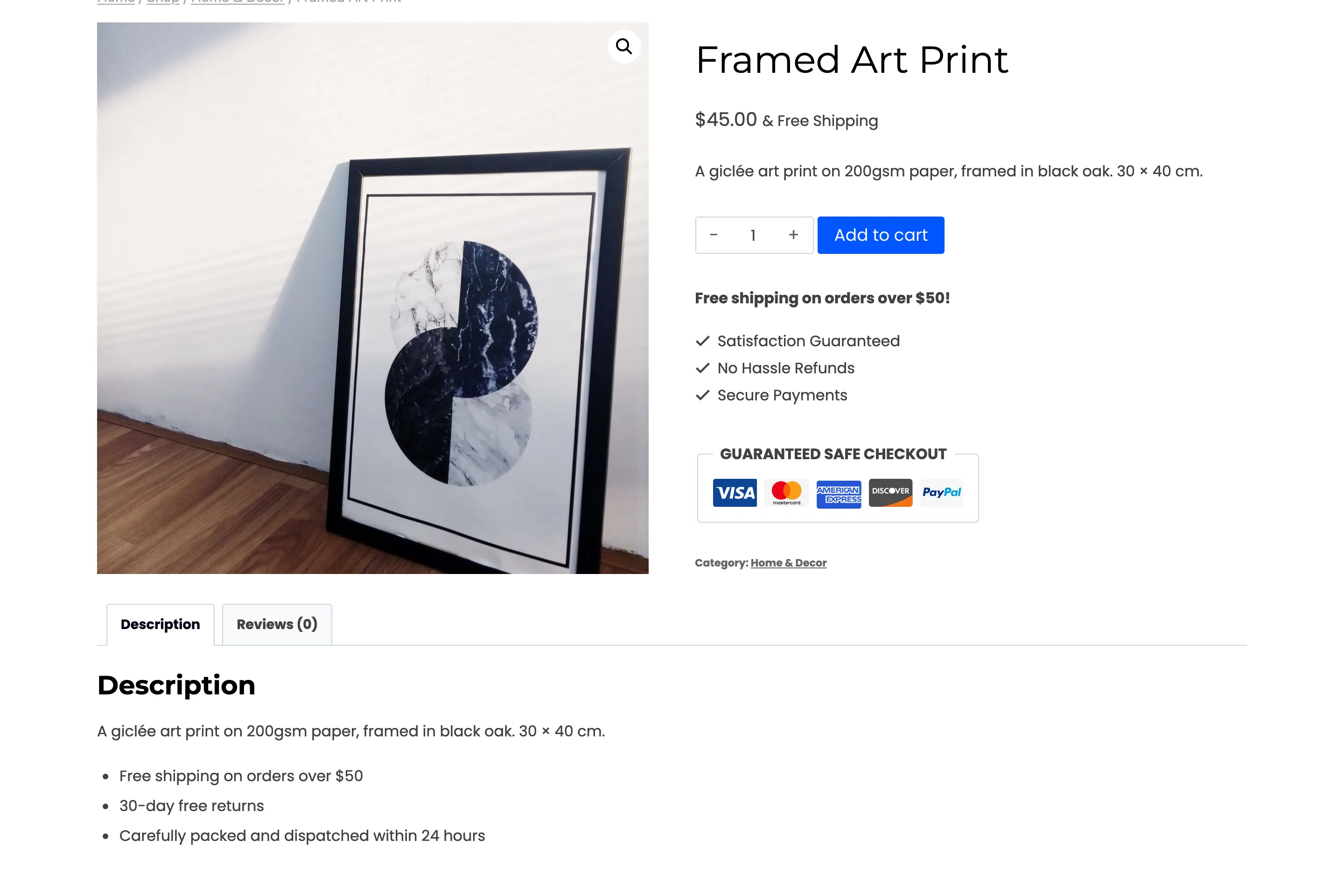
Section titled “5. Is the product excluded?”Exclude Products and Exclude Categories under Configuration → General always show the price. The demo excludes Framed Art Print, so its $45 price shows although the $20 rule would otherwise catch it.
6. Which rule matches first?
Section titled “6. Which rule matches first?”Active rules are tried by Priority, lowest number first. Two rules with the same priority run in the order they were created. A rule is skipped when:
- it is Inactive,
- today is before its Start Date or after its End Date,
- the visitor is not in its audience,
- the product does not meet its conditions. With All conditions, every condition must hold; with Any condition, one is enough. A rule with no conditions matches every product.
The first rule left decides everything the visitor sees: its message, its button action, its button text and its URL. Any of those it leaves empty comes from the Display tab. Later rules are not looked at.
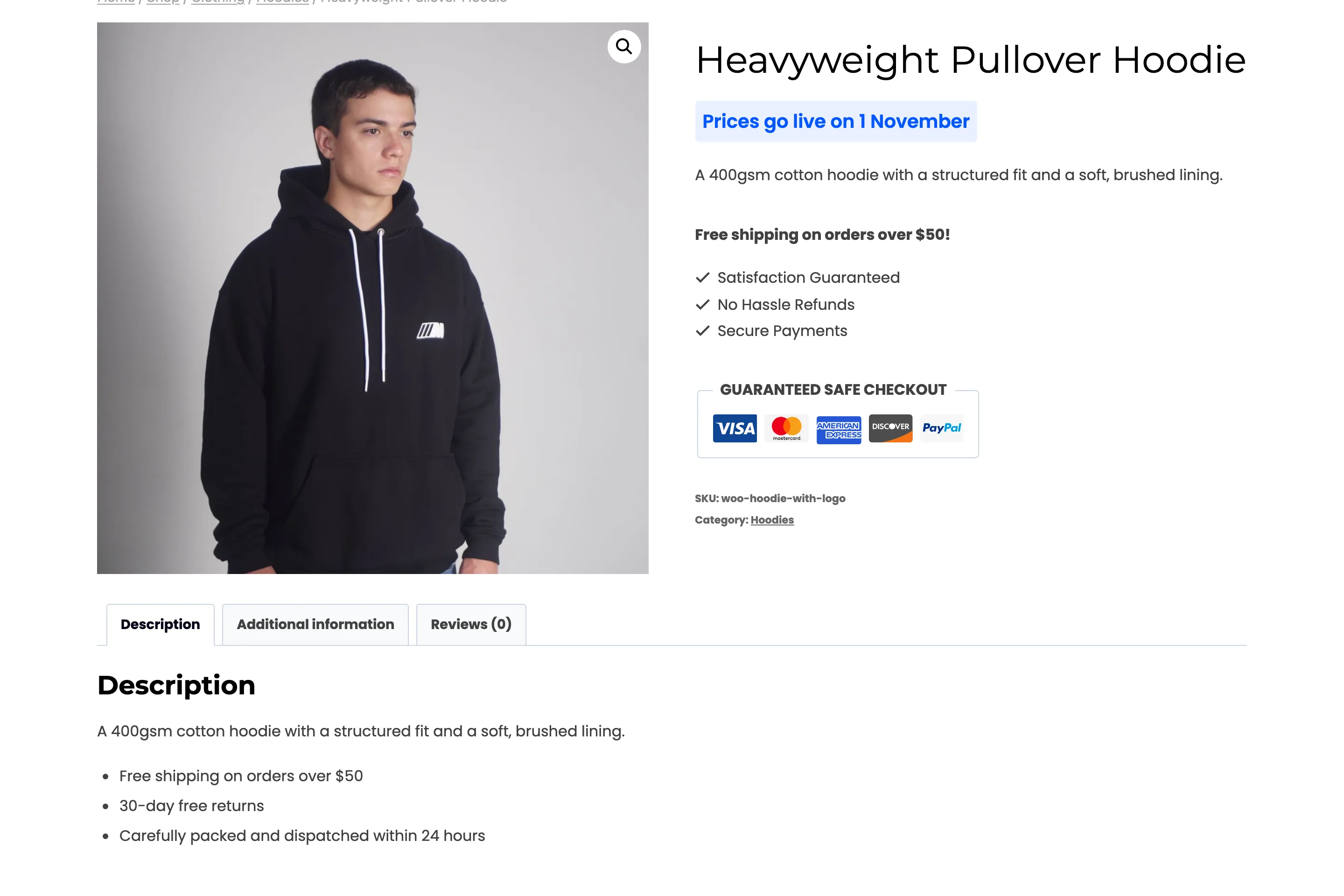
Take Heavyweight Pullover Hoodie, $45, in Hoodies:
| Priority | Rule | Matches? |
|---|---|---|
| 1 | Sunglasses: trade accounts only | No, different product |
| 2 | Autumn hoodie launch, until 31 October | Yes. “Prices go live on 1 November”, no button |
| 10 | Trade catalog: $20 and over | Not checked |
From 1 November the launch rule has ended, the $20 rule is the first match, and the same hoodie shows the login button instead.
7. What changes on the page
Section titled “7. What changes on the page”For a product whose price is hidden:
- The price becomes your message, in the shop, on the product page, in related products and in product blocks.
- The add to cart button becomes the rule’s button, or nothing.
- With Block Purchases on, the product cannot be added to the cart by any route, including a direct link.
- The price is removed from the product’s schema data and from the WooCommerce Store API, if those options are on.
A variable product is decided per variation. Each variation is checked on its own, using its own price and stock, so one colour can show its price while another is hidden. Category, tag and featured come from the parent product.
Parents with hidden children
Section titled “Parents with hidden children”A variable or grouped product is a parent. Its own price is a range built from its children, so it could name a price a rule hides. When some children are hidden and the parent itself is not, the plugin rebuilds the range from the children the visitor may see:
- Organic V-Neck Tee has variations at $15 and $20. The $20 rule hides the $20 ones, the parent matches no rule, and the product shows “$15.00”, not “$15.00 – $20.00”.
- A grouped product shows the range of its open children only.
- When every child is hidden, the parent shows your message instead of a price.
The same applies in the shop, in the Store API and in the product’s schema data, where the parent’s price offer is removed.