

How to Schedule a Price Reveal
A launch rule hides a product’s price until a date, then steps aside. The demo store uses one for its hoodies: “Prices go live on 1 November”.
Step 1: Add the launch rule
Section titled “Step 1: Add the launch rule”Go to Rules → Add New. Name it “Autumn hoodie launch”. Add a condition that covers the launch products. The demo uses Category is any of Hoodies. For a handful of products, use Product is any of instead.
Set Priority to 2. A launch rule has to beat your everyday rules for these products, so it needs a lower number than any of them.
Step 2: Write the launch message
Section titled “Step 2: Write the launch message”Under What Visitors See:
- Hidden Price Text: “Prices go live on 1 November”.
- Button Action: No button. There is nothing to do yet.
Step 3: Set the end date
Section titled “Step 3: Set the end date”Under Schedule, set End Date to 31 October. The rule runs through the whole of that day, in your site’s timezone, and stops at midnight.
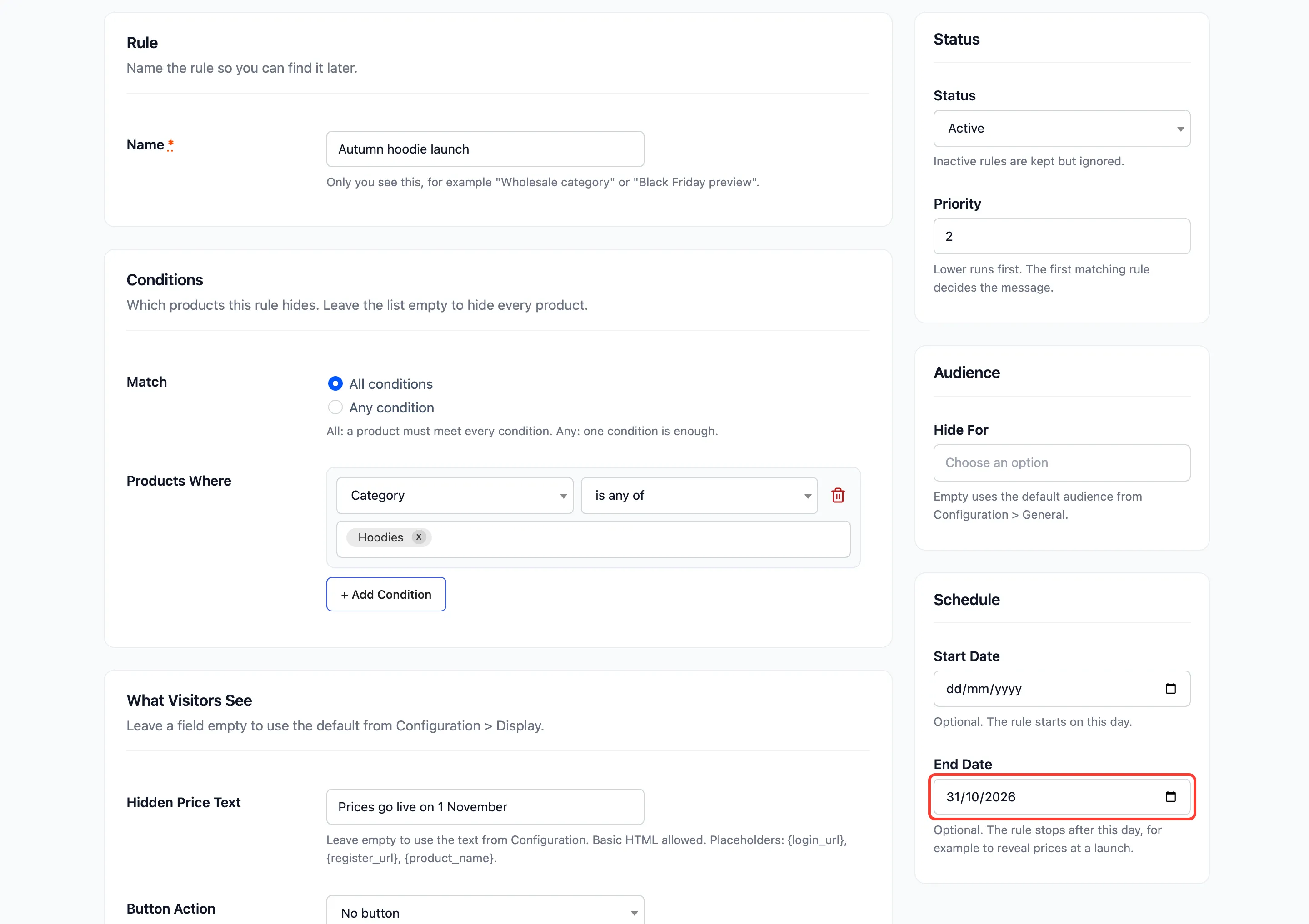
Use Start Date for the opposite: a rule that begins on a day, such as hiding sale prices until a members’ preview opens.
Click Create Rule. The Rules list shows the dates under its name, “Scheduled: … to 2026-10-31”.
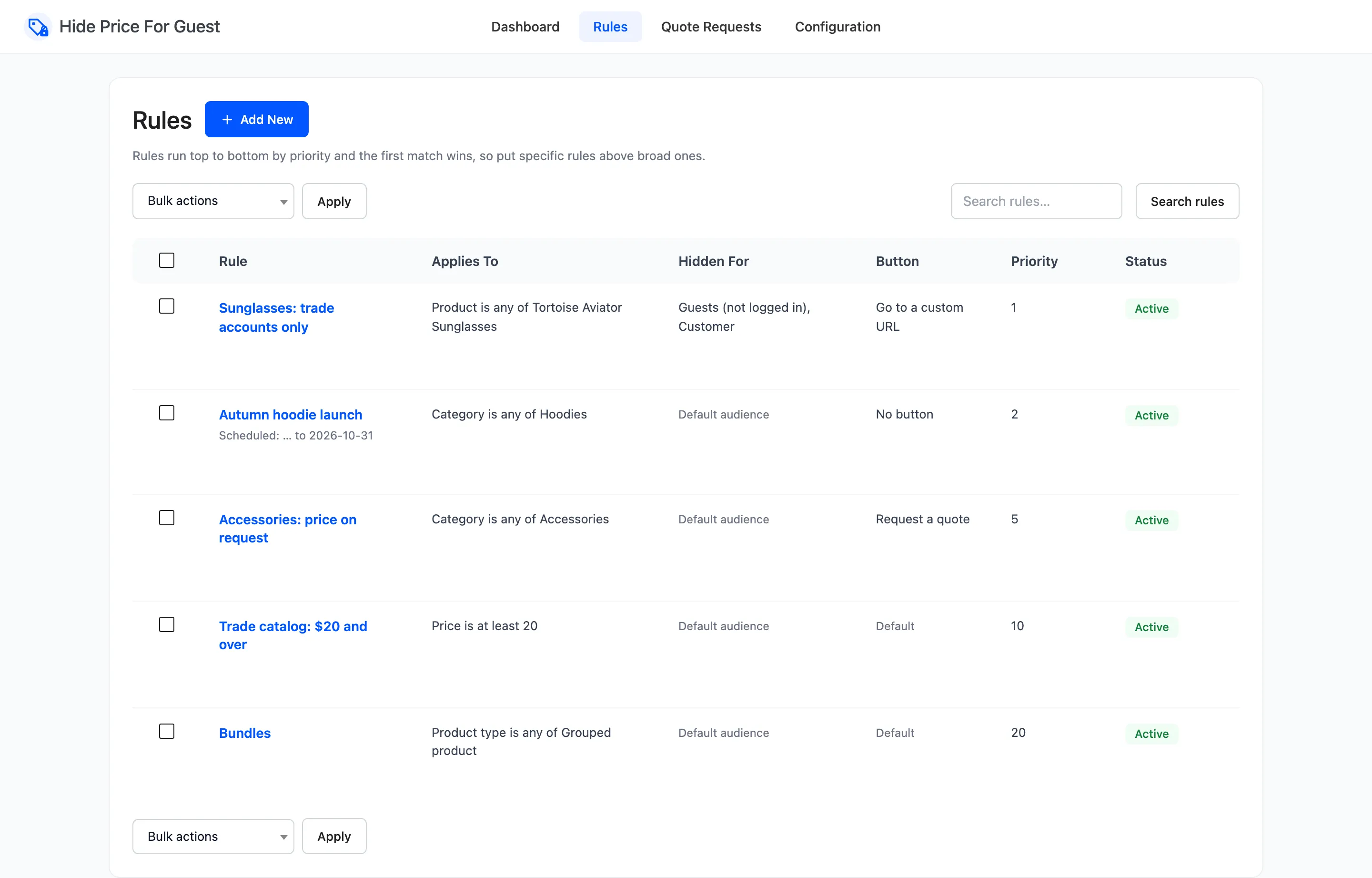
Step 4: Check before and after
Section titled “Step 4: Check before and after”Before the end date, a guest sees the launch message and no button:
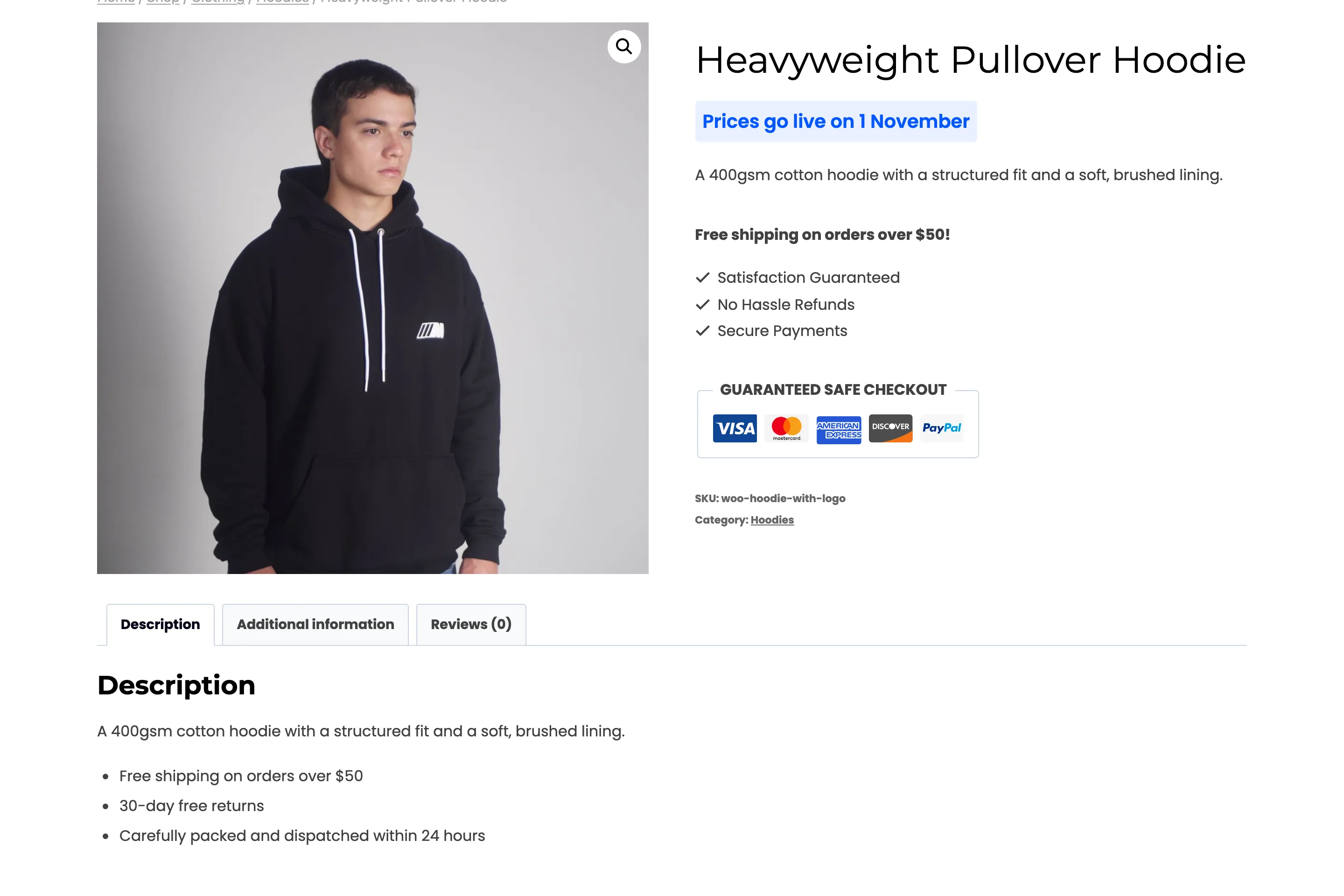
From the day after, the launch rule is skipped and the next rule that matches decides. On the demo store that is the “$20 and over” rule, so the $45 hoodie shows the login button to guests, and its price to customers. With no other rule matching, the price shows to everyone.
Things to know
Section titled “Things to know”- The rule stays Active. A finished rule is skipped by date, not switched off. Delete it or deactivate it when you tidy up.
- The dashboard catches up within 12 hours. Protected Products on the dashboard is recounted every 12 hours, so it may count the launch products for a while after the end date. The storefront changes at midnight.
- Page caching: a cached product page keeps the old message until its cache expires. Clear the cache on launch day.