

Layout Settings
Four sections of colour and icon settings for the customer-facing wallet. None of it touches the admin screens.
Go to DevDiggers Plugins → Wallet → Configuration → Layout.
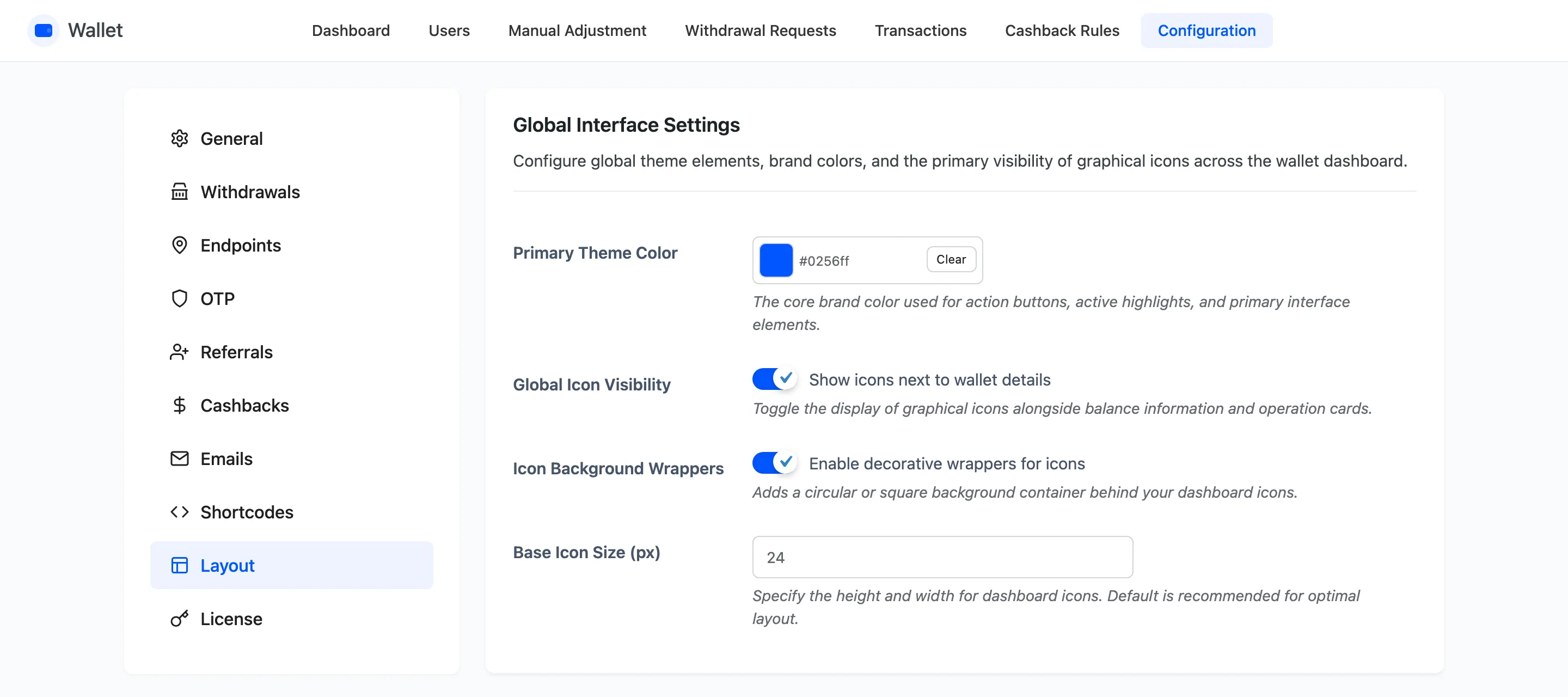
Global Interface Settings
Section titled “Global Interface Settings”All four fields here are free.
- Primary Theme Color is the wallet’s accent, default
#0256ff. - Global Icon Visibility shows or hides every icon on the wallet page at once.
- Icon Background Wrappers puts each icon in a tinted rounded square.
- Base Icon Size (px) sets the icon size, default 24.
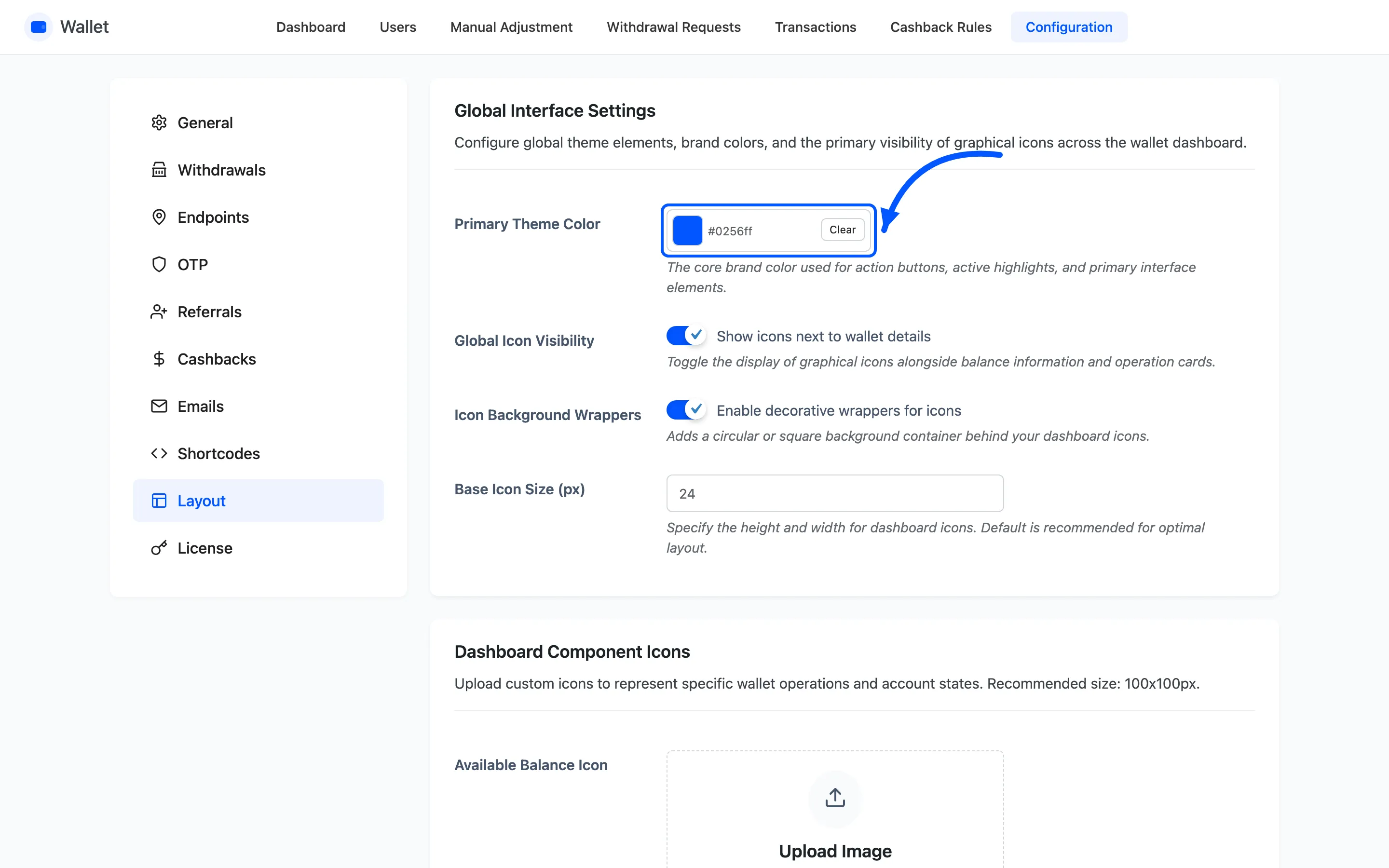
Turning icons off is worth trying on a text-led theme. The wallet page reads perfectly well without them, and six coloured squares can be six things competing with the balance.
Dashboard Component Icons
Section titled “Dashboard Component Icons”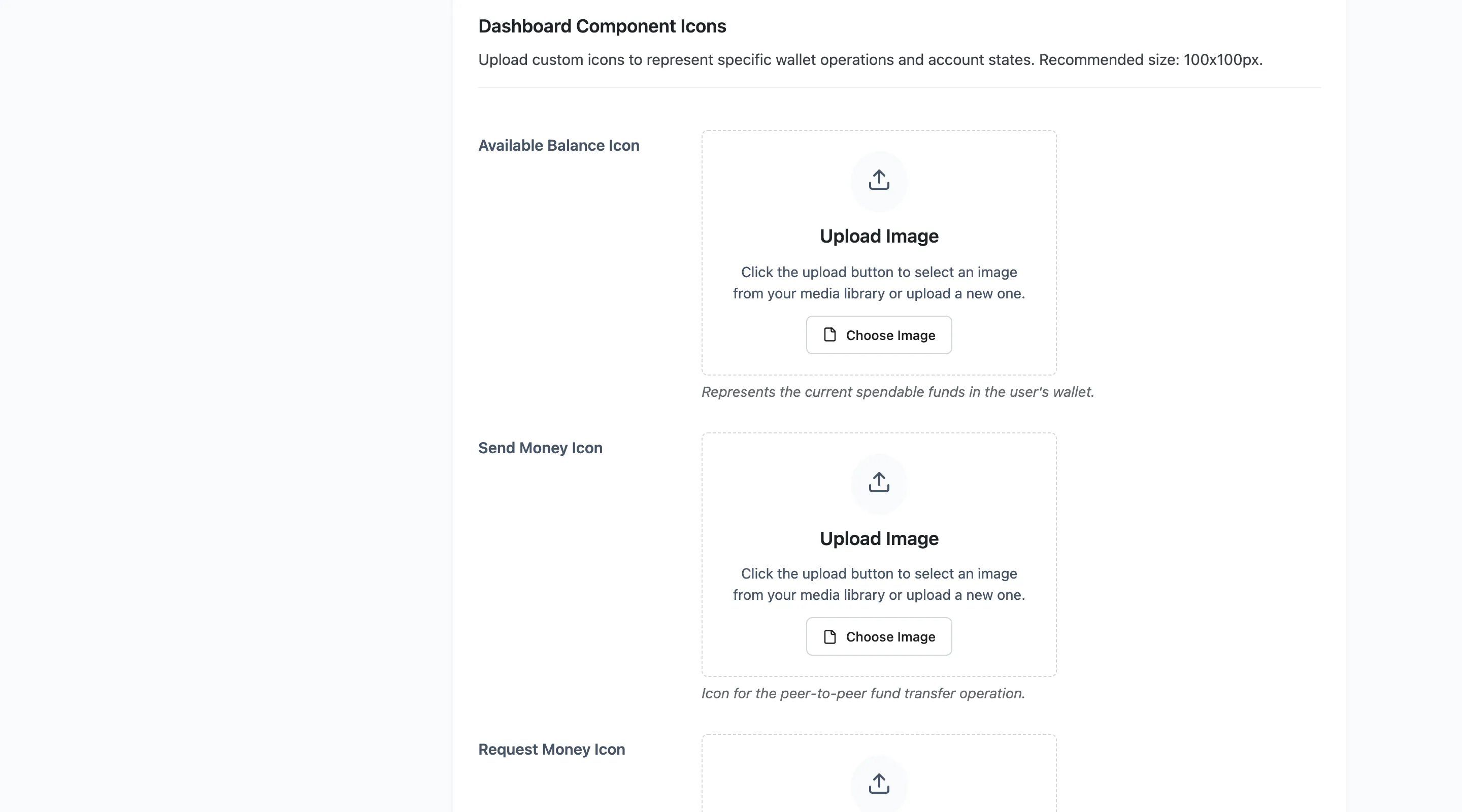
Six media uploads, one per element: Available Balance, Send Money, Request Money, Withdrawal, Referral System and Top-up (Add Money).
Leave one empty and the built-in icon is used, so you can replace one and leave the rest.
Upload square images. Each one is dropped into a slot sized by Base Icon Size, and a wide logo comes out squashed rather than cropped.
Card and Table Styling
Section titled “Card and Table Styling”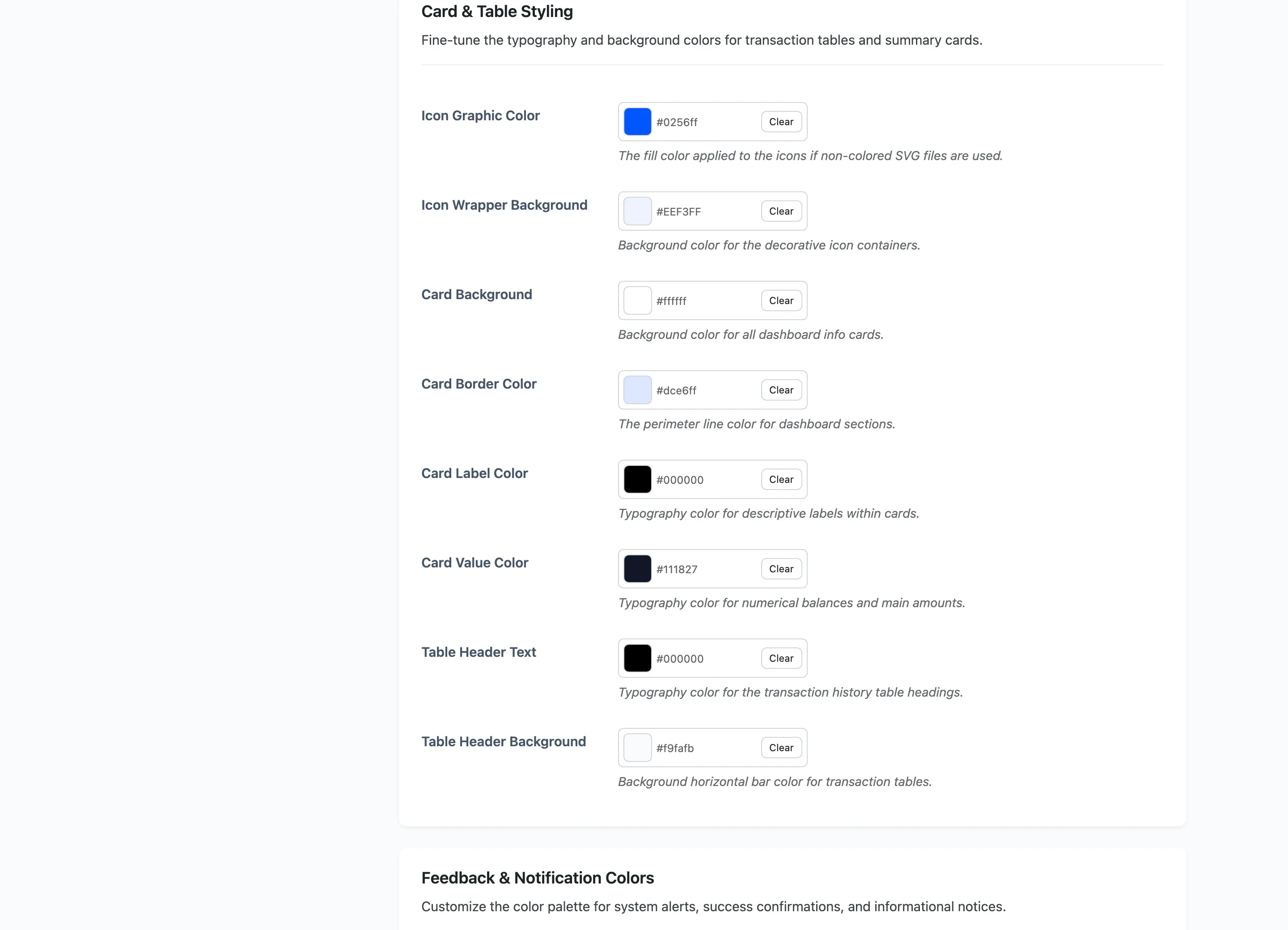
Eight colours, all free.
- Icon Graphic Color and Icon Wrapper Background style the icons.
- Card Background, Card Border Color, Card Label Color and Card Value Color style the balance card.
- Table Header Text and Table Header Background style the transaction table heading.
The pair to get right is Card Label Color and Card Value Color. The label is small grey text and the value is the number a customer came to read, so keep real contrast between them.
Feedback and Notification Colors
Section titled “Feedback and Notification Colors”
Three pairs, all free: success, error and info, each with a text colour and a background.
These are the messages inside the operation popups: money sent, insufficient balance, the limits on a transfer. Customers meet them at the moment they are least patient, so keep the error pair unmistakable.
What this tab does not style
Section titled “What this tab does not style”Two things live elsewhere, and both get asked about.
- The cashback banners have their own colours under Configuration → Cashbacks.
- The emails inherit your WooCommerce email template, not these colours.