

Introduction to Wallet Management
Wallet Management is a WooCommerce store credit plugin. Every customer gets a balance held on your store: they add money to it, spend it at checkout, and earn cashback back into it. You hold the money and the record of every movement, with no monthly fee to anyone.
This guide covers what the plugin does, what the free version includes, what Pro adds, and where to go next.
What it is for
Section titled “What it is for”Three problems it solves, and they are the reason most stores fit a wallet.
- Refunds without a card. Money back into a wallet is instant and stays on your store, where a card refund takes days and leaves.
- Repeat purchases: A balance already paid for is spent with you, not somewhere else.
- Cashback that costs nothing up front: Rewards go into the wallet, so they only leave your account when the customer buys again.
What a customer can do
Section titled “What a customer can do”The wallet lives in My Account → My Wallet. It is one page: the balance, an Add Money box, a row of action buttons and the full transaction history.
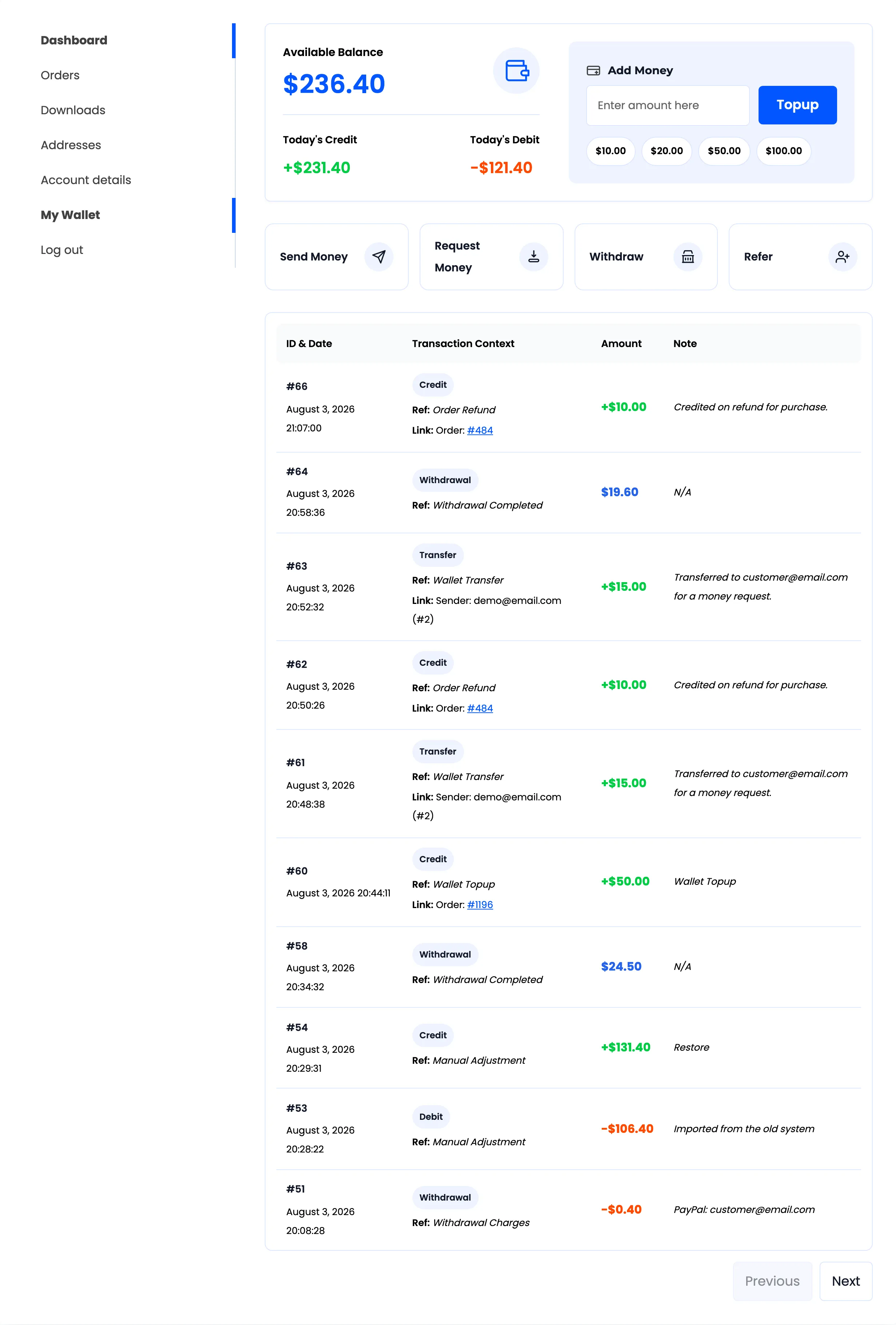
- Top up by buying a hidden Wallet Topup product with any allowed payment method.
- Pay for an order in full, or pay part of it and settle the rest another way.
- Send money to another customer by email address.
- Request money from another customer, who then pays or declines it.
- Withdraw the balance as a payout you process by hand.
- Refer a friend and both wallets get credited when that friend registers.
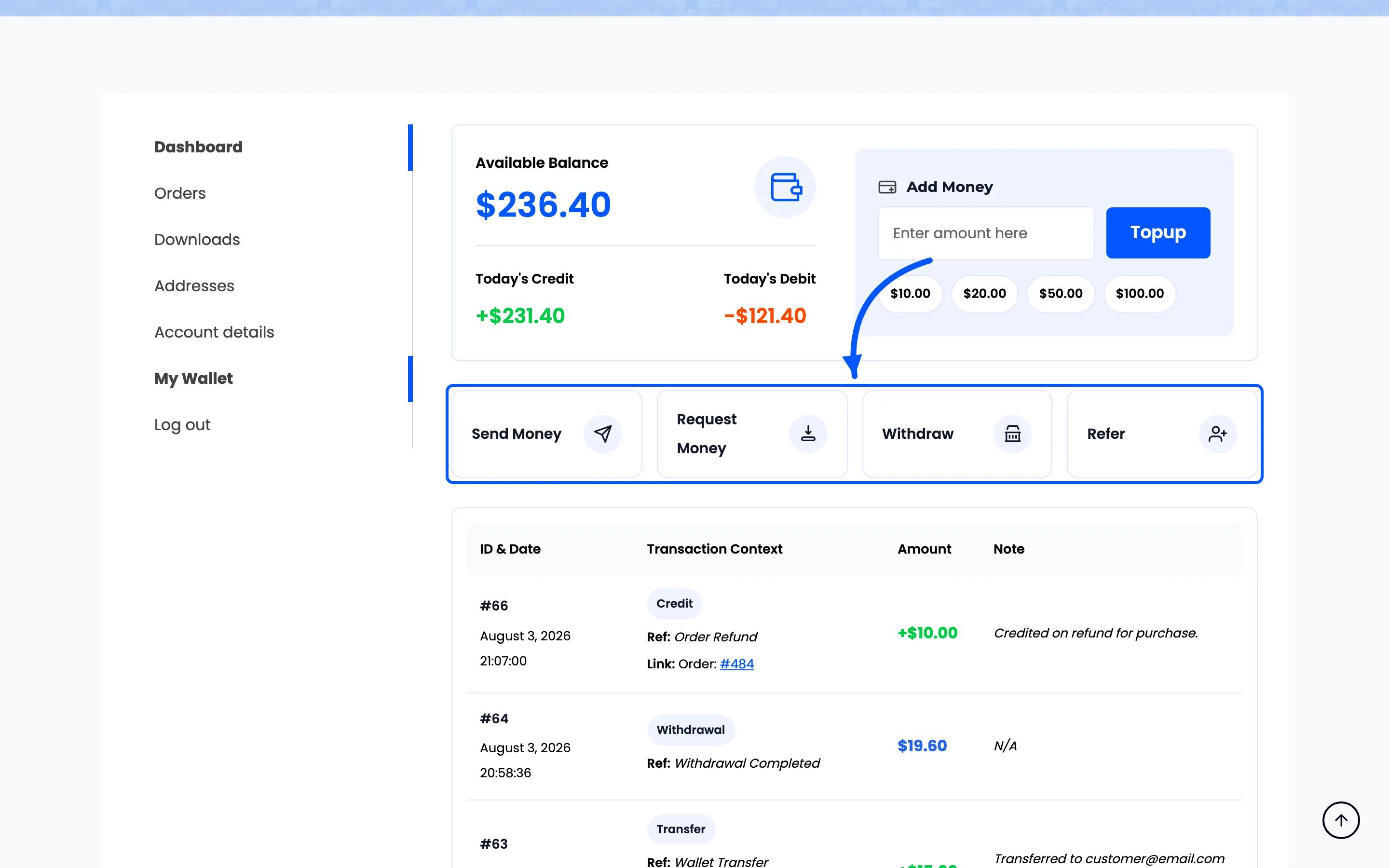
The four action buttons sit under the balance, each opening its own form.
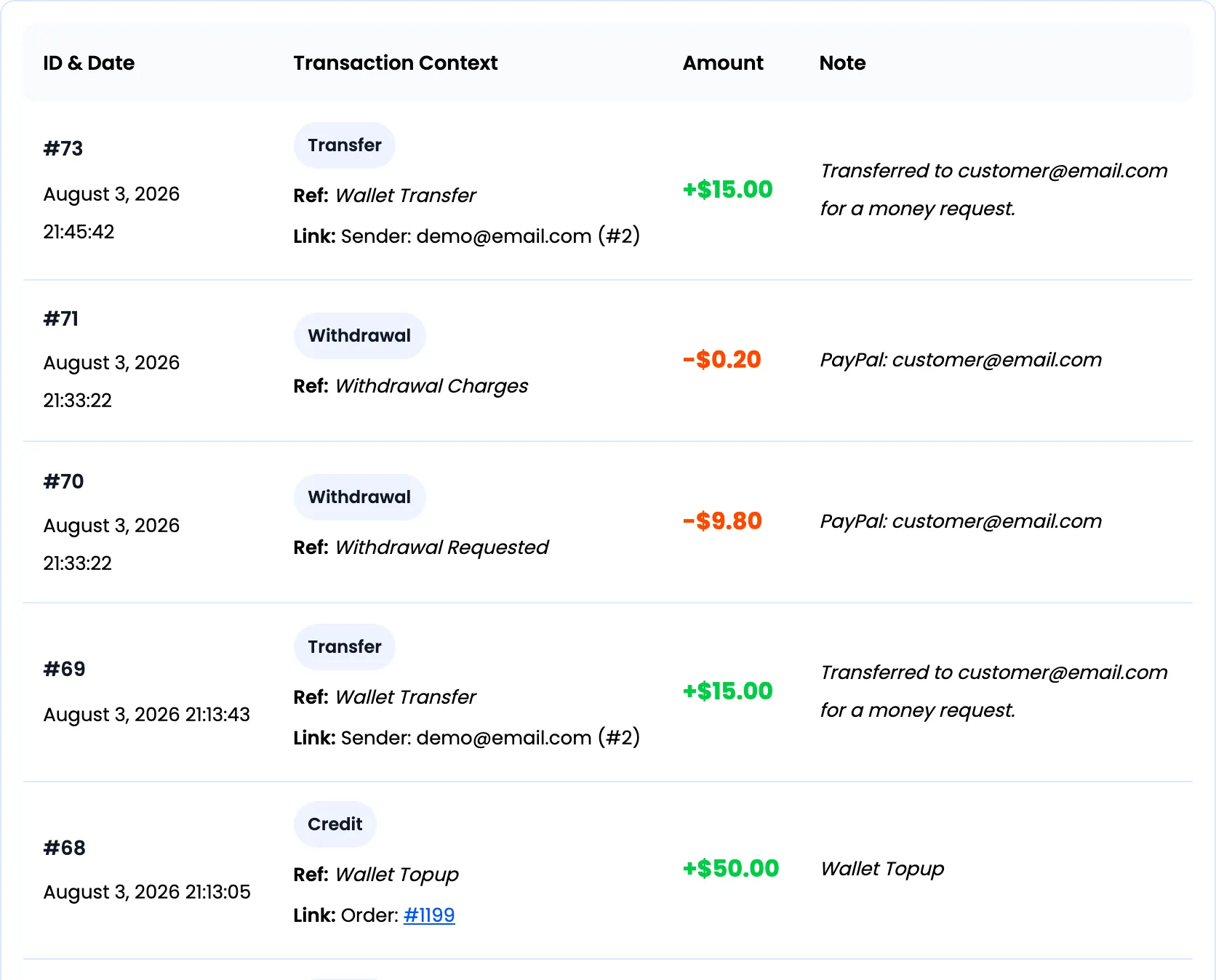
Every movement lands in a history the customer can read for themselves.
What you can do as the store
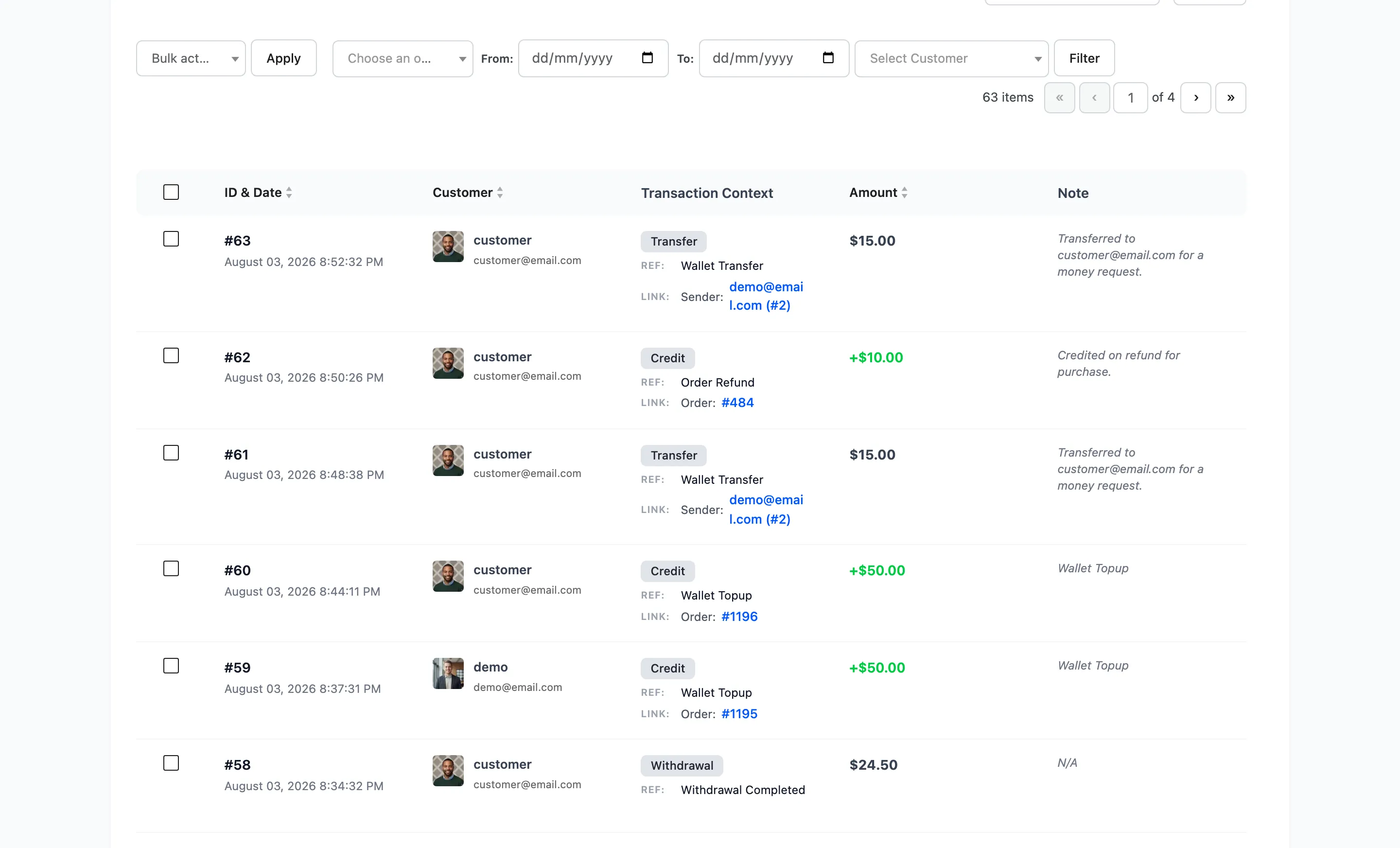
Section titled “What you can do as the store”The plugin adds its own admin section at DevDiggers Plugins → Wallet, with seven screens. A dashboard, a list of wallet users, manual adjustments, withdrawal requests, transactions, cashback rules and the configuration tabs.

Every movement in every wallet is one filterable list, so a disputed balance is answerable.
Who it is for
Section titled “Who it is for”Stores that take repeat orders from the same people: groceries, supplements, print, spare parts, digital goods. Also any store that refunds often, because a wallet refund is instant and keeps the money in play.
It needs a customer account. Guests have no wallet, so a store that sells only to guests gets nothing from it.
What the free version includes
Section titled “What the free version includes”The free plugin is a complete working wallet:
- A balance on every customer account, with today’s credit and debit shown beside it.
- Top-ups through a hidden Wallet Topup product, paid with any gateway you already accept.
- Paying the whole order with the Wallet payment method at the cart and checkout.
- Cart cashback rules, so an order over a threshold earns a fixed amount or a percentage back.
- A signup credit for every new registration.
- Send Money between customers by email address.
- Manual adjustment of any wallet, one customer or every customer at once.
- CSV import of balances, for a migration from another system.
- A filterable transactions list, a wallet users list, and a dashboard with six cards and two charts.
- Customer emails on credit, debit and manual adjustment, plus shortcodes to place the wallet anywhere.
What Pro adds
Section titled “What Pro adds”Pro turns the balance into a full store-credit system:
- Withdrawals: A Withdraw button for the customer, a fee and limit set, and a Withdrawal Requests screen where you mark each payout as paid.
- Money requests: One customer asks another for balance, who then pays or declines it.
- A referral program that credits both wallets when an invited friend registers.
- OTP verification on the operations you choose, so a transfer needs an emailed code.
- Partial payments, so a customer pays part of an order from the wallet and the rest by card.
- Four more kinds of cashback rule: product, category, user role and payment method.
- Cashback expiry with a reminder email before a balance is cleared.
- Limits and presets: minimum and maximum top-up, transfer and withdrawal amounts, and quick-select top-up buttons.
- CSV export of balances, and a full set of editable notification emails.
Every article that documents a Pro-only screen says so in its title, and every field table marks which of its rows are Pro.
Requirements
Section titled “Requirements”- WordPress 6.0 or newer
- WooCommerce 9.0 or newer
- PHP 7.4 or newer
The plugin declares compatibility with High-Performance Order Storage and with the cart and checkout blocks, so both can stay switched on.
Where to go next
Section titled “Where to go next”- Installing and Activating
- How a Wallet Works for the full chain from credit to spend
- Setup Wizard