

Cashback Rules
Five rule tables on one screen. Without at least one rule here, cashback is a set of settings that never fires.
Go to DevDiggers Plugins → Wallet → Cashback Rules.
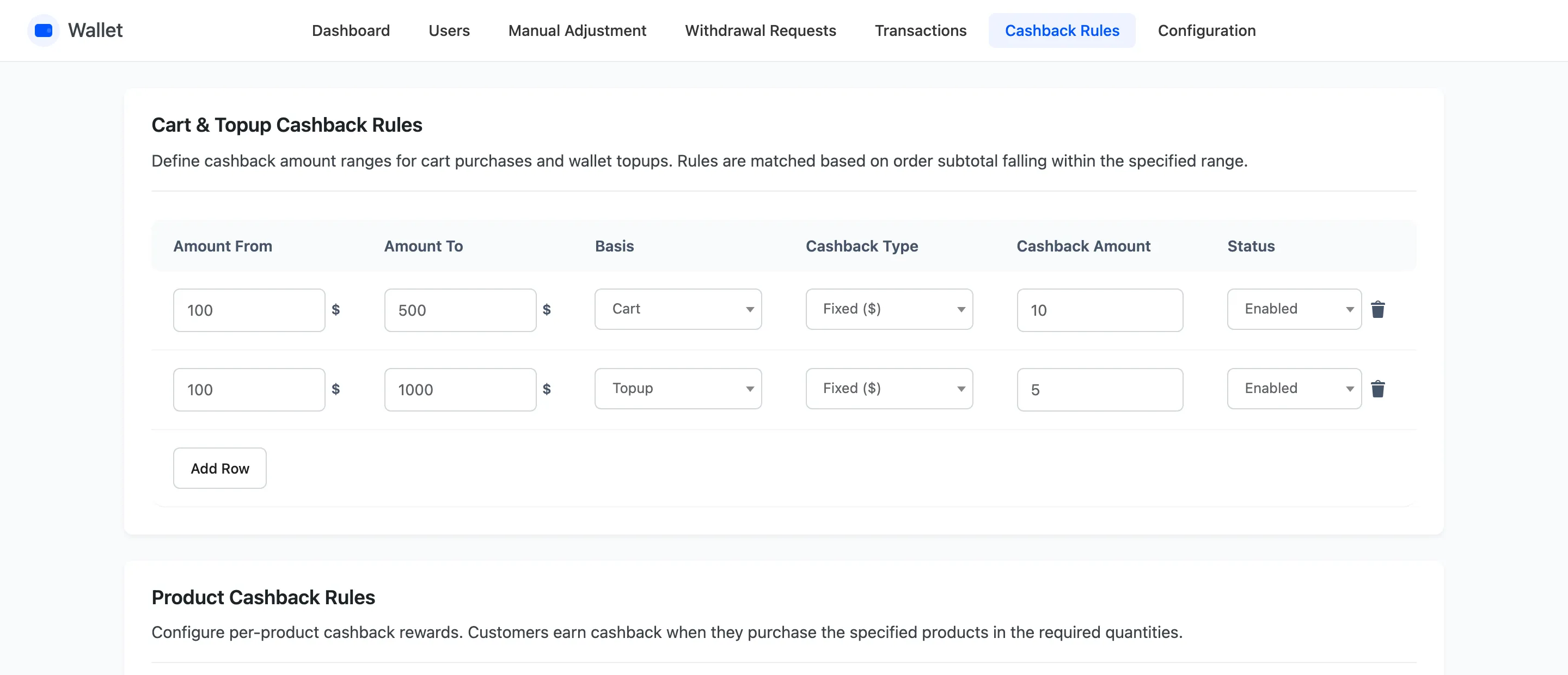
Cart and Topup Cashback Rules
Section titled “Cart and Topup Cashback Rules”Amount bands. An order whose subtotal falls inside a band earns that band’s cashback.
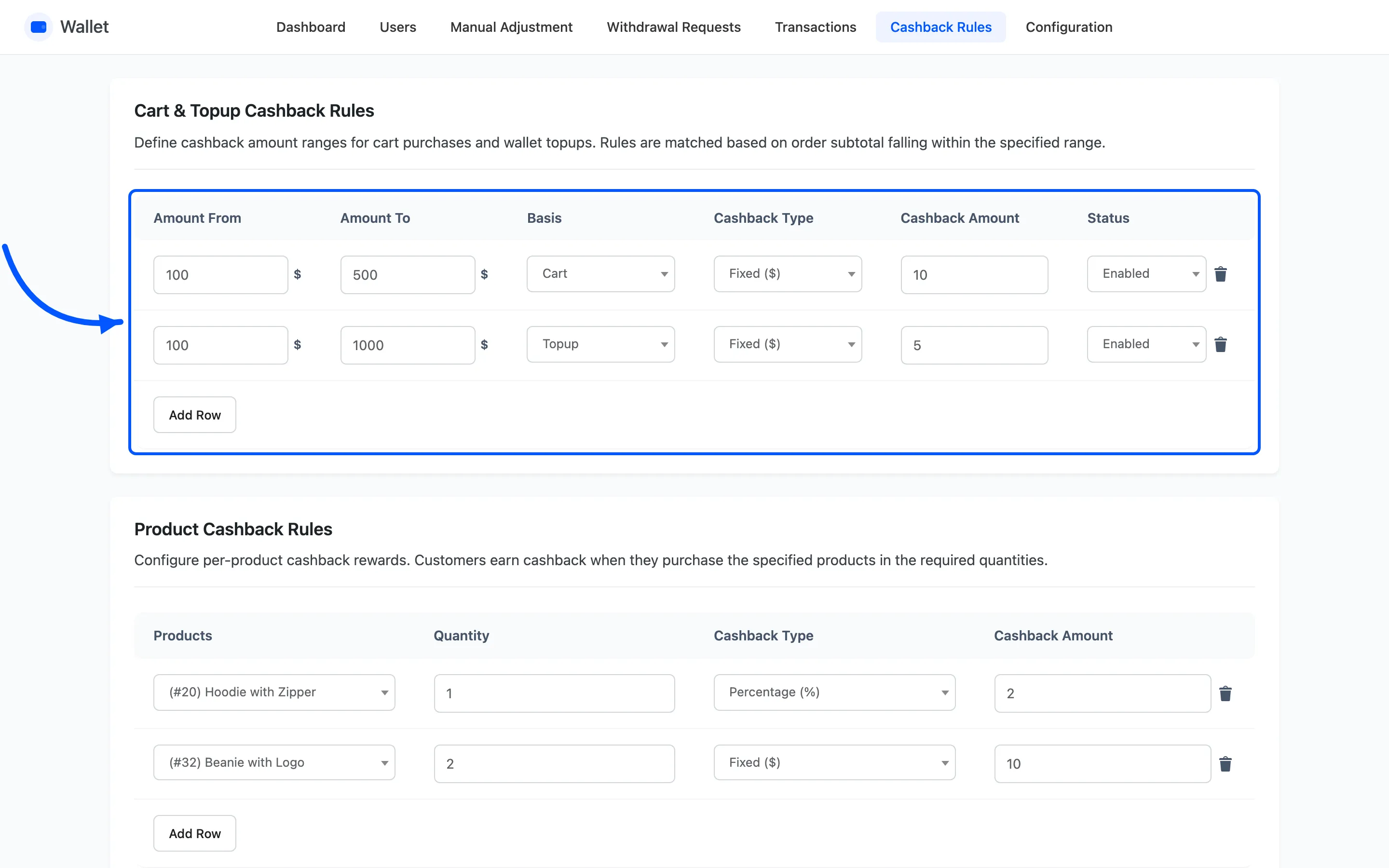
| Column | What it holds |
|---|---|
| Amount From | The bottom of the band, inclusive |
| Amount To | The top of the band, inclusive |
| Basis | Cart for ordinary orders, Topup for wallet top-ups |
| Cashback Type | Fixed or Percentage |
| Cashback Amount | The value or the percentage |
| Status | Enabled or Disabled |
Basis is what makes one table do two jobs
Section titled “Basis is what makes one table do two jobs”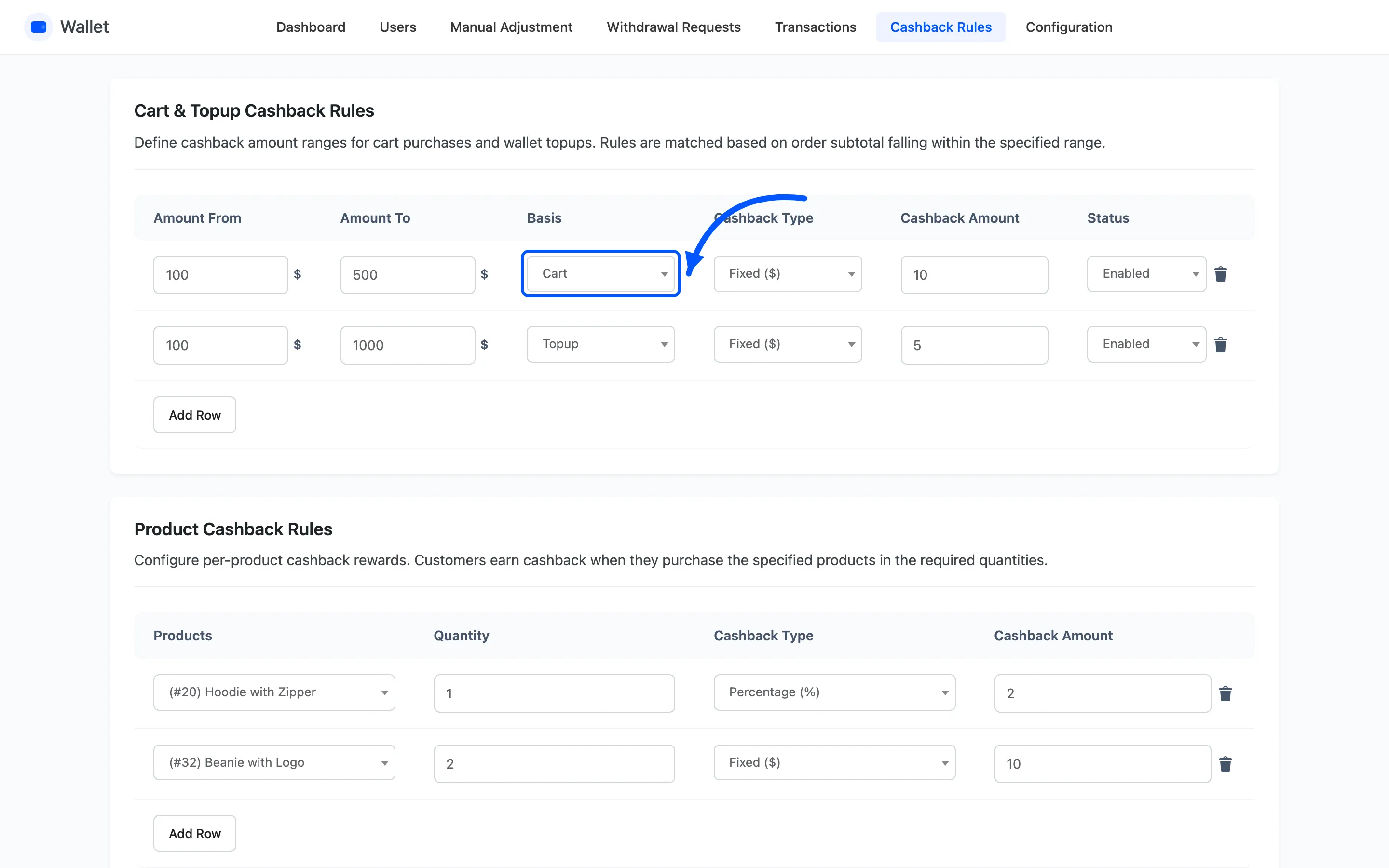
Cart rules are matched against ordinary orders. Topup rules are matched against the amount someone adds to their wallet, which is how you pay a bonus for topping up more.
The two are matched separately, so a Cart band and a Topup band may safely cover the same numbers.
Bands may not overlap
Section titled “Bands may not overlap”Two rules on the same basis whose ranges touch are refused on save, with the message that the rules have empty or invalid fields. So are a range whose From is above its To, and a non-numeric amount.
Leave no gaps either. An order landing between two bands earns nothing from this table, and there is no warning about it.
Adding and removing rows
Section titled “Adding and removing rows”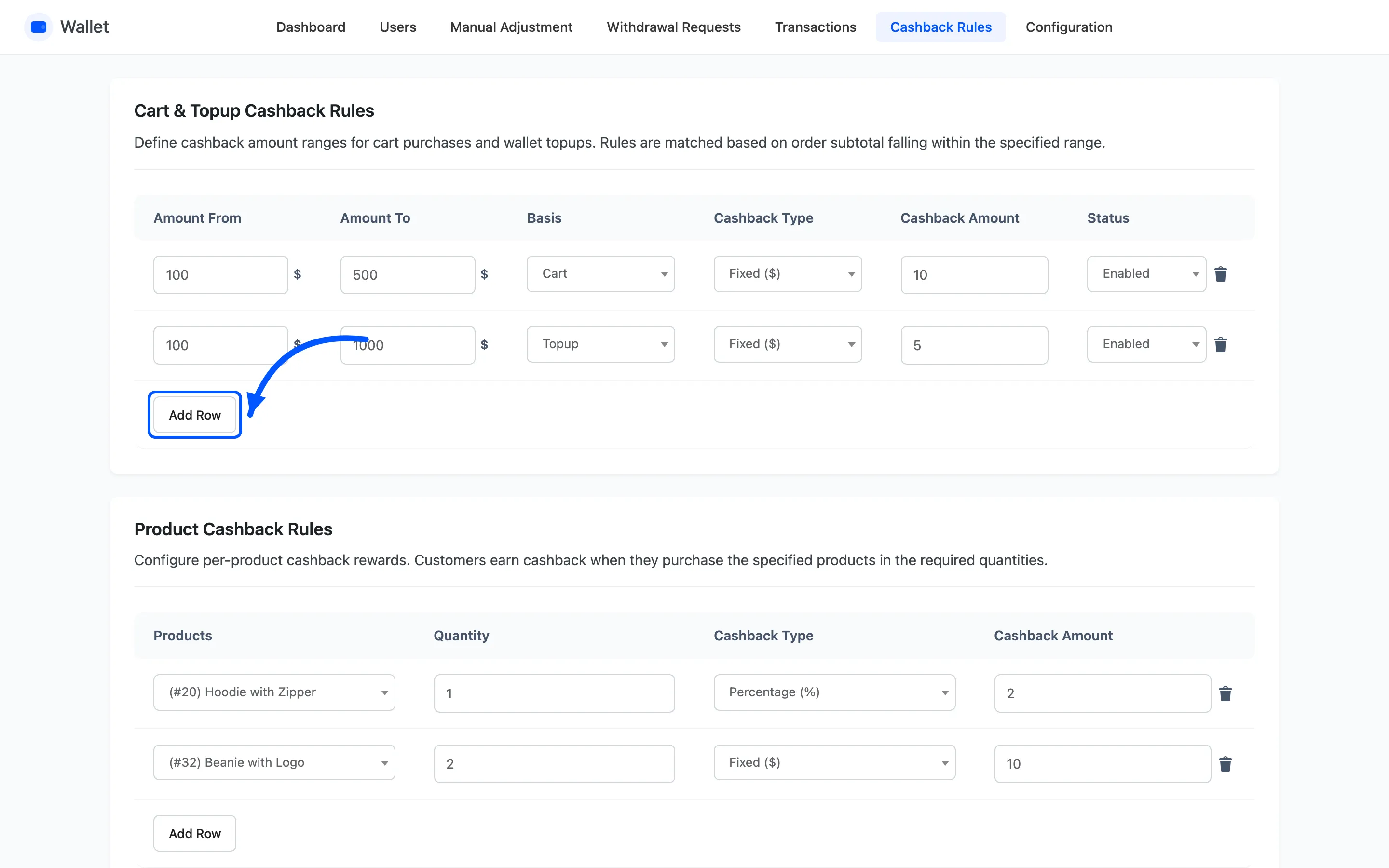
Add Row appends an empty row. The bin icon at the end of a row removes it. Nothing is saved until you press Save, and a row you delete is gone from the database on that save.
Product and Category Cashback Rules
Section titled “Product and Category Cashback Rules”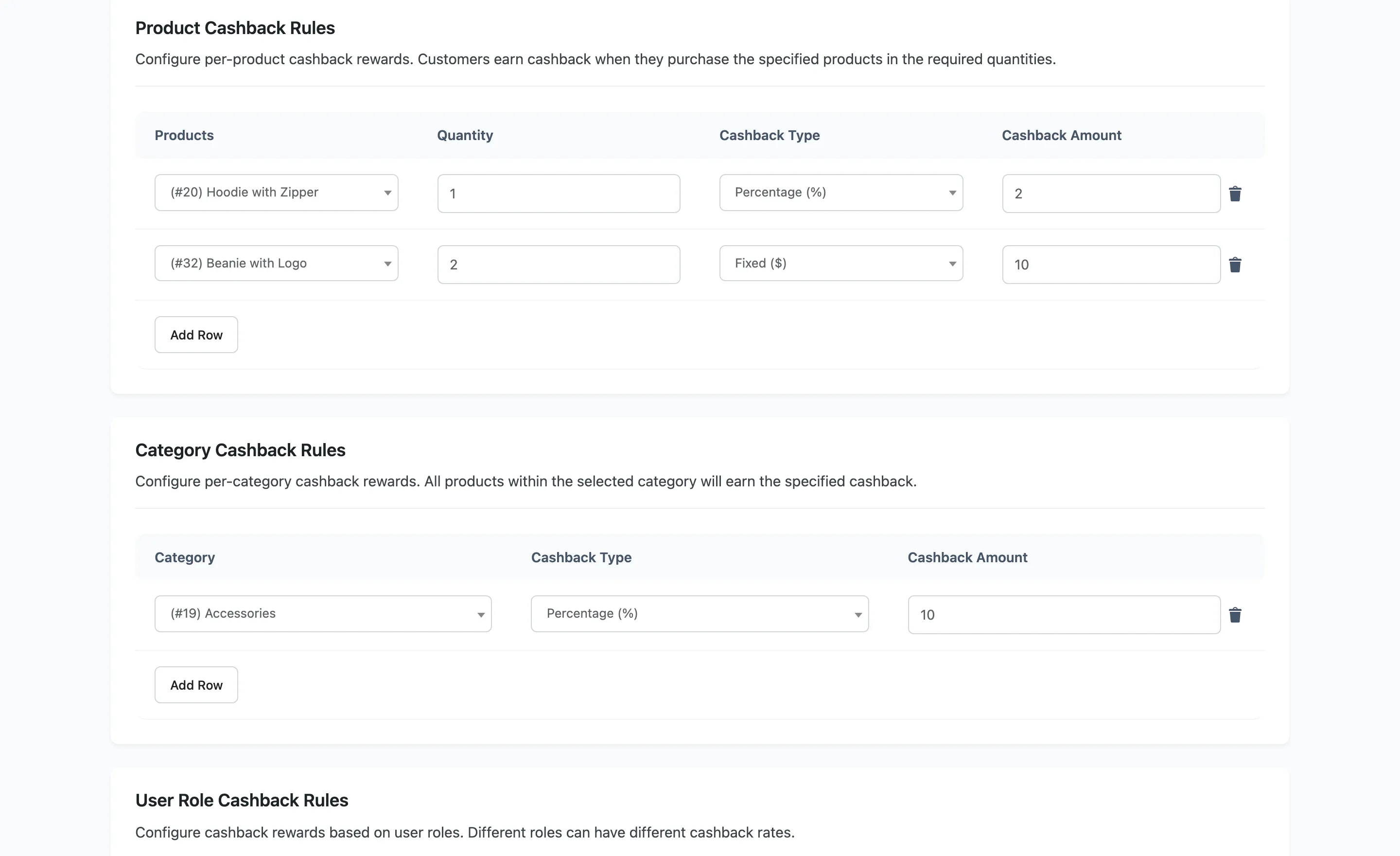
Product rules take a product, a minimum Quantity, a type and an amount. The rule only fires once the cart holds at least that quantity.
Category rules take a product category, a type and an amount, and apply to everything in it.
A product rule beats a category rule. The plugin checks the product first, and falls back to its categories only when there is none. A product in two categories takes the first one with a rule.
User Role and Payment Method Cashback Rules
Section titled “User Role and Payment Method Cashback Rules”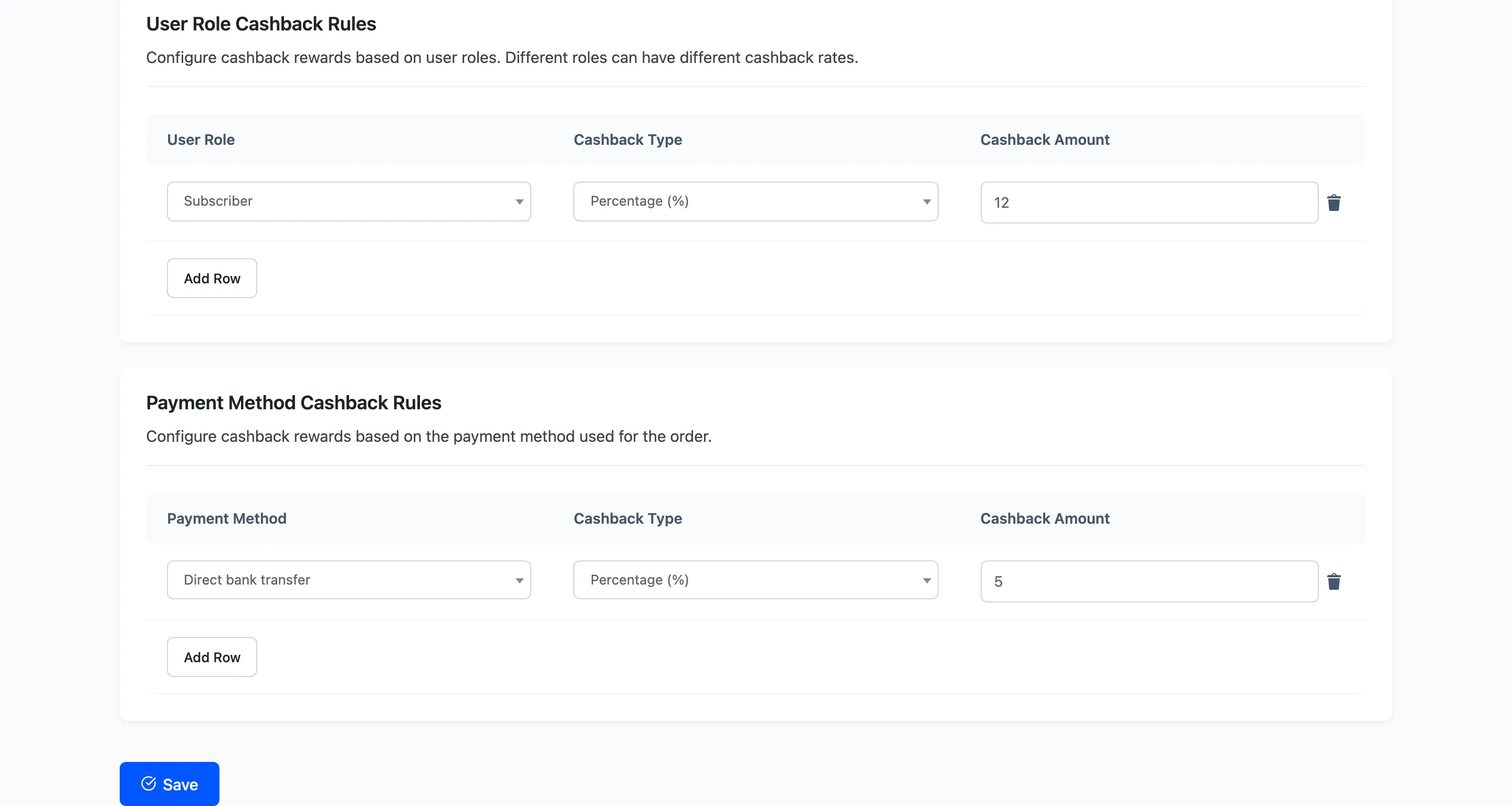
User Role rules pay by WordPress role, which is how a wholesale or membership tier gets a better rate.
Where a customer holds two roles that both have rules, the rule added most recently wins. Only one role rule is ever applied.
Payment Method rules pay for using a particular gateway. Use it to steer customers towards the method that costs you least.
How the five tables add up
Section titled “How the five tables add up”Each kind is worked out separately and the results are added together, then capped by Max Cashback Cap. They are not alternatives.
A $200 order from a Subscriber paying by bank transfer can collect four rules at once: cart, product, role and payment method. Add your rates up before you publish them.
How Cashback Is Awarded has the full order of events.