

How to Export Wallet Balances (Pro)
Two reasons to export: giving your accountant the outstanding liability, and pulling a file out to edit and put back.
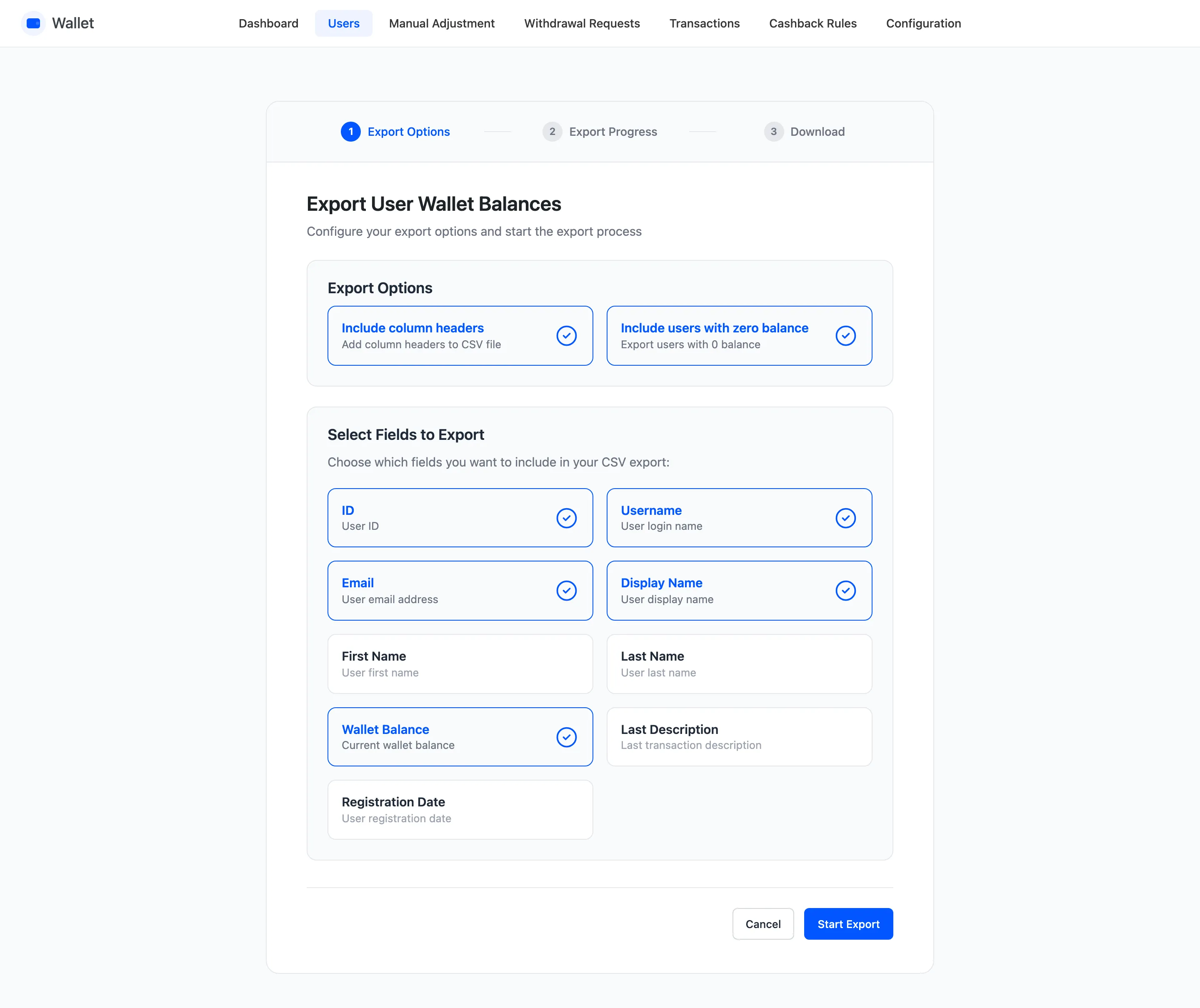
Step 1: Open the export wizard
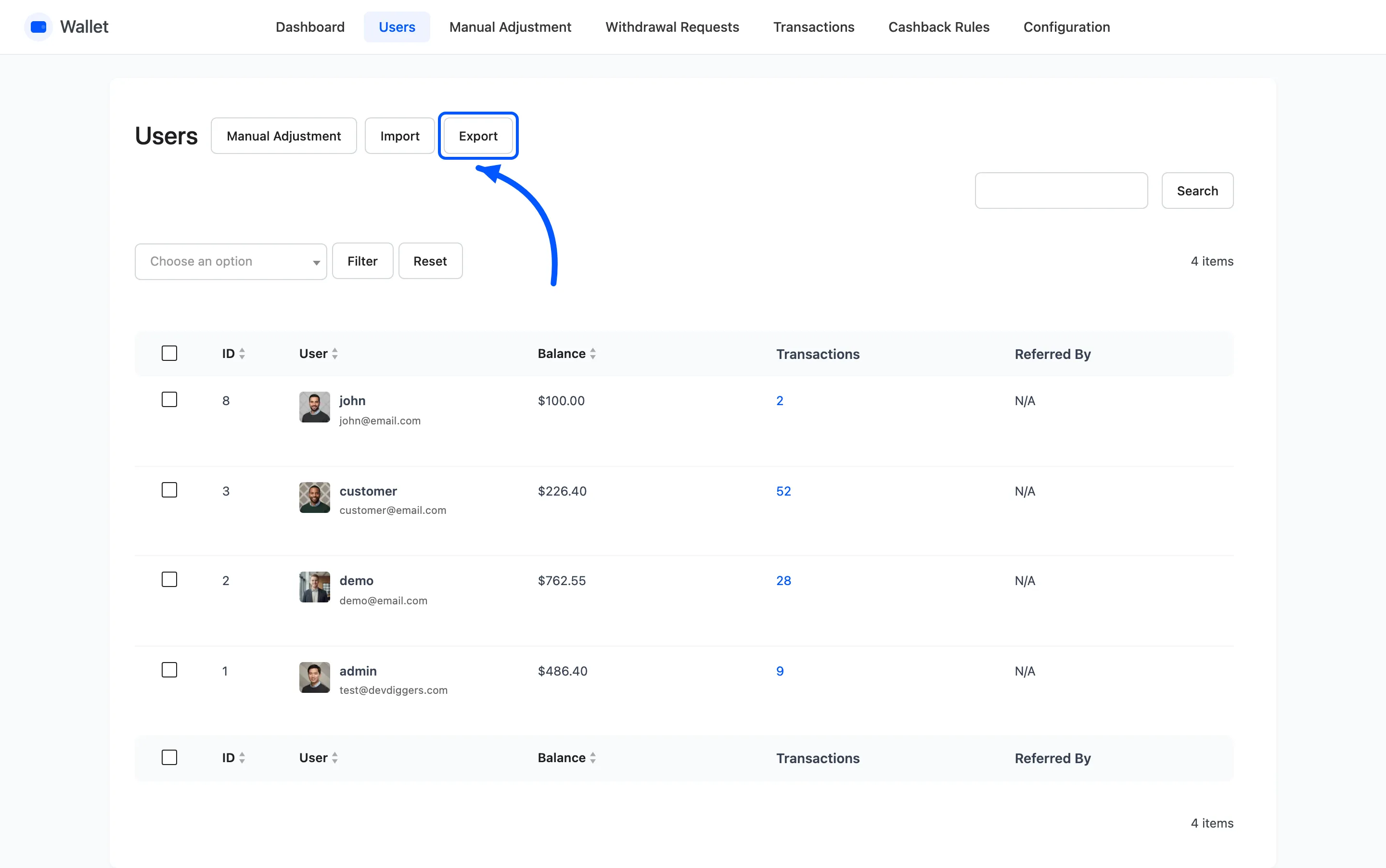
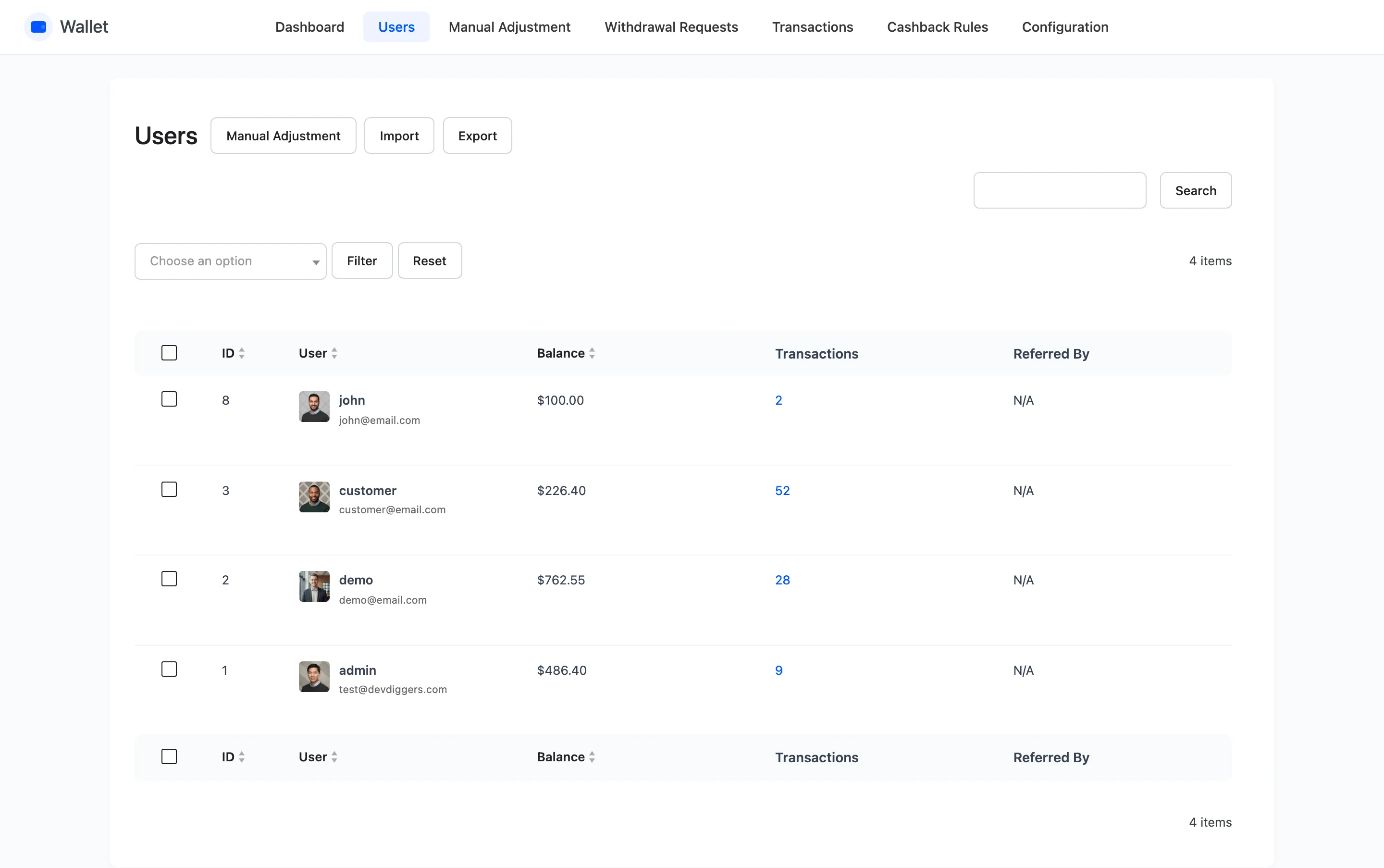
Section titled “Step 1: Open the export wizard”On DevDiggers Plugins → Wallet → Users, press Export.
Step 2: Set the two options
Section titled “Step 2: Set the two options”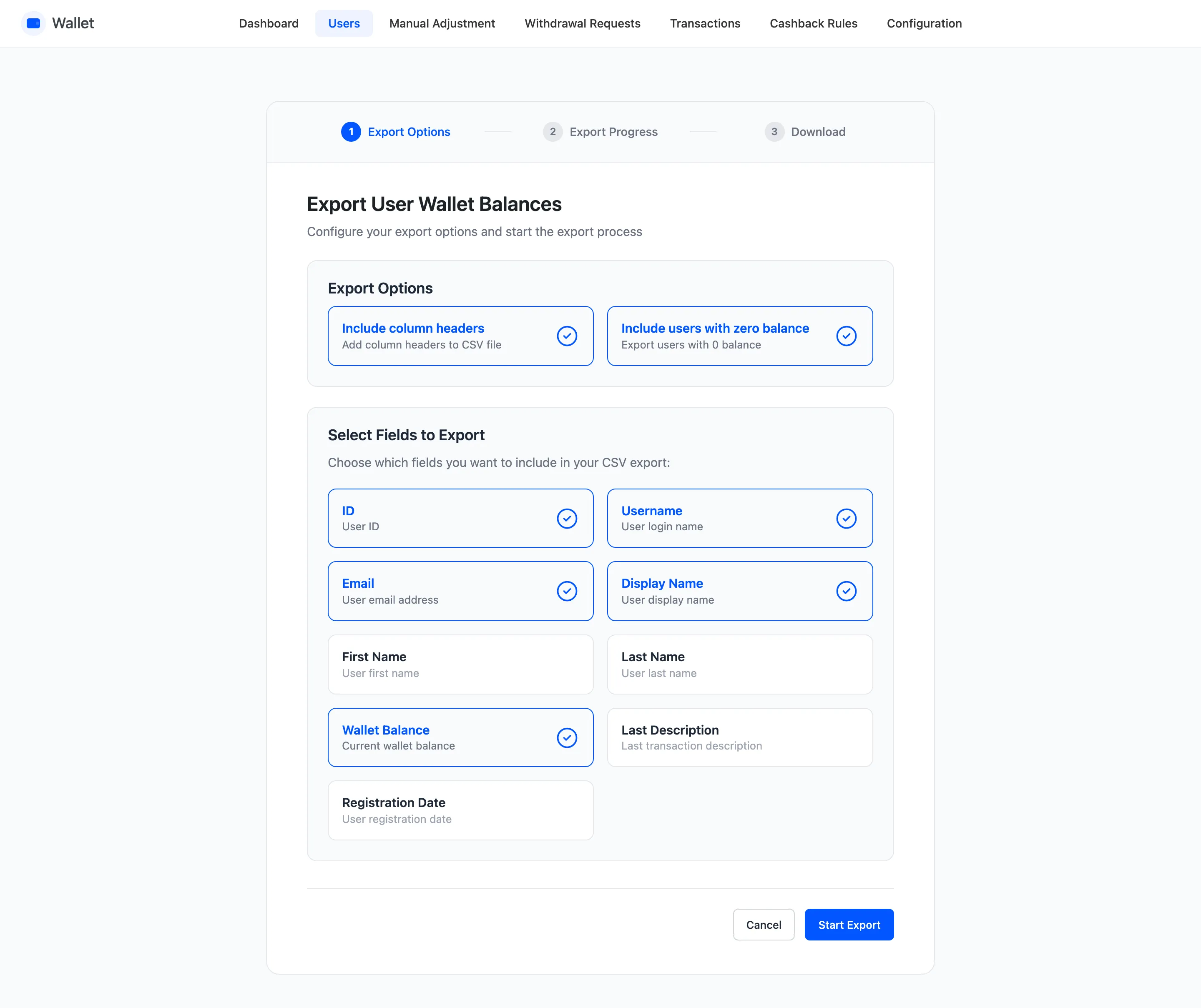
- Include column headers puts a heading row in the file. Leave it on unless something downstream chokes on it, and definitely leave it on if you plan to import the file back.
- Include users with zero balance decides whether empty accounts are carried.
Leave zero balances out for an accounting export, because they are not a liability. Put them in for a round trip, so an import with Override can set them.
Step 3: Pick the fields
Section titled “Step 3: Pick the fields”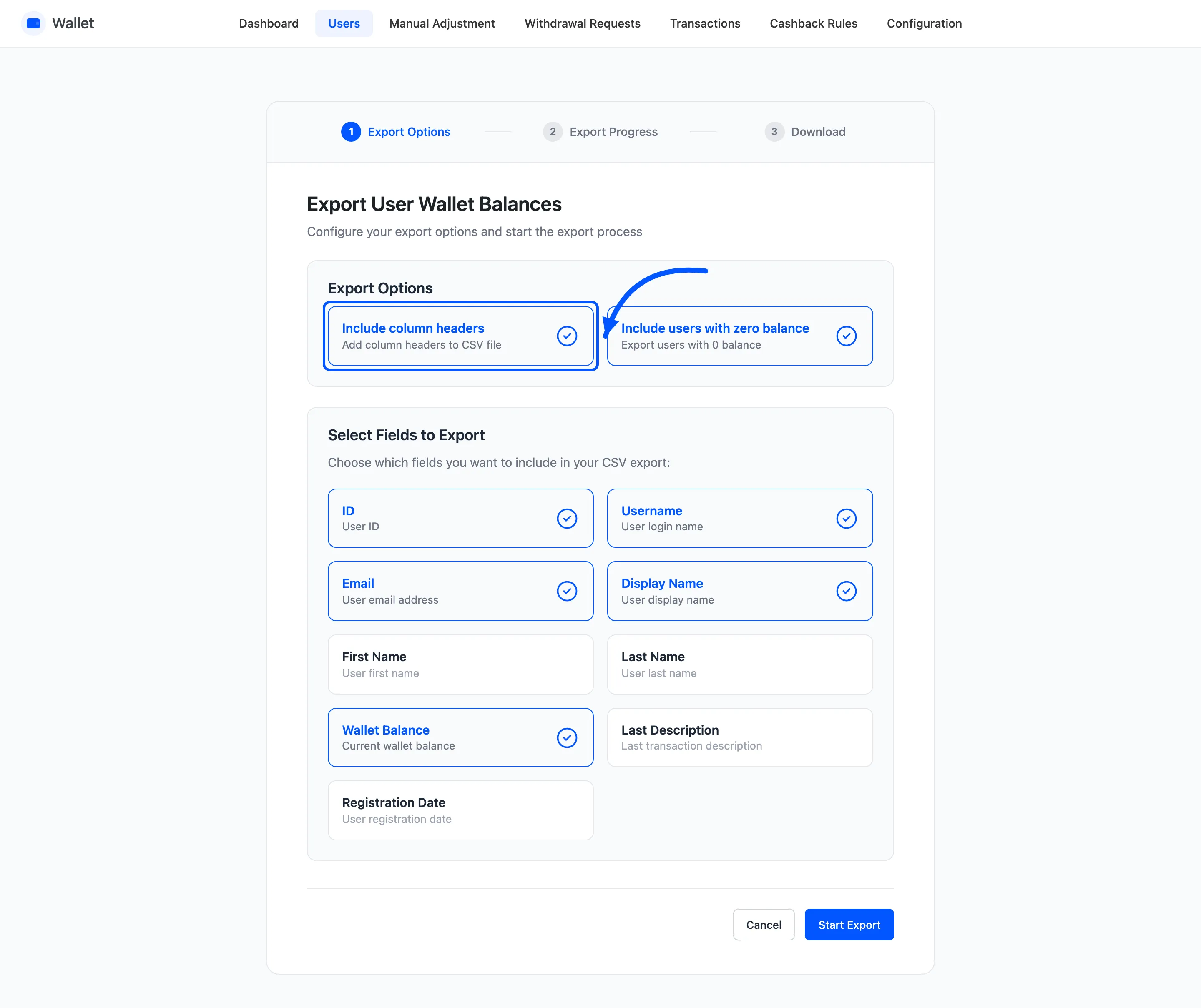
Nine to choose from: ID, Username, Email, Display Name, First Name, Last Name, Wallet Balance, Last Description and Registration Date.
Last Description is the note from that customer’s most recent transaction, which is the closest this file gets to a reason column.
Take only what you need. A CSV of names and email addresses is personal data, and the fewer columns sitting in your downloads folder the better.
For an accounting export, ID and Wallet Balance are usually enough.
Step 4: Press Start Export
Section titled “Step 4: Press Start Export”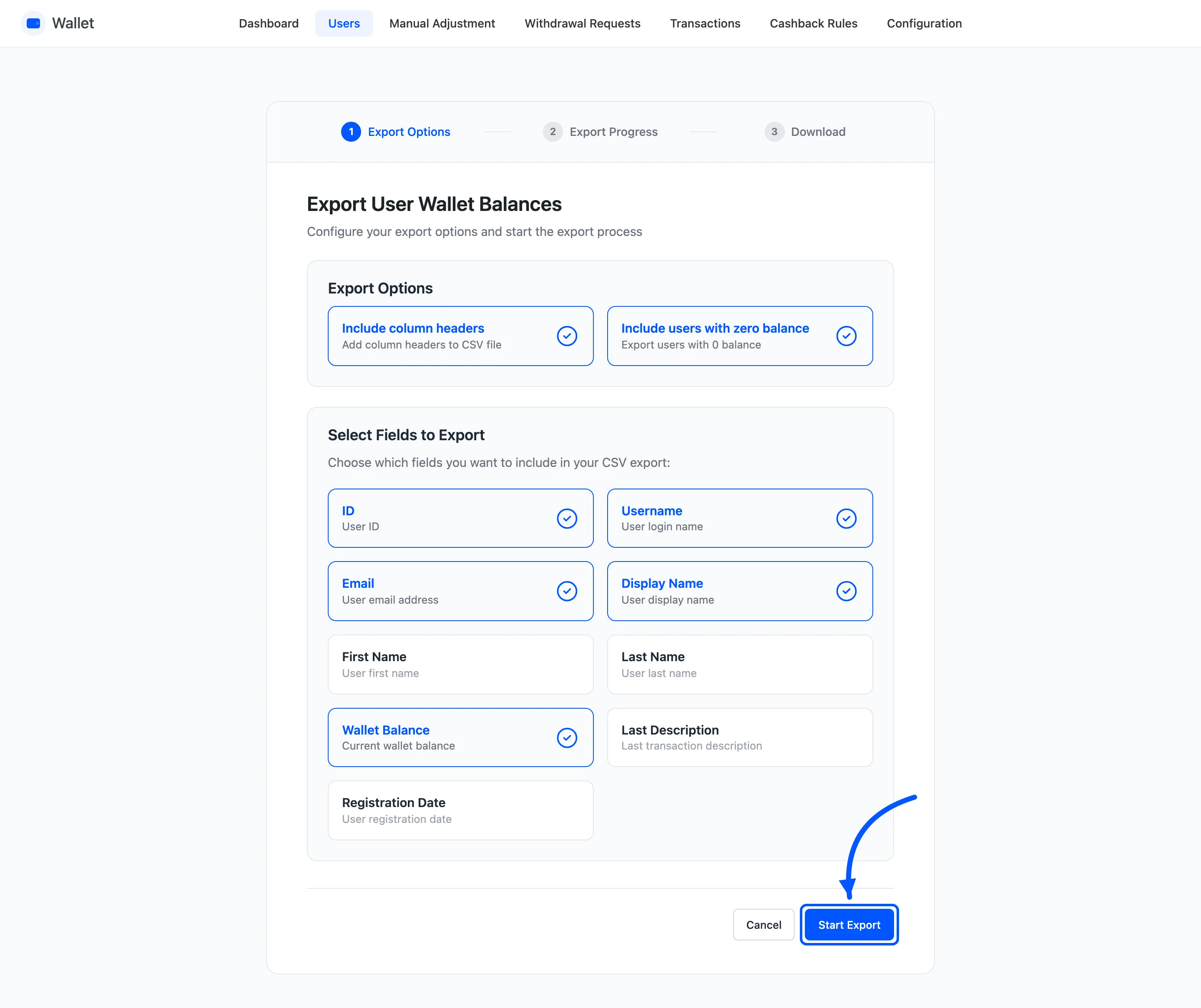
The wizard shows a progress bar with the totals it is working through: total users, users with a balance, and users with zero balance.
It works in batches, so a store with thousands of accounts does not time out.
Step 5: Download the file
Section titled “Step 5: Download the file”The last step offers the CSV. It is generated fresh each time, so nothing is cached and nothing is left on the server for someone else to find.
Check it against the Users list before you send it anywhere. The balances in the file should match what that screen shows.
The round trip
Section titled “The round trip”Export, edit the balance column in a spreadsheet, then import with Override. That is the fastest way to correct a lot of balances at once.
Three things to keep right when you do.
- Keep the ID column. It is the identifier that does not change.
- Keep the headers, so the import mapping step has something to map.
- Use Override, not Add. Add on a file of final balances doubles everyone.
Both halves write transaction rows, so the correction is explainable afterwards.