How a Wallet Works
A wallet is one number per customer and a list of every change to it. This is that chain in order, so the settings docs make sense when you read them.
1. The balance is one number on the account
Section titled “1. The balance is one number on the account”Every customer has a single balance, stored against their WordPress account. It is not per currency and not per order. A guest checkout has no account, so it has no wallet.
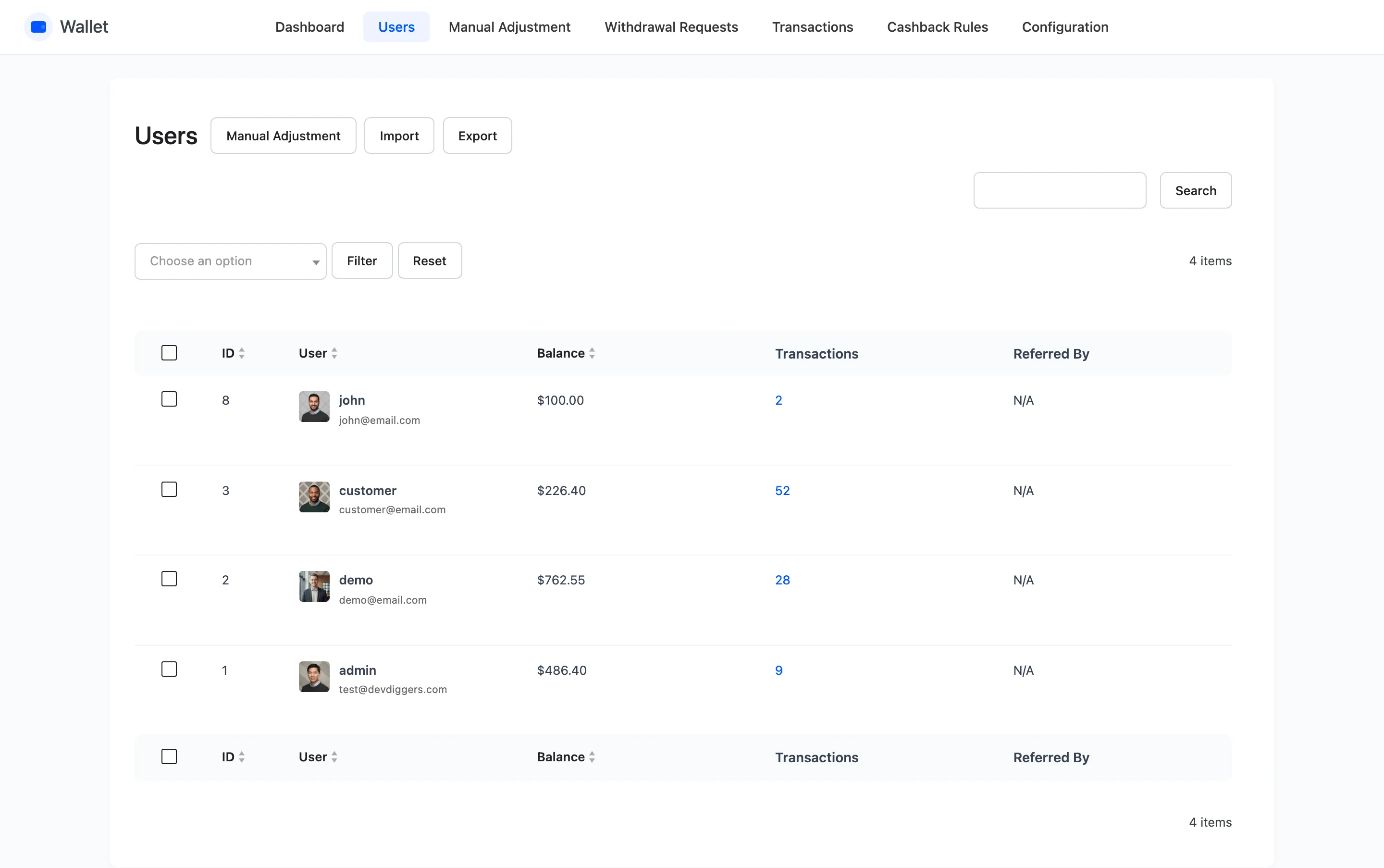
You can see every balance at once under DevDiggers Plugins → Wallet → Users.
2. Money goes in five ways
Section titled “2. Money goes in five ways”Each one writes a transaction row with its own reason, which is what makes the history readable later.
- A top-up: The customer enters an amount and pays for it like any other order.
- A signup credit: Set Registration Credit and every new account starts with money in it.
- Cashback: Rules award a percentage or a fixed amount on qualifying orders.
- A transfer in: Another customer sends money, or pays a request.
- An adjustment: You credit the wallet by hand from the admin.
Two more only exist in Pro: a referral reward when someone they invited registers, and money returned when a withdrawal is cancelled.
3. A top-up is a real WooCommerce order
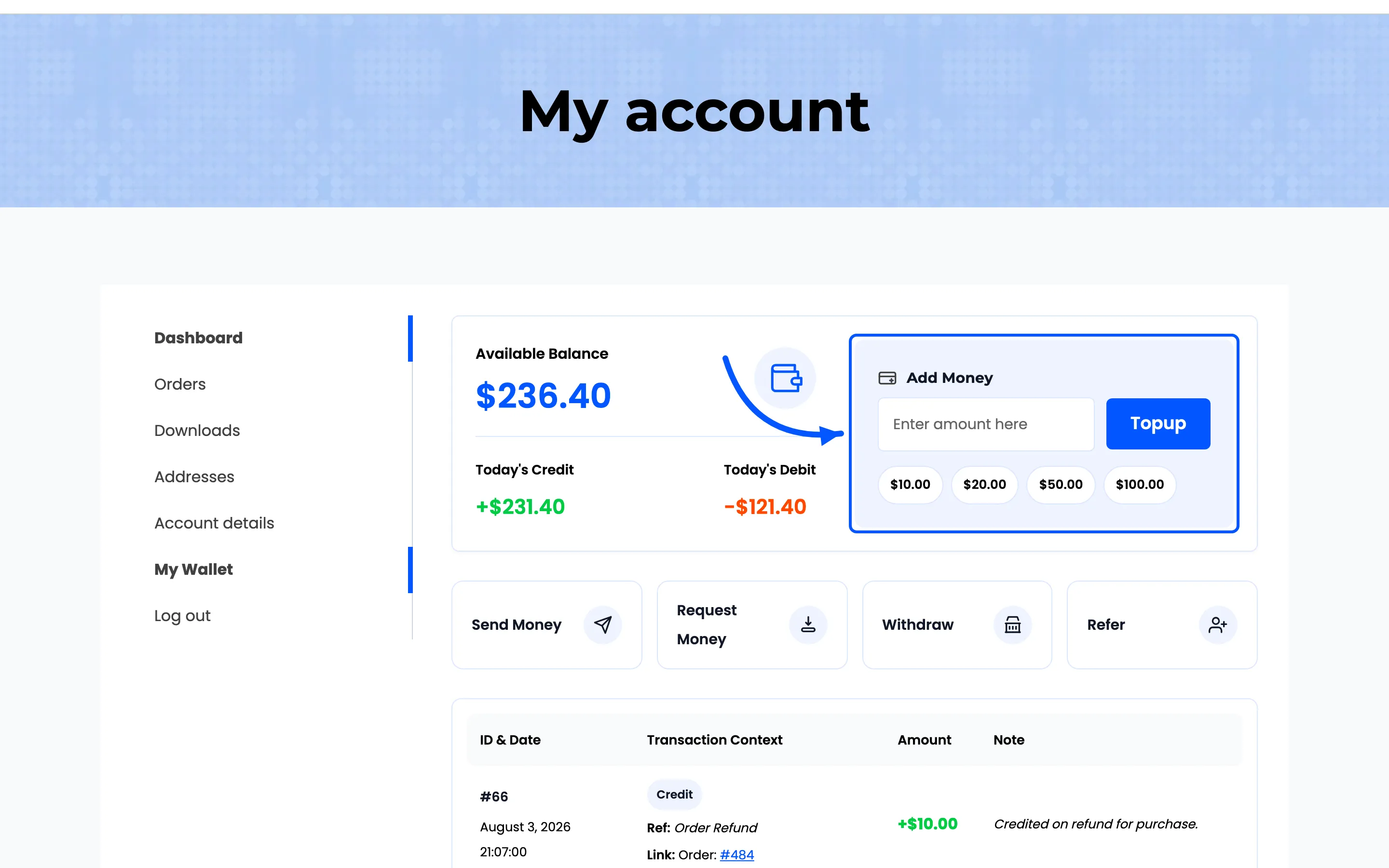
Section titled “3. A top-up is a real WooCommerce order”This is the part that surprises people. The Add Money box does not credit the balance directly. It puts a hidden product called Wallet Topup into the cart, priced at the amount typed. It then sends the customer to the cart or the checkout.
Three consequences, and all three catch people out.
- The cart is emptied first. A top-up cannot share a cart with ordinary products, and the plugin removes anything else that is in there.
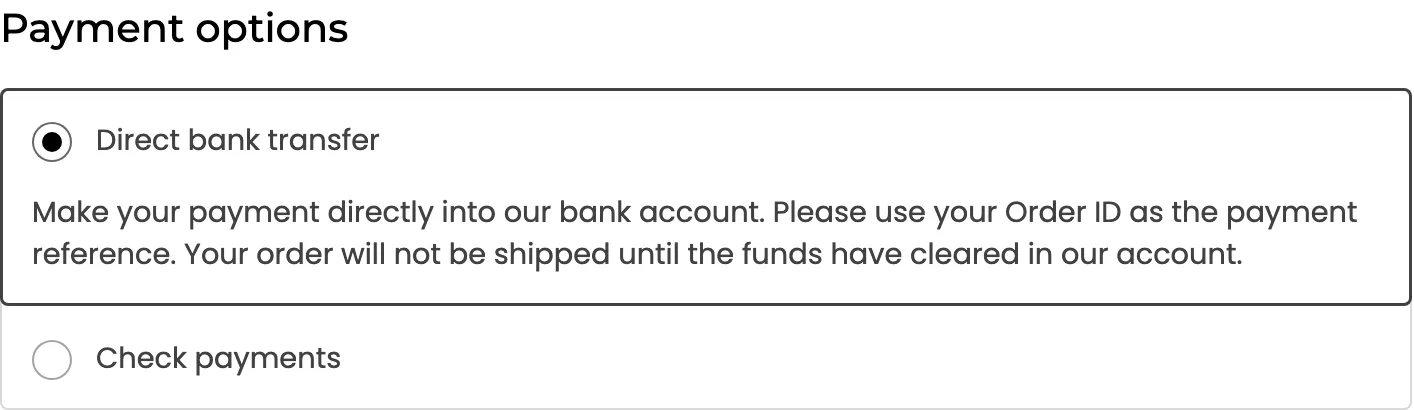
- The wallet cannot pay for a top-up. The Wallet payment method is removed from a checkout holding the top-up product, along with any gateway you have not allowed for top-ups.
- The balance moves on order completion, not on payment. Which status counts is Wallet Topup Order Status, and Completed is the default.
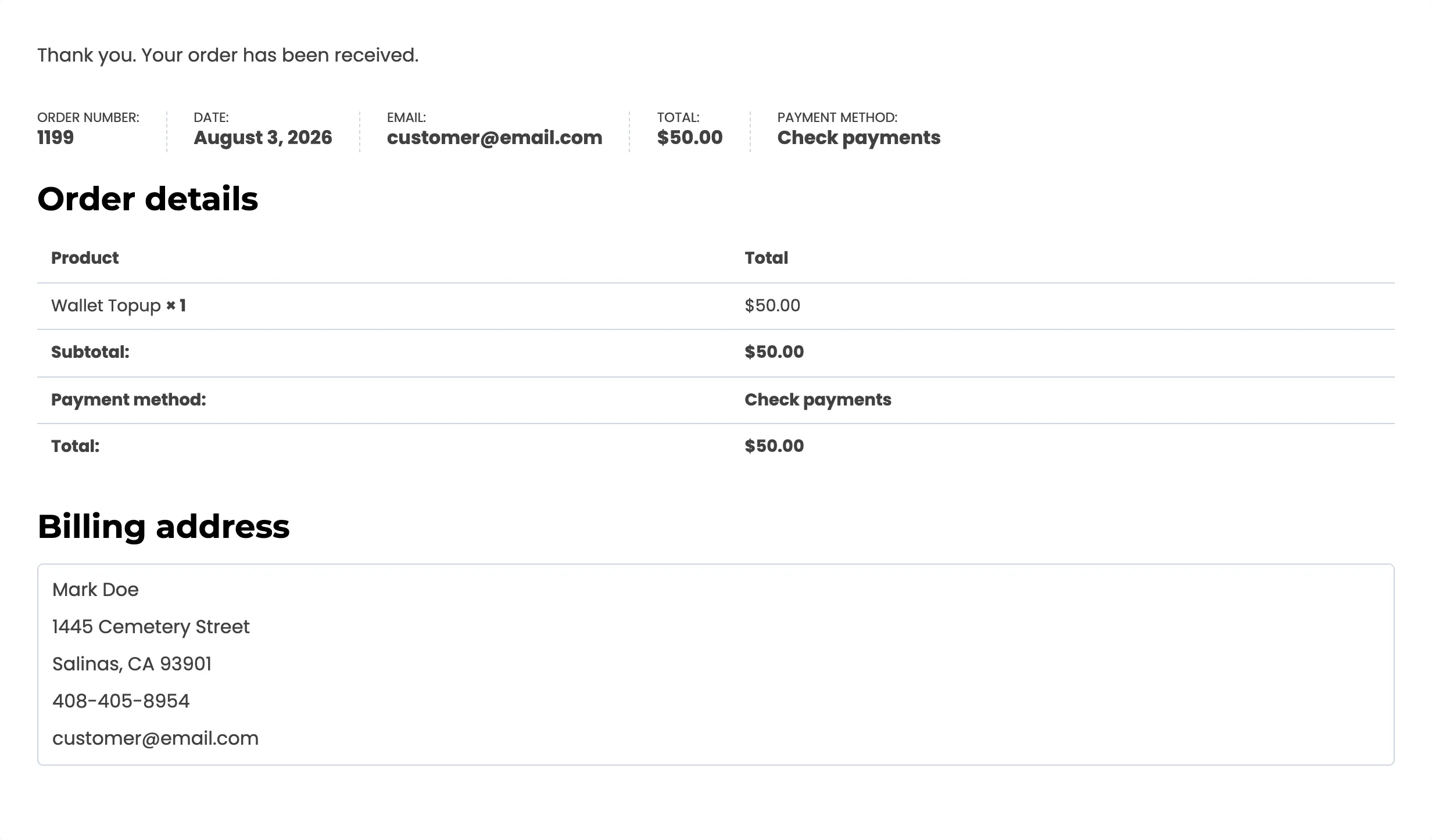
The credit lands with the reason Wallet Topup, for the order subtotal.
4. Money goes out at checkout
Section titled “4. Money goes out at checkout”Two routes, and they behave differently.
Paying the whole order uses the Wallet payment method. Selecting it and placing the order debits the full order total and completes the payment in one step.
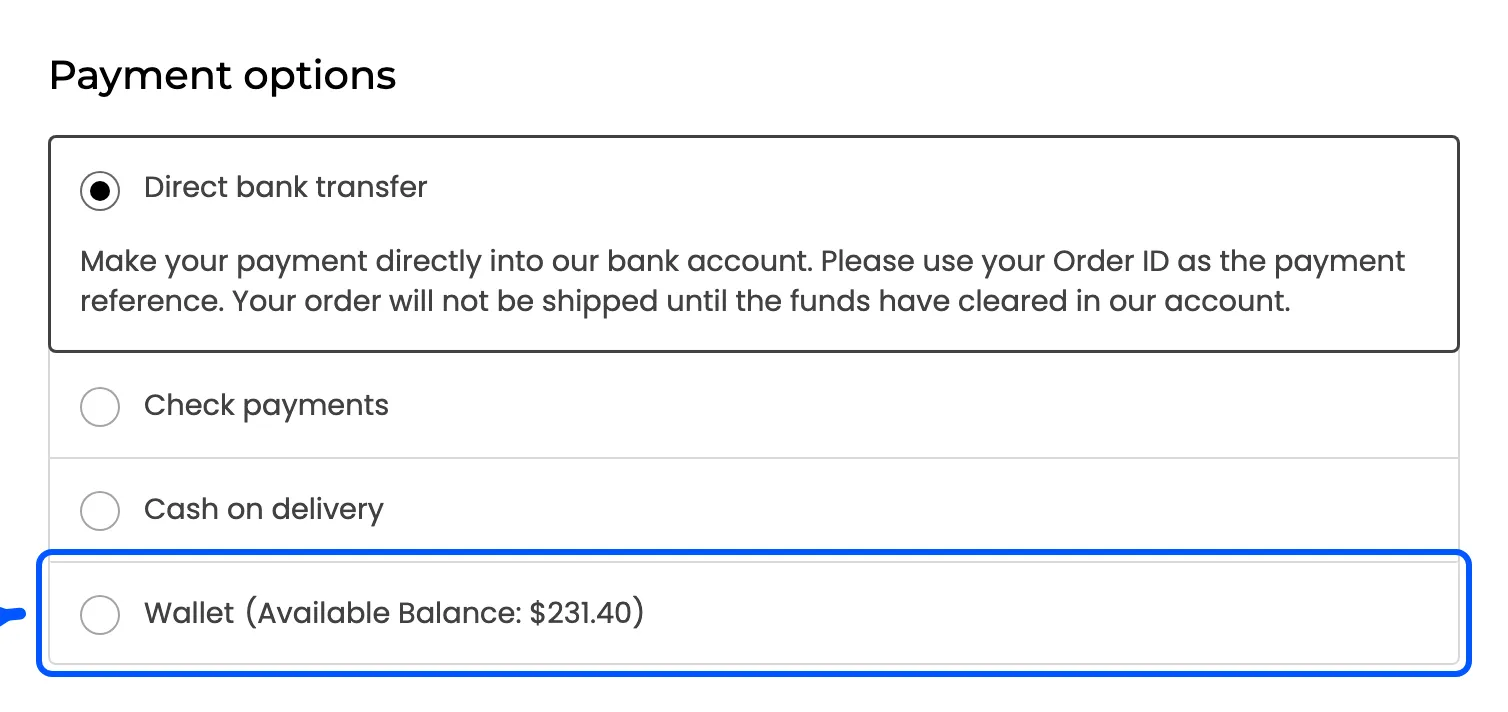
The method hides itself when it cannot be used. A zero balance, a balance smaller than the order total, or an order larger than Max Debit Limit.
Paying part of the order uses the Wallet Partial Payment panel in the order summary. It applies the amount as a negative, non-taxable line called Payment via Wallet, and the customer settles what is left with another method.
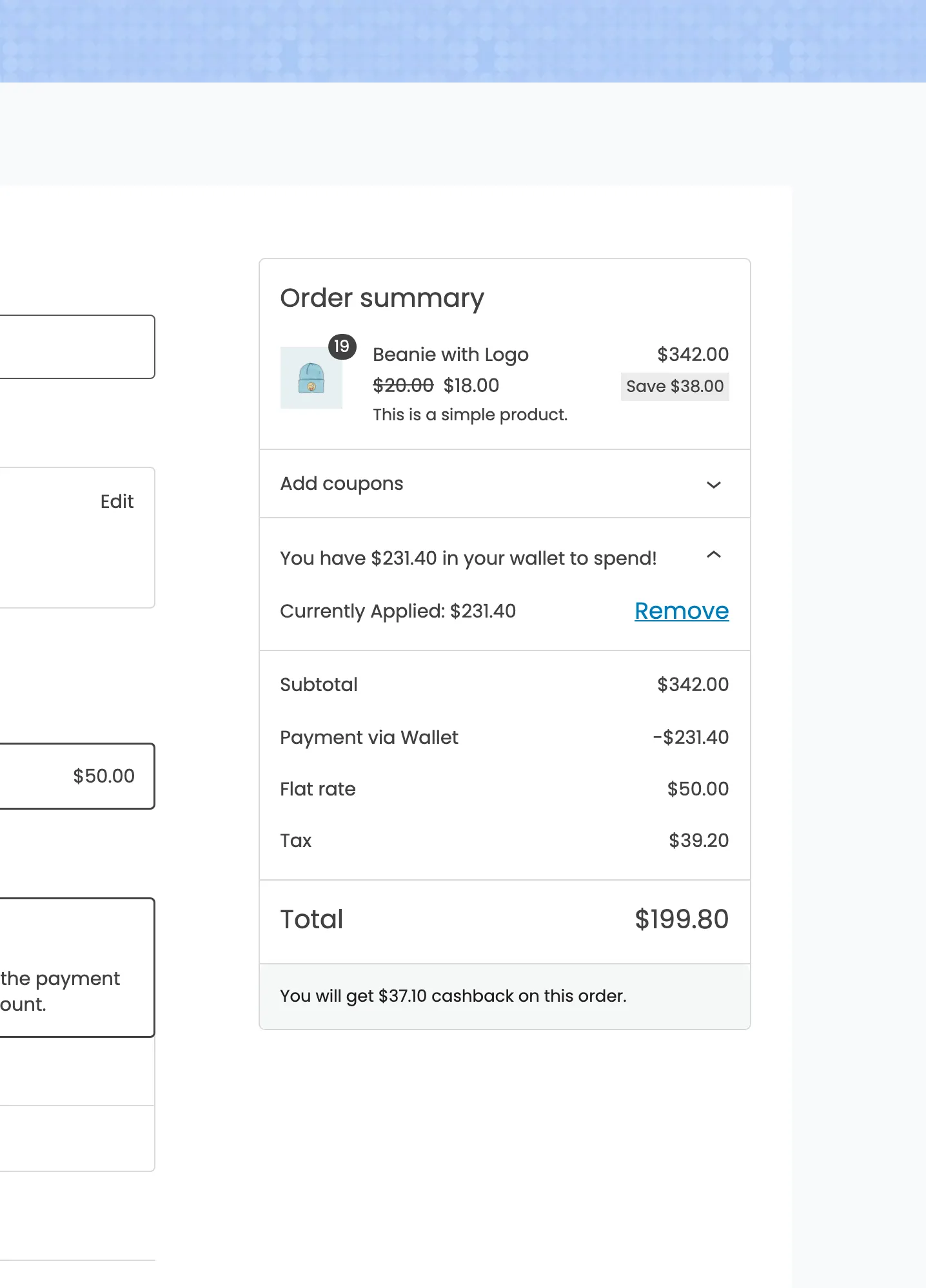
Either way the debit is written when the order is placed, with the reason Order Payment.
5. Cashback is decided at checkout and paid on completion
Section titled “5. Cashback is decided at checkout and paid on completion”Two separate moments, and the gap between them is where the confusion lives.
- When the order is placed, the plugin works out what cashback it qualifies for and stores that figure on the order. Nothing is credited yet.
- When the order reaches Completed, the figure is credited, one transaction row per kind of cashback.
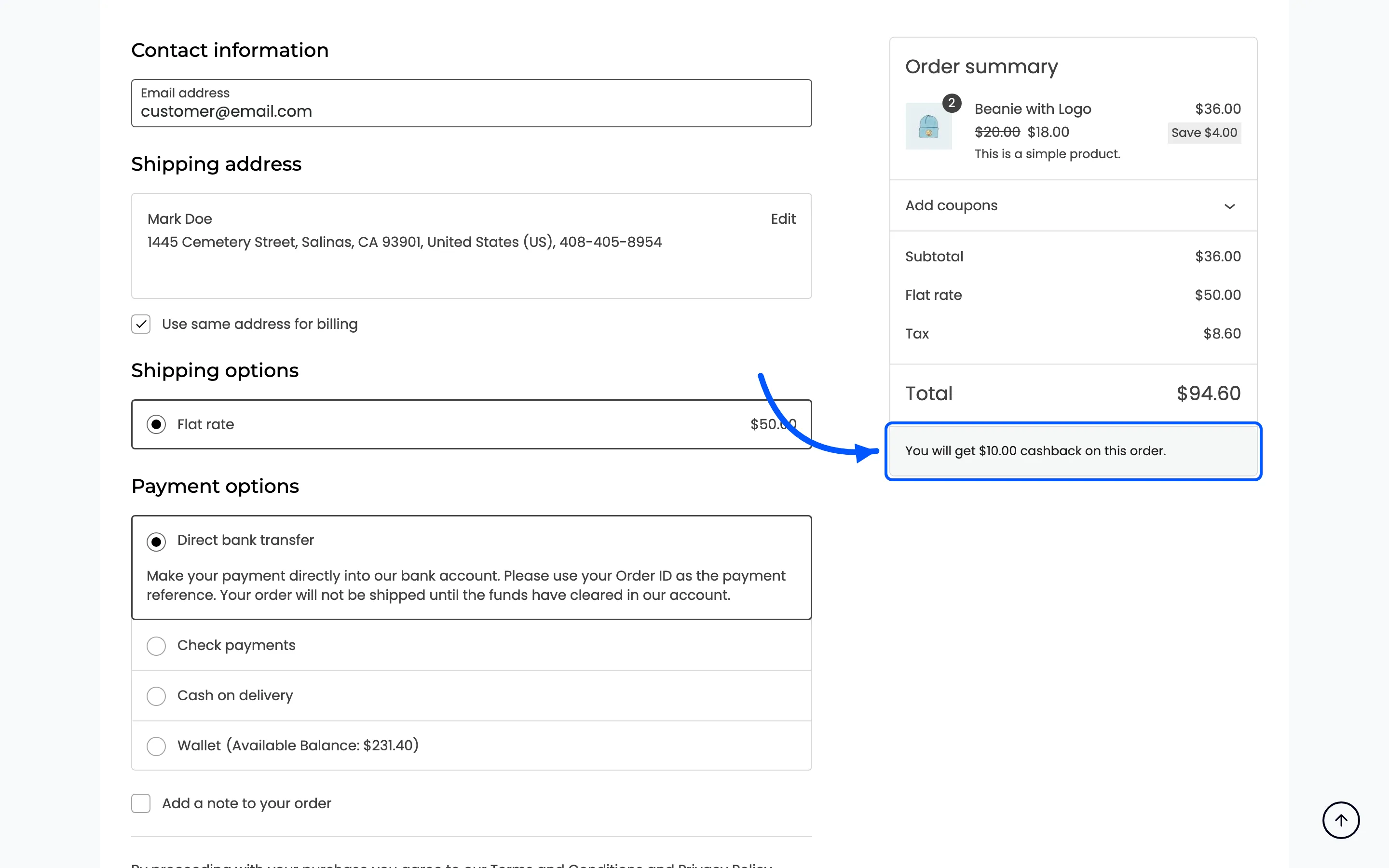
How Cashback Is Awarded follows that in detail, including the delay and expiry options.
6. Money moves between customers
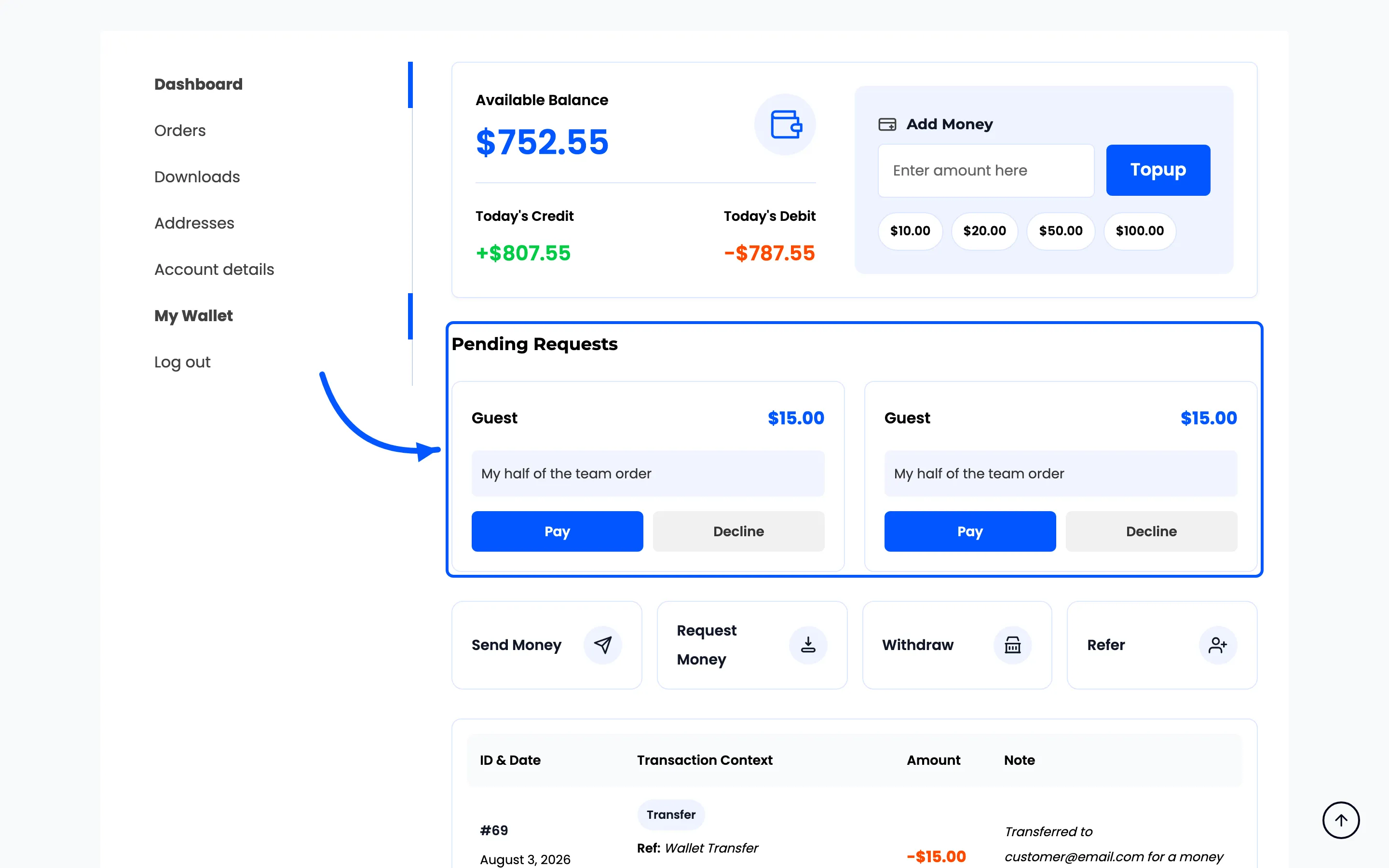
Section titled “6. Money moves between customers”Send Money debits the sender and credits the receiver on the spot, in a single transfer row that records both. Request Money does not move anything: it leaves a pending request on the other customer’s wallet page, and they choose Pay or Decline.
7. Money leaves the store on a withdrawal
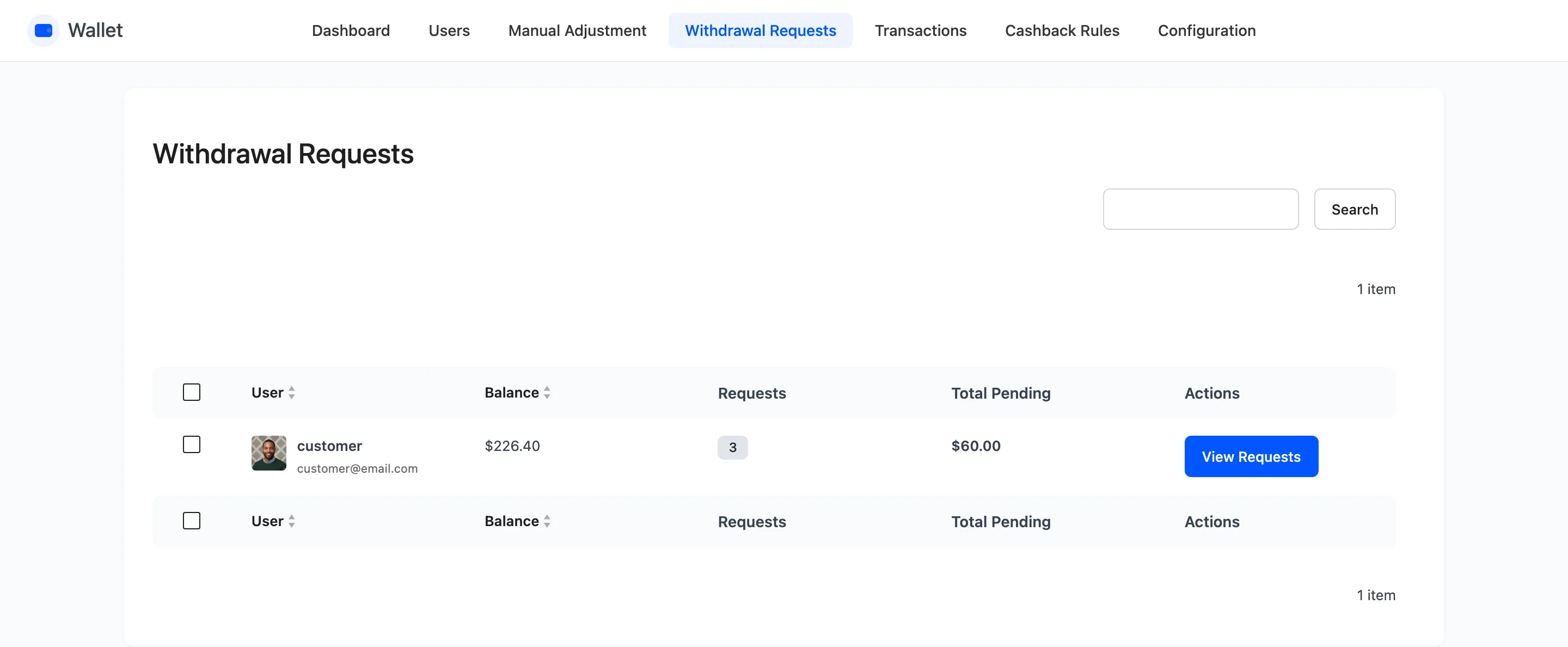
Section titled “7. Money leaves the store on a withdrawal”A withdrawal is a request, not a payout. The balance is debited immediately, and two rows are written: the net amount as Withdrawal Requested, and the fee as Withdrawal Charges.
You then pay the customer by whatever means they named in the note, and mark the request paid. If you cancel it instead, the full amount before charges goes back into the balance.
8. Reversals put money back
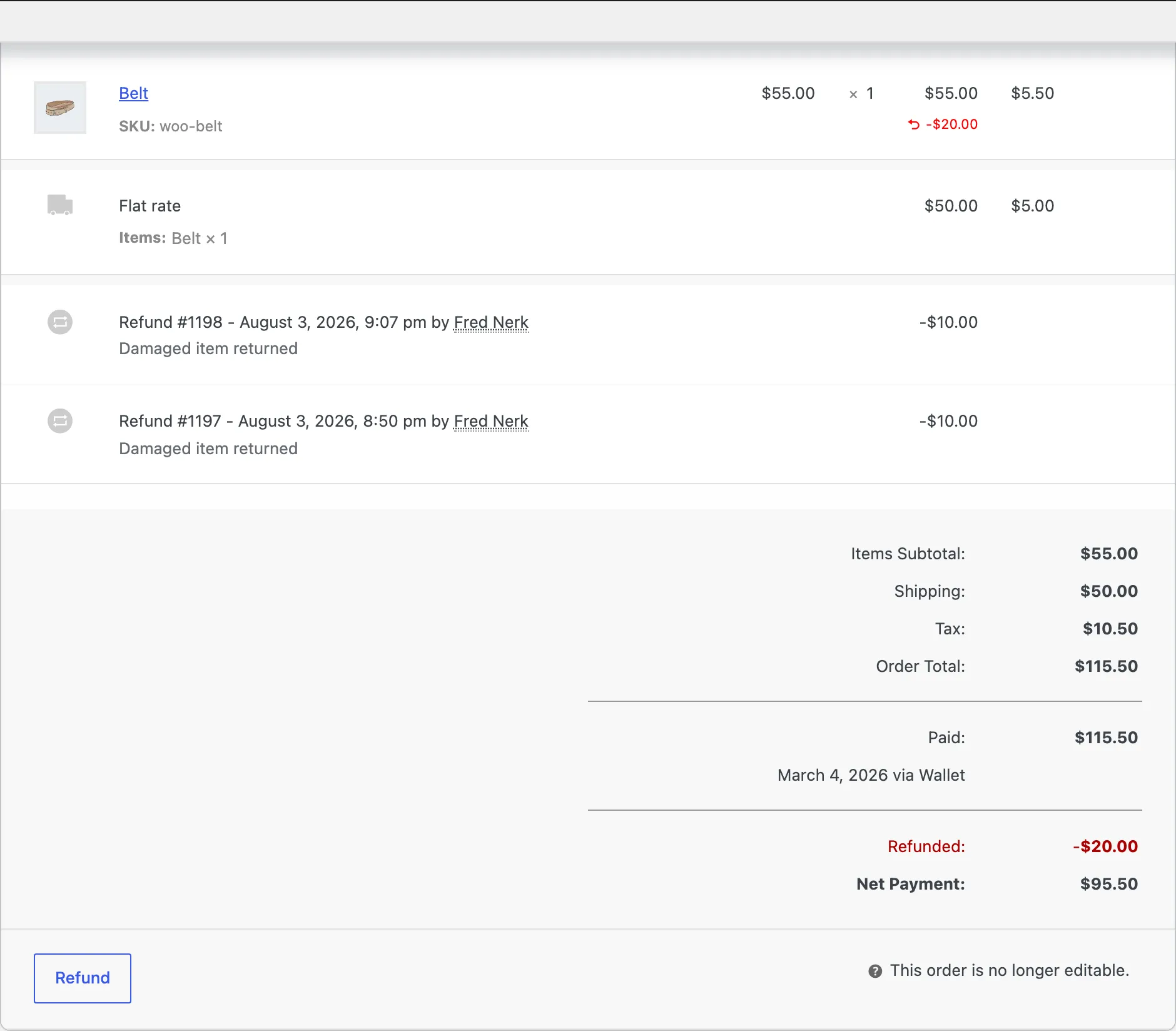
Section titled “8. Reversals put money back”- An order is cancelled. Any wallet amount used is credited back, and any cashback awarded on it is debited.
- An order is fully refunded. The same, plus a refund through the Wallet method credits the refunded amount into the balance.
- An order is partly refunded. The cashback is reversed in proportion to what was refunded.
9. Everything above is one list
Section titled “9. Everything above is one list”Every step in this chain writes a row, and they all land in the same place.
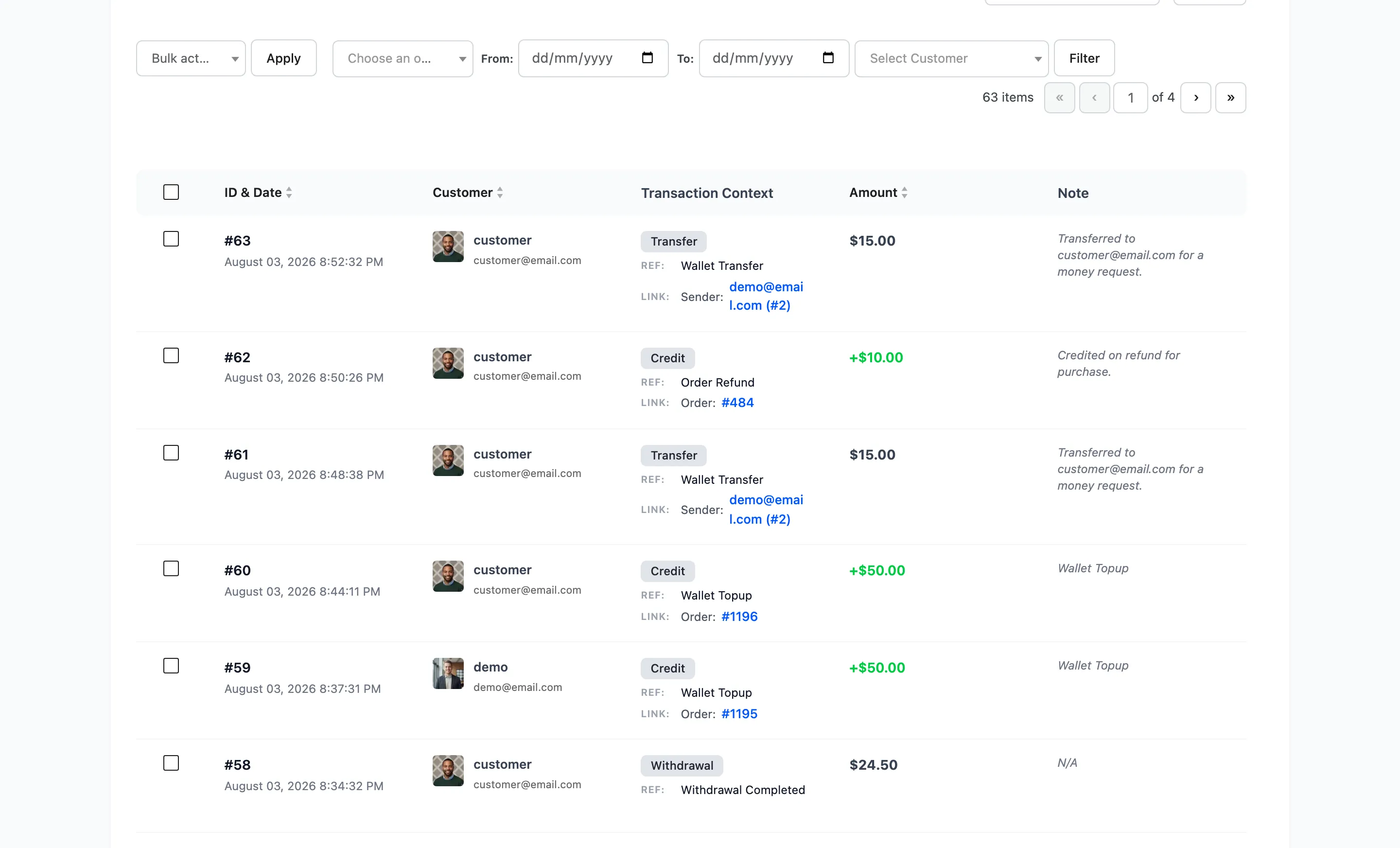
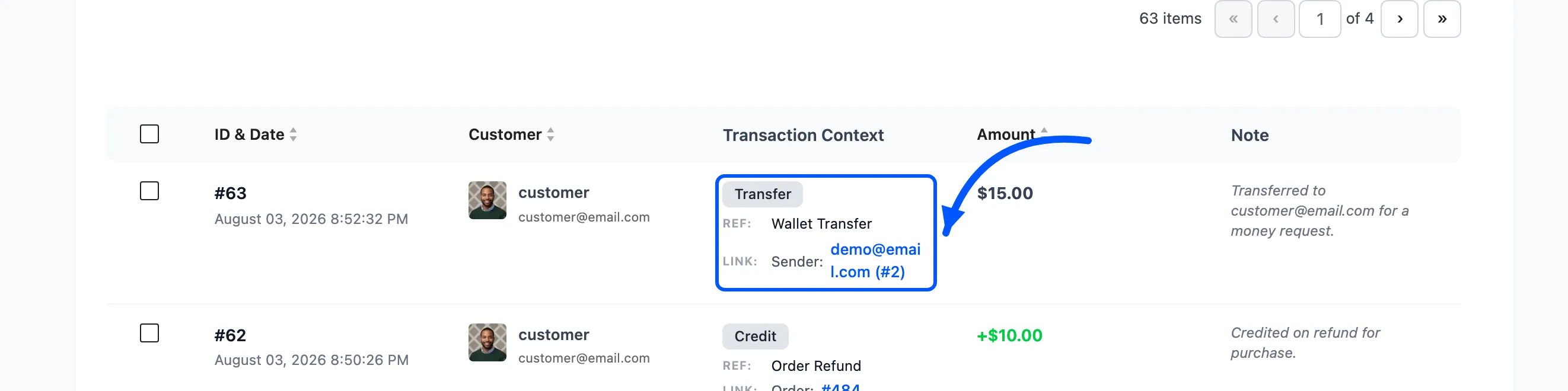
The Transaction Context column is what makes it readable: the type, the reason and the order or sender it links back to.