

Withdrawal Requests (Pro)
The queue of customers waiting for money. Payouts are manual, so this screen is a work list rather than a report.
Go to DevDiggers Plugins → Wallet → Withdrawal Requests.
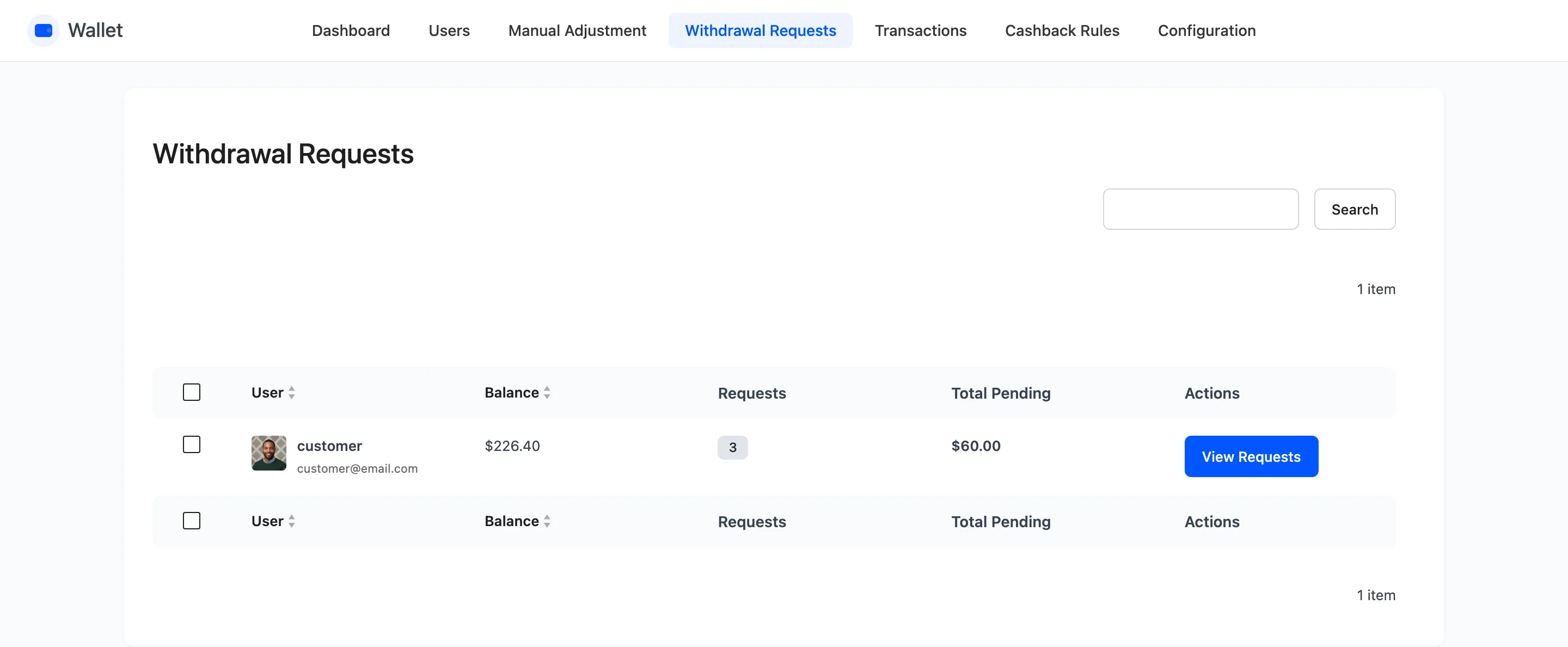
One row per customer, not per request
Section titled “One row per customer, not per request”The list groups by person. A customer with three requests waiting is one row showing three.
| Column | What it shows |
|---|---|
| User | Avatar, username and email |
| Balance | What is left in their wallet after the requests were taken |
| Requests | How many are pending |
| Total Pending | The sum of what they asked for, before fees |
| Actions | The View Requests button |
The balance is already reduced. A withdrawal debits the wallet the moment it is requested. This column is what remains, not what they had.
Inside View Requests
Section titled “Inside View Requests”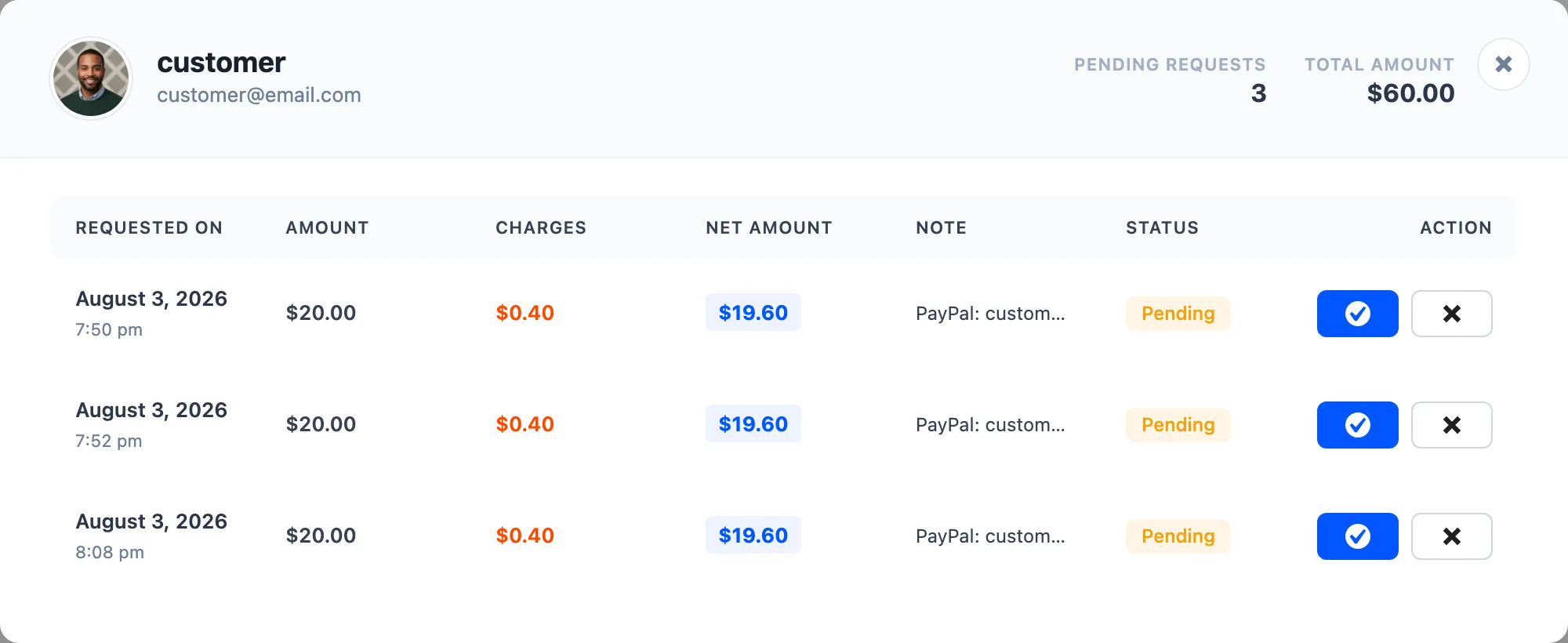
A popup with the customer at the top, the pending count and the total, then one row per request.
| Column | What it shows |
|---|---|
| Requested on | Date and time |
| Amount | What they asked for, before the fee |
| Charges | The fee taken |
| Net Amount | What you actually owe them |
| Note | Their payout details, in their own words |
| Status | Pending |
| Action | Mark as paid, or cancel |
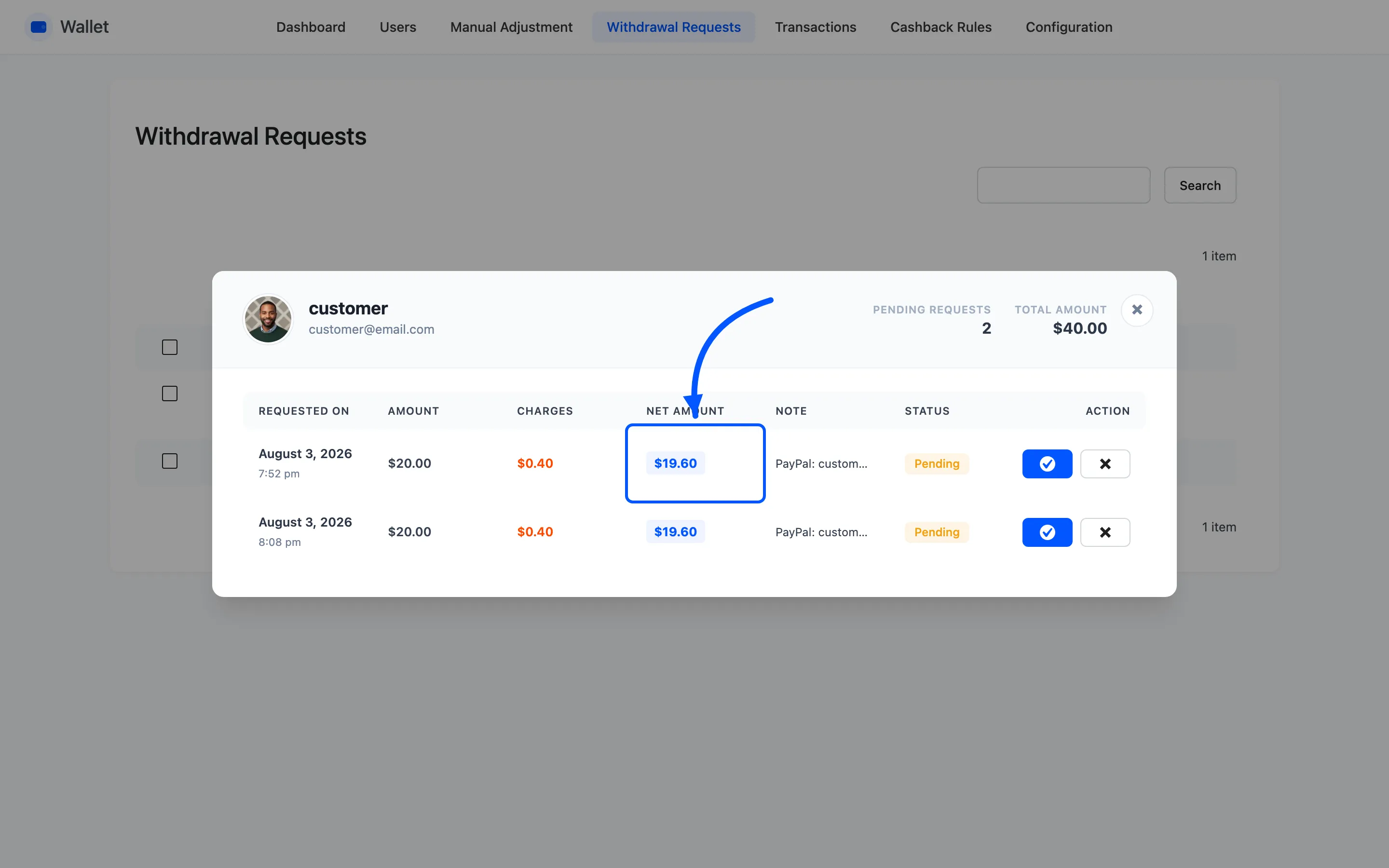
Pay the Net Amount, not the Amount. The fee has already come out of the customer’s wallet. Paying the larger figure means you have paid the fee for them.
The Note is the only place the payout details exist. The withdrawal form makes it required for exactly that reason, but it is free text, so read it before you promise anything.
The two actions
Section titled “The two actions”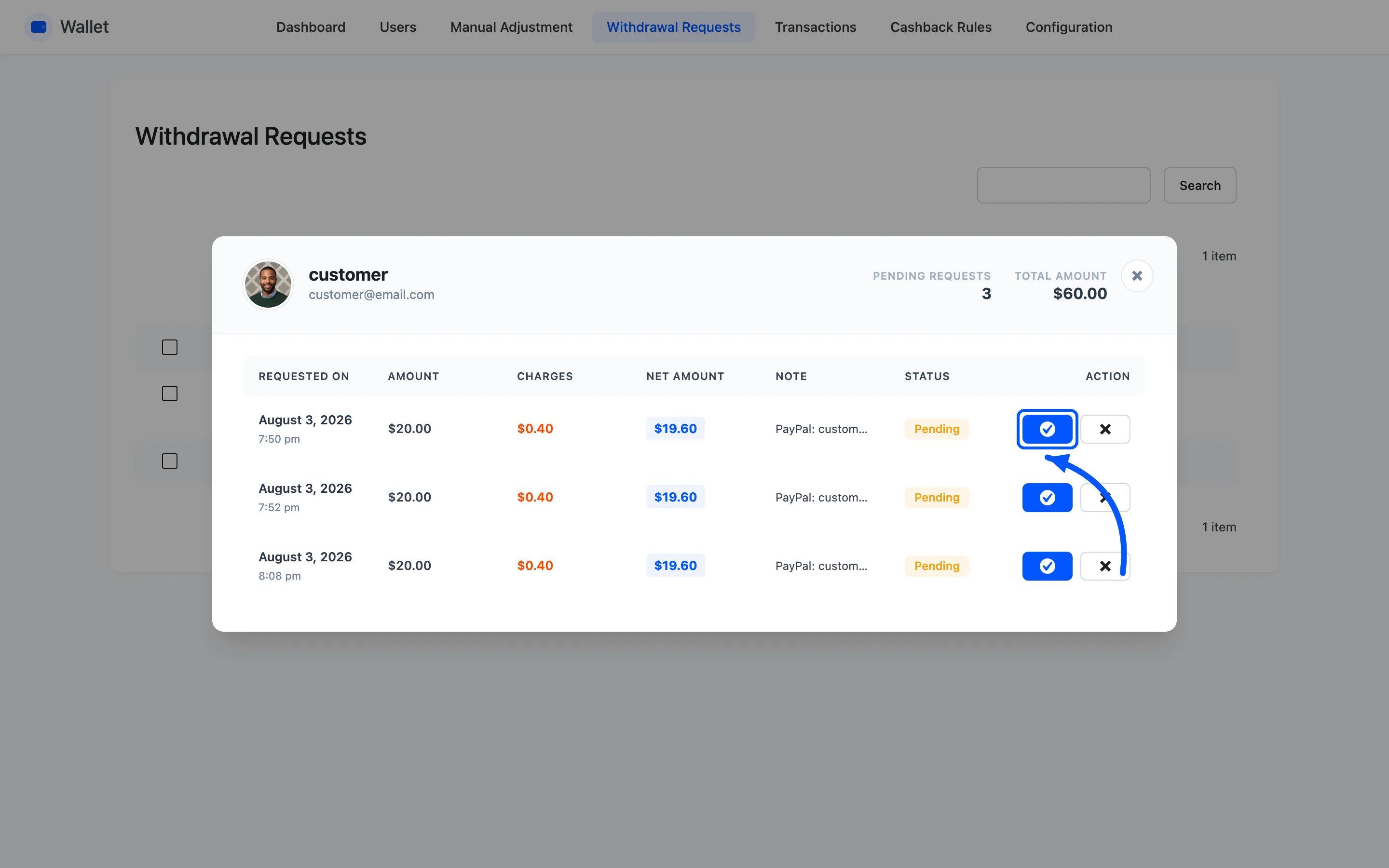
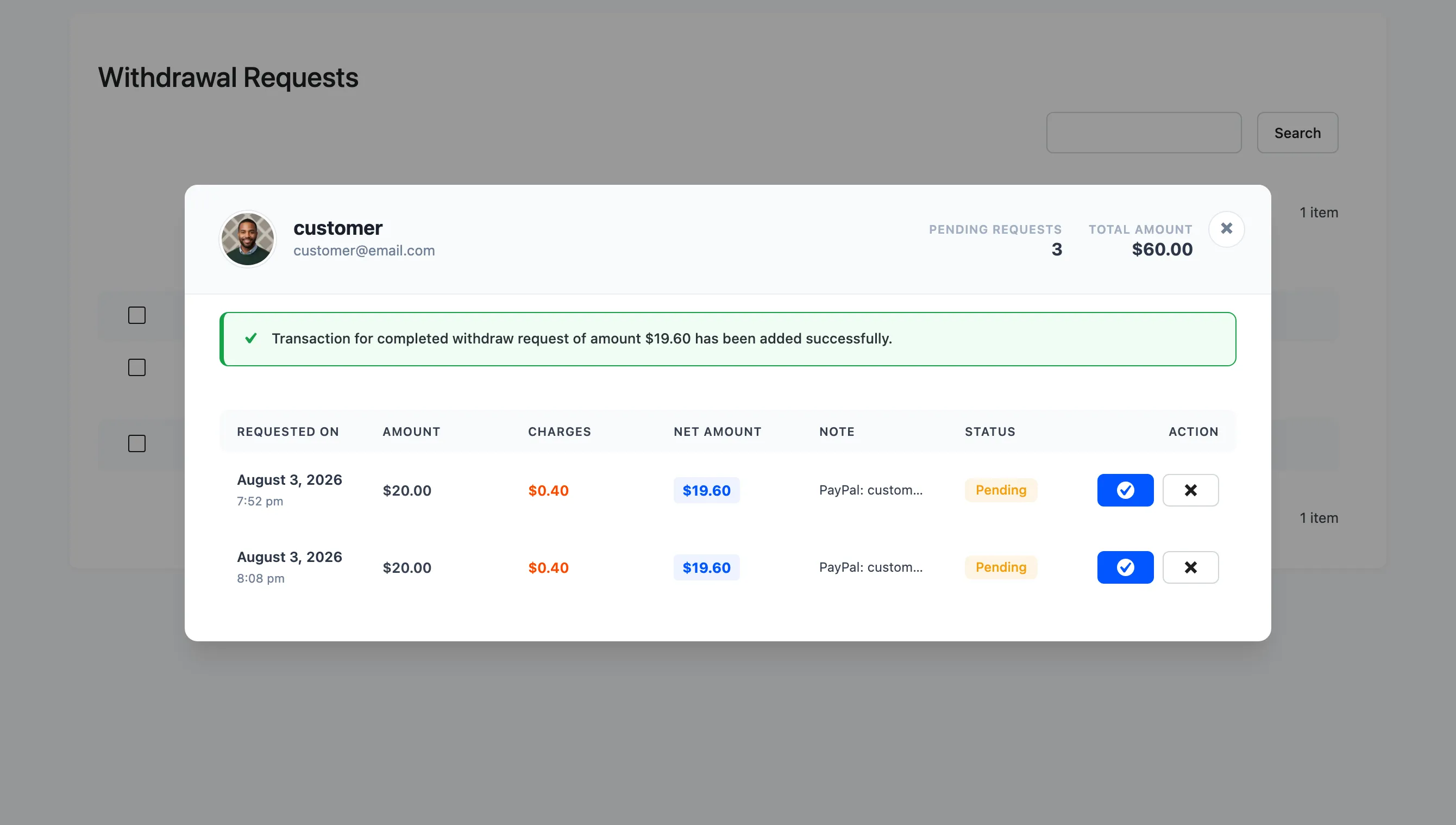
Mark as Paid is the tick. It records a Withdrawal Completed transaction for the net amount, removes the request from the queue and emails the customer.
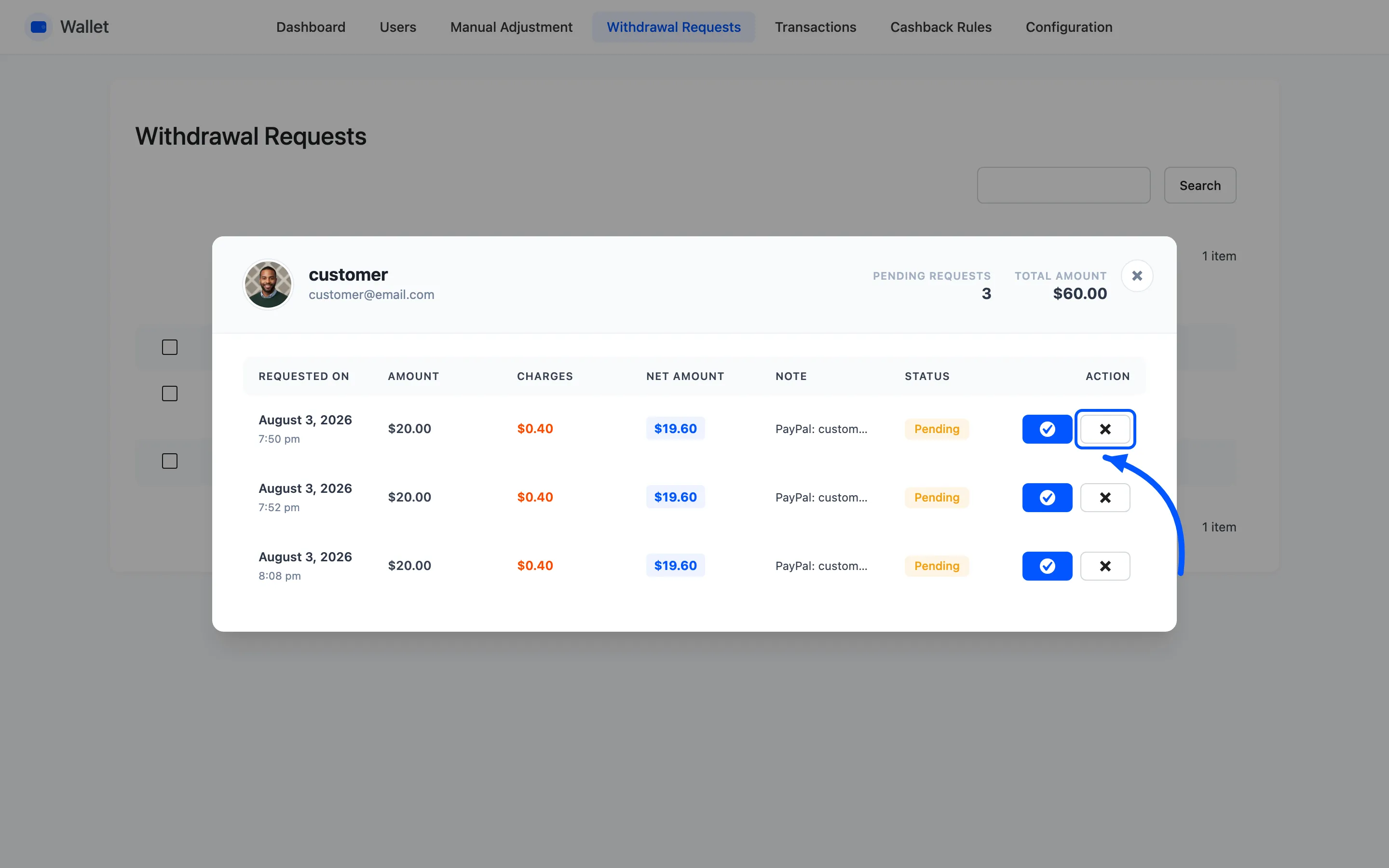
Cancel is the cross. It puts the full amount before charges back into the wallet, records a Withdrawal Cancelled transaction and emails them. The fee goes back too, so nobody pays for a payout they never got.
Neither button moves any real money. Send the payment first, then mark it paid.
Order of work
Section titled “Order of work”The routine that keeps this honest is three steps, in this order.
- Read the note and send the money by whatever route it names.
- Come back and press Mark as Paid.
- Check the row landed on Transactions filtered to Withdrawal.
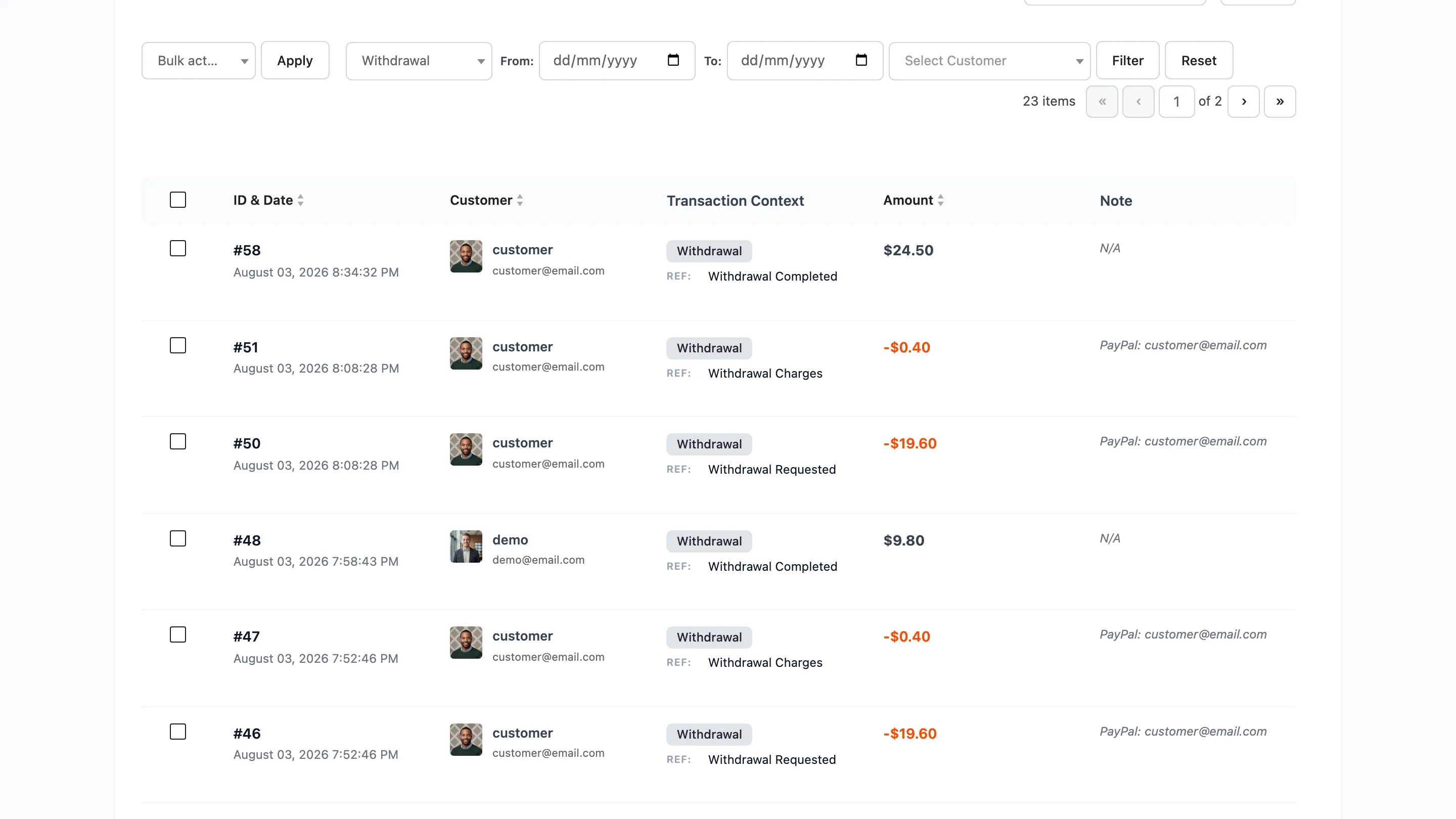
Marking first and paying later is how a payout gets forgotten, because the queue is then empty and nothing else is tracking it.