

How Cashback Is Awarded
Cashback is the reason most stores fit a wallet, and it is the part with the most moving pieces. Six kinds of rule, two separate moments, one cap and an optional expiry.
The six kinds of cashback
Section titled “The six kinds of cashback”Each kind is worked out separately and they are added together, not chosen between.
| Kind | Matches on | Free |
|---|---|---|
| Cart | The order subtotal falling inside an amount range | yes |
| Topup | A top-up amount falling inside an amount range | Pro |
| Product | A product, or a product category, with a minimum quantity | Pro |
| User role | The customer’s WordPress role | Pro |
| Payment method | The gateway used to pay | Pro |
| First order | The customer having no previous order | Pro |
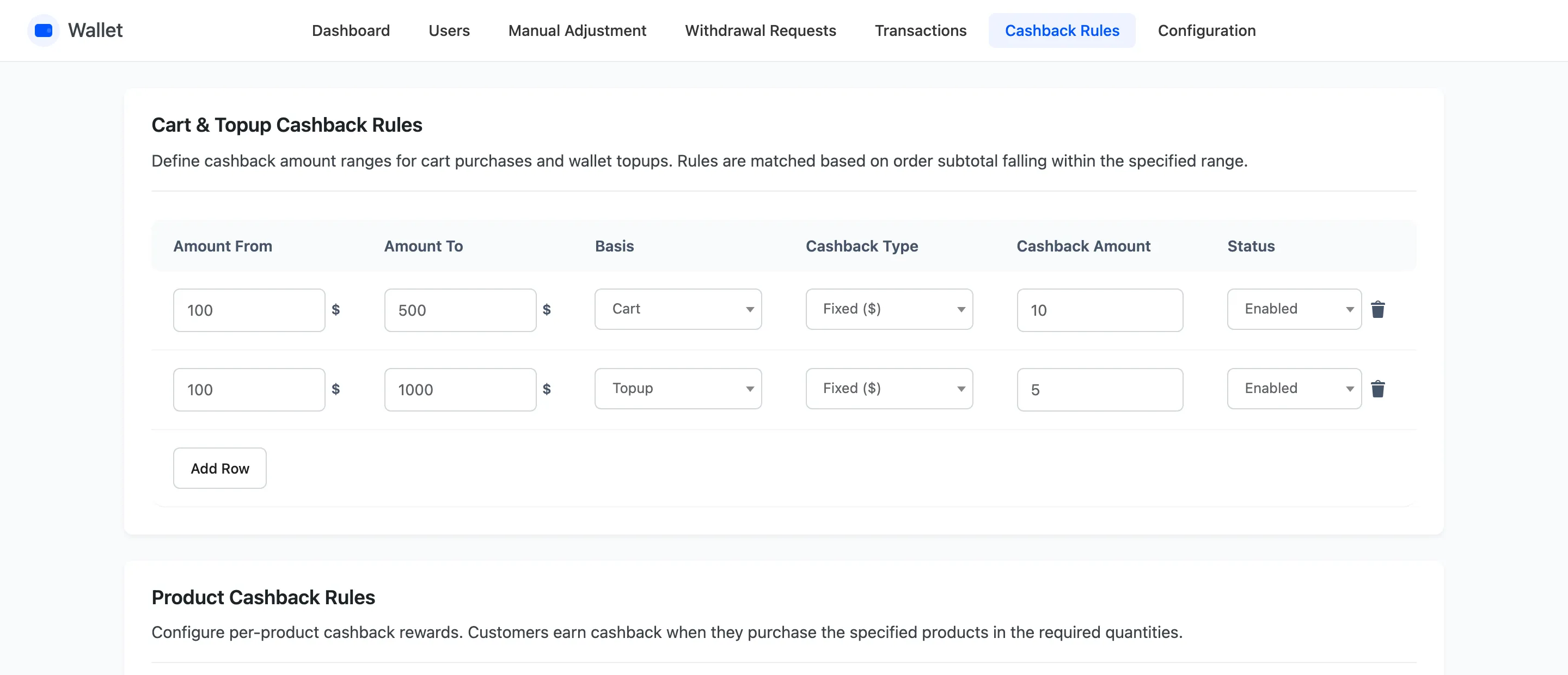
Product beats category
Section titled “Product beats category”A product with its own rule uses that rule. Only when a product has no rule of its own does the plugin look at its categories, and the first category with a rule wins.
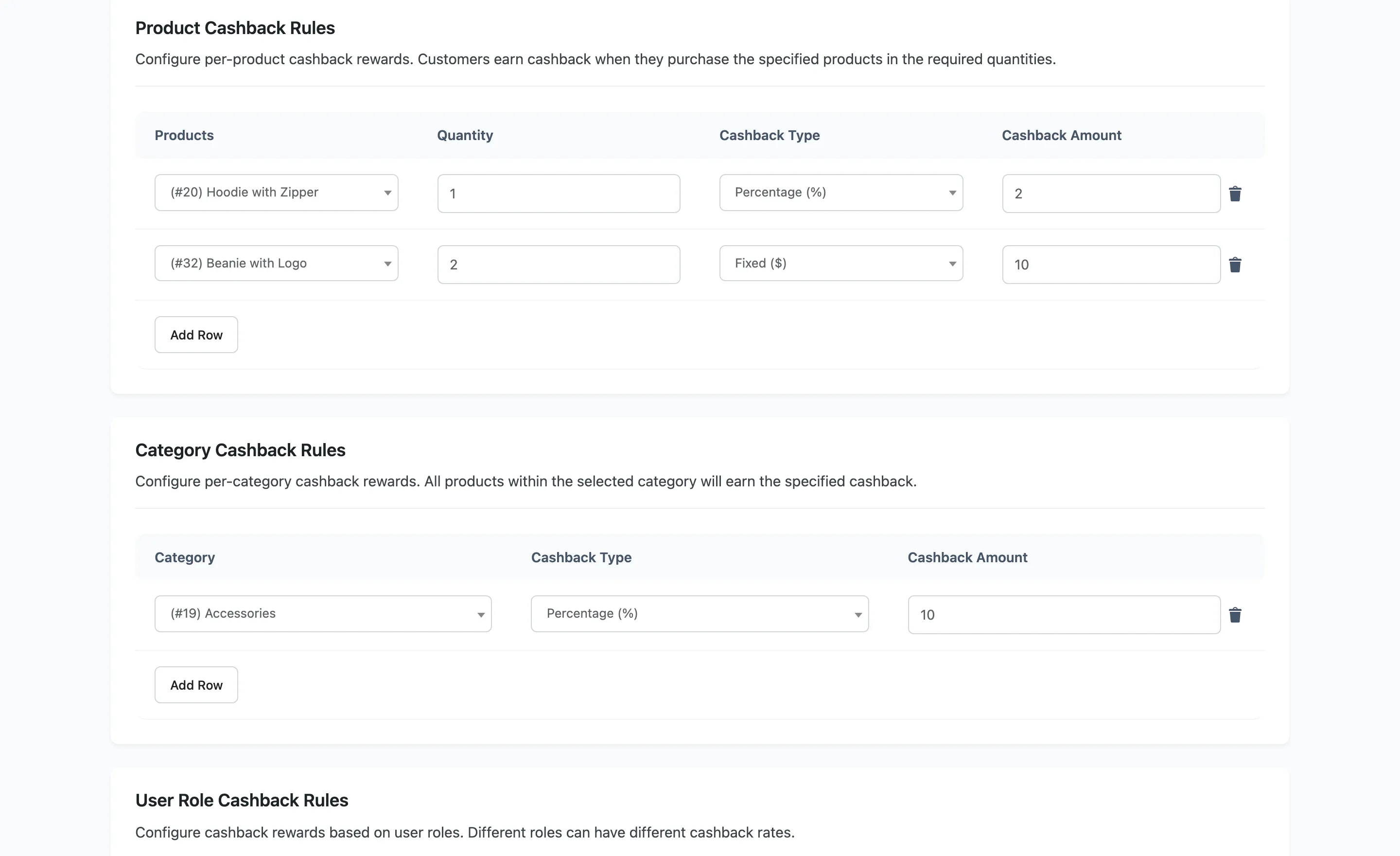
A top-up suppresses the other rules
Section titled “A top-up suppresses the other rules”When the order is a wallet top-up, only the Topup rule applies. The cart, user role and first-order rules are all skipped, because a top-up is not a purchase.
Two moments, not one
Section titled “Two moments, not one”When the order is placed, every rule is evaluated against it and the result is stored on the order. Nothing is in the wallet yet, and the customer is told what is coming.
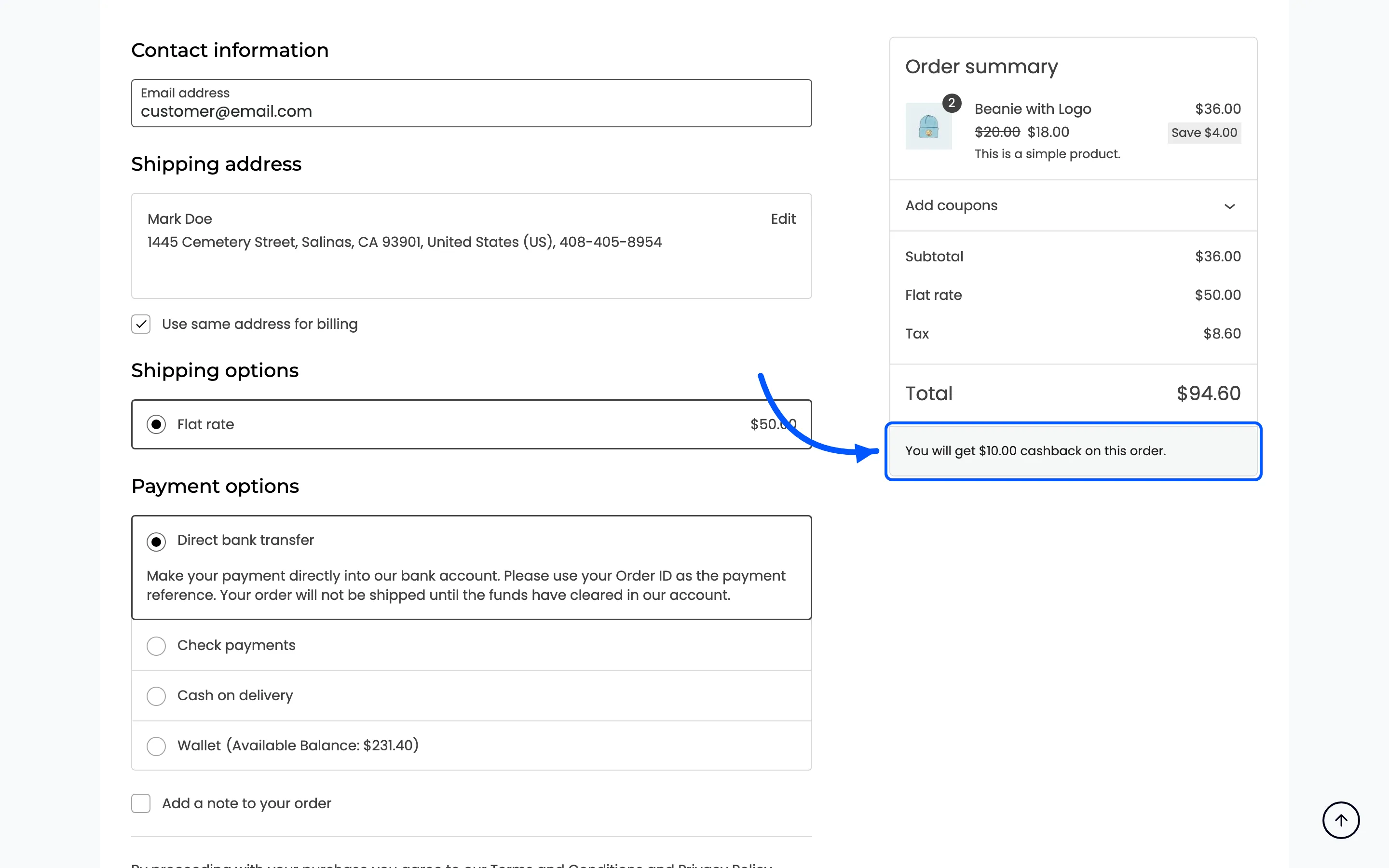
When the order reaches Completed, the stored figures are credited, one transaction row per kind: Cart Cashback, Product Cashback, Topup Cashback, and so on.
An order that never reaches Completed never pays cashback. That is the single most common reason a customer says their cashback did not arrive.
The cap scales, it does not truncate
Section titled “The cap scales, it does not truncate”Max Cashback Cap limits the total for one order. When the total is over the cap, every kind is scaled down by the same ratio rather than the last one being cut off.
Two rules awarding $6 and $4 under a $5 cap become $3 and $2. The proportions survive, which matters when you later ask which rule is costing you money.
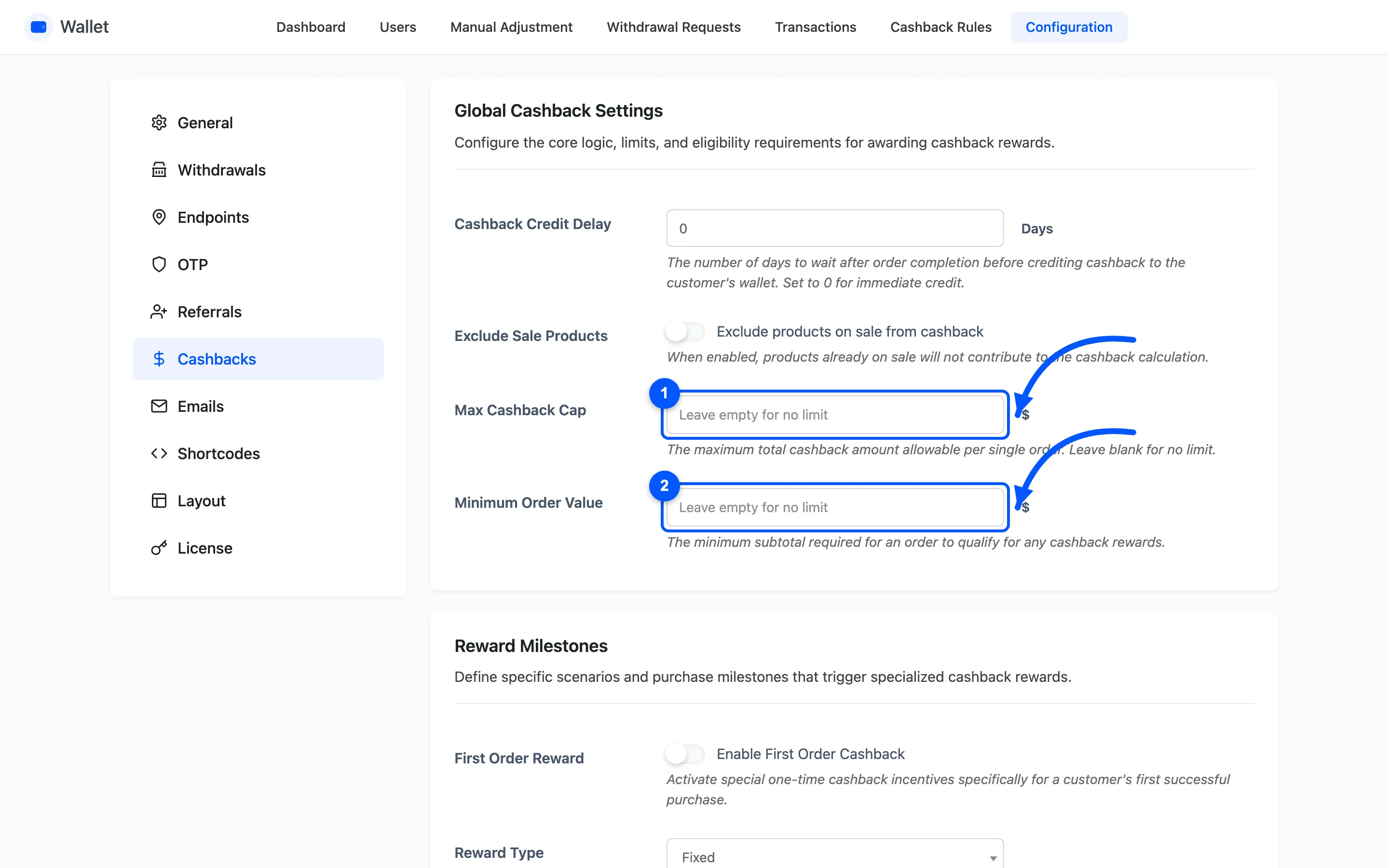
Two things that stop cashback before the rules run
Section titled “Two things that stop cashback before the rules run”- Minimum Order Value: An order whose subtotal is under it earns nothing at all, from any rule.
- Exclude Sale Products: A product on sale is skipped, and its line total is taken off the subtotal the rules are matched against. A cart of only sale items therefore earns nothing.
Both compare against the subtotal, before shipping and tax.
The delay holds it back
Section titled “The delay holds it back”Set a number of days and the credit is scheduled instead of paid. The order completes, nothing appears, and the credit arrives when the delay is up.
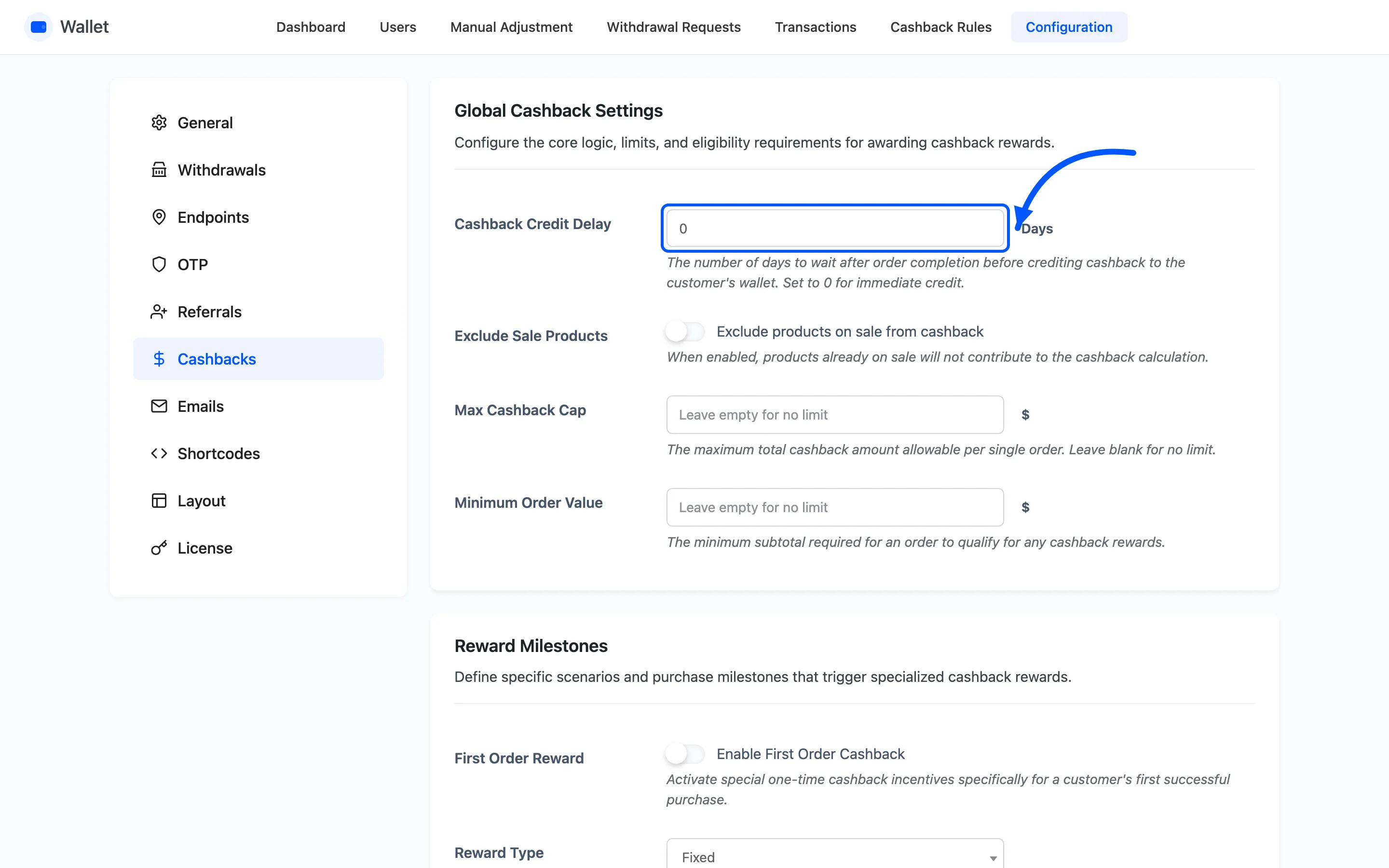
Use it to cover your returns window. Cashback paid on day one and refunded on day twenty is money you have to claw back.
Expiry takes it away again
Section titled “Expiry takes it away again”With Enable Expiry on, every cashback credit gets an expiry date Expiry Duration days out. A daily job then debits anything past its date and marks it expired.
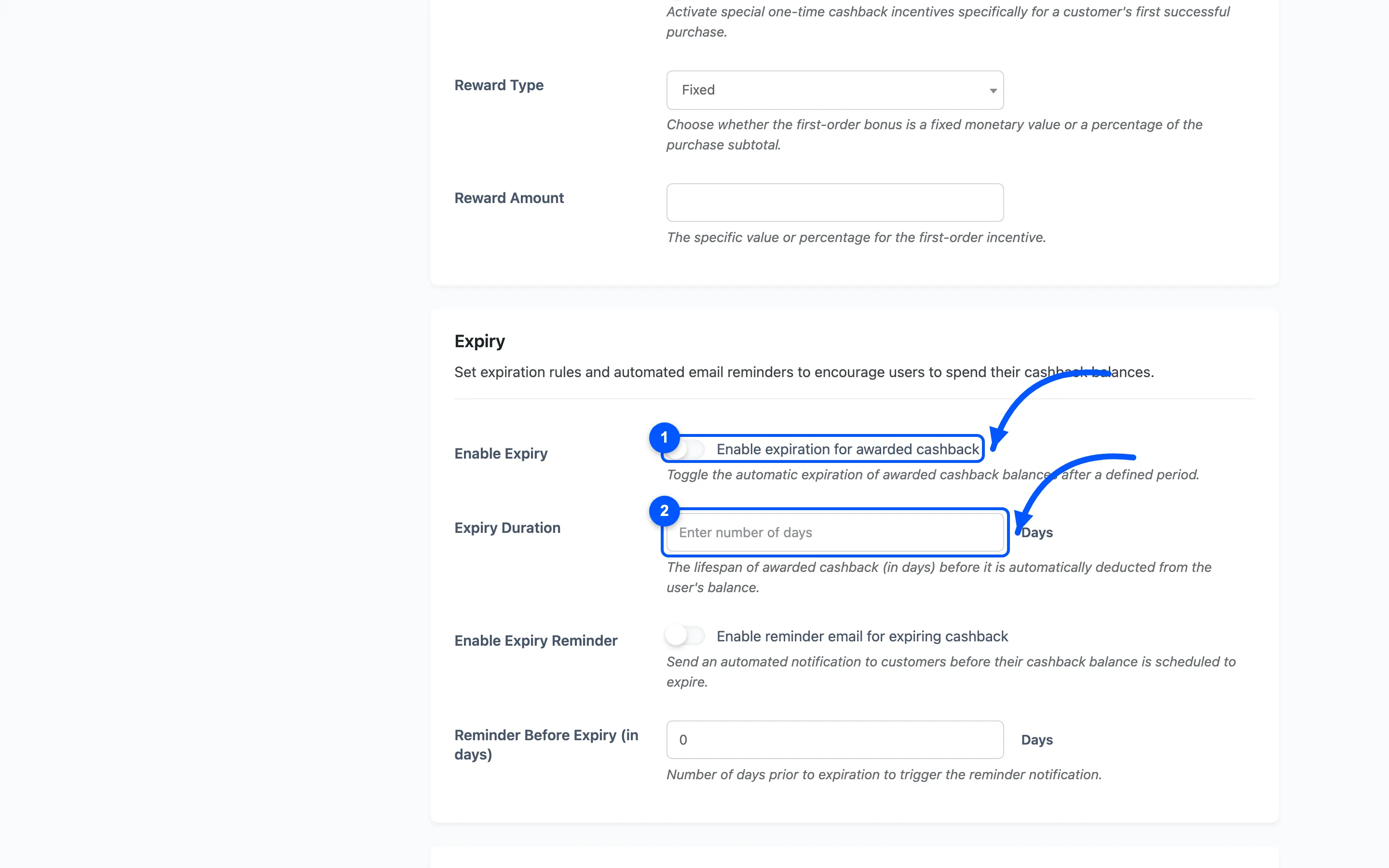
Two details worth knowing.
- Spending is treated as soonest-to-expire first. The job protects credits that expire later or never, so a customer who has spent since earning is not double-charged when the old credit lapses.
- Only cashback expires. Top-ups, transfers, refunds and manual credits carry no expiry date.
Enable Expiry Reminder sends a warning a set number of days before, once per credit.
What the customer sees along the way
Section titled “What the customer sees along the way”With Enable Messages on, cashback is announced on six storefront pages: shop, product, cart, checkout, view order and order received. Each has its own message field and its own placeholder.
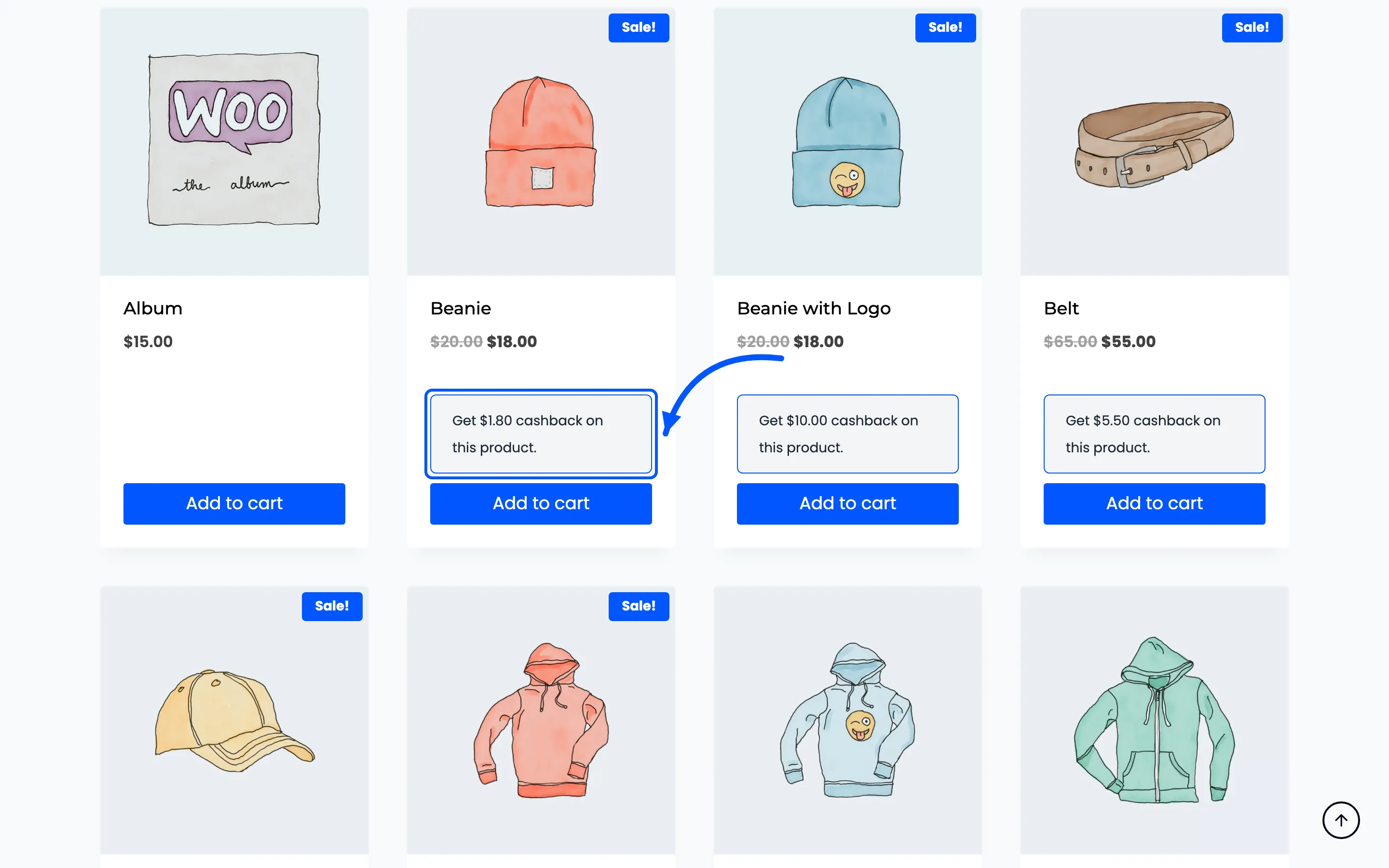
Shop and product pages use {cashback_amount} for that one item. Cart, checkout and the two order
pages use {total_cashback} for the order.
Reversals
Section titled “Reversals”- Order cancelled or fully refunded: every cashback row awarded on it is debited back.
- Partly refunded: each cashback is reduced in proportion to the refunded share of the order.
Where to go next
Section titled “Where to go next”- Cashback Rules to build the rules
- Cashback Settings for every field
- How to Set Up Cart Cashback