How to Set Up Cart Cashback
Cart cashback is the rule most stores start with: spend between these two amounts, get this back.
Step 1: Open Cashback Rules
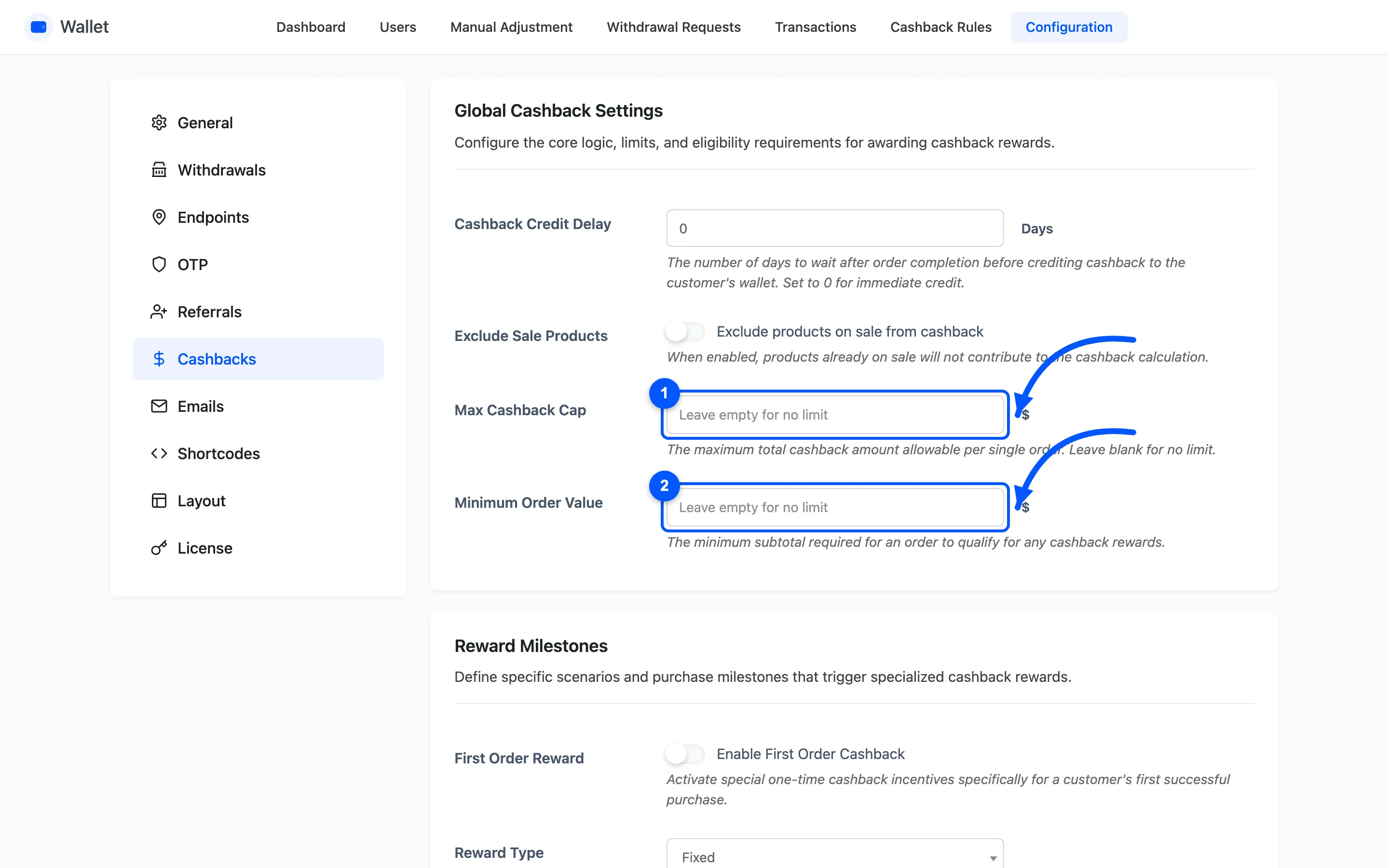
Section titled “Step 1: Open Cashback Rules”Go to DevDiggers Plugins → Wallet → Cashback Rules. The first table is Cart and Topup Cashback Rules.
Step 2: Add a row
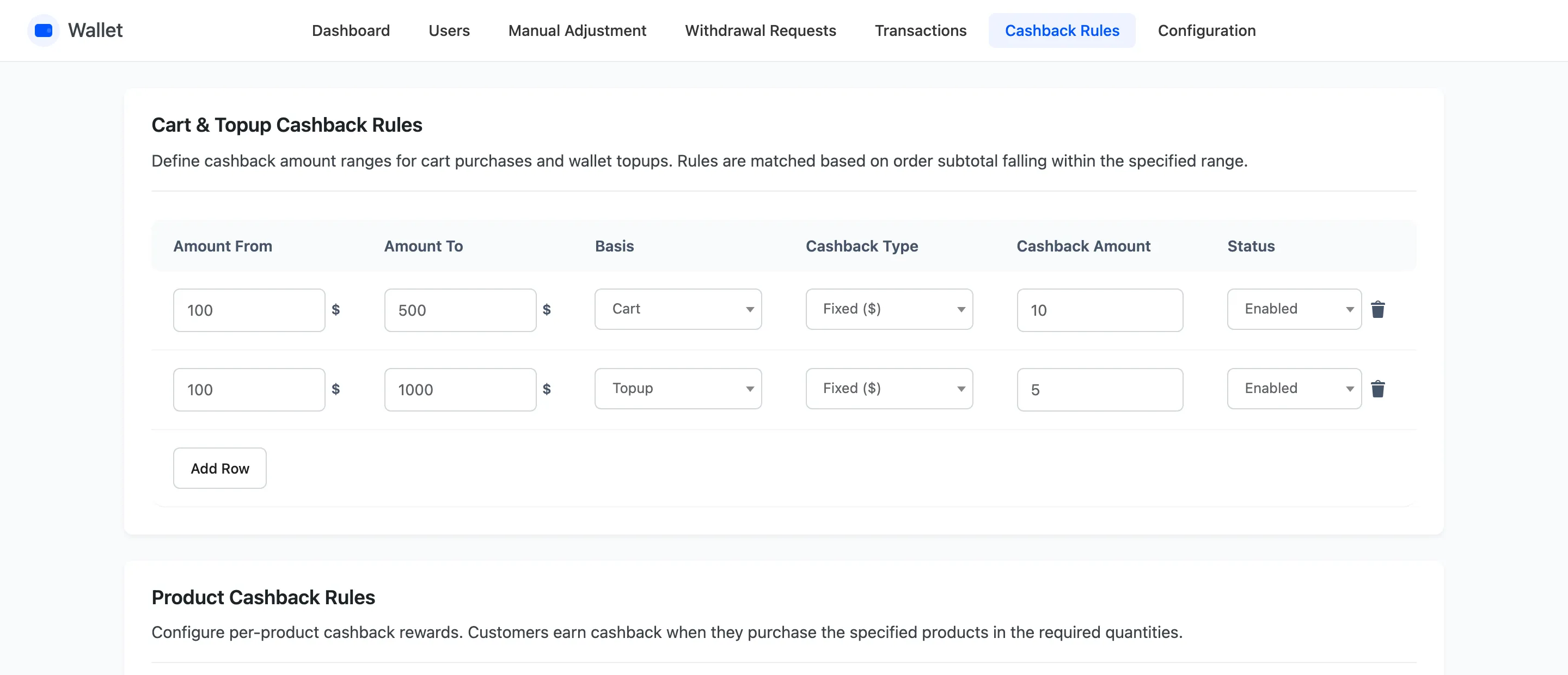
Section titled “Step 2: Add a row”Add Row at the foot of the table appends an empty one.
Step 3: Set the band and the reward
Section titled “Step 3: Set the band and the reward”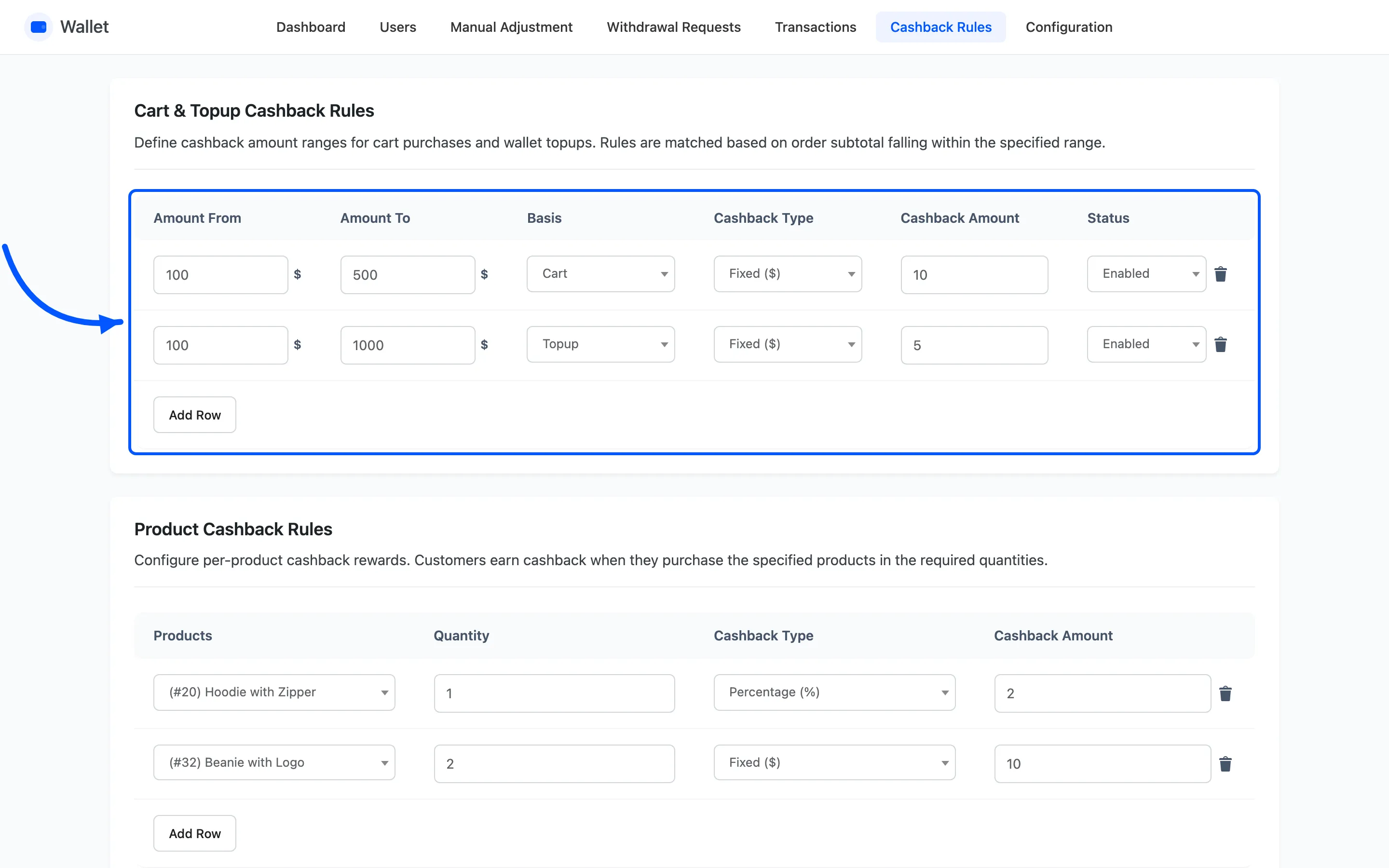
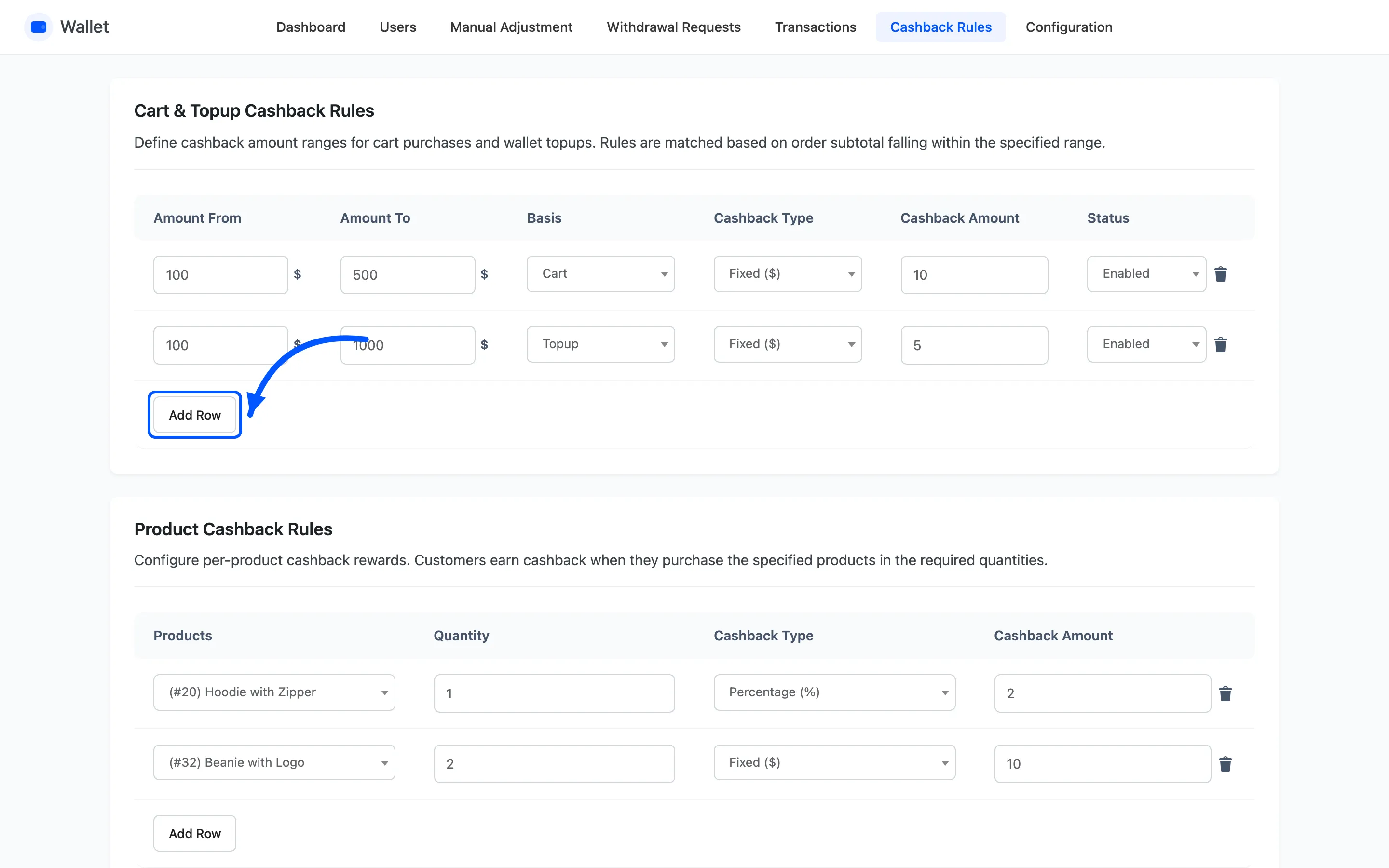
- Amount From and Amount To are the band, and both ends are included.
- Basis is Cart for ordinary orders. Topup matches wallet top-ups instead.
- Cashback Type is Fixed or Percentage.
- Cashback Amount is the value or the percentage.
- Status is Enabled or Disabled, which is how you retire a rule without losing it.
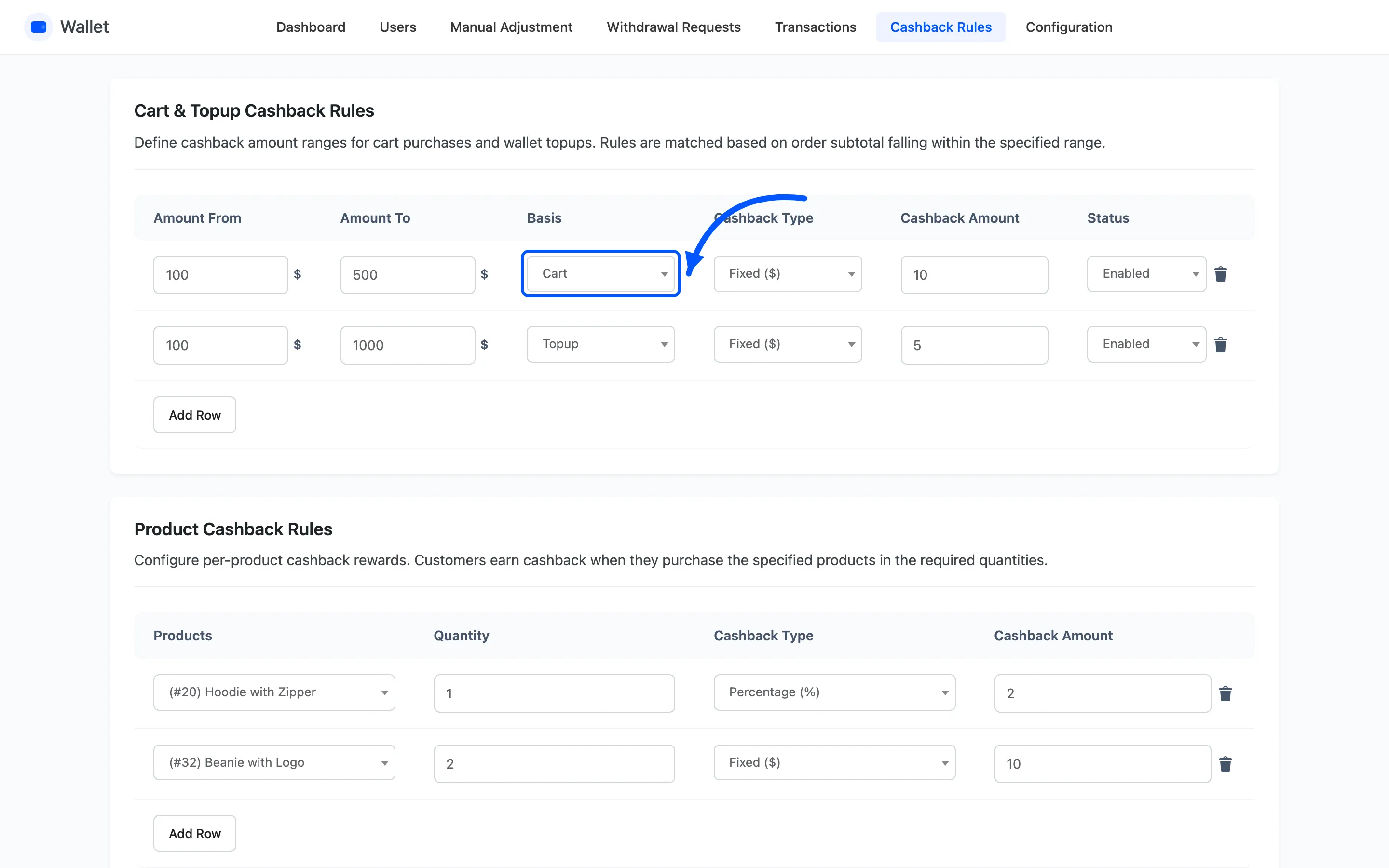
The band is matched against the subtotal, before shipping and tax. A $95 basket with $50 shipping does not reach a band starting at 100.
Step 4: Save
Section titled “Step 4: Save”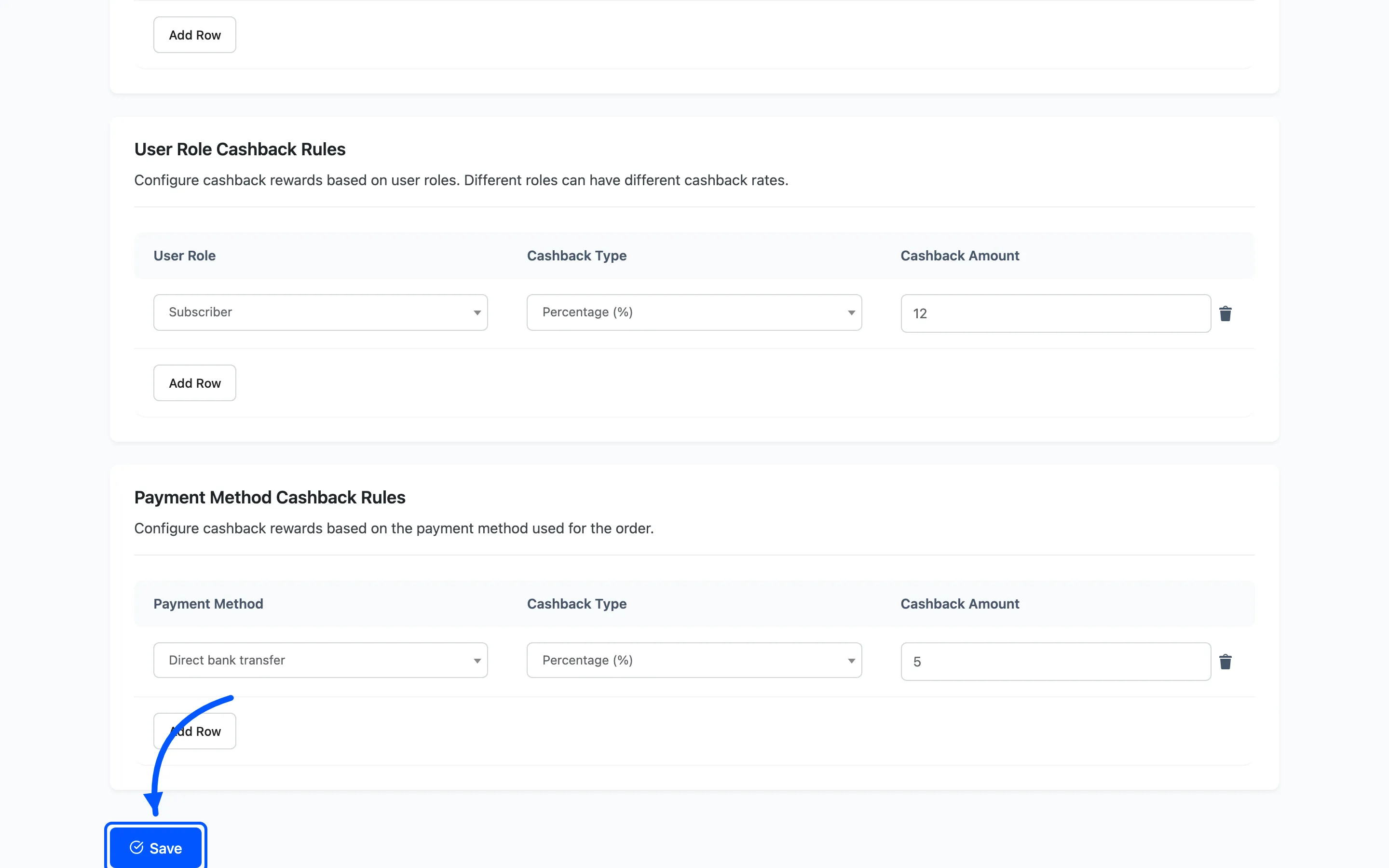
Three things are refused on save, all with the same message about empty or invalid fields.
- Two bands on the same basis that overlap. 100 to 500 and 400 to 900 will not save together.
- A band whose From is above its To.
- A cashback amount that is not a number.
Gaps are allowed and are not warned about. An order landing between two bands earns nothing, which is usually not what was meant.
Step 5: Check it at the checkout
Section titled “Step 5: Check it at the checkout”Put a cart together inside the band and open the checkout.
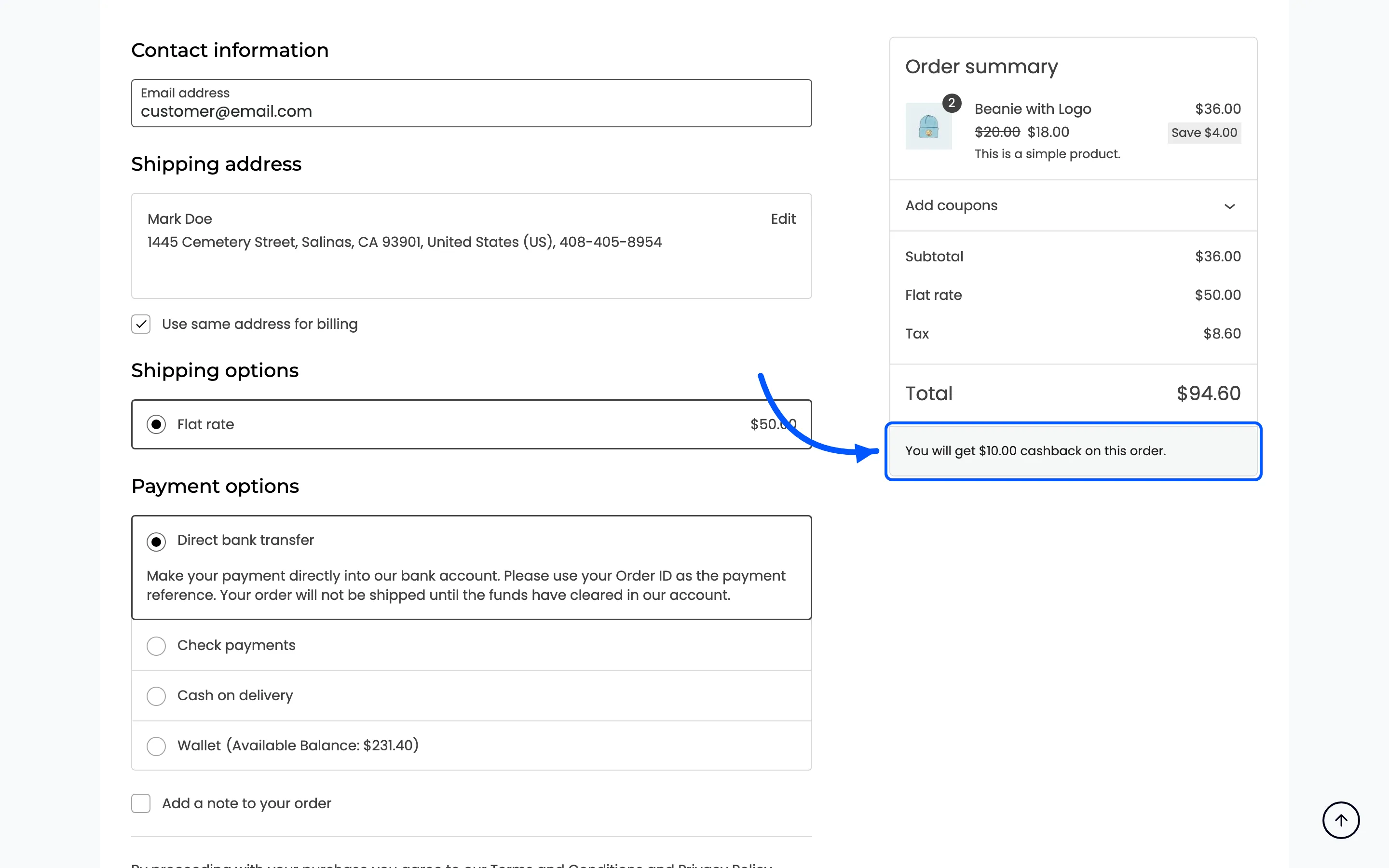
That line is the promise. It is worked out from the same rules, so if it reads zero, the rule did not match.
The credit arrives when the order reaches Completed, not when it is placed. Cart cashback on an order still sitting in Processing is in no wallet yet.
A worked set of bands
Section titled “A worked set of bands”A shape that reads well to customers and does not overlap.
| From | To | Type | Amount |
|---|---|---|---|
| 50 | 99.99 | Fixed | 5 |
| 100 | 249.99 | Percentage | 7 |
| 250 | 1000 | Percentage | 10 |
Note the .99 ends. Bands are inclusive at both ends, so 100 to 250 and 250 to 500 both claim an
order of exactly 250 and will not save.
Before you publish the rates
Section titled “Before you publish the rates”Cart cashback adds to product, category, role, payment method and first-order cashback rather than replacing them. Set Max Cashback Cap under Configuration → Cashbacks so the stack cannot run away.