

How to Give New Customers a Signup Credit
The cheapest way to get someone to make an account, and the cheapest way to get them to use it once.
Step 1: Set Registration Credit
Section titled “Step 1: Set Registration Credit”Go to DevDiggers Plugins → Wallet → Configuration → General and set Registration Credit.
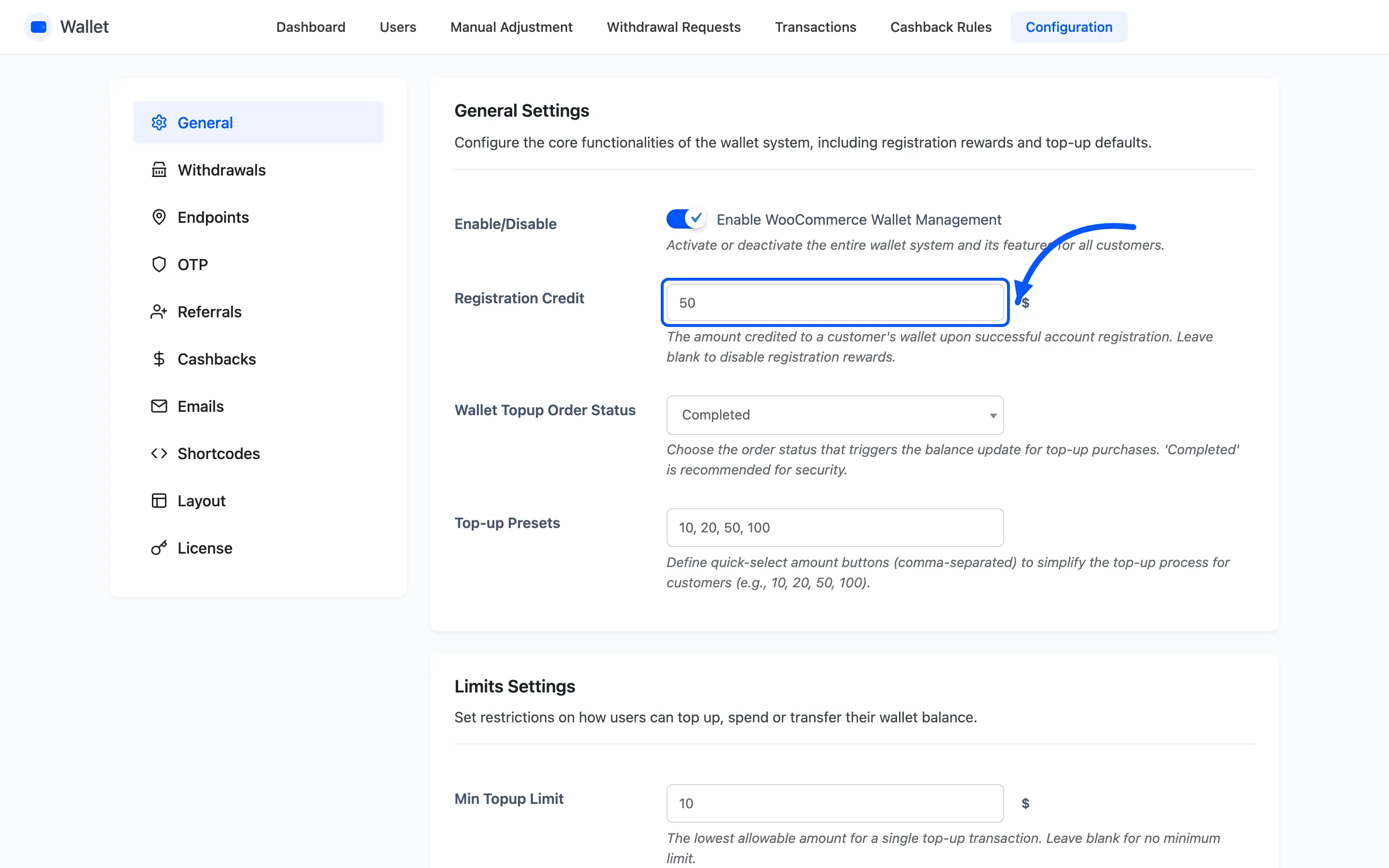
It is paid once, at account creation. Blank or zero disables it.
This one is free, unlike most of the wallet’s reward features.
Step 2: Check the notice on the account page
Section titled “Step 2: Check the notice on the account page”The offer advertises itself. Any logged-out visitor on the account page sees a notice naming the amount.
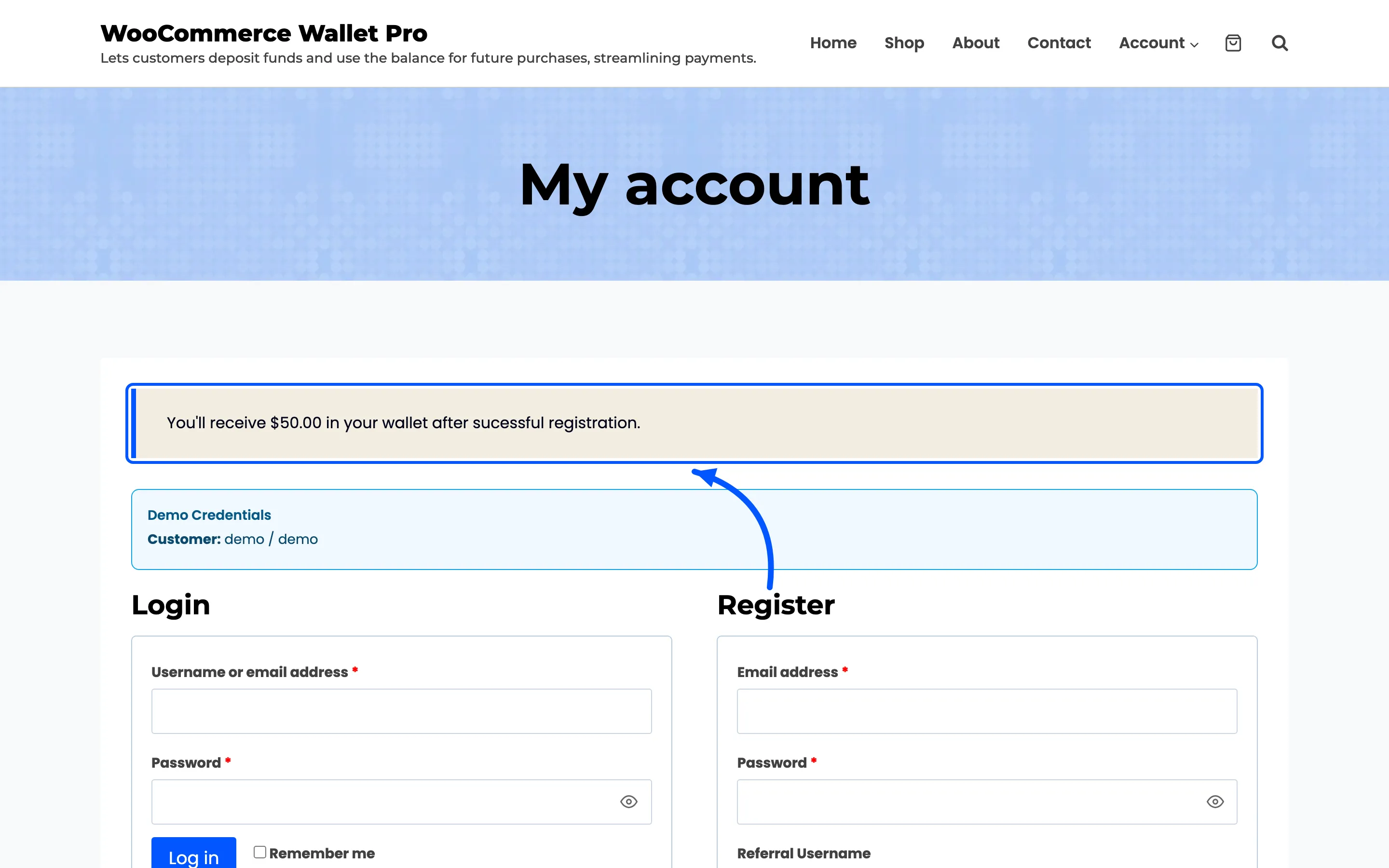
There is no switch for it and no field to word it. Change the amount and the notice follows.
Do not promise it twice. A store already advertising a signup offer in its own banner will show visitors two versions of the same thing.
Step 3: Word the credit email
Section titled “Step 3: Word the credit email”The new customer gets the Wallet Credited email, and the reason inside it comes from the Registration label under Configuration → Emails.
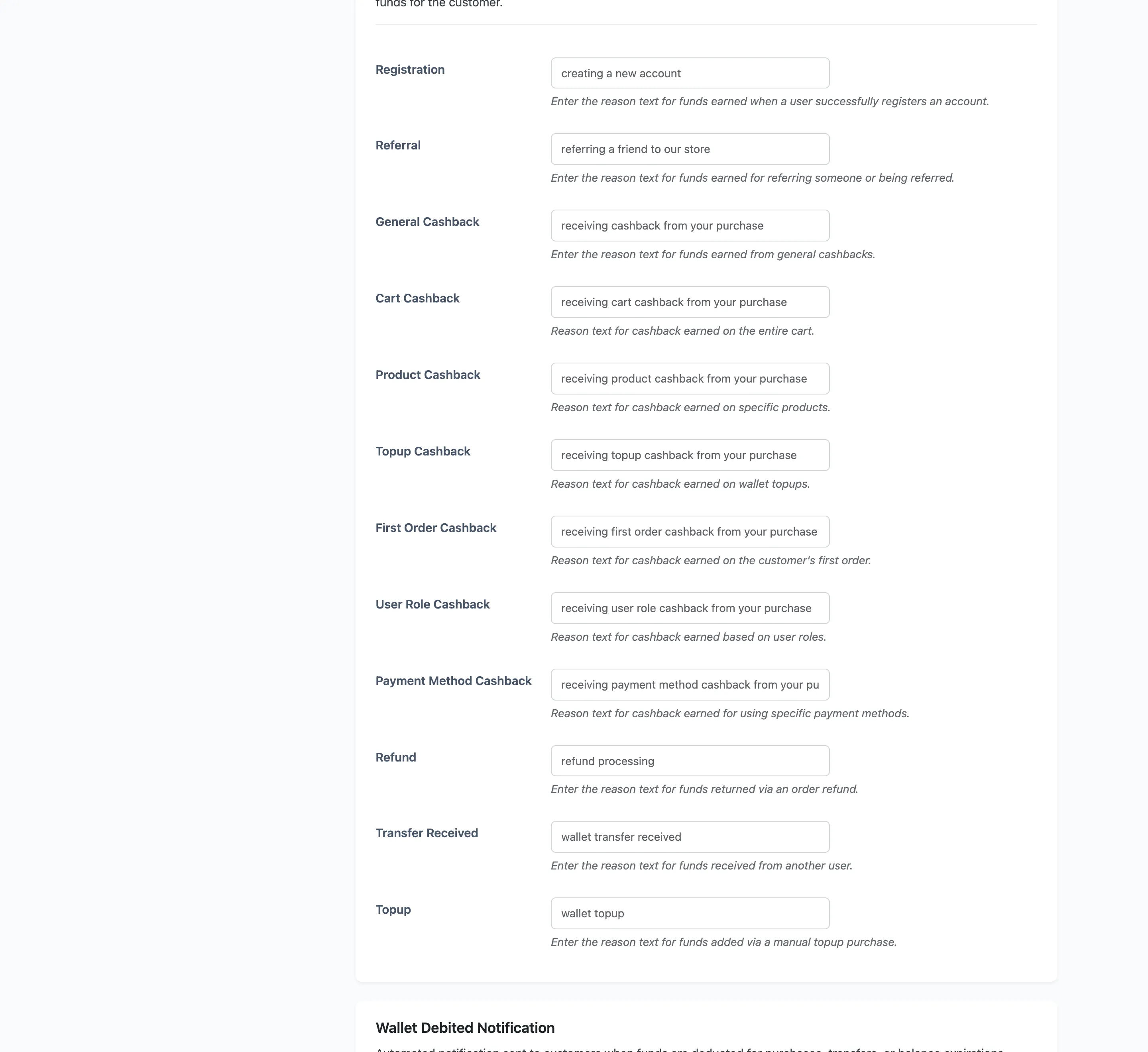
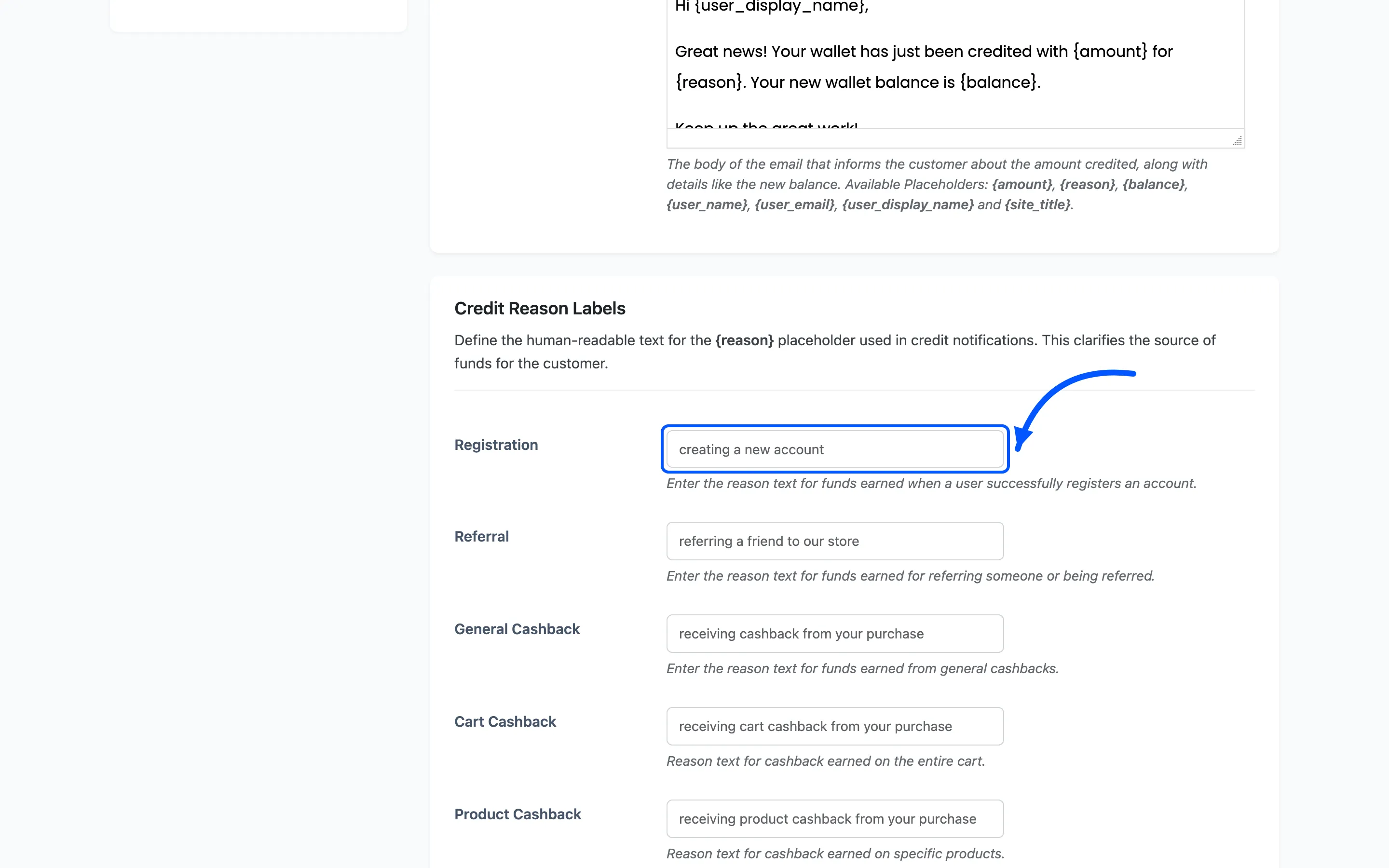
The default is “creating a new account”, and it lands mid-sentence, so keep it a fragment rather than a sentence of its own.
Step 4: Add a first-order bonus
Section titled “Step 4: Add a first-order bonus”Signup credit gets the account. A first-order reward gets the first purchase.
Go to Configuration → Cashbacks and set First Order Reward under Reward Milestones.
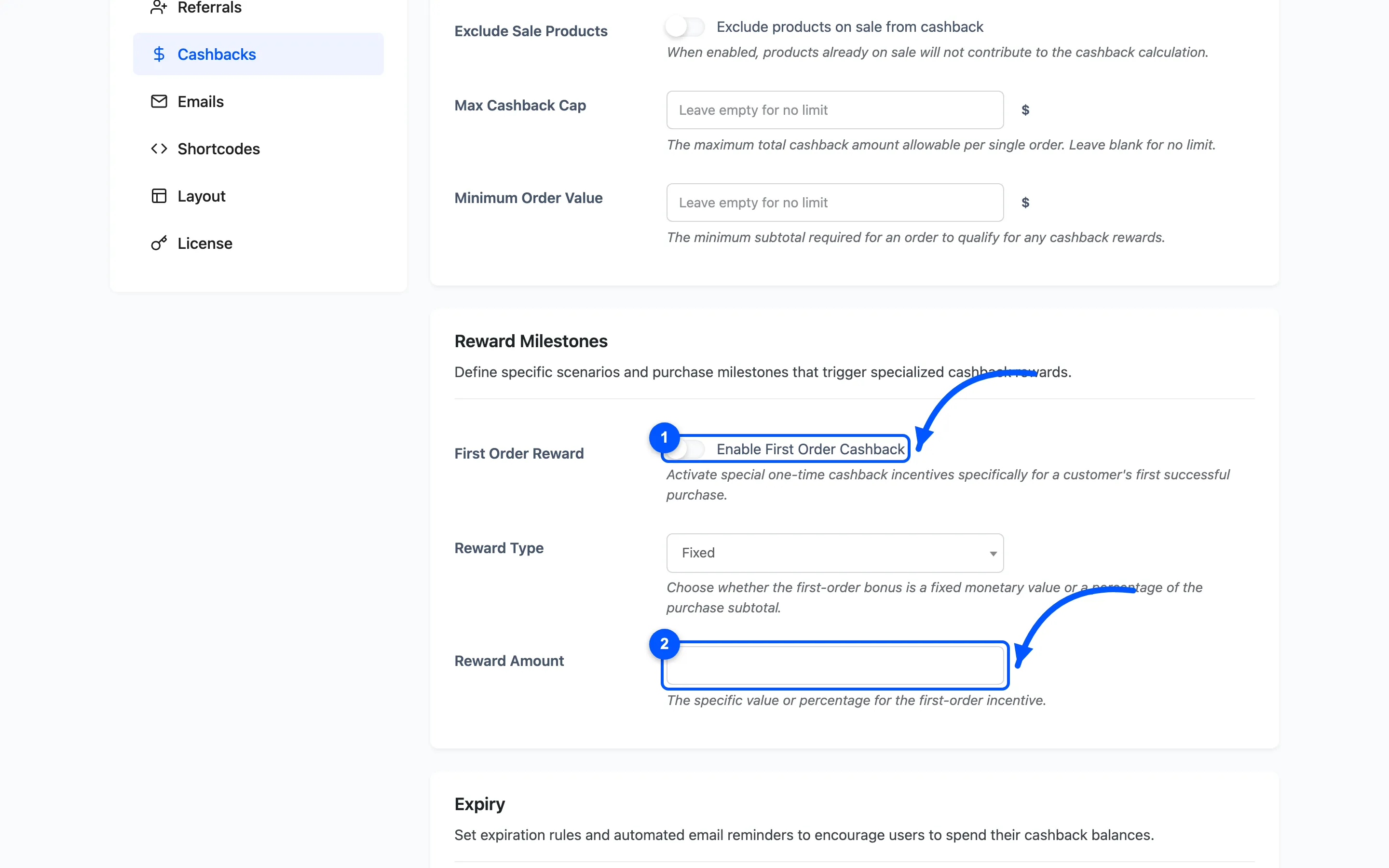
“First” means no other order in Completed, Processing or On hold, so a customer whose only previous order was cancelled still counts.
The bonus adds to cart and product cashback rather than replacing them, so check the total against Max Cashback Cap.
Step 5: Confirm the credit landed
Section titled “Step 5: Confirm the credit landed”Open Transactions and look for a Registration Credit row against the new account.
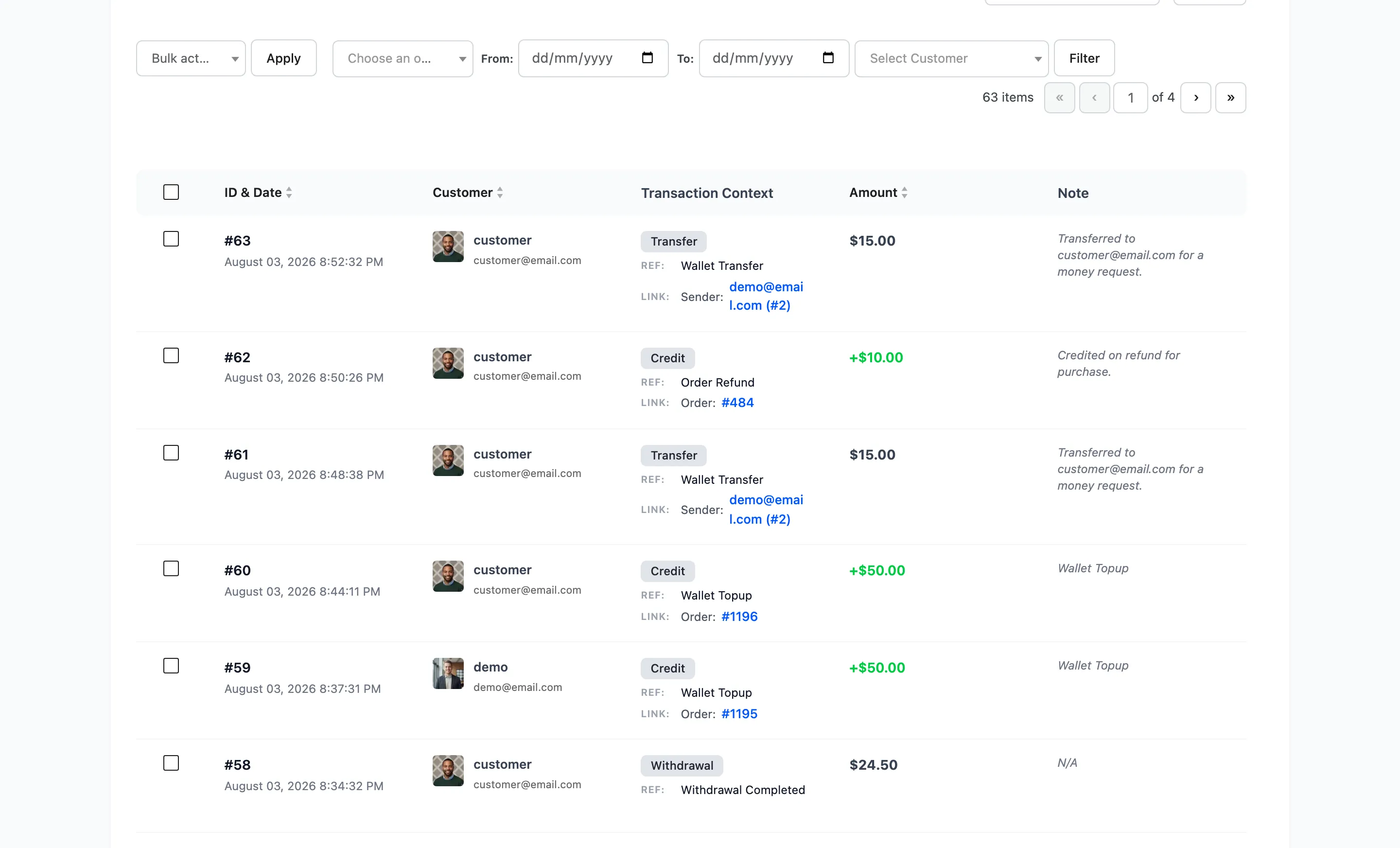
If it is missing, the usual cause is that the account was created by an admin rather than by the person registering. The credit is paid on the WooCommerce customer registration, not on every user created in WordPress.
Making the credit spendable
Section titled “Making the credit spendable”A signup credit is useless if the wallet cannot pay for anything. Two things have to be true.
-
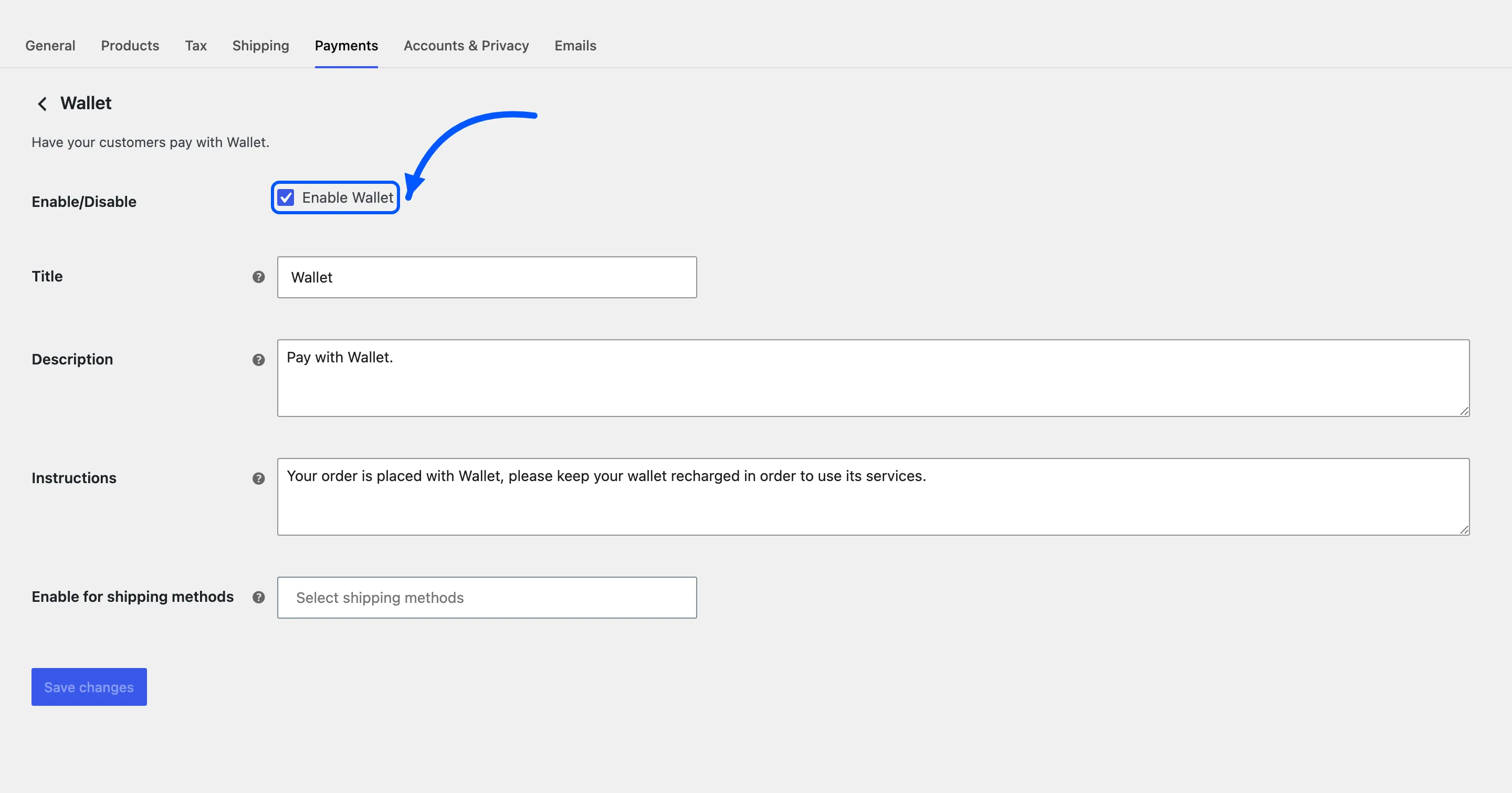
The Wallet payment method is enabled in WooCommerce → Settings → Payments.
-
The credit is enough to cover something, or partial payments are on, or the customer will never see the wallet offered at the checkout.
A $5 credit on a store whose cheapest item is $40 does nothing at all without partial payments.