

How to Request Money from Another Customer (Pro)
A request moves nothing on its own. It puts a card on someone else’s wallet page and waits.
Step 1: Open the Request Money popup
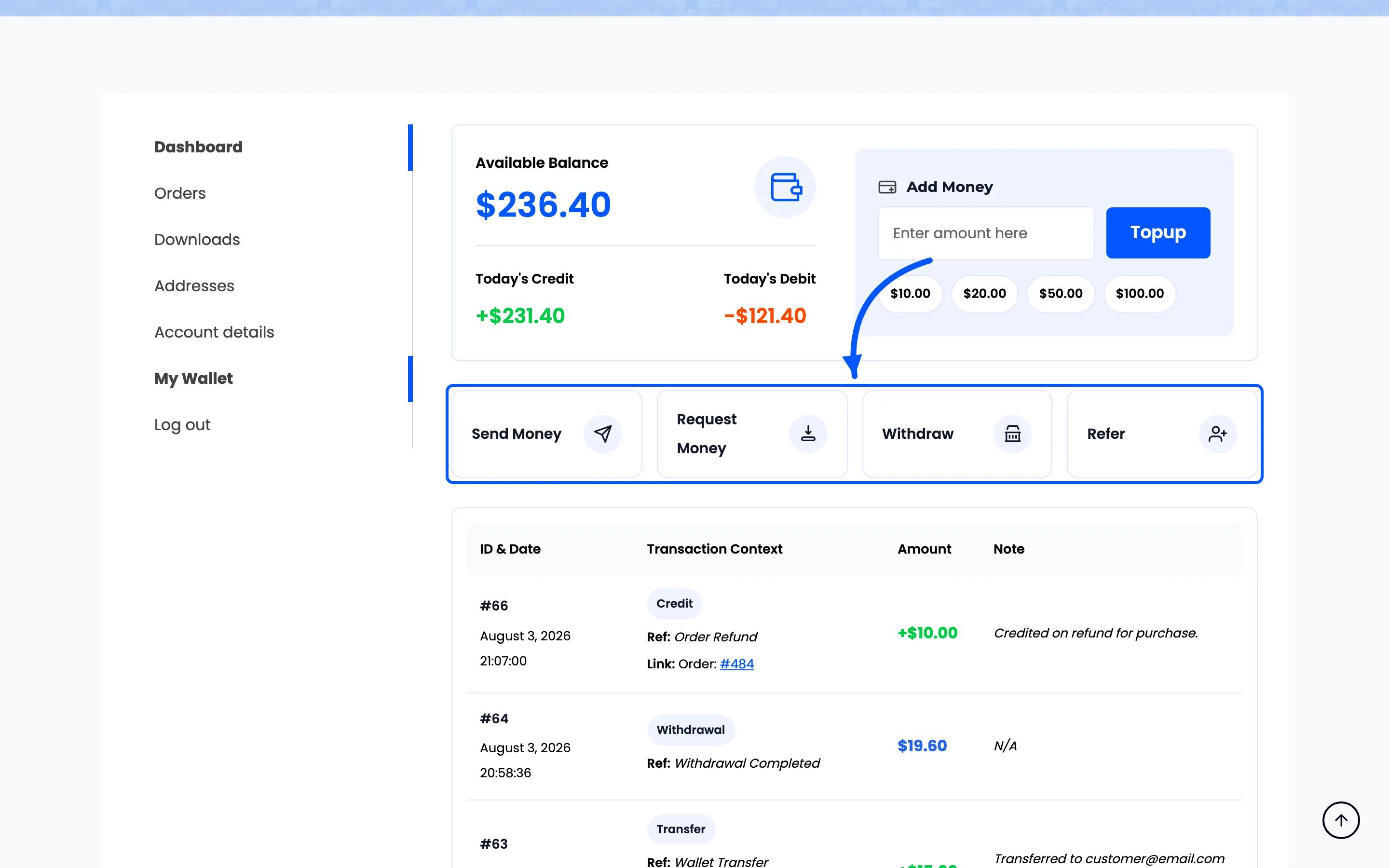
Section titled “Step 1: Open the Request Money popup”On My Account → My Wallet, press Request Money.
Step 2: Enter who, how much and why
Section titled “Step 2: Enter who, how much and why”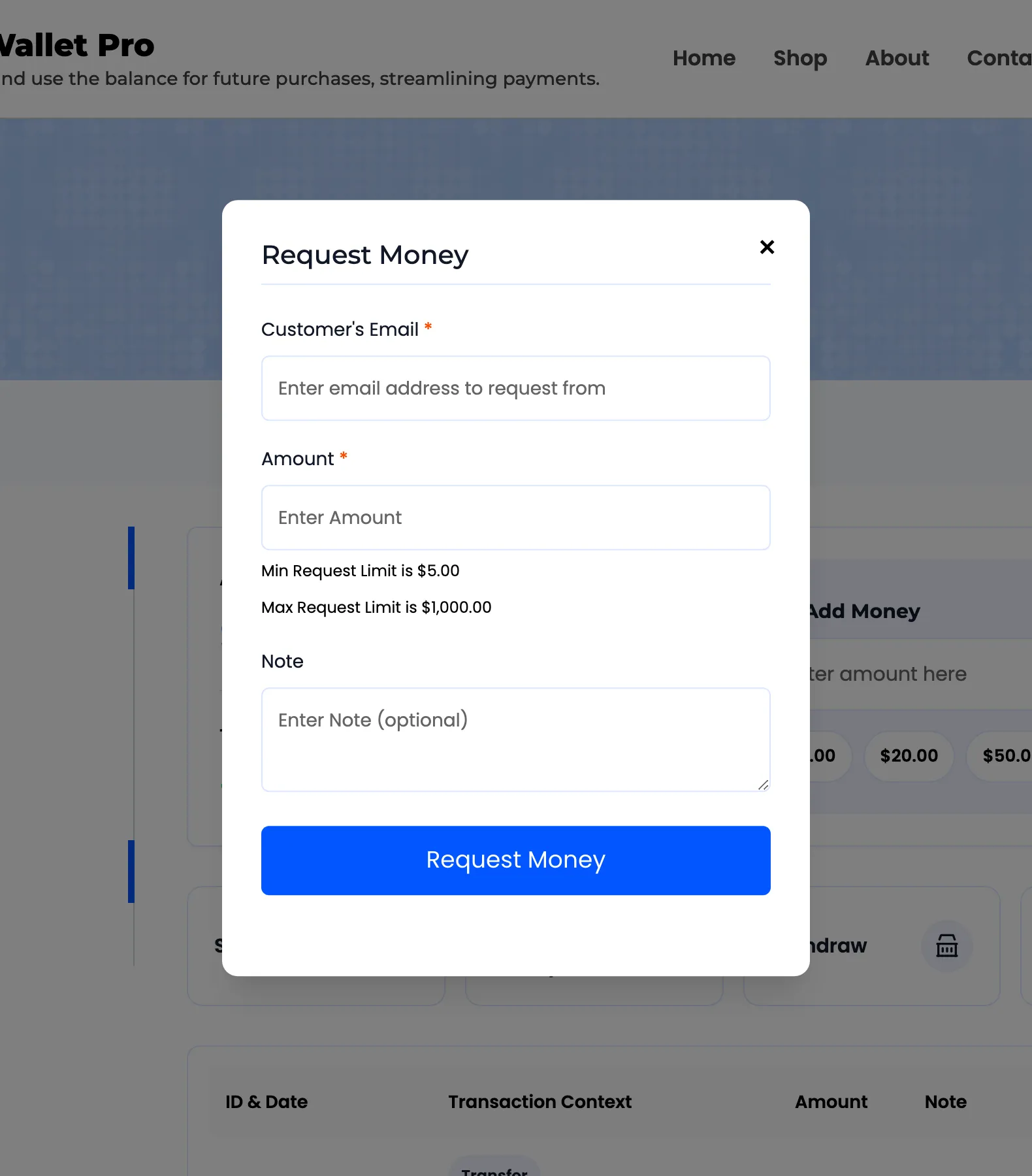
- Customer’s Email must be an existing account, and not your own.
- Amount is bounded by the same Min and Max Transfer Limit as sending, and the popup states them as Min and Max Request Limit.
- Note is optional and is worth filling in. It is the only context the other person gets.
The requester’s own balance is not checked, because the requester is receiving, not paying.
Step 3: Press Request Money
Section titled “Step 3: Press Request Money”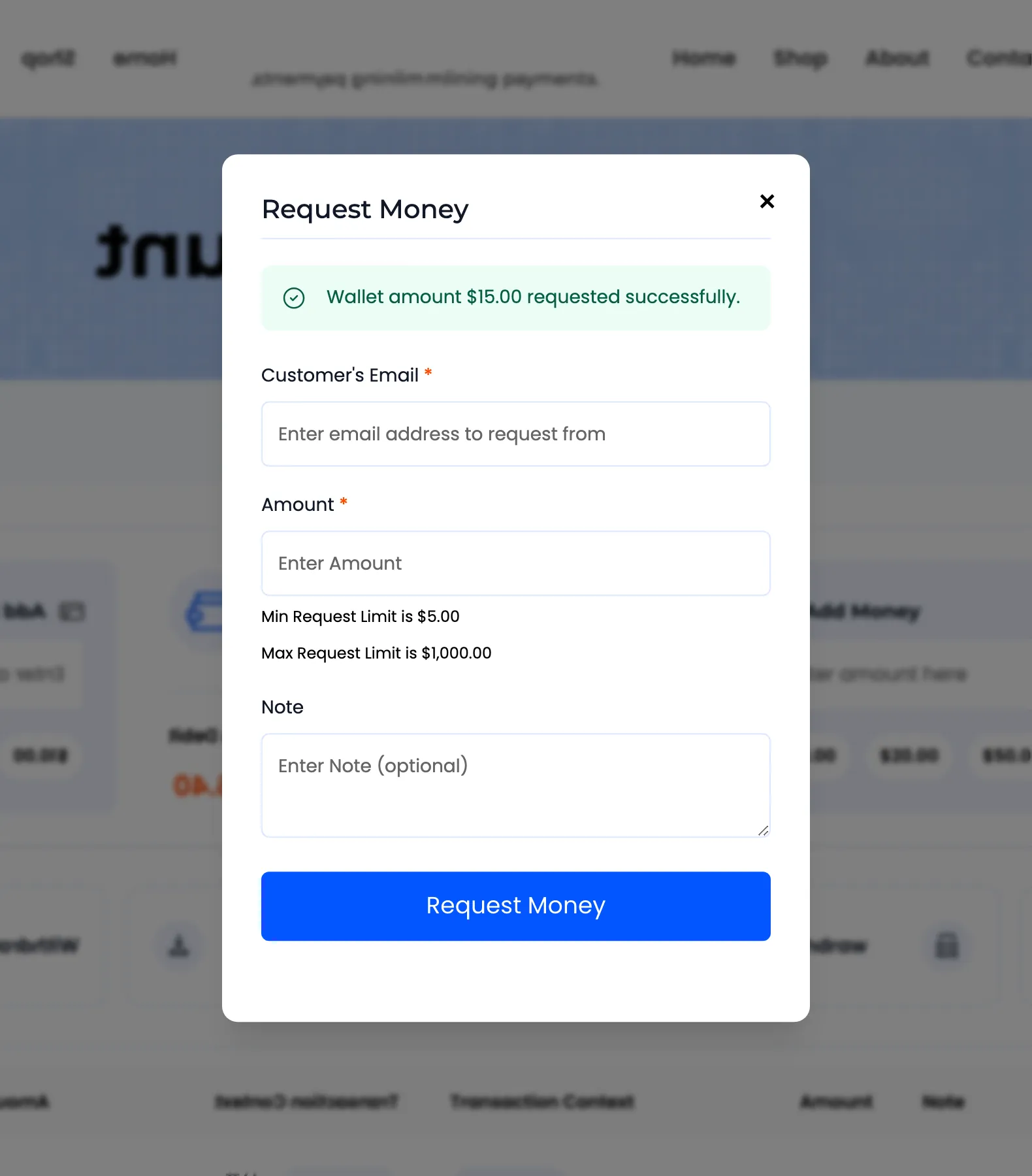
The other customer is emailed the Money Request notification, carrying the amount, the requester’s address and the note.
Nothing has moved. The request now waits on their wallet page for as long as it takes, because requests do not expire.
Step 4: They open their wallet
Section titled “Step 4: They open their wallet”A Pending Requests card appears above their transaction history, one card per request.
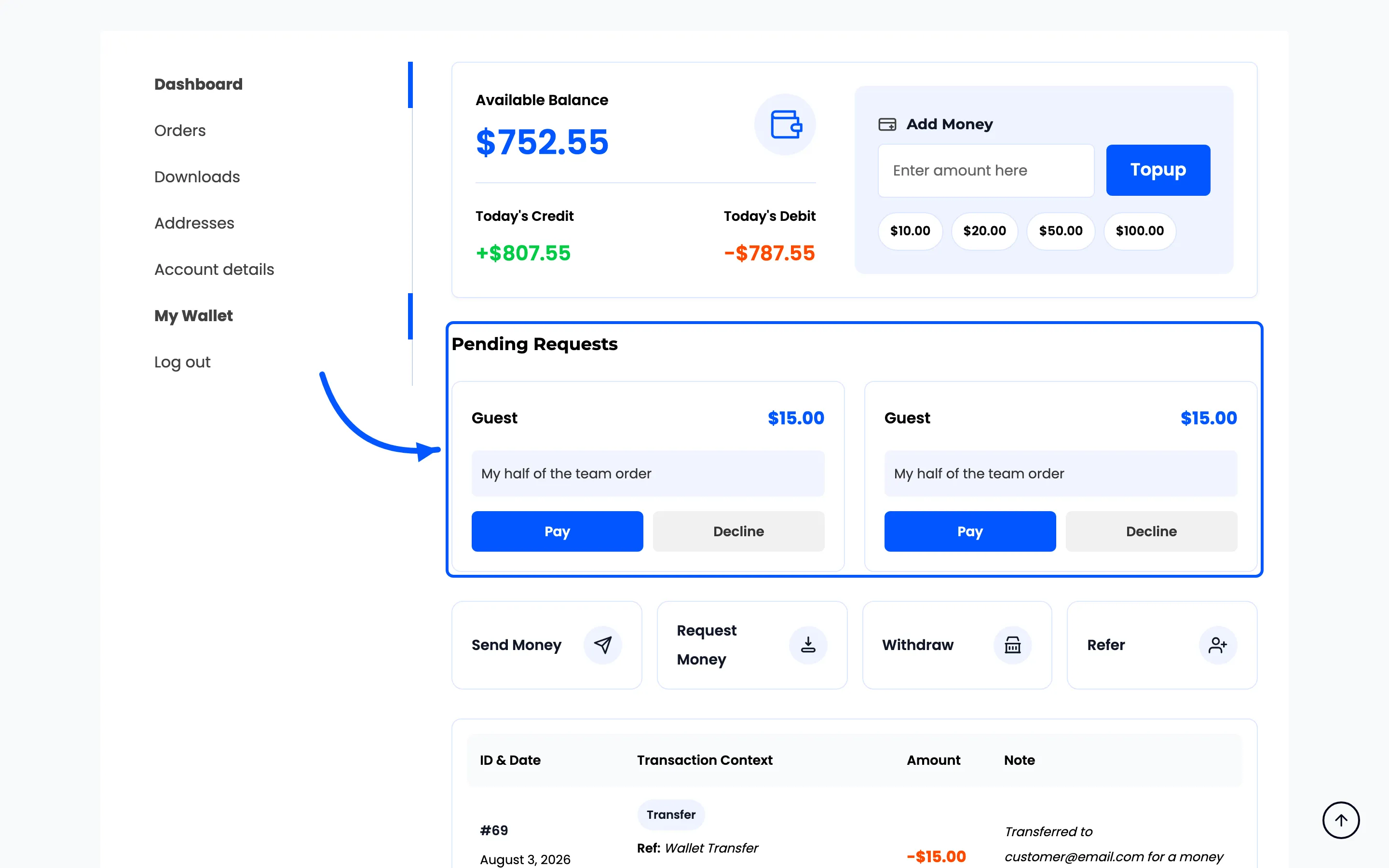
Each card shows who asked, how much and the note.
Step 5: They press Pay or Decline
Section titled “Step 5: They press Pay or Decline”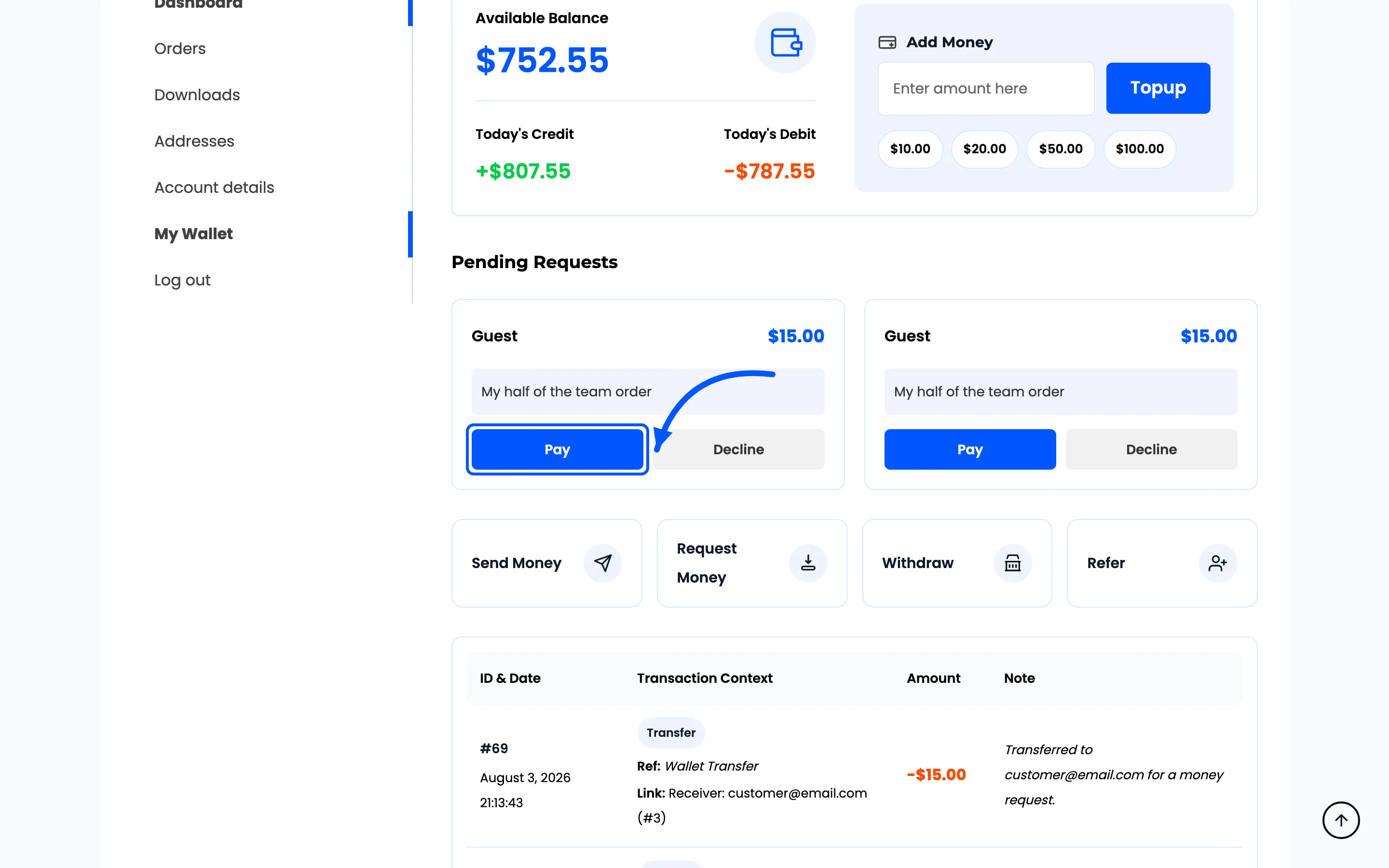
Both buttons ask the browser to confirm first, and that box is the browser’s own, not the plugin’s. It reads “Are you sure you want to pay this request?” or “Are you sure you want to decline this request?”, and it looks different in every browser, so there is nothing useful to show of it.
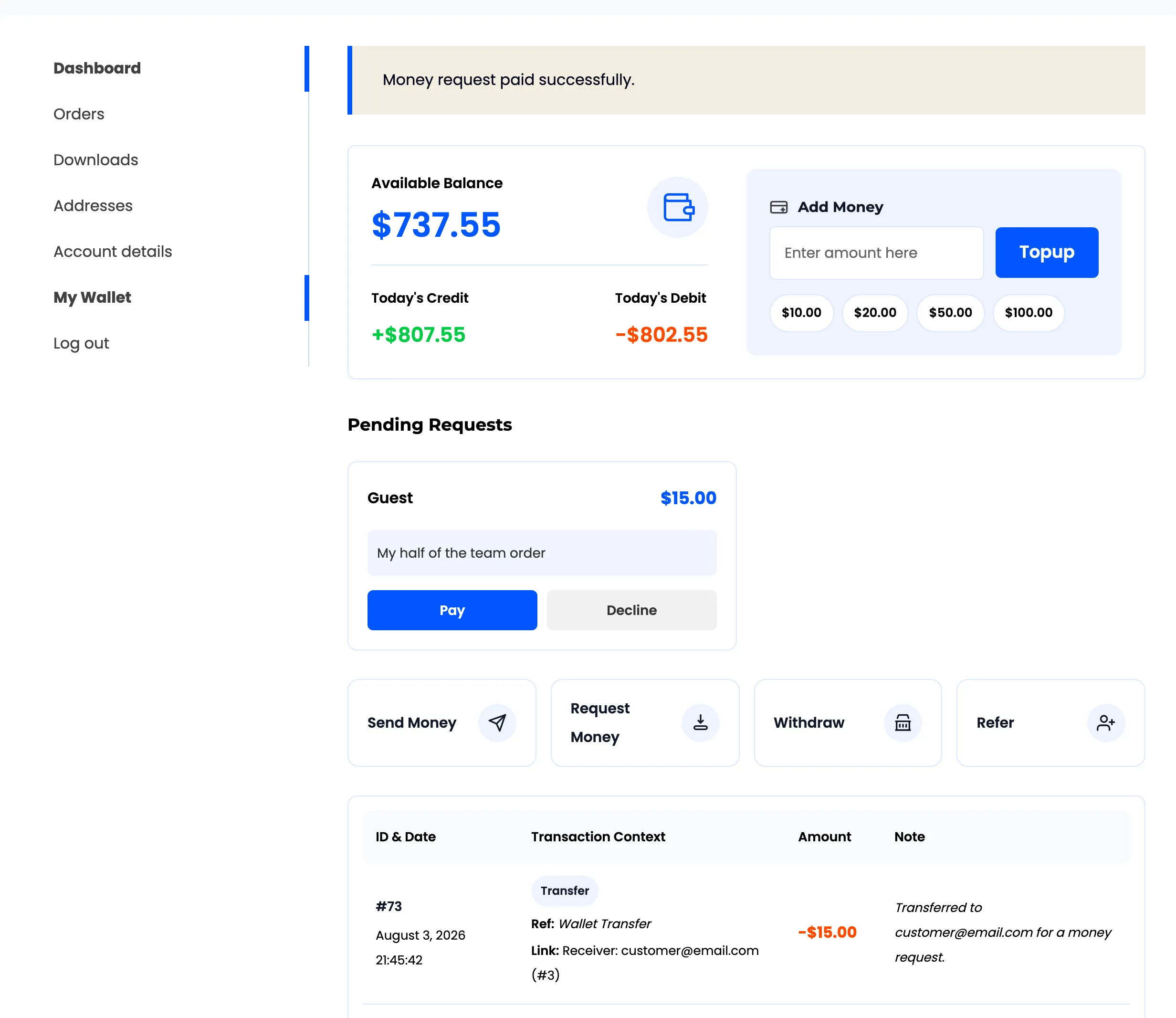
Pay then moves the money exactly as a Send Money would: one transfer row, both people emailed. It is refused when their balance is short, and the request stays on the card.
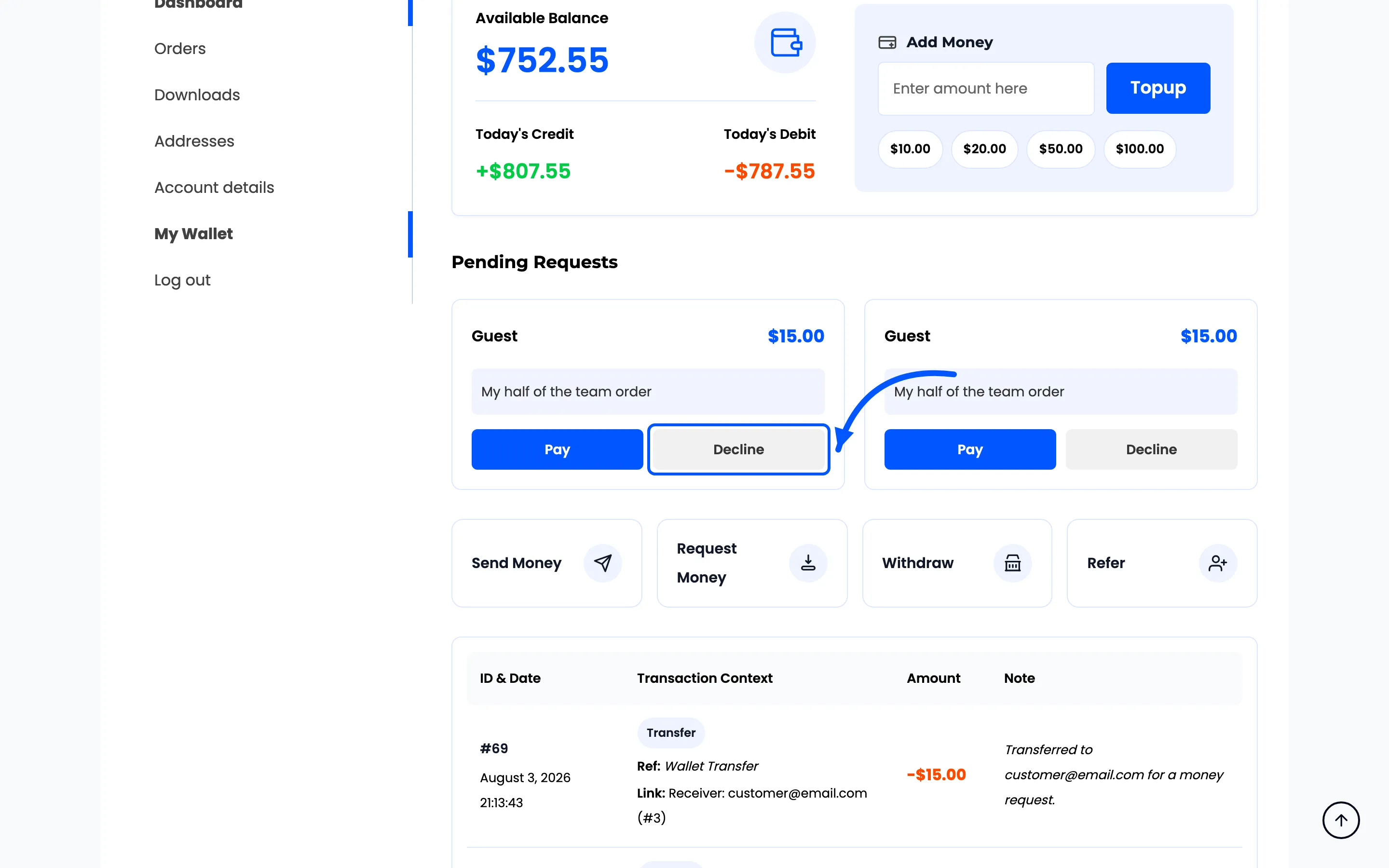
Decline then removes the card and emails the requester the Request Declined notification, naming who declined. No reason is asked for and none is sent.
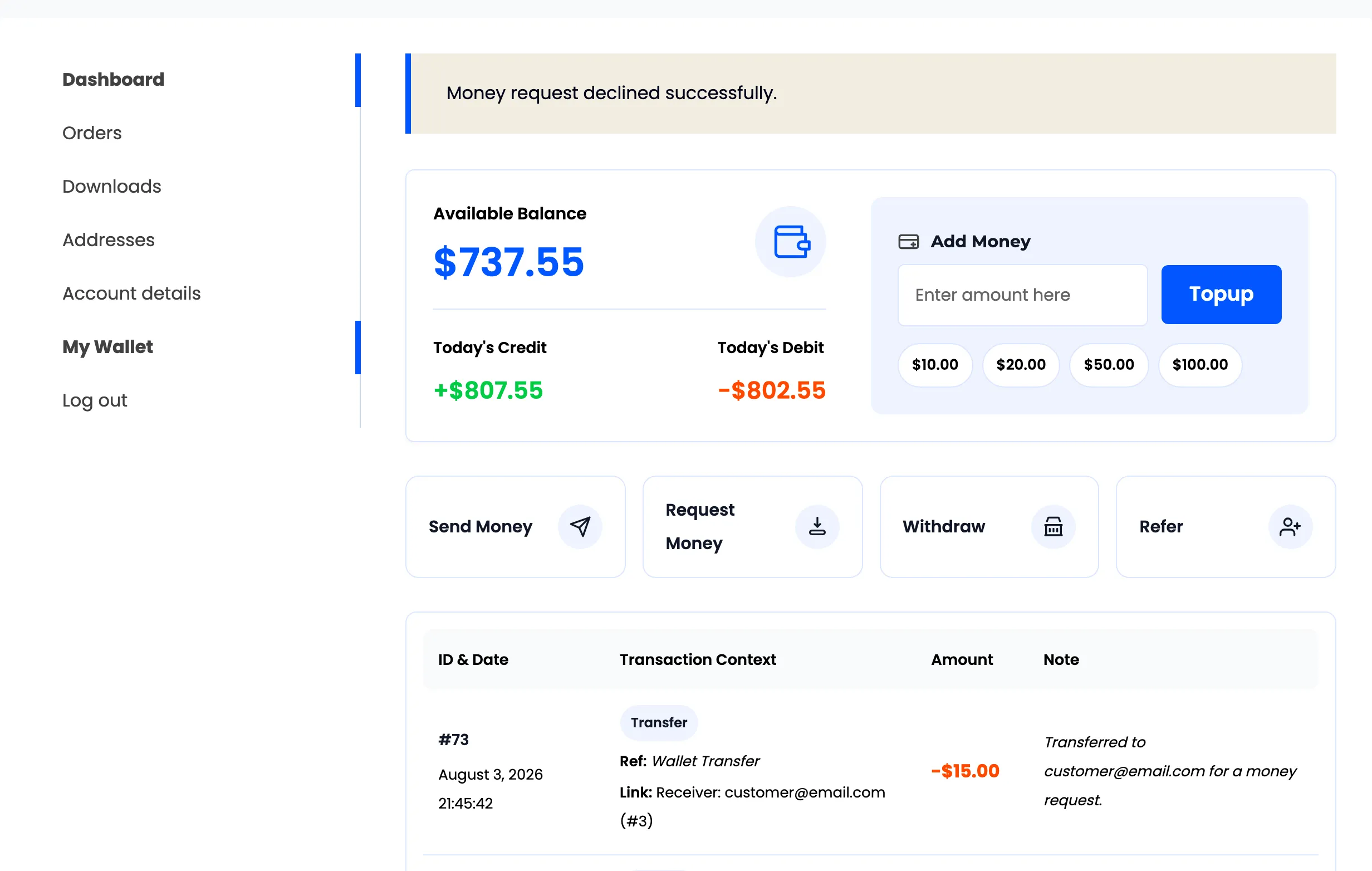
A declined request leaves no transaction behind. The card disappears and the history is unchanged, which is why there is nothing in the transactions list to explain a request that went nowhere.
Where to use it
Section titled “Where to use it”Two cases where it earns its place.
- Splitting an order: One person pays the store, the others settle up through their wallets.
- A store-run group buy: The organiser collects from everyone in wallet balance rather than chasing bank transfers.