

How to Request a Withdrawal (Pro)
A withdrawal is a request for a manual payout. The important part is that the money leaves the wallet straight away, before you have sent anything.
Step 1: Turn withdrawals on
Section titled “Step 1: Turn withdrawals on”Go to DevDiggers Plugins → Wallet → Configuration → Withdrawals and tick Enable Withdrawals.
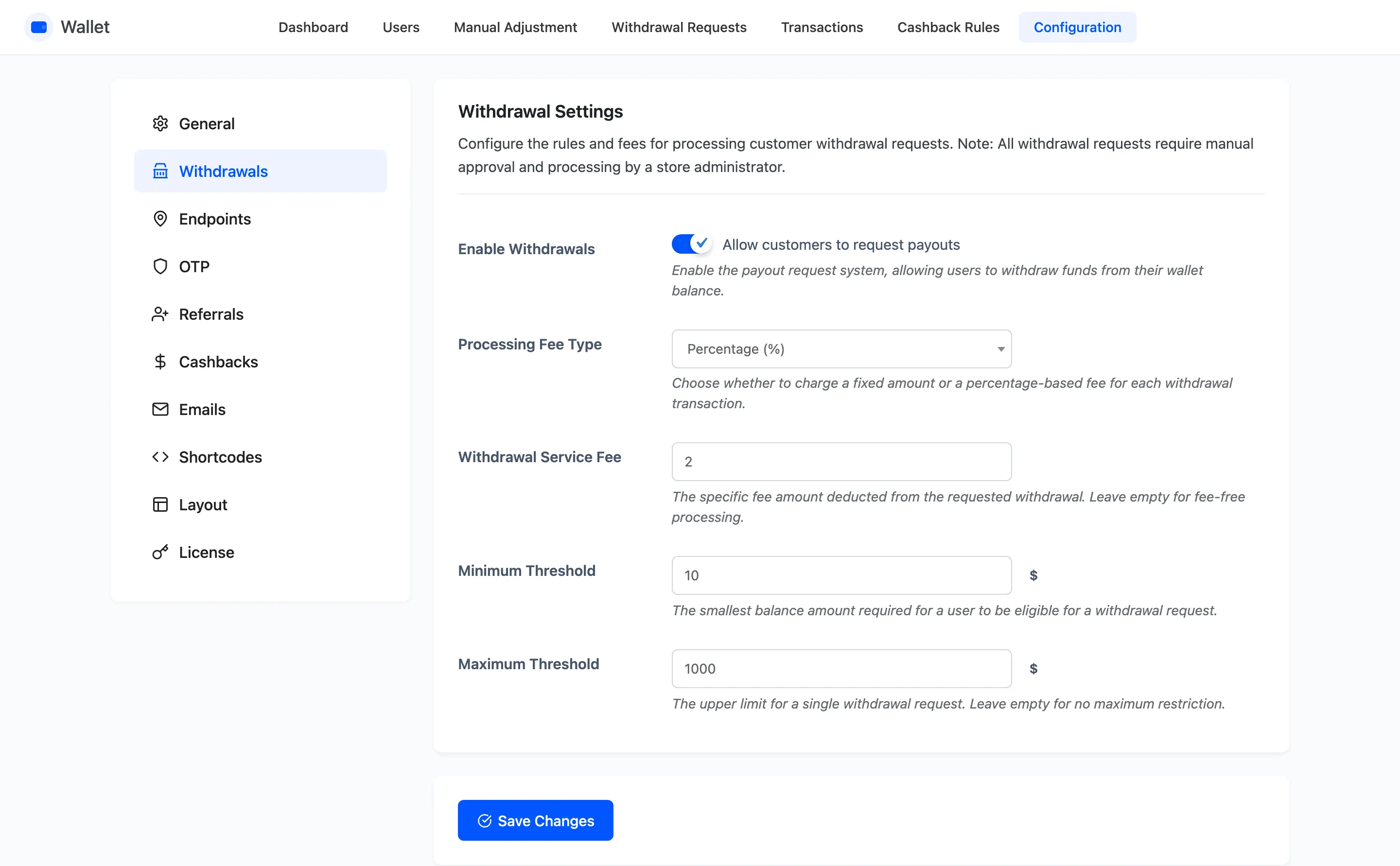
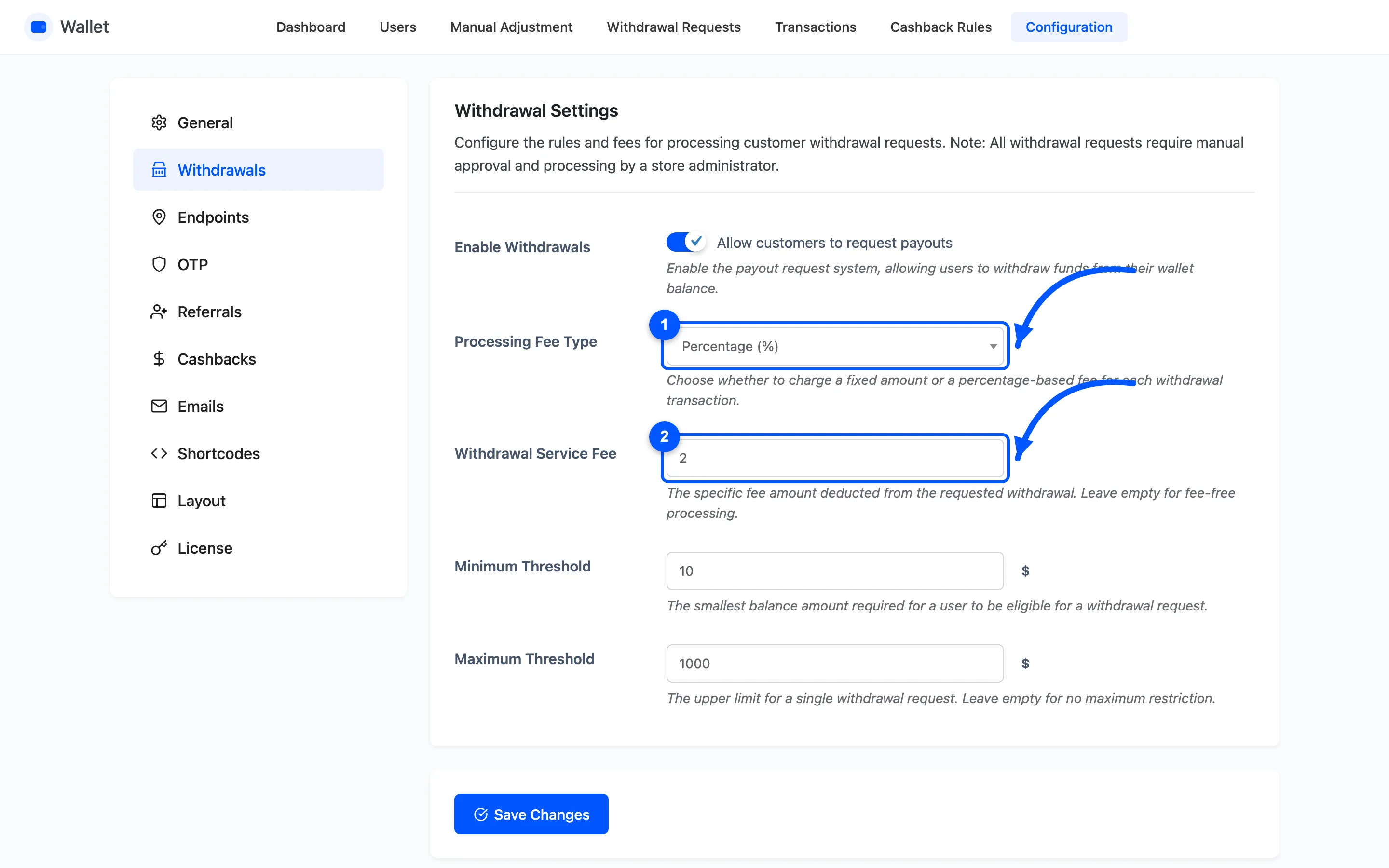
Set the fee and the thresholds while you are there.
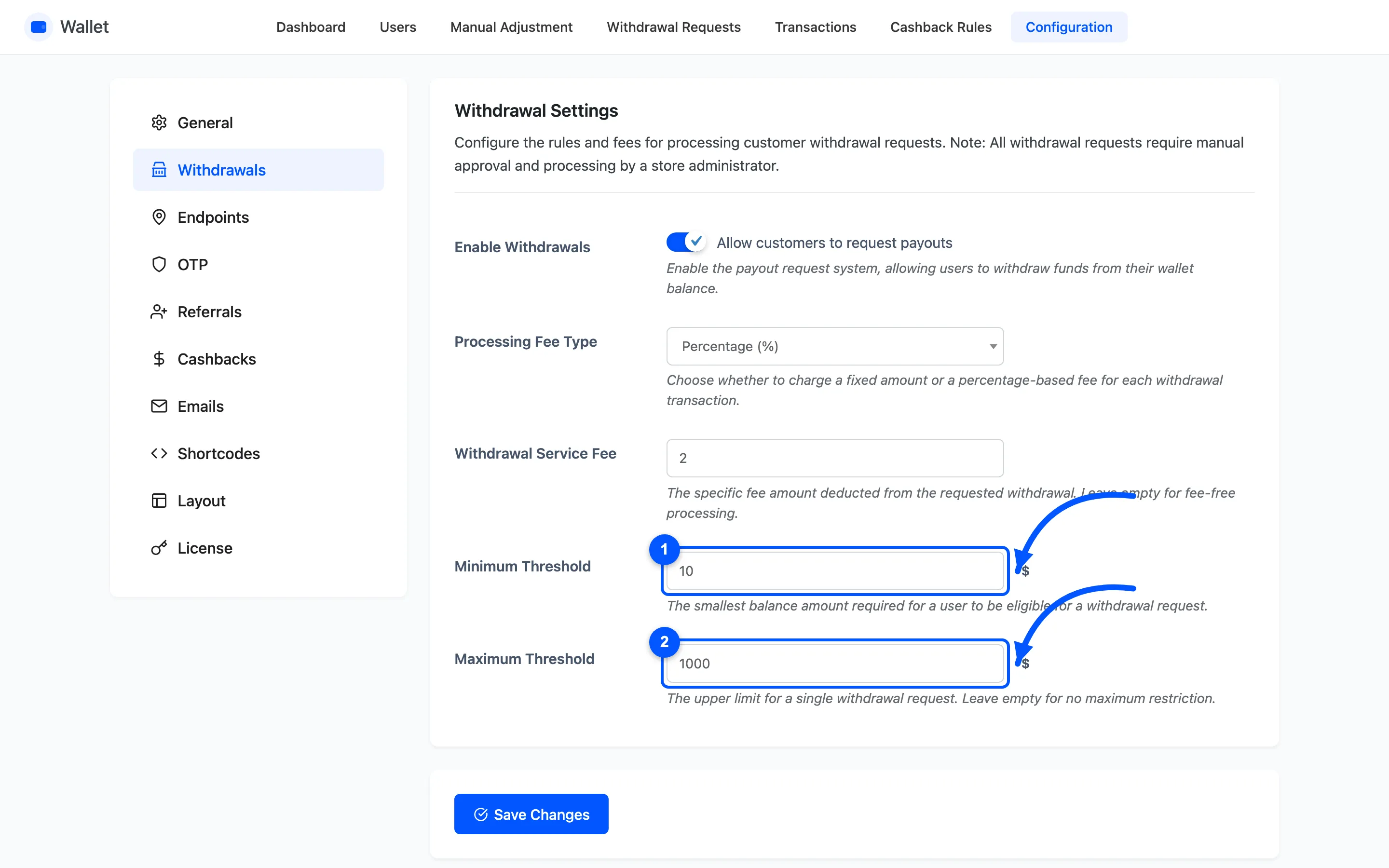
Set Minimum Threshold above what a transfer costs you. Paying out $3 by bank transfer is a service you are running at a loss.
Step 2: Open the Withdraw popup
Section titled “Step 2: Open the Withdraw popup”On My Account → My Wallet, press Withdraw.
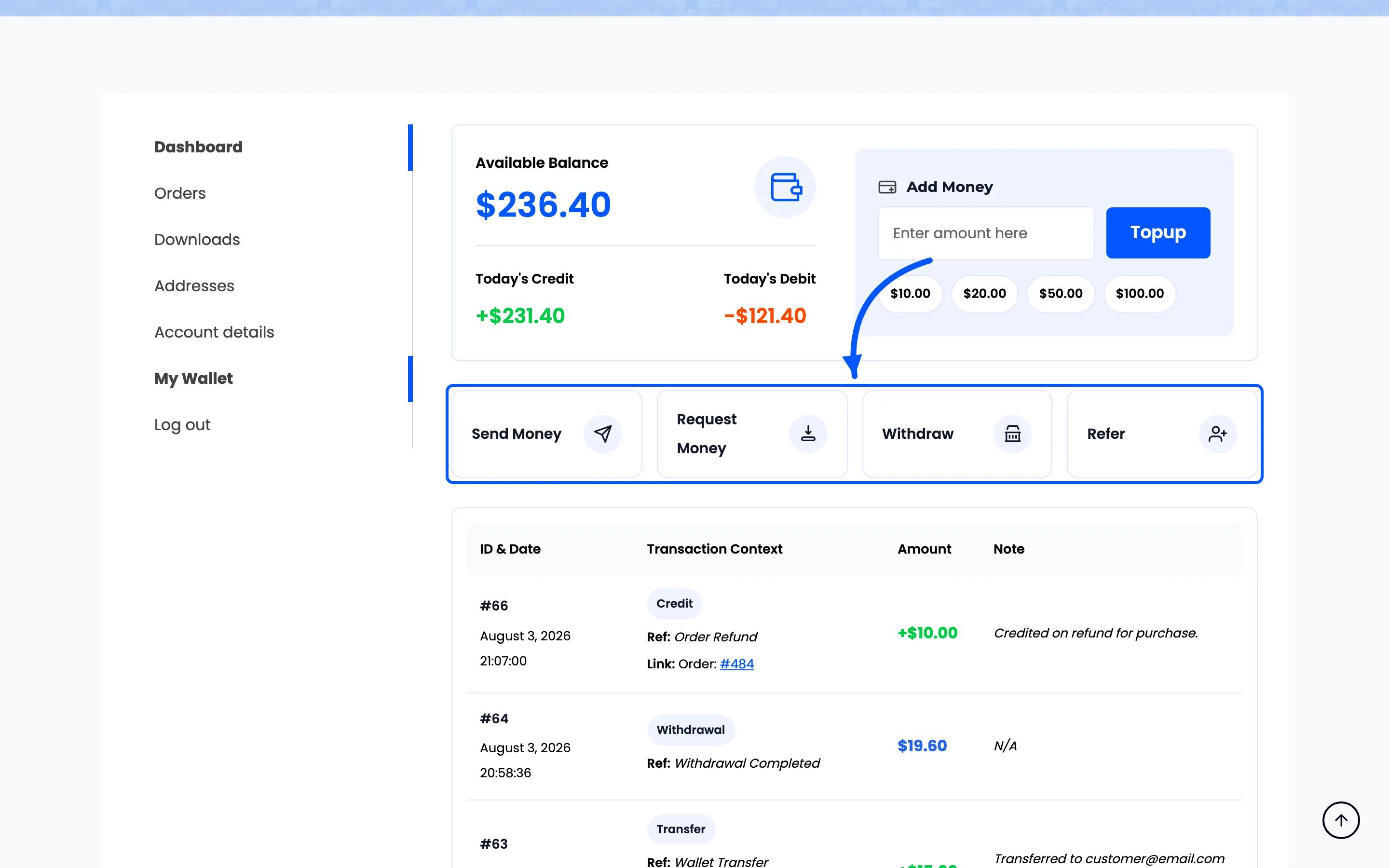
The button only exists while withdrawals are enabled, so switching it off removes it for everyone.
Step 3: Enter the amount
Section titled “Step 3: Enter the amount”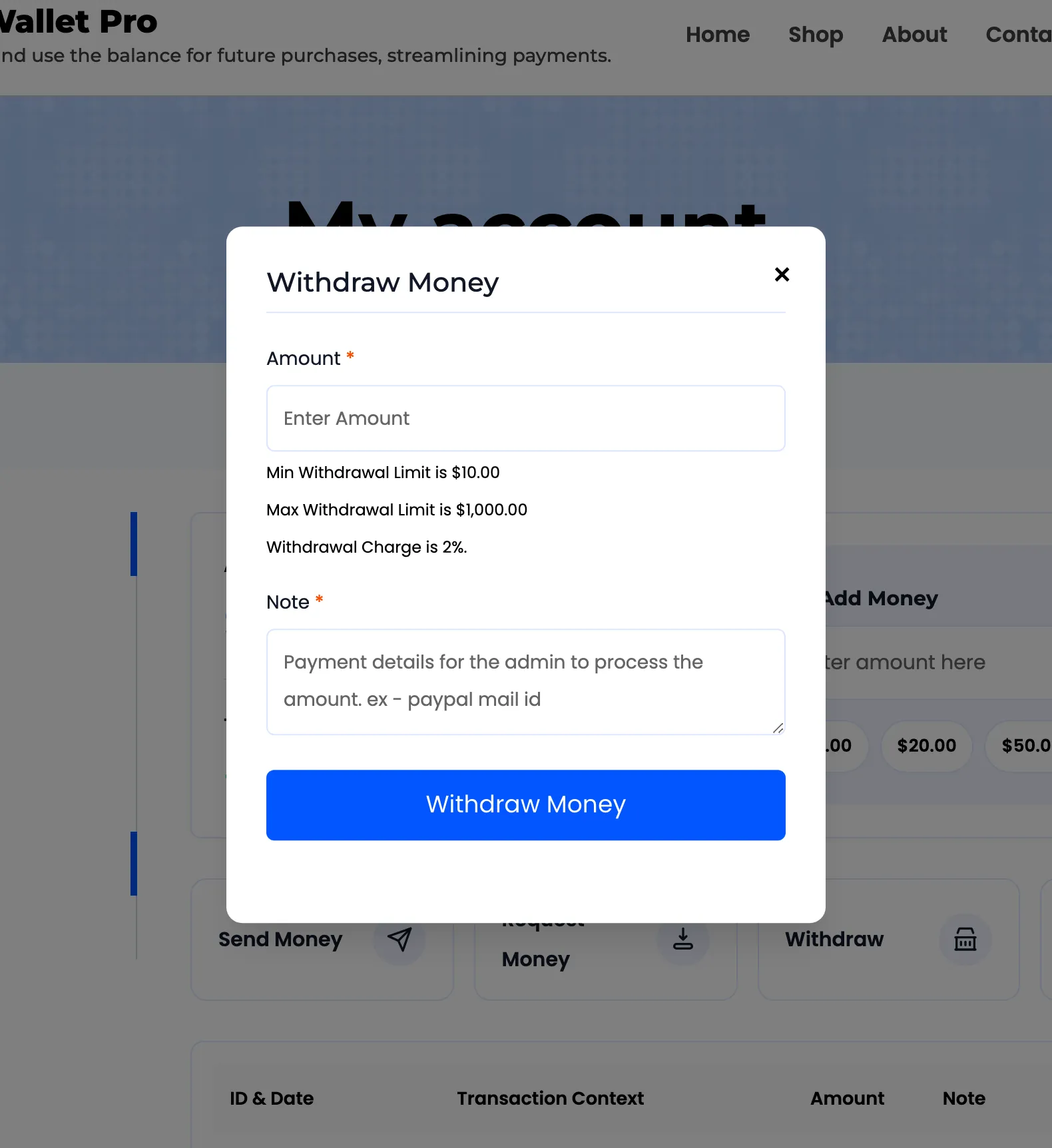
The popup states three things before the customer types anything: the minimum, the maximum and the charge. Nothing about the deduction is a surprise.
The amount is refused when it is below the minimum, above the maximum, or above the balance.
Step 4: Enter the payout details
Section titled “Step 4: Enter the payout details”Note is required here, unlike on the other operations. It is where the customer tells you how to pay them. The placeholder says so: payment details for the admin, for example a PayPal address.
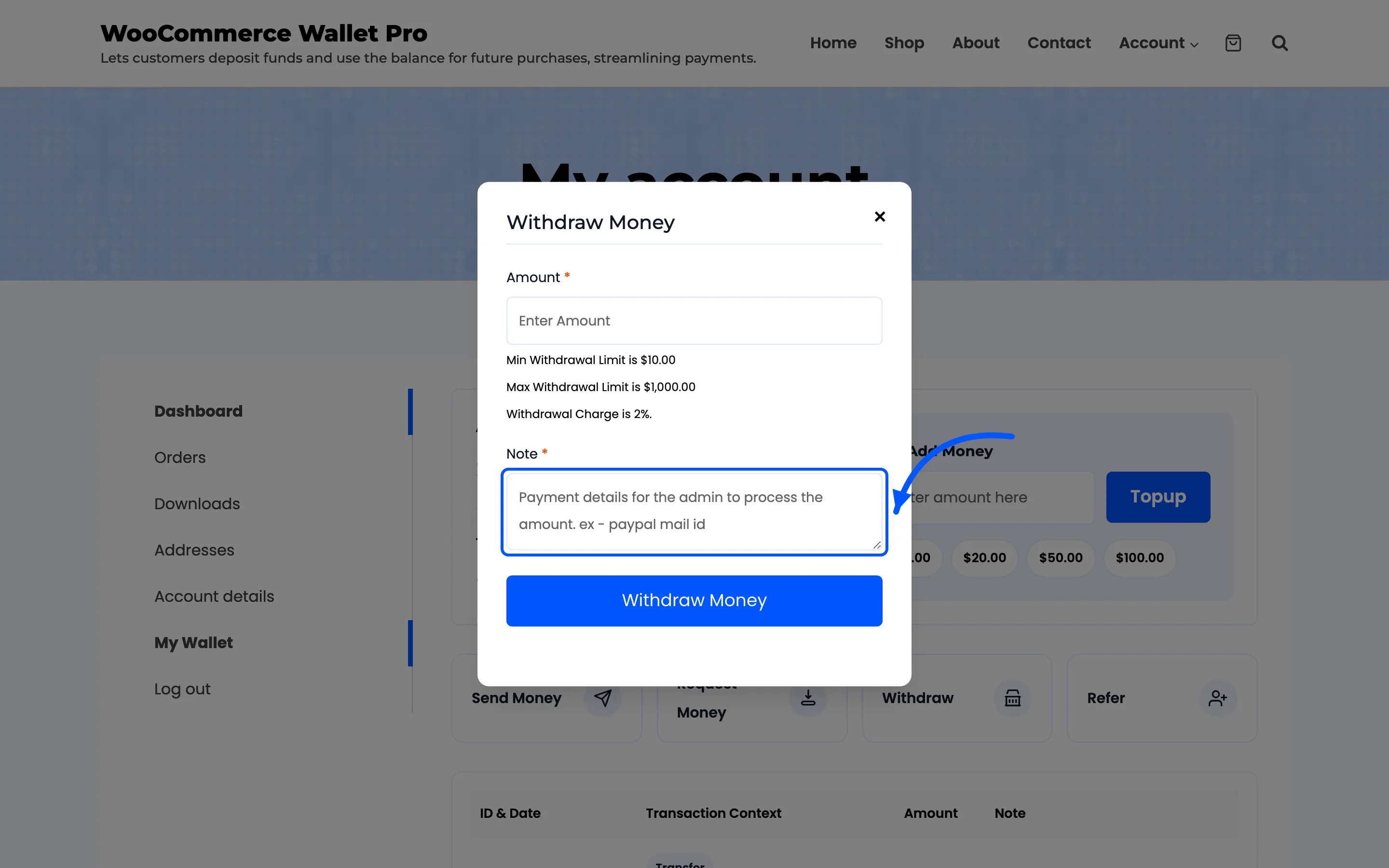
It is free text, so it is only as good as what they write. It is worth saying somewhere in your own words what you need to see.
Step 5: Press Withdraw Money
Section titled “Step 5: Press Withdraw Money”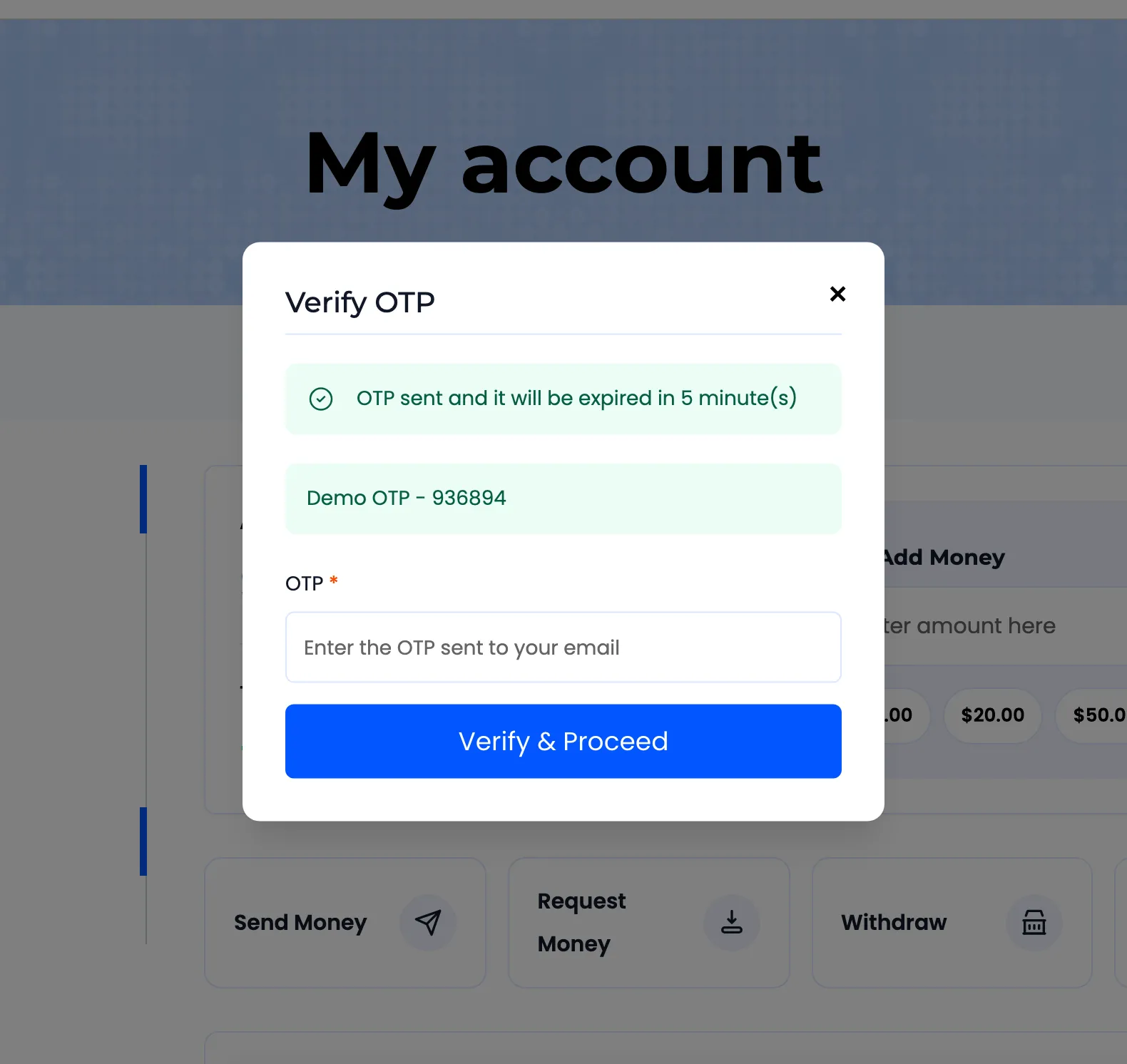
Three things happen at once.
- The balance is debited by the full amount asked for, immediately.
- Two transaction rows are written: the net amount as Withdrawal Requested, and the fee as Withdrawal Charges.
- You are emailed the new request.
The customer cannot spend that money while they wait, which is worth saying on your own page about payouts.
What happens next
Section titled “What happens next”The request joins the queue on Withdrawal Requests. You pay it and mark it paid, or cancel it, and the customer is emailed either way.
Cancelling returns the full amount before charges, so a cancelled request costs the customer nothing.