

How to Pay Part of an Order with Your Wallet (Pro)
A wallet with $161 in it cannot pay for a $253 basket. Partial payment is how that $161 gets used anyway.
Step 1: Turn on partial payments
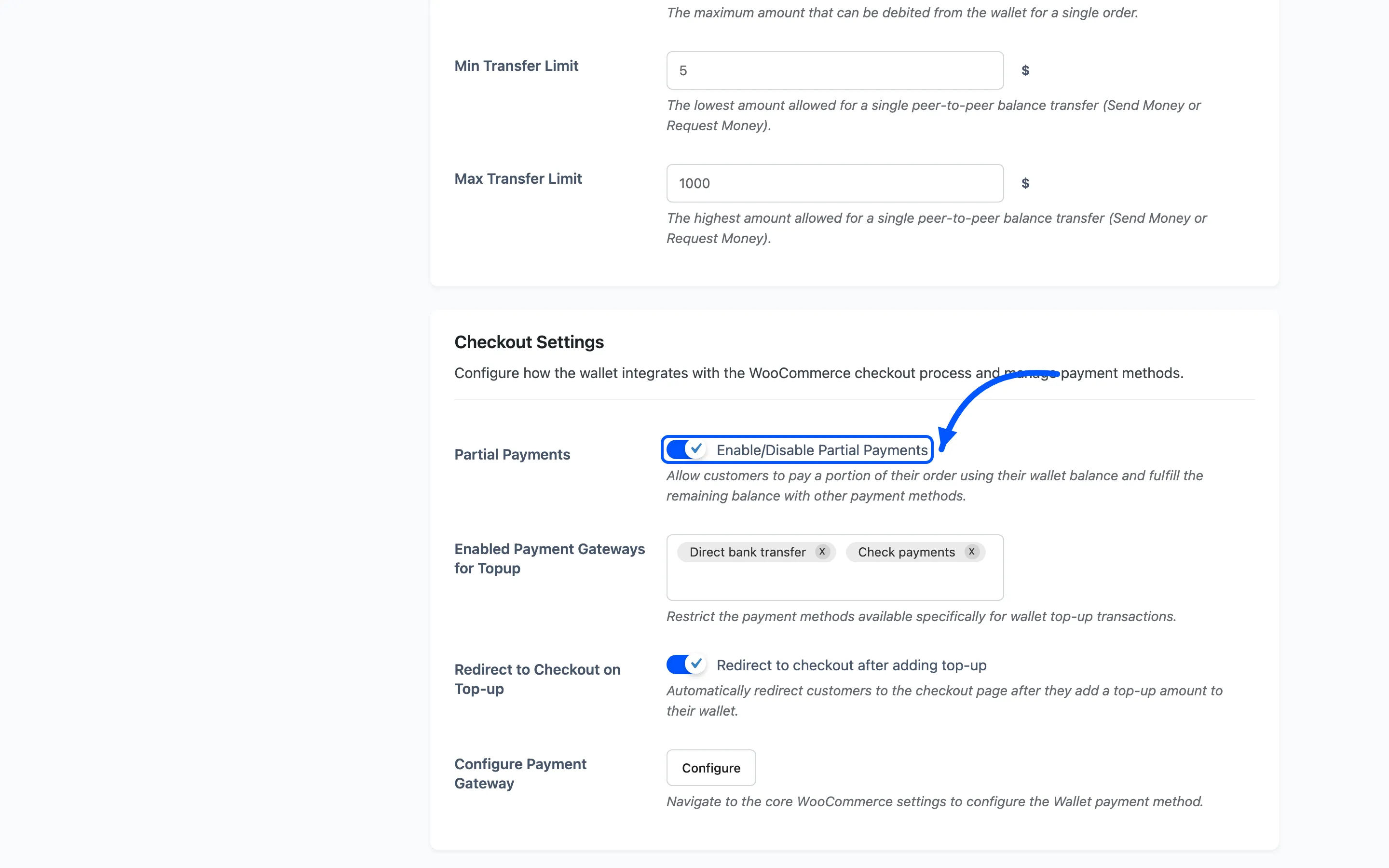
Section titled “Step 1: Turn on partial payments”Go to DevDiggers Plugins → Wallet → Configuration → General, and tick Partial Payments under Checkout Settings.
Step 2: Open a checkout the balance cannot cover
Section titled “Step 2: Open a checkout the balance cannot cover”The panel is deliberately quiet. It appears only when the customer has a balance and the order costs more than that balance, or more than Max Debit Limit.
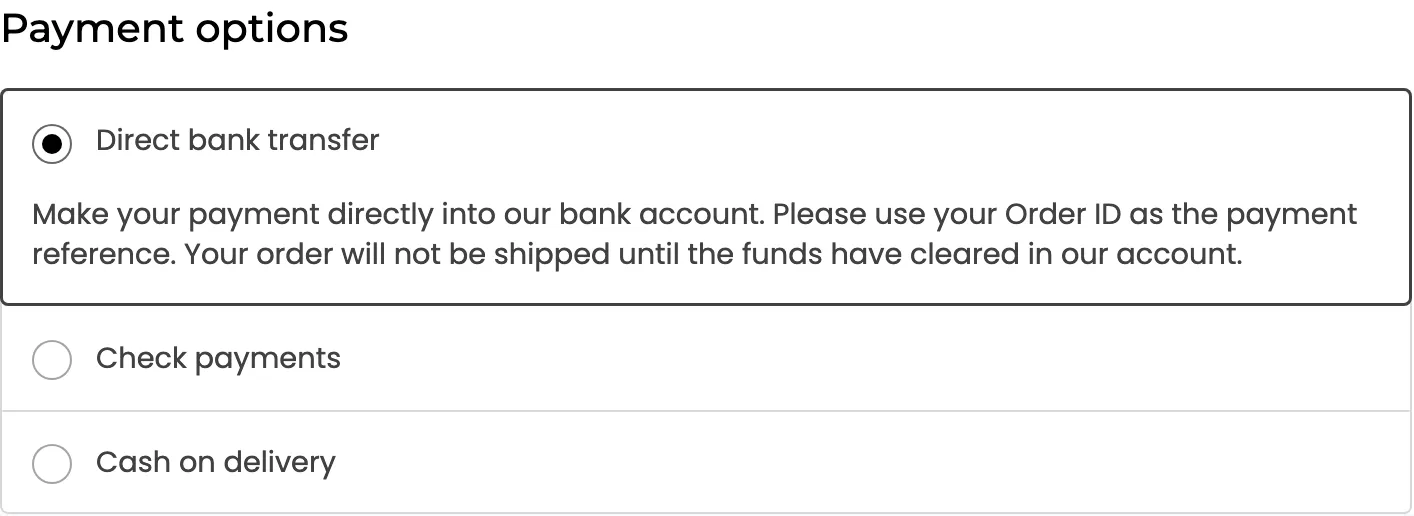
The Wallet payment method is gone from the list, because it cannot cover the order. That is the signal the panel is about to be needed.
Step 3: Open the panel
Section titled “Step 3: Open the panel”Wallet Partial Payment sits in the order summary, under Add coupons.
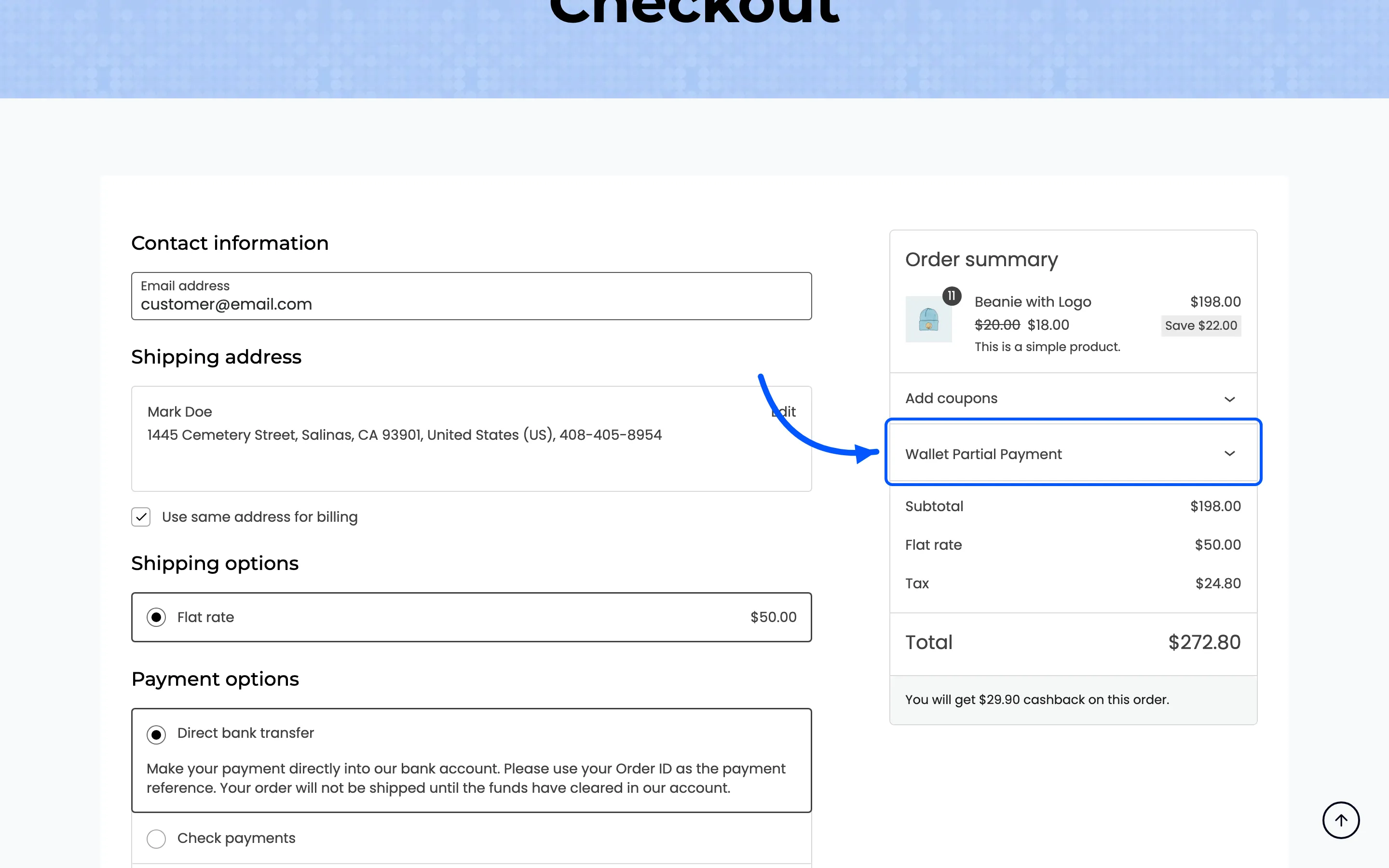
Clicking it opens the form: the available balance, an amount field and an Apply button.
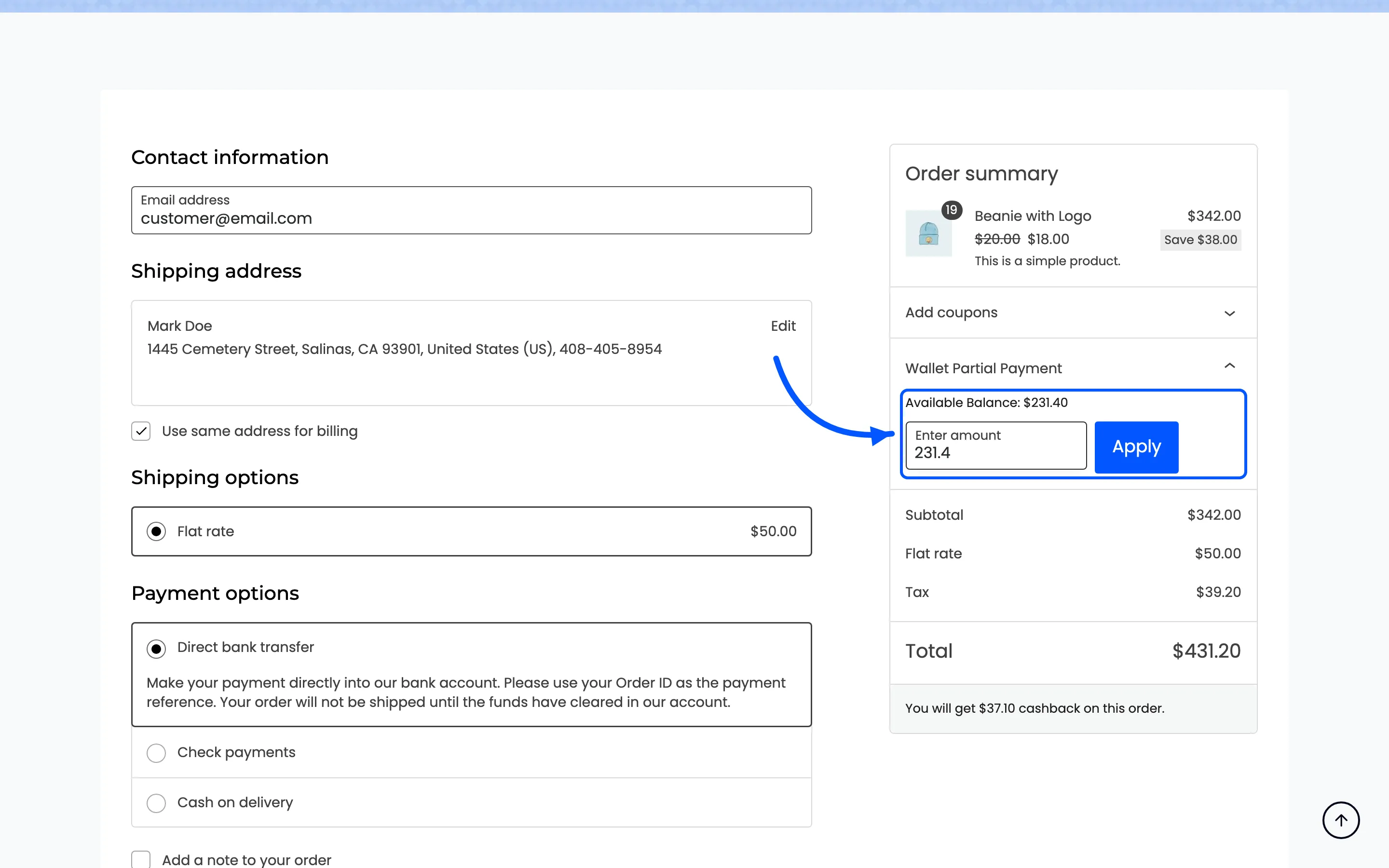
The field arrives prefilled with the whole balance. For most customers the right move is to press Apply without touching it. Type a smaller figure to keep some back.
Step 4: Press Apply
Section titled “Step 4: Press Apply”The panel confirms the amount, and the order summary gains a Payment via Wallet line taking that amount off the total.
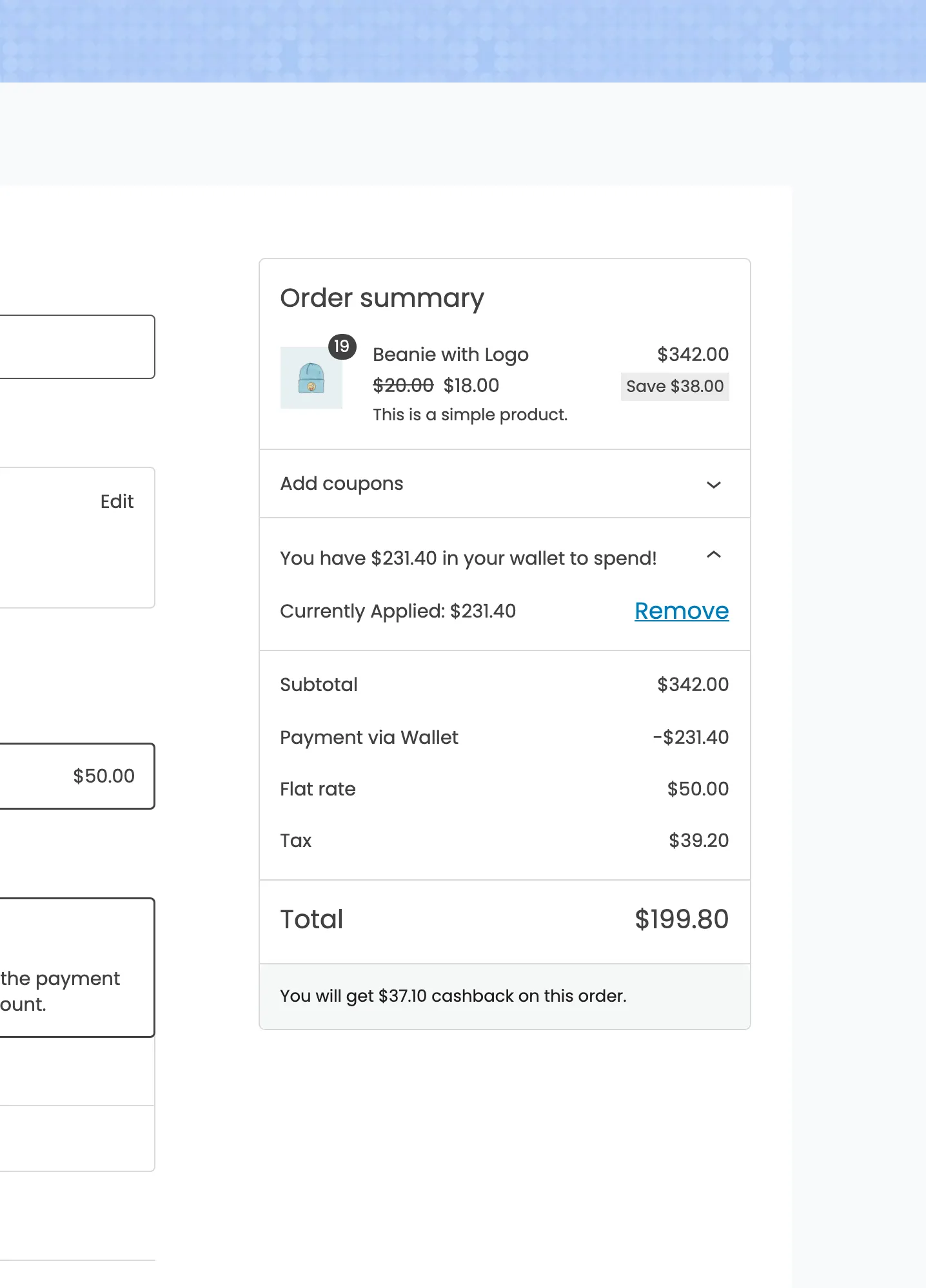
Two details worth noticing in that shot.
- The line is not taxed. It is applied as a non-taxable adjustment, so the tax on the goods does not change when the wallet covers part of them.
- The panel heading changes to say how much is in the wallet, with Currently Applied and a Remove link under it.
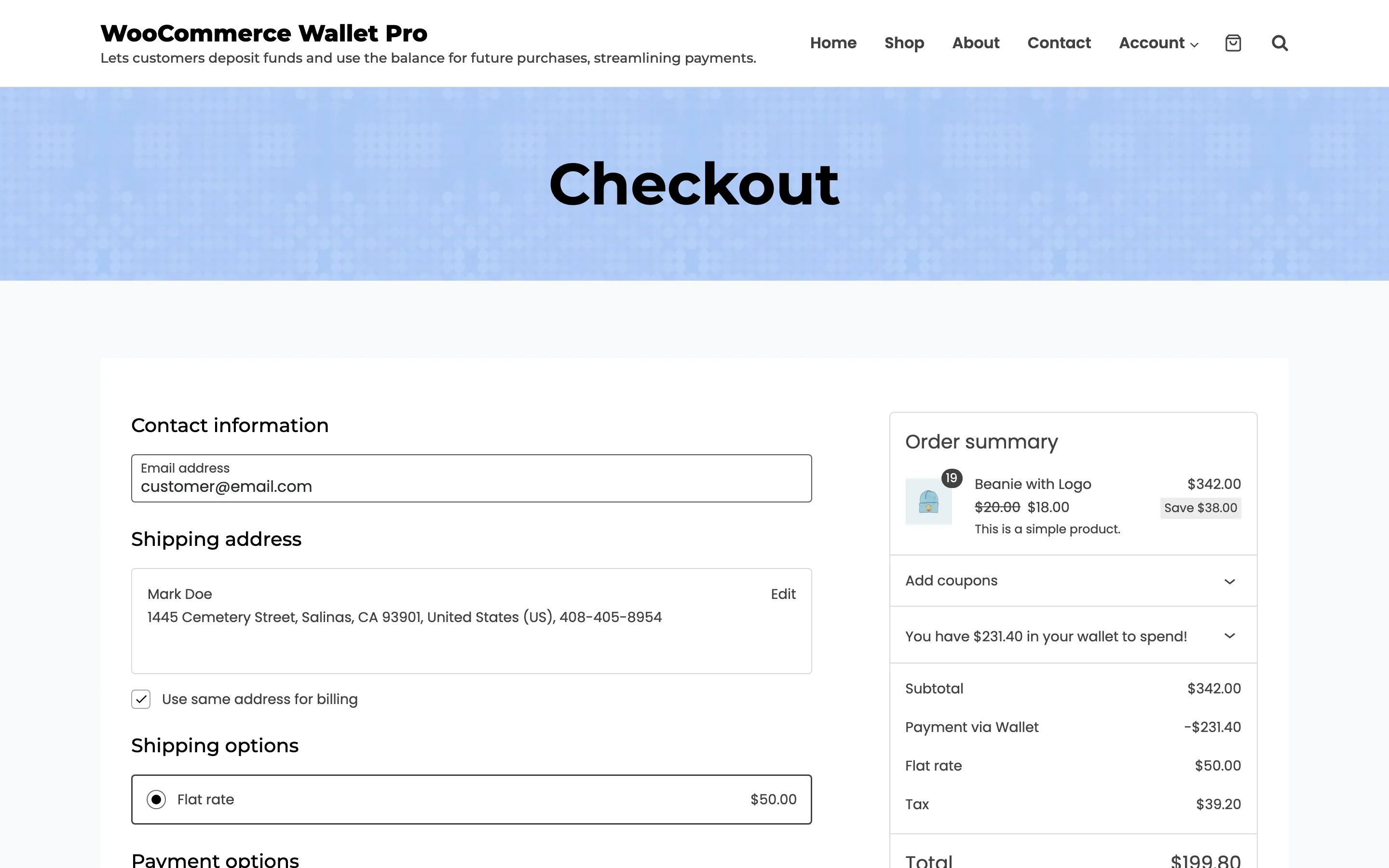
Remove puts the amount back and restores the total. Nothing has left the wallet yet.
Step 5: Pay the rest another way
Section titled “Step 5: Pay the rest another way”Choose any other payment method for the remaining total and place the order.
The Wallet method itself stays out of the list, because the order is already part-paid from that wallet.
The wallet is debited when the order is placed, with the reason Order Payment, exactly as a full wallet payment would be.
What can go wrong
Section titled “What can go wrong”- The panel does not appear. Either the balance is zero, or the order is small enough for the balance to cover it, in which case the Wallet method is offered instead.
- The Wallet method disappears after applying. That is expected. An order cannot be paid twice from the same wallet.
- The applied amount survives into a top-up. Remove it before starting a top-up. A top-up cart gives no control to remove it with, and the top-up total lands at zero.
Where to go next
Section titled “Where to go next”- How to Pay with Your Wallet
- General Settings for the debit limits
- The Wallet Payment Gateway