

How to Expire Unused Cashback (Pro)
Cashback that never expires is a liability that only grows. An expiry date turns it into a reason to come back this month.
Step 1: Open the Cashbacks tab
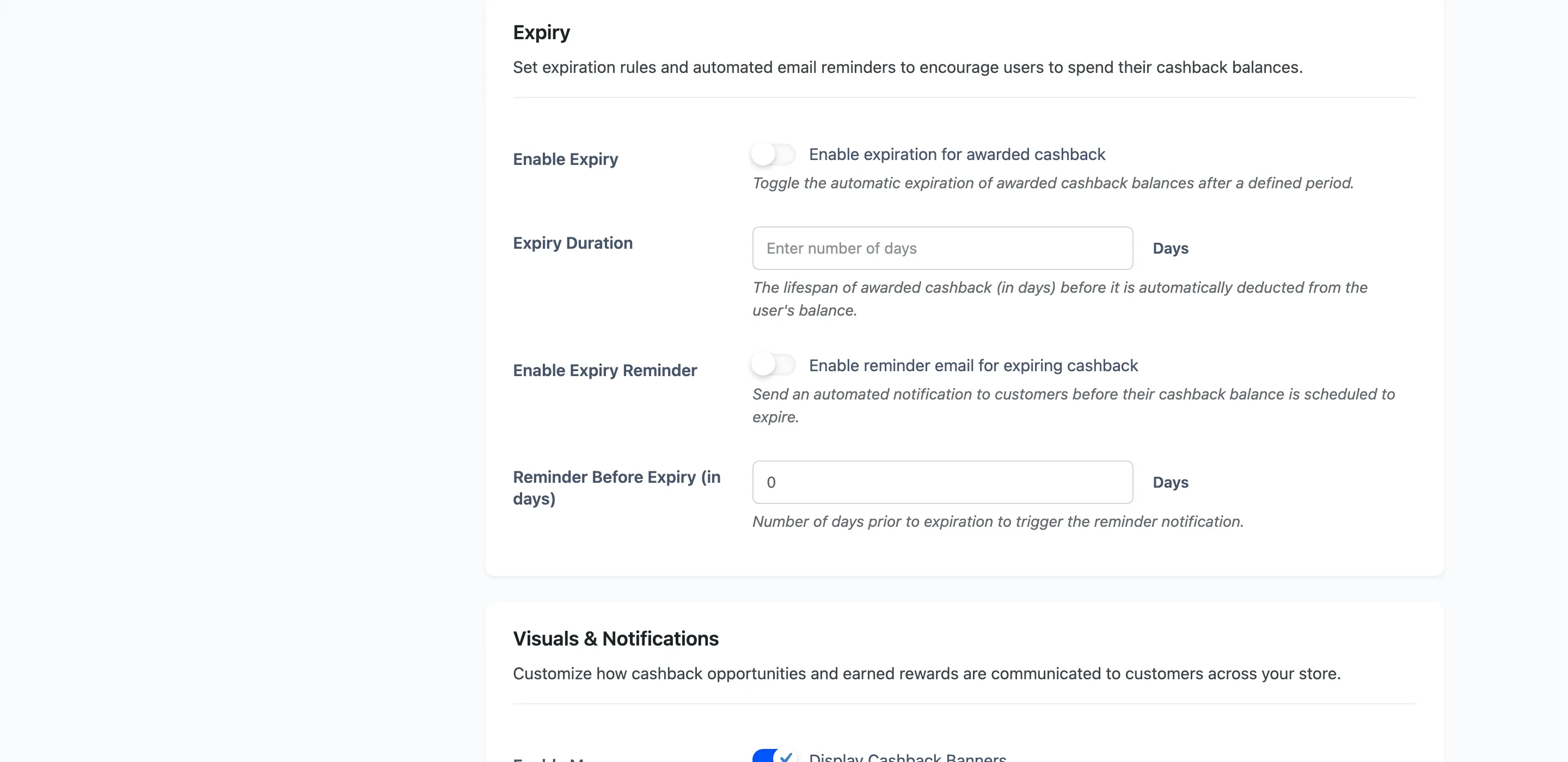
Section titled “Step 1: Open the Cashbacks tab”Go to DevDiggers Plugins → Wallet → Configuration → Cashbacks and find the Expiry section.
Step 2: Turn on Enable Expiry
Section titled “Step 2: Turn on Enable Expiry”Tick it, then set Expiry Duration to a number of days.
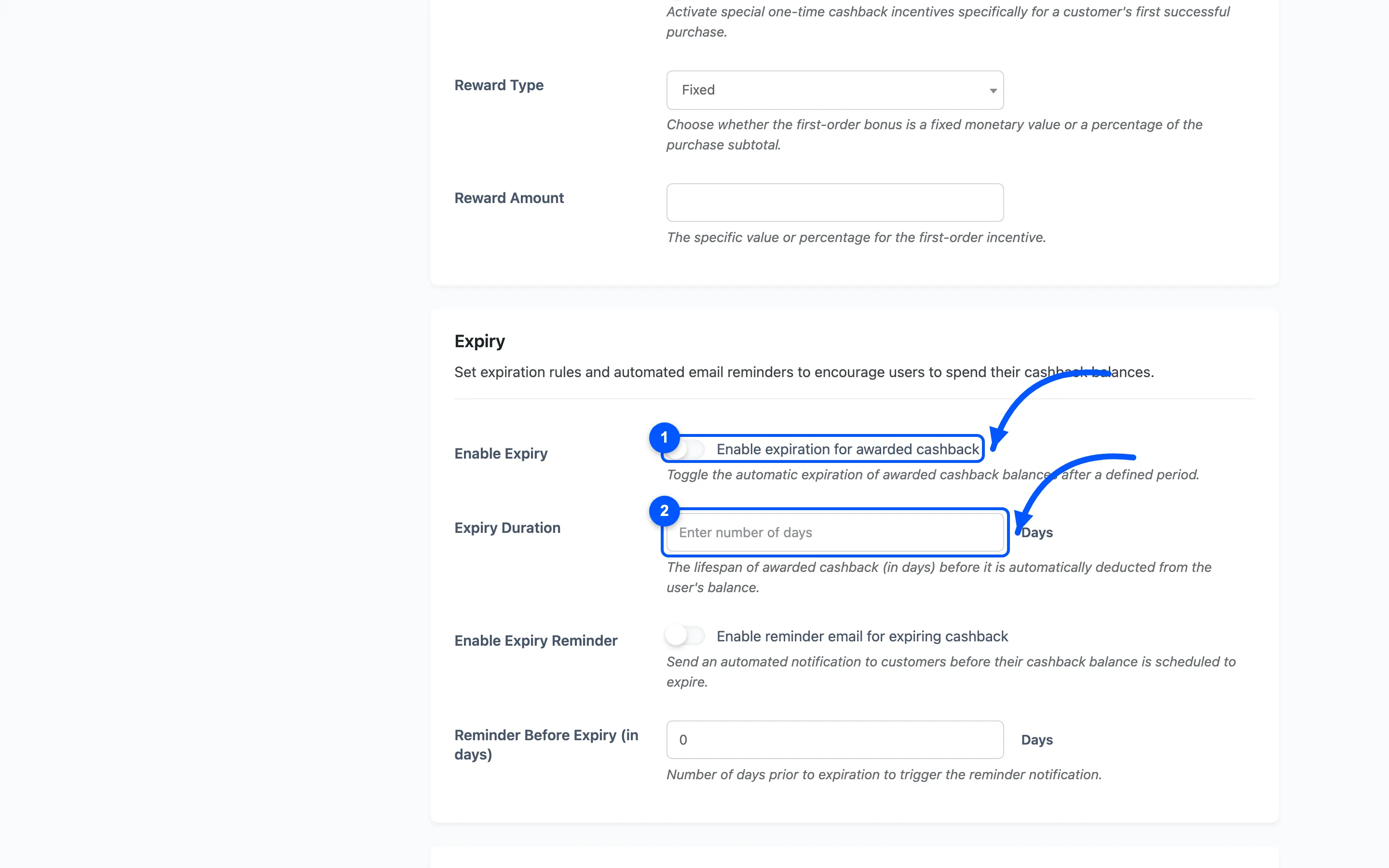
The clock starts when the cashback is credited, not when the order was placed. With a credit delay set as well, the two add up.
Ninety days is a common shape. Long enough that nobody feels rushed, short enough to matter.
Only cashback expires. Top-ups, transfers, refunds, signup credit and manual adjustments carry no expiry date and are never taken back by this.
Step 3: Turn on the reminder
Section titled “Step 3: Turn on the reminder”Tick Enable Expiry Reminder and set Reminder Before Expiry (in days).
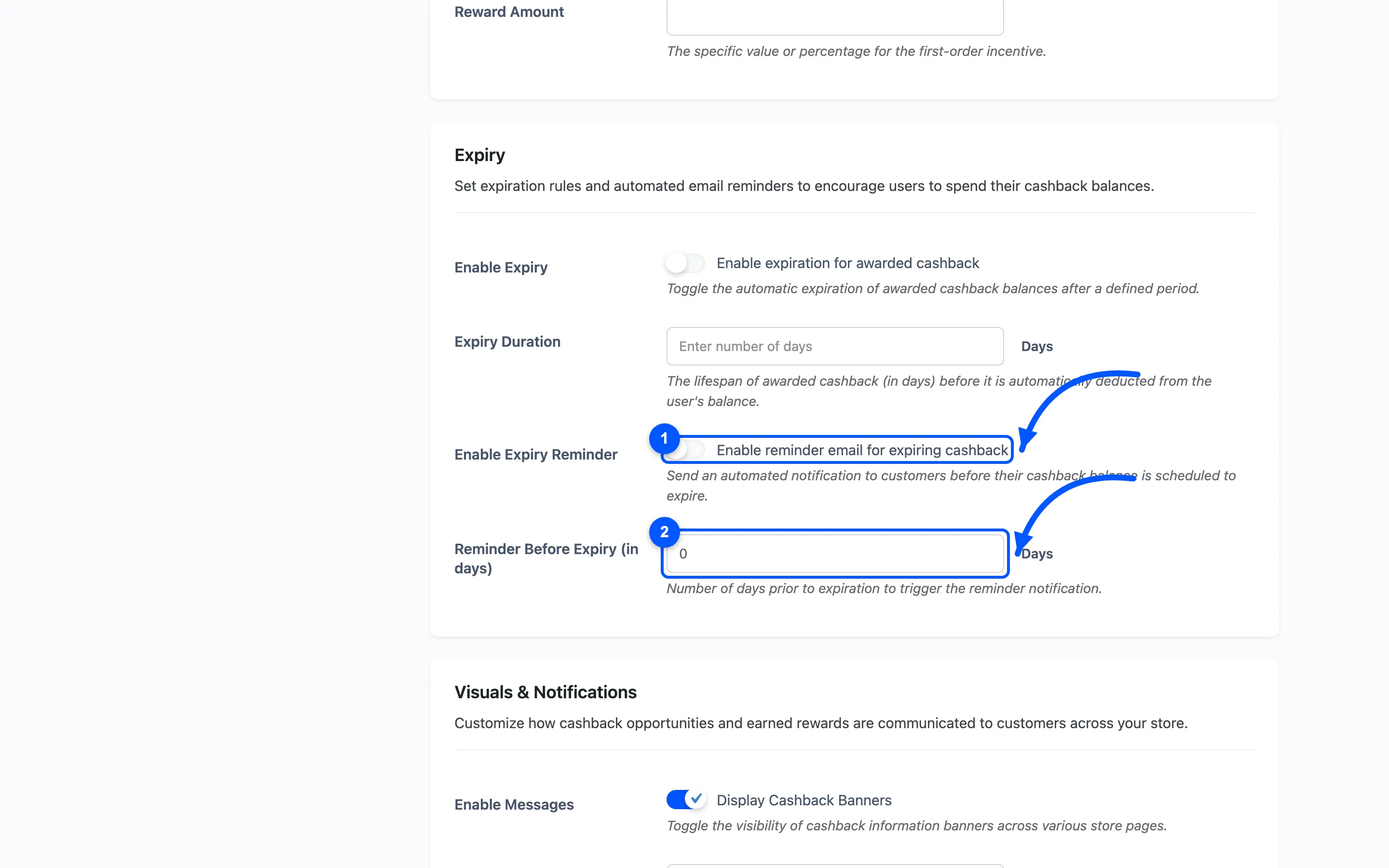
The reminder is sent once per credit, on the day that lands the set number of days before its expiry. Zero days means no reminder is sent at all.
Seven days is the useful setting. A warning on the morning of expiry reads as a taunt.
Step 4: Word the reminder email
Section titled “Step 4: Word the reminder email”Go to Configuration → Emails and find Balance Expiry Reminder.
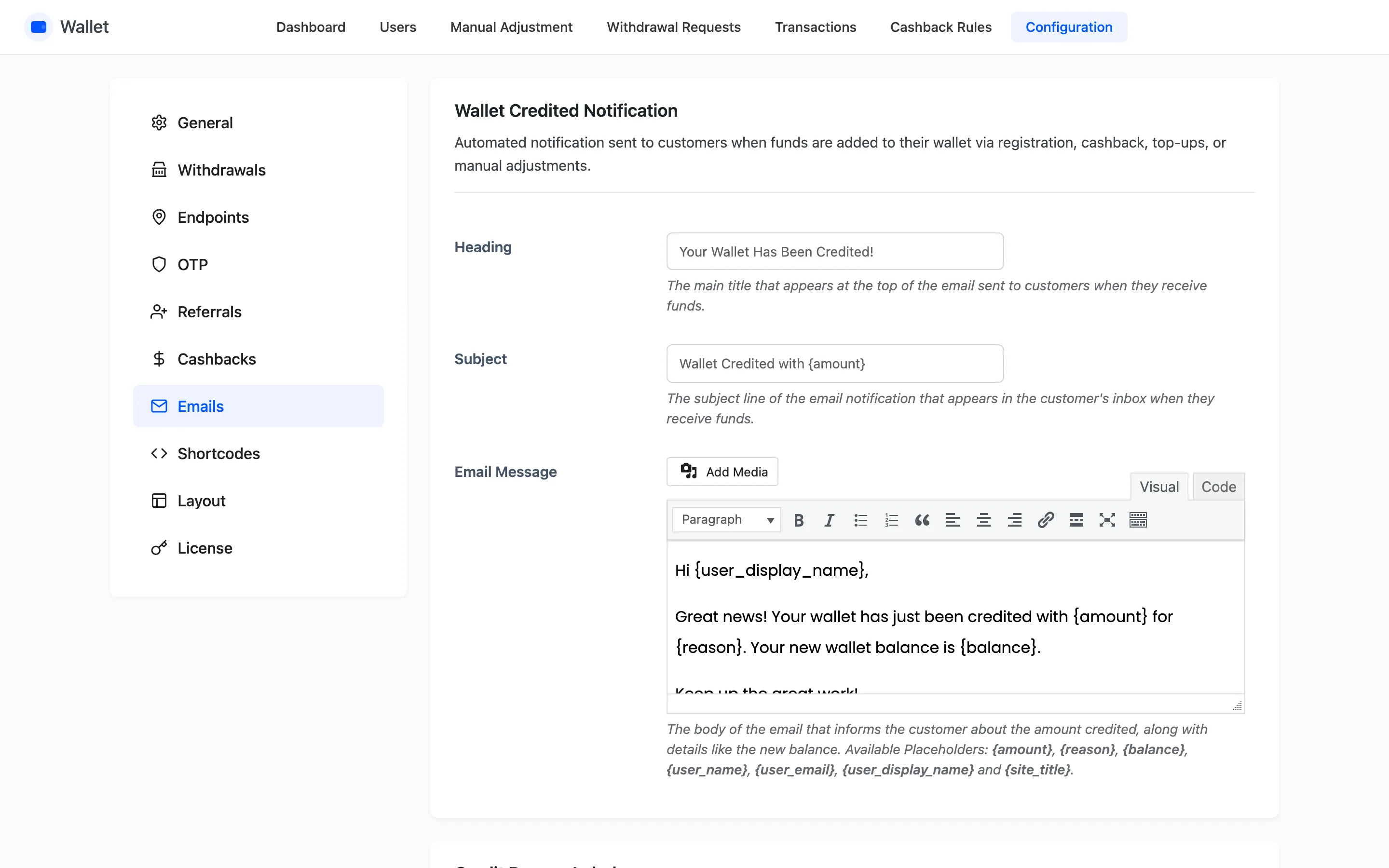
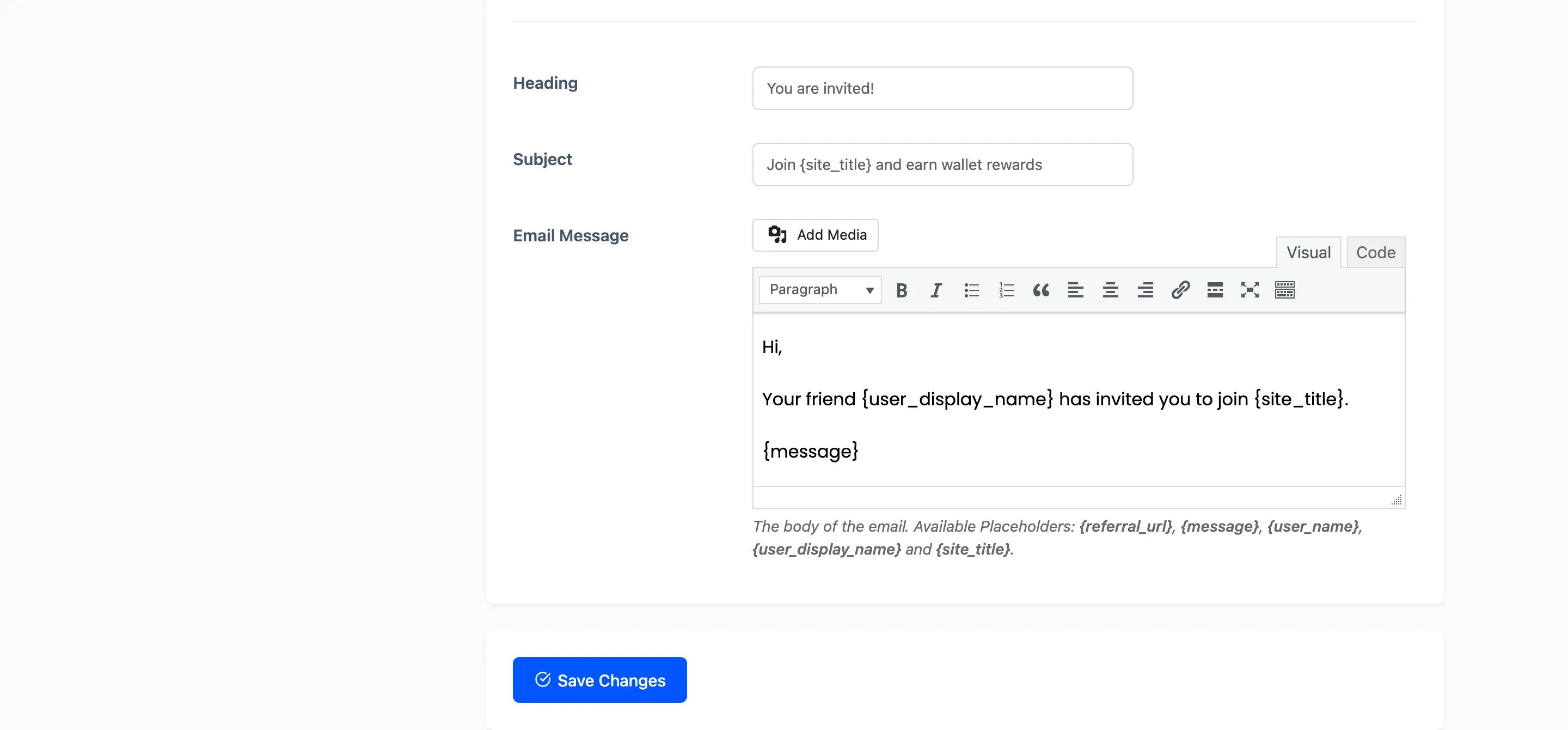
Three placeholders are available here: {amount} for the credit about to go, {days} for how long is
left, and {balance} for the whole wallet.
Lead with {amount} and {days}. The whole balance is not what is expiring, and quoting it makes the
email read as a threat to the lot.
Step 5: Check an expiry date is landing
Section titled “Step 5: Check an expiry date is landing”Open Transactions and look at a recent cashback credit.
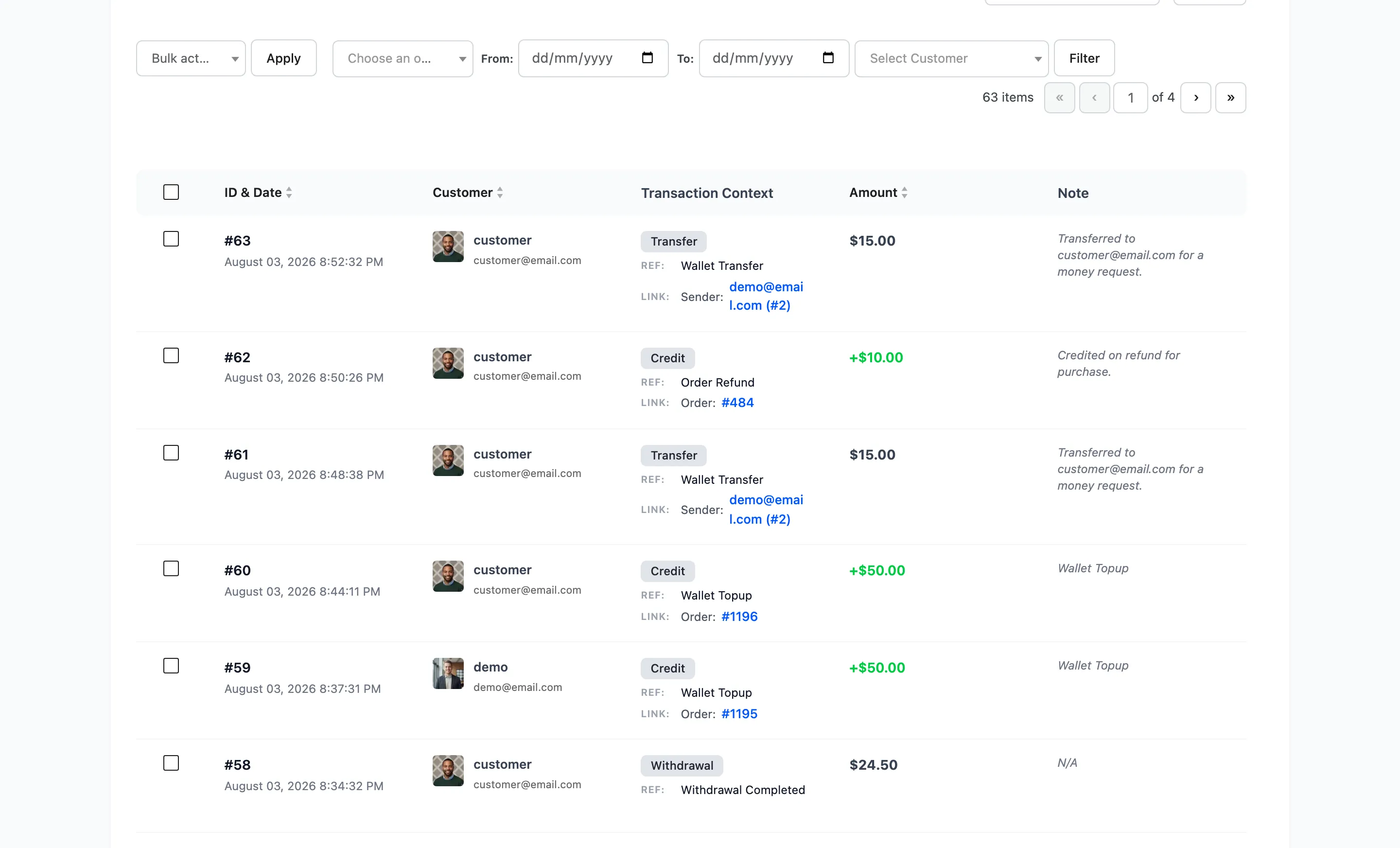
A credit with an expiry shows the date in red under its own date. No date means expiry was off when that credit was written, and turning it on now does not retrofit it.
What happens on the day
Section titled “What happens on the day”A daily job debits expired credits and writes a Cashback Expiry row, so the customer’s history explains the drop.
Spending is treated as soonest-to-expire first. Before taking anything, the job works out how much of the balance sits behind credits that expire later or never. It then removes only what is genuinely still the expired credit. A customer who has spent since earning is not charged twice.
The job runs on WordPress cron, so on a quiet store it fires on the next visit rather than at midnight exactly.
Tell people first
Section titled “Tell people first”Two things to do before switching this on, and both are cheaper than the complaints.
- Announce it, and give existing balances a longer first window than you plan to run.
- Check who it hits. Sort Users by balance and look at the top of the list. Those are the accounts that will notice.