

Endpoint Settings
Three fields that decide where the wallet lives in My Account and what it is called. All three are free.
Go to DevDiggers Plugins → Wallet → Configuration → Endpoints.
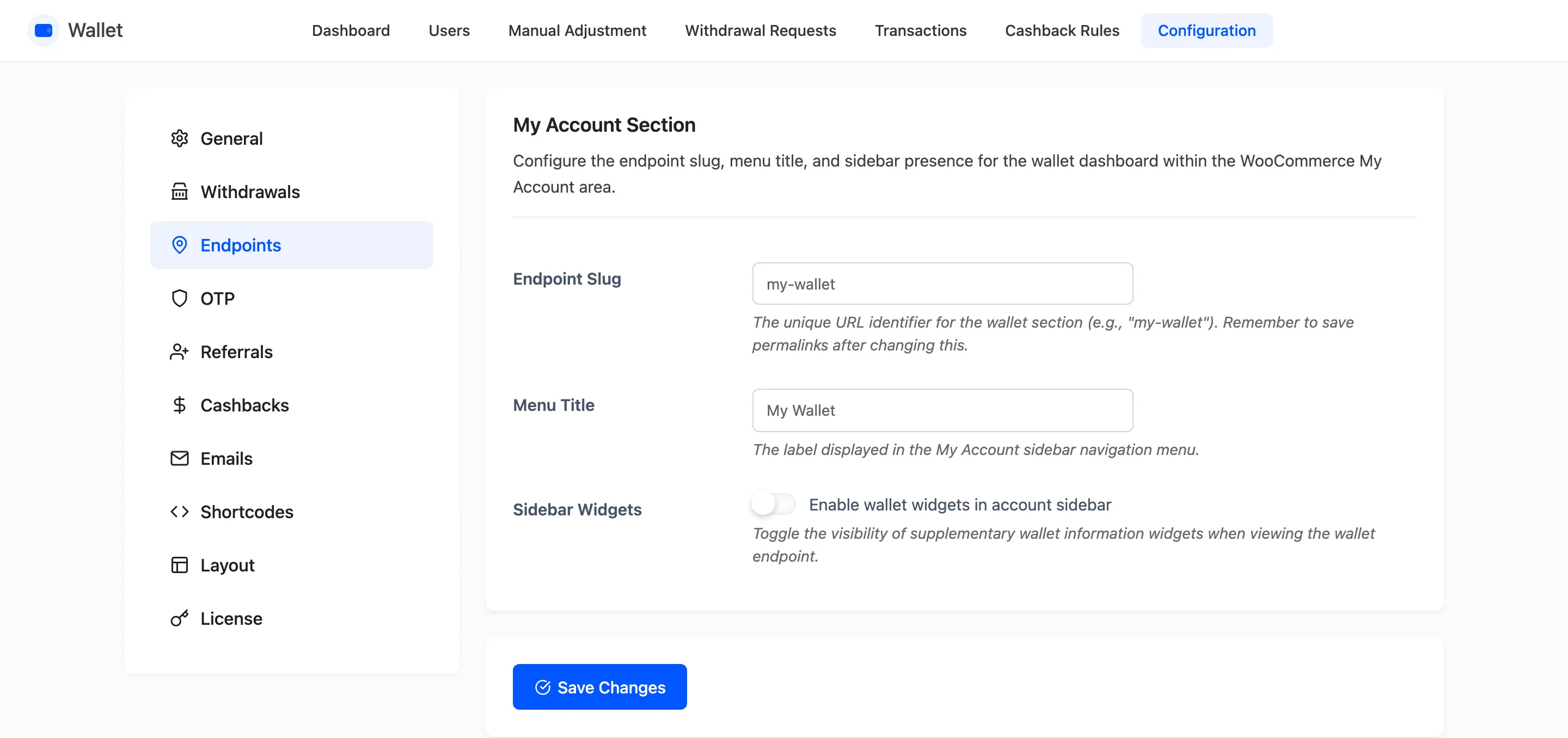
The fields
Section titled “The fields”Endpoint Slug
Section titled “Endpoint Slug”The URL segment the wallet page sits at. Default my-wallet, giving
yoursite.com/my-account/my-wallet/.
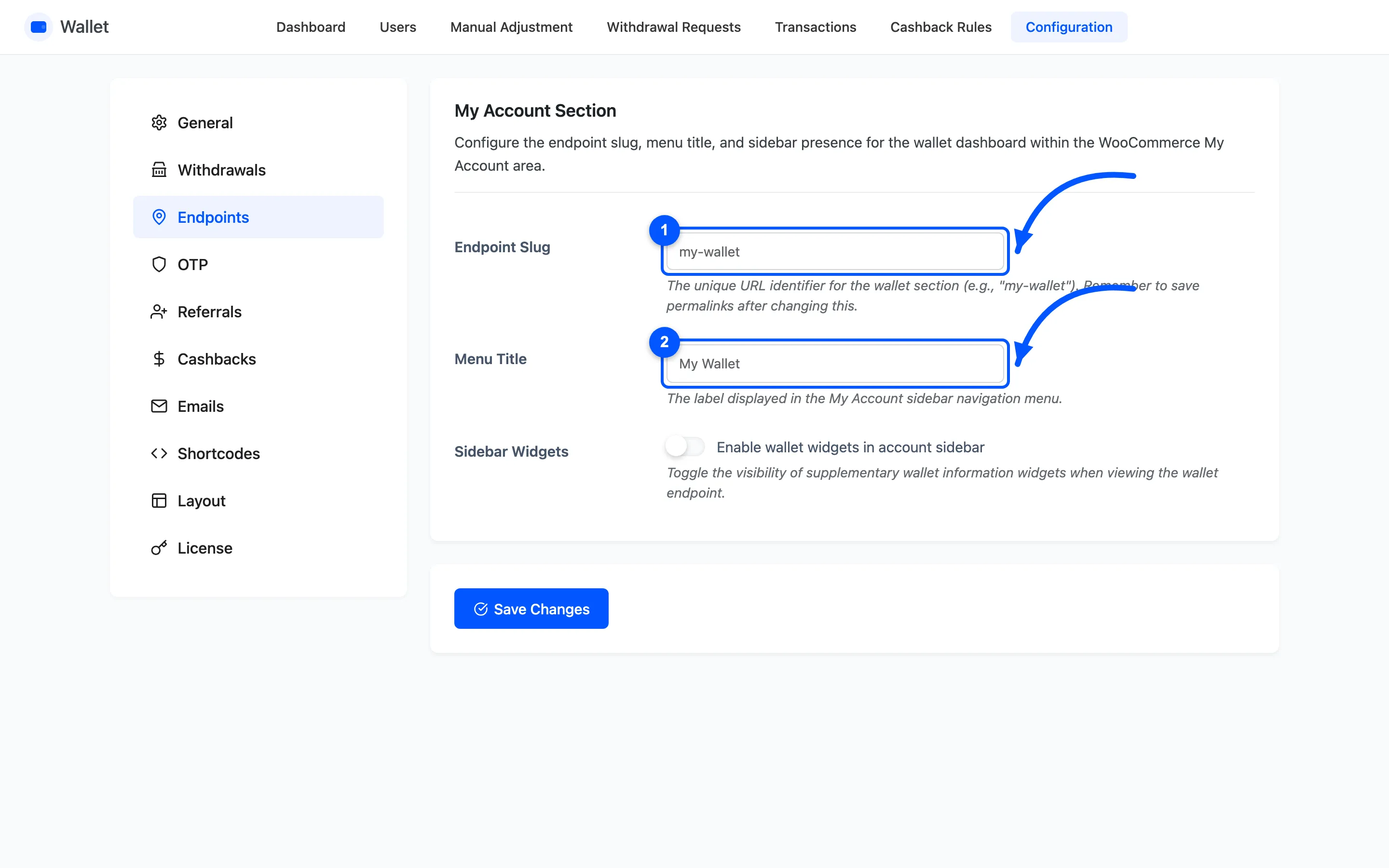
Save permalinks after you change this. The endpoint is a rewrite rule. A stale cache leaves the old URL working and the new one on a 404. Go to Settings → Permalinks and click Save Changes without editing anything.
Use lowercase and hyphens. Do not reuse a slug WooCommerce already owns, such as orders or
downloads.
Menu Title
Section titled “Menu Title”The label in the My Account sidebar. Default My Wallet.
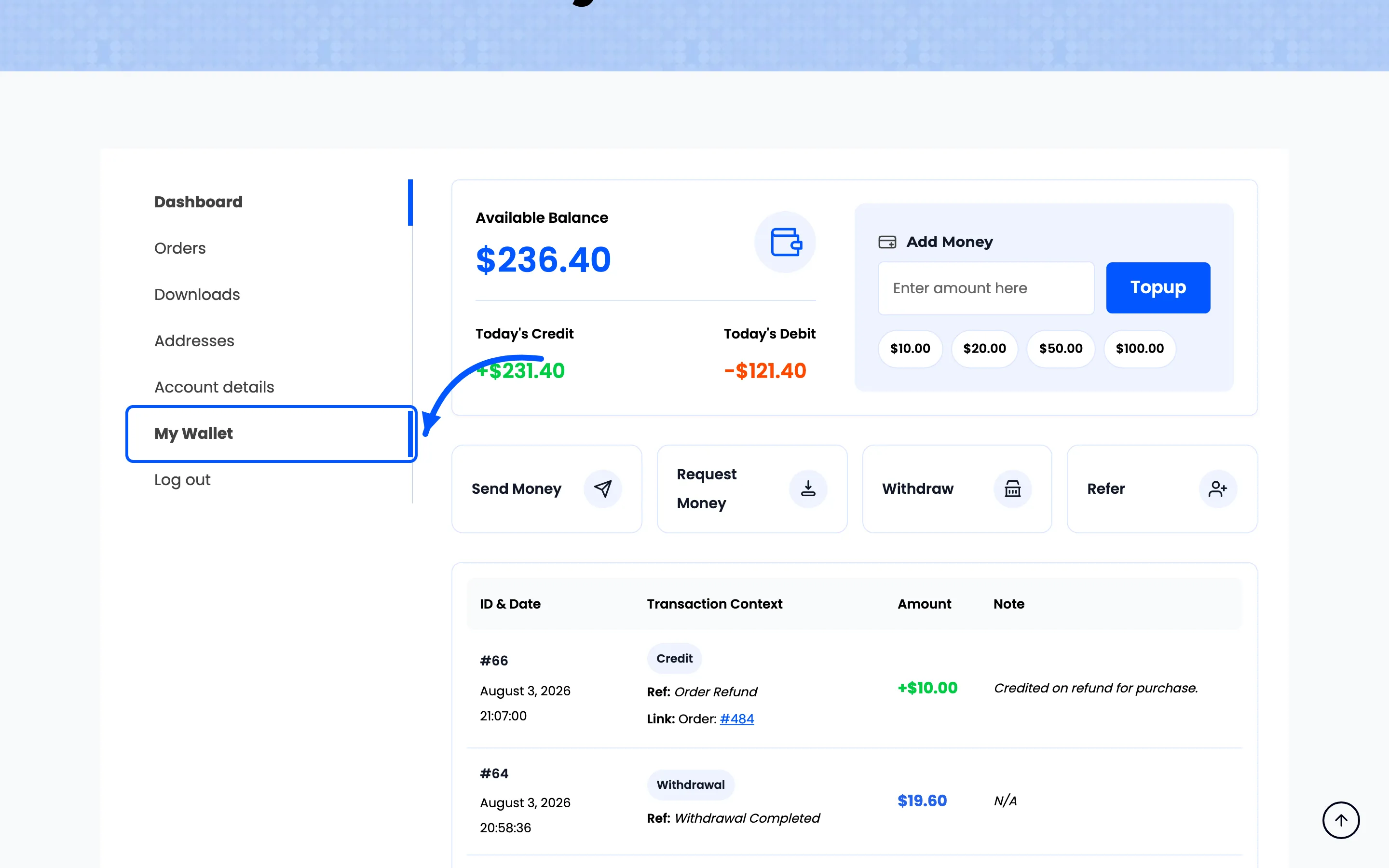
Match your own vocabulary. A store that calls it store credit should say Store Credit here, and
the URL can stay my-wallet. The two are independent.
The link is inserted just above Log out, wherever that sits in your menu.
Sidebar Widgets
Section titled “Sidebar Widgets”Whether your theme’s sidebar renders beside the wallet page. Off by default, which hides it.
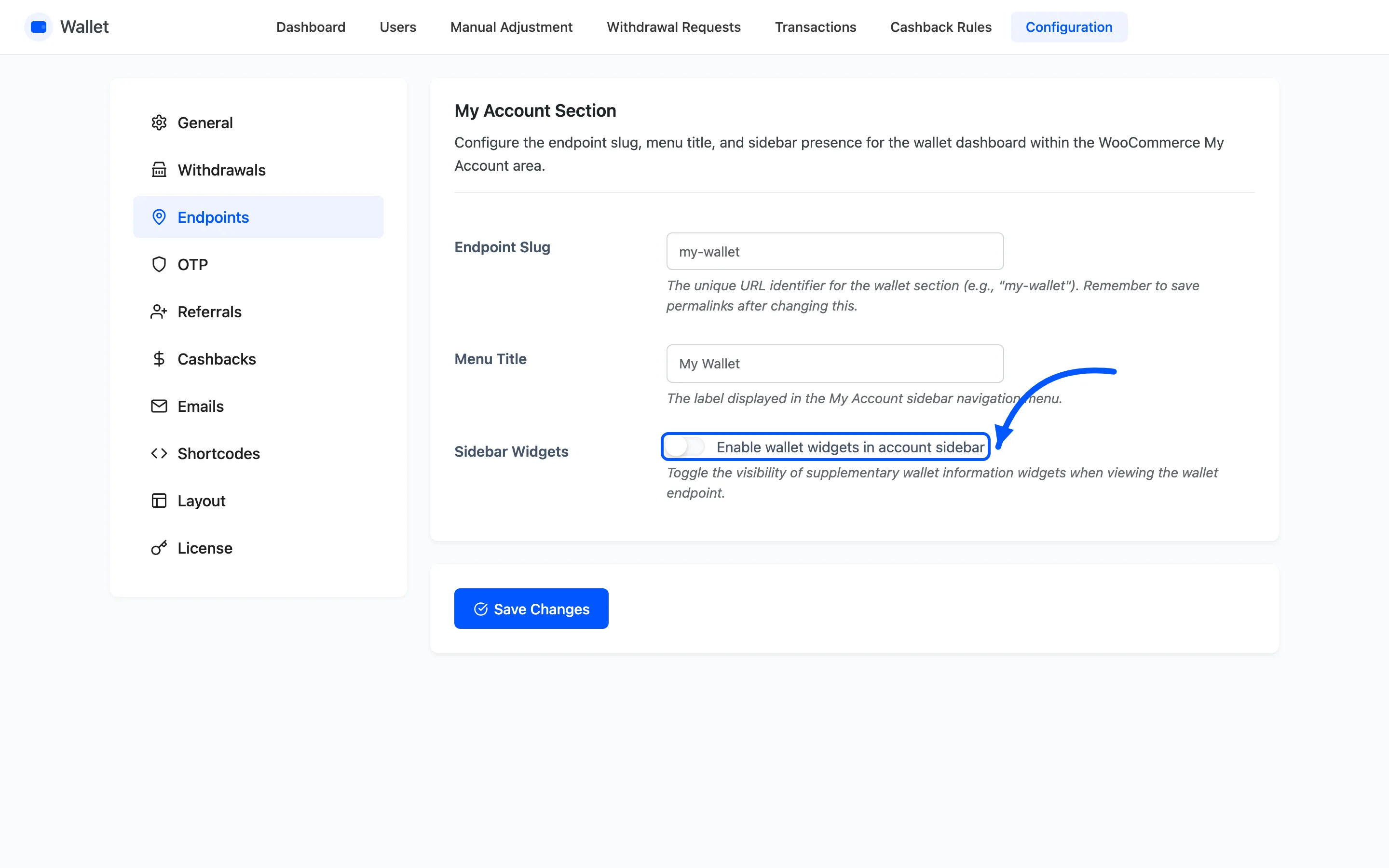
Off is right for most themes. The wallet page is wide: a balance card, an Add Money box and a transaction table. A squeezed column makes that table scroll sideways on a laptop. Turn it on only if you have a widget customers need there.
Where to go next
Section titled “Where to go next”- Shortcode Settings to put the wallet somewhere other than My Account
- Layout Settings to restyle it
- The Customer Wallet Experience