

Fraud Shield Settings (Pro)
The Fraud Shield tab protects checkout and signups from abuse a CAPTCHA alone does not stop. Open Configuration → Fraud Shield.
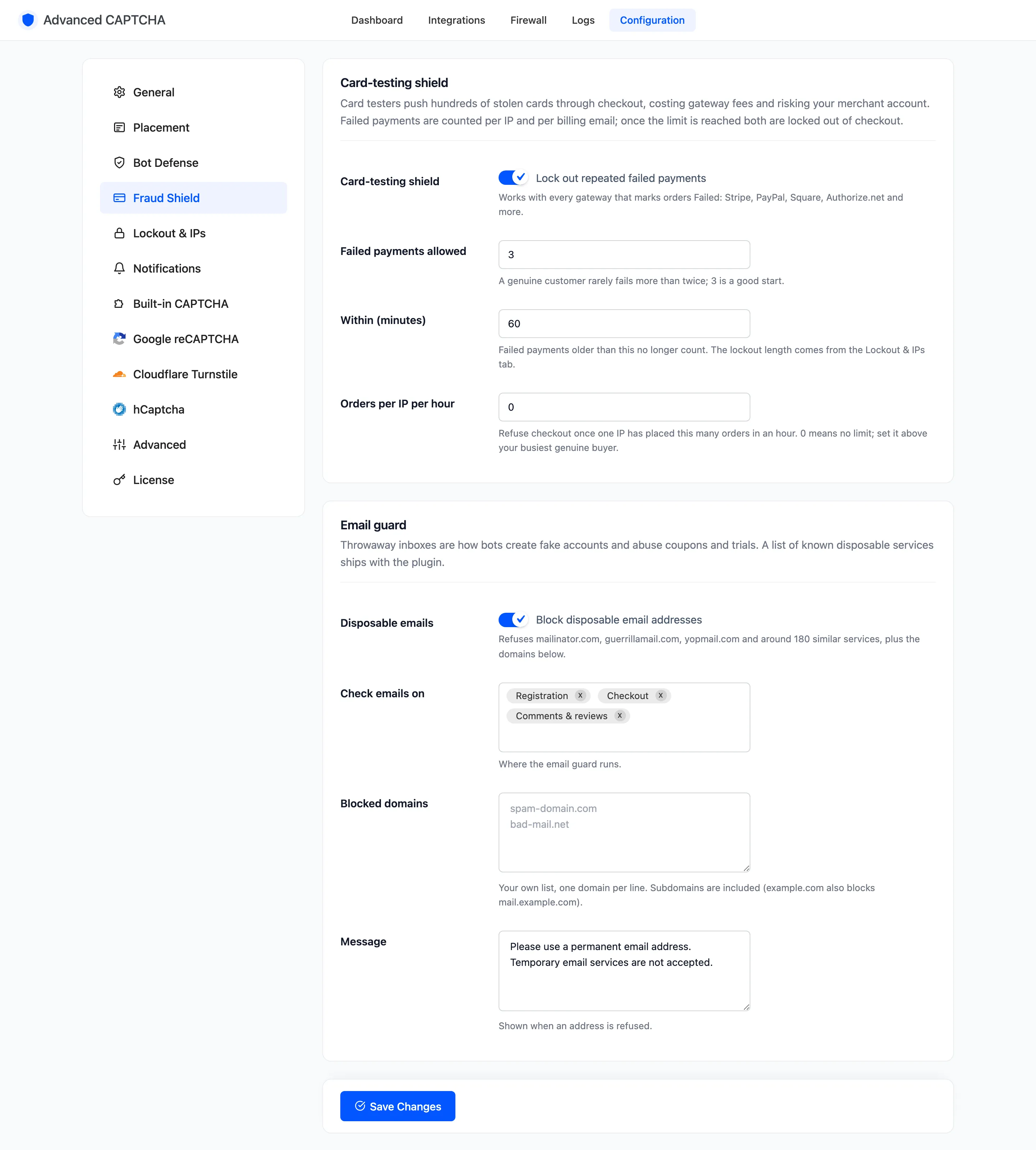
Card-testing shield
Section titled “Card-testing shield”Card testers push stolen cards through checkout to find the ones that work. Each attempt costs you a gateway fee and puts your merchant account at risk.
- Card-testing shield: “Lock out repeated failed payments”. On by default. Works with every gateway that marks orders Failed.
- Failed payments allowed: default
3, from 1 to 50. A genuine customer rarely fails more than twice. - Within (minutes): default
60, from 5 to 1440. Failed payments older than this no longer count. - Orders per IP per hour: default
0, which means no limit. Refuses checkout once one IP has placed this many orders in an hour. Set it above your busiest genuine buyer.
Failed payments are counted per IP and per billing email. When either reaches the limit, both are locked out of checkout. The lock lasts for the Lockout length set on the Lockout & IPs tab. A refused customer sees the Lockout message.
The hour for Orders per IP per hour starts at that IP’s first order and does not roll. It works even with the card-testing shield switched off.
Email guard
Section titled “Email guard”Throwaway inboxes are how bots make fake accounts and abuse coupons and trials.
- Disposable emails: “Block disposable email addresses”. On by default. Refuses mailinator.com, guerrillamail.com, yopmail.com and around 180 similar services, plus your own list below.
- Check emails on: where the guard runs. Default all three: Registration, Checkout and Comments & reviews.
- Blocked domains: your own list, one domain per line. Subdomains are included:
example.comalso blocksmail.example.com. - Message: shown when an address is refused. Default “Please use a permanent email address. Temporary email services are not accepted.”
The guard skips trusted roles and trusted IPs.
The two tutorials perform both on a real checkout: How to Stop Card Testing and How to Block Disposable Email Addresses.
Click Save Changes at the bottom of the tab.