

How to Protect the WooCommerce Checkout
Checkout is where card testers and fake-order bots strike. A CAPTCHA there costs a real customer a few seconds once; a card-testing run costs you gateway fees on every attempt.
Step 1: Choose who is challenged
Section titled “Step 1: Choose who is challenged”Go to Advanced CAPTCHA → Integrations. On the WooCommerce card, tick one of:
- Guest Checkout: only shoppers who are not signed in. This is the default, and stops most bots without bothering your returning customers.
- All Users Checkout: everyone, signed in or not.

Changes save as you click. Pay for Order and Add Payment Method are separate chips if you also want those pages covered.
Step 2: Choose where it sits
Section titled “Step 2: Choose where it sits”Go to Configuration → Placement and set Checkout position. Above the Place Order button is the default and the most natural spot. Click Save Changes.
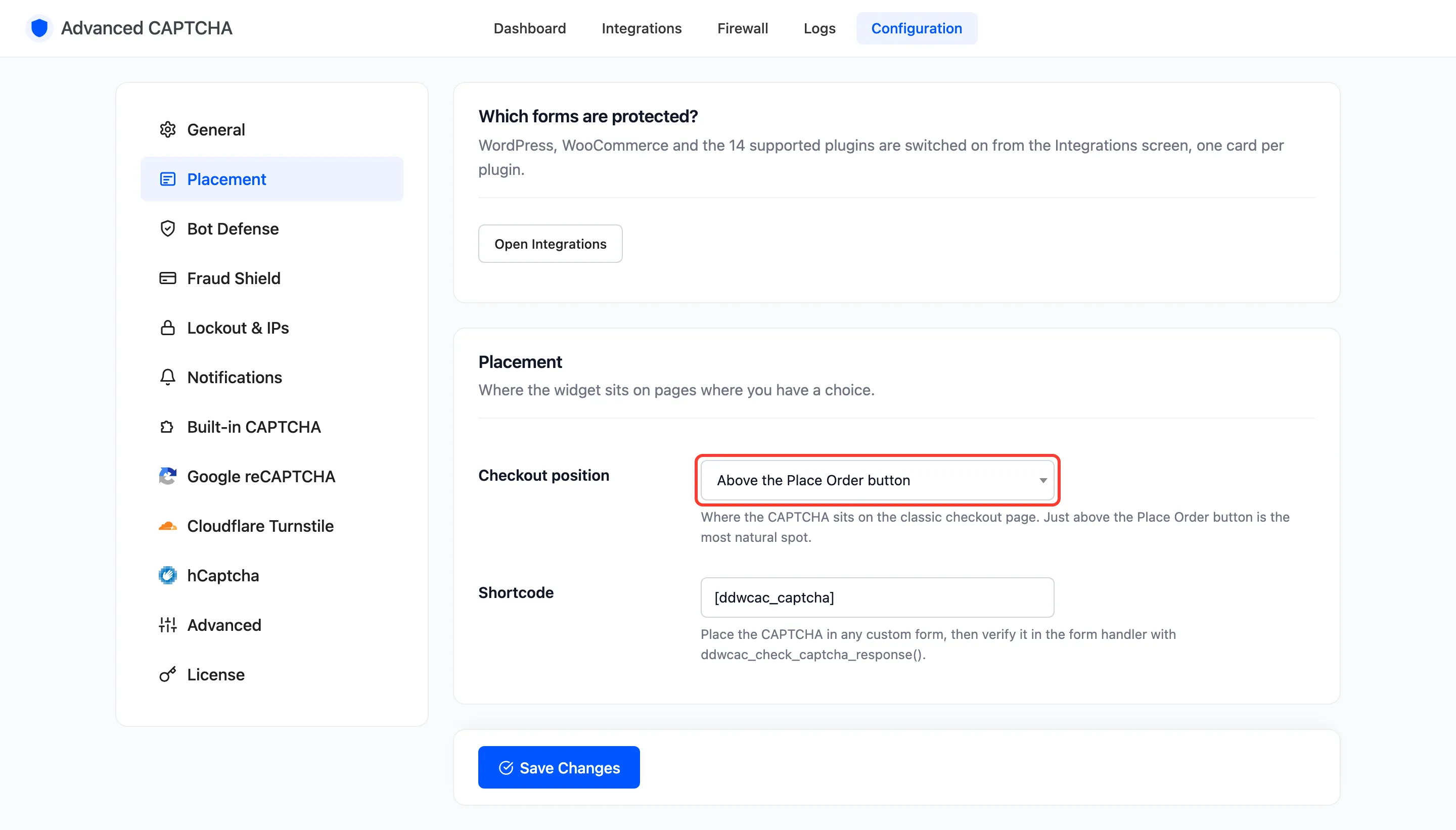
The setting works on both the classic checkout and the Checkout block.
Step 3: Check the checkout
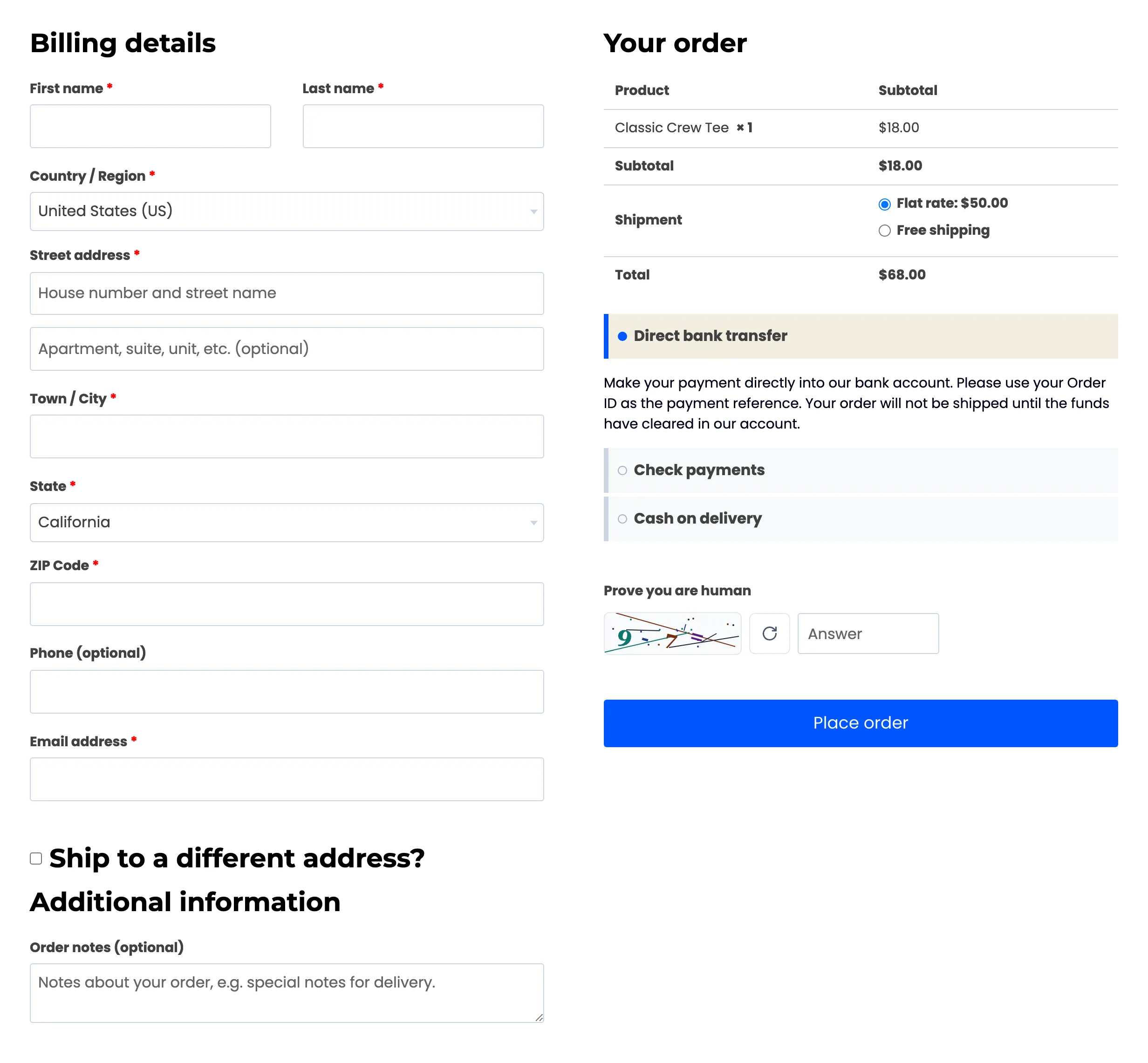
Section titled “Step 3: Check the checkout”In a private window, add a product to the cart and open the checkout. The CAPTCHA sits above Place order.
Step 4: See a failed check
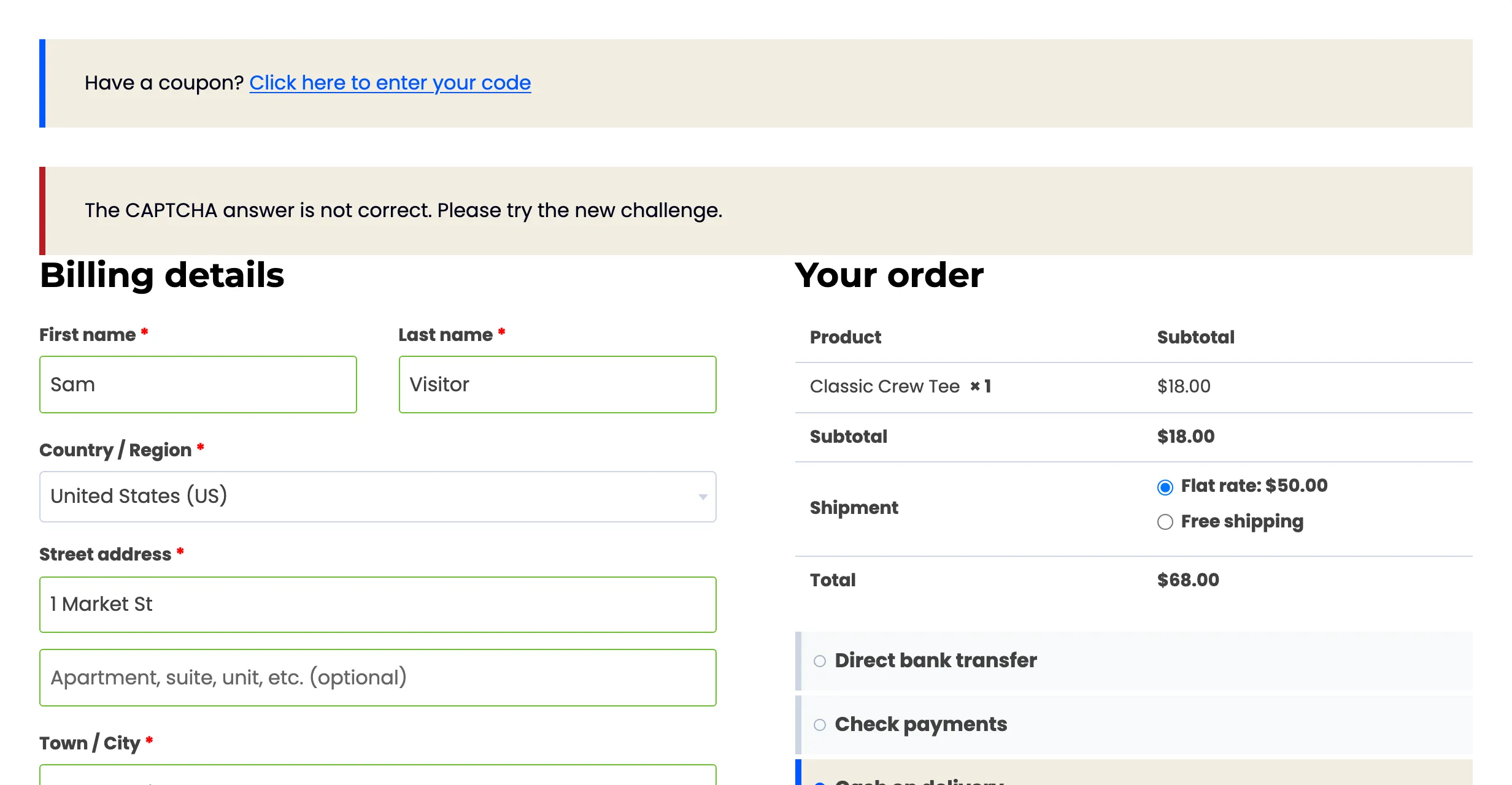
Section titled “Step 4: See a failed check”Fill in the order with a wrong answer and click Place order. The order is not placed. A notice reads “The CAPTCHA answer is not correct. Please try the new challenge.” The fields the shopper filled in stay filled, and a new challenge is drawn.
The log records it as Failed, “Wrong answer”, on the Checkout form.
The Checkout block
Section titled “The Checkout block”The same settings cover the Checkout block. On the demo store, the checkout page was switched to the block for a test. The CAPTCHA appeared above Place Order, as Checkout position asked.
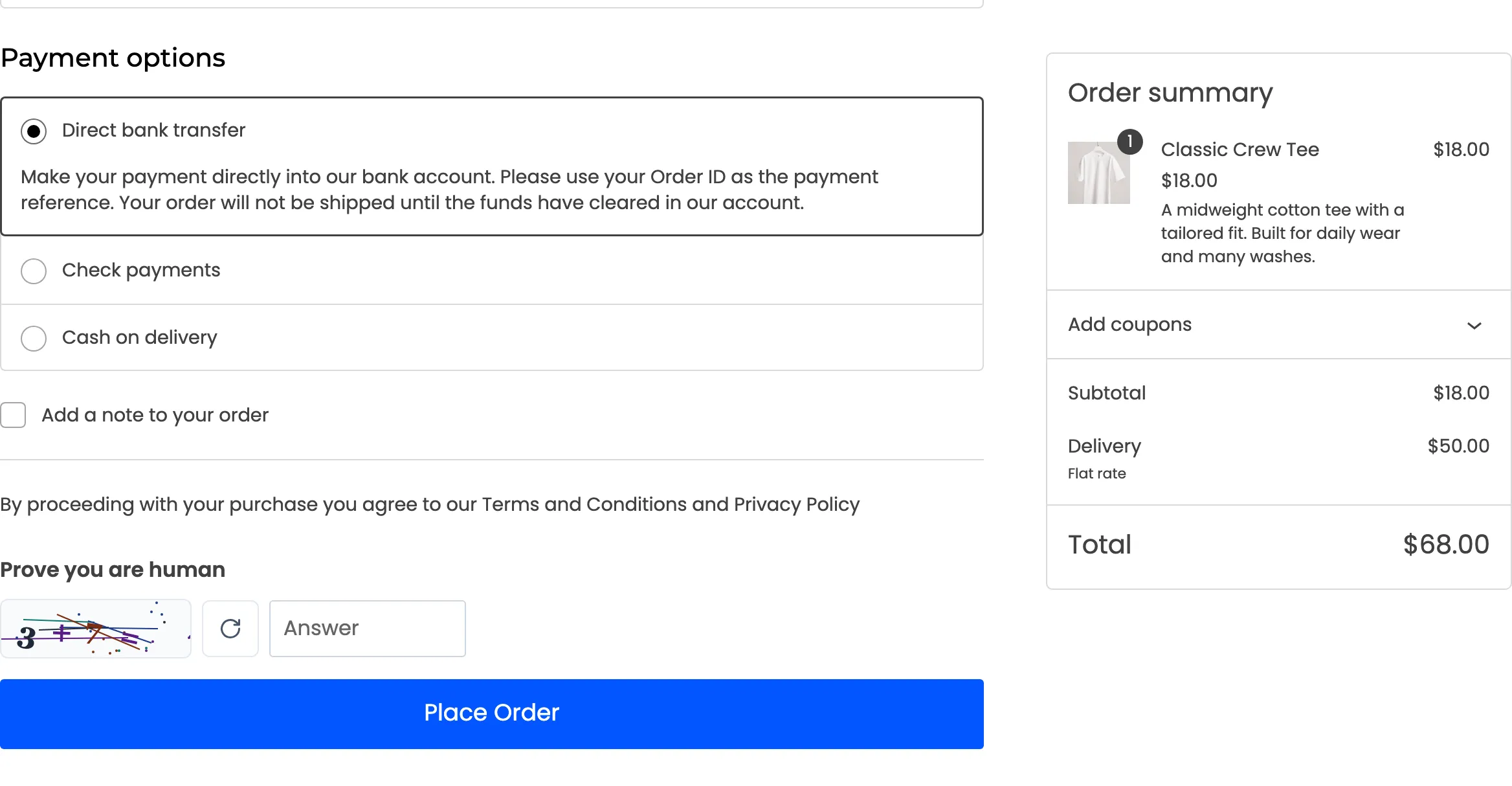
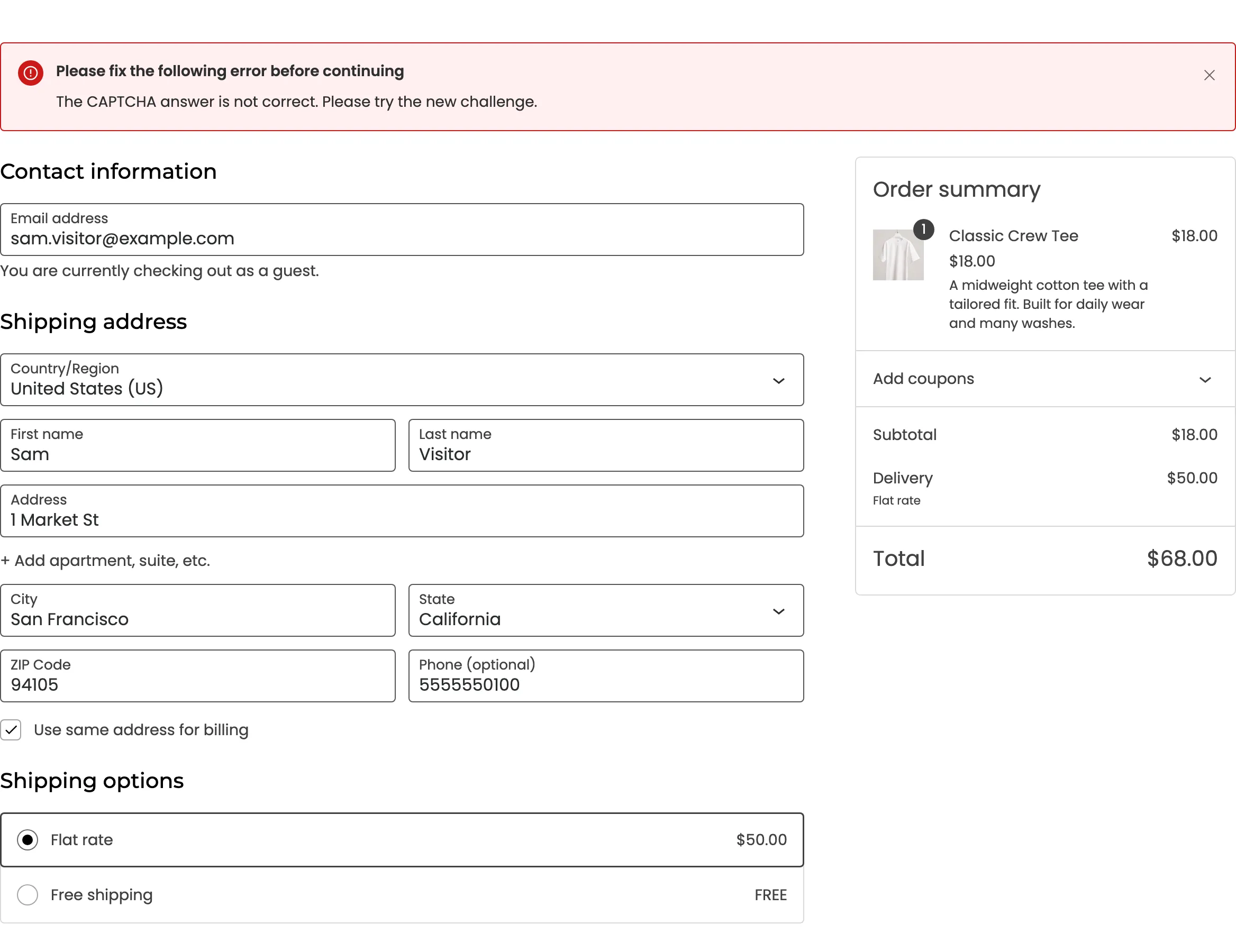
A wrong answer stops the order the block’s own way, with an error banner at the top: “The CAPTCHA answer is not correct. Please try the new challenge.”
Going further (Pro)
Section titled “Going further (Pro)”A CAPTCHA alone does not stop a person pasting stolen cards by hand. Pro adds the card-testing shield, which locks out an IP and email after repeated failed payments. It also adds an hourly order limit and the disposable email guard. These run for signed-in customers too, even when the CAPTCHA is Guest Checkout only.
Things to know
Section titled “Things to know”- Account creation at checkout is covered by the checkout CAPTCHA. The registration CAPTCHA does not run a second time.
- Trusted roles skip the checkout CAPTCHA once signed in.
- A shopper who fails five times in 15 minutes is locked out of every form in Pro, checkout included.