

How to Get Emailed About Attacks (Pro)
Two emails tell you about attacks without opening the dashboard: an alert when an IP is locked out, and a short report every Monday.
Step 1: Turn the emails on
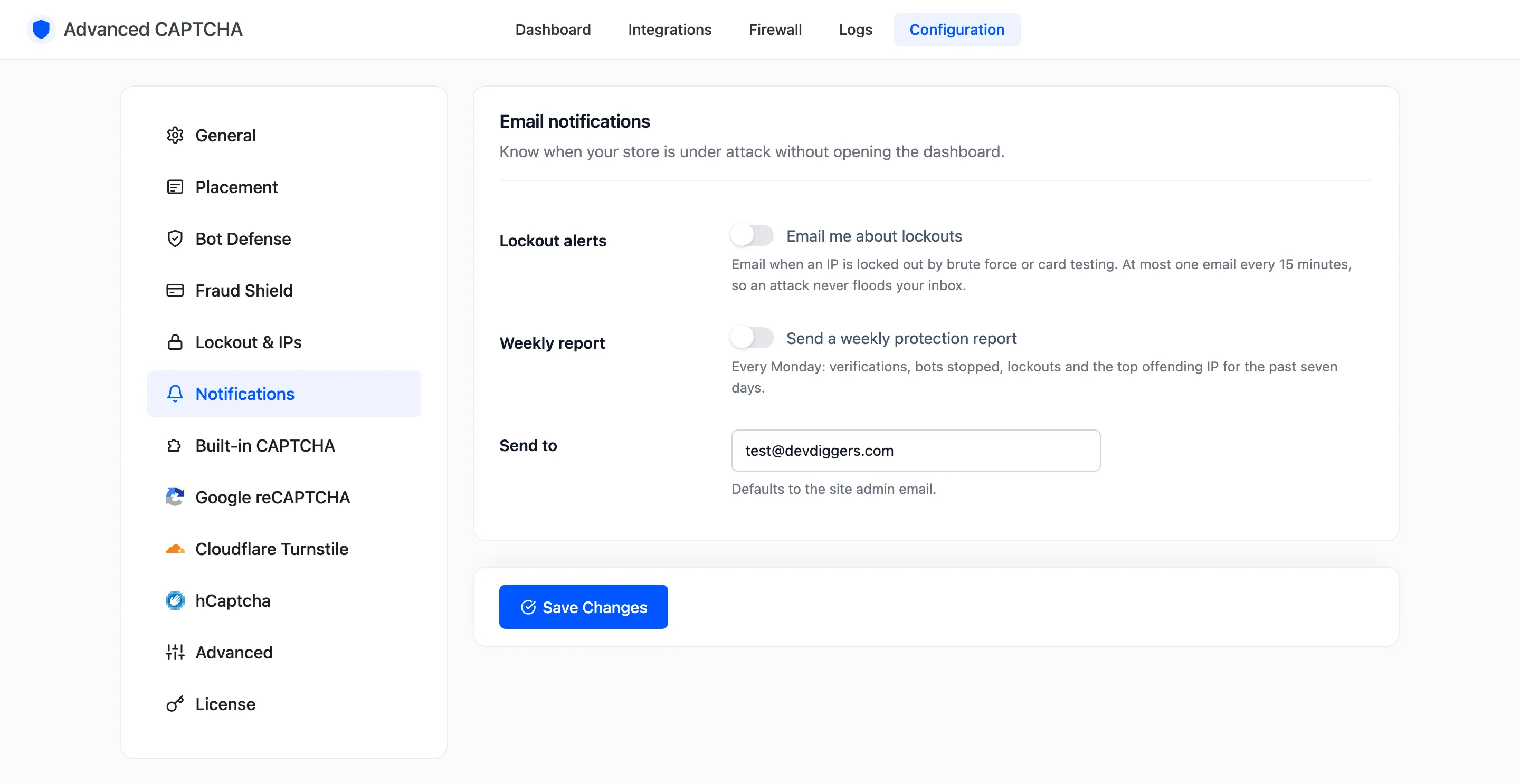
Section titled “Step 1: Turn the emails on”Go to Configuration → Notifications and tick:
- Lockout alerts: “Email me about lockouts”.
- Weekly report: “Send a weekly protection report”.
Step 2: Choose the recipient
Section titled “Step 2: Choose the recipient”Send to defaults to the site admin email. Put a shared inbox here if a team watches security. Click Save Changes.
Step 3: Read a lockout alert
Section titled “Step 3: Read a lockout alert”An alert is sent when the brute-force lockout or the card-testing shield locks an IP out. It shows the IP, the form, the reason and how long the lockout lasts, with an Open the dashboard button.
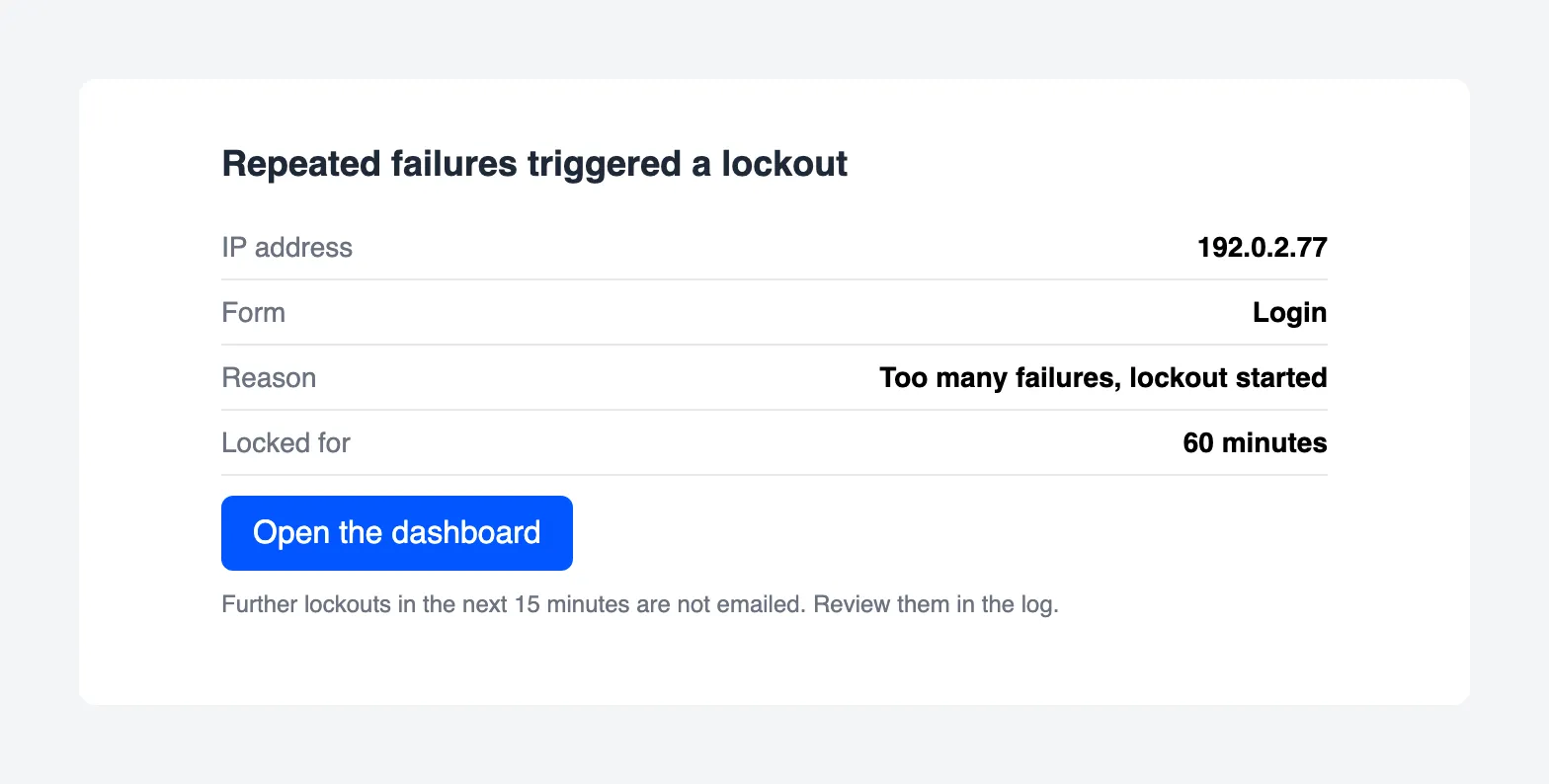
At most one alert is sent every 15 minutes. During a big attack you get the first lockout by email, and the rest are in the log.
Step 4: Read the weekly report
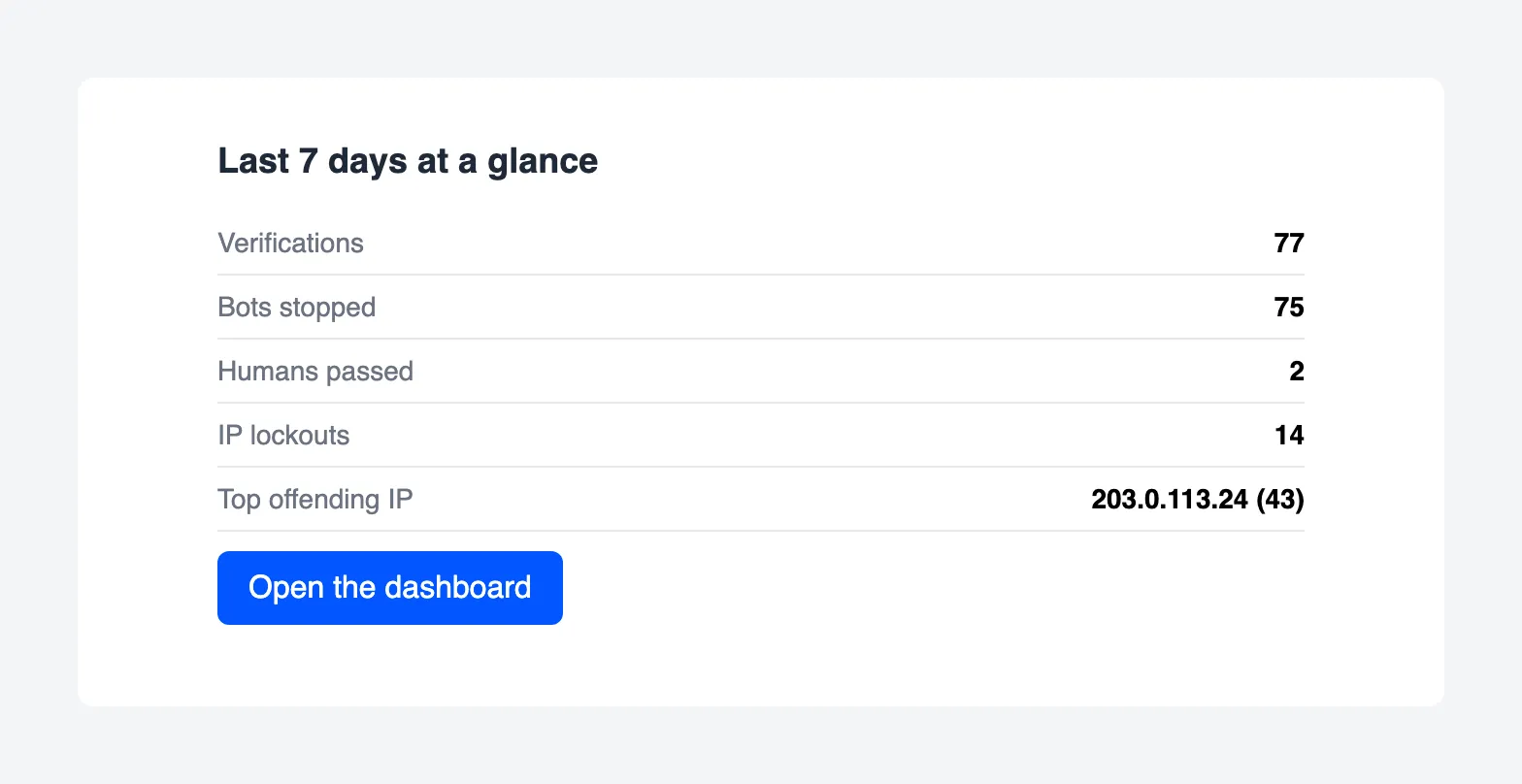
Section titled “Step 4: Read the weekly report”Every Monday the report covers the past seven days: verifications, bots stopped, humans passed, IP lockouts and the top offending IP with its count.
Things to know
Section titled “Things to know”- Both use your site’s email. If other WordPress emails do not arrive, these will not either. Fix delivery with your host or an SMTP plugin.
- The report needs WP-Cron. It is sent on the first visit after Monday 08:00. A site with no visits sends it late.
- These shots were taken on the demo store by catching the emails on the server instead of sending them, from a real lockout and a real report run.