

How to Stop Card Testing (Pro)
Card testers run stolen cards through your checkout to find the ones that work. Every attempt costs a gateway fee, and enough of them can get your merchant account suspended. A human-assisted run passes a CAPTCHA, so this shield watches failed payments instead.
Step 1: Set the shield
Section titled “Step 1: Set the shield”Go to Configuration → Fraud Shield. Card-testing shield is on by default. Check:
- Failed payments allowed:
3by default. - Within (minutes):
60by default.
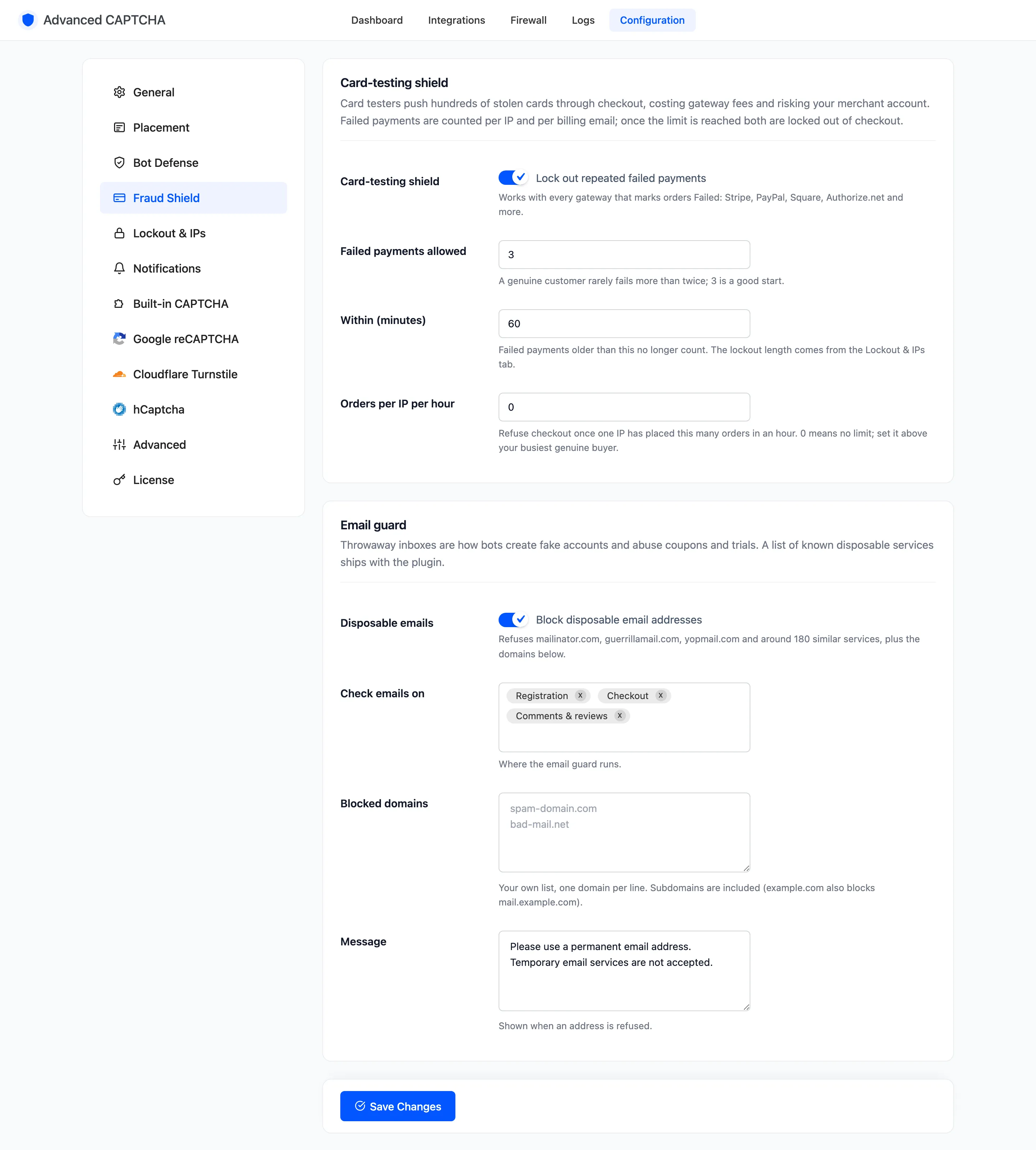
The lockout lasts as long as Lockout length on the Lockout & IPs tab, 60 minutes by default.
Step 2: Let failed payments count
Section titled “Step 2: Let failed payments count”Each order that turns Failed counts against two things: the IP it was placed from, and its billing email. Your gateway does this on a declined card. On the demo store it was done by hand. A customer placed three orders, and staff set each one to Failed.
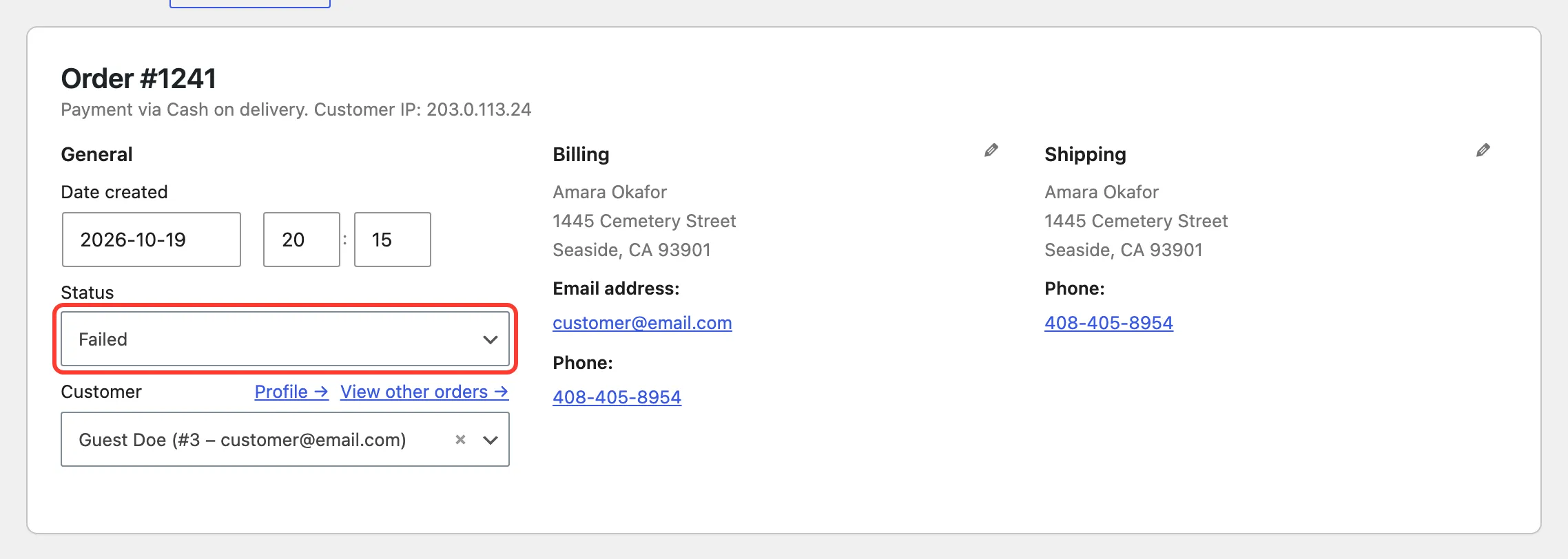
The third failure reached the limit. The IP was locked out, and so was the billing email.
Step 3: See the refused checkout
Section titled “Step 3: See the refused checkout”The same customer’s next checkout was refused with the Lockout message, and no order was created.
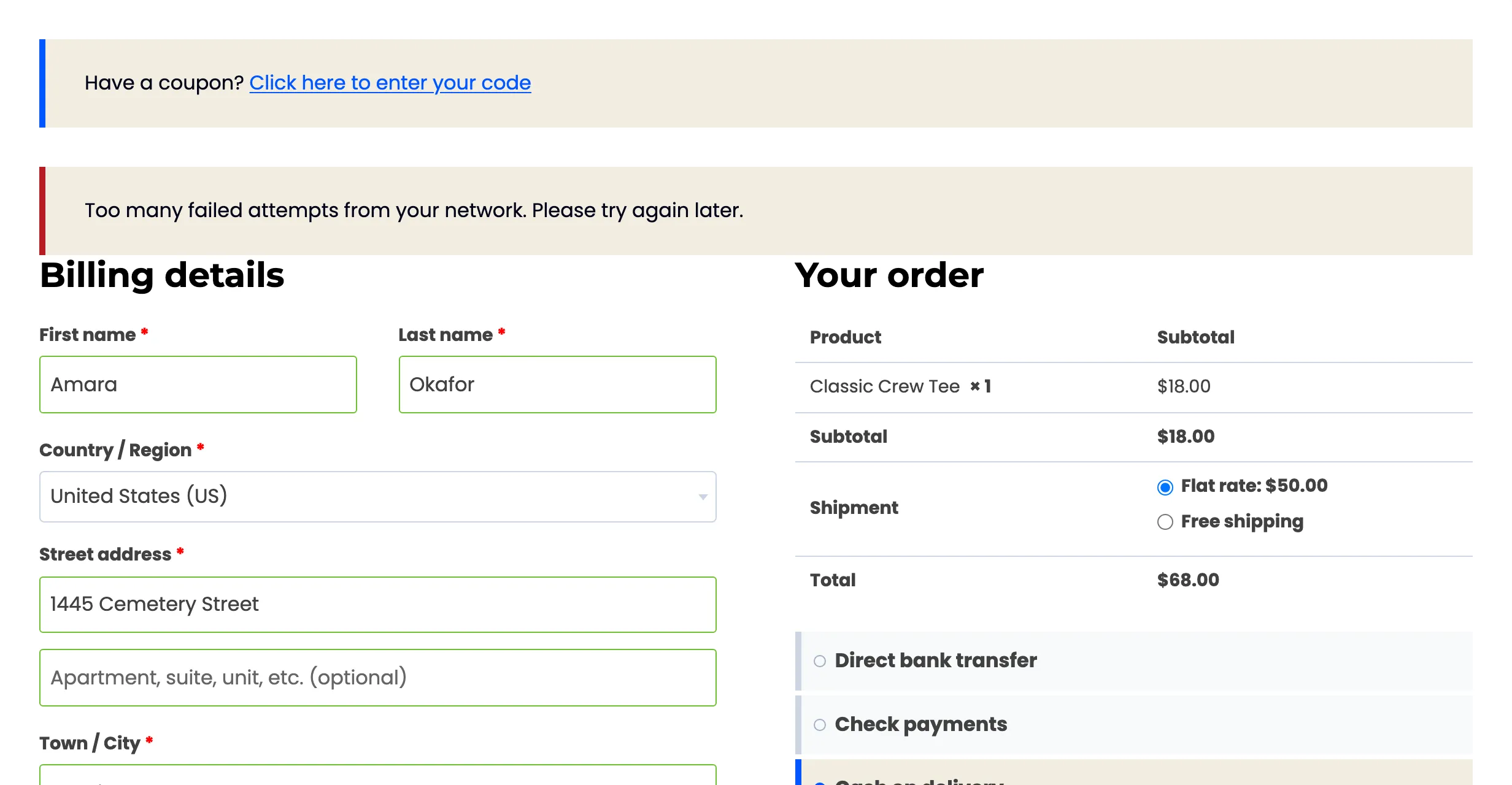
This works for signed-in customers as well as guests. The demo run used the classic checkout; the shield runs its own check on the Checkout block too.
Step 4: Read the log
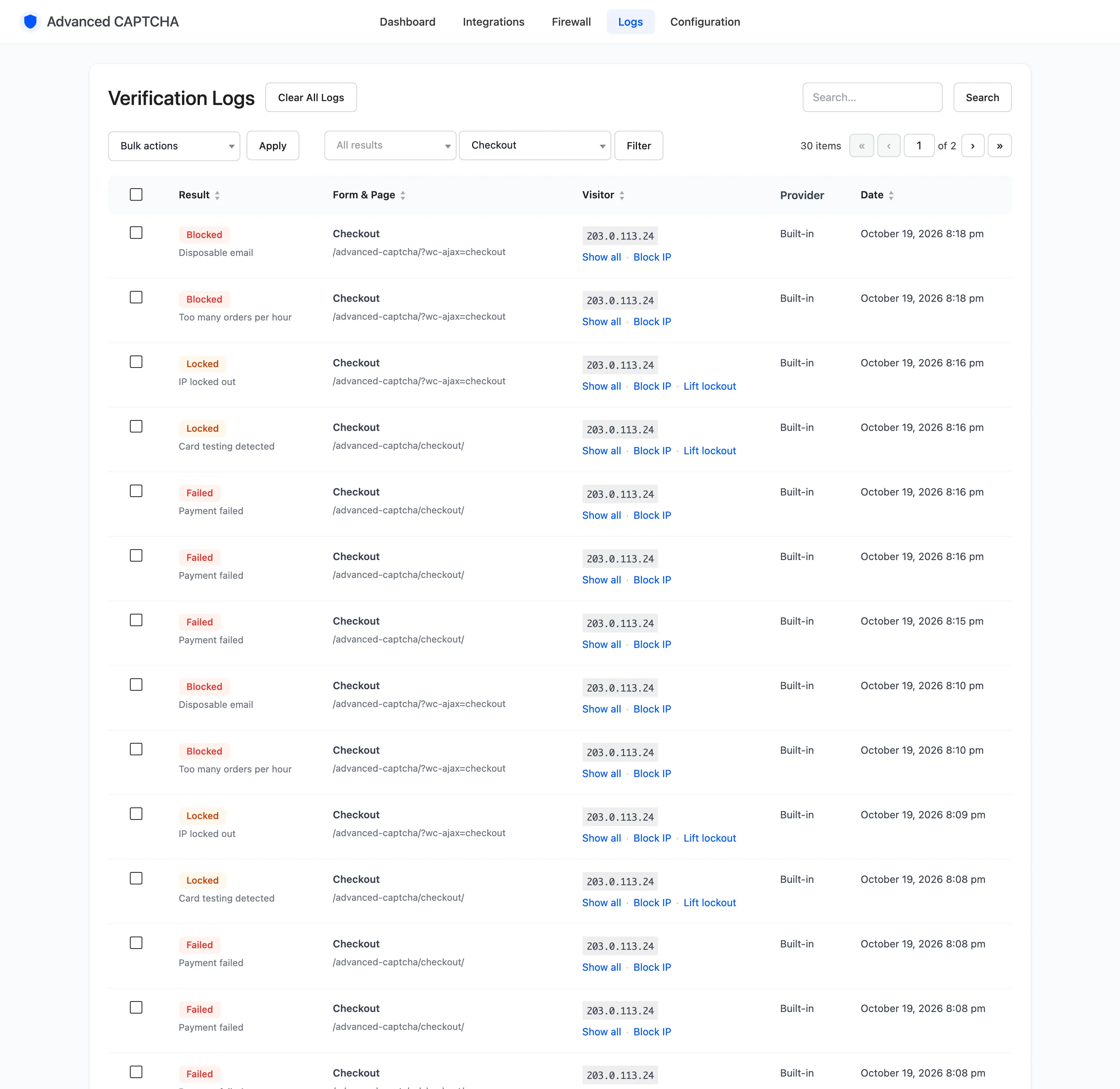
Section titled “Step 4: Read the log”Filter Logs to the Checkout form. Read upwards: three Failed, “Payment failed”, one Locked, “Card testing detected”, then each refused attempt.
Step 5: Cap orders per hour
Section titled “Step 5: Cap orders per hour”A different pattern: many small orders that go through. Set Orders per IP per hour above your
busiest genuine buyer and save. 0 means no limit.
On the demo store it was set to 1. The first order went through; the second, in the same hour, was
refused with the Lockout message and logged Blocked, “Too many orders per hour”.
The hour starts at the IP’s first order.
Letting a real customer back in
Section titled “Letting a real customer back in”Lift Lockout on the Firewall releases the IP and the billing email together. On the demo store, the customer’s next checkout after the lift was accepted:
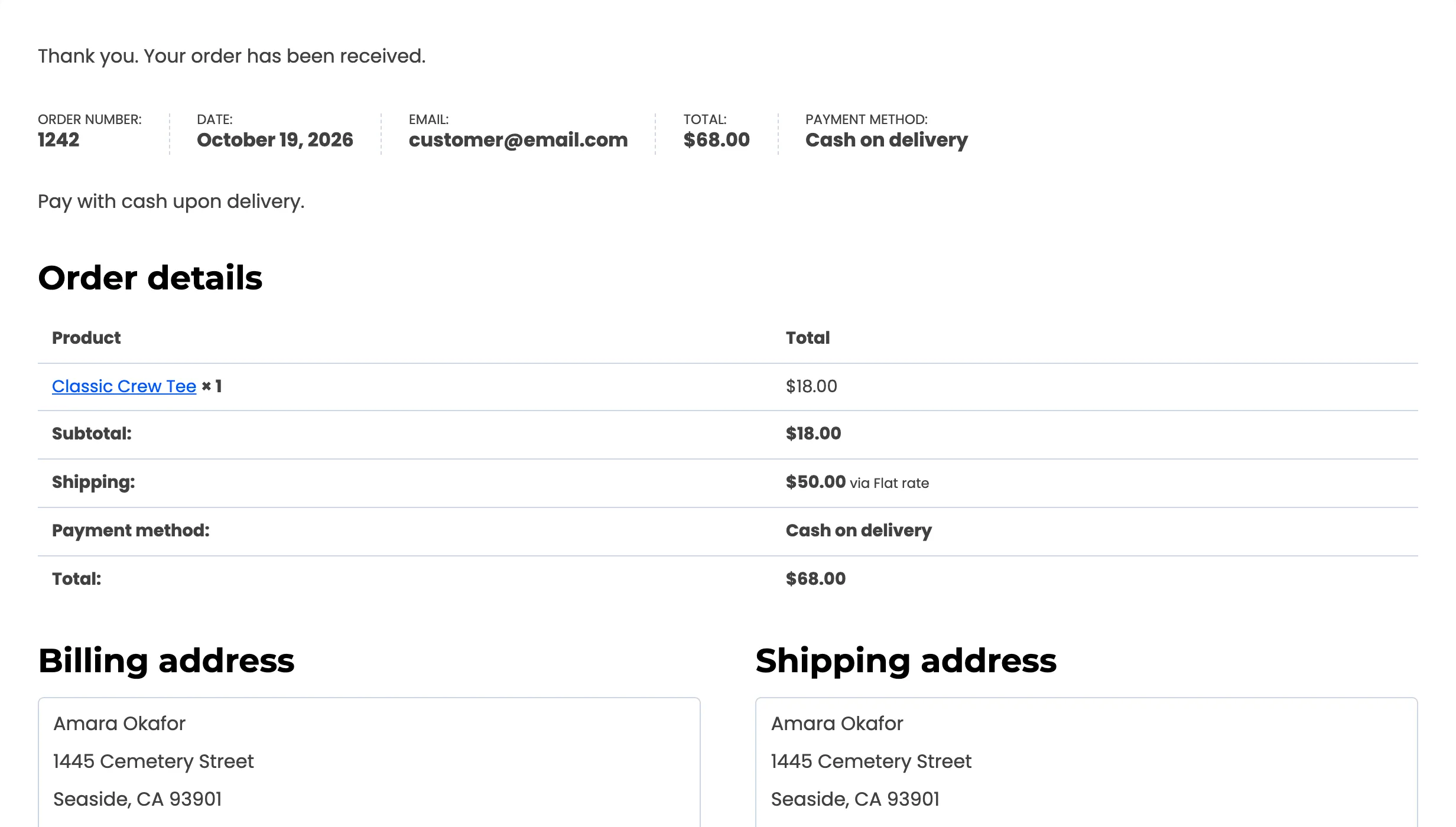
Without a lift, both locks end by themselves after the lockout length. See How to Let a Locked-Out Customer Back In.
Things to know
Section titled “Things to know”- Trusted roles and IPs are never counted or refused.
- Every gateway that marks orders Failed works: Stripe, PayPal, Square, Authorize.net and others. A gateway that leaves a declined order Pending is not counted.
- A failed payment also counts in smart mode. The IP gets the full CAPTCHA for 24 hours.
- Get emailed when a card-testing lockout starts, with lockout alerts.