

hCaptcha Settings
hCaptcha is a checkbox challenge from a privacy-focused provider. The tab applies only when hCaptcha is the provider on the General tab. Open Configuration → hCaptcha.
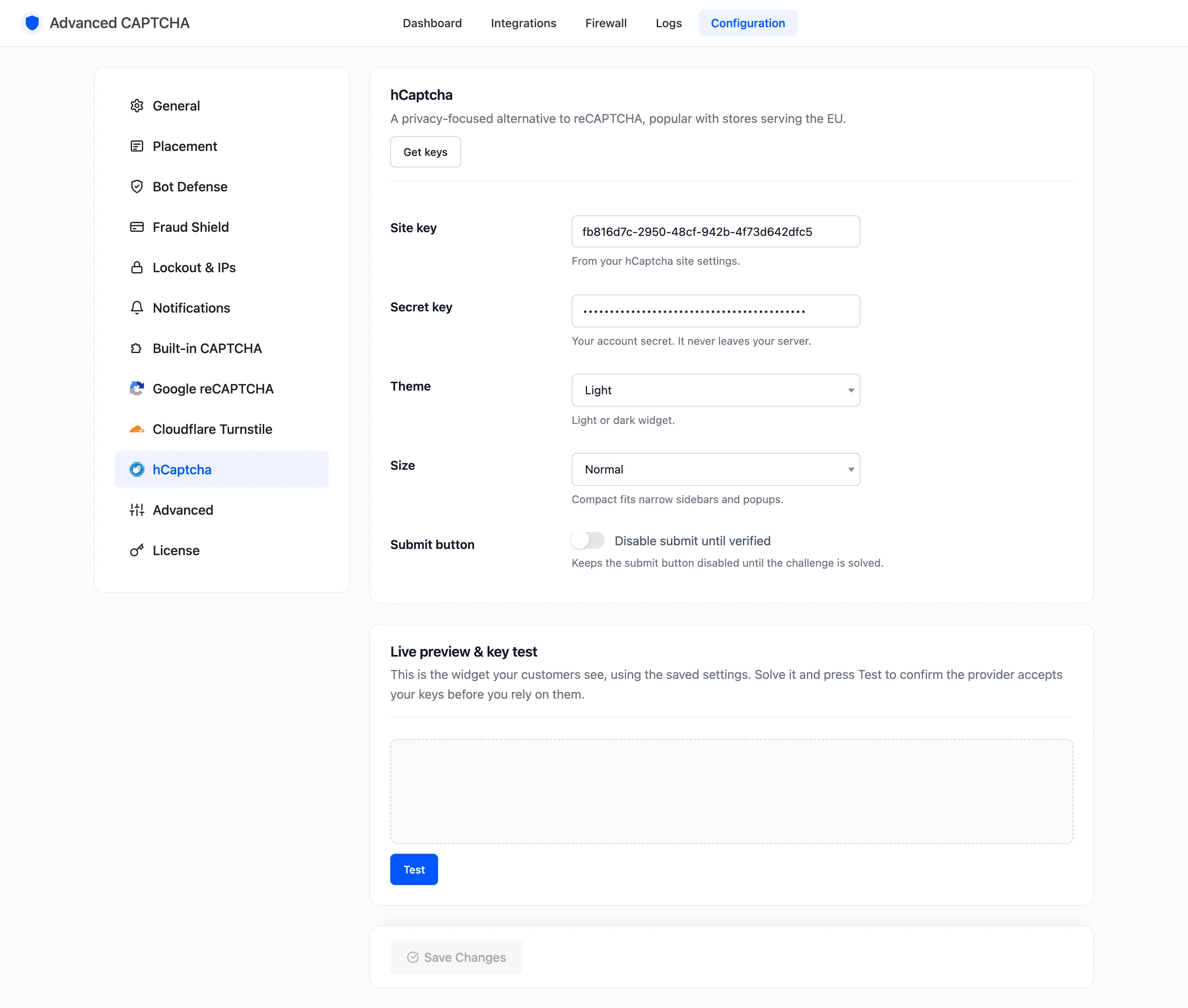
Get keys opens your hCaptcha dashboard’s sites list.
Fields
Section titled “Fields”- Site key: from your hCaptcha site settings.
- Secret key: your account secret. It never leaves your server.
- Theme: Light (default) or Dark.
- Size: Normal (default) or Compact, for narrow sidebars and popups.
- Submit button: “Disable submit until verified”. Off by default. Keeps the form’s button greyed out until the challenge is solved.
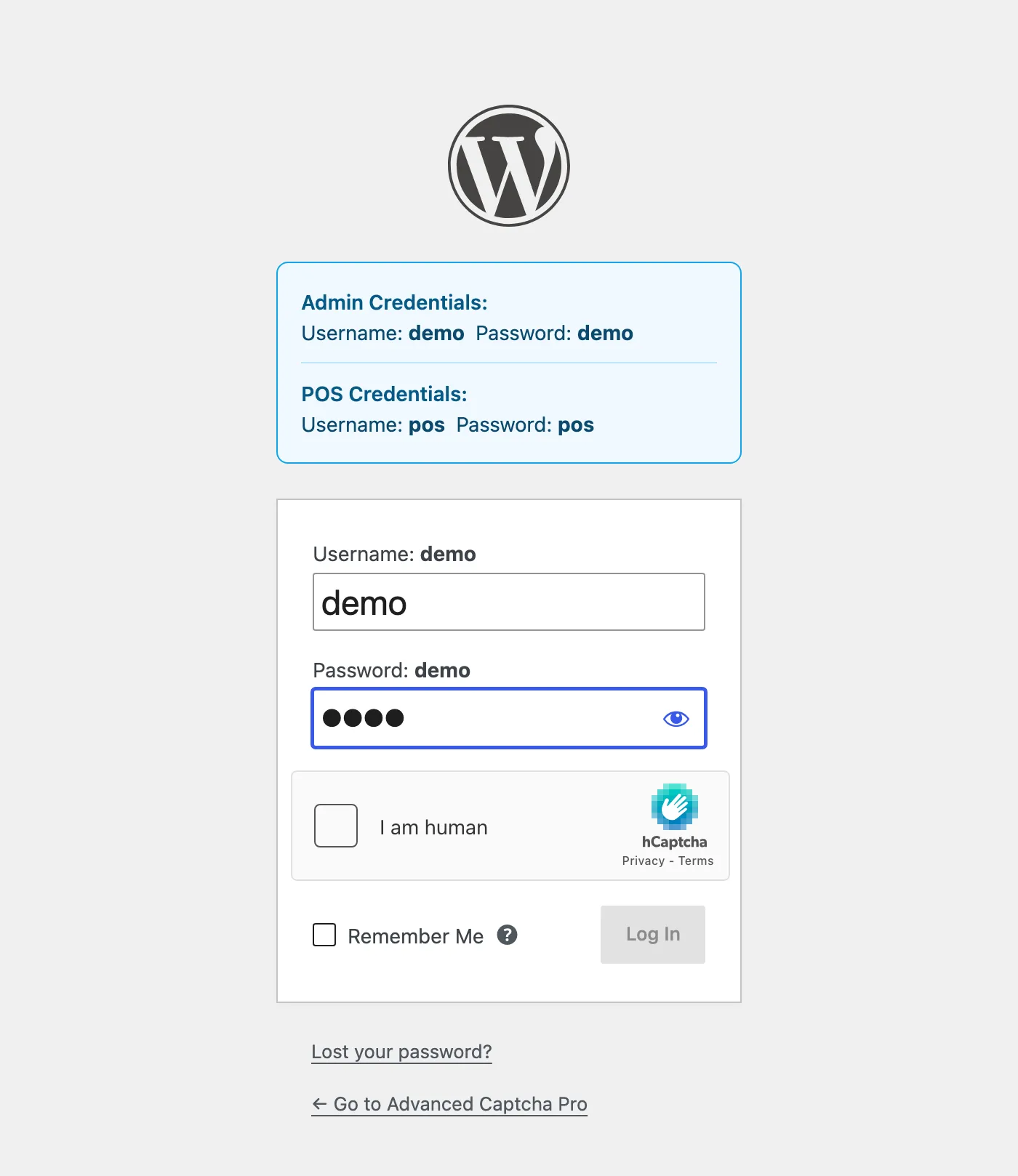
Live preview & key test
Section titled “Live preview & key test”The bottom of the tab shows the widget with your saved keys. Solve it and press Test to confirm hCaptcha accepts the keys.
Click Save Changes at the bottom of the tab.