The Advanced CAPTCHA Dashboard
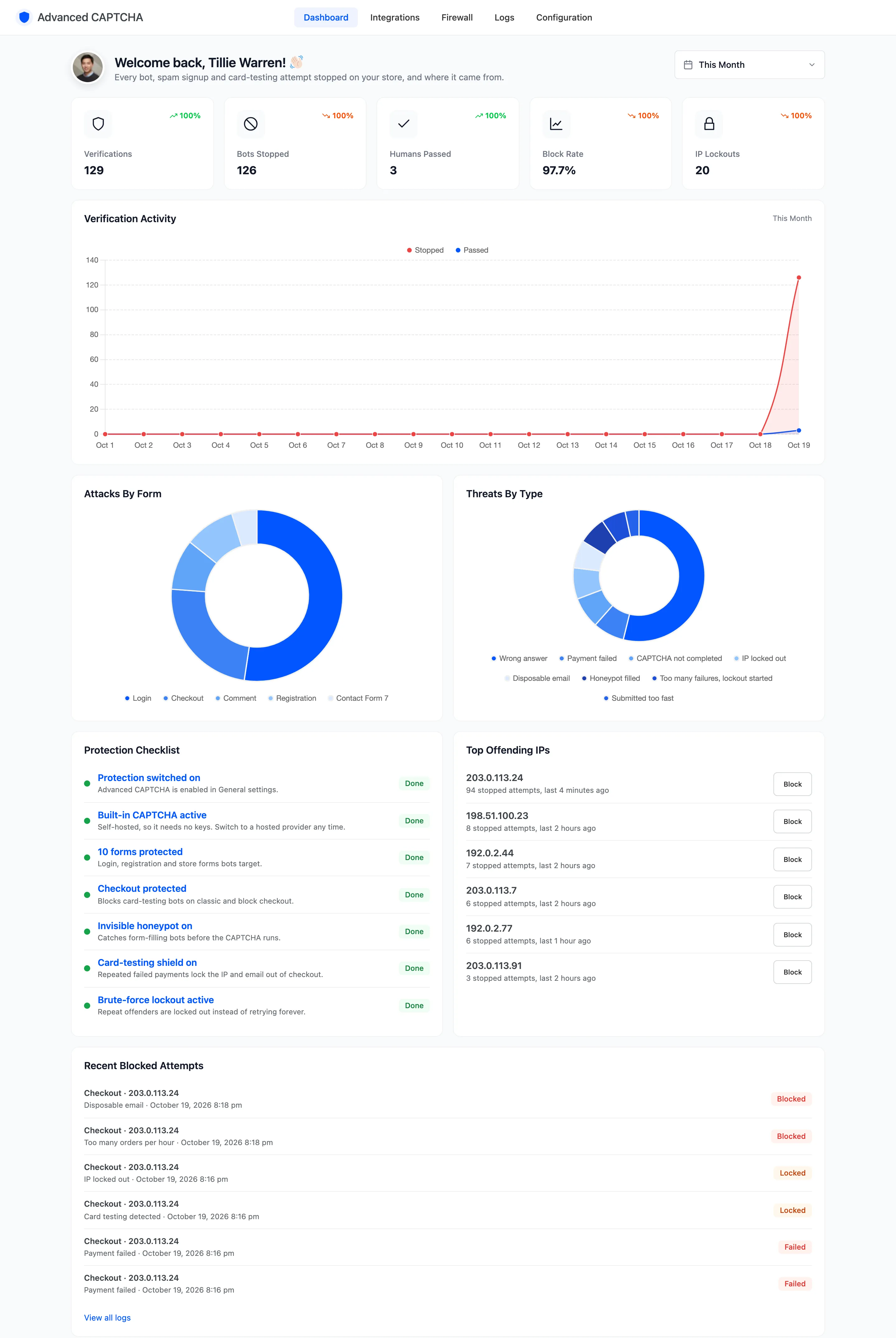
The dashboard shows what the plugin stopped, on which form, and from where. Open DevDiggers Plugins → Advanced CAPTCHA. Every figure comes from the verification log, so with logging switched off the dashboard stays empty.
Date range
Section titled “Date range”The picker at the top right defaults to This Month. Pick a preset or a custom range. Every card and chart follows it, and each counter is compared with the period before.
The five counters
Section titled “The five counters”
- Verifications: every check a protected form made.
- Bots Stopped: checks that failed, were blocked or were locked out.
- Humans Passed: checks that passed, including visitors smart mode let through.
- Block Rate: stopped checks as a share of all checks.
- IP Lockouts: lockouts started in the period (Pro).
A high block rate on a quiet store is normal. Bots outnumber people on a login page.
Verification Activity
Section titled “Verification Activity”Stopped and passed checks per day, as two lines.
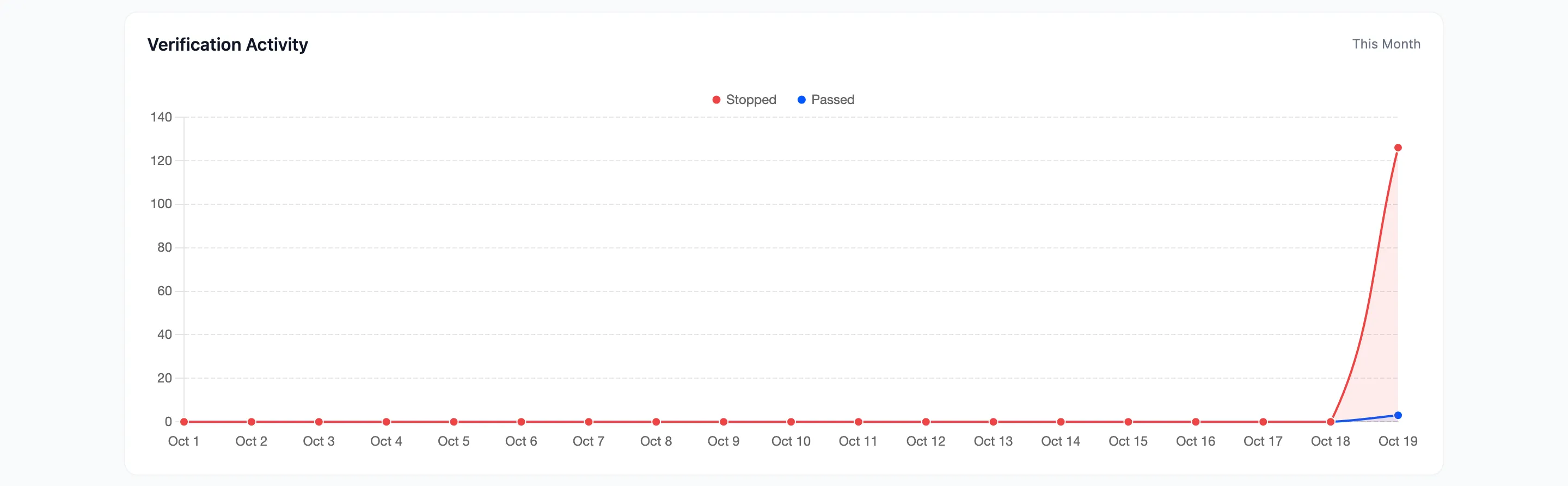
A sudden red spike is an attack. Open the Logs for that day to see which IPs and forms it came from.
Attacks By Form and Threats By Type
Section titled “Attacks By Form and Threats By Type”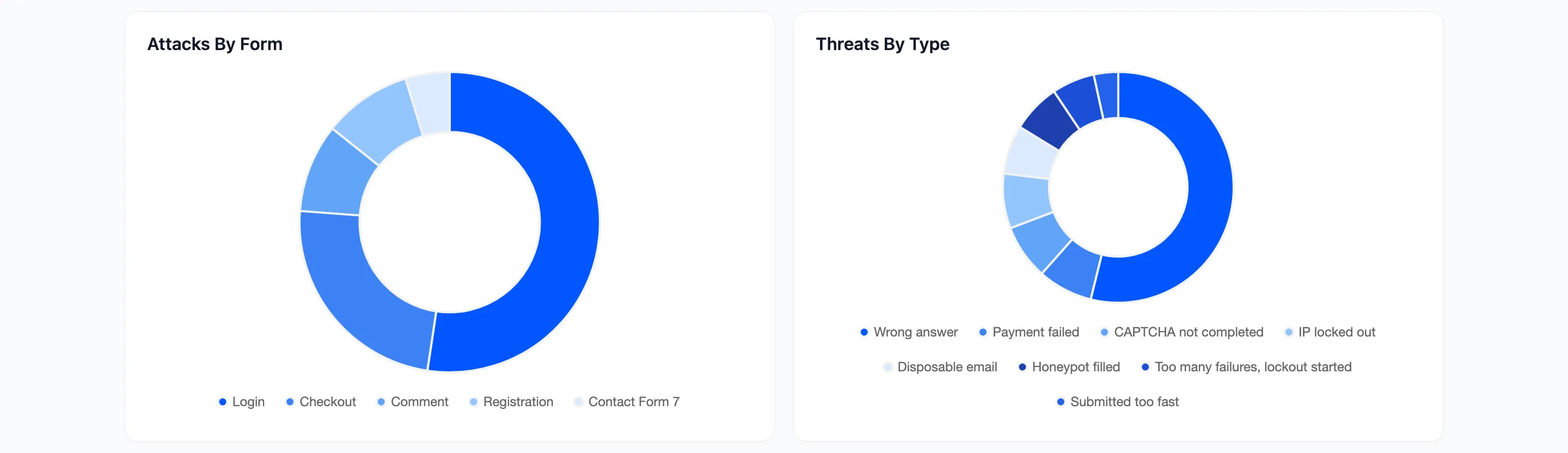
- Attacks By Form: which forms bots hit. On most stores login and registration lead.
- Threats By Type: why they were stopped: wrong answer, honeypot filled, submitted too fast, lockout, disposable email, payment failed and the rest. A large honeypot share means simple bots; a large wrong-answer share means bots that try to solve the challenge.
Protection Checklist and Top Offending IPs
Section titled “Protection Checklist and Top Offending IPs”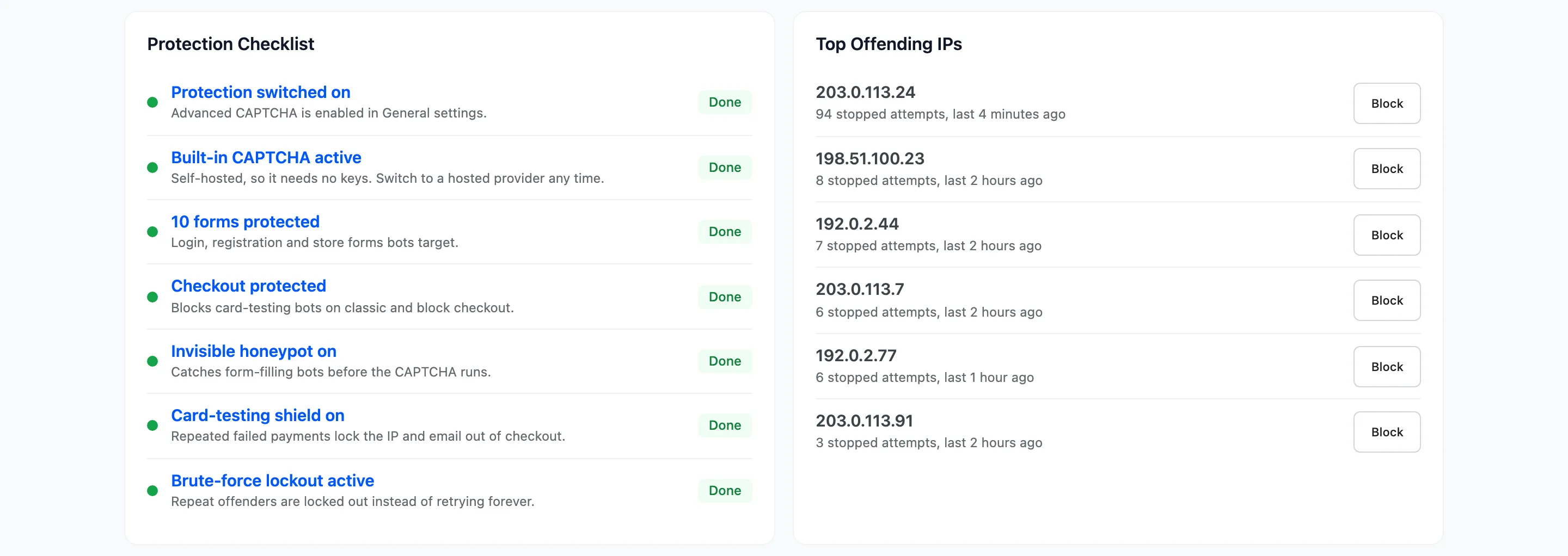
The Protection Checklist marks each item Done or Fix, and each links to the screen that fixes it:
- Protection switched on.
- The provider is ready: the Built-in CAPTCHA, or a hosted provider with both keys saved.
- How many forms are protected.
- Checkout protected.
- Invisible honeypot on.
- Card-testing shield on (Pro).
- Brute-force lockout active (Pro).
Top Offending IPs lists the IPs stopped most often in the period. Each row has a Block button that adds the IP to the block list, or Unblock if it is already on it.
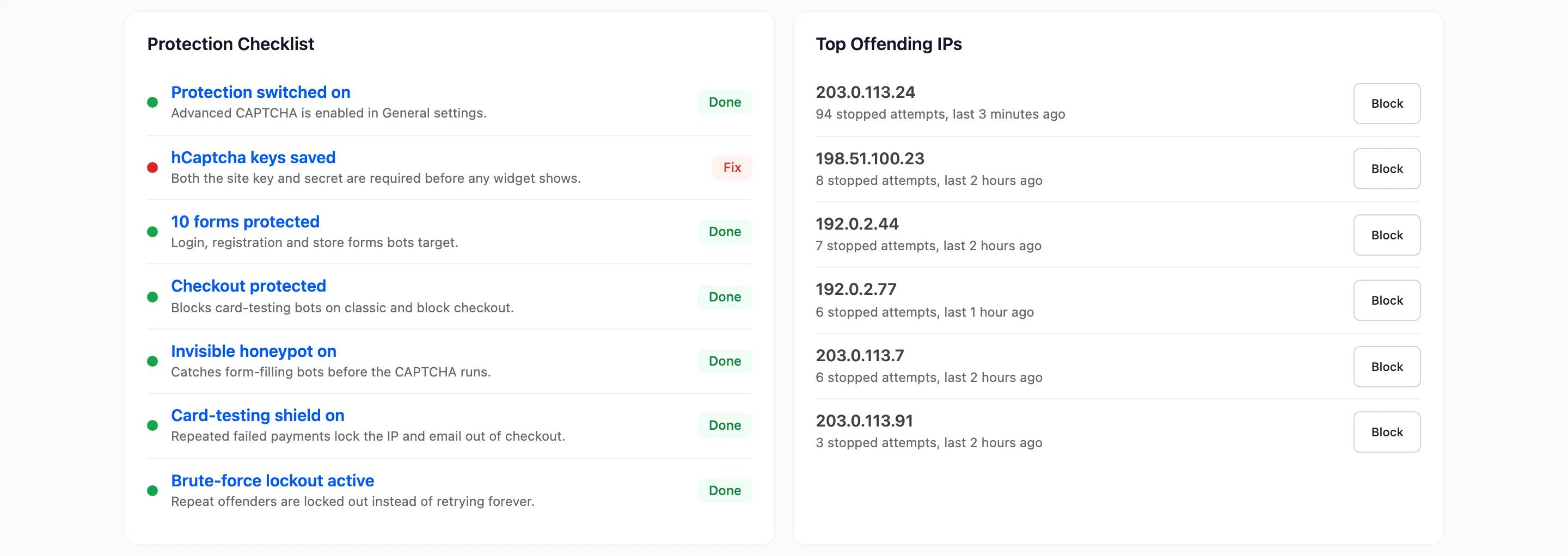
The checklist is also where a missing key shows up. With a hosted provider selected and its secret key empty, the row reads “hCaptcha keys saved” with Fix. Protection is paused until you add the key, and every screen of the plugin shows a warning saying so.
Recent Blocked Attempts
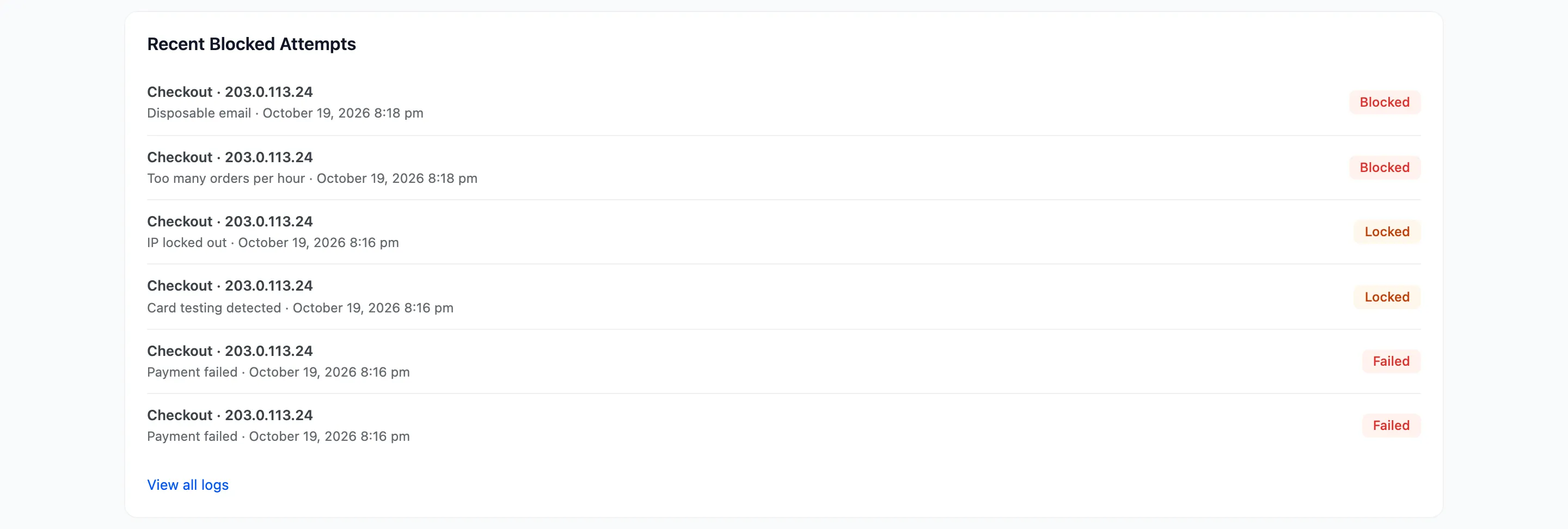
Section titled “Recent Blocked Attempts”The latest failed, blocked and locked attempts, newest first, each with its form, IP, reason and time. View all logs opens the full list.