

Introduction to Product Search by Image AI
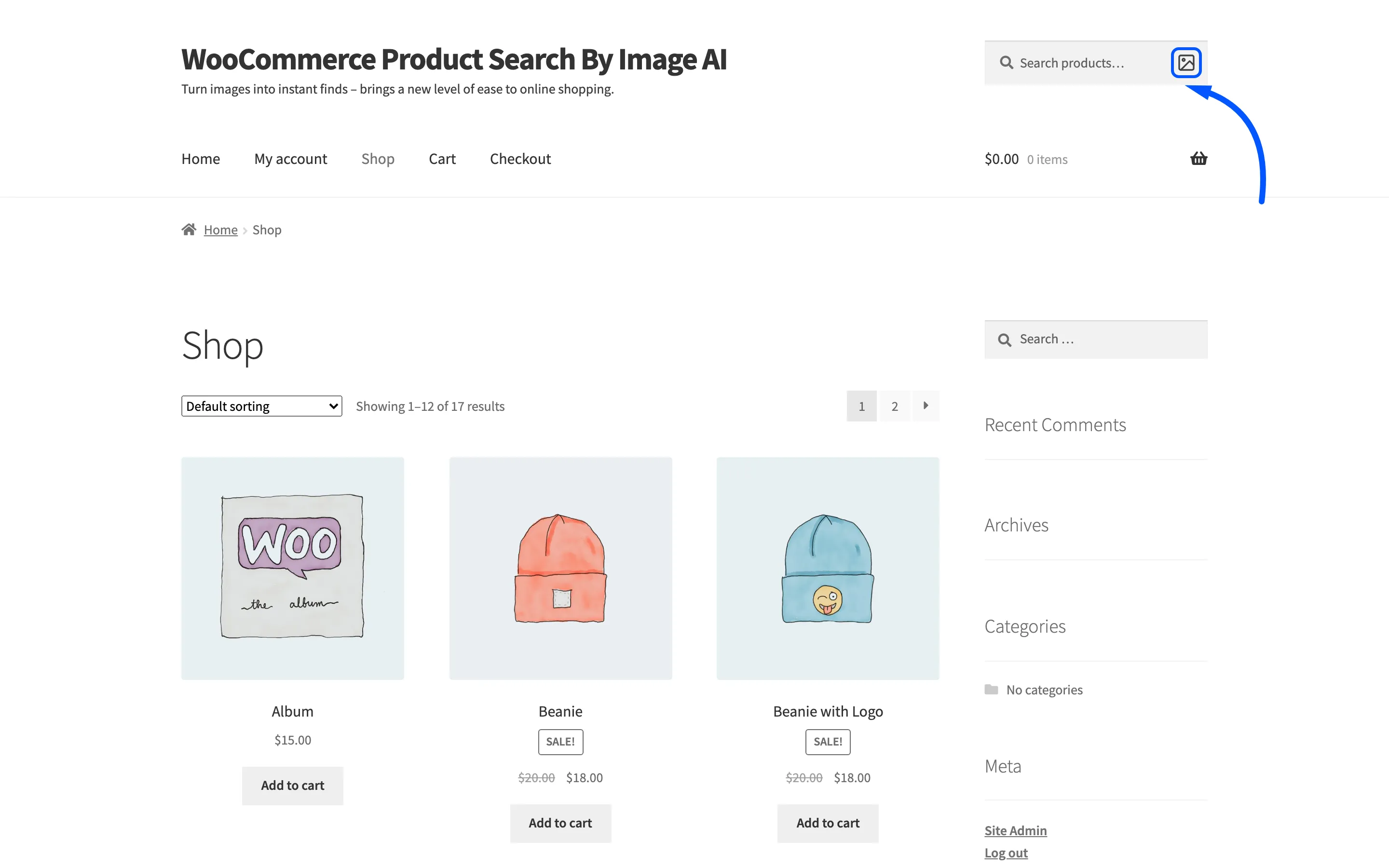
Product Search by Image AI puts a small camera icon inside your WooCommerce product search box. A shopper picks a photo, an AI model reads it into a handful of words, and the store runs a product search for those words.
It is for the shopper who knows what a thing looks like and not what you call it. Someone with a photo of a striped tee does not know your catalogue says Long Sleeve Tee, and typing “striped top” finds nothing. A photo finds it.
What the shopper gets
Section titled “What the shopper gets”The icon sits inside every WooCommerce product search form on your site. Picking a photo opens a full-screen loader while the model works. The store then lands on its own search results page, with the extracted words shown above the products.
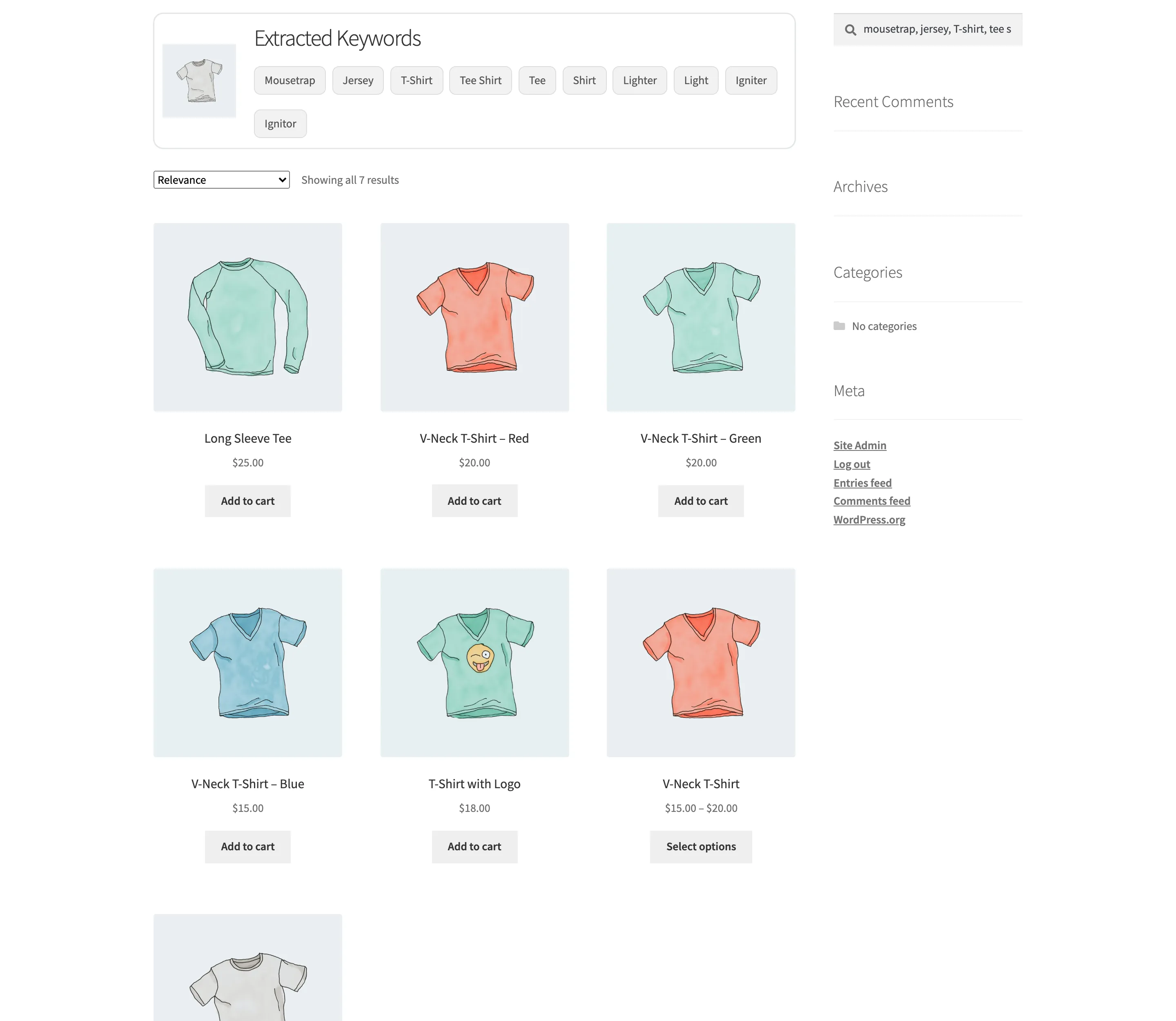
Each word is a link. A shopper who sees the model got one word right and three wrong can press the right one and search on that alone.
What you get
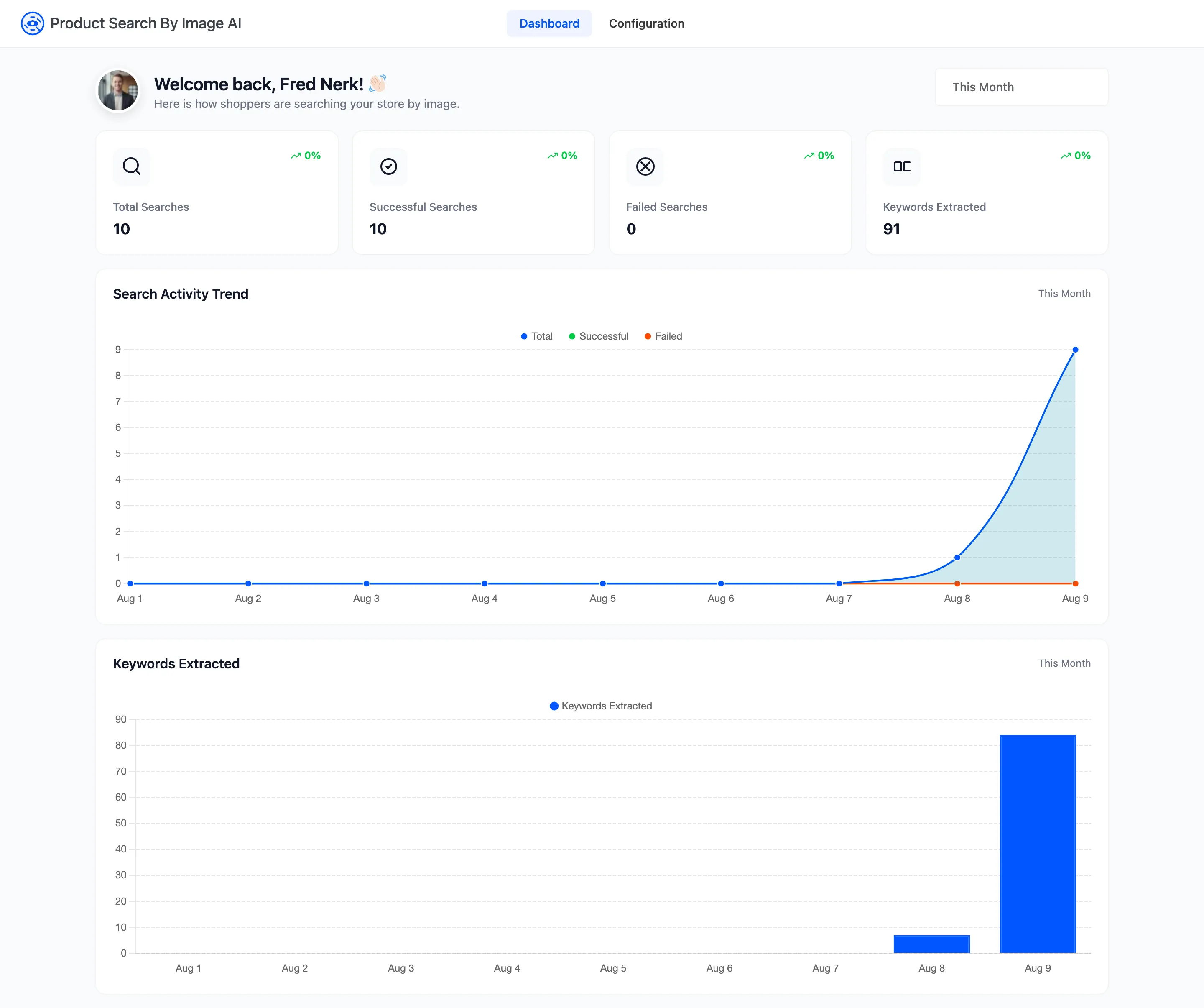
Section titled “What you get”An admin dashboard counting every image search, split into the ones that produced words and the ones that did not, plus how many words came out.
You also get a Product Image Tags box on every product, so a product can be found by words that appear nowhere in its title.
The three AI services
Section titled “The three AI services”The plugin does not read the photo itself. It hands that job to one of three services, and you pick which on the General tab.
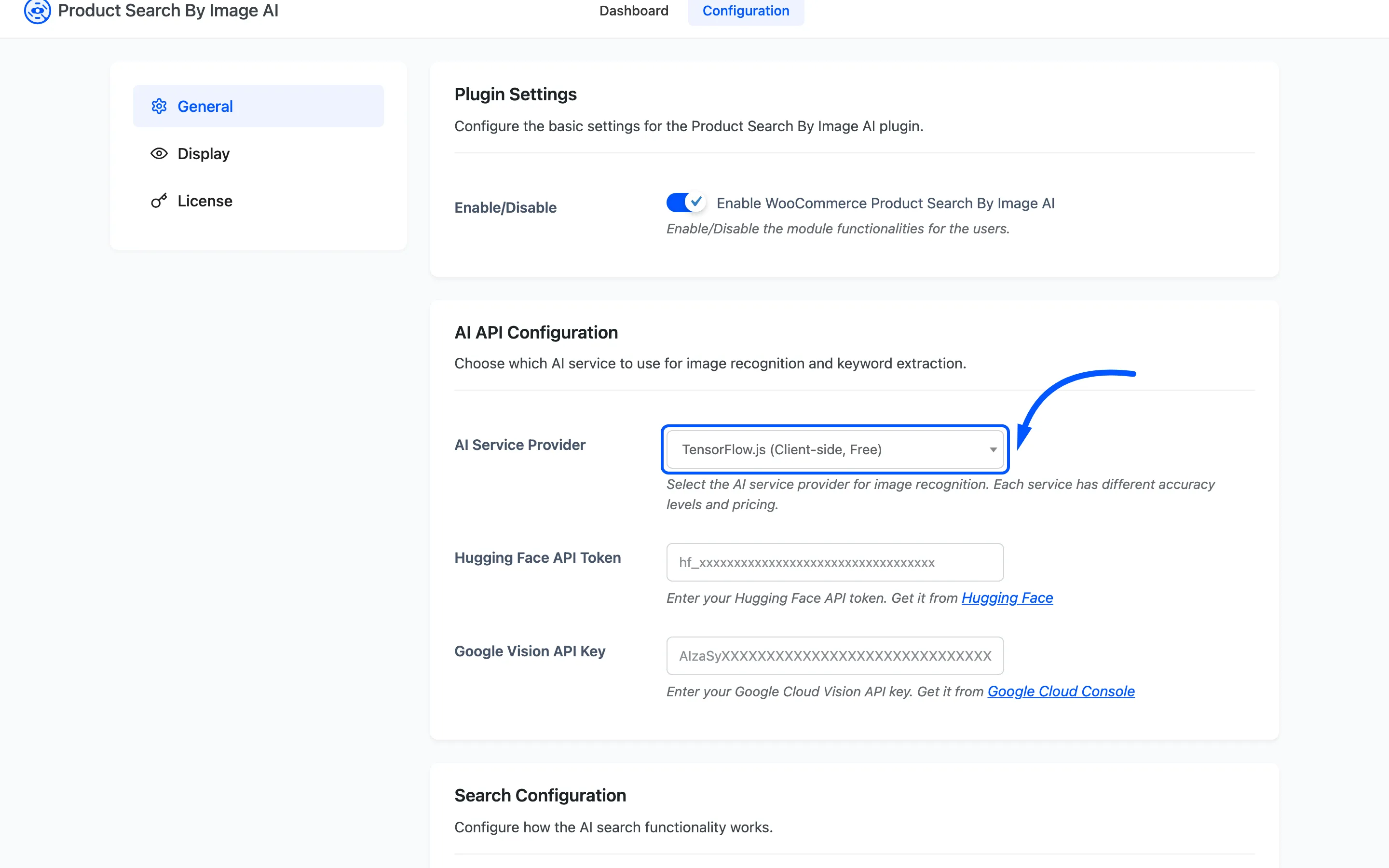
- TensorFlow.js: Runs in the shopper’s own browser. No account, no key, no per-search cost, and nothing leaves their device. This is the default.
- Hugging Face: Your server sends the photo to a hosted image model. Needs an API token.
- Google Vision: Your server sends the photo to Google’s label detection. Needs an API key.
How to Choose an AI Service Provider compares what each one costs you and what each one is good at.
What you need first
Section titled “What you need first”- WooCommerce, active. The plugin hangs its icon off the WooCommerce product search form, so without WooCommerce it shows an admin notice and does nothing else.
- An active license: The storefront half of the plugin loads only once the license is active. See License Activation.
- A product search box on your site: The icon appears inside WooCommerce product search forms. A plain WordPress search widget is a different form and does not get one.