

Product Image Tags
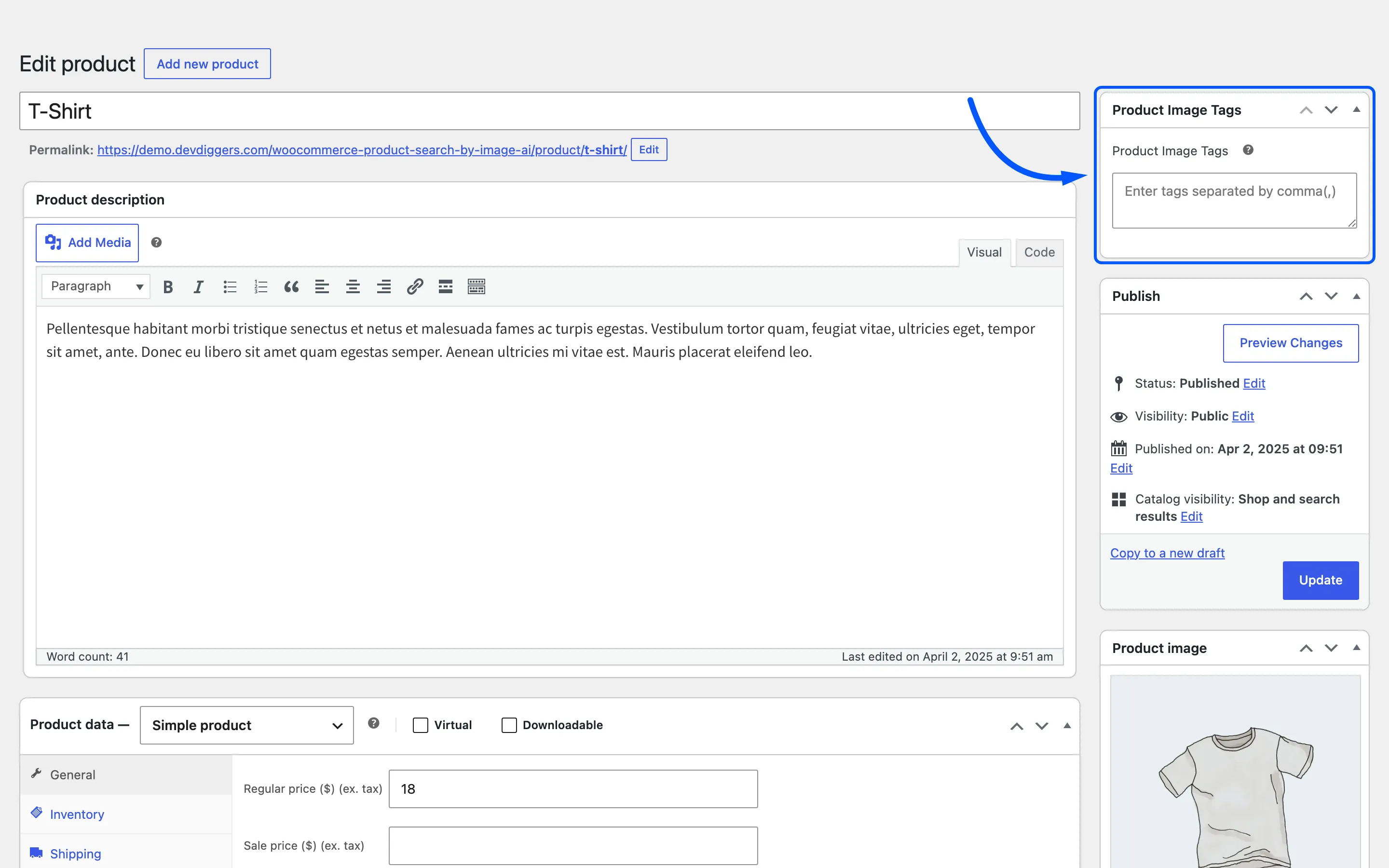
Product Image Tags is a box the plugin adds to every product, holding the words a photo of that product ought to match. It is the one screen where you can improve image search results directly.
Open any product under Products and look at the right-hand column.
What it is for
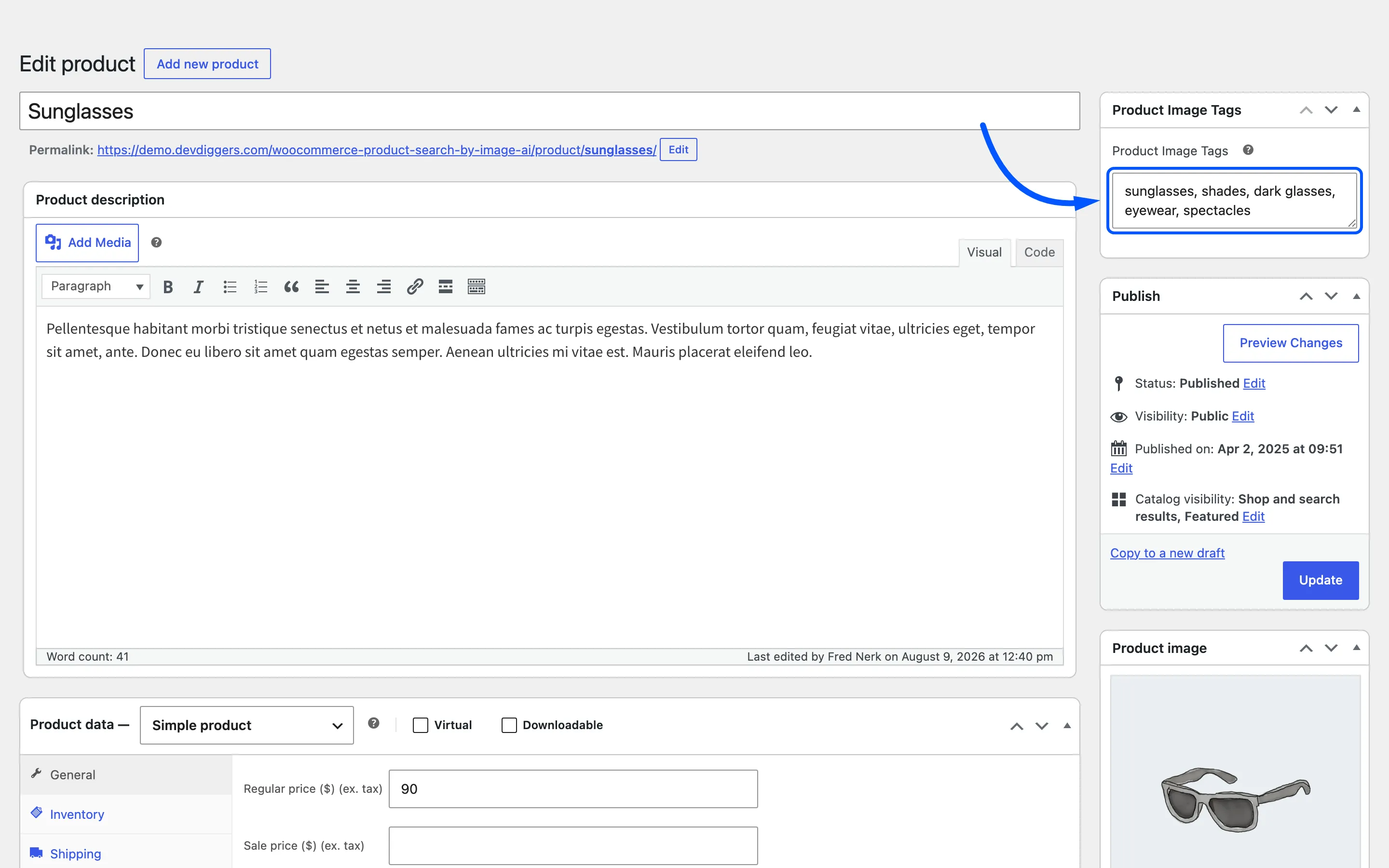
Section titled “What it is for”An AI service answers with the words it knows, not the words in your catalogue. A photo of sunglasses comes back with shades and eyewear as often as with sunglasses. Only the first of those appears in a product titled Sunglasses.
Image tags close that gap. Type the words the model is likely to use and the product is found by all of them.
The field
Section titled “The field”One textarea, and the help tip beside the label states the rule: enter multiple words separated by comma(,). Each entry can be a single word or a short phrase.
A keyword matches a tag when it appears anywhere inside the saved text. A tag of dark glasses is
therefore matched by a search for glasses. That makes short, distinct words worth more than long ones.
How the tags reach the search
Section titled “How the tags reach the search”Only through the Search Type field on the General tab.
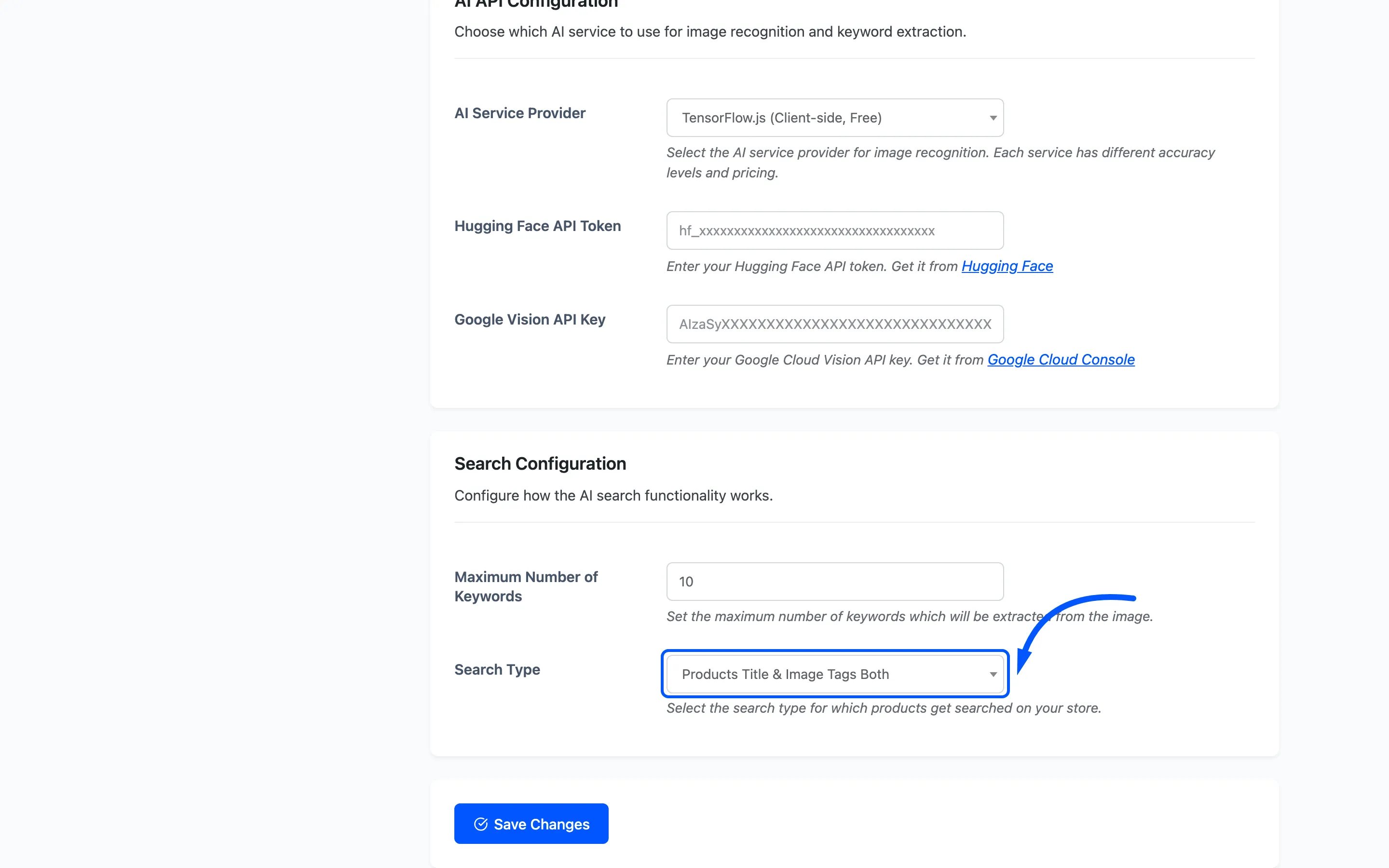
- Products Image Tags matches keywords against these boxes and nothing else.
- Products Title & Image Tags Both matches either the product title or these boxes.
- Products Title ignores them completely.
So tags typed while Search Type is Products Title change nothing until that field is changed.
Saving
Section titled “Saving”The tags save with the product, so they go in when you press Update. There is no separate save button and no bulk edit column.
Emptying the box does not clear the tags. The plugin saves the field only when it has something in it, so a product’s tags stay as they were. To change them, type the replacement words over the top and press Update.
Where to start
Section titled “Where to start”Tagging every product is not the job. Tagging the ones shoppers photograph is.
- Take the products whose titles are brand names or model numbers. A photo of them can never match a title, so they are the products image search cannot find at all today.
- Add the plain words a shopper would use out loud: shape, colour, material, category.
- Add the words an AI service is likely to answer with. The quickest way to learn them is to search the product’s own photo on your storefront and read the chips it comes back with.
How to Add Image Tags to a Product walks that loop once, end to end.