

How to Show Your Products' Dimensions in 3D (Pro)
This is the setting that answers “will it fit”, which for furniture and homeware is the question behind most abandoned carts. It is also the fastest quality check you have on a new model file.
Step 1: Open the General tab
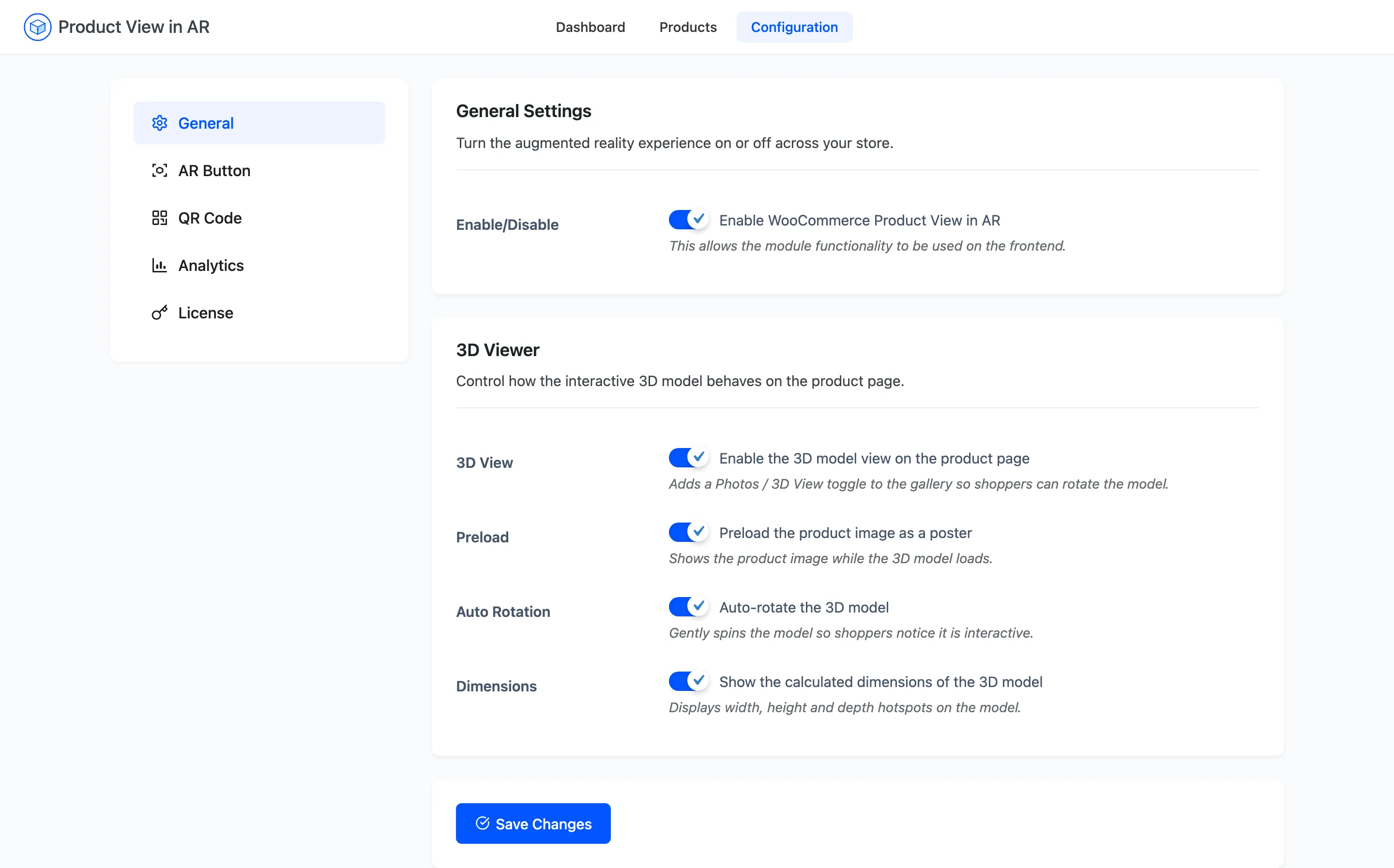
Section titled “Step 1: Open the General tab”Go to DevDiggers Plugins → Product View in AR → Configuration → General.
Step 2: Tick Dimensions
Section titled “Step 2: Tick Dimensions”Turn on Show the calculated dimensions of the 3D model.
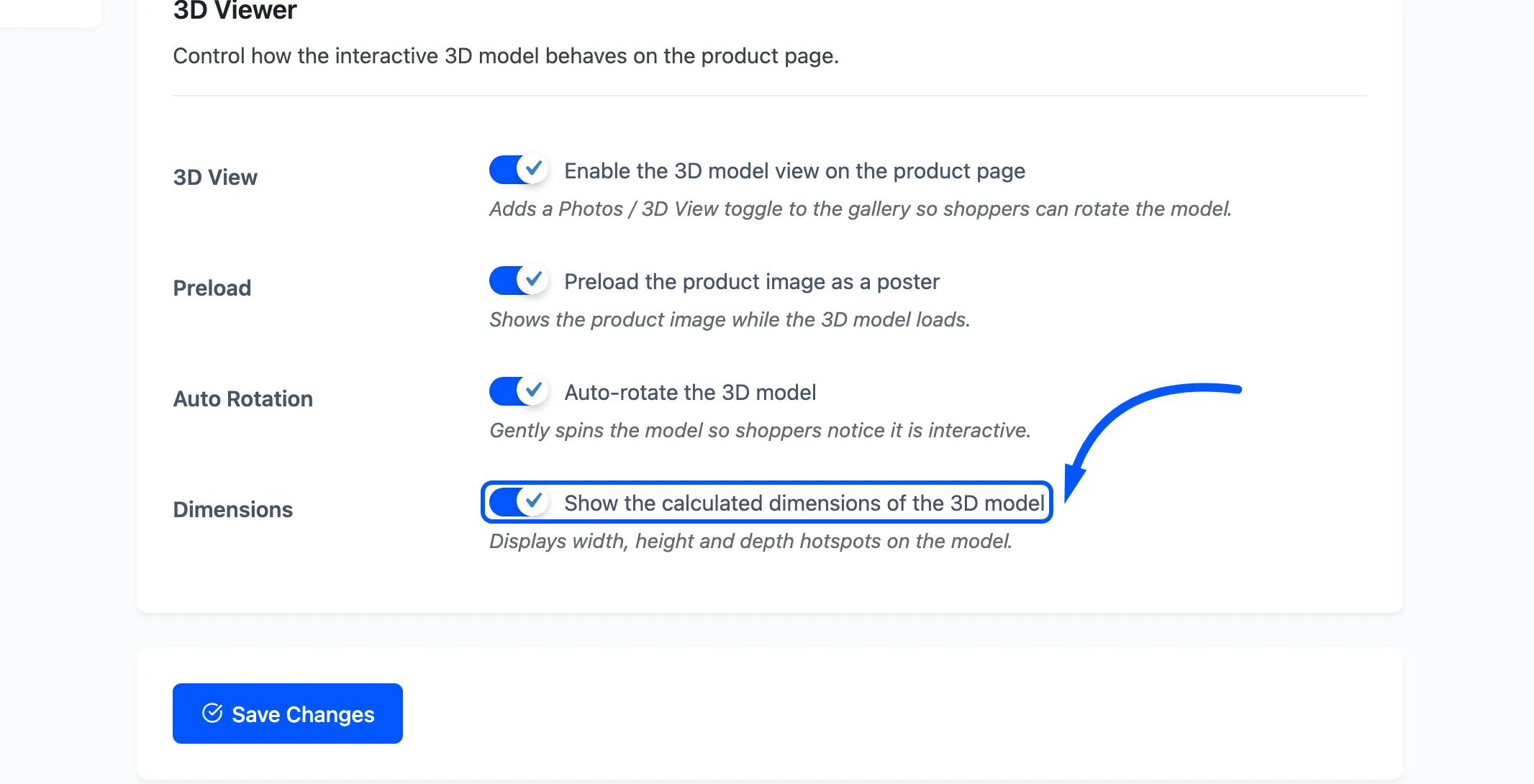
It is on by default. The setting is global: it applies to every product with a model, and there is no per-product override. Press Save Changes, and the change is live immediately.
Step 3: Open a product in 3D
Section titled “Step 3: Open a product in 3D”Open a product that has a .glb and press 3D View.
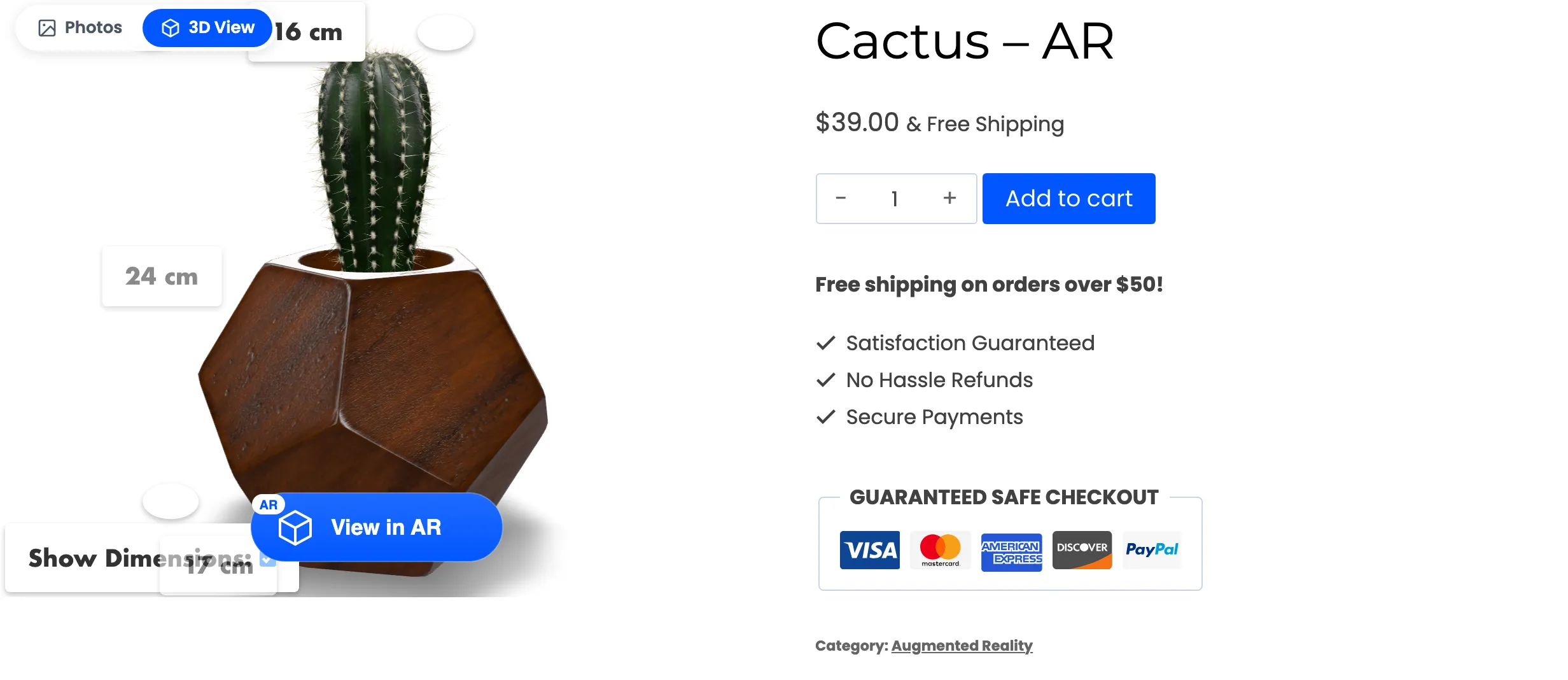
The model gains labelled hotspots at its edges, each reading a measurement in centimetres. A Show Dimensions checkbox lets the shopper untick them and see the model cleanly.
Rotate the model. The labels follow its corners, so width, height and depth stay readable from any angle rather than sitting flat on the screen.
Step 4: Check the figures against the real product
Section titled “Step 4: Check the figures against the real product”This is the step that pays for itself, and the check is the numbers themselves rather than a screen of its own.
The figures are measured from the model file itself, not from the product’s WooCommerce shipping dimensions. The two are filled in by different people at different times and they disagree more often than anyone expects.
- The model matches the real product. Nothing to do. Shoppers now get a size answer without opening a specifications tab.
- The model is out by a round factor, typically 100 or 1000. It was exported in centimetres or millimetres instead of metres. Re-export it and replace the file. Nothing in the plugin can rescale it, and AR will place it at that wrong size in the shopper’s room.
- The model is out by a little. Usually the bounding box includes something you would not measure by hand, such as a handle. Judge whether it misleads before re-exporting.
Fixing this is How to Remove or Replace an AR Model.
A note on what shoppers do with it
Section titled “A note on what shoppers do with it”The labels are not a substitute for your dimensions table. They are faster to reach and harder to misread, because the number is attached to the edge it describes. Keep the written dimensions in the product description as well, for the shoppers who never open the 3D viewer and for search engines.