

The Subscribers Screen
A subscriber here is a device, not a person. One customer with a phone and a laptop is two rows, and that is the unit push notifications are actually delivered to.
Go to DevDiggers Plugins → Progressive Web App → Subscribers.
The three counts
Section titled “The three counts”
- Devices: Every device that has opened your site with the plugin active.
- Push subscribed: Devices whose browser has handed over a push token.
- App installed: Devices flagged as having installed the app.
Devices is always the largest of the three, because a device is recorded on its first page view and only becomes a subscriber when the visitor allows notifications.
The list
Section titled “The list”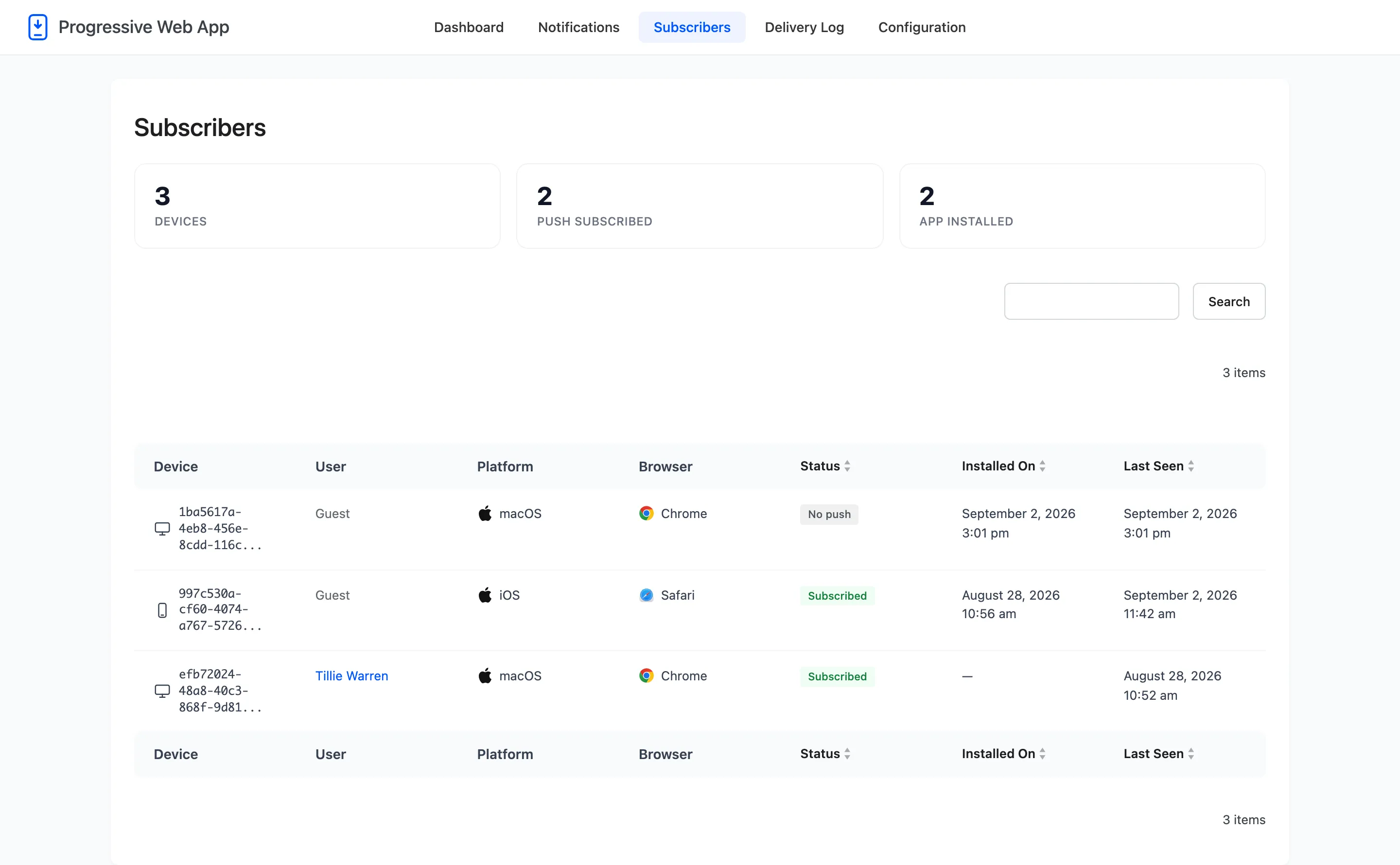
Seven columns.
- Device: The device’s own identifier, generated in the browser. It is not a name, an email or an IP address, and nothing here identifies a person.
- User: The WordPress account signed in on that device, or Guest.
- Platform: Windows, macOS, Android, iOS and so on.
- Browser: Chrome, Safari, Firefox, Edge.
- Status: Subscribed or not.
- Installed On: When the app was installed on that device, or a dash.
- Last Seen: The last time it opened your site.
The search box at the top filters the list.
Reading the User column
Section titled “Reading the User column”Notification permission is granted to the browser, not to the account. So a device counts as belonging to a user once somebody has signed in on it, and it keeps that user after they sign out.
That is what makes the Logged-in users segment work at all. The permission is asked for once and never again, so the plugin re-registers the token whenever the signed-in user changes.
Why a device is here but not subscribed
Section titled “Why a device is here but not subscribed”The three usual reasons, in the order they happen.
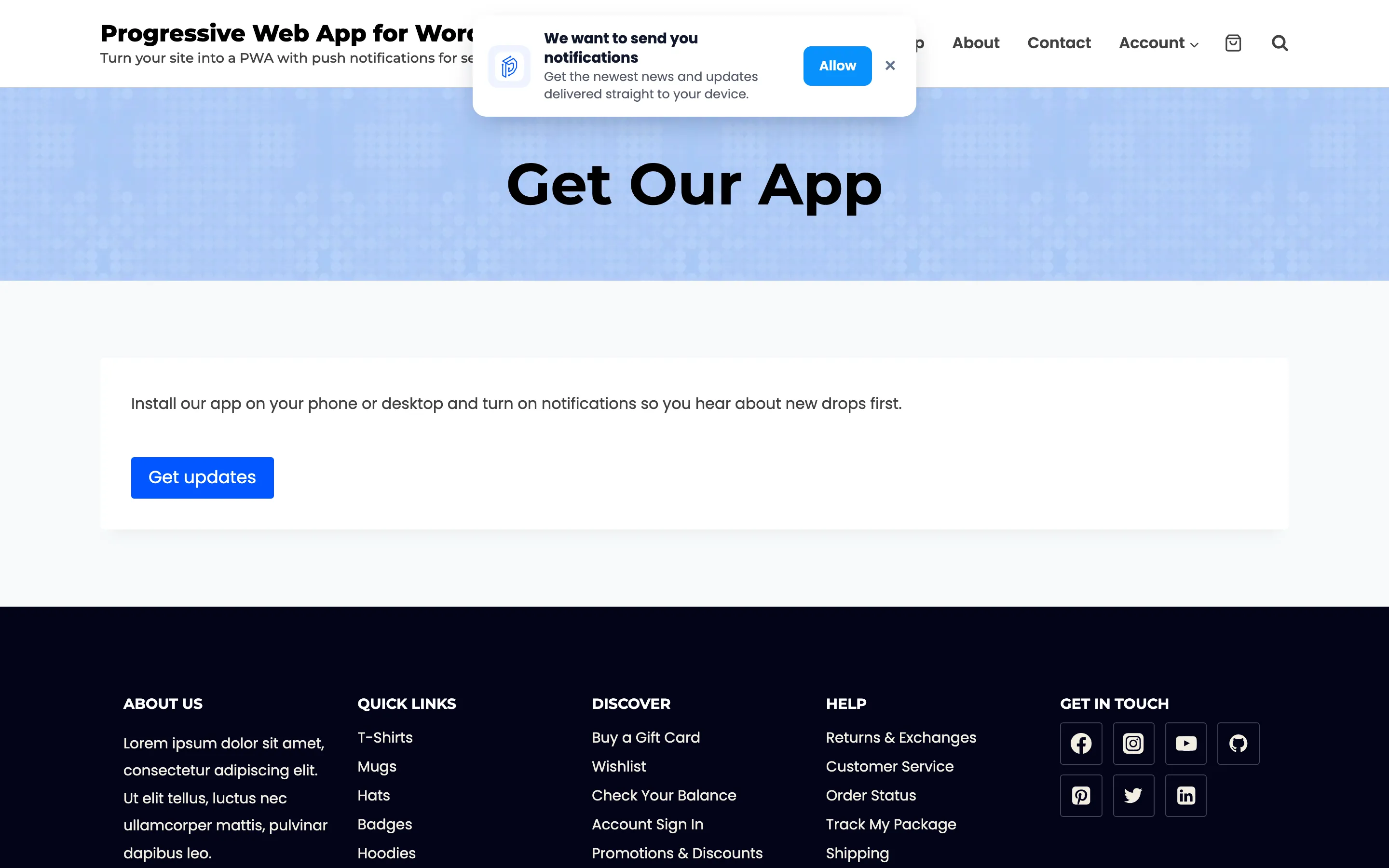
- The visitor has not been asked yet, because the prompt delay or page-view threshold has not been reached.
- The visitor dismissed your prompt, which is not the same as denying the browser.
- The visitor denied the browser’s own dialog, which cannot be undone from your side.
A Safari row on iPhone or iPad is a fourth case: push there only works once the app has been added to the home screen.