

Introduction to Progressive Web App for WordPress
Progressive Web App for WordPress turns your site into something a visitor can install. It lands on their home screen with your icon, opens without a browser bar, keeps working when the signal drops, and can send them a notification later.
Nothing about your theme or your content changes. The plugin adds three things browsers already understand: an app manifest, a service worker, and a push subscription.
What your visitors get
Section titled “What your visitors get”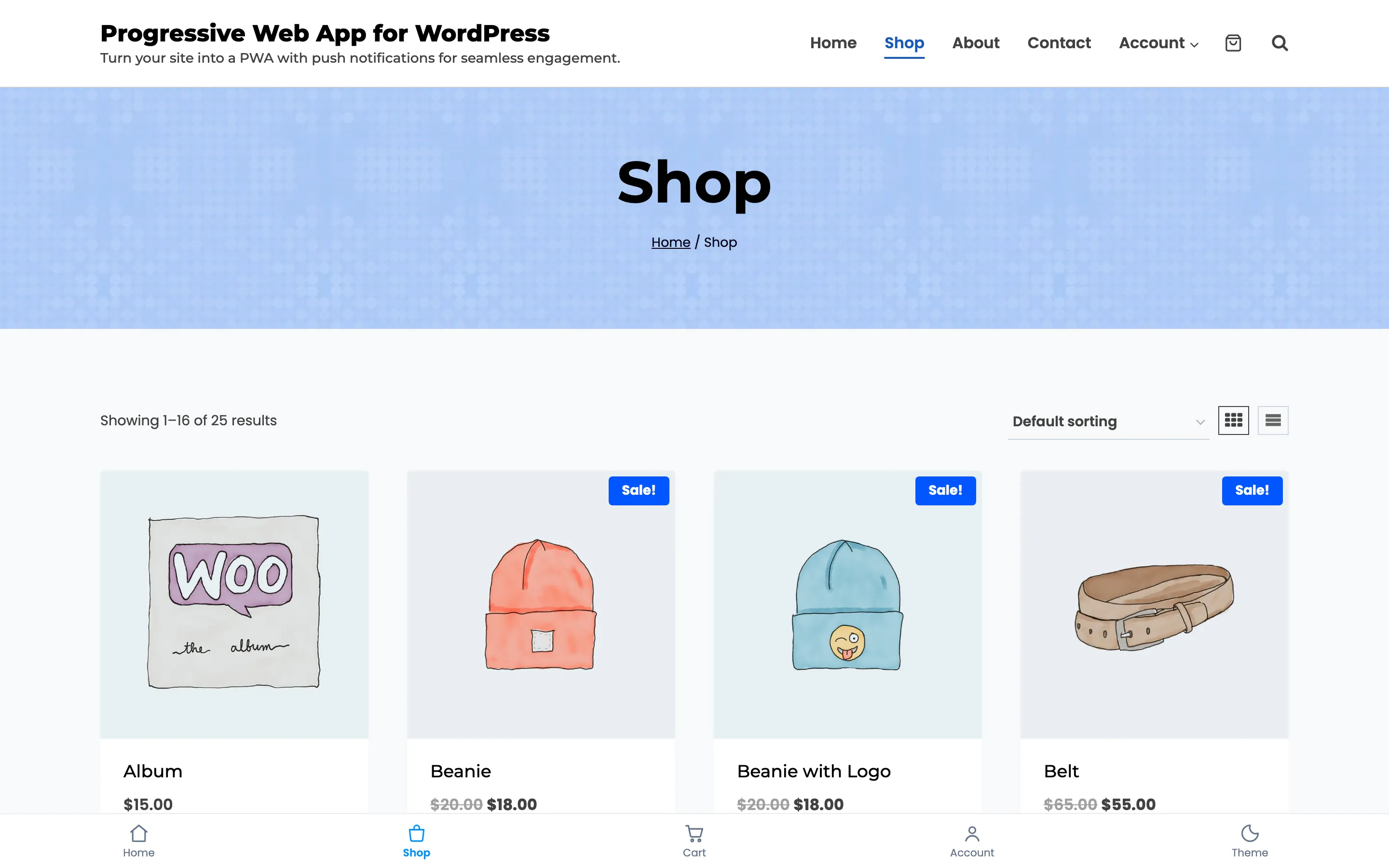
On a phone, which is where most people will open it, there is no address bar at all.
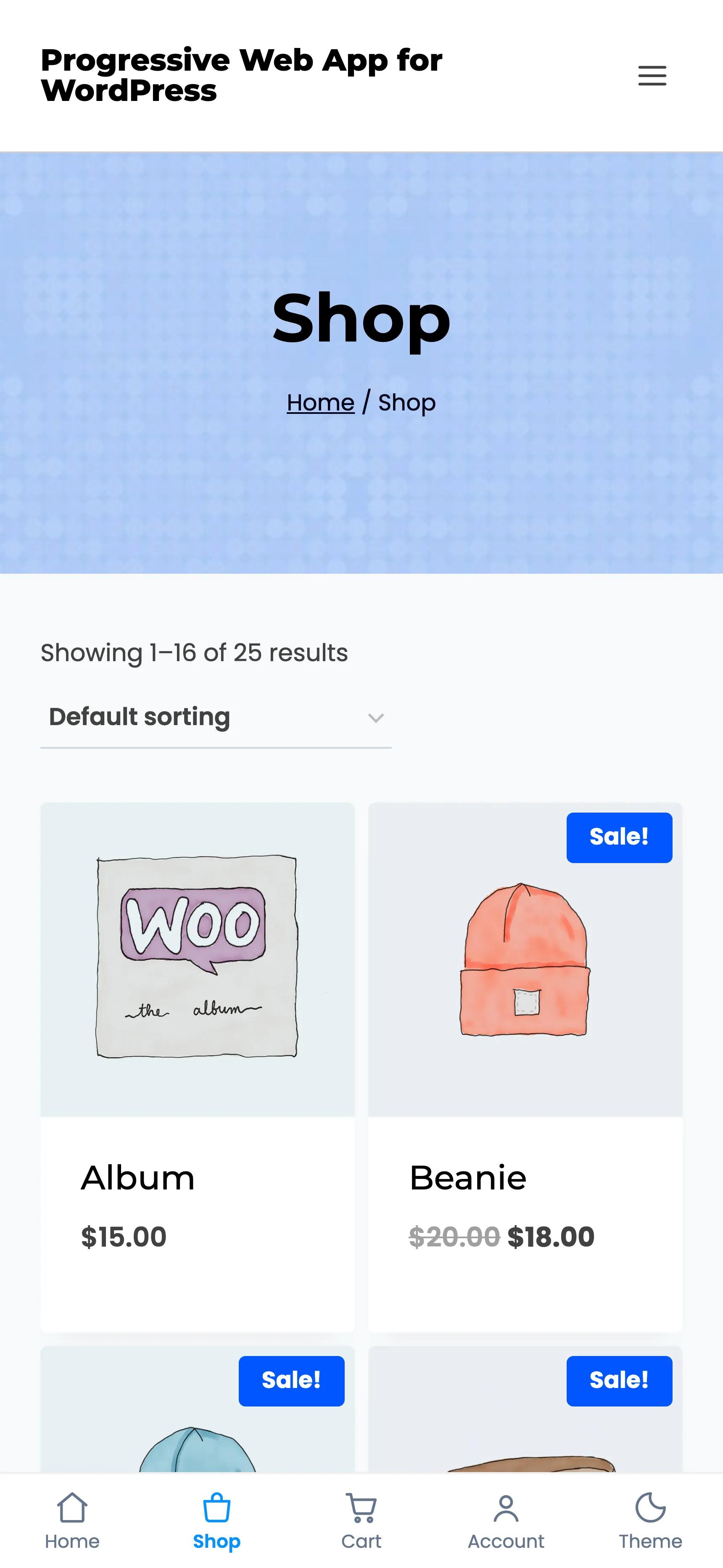
- An installable app: Android and desktop browsers offer Install. iPhone and iPad add it from the Share sheet. Either way it opens full screen.
- Pages that survive a bad connection: Every page a visitor opens is cached, so going back to it works with no signal at all.
- Push notifications: Once someone allows them, you can reach that device even when nobody has your site open.
What you get in the admin
Section titled “What you get in the admin”The plugin adds one menu under DevDiggers Plugins → Progressive Web App, with five screens.
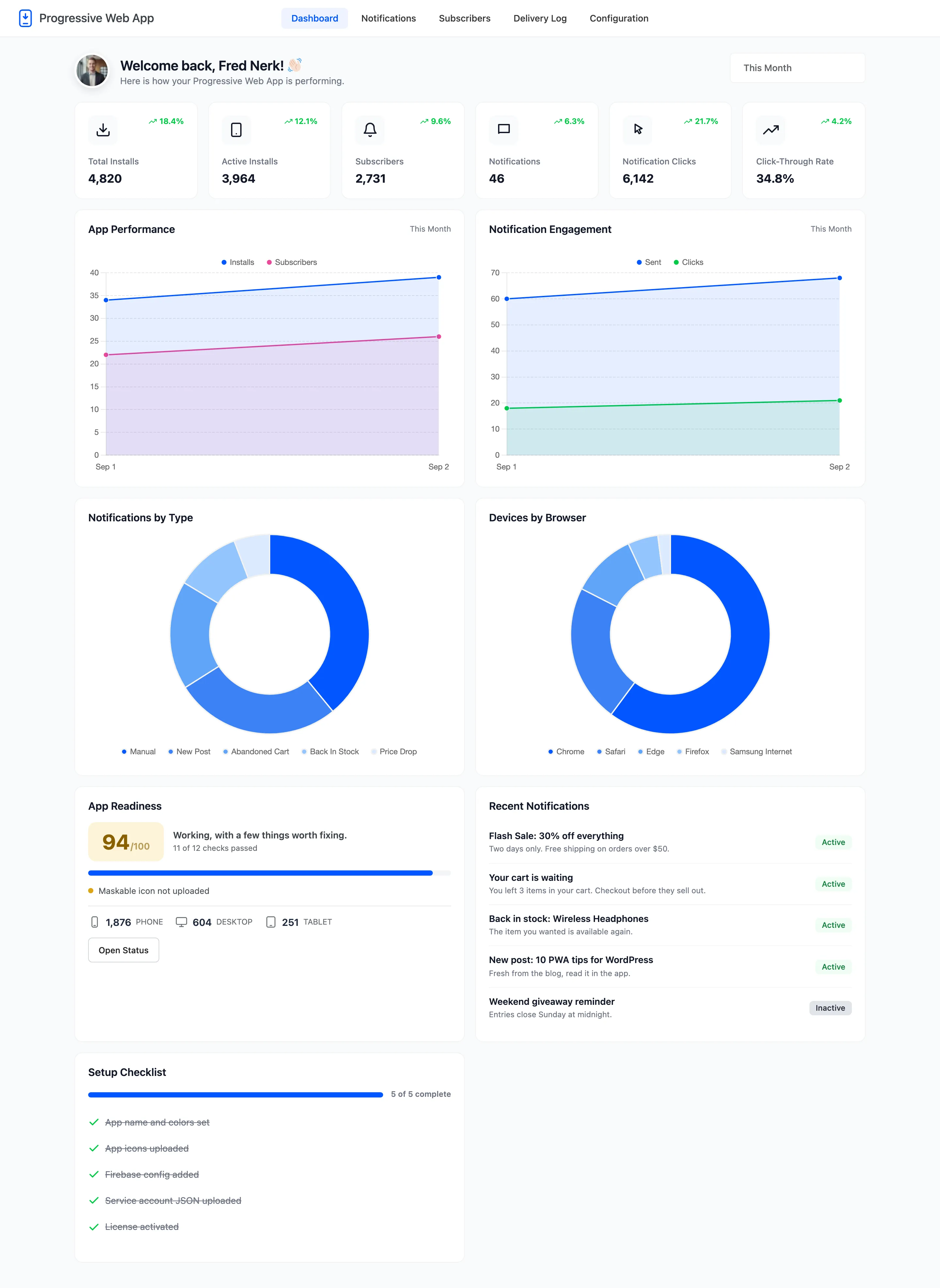
- Dashboard: Installs, subscribers, notifications sent and clicked, plus a readiness score.
- Notifications: Write a notification, save it, send it.
- Subscribers: Every device that has opened your site, with its platform and browser.
- Delivery Log: What was sent, to how many devices, and how many people tapped it.
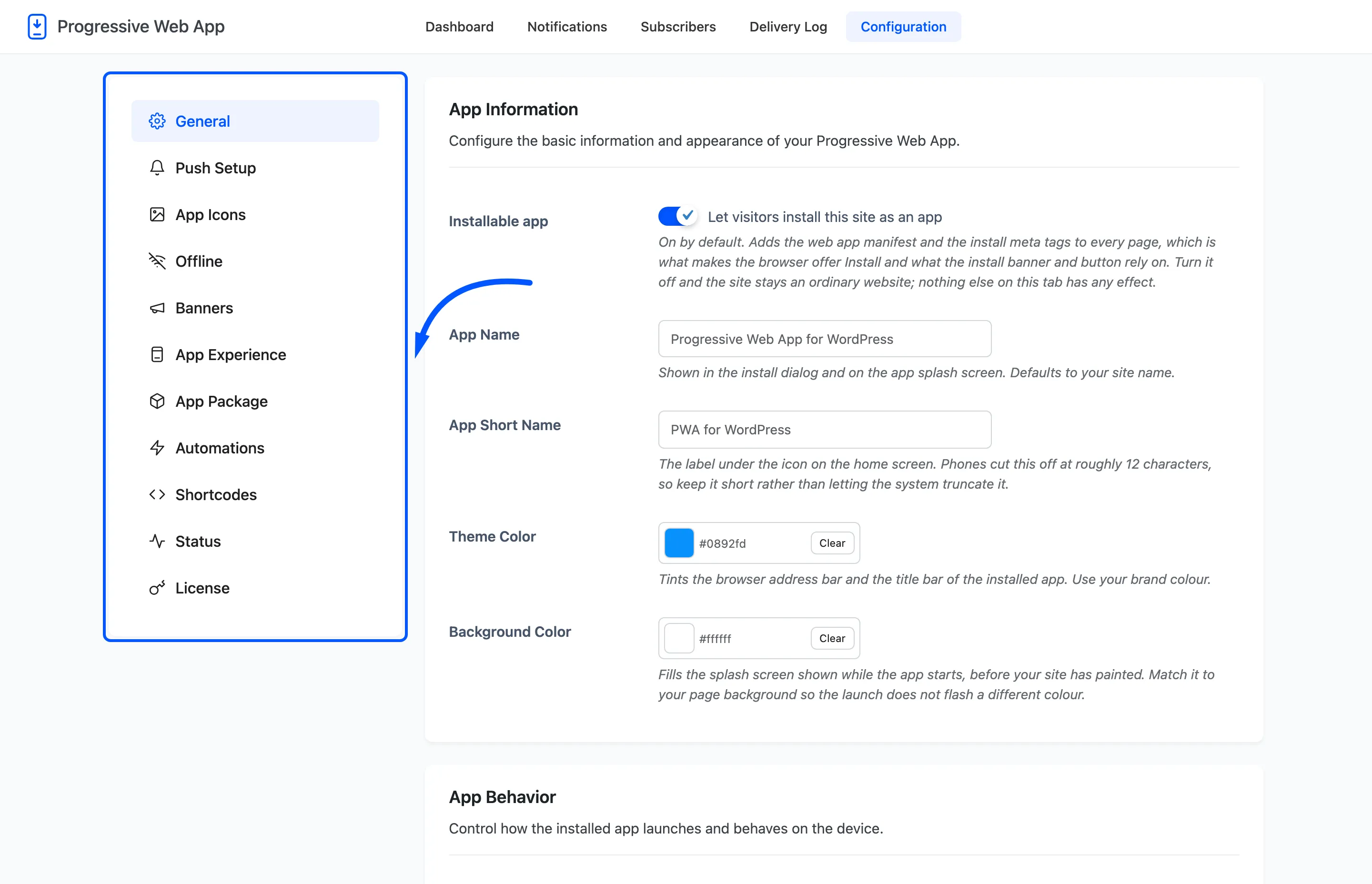
- Configuration: Eleven tabs, from the app name to the Play Store package.
What you need first
Section titled “What you need first”Three things, and only the first is unusual.
- HTTPS: Service workers and push notifications only run on a secure connection. On plain HTTP the plugin warns you and visitors can neither install nor subscribe.
- A Firebase project: Push is delivered through Firebase Cloud Messaging. It is free, and How to Connect Firebase walks through the four values you copy across.
- WooCommerce, only for the store features. The app, the offline cache and manual notifications all work on a plain WordPress site. Order updates, back in stock alerts and abandoned cart reminders need a store.
What is free and what is Pro
Section titled “What is free and what is Pro”The free version is a complete progressive web app: install, offline browsing, push notifications you send by hand, the banners, the icons and the status checks.
| Feature | Free | Pro |
|---|---|---|
| Installable app, manifest and icons | Yes | Yes |
| Offline caching, network first | Yes | Yes |
| Cache first strategy | No | Yes |
| Send a notification by hand | Yes | Yes |
| Send to everyone | Yes | Yes |
| Send to a chosen segment | No | Yes |
| Schedule a notification | No | Yes |
| Action buttons and badge icon | No | Yes |
| Push on a new post | Yes | Yes |
| Welcome notification for new subscribers | Yes | Yes |
| New product, on sale and back in stock pushes | No | Yes |
| Back in stock waiting list | No | Yes |
| Order status updates | No | Yes |
| Abandoned cart reminders | No | Yes |
| Recurring daily or weekly digest | No | Yes |
| App shortcuts in the manifest | No | Yes |
| Install and subscribe shortcodes | Yes | Yes |
| Share, stock alert and save offline shortcodes | No | Yes |
| Bottom tab bar, dark mode, gestures | No | Yes |
| Play Store packaging | No | Yes |
| Click and click-through-rate reporting | No | Yes |