

How to Read Your App Numbers
There are numbers in four places and they answer four different questions. Working through them in this order turns them into a decision rather than a wall of figures.
Step 1: Set the date range
Section titled “Step 1: Set the date range”Go to DevDiggers Plugins → Progressive Web App → Dashboard.
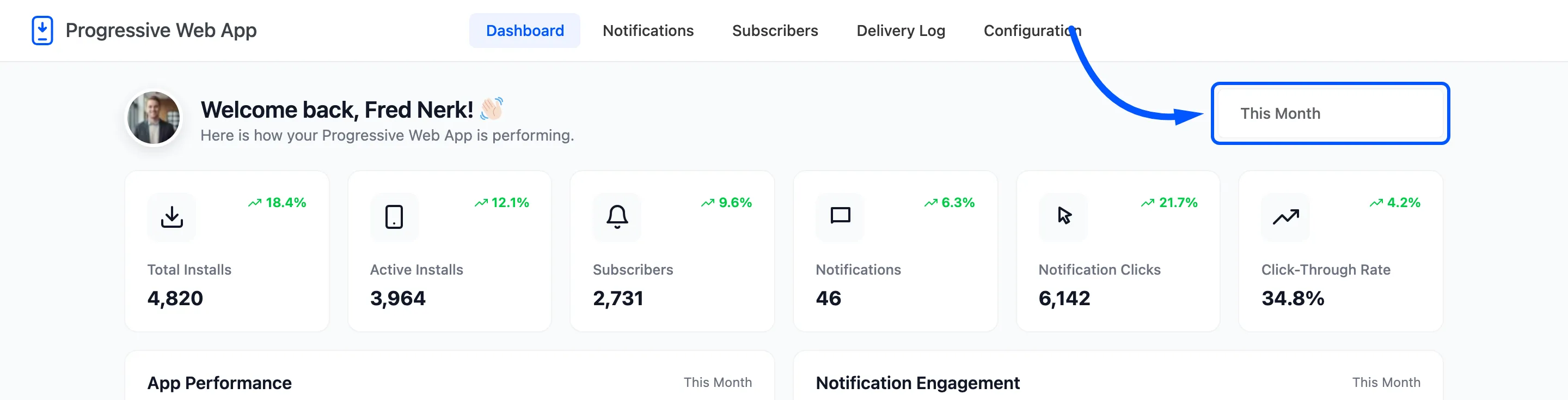
The picker sets the window for the six cards and the two line charts. It defaults to this month. Presets cover the usual ranges, and there is a custom from and to at the bottom.
Two things ignore it, and knowing which saves confusion. Active Installs is a live count. The two doughnut charts describe everything you have ever recorded.
Step 2: Read the six cards
Section titled “Step 2: Read the six cards”
Each carries a percentage against the previous period of the same length, so a 30 day range is compared with the 30 days before it.
- Total Installs against Active Installs is the retention question. Installs that keep rising while active installs stay flat means people are installing and removing it.
- Subscribers is the number that decides what every notification can reach.
- Notifications is how many you have saved, not how many you have sent. The Delivery Log has sends.
- Notification Clicks and Click-Through Rate are the only measure of whether the messages land. Pro.
Step 3: Read the four charts
Section titled “Step 3: Read the four charts”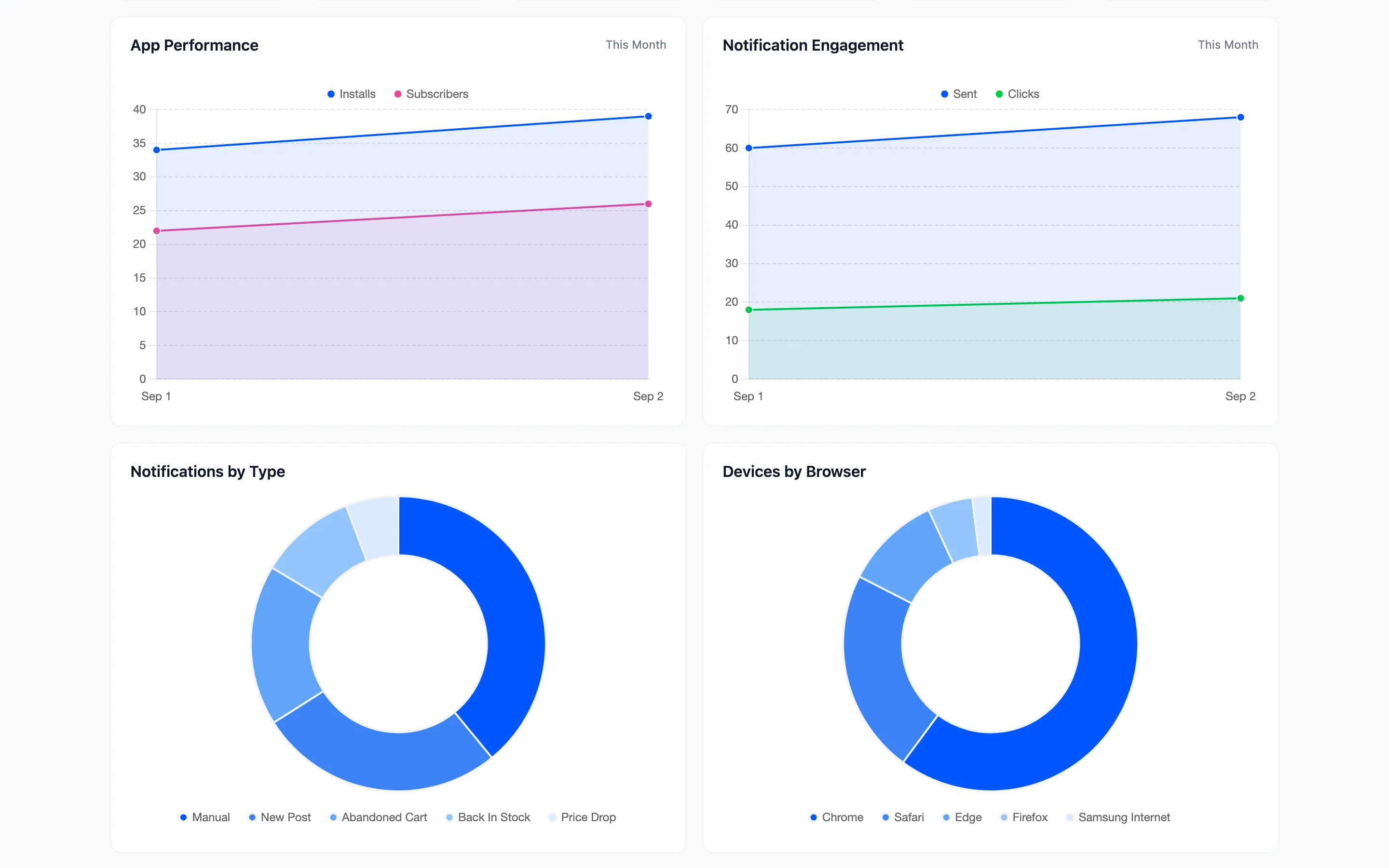
App Performance puts installs and subscribers on one timeline. The useful shape is a step: a change to the banner or the prompt should show up as one, and if it does not, the change did nothing.
Notification Engagement is sent against clicked. A flat clicks line under a rising sent line is the clearest signal that you are sending too much.
Notifications by Type is where your volume actually comes from. On a store running automations it is usually a surprise, because the automatic sends outnumber the ones you wrote.
Devices by Browser is a planning chart rather than a performance one. A large Safari share means a large part of your audience cannot receive push until they install the app, which changes what you should be promoting.
Step 4: Check the readiness score
Section titled “Step 4: Check the readiness score”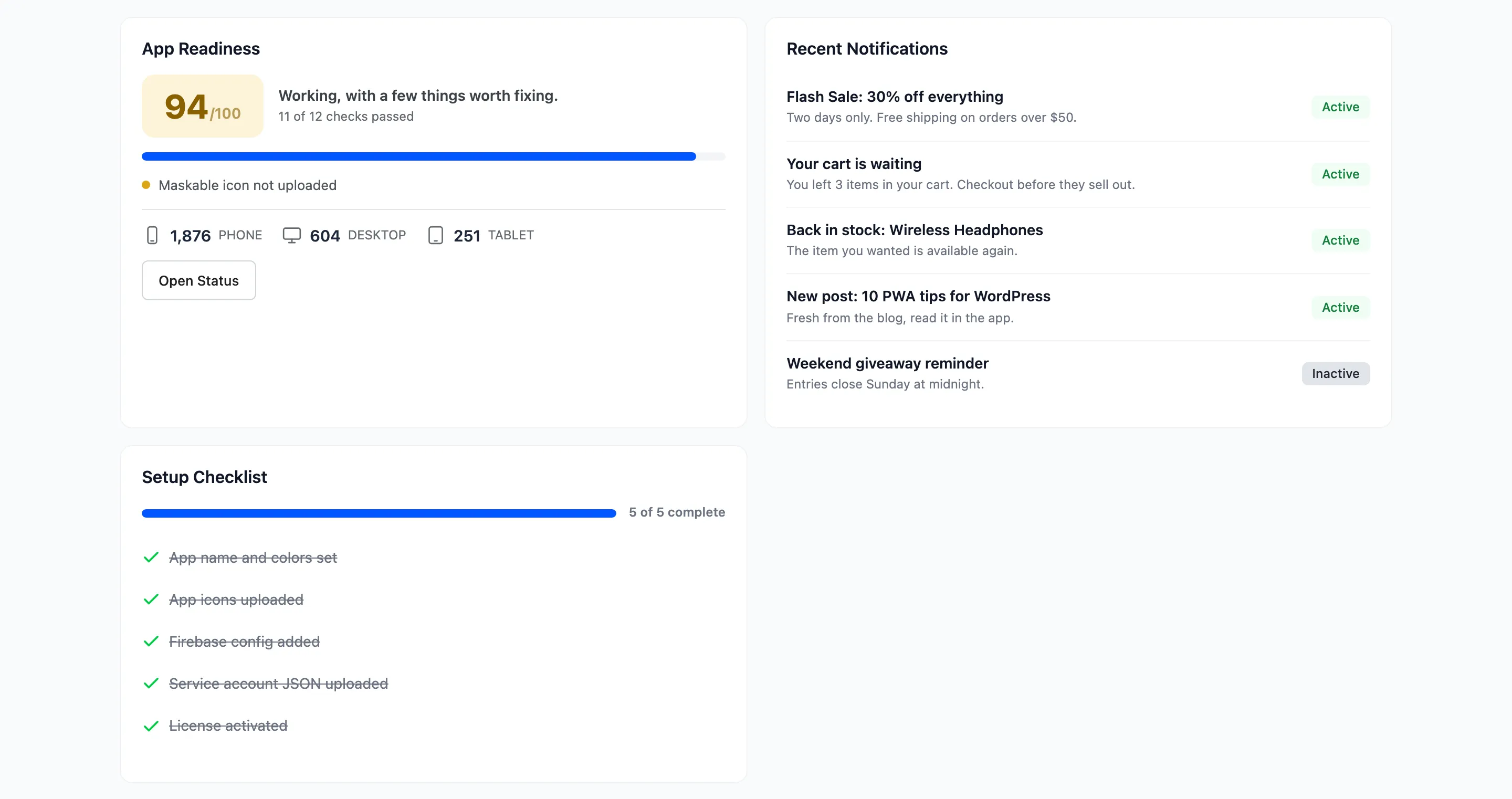
App Readiness is the whole Status tab as one score out of 100, with the failures listed under it and a device split by phone, desktop and tablet.
Read this before you read anything else. A readiness failure means visitors are not getting the app at all, and every number above it is measuring a broken installation.
Setup Checklist is the five one-time steps. While any is outstanding, something is not finished.
Step 5: Read the subscriber counts
Section titled “Step 5: Read the subscriber counts”Go to Subscribers.

Three numbers, and the gaps between them are the opportunity.
Devices minus push subscribed is everybody who visited and never allowed notifications. If that gap is large, the prompt is the thing to work on: its wording, its timing, or the pages it appears on.
Push subscribed minus app installed is everybody who took the notifications and not the app. Those are your most receptive visitors, and the install banner is what they are ignoring.
The same three appear on the Status tab under Audience.
Step 6: Read the delivery log
Section titled “Step 6: Read the delivery log”Go to Delivery Log.

The four totals are lifetime rather than ranged, so they are the long view.
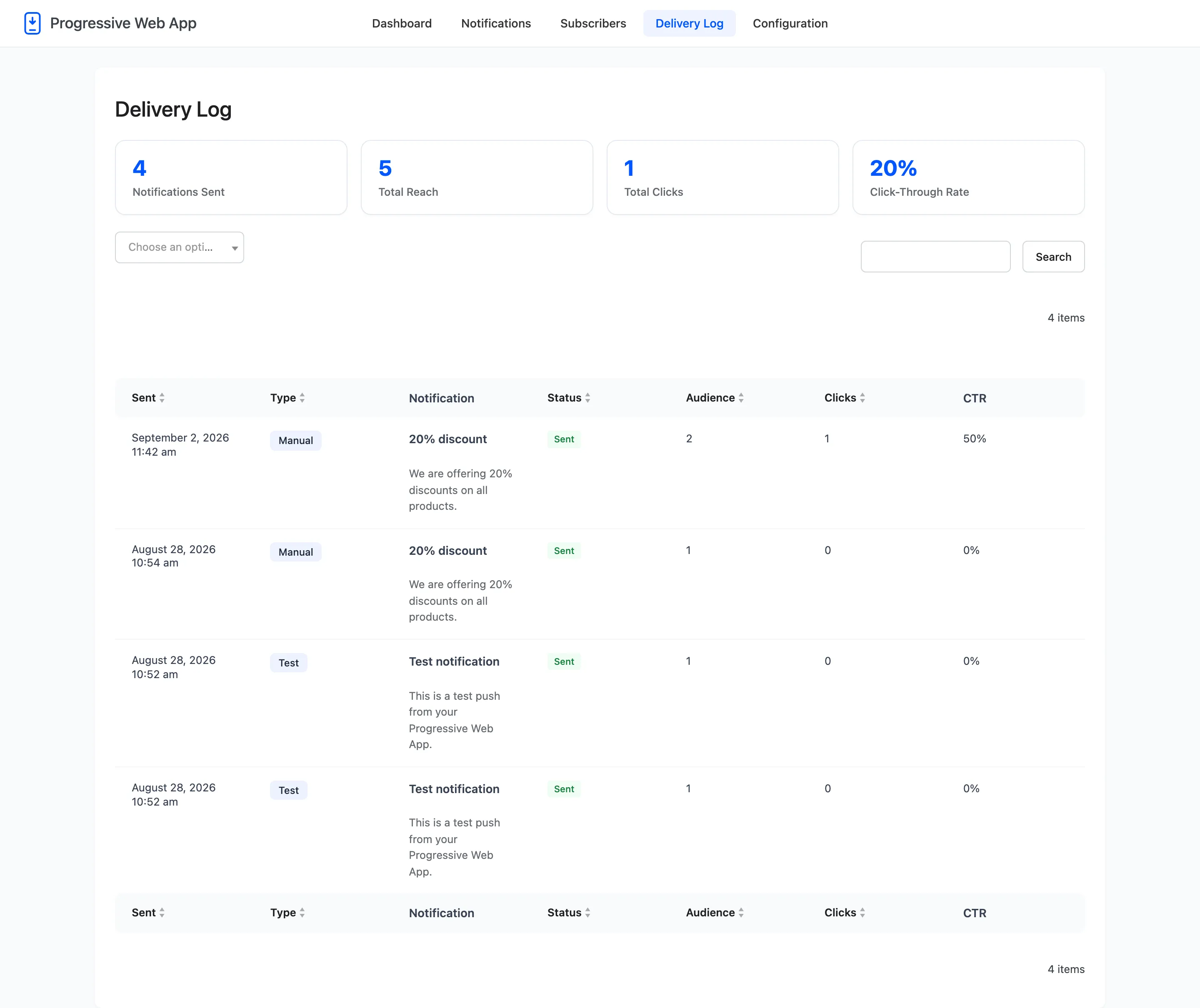
Per row: what went out, to how many devices, and how many taps it got. A Failed row carries its reason on hover, which is the only place that reason is recorded.
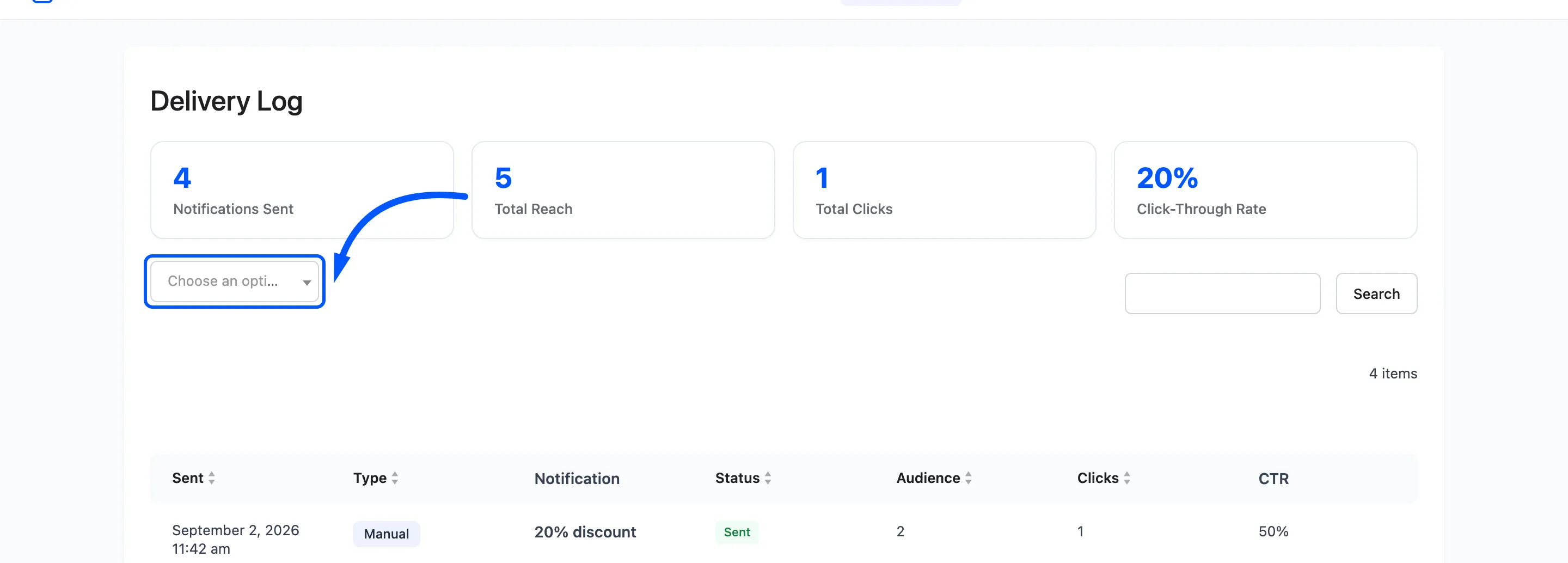
The type filter is the fastest check that an automation is alive. Filter by Order Update after a week of orders. An empty list means the automation is off, the buyers were guests, or push credentials are wrong.
What good looks like
Section titled “What good looks like”Rough numbers, and they vary by audience more than any benchmark admits.
- Prompt acceptance: A quarter to a half of the people asked, with a well-timed prompt. Under ten percent usually means it is being shown on the first page, in the first second.
- Click-through rate: Ten to thirty percent on a relevant notification. Under five means the URL is not answering the title.
- Installs: A small fraction of subscribers, and that is normal. Installing is a bigger ask than allowing a notification.