

Automation Settings
An automation is a notification you do not have to write. Each one has its own enable checkbox and its own wording, and none of them can deliver anything until Push Setup is complete.
Go to DevDiggers Plugins → Progressive Web App → Configuration → Automations.
Auto Push on Publish
Section titled “Auto Push on Publish”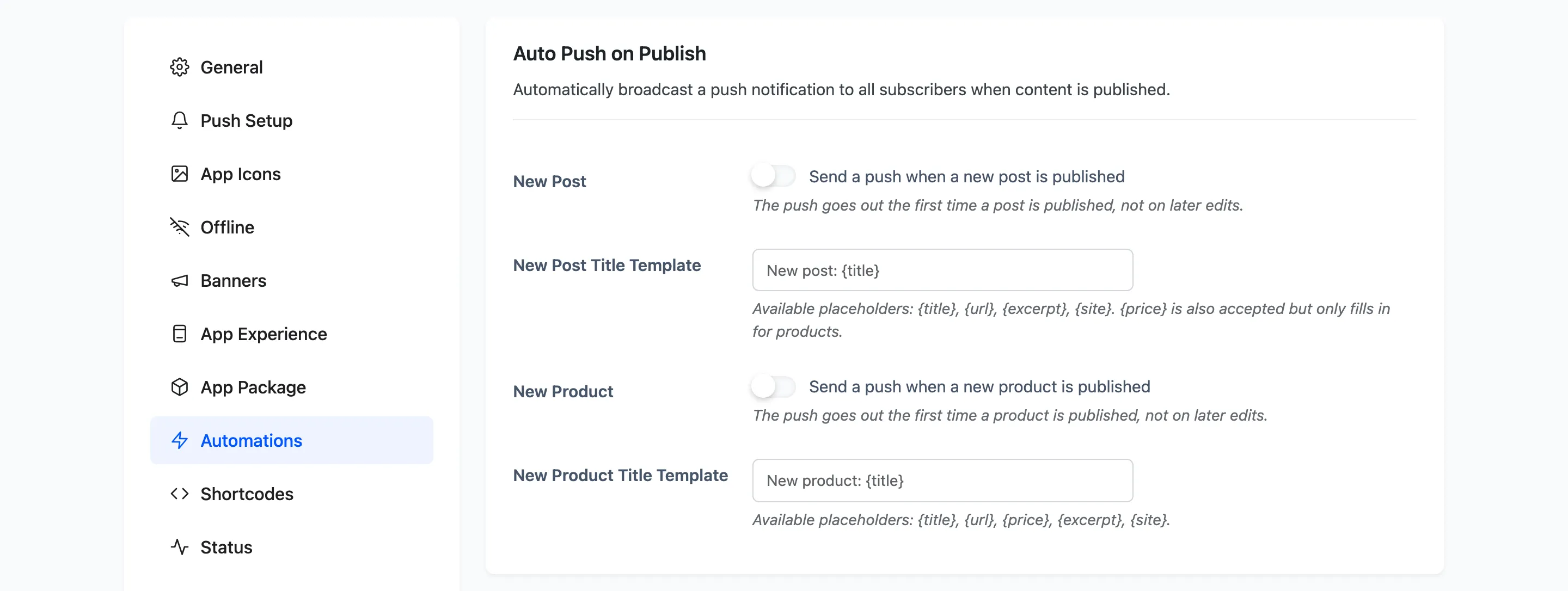
New Post: Off by default. Sends a push the first time a post is published, not on later edits.
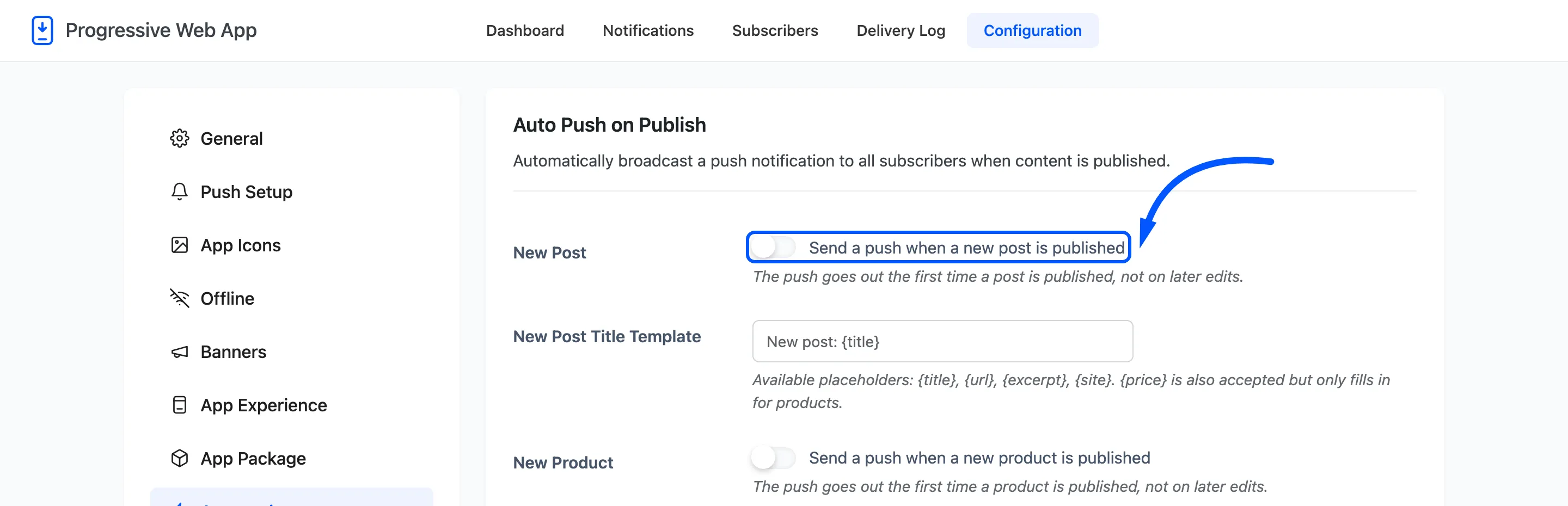
New Post Title Template: Default New post: {title}. Placeholders are {title}, {url},
{excerpt} and {site}. {price} is accepted but only fills in for products.
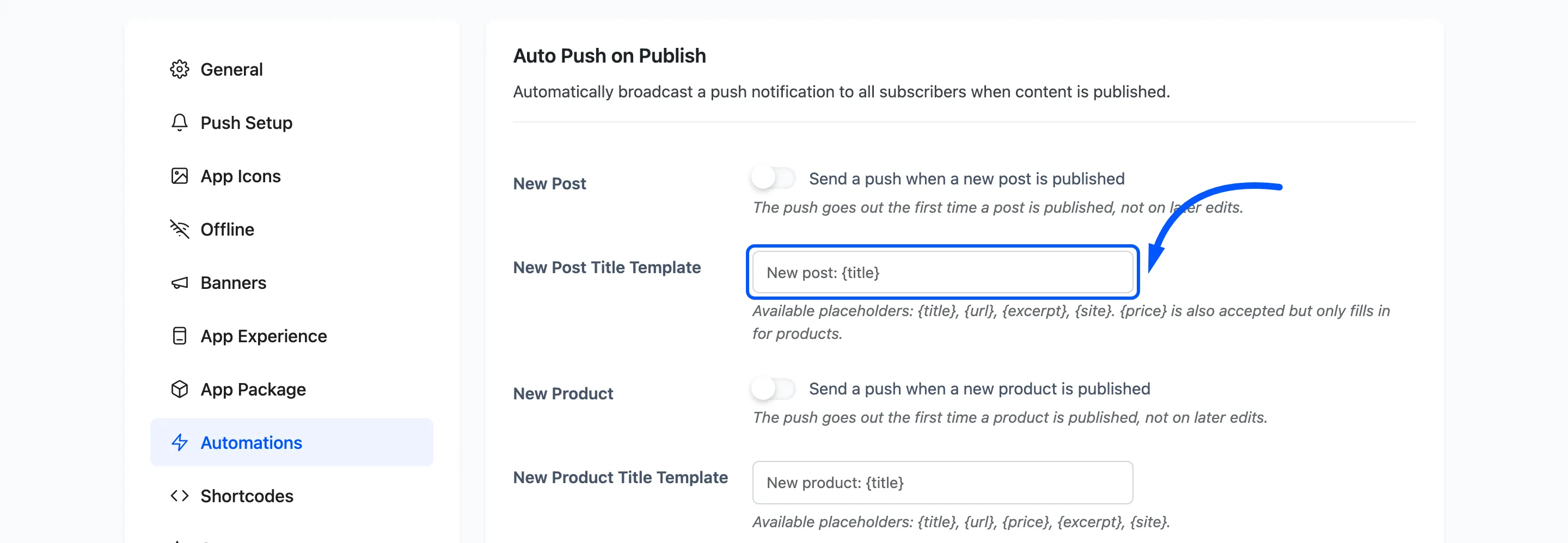
New Product: Pro, and only shown when WooCommerce is active. Same rule: the first publish, not
later edits. Its template accepts {price} as well.
Any post or product can opt out individually, from the Send Push Notification box in its own editor.
WooCommerce Alerts
Section titled “WooCommerce Alerts”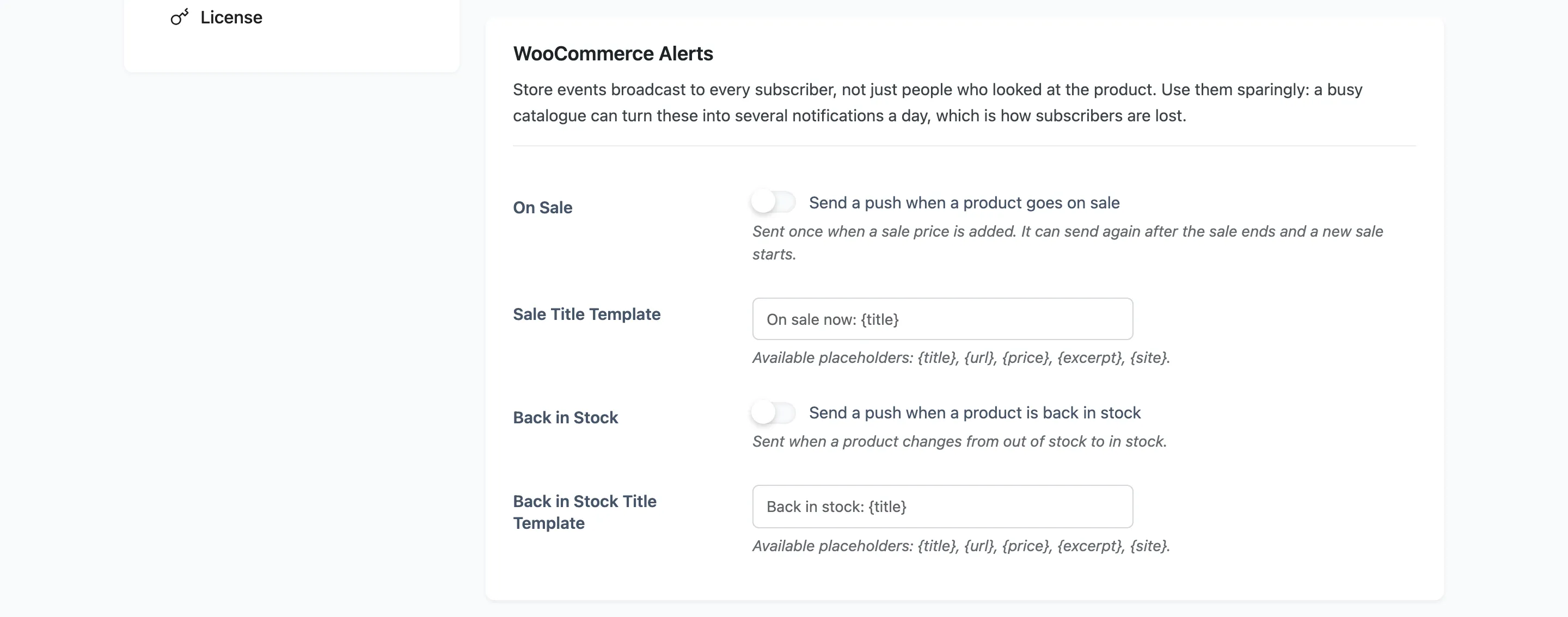
Pro, and shown only with WooCommerce active. These broadcast to every subscriber, not only people who looked at the product.
On Sale: Sent once when a sale price is added. It can send again after the sale ends and a new
one starts. Default template On sale now: {title}.
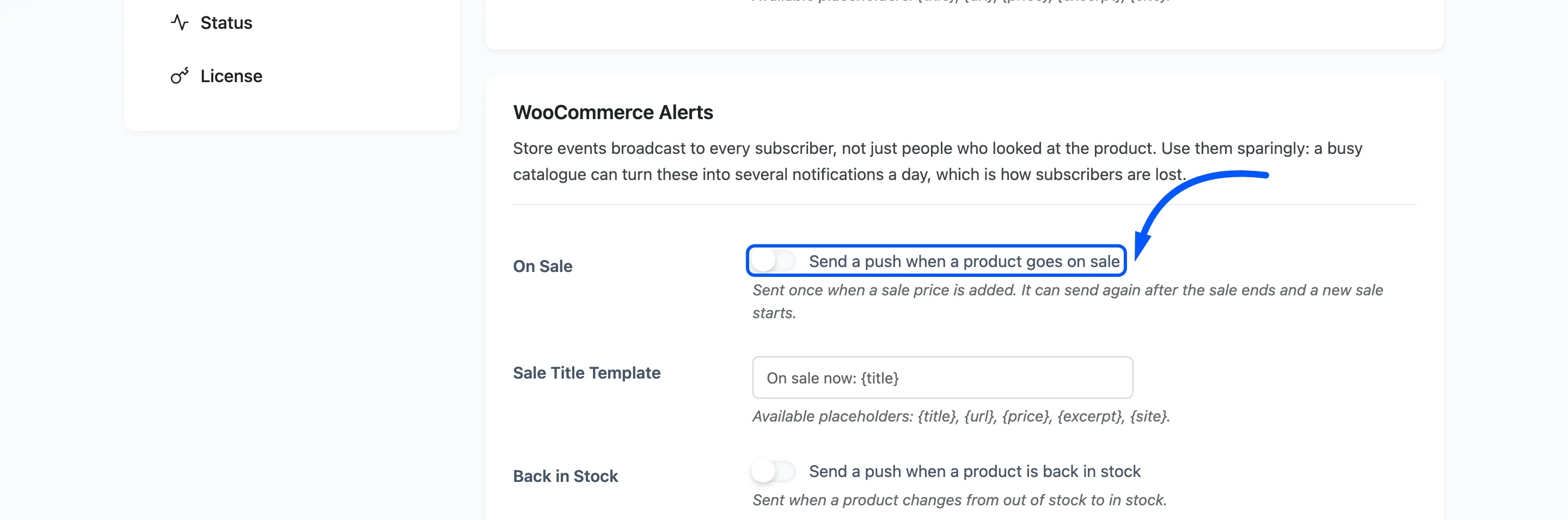
Back in Stock: Sent when a product changes from out of stock to in stock. Default template
Back in stock: {title}.
Use both sparingly. A busy catalogue turns them into several notifications a day, which is how subscribers are lost.
Back in Stock Alerts
Section titled “Back in Stock Alerts”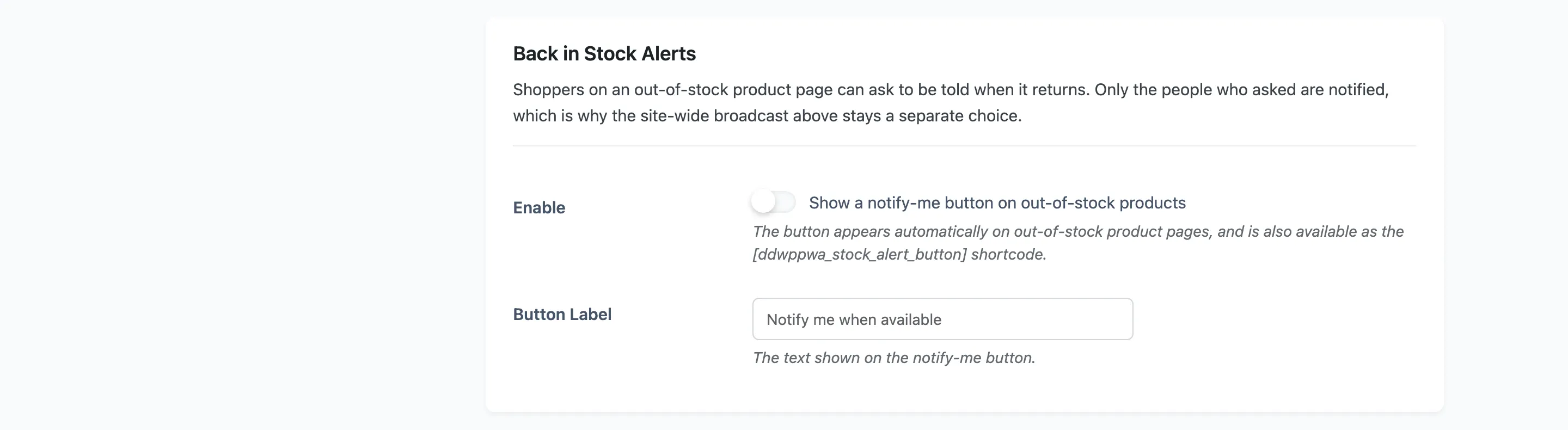
Pro. The targeted version of the broadcast above, and the reason the two are separate choices. Shoppers on an out-of-stock product page ask to be told when it returns, and only the people who asked are notified.
Enable: Shows a notify-me button on out-of-stock product pages automatically. It is also
available as [ddwppwa_stock_alert_button] for placing somewhere else.
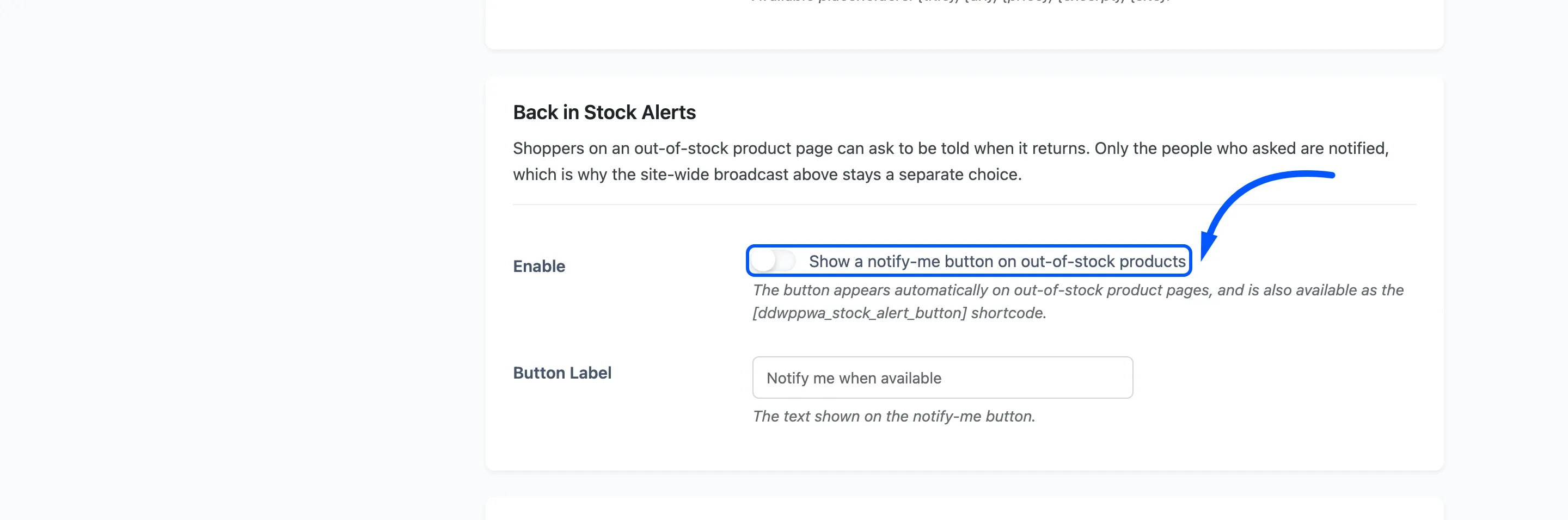
Button Label: Default Notify me when available.
Order Updates
Section titled “Order Updates”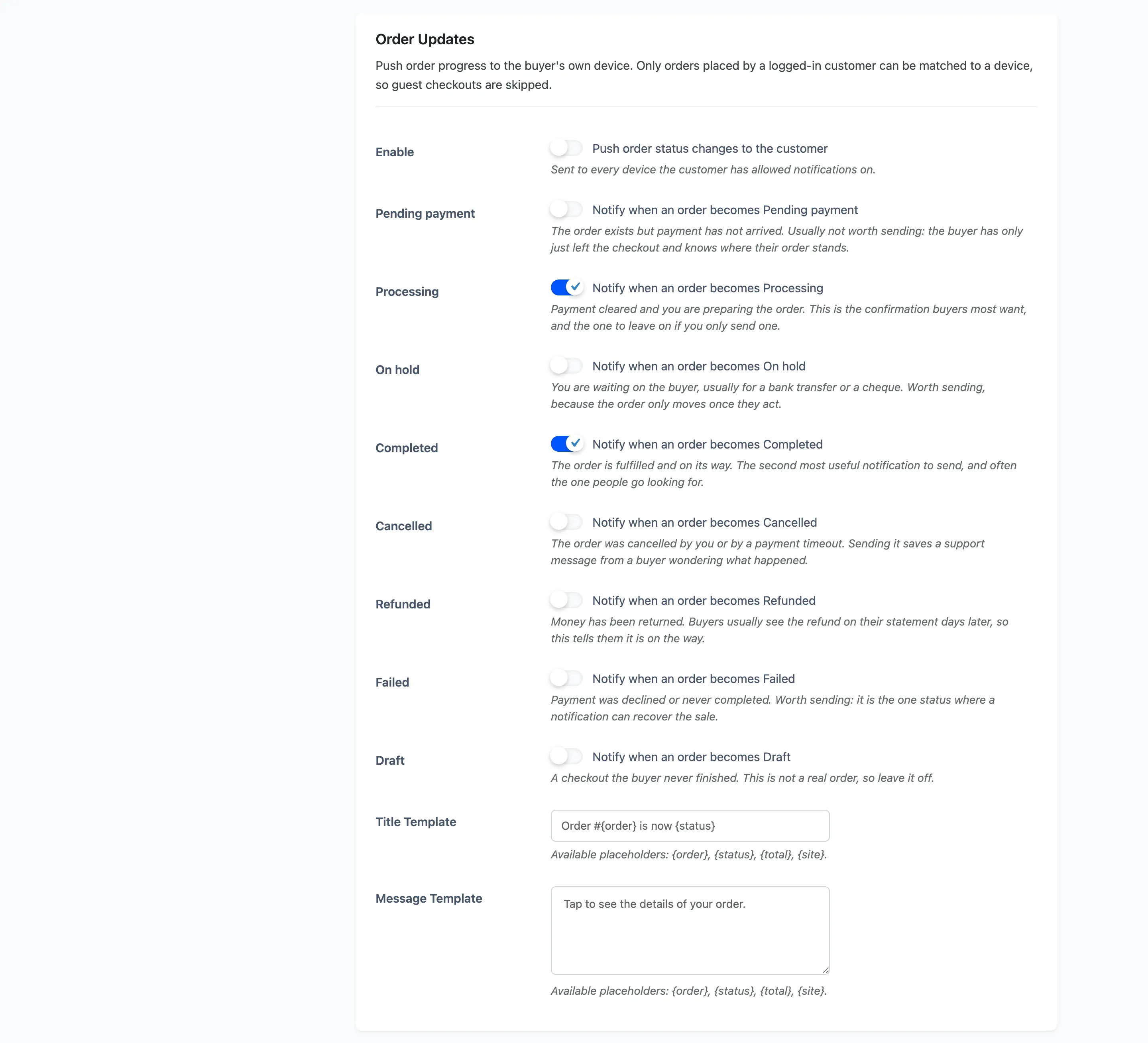
Pro. Pushes order progress to the buyer’s own devices. Only orders placed by a signed-in customer can be matched to a device, so guest checkouts are skipped.
Enable: Sent to every device that customer has allowed notifications on.
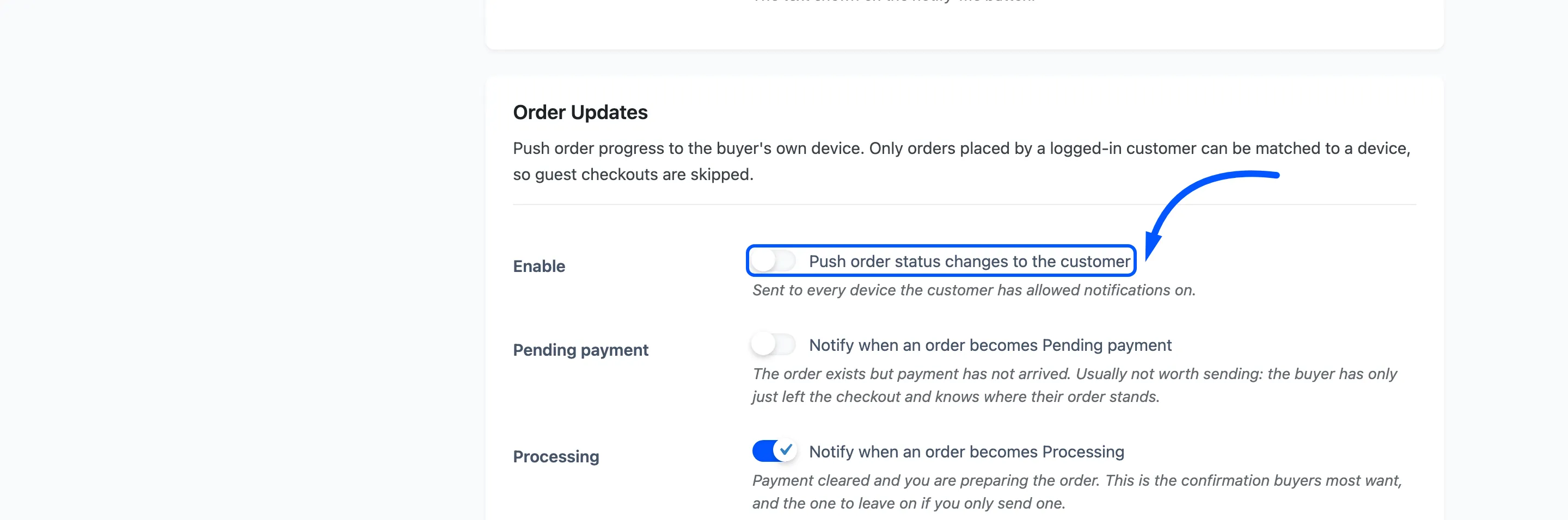
Under it is one checkbox per WooCommerce order status, each with a line on whether it is worth interrupting somebody for. Processing and Completed are ticked by default, and they are the two buyers actually want.
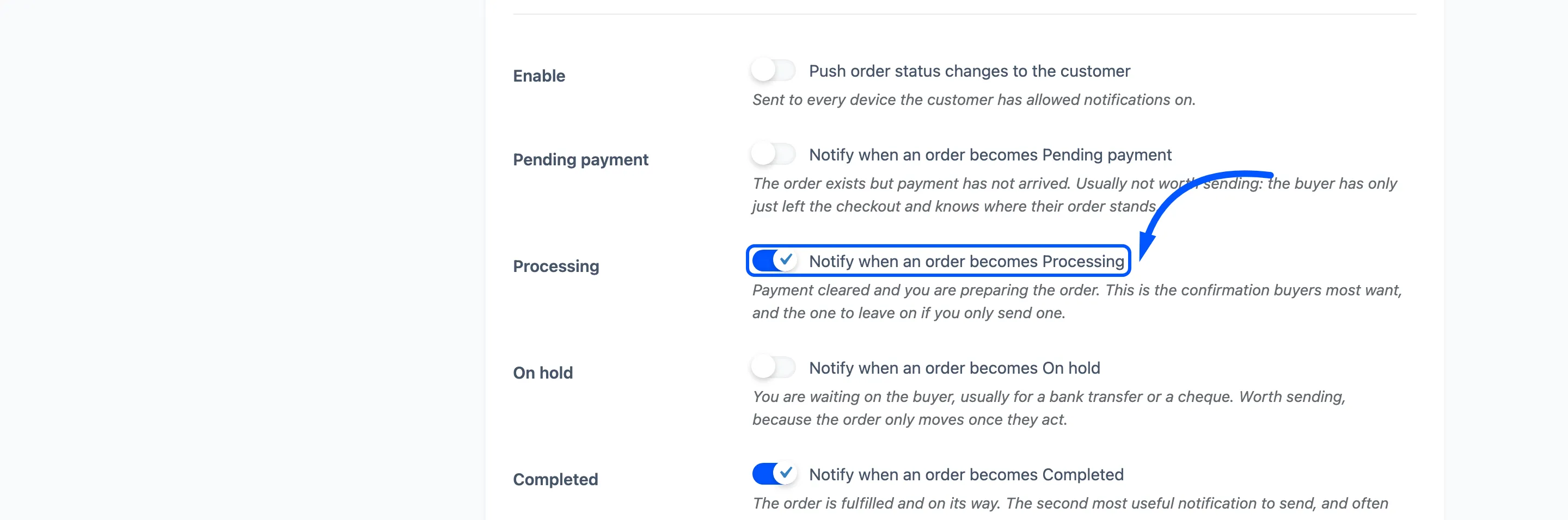
Two more are worth leaving on. Failed is the one status where a notification can recover the sale. Refunded matters because buyers usually see the money days later on a statement.
Title Template: Default Order #{order} is now {status}.
Message Template: Default Tap to see the details of your order.
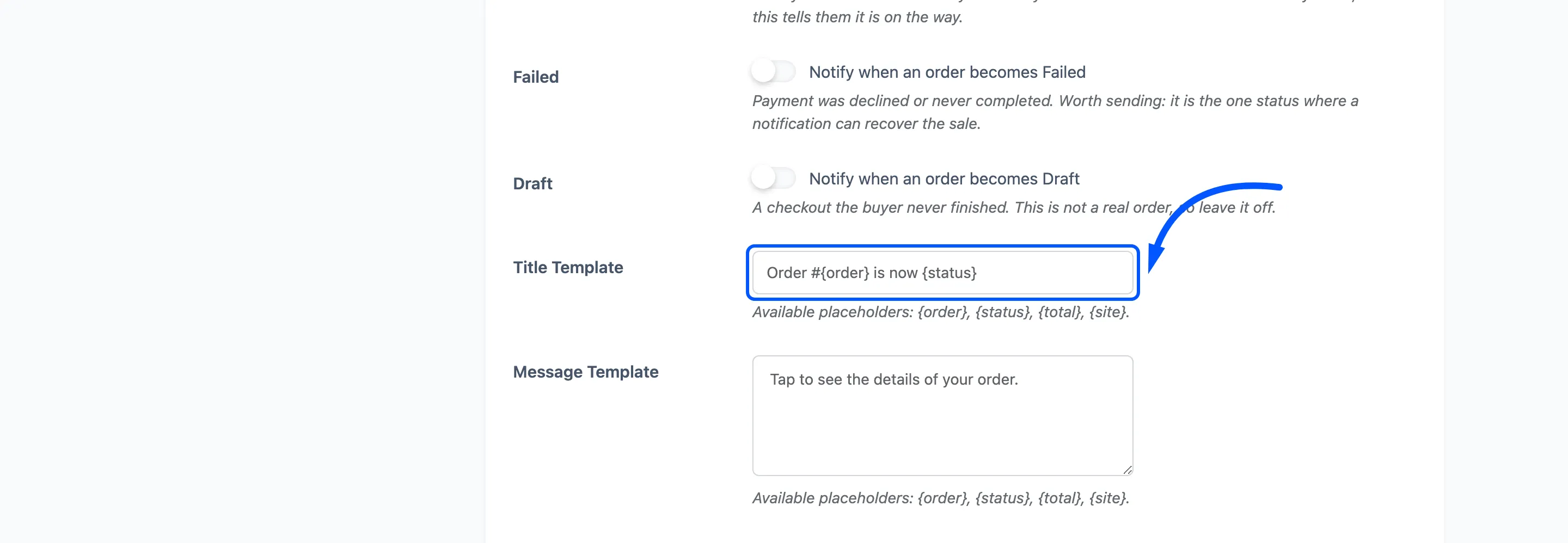
Both accept {order}, {status}, {total} and {site}.
Abandoned Cart
Section titled “Abandoned Cart”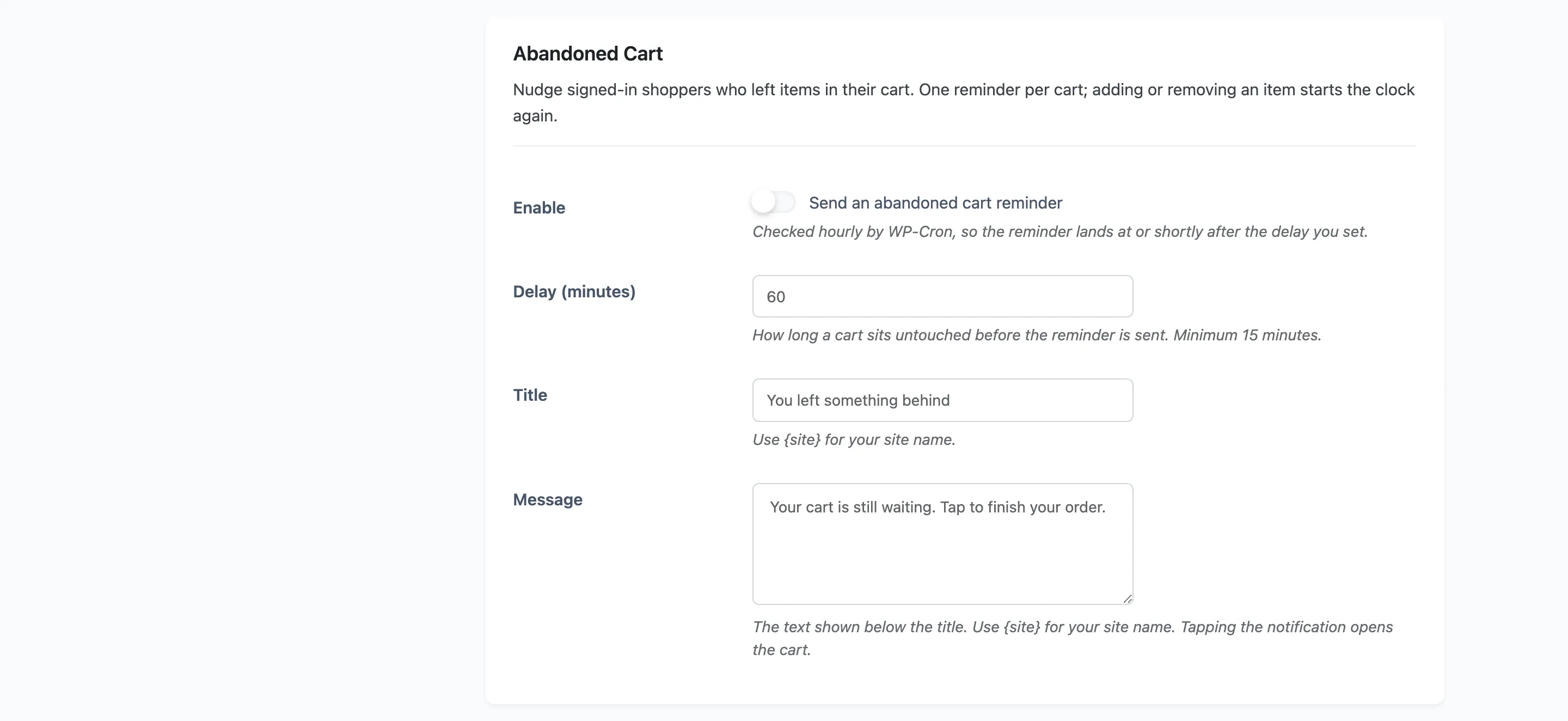
Pro. Nudges signed-in shoppers who left items in their cart. One reminder per cart, and adding or removing an item starts the clock again.
Enable: Checked hourly by WP-Cron, so the reminder lands at or shortly after your delay rather than on the minute.
Delay (minutes): Default 60, minimum 15.
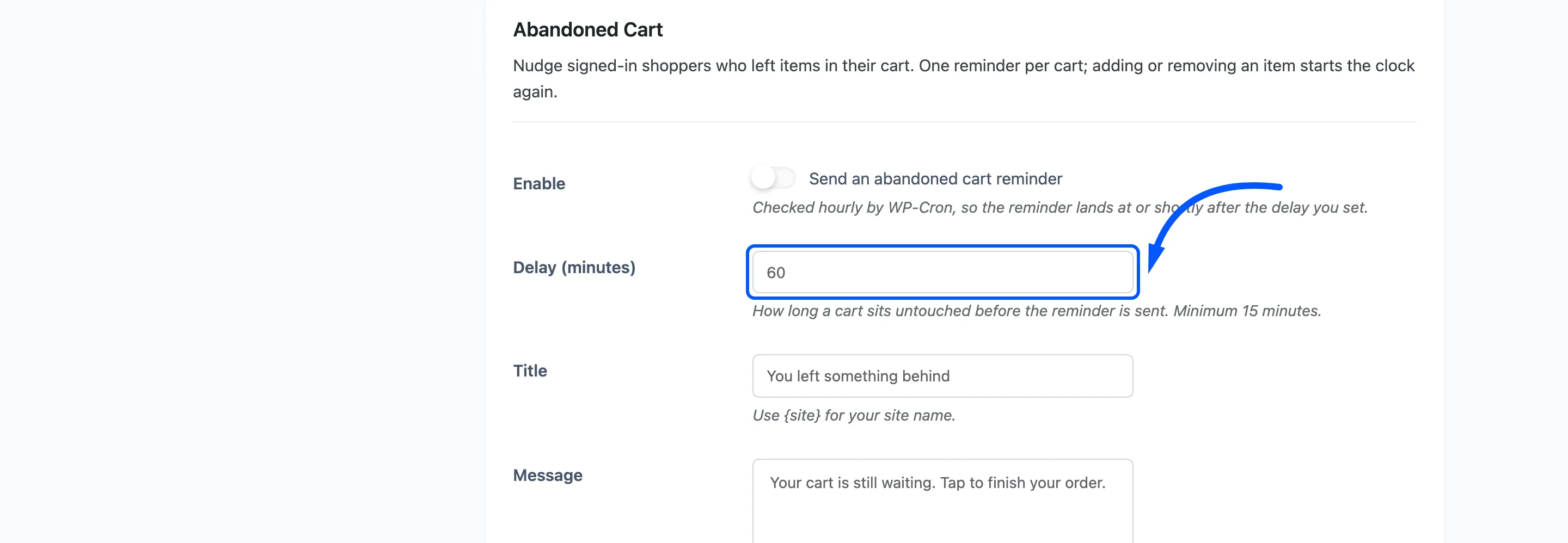
Title: Default You left something behind.
Message: Default Your cart is still waiting. Tap to finish your order. Tapping opens the
cart. Both accept {site}.
Welcome Notification
Section titled “Welcome Notification”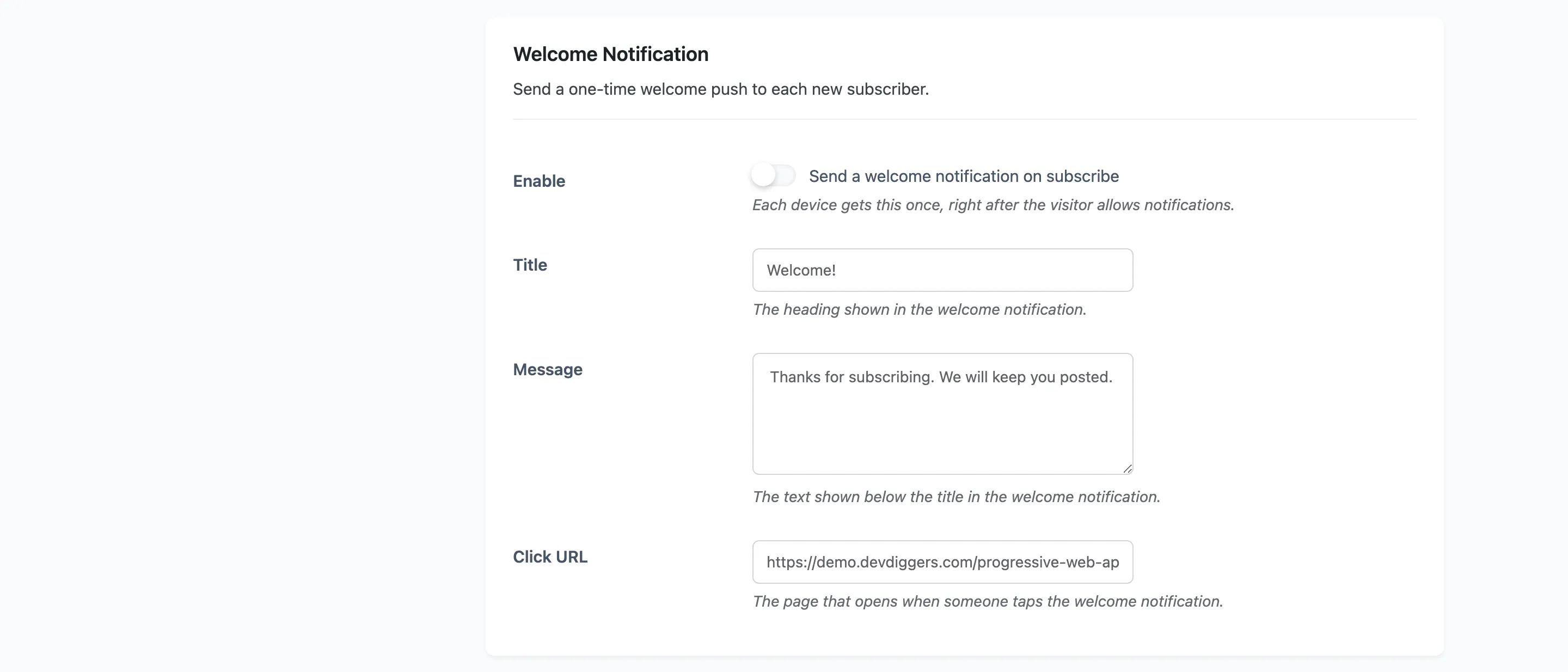
Free. A one-time push to each new subscriber, sent right after they allow notifications. Each device gets it once.
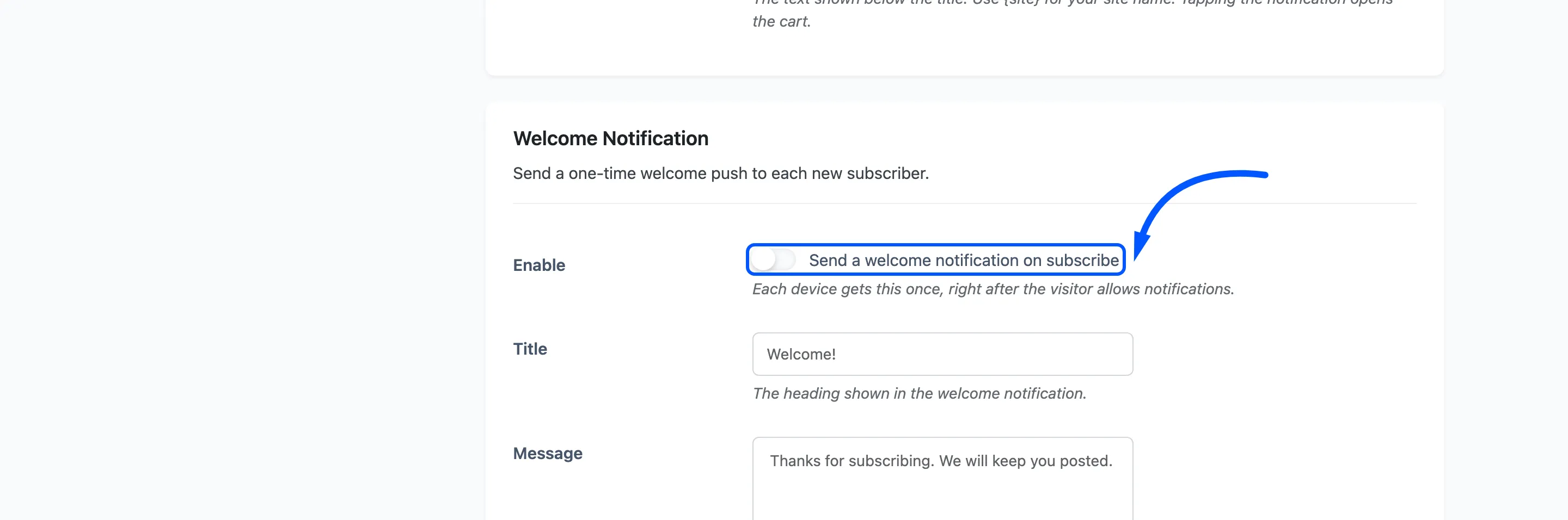
- Title: Default Welcome!
- Message: Default Thanks for subscribing. We will keep you posted.
- Click URL: Defaults to your home page.
This one earns its keep beyond the greeting: it proves to the visitor, immediately, that the permission they just granted does something.
Recurring Digest
Section titled “Recurring Digest”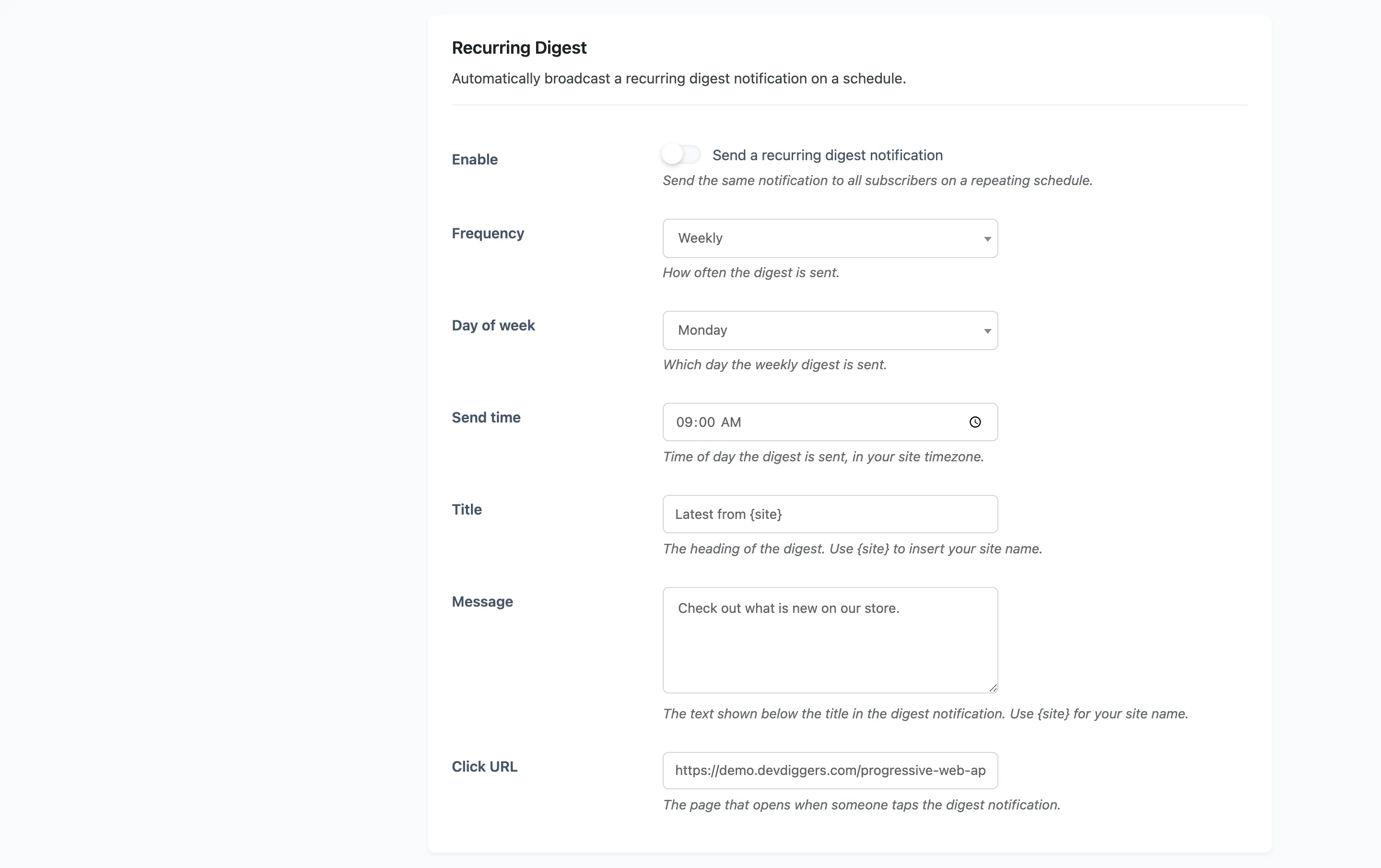
Pro. The same notification to all subscribers on a repeating schedule. With it enabled, the section heading tells you the next send time.
Frequency: Default Weekly. Choosing Daily hides the day-of-week row.
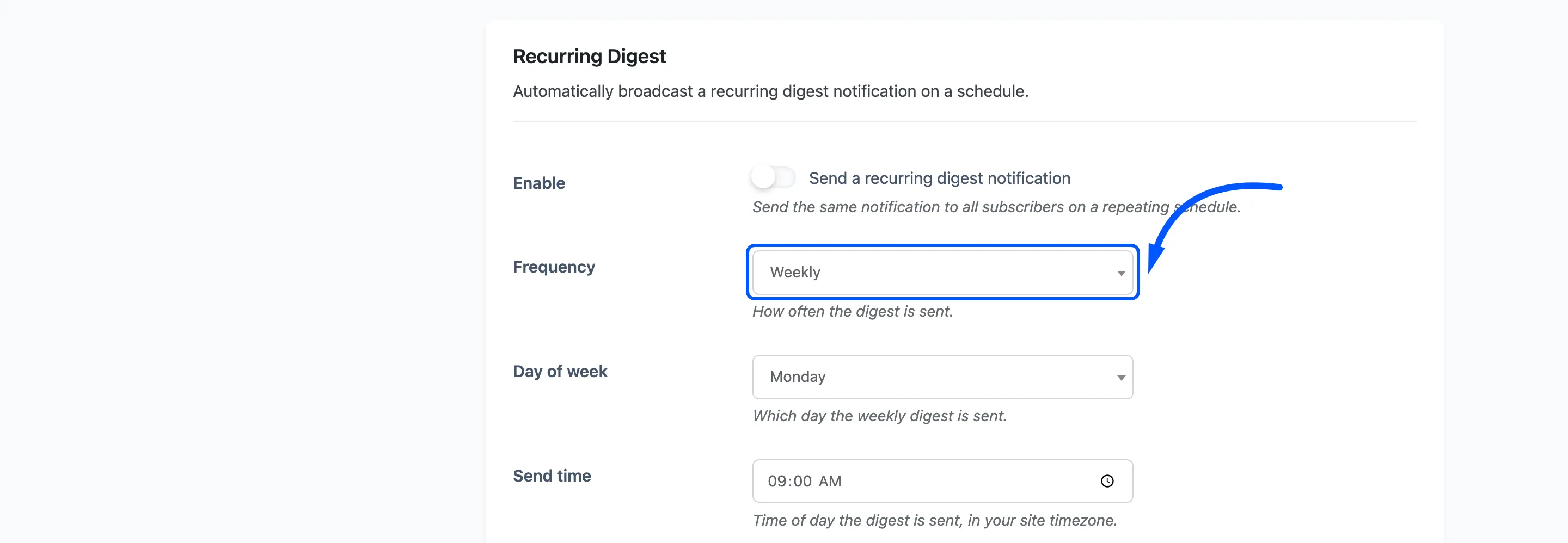
Day of week: Default Monday. Weekly only.
Send time: Default 09:00, in your site timezone.
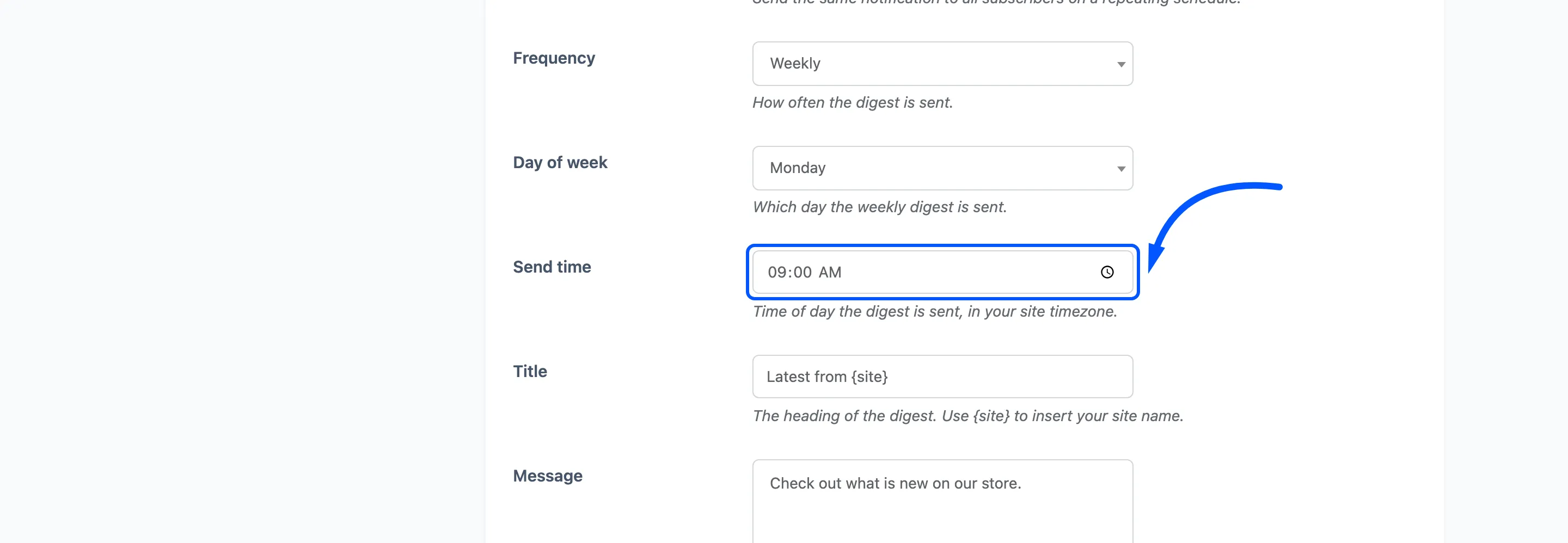
- Title: Default
Latest from {site}. - Message: Default Check out what is new on our store.
- Click URL: Defaults to your home page.
If nothing scheduled ever fires
Section titled “If nothing scheduled ever fires”The digest and the abandoned cart sweep are both WP-Cron events. If DISABLE_WP_CRON is set in
wp-config.php, neither runs unless a real server cron job is calling wp-cron.php. The
Status tab checks this and says so.