

How to Build a Prescriber Registry (Pro)
Your pharmacists already know which doctors they trust and which scripts they have had trouble with. The registry writes that down, so the knowledge is on screen for whoever reviews next.
Step 1: Collect the prescriber’s details
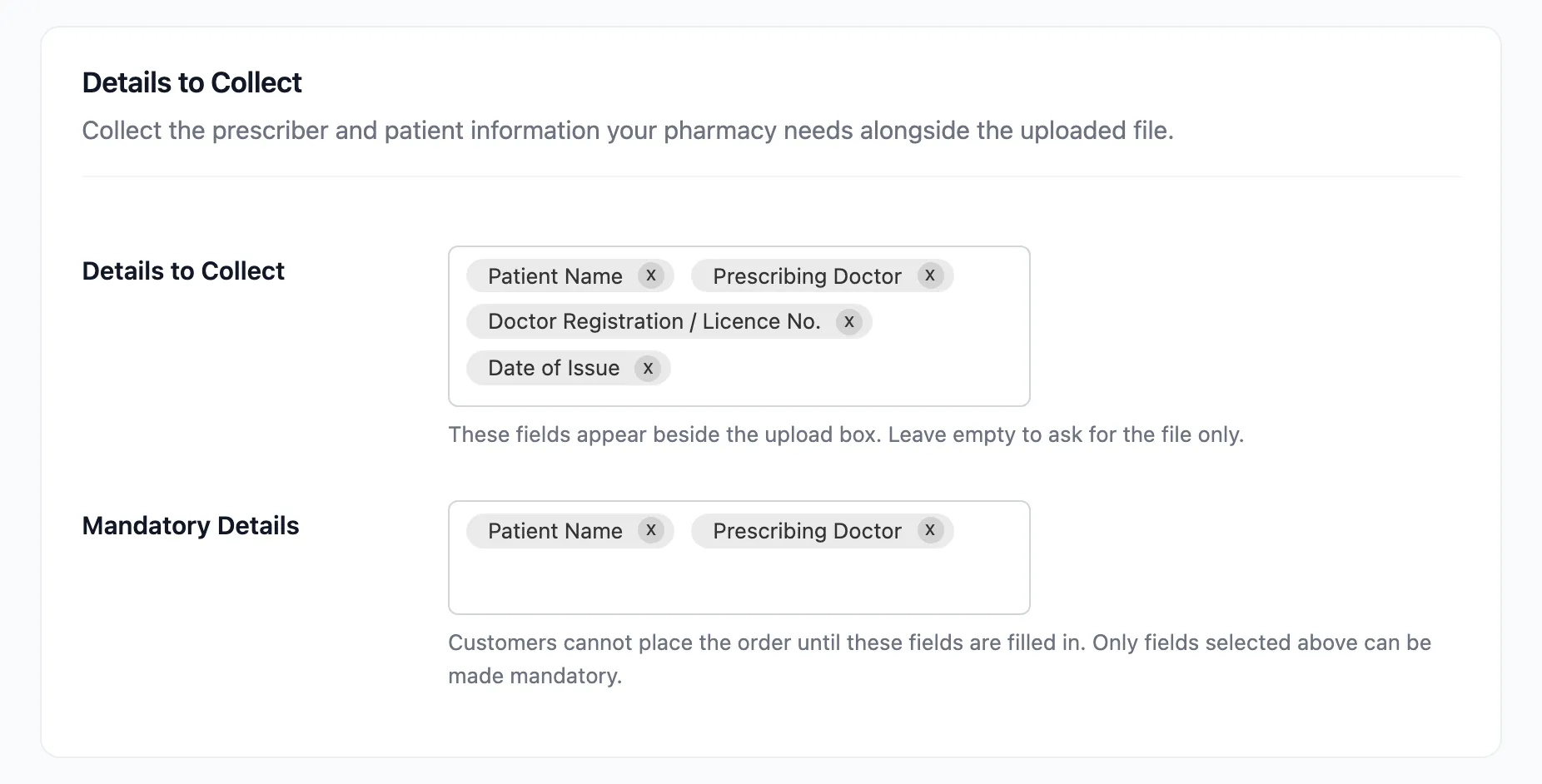
Section titled “Step 1: Collect the prescriber’s details”The registry matches what the customer typed, so the customer has to type it. Under Prescription Rules → Details to Collect, keep Prescribing Doctor and Doctor Registration / Licence No.
Step 2: Add a prescriber
Section titled “Step 2: Add a prescriber”Further down the same tab, under Prescriber Registry, click Add Prescriber.

Fill in the new row:
- Standing: Verified, Watch or Blocked.
- Name: As customers will type it, for example Dr Jane Okafor.
- Registration / Licence: Their registration number.
- Note: Why they have this standing. It is shown to the reviewer with a watch or block warning.
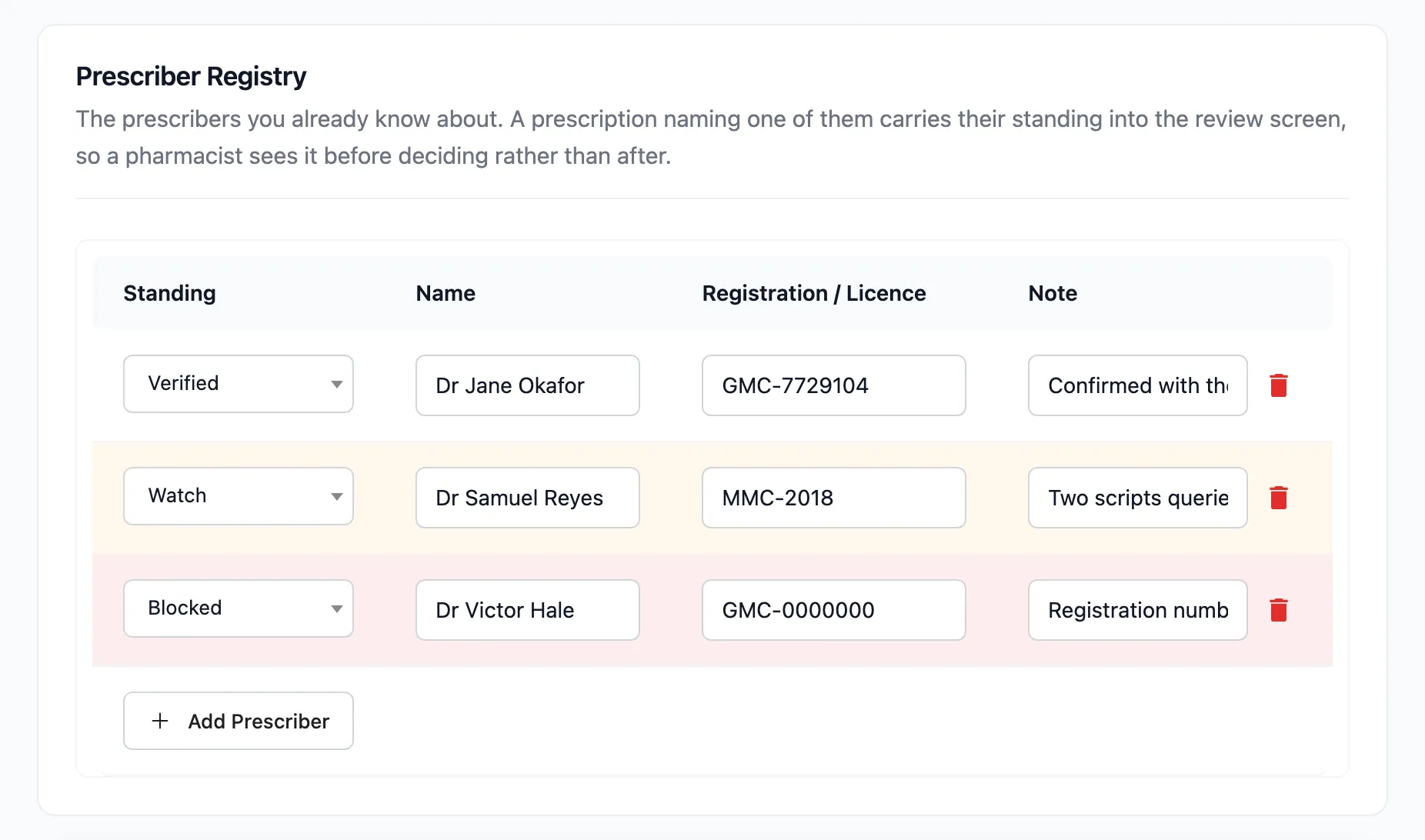
The row changes colour to match its standing. The bin icon at the end removes a row. Click Save Changes when the list is right.
Step 3: See the standing in the review
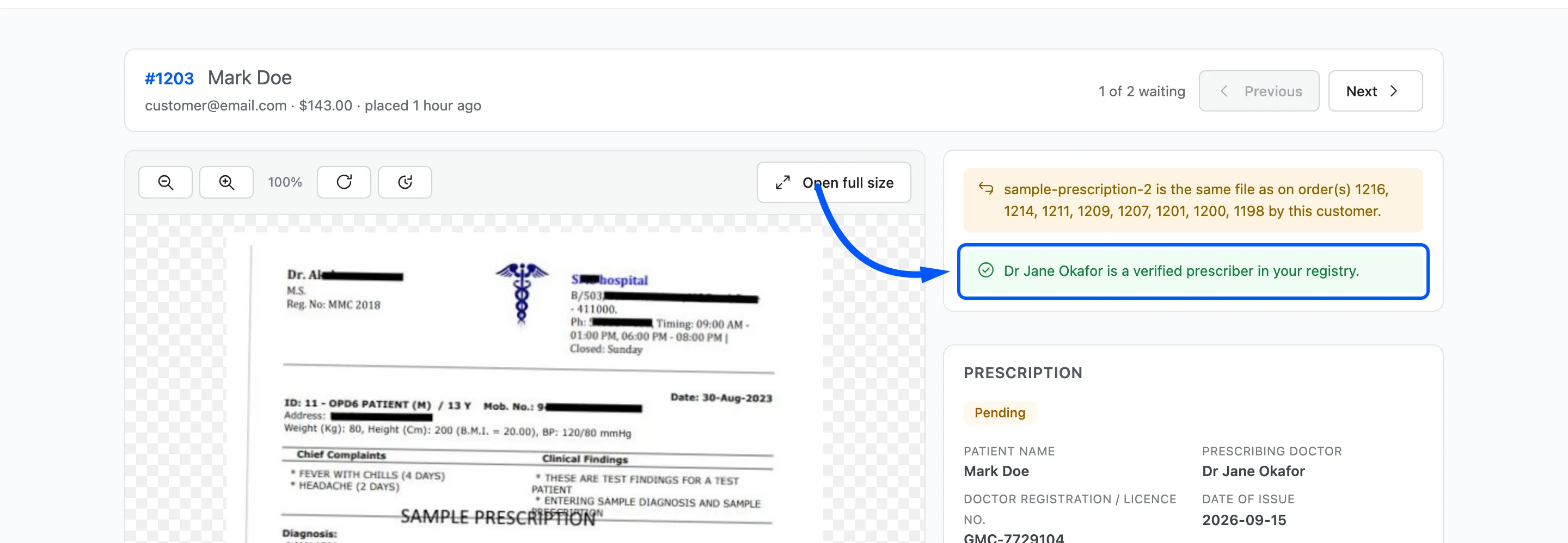
Section titled “Step 3: See the standing in the review”Open a prescription that names a listed prescriber. The standing shows at the top of the right column, before the decision.
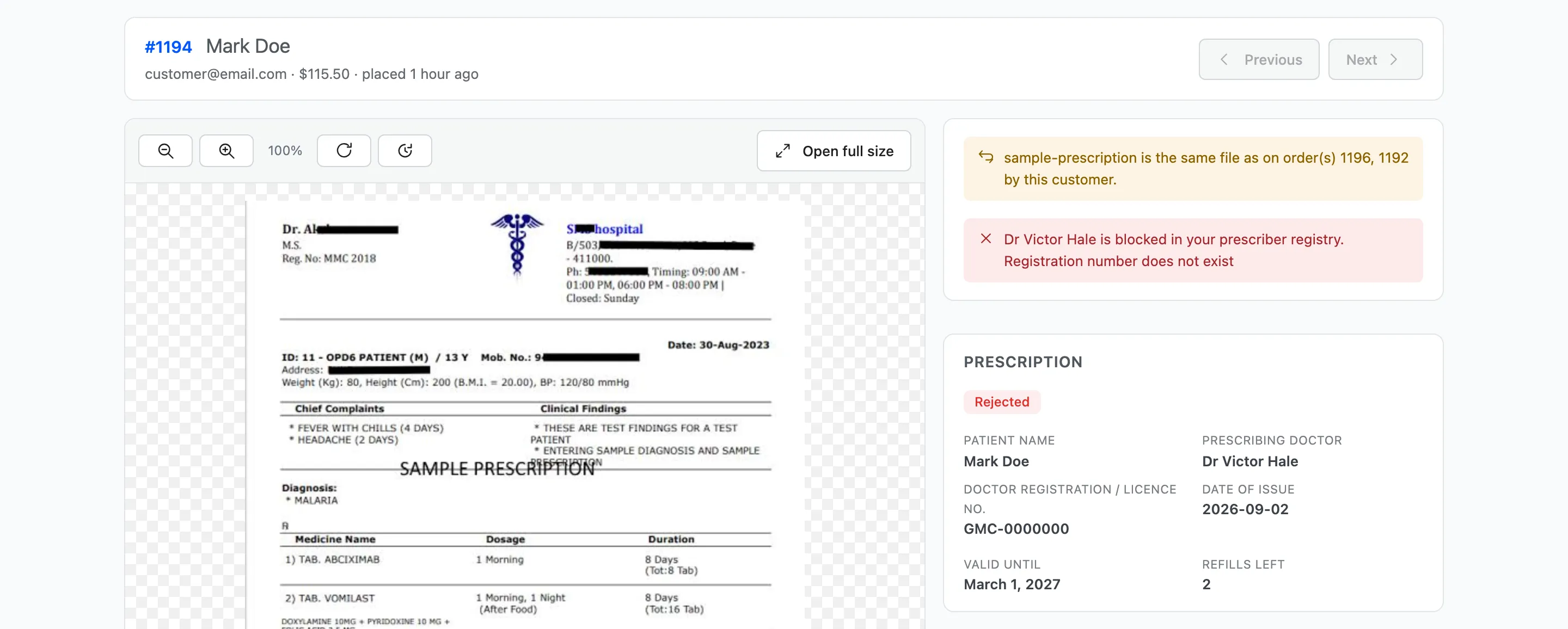
| Standing | What the reviewer sees |
|---|---|
| Verified | A green line: this prescriber is verified in your registry |
| Watch | An amber line: this prescriber is on your watch list, with your note |
| Blocked | A red line: this prescriber is blocked in your registry, with your note |
| Not listed | A note that this prescriber is not in your registry yet |
A watched or blocked prescriber also shows on the order review panel, and a blocked one is marked in red on the dashboard’s Prescribers Seen.
How matching works
Section titled “How matching works”- The licence number is checked first. A matching number wins even if the name is spelled differently.
- Without a licence match, the name is checked.
- Capitals, spaces and punctuation are ignored, so GMC-7729104 matches gmc 7729104. Titles are not: Dr Jane Okafor and Jane Okafor are different names. Add the licence number to avoid relying on the name.
The registry warns and never blocks. A blocked prescriber’s prescription can still be approved, because the decision stays with the pharmacist.